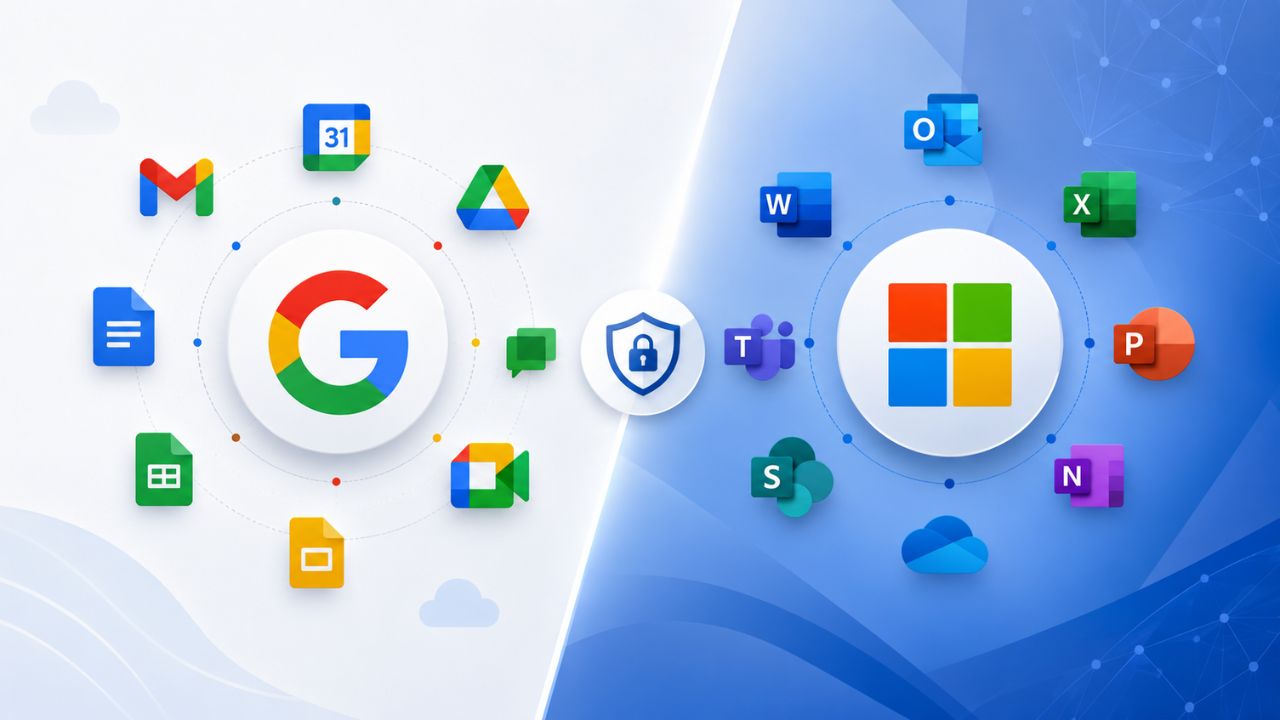
Selecting an enterprise productivity platform requires evaluating how well it supports your organization’s security, compliance, collaboration, and long-term operational goals. Google Workspace Enterprise and Microsoft 365 Enterprise each offer advanced capabilities for identity management, data protection, storage, administration, and enterprise-scale collaboration, but they differ in how these features are implemented. Understanding these differences across key areas such as compliance, governance, migration, scalability, and user management helps organizations choose the platform that best fits their business requirements and IT strategy.
Storage Architecture and Pooling Models
Both platforms pool storage across an organization rather than assigning hard per-user caps. Still, the pooling math and the ceilings inside that pool work differently enough to matter at thousands of seats. Where the two diverge, Gmail-and-Drive pooling versus separate Exchange, OneDrive, and SharePoint quotas, shapes how admins plan capacity and where storage bottlenecks actually show up.
 How Pooled Storage Works on Each Platform
 How Pooled Storage Works on Each Platform
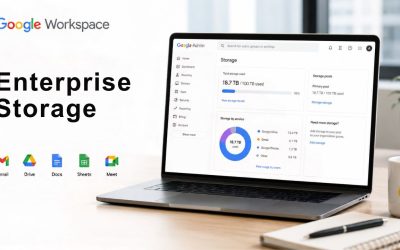
Google Workspace Enterprise Standard and Enterprise Plus allocate 5 TB of pooled storage per licensed user, combining Gmail, Google Drive, and Google Photos into a single organization-wide pool that admins can redistribute across individual users as needed. Customers with five or more end users may request additional storage at Google’s discretion. Microsoft splits storage differently: OneDrive, Exchange Online, and SharePoint each have separate quotas rather than a single combined pool, which changes how an admin plans and monitors capacity across an enterprise tenant.
Microsoft 365 E5 starts every user at 1 TB of OneDrive storage. Storage can automatically expand up to 5 TB once a user reaches 90% utilization, and Microsoft can grant up to 25 TB per user for E3/E5 customers who submit a justified request through support. SharePoint pooled storage follows a fixed formula: 1 TB of base storage plus 10 GB per licensed user, which is identical across the E3, E5, and Premium tiers, so the SharePoint pool grows only as fast as headcount does, regardless of which enterprise tier is purchased.
Mailbox, Archive, and Drive Ceilings at Enterprise Scale
Exchange Online mailbox size is where the enterprise tiers separate from Microsoft’s lower plans. Enterprise E3 and E5 subscribers get 100 GB primary mailboxes, double the 50 GB ceiling on the Enterprise E1 plan. Archive mailboxes follow a similar pattern: E1 archives cap at 50 GB, while E3 and E5 archive mailboxes start at 100 GB and automatically expand once auto-expansion is enabled, with no fixed upper limit specified by Microsoft. A separate CIAOPS analysis of the E5 tier specifically notes Auto-Expanding Archiving can grow a mailbox’s archive from its 100 GB starting point up to 1.5 TB.
Google Workspace makes no such distinction between mail and file storage; both consume the same 5 TB pool, which simplifies capacity planning but also means a handful of heavy Drive users can consume the remaining space for everyone else’s mailboxes. Neither model is objectively larger; they’re structured for different admin habits. Teams already comfortable managing separate Exchange and SharePoint quotas will find Microsoft’s split pools familiar. In contrast, teams that prefer a single number to watch will find Google’s single pool easier to reason about, though it offers less per-service isolation when a service spikes.
Compliance Certifications and Regulatory Coverage
Enterprise procurement teams evaluating either platform usually run a compliance checklist before anything else; certifications, audit cadence, and government authorization levels determine whether a platform even clears the shortlist. Both vendors maintain a broad certification portfolio at the enterprise tier, though the specific frameworks and the depth of each authorization differ in ways that matter for regulated industries.
Certifications Both Platforms Hold at the Enterprise Tier
Google Workspace holds FedRAMP High authorization, along with certifications to ISO 27017, 27018, and 27001, and is audited against the AICPA Service Organization Control standards. Google also maintains ISO/IEC 27701 compliance for privacy and participates in country-specific frameworks, including Germany’s BSI C5 and Singapore’s MTCS, as well as SOC 2 and SOC 3 reports available to enterprise customers.
Microsoft’s compliance portfolio at the E5 tier is broader in terms of the number of frameworks. Microsoft lists ISO 27001, 27017, 27018, 27701, and 42001 alongside SOC 1, 2, and 3, FedRAMP, FIPS 140-2, HITRUST, and dozens of country- and industry-specific frameworks spanning finance, healthcare, and government through its regulatory compliance offering. Microsoft Purview’s Compliance Manager ships with pre-built assessments for more than 300 regulatory frameworks, mapping tenant-level controls directly to each one, a self-service audit-prep layer Google doesn’t offer as a native, equivalent tool.
Where the Compliance Story Diverges
The practical difference isn’t which vendor is “more compliant” in the abstract, both clear FedRAMP High and the core ISO/SOC set, it’s how much of the compliance burden lands on the vendor versus the tenant admin. Independent analysis of Microsoft 365 E5 estimates it provides roughly 60–70% of SOC 2 technical controls out of the box, with the remaining 30–40% requiring organizational policy and governance work the platform can’t automate. Google publishes fewer self-assessment tools of this kind, leaving more of that gap-analysis work to the customer or a partner.
For government and defense buyers specifically, Google Workspace maintains IL4 authorization for Department of Defense customers operating within that boundary, a narrower but deeper claim than a general FedRAMP High authorization alone. Microsoft’s government cloud options extend further into DoD Impact Level 5 territory. Still, only through its separate GCC High and DoD tenants, not the standard commercial E5 SKU this comparison covers, which matters if your procurement path assumes standard enterprise licensing covers that ground.
Identity, Access, and Admin Controls
Compliance certifications only matter if the day-to-day access controls enforce what those certifications assume. This section covers how each platform actually gates who gets in, what they can touch, and how granularly an admin can delegate that authority without handing over the whole tenant.
Access Governance and Conditional Policies
Both platforms build conditional, risk-based access enforcement into their enterprise tiers rather than treating it as a bolt-on. Microsoft’s version runs through Entra ID (formerly Azure AD) Conditional Access, which SOC 2 implementation guidance identifies as the primary technical control mapped to the Trust Services Criteria’s access-control requirements, alongside multi-factor authentication and Entra ID Protection. Because Conditional Access sits within the same identity fabric that spans Azure, Windows, and Microsoft 365, policies set once tend to propagate across a broader surface area than a Workspace-only deployment does.
Google Workspace enforces comparable context-aware access through its own admin console, gating access by device posture, location, and IP range, and layers client-side encryption on top for Enterprise editions specifically, a control Microsoft offers through a separate Purview configuration rather than as a default Workspace-style toggle. Neither vendor’s access model is inherently more secure; the real differentiator is organizational fit. A buyer already standardized on Entra ID for non-Google systems gains more from Conditional Access’s reach. In contrast, a buyer with a simpler, Google-only identity footprint may find Workspace’s console more direct to configure without an adjacent identity platform.
Admin Console Depth and Delegated Administration
Delegated administration, letting IT delegate specific admin rights without granting full super-admin control, exists on both platforms but through different structures. Google Workspace’s admin console uses custom admin roles built from predefined privilege sets, allowing an org to assign narrow responsibilities, such as user support or mobile device management, without broader access. Microsoft’s equivalent runs through Entra ID’s role-based access control, which draws on a deeper, more granular built-in role library, given its origins as a full identity platform rather than a productivity suite add-on.
The audit trail behind each system reflects that same origin story. Microsoft’s Unified Audit Logging creates the evidence trail auditors typically request for SOC 2 and similar frameworks, and, at the E5 tier, includes premium retention and search capabilities beyond the default. Google Workspace’s admin console likewise logs administrative actions for enterprise editions. However, organizations with complex, multi-system audit requirements more often report needing to export Workspace logs to a separate SIEM to achieve the same cross-platform correlation that Microsoft’s native tooling provides out of the box.
Email Security and Threat Protection
Email remains the most common entry point for account compromise, which is why both platforms treat threat protection as a first-class enterprise feature rather than an afterthought. Where they differ is how much of that protection ships by default at the Enterprise/E5 tier versus how much still requires a separate add-on SKU.
Built-In Threat Defense at the Enterprise Tier
 Built-In Threat Defense at the Enterprise Tier
Microsoft bundles its most capable threat protection, Defender for Endpoint P2 and Defender for Office 365 P2, along with Entra ID P2, directly into the E5 tier, rather than selling them as separate add-ons, the way lower Microsoft 365 tiers require. That bundling is a deliberate E5 positioning choice: organizations that would otherwise stack several point-license add-ons onto E3 have them folded into a single SKU at E5.
Google Workspace Enterprise editions include comparable built-in protection, phishing and malware scanning, security sandboxing for attachments, and DLP policies that inspect content moving through Gmail and Drive, as native features of the Enterprise Standard and tiers rather than a separate paid add-on. The practical effect for a buyer is similar even though the packaging differs. Both vendors put their strongest anti-phishing and malware tooling behind the top commercial tier, not the entry-level enterprise plan. Hence, a genuine security-first buyer typically lands on Enterprise Plus or E5 specifically rather than a lower rung of either ladder.
Where Add-On Licensing Changes the Picture
The gap opens wider below the top tier. Microsoft’s E3 plan omits Defender for Office 365 P2 and the deeper Entra ID Protection tier by default, requiring a separate add-on purchase to reach E5-equivalent threat coverage, which is part of why Microsoft positions an E5 Compliance add-on equivalent structure for organizations that want E5’s compliance depth without its full security and voice bundle. Google’s Enterprise Standard and Enterprise Plus editions draw a similar but differently shaped line: Plus adds data loss prevention, security sandboxing, and Vault-based eDiscovery that Standard doesn’t include.
Neither vendor makes it simple to compare threat protection at a glance across tiers, which is exactly what the table below is built to resolve: a side-by-side, feature-level view that doesn’t restate anything already said in prose above.
| Capability | Google Workspace Enterprise Plus | Microsoft 365 E5 |
|---|---|---|
| Pooled storage model | Single pool spanning Gmail, Drive, Photos | Separate OneDrive, Exchange, and SharePoint quotas |
| Primary mailbox / Drive ceiling | 5 TB pooled per user | 100 GB Exchange mailbox; 1 TB OneDrive (expandable) |
| Archive expansion | Governed by a shared pool, not a dedicated archive quota | Auto-Expanding Archive from 100 GB up to 1.5 TB |
| Top-tier compliance authorization | FedRAMP High, IL4 (DoD), ISO 27001/27017/27018/27701 | FedRAMP High, ISO 27001/27017/27018/27701/42001, HITRUST |
| Native compliance self-assessment tooling | Not offered as a dedicated native tool | Purview Compliance Manager, 300+ framework templates |
| Conditional/risk-based access | Context-aware access via Admin Console | Entra ID Conditional Access + Entra ID Protection |
| Client-side encryption | Native toggle on Enterprise editions | Available via a separate Purview/Rights Management configuration |
| Built-in advanced threat protection | Included in Enterprise Standard/Plus | Defender for Office 365 P2 bundled at E5 only |
| eDiscovery depth | Vault-based eDiscovery (Enterprise Plus) | Premium eDiscovery native to E5 |
Migration Complexity and Data Portability
Migration risk is where most enterprise comparisons go abstract; buyers need to know what actually happens to mail flow, permissions, and shared content during a cutover, not just that “migration tools exist.”
What Moving Data Between Platforms Actually Involves
A move in either direction touches four layers that don’t migrate cleanly at the same pace: mailbox content, calendar and contact data, file-sharing permissions, and identity/authentication mapping. Mail and calendar data generally migrate with the fewest surprises, since both platforms support standard protocols and dedicated migration tooling on each side. Shared file permissions are the layer that consistently causes the most rework because Google Drive’s sharing model and SharePoint/OneDrive’s permission inheritance don’t map one-to-one. A folder shared with “anyone in the organization” in one system rarely reconstructs identically in the other without manual review.
Identity mapping is the layer organizations most often underestimate. Moving from Google Workspace to Microsoft 365 means re-provisioning every user in Entra ID rather than Google’s identity system, and the reverse move requires the same remapping. Neither vendor’s native migration tooling fully automates this step for large, complex org structures with nested groups and delegated permissions; it typically requires a scoped project plan rather than a same-day cutover, regardless of the migration direction.
Coexistence Periods and Rollback Risk
Most enterprise migrations run a coexistence period, weeks where mail flow, calendar free/busy lookups, and shared file access have to work correctly across both platforms simultaneously, before the old platform is fully decommissioned. This is the phase when the highest volume of help-desk tickets occurs in practice, because it’s when users are most likely to hit a shared file, a meeting invite, or a distribution list that only half-migrated. A shorter coexistence window reduces confusion but raises the risk of missed edge cases; a longer one does the opposite.
Rollback planning is skipped more often than it should be. Because DNS/MX record changes during a mail cutover are effectively binary, mail is either routed to the old system or the new one; a poorly tested rollback plan can turn a migration issue into a mail-delivery outage rather than a contained rollback. This is also where the gap between a self-serve signup and a managed migration shows up most clearly: a structured cutover plan, a tested rollback path, and dedicated coexistence monitoring are exactly the kinds of project-management layers that a direct vendor signup doesn’t include by default.
Choosing a Path Through This Comparison
Everything above shows where Google Workspace Enterprise and Microsoft 365 Enterprise genuinely differ, and where the differences are smaller than either vendor’s marketing suggests. Hiya Digital, as an Authorized Reseller and Implementation & Migration Partner for Google Workspace, helps enterprise buyers scope the migration plan, coexistence window, and identity mapping this section describes, rather than leaving that project management to a self-serve signup.

Real-Time Collaboration and Document Co-Authoring
Collaboration features are part of this decision buyers usually experience most directly, since it’s what employees interact with hourly rather than what IT configures once. This section examines how document co-authoring and external sharing behave on each platform once a team is working on real files together.
Native Co-Authoring Behavior
 Native Co-Authoring Behavior
Google Docs, Sheets, and Slides were built around browser-native, always-on co-authoring from the start, with changes appearing character-by-character across every open session and version history tracked automatically without a save action. Microsoft’s equivalent, real-time co-authoring in Word, Excel, and PowerPoint through the web and desktop apps, reached functional parity for most everyday editing, though desktop-app co-authoring in Excel historically lagged behind the browser version in how instantly changes propagate, a gap Microsoft has narrowed but that admins evaluating desktop-heavy teams should still verify against current app versions before assuming full parity.
The practical difference is most evident in mixed-device teams. Google’s browser-first model means co-authoring behavior is consistent across Chromebooks, Macs, and Windows, since there’s no separate desktop app code path to diverge from the web version. Microsoft’s model spans native desktop apps, a web app, and mobile apps that don’t all update on the same release cycle, which gives desktop-native users more power but also introduces more surface area for two collaborators on different versions of the app to see slightly different real-time behavior.
External Sharing and Guest Access Controls
Both platforms let admins set organization-wide defaults for external sharing and then override them at the group or site level, but the default posture differs between them. Google Workspace’s sharing settings default to more permissive link-sharing options that admins typically tighten during initial tenant setup, while Microsoft’s SharePoint and OneDrive external sharing defaults have shifted toward a more restrictive baseline in recent platform updates, requiring admins to open sharing rather than deliberately close it.
Guest access, bringing an external partner into a live collaborative session rather than just a shared file, runs through Microsoft Teams’ guest-access model on the Microsoft side, which ties into the same Entra ID conditional-access policies covered earlier in this post. Google’s equivalent runs through Google Groups and Drive’s external-user permissions, layered with the same context-aware access controls. Neither model is inherently safer; the deciding factor for most enterprise security teams is which one integrates more cleanly with whatever identity governance system they’ve already standardized on elsewhere in the org.
Built-In AI Features and Data Handling
AI feature parity has become one of the fastest-moving parts of this comparison, which is exactly why this post flags it as a freshness-sensitive section: assume both vendors have shipped additional capabilities since this was last reviewed, and verify the current feature scope against each vendor’s own documentation before making a final decision.
How Each Platform Positions Its Assistant
Google positions Gemini as an embedded layer across Gmail, Docs, Sheets, Slides, and Meet at the Enterprise tier, with features like drafting assistance, meeting summarization, and image generation built into the same interfaces users already use, rather than in a separate application. Microsoft positions Copilot similarly across Word, Excel, PowerPoint, Outlook, and Teams, with the added dimension of Copilot Studio for building custom agents on top of an organization’s own Microsoft Graph data, a more extensible, build-your-own layer than Gemini’s current Workspace-native positioning offers.
Licensing structure is where the two diverge most for enterprise buyers. Copilot for Microsoft 365 has historically shipped as a distinct add-on license layered on top of an E3 or E5 base rather than being automatically bundled. At the same time, Google has moved toward including a defined Gemini feature set directly in the Enterprise Standard and Enterprise Plus editions rather than gating it behind a separate SKU. Buyers should confirm current bundling terms directly with whichever vendor’s documentation is most up to date, since this is precisely the kind of detail both companies revise on a rolling basis.
Data Handling Commitments for AI Features
Both vendors state that enterprise customer content isn’t used to train the underlying foundation models without explicit customer opt-in, and both extend their existing enterprise data-processing and compliance commitments to the AI features layered into the suite rather than treating AI as a separate, less-governed product. Google has extended ISO 27001, SOC 2, and SOC 3 compliance to its Gemini app on web and mobile, and has pursued FedRAMP High authorization for Gemini for Workspace specifically, rather than assuming the base Workspace authorization automatically covers the AI layer.
Microsoft applies a comparable extension of its existing compliance posture to Copilot, treating it as subject to the same Purview-based data governance, DLP policies, and Conditional Access rules that already govern the rest of the E5 tenant. For regulated buyers, the practical takeaway is the same on both sides: don’t assume a general enterprise compliance authorization automatically extends to every new AI feature the moment it ships; verify the specific certification status of the AI layer itself before deploying it against regulated data.
| Structural Element | Google Workspace Enterprise | Microsoft 365 Enterprise (E3/E5) |
|---|---|---|
| Seat minimum/maximum | No minimum or maximum for Enterprise plans | No fixed seat gate; tier is feature-driven, not headcount-driven |
| Commitment structure | Monthly or annual commitment options | Varies by channel, CSP flexible terms vs. traditional Enterprise Agreement terms |
| Base tier bundling | Enterprise Plus bundles DLP, sandboxing, eDiscovery, and CSE in one tier | E5 bundles advanced security, compliance, and voice; E3 requires add-ons for equivalent depth |
| Compliance-only path | Not offered as a standalone add-on | Separate E5 Compliance add-on layers compliance depth onto an E3 base |
| Free trial availability | Available for prospective Workspace customers | Available for prospective Microsoft 365 customers |
| Reseller/partner purchasing path | Available through Authorized Resellers like Hiya Digital | Available through Cloud Solution Provider partners |
Data Residency and Sovereignty Controls
For buyers in regulated industries or jurisdictions with data-localization requirements, where customer data physically resides and who holds the encryption keys often matters more than any feature comparison above. This section covers the residency and key-control options each platform makes available at the enterprise tier.
Where Enterprise Customer Data Can Be Pinned
Google Workspace Enterprise editions let admins choose a data-at-rest region. Google can store encrypted Google Workspace primary data in either the United States or Europe for customers operating under region-specific compliance requirements such as FedRAMP High. This is a binary regional choice rather than a fully granular, country-by-country residency map, which matters for organizations whose regulatory obligations are more specific than “US or EU.”
Microsoft’s data-residency model, built on Azure’s broader regional footprint, generally offers a wider set of specific geographic regions for tenant data placement than Google’s two-region model, reflecting Azure’s larger global data-center presence. For a genuinely multinational enterprise with country-specific residency obligations spanning several distinct jurisdictions, Microsoft’s broader regional map is typically the more direct fit; for an organization whose residency requirement is “keep data in the US or keep it in the EU,” Google’s simpler binary choice covers the requirement without added complexity.
Encryption Key Control Options
 Encryption Key Control Options
Google Workspace Enterprise Plus includes client-side encryption as a native, customer-controlled option, meaning Google’s own infrastructure never holds an unencrypted copy of content protected this way, a meaningfully different trust model than server-side encryption, where the platform vendor holds the keys. This is available only at the Enterprise tier, not on lower Workspace plans, reinforcing its positioning as a regulated-industry feature rather than a general-purpose default.
Microsoft’s comparable control runs through Azure Information Protection and customer-managed keys within Purview, giving admins similar key ownership options but via a more layered configuration path that typically requires more setup steps than Google’s more direct toggle. Both approaches achieve the same underlying goal: keeping the platform vendor from holding readable customer content. Microsoft’s version integrates more naturally with organizations that already manage keys in Azure Key Vault for other workloads. At the same time, Google’s is more self-contained for organizations whose entire footprint sits inside Workspace itself.
Support Tiers and Account Management
Enterprise support quality is difficult to compare on paper because both vendors publish broadly similar SLA language. Still, the practical experience of opening a ticket, escalating an outage, and getting a named point of contact varies more than the marketing copy suggests.
What’s Included at the Enterprise Support Level
Google Workspace’s Service Level Agreement guarantees a 99.9% monthly uptime, with service credits scaled to the severity of any shortfall: three days of service credit for uptime between 99.0% and 99.9%, seven days for 95.0% to 99.0%, and fifteen days for 95.0% or below. This tiered-credit structure gives enterprise admins a concrete, contractual number to reference during vendor risk reviews rather than a vague uptime promise.
Microsoft similarly commits to a 99.9% uptime service-level agreement for most Microsoft 365 services, with Microsoft accountable when the shortfall traces to a Microsoft infrastructure failure. Both vendors’ base SLA numbers land at the same 99.9% figure, so the meaningful difference for enterprise buyers isn’t the uptime percentage itself but the credit structure and escalation path behind it, and both vendors publish those terms separately from the core SLA document, so a procurement team should pull the actual current terms rather than relying on either vendor’s marketing summary.
The Reseller Layer: Neither Vendor Provides Directly
Neither Google nor Microsoft assigns a dedicated, named account manager to every enterprise customer purchasing through standard commercial channels; that level of relationship typically requires a large enough direct enterprise agreement to justify it on the vendor’s side. This is where working through an Authorized Reseller materially changes the support experience: Hiya Digital provides ongoing account management and a direct escalation path for Google Workspace customers, serving as the first point of contact before an issue reaches Google’s own support tier at all.
That reseller layer doesn’t replace the vendor’s own SLA; Google’s contractual uptime commitment and service-credit terms still apply exactly as published, but it adds a layer of implementation and account continuity that a self-serve signup through either vendor’s direct website doesn’t include. For an enterprise buyer weighing “identical published SLA numbers” against “who actually picks up the phone,” the reseller relationship is frequently the deciding factor rather than the SLA percentage itself.
Contract Structure and Plan Flexibility
Beyond the feature-by-feature comparison, how each platform structures its contracts, seat commitments, tier names, and add-on purchasing shapes total flexibility more than any single capability covered above. This section stays entirely on structure, deliberately excluding pricing figures, since exact cost comparisons vary by region, term length, and negotiated agreement.
Seat Minimums, Commitment Terms, and Plan Tiers
Google Workspace’s Business Starter, Standard, and Premium plans are capped at 300 users. In contrast, Enterprise plans carry no minimum or maximum user limit, a structural signal that Enterprise Standard and Enterprise Plus are built specifically for organizations that have already outgrown the Business tier’s ceiling rather than for a fixed enterprise headcount threshold. Google also structures its plans around monthly or annual commitment options rather than a single fixed term, giving buyers a choice between contract flexibility and a modest commitment discount.
Microsoft structures its enterprise tiers, E3 and E5, as licensing plans rather than user-count-gated tiers, the way Google’s Business plans are, meaning an organization’s tier choice depends on which feature set it needs rather than how many seats it’s buying. Commitment terms vary by purchasing channel: organizations buying through a Cloud Solution Provider (the channel a reseller partner typically uses) generally have more flexibility in contract length than those buying through the traditional direct Enterprise Agreement channel, which has historically been built around larger, longer-term commitments.
Add-On Structure Versus Bundled Suites
Google’s Enterprise Plus tier bundles most of what would otherwise be separate add-ons elsewhere, DLP, security sandboxing, Vault-based eDiscovery, and client-side encryption, into one plan rather than a base tier plus a menu of extras, which simplifies procurement but means an organization only needing one or two of those features still licenses the full bundle. Enterprise Standard sits below it as a leaner option for organizations that don’t need the full compliance and security stack.
Microsoft’s structure leans more modular. E5 already bundles Defender for Endpoint P2, Defender for Office 365 P2, Entra ID P2, Power BI Pro, and Teams Phone into a single SKU. At the same time, a separate E5 Compliance add-on is available for organizations that want E5’s compliance depth layered onto an E3 base without the full security and voice bundle. That modularity gives Microsoft buyers a more granular path to exactly the feature set they need, at the cost of a more complex add-on matrix to evaluate during procurement than Google’s simpler two-tier Enterprise structure.
Which Platform Fits Which Buyer
| Buyer Profile | Better-Fitting Platform | Why |
|---|---|---|
| Multinational org with country-specific data-residency mandates | Microsoft 365 Enterprise | Broader Azure-based regional footprint beyond a US/EU binary choice |
| Team standardized on browser-first, mixed-device collaboration | Google Workspace Enterprise | Consistent co-authoring behavior with no separate desktop-app code path |
| Organization is already deep in the Entra ID identity ecosystem | Microsoft 365 Enterprise | Conditional Access and audit logging extend across the same identity fabric already in use |
| DoD or federal buyer requiring IL4 authorization on standard commercial licensing | Google Workspace Enterprise | Native IL4 authorization within the standard Workspace boundary |
| Organization wanting compliance depth without a full security/voice bundle | Microsoft 365 Enterprise | The separate E5 Compliance add-on isolates that specific need |
| Buyer prioritizing one simple storage pool over granular per-service quotas | Google Workspace Enterprise | Single pool across Gmail, Drive, and Photos instead of three separate quotas |
| Enterprise wants a named implementation partner, not just a vendor SLA | Google Workspace Enterprise (via Hiya Digital) | Authorized Reseller account management layered on top of Google’s published SLA |
Frequently Asked Questions
Does Google Workspace Enterprise or Microsoft 365 Enterprise offer more storage per user?
Google Workspace Enterprise Standard and Enterprise Plus provide 5 TB of pooled storage per user, covering Gmail, Drive, and Photos combined. Microsoft 365 E5 splits storage across separate quotas: OneDrive starts at 1 TB and can expand toward 5 TB or, with a justified admin request, up to 25 TB, while Exchange Online mailboxes are capped at 100 GB regardless of OneDrive expansion. Neither model is “bigger”; Google’s single pool covers more categories under one ceiling. At the same time, Microsoft’s split quotas isolate mailbox size from file storage, so a heavy Drive user on Google can compress mailbox headroom in a way that isn’t possible under Microsoft’s separate model.
Which platform has a more extensive compliance certification portfolio?
Both platforms hold FedRAMP High authorization, ISO 27001, 27017, and 27018 certifications, and SOC 2/SOC 3 audits. Microsoft’s published framework list runs broader, including ISO 27701 and 42001, HITRUST, and FIPS 140-2, plus Purview Compliance Manager’s built-in assessments for more than 300 regulatory frameworks. Google’s portfolio has a narrower framework count. Still, it includes IL4 authorization for Department of Defense customers operating within that specific boundary, which Microsoft’s standard commercial E5 SKU does not include by default.
How do the two platforms’ uptime SLAs compare?
Both vendors commit to a 99.9% monthly uptime guarantee at the enterprise tier. Google Workspace’s SLA scales service credits by severity: three days of credit for uptime between 99.0–99.9%, seven days for 95.0–99.0%, and fifteen days below 95.0%. Microsoft’s 99.9% commitment applies when a shortfall is specifically attributable to a Microsoft infrastructure failure. Because both land at the same headline percentage, the meaningful comparison point for procurement teams is the credit structure and exclusion language in each vendor’s currently published SLA, not the uptime number itself.
Is advanced threat protection included by default at the top enterprise tier on both platforms?
Yes, with different packaging. Microsoft bundles Defender for Endpoint P2 and Defender for Office 365 P2 directly into the E5 SKU, rather than selling them as separate add-ons, as the E3 tier requires. Google Workspace Enterprise Standard and Enterprise Plus include phishing detection, malware sandboxing, and DLP as native features rather than a paid add-on. Both vendors put their strongest protection behind the top commercial tier, specifically, E5 on Microsoft’s side and Enterprise Plus for Google’s most complete security stack, so tier selection matters as much as vendor choice for a security-first buyer.
What’s the biggest risk during a migration between these two platforms?
Identity and permission mapping, not mail migration itself, cause the most rework. Mailbox and calendar data generally migrate cleanly using standard protocols and dedicated tooling on both sides. Shared file permissions and nested group structures rarely map one-to-one between Google Drive’s sharing model and SharePoint/OneDrive’s permission inheritance, which is where most post-migration support tickets originate. A tested rollback plan for the MX record cutover is especially important because that step is effectively binary: mail routes to one system or the other, with no partial state, so that an untested rollback can turn a fixable issue into a mail-delivery outage.
Does either platform’s AI assistant train on enterprise customer data?
Both vendors state that enterprise customer content is not used to train underlying foundation models without explicit customer opt-in. Google has extended ISO 27001, SOC 2, and SOC 3 compliance specifically to the Gemini app and has pursued FedRAMP High authorization for Gemini for Workspace as a distinct authorization from the base Workspace certification. Microsoft applies its existing Purview-based data governance and Conditional Access policies to Copilot rather than treating it as a separately governed product. Buyers handling regulated data should confirm the AI feature’s specific current certification status rather than assuming the base platform’s authorization automatically covers it.
Can Google Workspace Enterprise data be kept within a specific country rather than just the US or EU?
Not through Workspace’s native residency controls alone. Google’s data-at-rest region choice for Enterprise editions is limited to the United States or Europe as broad regions, not a country-by-country map. Organizations with residency mandates specific to a single country, rather than the binary choice, more often find Microsoft’s broader Azure-based regional footprint a closer structural fit, since Azure’s data-center presence spans more individually selectable regions than Google’s current two-region model for Workspace specifically.
Is there a seat minimum for either platform’s enterprise tier?
Google Workspace Enterprise plans carry no minimum or maximum user limit, unlike Google’s Business tier plans, which cap out at 300 users. Microsoft’s E3 and E5 tiers aren’t gated by headcount at all; tier selection depends on which feature set an organization needs, not how many seats it’s purchasing. Commitment length and contract flexibility vary more by purchasing channel than by tier: buying through a Cloud Solution Provider partner channel typically offers more flexible terms than Microsoft’s traditional direct Enterprise Agreement channel.
Does switching to Google Workspace Enterprise through a reseller change the support experience?
Yes, in practice more than in contract terms. Google’s published SLA and uptime commitments apply identically whether an organization buys directly or through an Authorized Reseller. What changes is the escalation path: Hiya Digital provides dedicated account management and serves as the first point of contact for Google Workspace customers, rather than requiring an admin to route every issue through Google’s general support tier. Neither Google nor Microsoft assigns a dedicated named account manager to every enterprise customer purchasing through standard commercial channels without a sufficiently large direct agreement.
How does client-side encryption differ between the two platforms?
Google Workspace Enterprise Plus includes client-side encryption as a native toggle, meaning Google’s infrastructure never holds an unencrypted copy of content protected this way. Microsoft’s comparable control runs through Azure Information Protection and customer-managed keys in Purview, which typically require more configuration steps but integrate more naturally with organizations that already manage encryption keys in Azure Key Vault for other workloads. Both models achieve the same underlying goal of keeping the platform vendor from holding readable customer content, just through structurally different setup paths.
Glossary
FedRAMP High: The U.S. federal government’s highest standard security authorization level for cloud services handling sensitive federal data, requiring an extensive, continuously monitored control set.
ISO/IEC 27001: An internationally recognized certification for information security management systems, covering how an organization identifies and manages security risk.
SOC 2 / SOC 3: Audit frameworks defined by the AICPA that assess a service organization’s controls around security, availability, and related trust criteria; SOC 3 is a public-facing summary of a SOC 2 audit.
Pooled Storage: A storage model where total capacity is calculated across an entire organization and shared among users, rather than assigning a fixed, non-transferable quota to each account.
Auto-Expanding Archive: A Microsoft 365 feature that automatically grows a user’s email archive mailbox beyond its starting size as retained content accumulates, without requiring manual admin intervention.
Conditional Access: Microsoft Entra ID’s policy engine for granting or blocking access based on real-time signals like device compliance, location, and sign-in risk, rather than a single static login check.
Data Loss Prevention (DLP): Policies that scan outgoing or shared content for sensitive data patterns and block, flag, or encrypt it automatically before it leaves an organization’s control.
eDiscovery: Tools for searching, preserving, and exporting electronic content across an organization in response to legal or regulatory requests, distinct from routine backup or archiving.
Client-Side Encryption (CSE): An encryption model where content is encrypted on the user’s device before it reaches the platform’s servers, so the platform vendor never holds a readable copy.
Tenant: The isolated instance of an organization’s environment within either platform, containing its users, data, and administrative configuration, separate from any other customer’s environment.
The Hiya Digital Team is a collective of IT infrastructure specialist engineers, certified systems administrators, and cloud architects driven by a singular mission: building corporate communication systems that just work. As an Authorized Google Partner, the team handles complex global hosting deployments, secure email migrations, and advanced data compliance architectures for businesses across 40+ countries.
With over two decades of technical experience spanning custom premium business email configurations, OX AppSuite deployments, and enterprise-level network security, the Hiya Digital Team writes to demystify domain infrastructure. Their content focuses on actionable technical strategies, anti-phishing security protocols, and seamless cloud collaboration setup, all backed by real-world deployment experience and 24/7 technical support accountability.