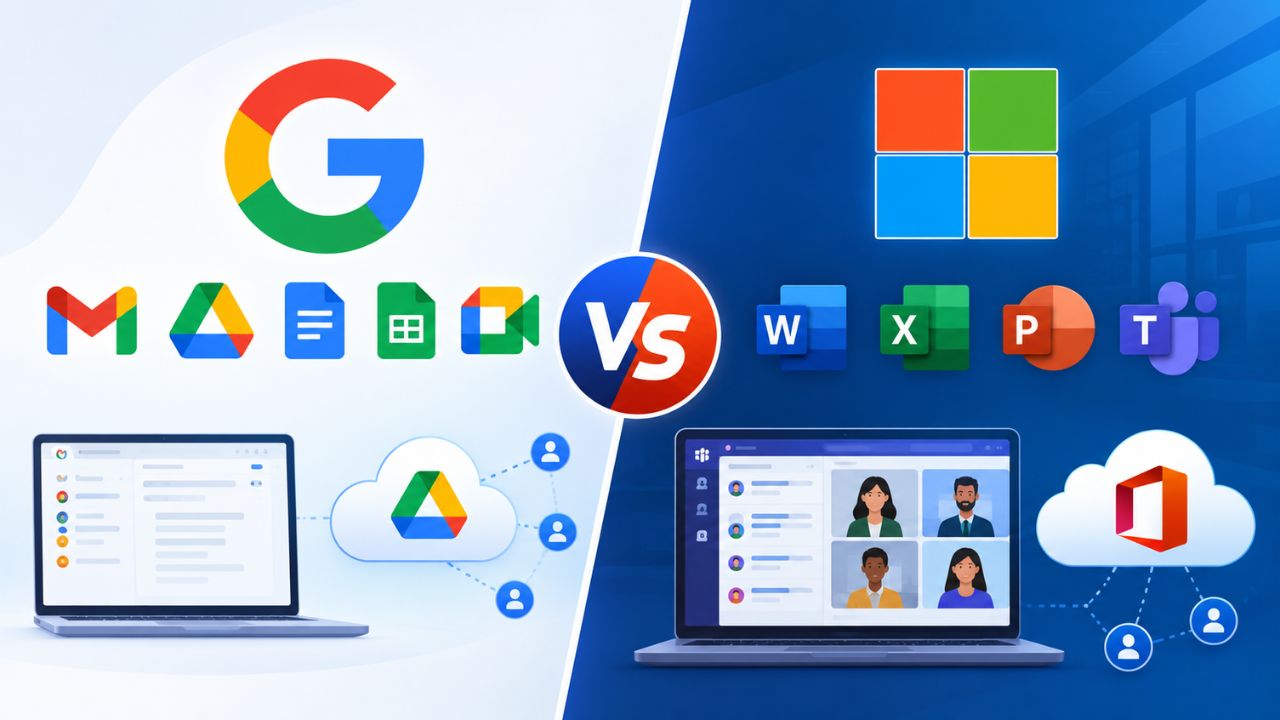
Growing businesses evaluating cloud productivity suites usually narrow the field to two contenders: Google Workspace’s Business tier lineup and Microsoft 365’s Business plans. Both cap out at around the same organization size, but they split storage, security, and admin control very differently, and that split is what actually determines the right fit.
What’s Actually Being Compared: Business Tier vs. Business Tier
This comparison sits strictly at the Business-tier level, Google Workspace Business Starter, Standard, and against Microsoft 365 Business Basic, Standard, and Premium, not the Enterprise tiers on either side, which trade differently on scale and custom terms.
The Short Answer for Time-Pressed Buyers
Both platforms cap their Business-tier plans at 300 seats, so the ceiling isn’t the deciding factor for most SMBs. The real split shows up in storage architecture, where Google Workspace pools per-user allocations across the org. At the same time, Microsoft assigns fixed per-user OneDrive and mailbox limits, and in security bundling, Microsoft folds device management into its top tier by default, while Google reserves comparable depth for add-ons or its own top tier. Neither structure is objectively better; each favors a different administrative style.
Google’s three Business plans, Starter, Standard, and Plus, share a 300-user ceiling and differ mainly in storage, meeting capacity, and archival tooling rather than in which core apps are included. Microsoft’s three Business plans, Basic, Standard, and Premium, share the same 300-user ceiling and the same core services (Exchange Online, Teams, SharePoint, OneDrive for Business), differing instead in desktop app access and device-security depth. That structural symmetry, both vendors using tier climbs to add depth rather than swap out core apps, is what makes a tier-for-tier comparison useful instead of comparing apples to a different fruit entirely.
 Why the Enterprise-Tier Comparison Doesn’t Answer This Question
 Why the Enterprise-Tier Comparison Doesn’t Answer This Question
A buyer comparing Google Workspace Enterprise to Microsoft 365 E3/E5 is answering a different question than a buyer comparing Business Plus to Business Premium, unlimited or custom-negotiated storage, uncapped seat counts, and enterprise-grade eDiscovery change the calculus in ways that don’t apply below 300 seats. Businesses under that seat ceiling should evaluate within the Business tier on both sides, since jumping to Enterprise pricing and complexity to solve a problem the Business tier already solves is a common and avoidable overspend.
The practical dividing line is usually the seat count trajectory, not the current headcount. A 40-person company that expects to stay under 300 seats for the foreseeable future gets everything it needs from either vendor’s Business lineup. A company anticipating rapid growth past that ceiling, or one that already needs custom compliance terms, is better served starting the Enterprise-tier conversation directly rather than treating Business Plus or Business Premium as a stepping stone it will outgrow within a year or two of onboarding.
| Feature Area | Google Workspace Business (Starter / Standard / Plus) | Microsoft 365 Business (Basic / Standard / Premium) |
|---|---|---|
| Seat ceiling | 300 users, all three tiers | 300 users, all three tiers |
| Entry-tier storage model | 30 GB pooled per user (Starter) | 1 TB per user, fixed (Basic) |
| Top Business-tier storage | 5 TB pooled per user (Plus) | 1 TB per user, expandable to 5 TB on request (Premium) |
| Desktop Office apps | Not tier-gated, web-first across all three | Gated: web/mobile only on Basic, installable desktop apps from Standard up |
| Meeting participant ceiling | 100 (Starter) to 500 (Plus) | Not tier-differentiated; Teams meeting caps apply uniformly |
| Native device management | Advanced endpoint management from Business Plus | Basic Mobility and Security on all tiers; full Intune Plan 1 from Premium |
| Native endpoint threat protection | Not bundled at the Business tier | Bundled from Premium (Defender for Business) |
| eDiscovery/archiving tool | Google Vault, included from Business Plus (add-on for Starter/Standard) | Exchange Online retention on all tiers; Purview add-ons available |
| Mixed licensing within one org | Not supported, all users share one plan | Supported, tiers can be mixed by role |
Storage and Mailbox Capacity
Storage is the single most concrete, most-searched difference between these two lineups, and it’s structured almost the opposite way: Google pools storage across the whole organization. At the same time, Microsoft assigns a fixed per-user allocation that doesn’t automatically flex with headcount.
How Pooled Storage Compares to Fixed Per-User Storage
Google Workspace Business Starter allocates 30 GB of pooled storage per user, shared across Gmail, Drive, and Photos; Business Standard increases that to 2 TB of pooled storage per user; Business Plus increases it again to 5 TB of pooled storage per user. Because the allocation is pooled at the organization level, a 15-person team on Business Standard effectively has 30 TB of shared capacity to distribute unevenly among heavy and light users, which matters for teams with a handful of storage-heavy roles, such as design or video.
Microsoft 365 assigns each user a 50 GB Exchange mailbox and 1 TB of OneDrive storage across Basic, Standard, and Premium; the allocation doesn’t change by tier, only by add-ons or organization size. Admins can request an increase up to 5 TB per user, and organizations with five or more qualifying licenses can request effectively unlimited OneDrive storage per user. Still, neither expansion is automatic, unlike Google’s tier-based pooling. That makes Microsoft’s default allocation more predictable per seat but less elastic across a team with uneven storage needs without an explicit request to Microsoft support.
Which Model Fits Which Kind of Team
Pooled storage tends to work well for teams with a wide spread between heavy and light users; a five-person creative team within a 40-person org can consume far more than their fair share without anyone hitting a wall, as long as the organization’s total pool covers it. This is a genuine structural advantage for uneven usage patterns, and it’s one of the more defensible reasons a Google Workspace-leaning team gives for the switch.
Fixed per-user storage suits organizations that want predictable, auditable capacity per employee, and is useful for compliance-conscious admins who want to reason about “what does one departing employee’s data footprint look like” without factoring in organization-wide pooling. Neither approach is more secure or more scalable in the abstract; the fit depends on whether the buyer’s actual usage pattern is even across the team or concentrated in a few storage-heavy roles.
Meeting, Collaboration, and Real-Time Work
Video meetings and real-time document collaboration are core Business-tier battlegrounds, and the gap here is less about raw capability than about how participant limits and recording rights are tier-gated on Google’s side versus uniformly bundled on Microsoft’s.
Meet vs. Teams Participant Limits and Recording
Google Meet participant limits scale directly with Workspace tier: Business Starter caps at 100 participants without meeting recording; Business Standard raises the cap to 150 and adds recording and noise cancellation; and Business Plus raises it further to 500 participants, with attendance tracking. For an organization that regularly runs company-wide meetings or client webinars, the jump from Starter to Standard is often the single feature that forces an upgrade, independent of storage needs.
Microsoft Teams meeting capacity is not differentiated by the Business tier in the same way. Basic, Standard, and Premium all include Teams with its standard meeting infrastructure, so a team choosing between Microsoft tiers isn’t trading meeting capacity for storage or security the way a Google Workspace buyer is. That uniformity simplifies the Microsoft-side decision for meeting-heavy teams, since the tier choice can be made purely on desktop-app and security grounds, without a meeting-capacity trade-off factored in.
Real-Time Document Co-Editing and Shared Drives
Google Workspace’s real-time collaboration model centers on native web apps, Docs, Sheets, and Slides, with Shared Drives introduced at Business Standard, giving teams organization-owned (rather than individually owned) document storage that survives an employee’s departure without a manual transfer step. This is a meaningful operational detail for admin teams managing offboarding, since individually owned Drive files historically required an explicit ownership transfer before an account could be safely removed.
Microsoft’s equivalent is SharePoint document libraries paired with Teams, included across all three Business tiers rather than gated to a specific one. Every Microsoft 365 Business subscriber gets organization-owned document storage from day one, eliminating the tier-planning step that Google Workspace buyers must account for. The trade-off is that SharePoint’s permission model has a steeper initial learning curve for admins new to the platform than Google’s Shared Drives, a difference borne out in the volume of SharePoint permissions documentation Microsoft itself maintains for IT teams onboarding the platform.
Desktop Apps, Offline Access, and Device Flexibility
Whether employees need installable, offline-capable Office applications or browser-based work is sufficient is one of the clearest dividing lines in this comparison, and it’s structured almost entirely differently between the two vendors.
Where Each Platform Draws the Desktop-App Line
Microsoft 365 Business Basic includes only web and mobile versions of Word, Excel, PowerPoint, and Outlook; Business Standard is the tier where installable desktop applications appear, supporting installation on up to five devices per user; Business Premium includes the same desktop app access as Standard, layering security controls on top rather than adding further app capability. This means the desktop app decision on Microsoft’s side is a binary one made at the Basic-to-Standard boundary, not a gradual climb.
Google Workspace takes a web-first approach across all three Business tiers; there is no equivalent “desktop app tier” the way Microsoft structures it, since Google’s core productivity apps (Docs, Sheets, Slides, Gmail) are browser-native by design, with offline access available through browser extensions and mobile apps rather than installed desktop software. Teams that specifically need offline-capable, full-featured desktop spreadsheet or presentation software with the deepest formula and formatting toolsets available tend to find Microsoft’s desktop apps more full-featured than Google’s offline mode, which is a genuine and citable Microsoft advantage for that specific use case.
Device and Platform Flexibility in Practice
For organizations standardized on Windows or macOS with a mix of remote and in-office staff, Microsoft 365 Business Standard or Premium removes the question of whether desktop software is available; it’s included from Standard onward, with the five-device install allowance covering most single-employee, multi-device scenarios, such as a work laptop plus a home machine. This predictability is a genuine draw for IT teams managing device fleets that regularly expect employees to work offline, such as field staff or frequent travelers.
Google Workspace’s browser-first model removes desktop-app licensing and device-count tracking from the admin’s plate entirely, since access follows the user’s Google account rather than a fixed device allowance, a meaningful simplification for organizations with high device turnover, contractor rotation, or BYOD policies where tracking “which five devices” per user becomes an administrative burden. Neither approach is universally better for device flexibility; it depends on whether the organization’s pain point is offline capability or device-tracking overhead.
Security and Device Management
Security and device management are where the two platforms diverge most sharply in how they bundle capability by tier. Microsoft concentrates its strongest device security in a single tier, while Google spreads comparable capabilities across an add-on model and its own top tier.
What’s Included Natively at Each Tier
 What’s Included Natively at Each Tier
Microsoft 365 Business Premium bundles Microsoft Intune Plan 1 for device management alongside Microsoft Defender for Business for endpoint threat protection, plus Conditional Access policies, all three unavailable on Basic or Standard without a separate add-on purchase. All three Microsoft Business tiers include Basic Mobility and Security, a lighter subset of mobile device management. Hence, the security jump at Premium is specifically about full MDM/MAM support and dedicated endpoint threat protection, rather than device management appearing out of nowhere.
Google Workspace’s advanced endpoint management, including more granular device policies, app management, and compliance reporting, is available starting with Business Plus. At the same time, Starter and Standard include a more limited device management feature set comparable in scope to Microsoft’s Basic Mobility and Security baseline. Google Vault, used for retention and eDiscovery, follows a similar pattern: included natively in Business Plus and available as a paid add-on for Starter and Standard, rather than being withheld entirely from the lower tiers.
The Practical Security Trade-Off Between the Two Top Tiers
Business Premium’s inclusion of dedicated endpoint threat protection (Defender for Business) at the same tier as full device management gives Microsoft’s top Business plan a security profile that’s genuinely closer to enterprise-grade than Google Workspace Business Plus’s equivalent tier, where advanced device management doesn’t come bundled with a comparably dedicated endpoint threat-detection product at the same tier. Organizations in regulated or high-risk-of-breach industries evaluating “which top Business tier gets closest to enterprise security without paying for Enterprise” often find this the deciding factor in Microsoft’s favor.
That said, Google Workspace Business Plus is not thin on security by comparison; advanced endpoint management, Vault, and stronger admin-console-level controls address most SMB threat models adequately, and organizations without a dedicated IT security function sometimes find Google’s more consolidated, less configuration-heavy security surface easier to actually operate correctly, which matters more in practice than a feature-list advantage that goes misconfigured. The honest read is that Premium wins on paper depth; Business Plus can win on operational simplicity for lean IT teams.
Migrating to Google Workspace Business Through Hiya Digital
Everything above, pooled versus fixed storage, tier-gated meeting capacity, the desktop-app line at Standard, and where device security actually gets bundled, determines which platform fits, but choosing the platform is only step one; a mismanaged switch can erase the advantage either side offers. Hiya Digital, as an Authorized Reseller and Certified Sales Partner for Google Workspace, handles the migration planning, data transfer sequencing, and ongoing account management that a self-serve signup with either vendor leaves entirely on the buyer’s internal team.

Compliance and Certification Coverage
For regulated industries or any organization fielding vendor security questionnaires, named certifications matter more than marketing claims, and both platforms carry a broadly comparable, independently audited set of certifications worth checking against a buyer’s specific compliance requirements rather than assuming either side is automatically sufficient.
The Certification Baseline Both Platforms Share
 The Certification Baseline Both Platforms Share
Google Workspace holds ISO/IEC 27001 certification for information security management, along with ISO/IEC 27017 for cloud-specific security controls and ISO/IEC 27018 for protection of personally identifiable information in public cloud services, all covering the Google Workspace product line specifically rather than only Google Cloud Platform broadly. Google also maintains SOC 1, SOC 2, and SOC 3 reports covering Workspace, with SOC 3 reports publicly available and SOC 1/SOC 2 available to customers under an NDA.
Microsoft 365 carries an equivalent baseline: ISO/IEC 27001, ISO/IEC 27018, and SOC 1/SOC 2/SOC 3 attestations, along with FedRAMP authorization and HITRUST CSF certification relevant to healthcare-adjacent compliance needs. Both vendors participate in the AICPA’s SOC framework using the same Trust Services Criteria, which means a security questionnaire built around SOC 2 controls will find comparably structured documentation available from either vendor rather than one side being unaudited relative to the other.
Where the Certification Sets Genuinely Diverge
Google Workspace also holds ISO/IEC 27701 certification, a global privacy management standard for handling personally identifiable information, and participates in country- and sector-specific frameworks, including FedRAMP and Germany’s BSI C5, relevant to organizations with data residency or government-adjacent compliance obligations. Microsoft 365 Business Premium specifically supports HIPAA compliance workflows for healthcare-adjacent small and mid-sized organizations when configured correctly and covered by Microsoft’s signed Business Associate Agreement, a specific named compliance pathway worth flagging for any buyer in that vertical.
Neither platform’s Business-tier certification set should be assumed sufficient without checking the specific requirement in question; a HIPAA-covered practice, for instance, needs the signed BAA and correctly configured Defender/Purview controls on the Microsoft side, or the equivalent Google Workspace HIPAA-eligible configuration on Google’s side, regardless of which underlying ISO or SOC certification either vendor holds. Buyers with a named compliance obligation should verify current certification scope directly against that requirement rather than treating a general “both are certified” answer as sufficient due diligence.
Admin Console and IT Management Experience
Day-to-day admin experience, not feature checklists, is often what determines whether an IT team’s actual satisfaction with a platform matches its feature-comparison score, and the two admin consoles are built around meaningfully different philosophies.
Google Admin Console: Consolidated and Opinionated
The Google Admin console consolidates user management, device policy, security alerts, and app access into a single, relatively flat interface, with fewer distinct product consoles for an admin to learn compared to Microsoft’s more modular structure. For lean IT teams, often a single admin wearing multiple hats at a sub-100-person company, this consolidation reduces the number of places a misconfiguration can hide, since most day-to-day controls live in one place rather than being split across several specialized portals.
The trade-off is depth: Google’s admin console is less configurable at the granular policy level than Microsoft’s equivalent tooling, which suits organizations that want sensible defaults over granular control but can frustrate IT teams accustomed to Microsoft’s more extensive policy-authoring capability. Organizations migrating from a heavily customized on-premises Active Directory environment sometimes find Google’s flatter model a genuine simplification; others find it a step down in configurability they have to work around.
Microsoft 365 Admin Center and the Modular Portal Structure
Microsoft 365’s admin experience is split across several purpose-built portals: the core admin center, the Intune device management portal, the Defender security portal, and Microsoft Purview for compliance, each deeper and more configurable than its Google equivalent but requiring an admin to learn multiple interfaces rather than one. This modularity is a genuine strength for organizations with dedicated specialists in each area (a device-management admin distinct from a security admin, for instance). Still, it can be a real onboarding burden for a single generalist IT admin managing everything alone.
Microsoft’s compliance and security tooling, specifically Compliance Manager, Secure Score, and Purview’s DLP and eDiscovery tooling, produces exportable evidence commonly accepted in SOC 2, ISO 27001, and HIPAA audits, a workflow advantage for organizations that go through recurring formal audits and need documented, exportable proof of control implementation rather than just the controls themselves. That audit-evidence workflow is more built out on the Microsoft side than Google’s comparable Admin console reporting, which is a fair and citable distinction rather than a marketing claim.
Migration Friction Between Platforms
Moving between these two ecosystems is common enough that both vendors and the reseller/consultant ecosystem around them have mature tooling for it. However, friction still shows up in predictable, specific places in both directions of the move.
What Breaks When Moving From Microsoft 365 to Google Workspace
Complex Excel workbooks with heavy macro use, advanced pivot tables, or Power Query connections are the most commonly cited migration friction point moving to Google Sheets, since Sheets’ formula and macro engine doesn’t have full parity with Excel’s most advanced features, a real, citable limitation rather than a Google-side myth. Outlook-to-Gmail calendar and contact migration is generally well supported by both native tools and third-party migration utilities. Still, organizations with deeply nested Outlook folder structures or extensive delegated mailbox permissions typically need a planned migration window rather than a same-day cutover.
Shared Drive permission structures in Google Workspace don’t map one-to-one onto SharePoint site permissions, so organizations with granular, nested SharePoint permission schemes should expect to redesign, not directly port, their access model during a move to Google Workspace, rather than assuming an automated tool will translate the structure faithfully. Planning this redesign before migration day, rather than during it, is consistently the difference between a clean cutover and a multi-week cleanup afterward.
What Breaks When Moving From Google Workspace to Microsoft 365
Moving the other direction, Google Sites pages and heavily nested Google Drive folder-sharing structures are the most common friction points, since Sites has no direct SharePoint equivalent and requires manual rebuilding rather than automated conversion. Drive’s flatter sharing model needs to be redesigned to align with SharePoint’s more hierarchical site-and-library structure. Teams that use Google Forms extensively, tied to Sheets-based response processing, also need a specific migration plan, since Microsoft Forms and Power Automate cover similar ground but use a different configuration model that doesn’t import directly.
Gmail-to-Outlook migration for mail and calendar data is generally the most mature and lowest-friction part of either migration direction, handled well by both native export/import tooling and third-party migration platforms designed specifically for this move. The mail layer being low-friction in both directions is one reason migration risk is usually concentrated in the collaboration and permissions layer, Sites, Shared Drives, SharePoint structure, rather than in email itself, regardless of which direction the move is happening.
Plan Structure and Contract Flexibility
Beyond feature lists, the two vendors structure their commitments differently, seat minimums, contract length options, and how add-ons attach to a base plan all affect the real-world cost of ownership independent of the per-seat rate itself.
Contract Terms, Seat Minimums, and Mixed Licensing
 Contract Terms, Seat Minimums, and Mixed Licensing
Google Workspace requires every user within an organization to be on the same plan tier; an org can’t run some seats on Business Starter and others on Business Standard simultaneously, though the entire organization can upgrade at any time with what Google describes as a seamless transition. This uniform-tier requirement simplifies plan management (one tier, one bill, one feature set to reason about). Still, it removes the option to right-size spend by role, meaning a company that only needs desktop-tier security for its finance team ends up paying for that tier across every seat.
Microsoft 365 explicitly supports mixed licensing within a single tenant, so an organization can run its executive and finance teams on Business Premium for added security while keeping frontline or seasonal staff on Business Basic, all within a single Microsoft 365 admin tenant. This is a genuine structural advantage for cost-conscious organizations with meaningfully different security or feature needs by role, and it’s one of the more defensible reasons a mixed-need organization leans toward Microsoft over Google’s uniform-tier model.
Add-On Structure and Trial Availability
Both vendors layer optional add-ons onto their base Business plans rather than forcing an all-or-nothing tier jump for a single missing feature. Google offers Vault as an add-on for Starter and Standard rather than requiring a full jump to Business Plus. Microsoft offers standalone Defender for Business, Intune, and Entra ID add-ons for Basic and Standard rather than requiring a full jump to Premium. Both approaches allow an organization to address a specific gap without paying for an entire tier’s worth of unrelated features.
Free-trial availability and annual-versus-monthly commitment options exist on both platforms, with monthly commitments generally carrying a rate premium over an annual commitment on either side, a structural pattern common to nearly all SaaS subscription pricing rather than something specific to either vendor. Buyers evaluating total cost of ownership should compare the add-on math directly against the next tier up in their own specific case, since, as with Google’s own Vault add-on economics, stacking enough add-ons onto a lower tier sometimes costs more than the next tier up would have, making the higher tier the better structural choice even before considering its other included features.
| Plan Structure Element | Google Workspace Business | Microsoft 365 Business |
|---|---|---|
| Seat ceiling per tier | 300 users, all three tiers | 300 users, all three tiers |
| Mixed licensing within one org | Not supported | Supported across Basic/Standard/Premium |
| Entry-tier included apps | Full web-app suite from Starter | Web/mobile-only Office apps on Basic |
| Advanced security add-on path | Vault add-on available below Business Plus | Defender for Business/Intune add-ons available below Premium |
| Trial availability | Available, standard SaaS trial model | Available, standard SaaS trial model |
| Commitment options | Monthly and annual commitment options | Monthly and annual commitment options |
| Tier upgrade process | Org-wide upgrade, described as seamless | Per-user or org-wide upgrade supported |
Which Business Fits Which Platform
No single tier wins across every buyer profile; the right choice depends on which structural trade-off (pooled versus fixed storage, uniform versus mixed licensing, bundled versus add-on security) best matches how a specific organization operates day-to-day.
Matching Buyer Profile to Platform Structure
An organization with an uneven storage footprint across roles, a handful of design, video, or data-heavy users alongside many light users, tends to get more effective capacity out of Google Workspace’s pooled model than out of Microsoft’s fixed per-user allocation, without needing to request storage increases for specific individuals. Conversely, an organization needing different security postures by role, tighter device management for finance and leadership, lighter requirements for frontline staff, fits Microsoft 365’s mixed-licensing model more naturally than Google’s uniform-tier requirement.
Organizations with heavy dependence on advanced Excel functionality, offline desktop app use, or an existing Windows-centric device fleet tend to find Microsoft 365 Business Standard or Premium a smoother operational fit, particularly where Premium’s bundled Intune and Defender for Business address device security without a separate add-on purchase. Organizations prioritizing meeting scale, browser-first simplicity for a lean or single-person IT function, and predictable single-tier billing tend to find Google Workspace Business Standard or Plus a better operational match for the same reasons in reverse.
A Structural Summary, Not a Verdict
Neither platform is the objectively stronger choice at the Business tier. Microsoft 365 Business Premium’s bundled endpoint security and mixed-licensing flexibility genuinely outperform Google Workspace Business Plus for security-role-differentiated organizations, while Google Workspace Business Standard’s pooled storage and meeting-capacity scaling genuinely outperform Microsoft’s fixed allocation for uneven-usage, meeting-heavy teams. The honest recommendation depends entirely on which of those specific structural trade-offs matches the buyer’s actual operating pattern, not on a generic “which is better” ranking.
| Plan Structure Element | Google Workspace Business | Microsoft 365 Business |
|---|---|---|
| Seat ceiling per tier | 300 users, all three tiers | 300 users, all three tiers |
| Mixed licensing within one org | Not supported | Supported across Basic/Standard/Premium |
| Entry-tier included apps | Full web-app suite from Starter | Web/mobile-only Office apps on Basic |
| Advanced security add-on path | Vault add-on available below Business Plus | Defender for Business/Intune add-ons available below Premium |
| Trial availability | Available, standard SaaS trial model | Available, standard SaaS trial model |
| Commitment options | Monthly and annual commitment options | Monthly and annual commitment options |
| Tier upgrade process | Org-wide upgrade, described as seamless | Per-user or org-wide upgrade supported |
Frequently Asked Questions
Can I run some employees on Google Workspace Business Starter and others on Business Standard within the same organization?
No. Google Workspace requires that every user in an organization be licensed on the same plan tier; mixed licensing across Business Starter, Standard, and Plus within a single org isn’t supported. If different roles genuinely need different feature sets, the organization either upgrades everyone to the higher tier or accepts that lighter-need users are paying for capability they don’t use. This is a structural difference from Microsoft 365, which explicitly supports mixed licensing across Basic, Standard, and Premium within a single tenant, letting an organization assign tiers by role rather than uniformly.
Does Microsoft 365 Business Basic include the desktop versions of Word, Excel, and PowerPoint?
No. Business Basic includes only the web and mobile versions of Word, Excel, PowerPoint, and Outlook; installable desktop applications aren’t available until Business Standard, which supports installation on up to five devices per user. Teams that need offline editing, advanced formula features, or full desktop-grade formatting control need, at a minimum, the Business Standard plan. Basic remains a fit for teams that work primarily in a browser and don’t require offline access, since the core Exchange mailbox, Teams, SharePoint, and OneDrive services are identical across all three Microsoft Business tiers regardless of desktop app access.
How does pooled storage in Google Workspace actually work across a team?
Pooled storage means each user’s per-plan storage allocation is added to a single organization-wide total rather than remaining fixed to that individual user. On Business Standard, for example, each user contributes 2 TB to the pool. Hence, a 15-person team has roughly 30 TB of shared capacity that can be distributed unevenly; a video-heavy user can consume far more than their individual share as long as the organization’s total pool covers it. This differs structurally from Microsoft’s fixed 1 TB-per-user OneDrive allocation, which doesn’t automatically redistribute unused capacity from light users to heavy ones without an admin-initiated storage increase request.
What’s included in Microsoft 365 Business Premium that isn’t in Business Standard?
The core productivity apps, Exchange mailbox, Teams, and SharePoint access are identical between Standard and Premium. Premium adds Microsoft Intune Plan 1 for full mobile device management and application management, Microsoft Defender for Business for dedicated endpoint threat protection, and Conditional Access policies for identity-based access control, none of which are included in Standard without a separate add-on purchase. Both Standard and Premium include Basic Mobility and Security, a lighter MDM subset available on all Microsoft 365 Business tiers. Hence, device management is available at every tier, but it becomes fully featured in Premium.
Is Google Vault included automatically on every Google Workspace Business plan?
No. Google Vault, used for data retention and eDiscovery, is included natively only in Business Plus and above. Organizations on Business Starter or Business Standard can add Vault as a separate paid add-on rather than upgrading the entire organization to Business Plus to gain that one capability. This add-on path is comparable in structure to how Microsoft 365 handles Defender for Business and Intune for organizations on Basic or Standard that want one specific security capability without a full jump to Premium.
Which platform is easier to migrate to if my organization currently uses heavily formula-driven Excel workbooks?
Staying on or moving to Microsoft 365 avoids this friction entirely, since Excel’s macro engine, pivot table depth, and Power Query connections don’t have full parity in Google Sheets. Organizations moving from Microsoft 365 to Google Workspace with complex Excel-based workflows should expect to rebuild, not directly import, their most advanced spreadsheets, and should budget migration time specifically for that rebuild rather than assuming an automated conversion tool will preserve full functionality. This is one of the most consistently cited, genuinely verifiable friction points in either direction of migration between these two platforms.
Does Google Workspace support HIPAA compliance the way Microsoft 365 Business Premium does?
Google Workspace can support HIPAA-covered workflows when configured correctly under Google’s Business Associate Agreement, similarly to how Microsoft 365 Business Premium supports HIPAA workflows under Microsoft’s signed BAA alongside properly configured Defender and Purview-equivalent controls. Neither platform’s underlying ISO or SOC certification set alone constitutes HIPAA compliance; both require a specific BAA, proper configuration, and ongoing administration to meet a covered entity’s actual regulatory obligations. Organizations in healthcare-adjacent industries should verify current BAA terms and required configuration steps directly with whichever vendor they’re evaluating before assuming certification equals compliance.
Can I use Google Workspace’s Shared Drives the same way my organization currently uses SharePoint document libraries?
Not directly, Shared Drive permission structures don’t map one-to-one onto SharePoint site permissions. Hence, a nested, granular SharePoint permission scheme needs to be redesigned rather than automatically ported during a migration to Google Workspace. Shared Drives, available from Business Standard upward, are organization-owned rather than individually owned, which solves the same core problem SharePoint libraries solve: content that survives an employee’s departure without a manual ownership transfer, but the underlying permission model and folder hierarchy work differently enough that a direct one-to-one migration mapping isn’t realistic.
What happens to a Google Workspace Business Starter user’s stored files if the organization never upgrades past 30 GB of pooled storage?
Business Starter’s 30 GB pooled-per-user allocation is shared across Gmail, Drive, and Photos for the entire organization; Google Docs, Sheets, and Slides files themselves don’t count against that pooled limit, only attachments, uploaded files, and non-native formats do. For most small teams working primarily in native Google file formats, the 30 GB pooled allocation per user is sufficient unless the organization regularly stores large uploaded files like video, high-resolution imagery, or design source files, at which point an upgrade to Business Standard’s 2 TB pooled-per-user allocation becomes the more practical solution rather than purchasing incremental storage add-ons.
Do Google Workspace and Microsoft 365 Business plans both offer a free trial before committing?
Yes, both vendors make trial access available for their Business-tier plans, following a standard SaaS trial structure rather than requiring an immediate paid commitment. Beyond the trial period, both vendors offer monthly and annual commitment options, with monthly commitments generally carrying a rate premium relative to annual commitments, a common structural pattern across SaaS subscriptions rather than a difference specific to either vendor. Buyers should confirm the current trial length and cancellation terms directly with the platform they’re evaluating, since these operational details are more likely to change than the core features and tier structure covered in this comparison.
Glossary
Pooled storage: A storage model where each user’s individual allocation is combined into one organization-wide total, allowing heavy users to draw more than their individual share as long as the organization’s overall pool covers it. Used by Google Workspace across its Business tiers.
Fixed per-user storage: A storage model where each user receives a set, non-shared allocation that doesn’t automatically redistribute unused capacity to other users without an explicit admin request. Used by Microsoft 365 for OneDrive and Exchange mailbox allocations.
Mixed licensing: The ability to assign different subscription tiers to different users within the same organization’s single tenant, rather than requiring every user to be on the same plan. Supported by Microsoft 365 Business plans; not supported by Google Workspace Business plans.
MDM / MAM (Mobile Device Management / Mobile Application Management): Tools that let IT admins enforce security policies, manage app access, and remotely wipe corporate data on employee devices, whether company-owned or personal. Microsoft Intune provides full MDM/MAM at the Business Premium tier; Basic Mobility and Security provides a lighter version across all Microsoft 365 Business tiers.
Conditional Access: An identity-based security policy framework that restricts access to company resources based on conditions like device compliance status, location, or risk signal, rather than relying on username and password alone. Included in Microsoft 365 Business Premium.
eDiscovery: The process of identifying, preserving, and retrieving electronic data, typically email and documents, for legal, regulatory, or compliance purposes. Google Vault provides this for Google Workspace; Microsoft Purview and Exchange Online retention tools provide equivalent capability for Microsoft 365.
SOC 2 / SOC 3: Audit frameworks published by the AICPA that assess a service organization’s security controls against defined Trust Services Criteria. Both Google Workspace and Microsoft 365 maintain SOC 2 and SOC 3 attestations covering their respective platforms.
Shared Drive: Google Workspace’s organization-owned document storage location, where files persist and remain accessible after an individual user’s account is removed, distinct from files owned by an individual user’s personal Drive. Available from Business Standard upward.
The Hiya Digital Team is a collective of IT infrastructure specialist engineers, certified systems administrators, and cloud architects driven by a singular mission: building corporate communication systems that just work. As an Authorized Google Partner, the team handles complex global hosting deployments, secure email migrations, and advanced data compliance architectures for businesses across 40+ countries.
With over two decades of technical experience spanning custom premium business email configurations, OX AppSuite deployments, and enterprise-level network security, the Hiya Digital Team writes to demystify domain infrastructure. Their content focuses on actionable technical strategies, anti-phishing security protocols, and seamless cloud collaboration setup, all backed by real-world deployment experience and 24/7 technical support accountability.