Managing data at enterprise scale requires more than simply allocating additional storage. Organizations must balance growing storage requirements with governance, retention policies, regulatory obligations, and legal discovery processes across large volumes of business information. Google Workspace Enterprise combines scalable pooled storage with Google Vault’s capabilities for retention management, legal holds, eDiscovery, and data exports, helping enterprises manage information throughout its lifecycle while supporting compliance and operational requirements.
Explore Google Workspace For Enterprise →
Pooled Storage Architecture at Enterprise Scale
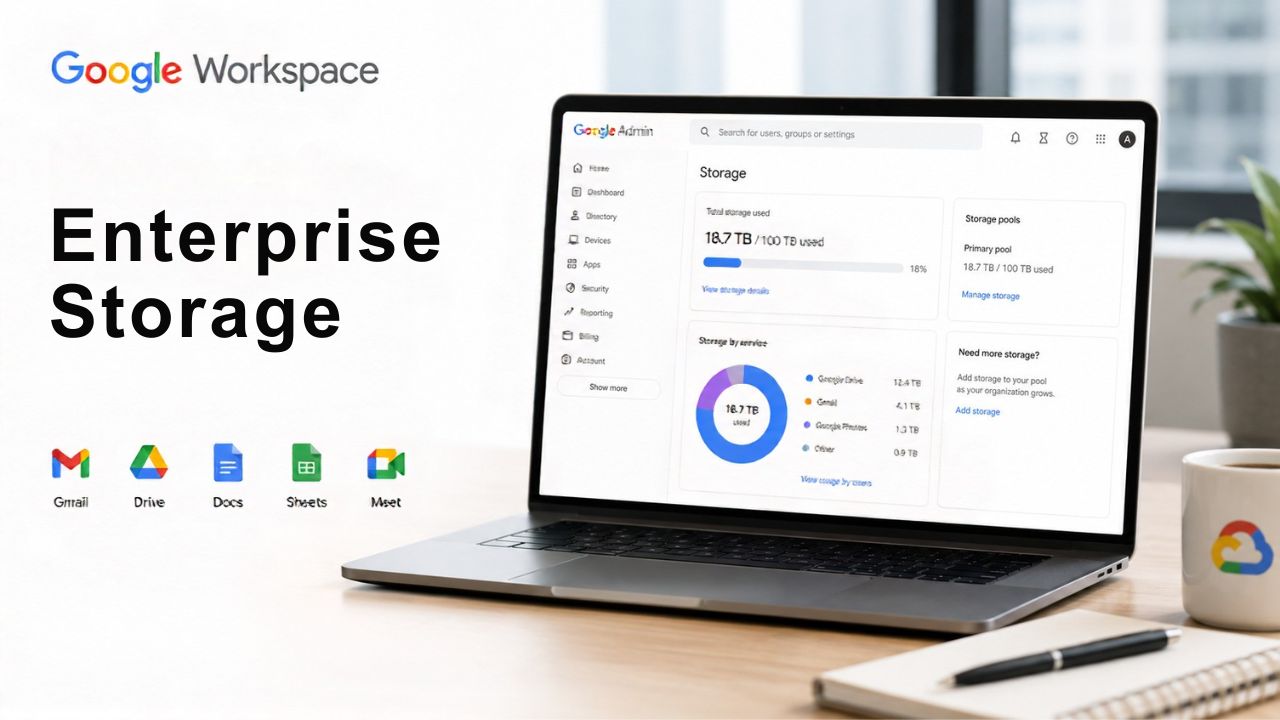
Storage in Enterprise editions isn’t a fixed quota per mailbox; it’s a shared pool that scales across the entire organization. That distinction matters more as headcount grows, because it changes how IT teams plan, monitor, and request capacity.
 How Flexible Pooled Storage Works Across Thousands of Seats
 How Flexible Pooled Storage Works Across Thousands of Seats
Google Workspace Enterprise Standard and Enterprise Plus both provision 5 TB of pooled storage per user, and that allocation is shared across the entire domain rather than locked to individual accounts. A heavy Drive user consuming 20 TB doesn’t hit a hard wall as long as the organization’s total pool has headroom, because the system aggregates usage across all licensed seats rather than enforcing per-mailbox caps.
For a 5,000-seat enterprise, that pool starts at roughly 25 petabytes on paper, though real-world consumption rarely approaches that ceiling. What matters operationally is that IT doesn’t need to manage storage tier-by-tier or department-by-department by default; pooling removes the manual reallocation work that per-user quotas would otherwise require, freeing admin time for actual governance work rather than storage triage. Reporting tools in the Admin console break down consumption by organizational unit so IT can still see where the heavy usage sits.
Requesting Additional Storage Beyond the 5 TB Pool
Pooled storage isn’t unlimited, and Google’s own documentation is explicit about the mechanism. For customers with five or more users, additional storage beyond the standard pool may be made available at Google’s discretion upon reasonable request, submitted through the Admin console. This is a request-and-approval process, not an automatic scaling tier, and it’s the detail that separates marketing language from the actual contractual position.
For IT directors building a three-to-five-year capacity plan, this means storage growth projections should account for the lead time for the additional storage request process rather than assuming instant, self-serve expansion. Organizations running large media libraries, video archive projects, or long-tail Vault exports tend to be the ones that hit this process first. Building the request into a quarterly capacity review, rather than waiting for a hard usage alert, keeps the conversation proactive rather than reactive when a genuine crunch arises.
Storage Pooling at a Glance
| Detail | Enterprise Standard | Enterprise Plus |
|---|---|---|
| Pooled storage per user | 5 TB, shared across the domain | 5 TB, shared across the domain |
| Additional storage requests | Available at Google’s discretion for 5+ user orgs | Available at Google’s discretion for 5+ user orgs |
| Data region policy scope | Single domain-wide policy only | Per organizational unit and Groups |
| Advanced data export | Not included | Included |
| Client-side encryption | Not included | Included |
Storage Tiers: Enterprise Standard vs Enterprise Plus
Both Enterprise editions ship with the same headline storage number, so the real planning question isn’t “how much storage” but which edition’s broader controls actually fit a given organization’s compliance posture.
What’s Included in Each Edition’s Storage Allocation
Enterprise Standard and Enterprise Plus each include 5 TB of pooled storage per user, with the option to purchase additional pooled storage on both editions. The storage allocation itself is not a differentiator between the two tiers; what changes is everything built around that storage: Enterprise Plus adds client-side encryption, advanced data export options, and granular data-region policies that can be set per organizational unit rather than applied uniformly across the domain.
That last point is easy to miss during procurement conversations that focus purely on gigabytes. A multinational with data-residency obligations in multiple jurisdictions generally needs Enterprise Plus specifically for organizational-unit-level data-region controls, not because Enterprise Standard lacks capacity. Sizing a deployment purely on projected storage volume, without checking which edition’s governance controls the compliance team actually needs, is one of the more common misalignments between IT procurement and the legal or compliance stakeholders who inherit the decision.
When the Storage Difference Actually Matters for IT Planning
Where storage planning genuinely diverges between editions is in how each interacts with Vault exports and advanced data exports. Enterprise Plus includes advanced data export capabilities that Enterprise Standard does not, which matters directly for organizations running frequent large-scale Vault exports for litigation or internal investigations, since those exports consume pooled storage and Enterprise Plus offers more granular control over how that export data is packaged and where it lands.
A practical planning approach is to model storage growth against the litigation and audit calendar, not just headcount growth. An organization anticipating a multi-custodian eDiscovery matter should factor in the temporary storage spike caused by a large Vault export, since the exported data sits in the pool until it’s downloaded and cleared. Enterprises with recurring regulatory audits, such as those in financial services and healthcare, are the most common examples and tend to build a standing storage buffer specifically for this reason rather than treating each export as a one-off surprise.
Google Vault Fundamentals for Large Organizations
Vault is included with both Enterprise editions, but what it actually does and who within a large organization needs to touch it are the areas where most first-time enterprise buyers get the scope wrong.
What Vault Covers Under Enterprise Editions
Google Vault is Google Workspace’s built-in tool for eDiscovery and information governance, and it is included in both Enterprise Standard and Enterprise Plus at no additional per-user cost. At enterprise scale, Vault’s core job is to retain, hold, search, and export data across Gmail, Drive, Chat, Meet recordings, and Voice, regardless of whether an individual user has deleted content from their own view. That distinction is what separates Vault from a general backup tool: Vault is built for legal defensibility and searchability, not simple file recovery.
For a large organization, Vault isn’t a tool one admin operates alone; it’s typically shared across legal, compliance, and IT security, each with a different reason to touch it. Legal uses it to place and manage litigation holds. Compliance uses it to enforce retention schedules tied to regulatory obligations. IT security uses Vault’s audit logs to demonstrate that holds and retention policies were actually applied, not just configured. Structuring role-based access to Vault early, before the first real matter lands, avoids the scramble of granting emergency access mid-litigation.
Vault Licensing and Which Users Need It
Every user licensed under Enterprise Standard or Enterprise Plus has Vault coverage available for their account by default, since Vault is bundled rather than sold as a standalone add-on at this tier. That’s a meaningfully different model from Business Plus, where Vault access exists but is scoped to a smaller organization with a 300-user ceiling and generally lighter compliance demands.
The practical question for a large enterprise isn’t whether Vault is available; it’s which organizational units actually need active holds or retention rules applied to them at any given time. Applying broad, indiscriminate holds across an entire 10,000-seat domain creates unnecessary storage growth and search complexity. Most enterprise legal teams instead scope holds to specific organizational units, custodians named in a matter, or defined date ranges, which keeps Vault’s search index performant and keeps the eventual export set proportional to what a court or regulator actually asked for.
Vault Governance by Compliance Scenario
| Scenario | Vault capability used | Typical custodian scope | Owning team |
|---|---|---|---|
| Active litigation | Legal hold + search/export | Named individuals or a case-specific Group | Legal, with IT execution |
| Regulatory records retention | Retention rule by organizational unit | Entire business unit (e.g., finance) | Compliance |
| Internal HR or ethics investigation | Narrow, time-boxed hold | Individually named custodians | Legal operations |
| Recurring regulatory audit | Logged export on request | Data set matching examiner scope | Compliance, IT support |
| M&A or divestiture transition | Pre-migration hold and rule audit | All active matters, both organizations | Legal and IT jointly |
Legal Hold at Enterprise Scale
Litigation holds are where Vault earns its place in the enterprise stack, and the mechanics change meaningfully once a hold must cover thousands of custodians rather than a handful.
Placing and Managing Holds Across Thousands of Custodians
Vault lets an administrator place a hold on specific accounts, organizational units, or Groups, preserving Gmail, Drive, Chat, and Meet content for those custodians even if the underlying user tries to delete it. At enterprise scale, holds are rarely placed on named individuals one at a time; legal teams typically build a custodian list from a litigation matter, map it to Vault accounts in bulk, and apply a single hold that spans hundreds or thousands of accounts in one action.
The operational risk at this scale isn’t placing the hold; it’s tracking which holds are active, on whom, and why, across a legal department that may be running a dozen concurrent matters. Vault’s hold list and audit trail provide a single view of every active hold. However, large enterprises still generally maintain a separate matter-tracking system outside Vault, mapping each hold to a case number, an outside counsel contact, and an expected release date. Without that external tracking layer, holds tend to outlive the matters that created them, quietly growing the retained data footprint for years.
Coordinating Legal Hold with Outside Counsel and Litigation Timelines
 Coordinating Legal Hold with Outside Counsel and Litigation Timelines
Outside counsel rarely has direct access to Vault; internal legal or IT typically manages the tool while counsel defines scope, custodians, and date ranges. That handoff point is where enterprise deployments most often lose time: counsel sends a hold request in a format that doesn’t map cleanly to org units or Groups, and IT has to translate it into Vault’s account-based structure before the hold can go live, sometimes days after the legal obligation actually began.
Enterprises that handle litigation with any regularity generally shorten this gap by pre-building a standard intake template that maps how outside counsel describes custodians to how Vault actually organizes accounts, and by giving a small legal-operations team direct Vault access rather than routing every hold request through general IT. That structural choice, legal operations holding limited, audited Vault permissions rather than IT acting purely as a pass-through, is one of the more common adjustments large organizations make after their first real litigation event exposes the gap.
eDiscovery Workflows for Litigation
Once a hold is in place, the eDiscovery workflow is where Vault has to actually produce something a court, regulator, or opposing counsel will accept.
Searching and Exporting Across Gmail, Drive, Chat, and Meet
Vault’s search functions let an administrator query across Gmail, Drive, Chat spaces, Meet recordings, and Voice content using date ranges, keywords, custodians, and content-type filters, and then export the results in formats that are reviewable by standard eDiscovery platforms. For a large enterprise, the practical challenge isn’t running the search; it’s scoping it tightly enough that the export set is proportionate to the actual matter at hand, since an overly broad search across thousands of custodians can return a data volume that overwhelms both storage capacity and outside counsel’s review budget.
Enterprises that run frequent eDiscovery matters typically develop internal search templates, pre-built query structures for common scenarios like an HR investigation or a contract dispute, that legal operations can adapt rather than building each search from scratch. This shortens the time between a hold being placed and a defensible export being ready for review, which matters directly when litigation deadlines are measured in weeks rather than months.
Chain of Custody and Defensibility in Vault Exports
Every Vault search and export action is logged, which gives an export its evidentiary weight: opposing counsel or a court can be shown not just the exported data but also the record of who searched for it, when, and with what query parameters. That audit trail is part of what distinguishes a defensible Vault export from an ad hoc data pull performed outside the platform’s governance controls.
For enterprises operating in heavily litigated industries, maintaining that chain of custody consistently, not just for the matters that go to trial, is what makes Vault exports credible in front of a judge who has seen sloppy production before. A pattern worth building into standard process: every export gets logged with the requesting matter number and reviewed by a second person before it leaves the legal team’s hands, regardless of whether the underlying case seems likely to escalate. That habit is cheap when nothing is at stake and expensive to build retroactively once a matter does escalate.
Get Enterprise Vault Deployment Right the First Time
Getting eDiscovery workflows production-ready before litigation hits, not during it, is the difference between a controlled response and a scramble. Hiya Digital, as an Authorized Reseller and Implementation & Migration Partner for Google Workspace, helps IT and legal teams configure Vault holds, retention policies, and export workflows correctly from day one, rather than discovering gaps under a court deadline.

Records Management Policy Design
A litigation hold is reactive by nature. Records management retention rules are the proactive half of the same governance problem, and they’re where most of an enterprise’s Vault configuration work actually lives day-to-day.
Setting Retention Rules by Organizational Unit
Vault retention rules let an administrator define how long content is retained and, critically, when it’s permanently and automatically deleted, with deletion scoped to specific organizational units, Groups, or the entire domain. Unlike a hold, which preserves data indefinitely until released, a retention rule enforces a defined lifecycle: content younger than the rule’s threshold remains available, and content older than it is automatically purged, regardless of what an individual user does with their account.
At enterprise scale, retention rules are rarely uniform across the organization because different business units face different regulatory obligations. Finance might need seven-year retention on specific communications, engineering might have a two-year working-document policy, and HR records often carry their own separate schedule tied to employment law rather than general corporate policy. Building retention rules around the org-unit structure, rather than a single blanket domain-wide policy, lets each function meet its actual regulatory obligations without over-retaining data nobody needs.
Balancing Retention Mandates Against Storage Growth
 Balancing Retention Mandates Against Storage Growth
Longer retention windows directly increase the pooled storage footprint, since retained data, including data under an active hold, remains in the pool until the rule or hold releases it. For a large enterprise with multiple long-retention business units running simultaneously, this compounding effect is one of the more predictable but underplanned drivers of storage growth over a multi-year horizon.
The workable middle ground most enterprises land on is treating retention policy as a joint decision among compliance, legal, and IT, rather than compliance dictating a schedule and IT absorbing the storage consequences afterward. Compliance defines the minimum legally required retention period; IT models what that period costs in pooled storage and additional-storage requests over time; and the two groups agree on whether any category of data can be scoped down, archived differently, or excluded from indefinite retention once its regulatory minimum has passed.
Vault and Regulatory Data Retention Requirements
Retention isn’t just an internal policy choice for regulated industries; specific rules dictate minimum retention periods, and Vault must be configured to satisfy them, not just approximate them.
Financial, Healthcare, and Public-Sector Retention Obligations
Regulated industries each carry distinct retention mandates that a Vault configuration has to be mapped against directly rather than assumed. Financial services firms frequently operate under record-retention rules issued by bodies such as FINRA that specify multi-year minimum retention periods for business communications. Healthcare organizations covered by HIPAA (Health Insurance Portability and Accountability Act) need retention and access controls that satisfy their Business Associate Agreement obligations and comply with general records rules. Public-sector organizations often comply with state or federal open-records and records-retention schedules, each with its own specific minimums.
None of these obligations are satisfied by Vault’s default settings out of the box; each requires a retention rule built to match the specific regulation’s minimum period and scope. Enterprises in regulated industries typically bring in compliance counsel to translate the regulation’s exact language into a Vault-configurable rule, then have IT implement and periodically re-verify that the live configuration still matches what counsel specified, since regulatory minimums do change. A rule set once can silently drift out of compliance if nobody revisits it.
Auditor and Regulator Access Without Compromising Chain of Custody
Regulatory audits and litigation both eventually require producing data to an outside party. Still, the access model differs: an auditor typically needs read access to a defined data set for a defined period. At the same time, the chain of custody for the underlying Vault environment itself must remain intact and unaltered by that access. Enterprises generally handle this by exporting the specific data set an auditor needs via the same logged export process used for eDiscovery, rather than granting auditors direct Vault access for browsing.
This keeps the audit trail clean: the export itself becomes the auditable record of what was produced, when, and by whom, without exposing the broader Vault environment, including unrelated active holds or other matters, to a party that only needs a narrow slice of data. For enterprises facing recurring regulatory exams, building this export-on-request process into a documented standard operating procedure removes the ambiguity of deciding on access scope each time a new examiner shows up.
Storage Governance and Data Loss Prevention Overlap
Storage and Vault decisions don’t happen in isolation from the rest of an enterprise’s security posture; DLP and access controls shape what ends up in the pool and who can touch it once it’s there.
How DLP Insights Inform Storage and Retention Decisions
Data loss prevention (DLP) scans Drive, Gmail, and Chat for sensitive content, credit card numbers, government ID numbers, and organization-defined sensitive patterns, and reports on where that content lives and moves. That reporting has a direct, practical connection to retention policy design: DLP incident data shows compliance teams which organizational units are actually generating sensitive content that needs a stricter retention or hold posture, rather than guessing based on department name alone.
An enterprise rolling out retention rules for the first time often starts with a DLP data protection insights review to identify where sensitive content is actually concentrated, then aligns the retention and hold scope with that real usage pattern rather than an assumed org chart. This closes the gap between where policy says sensitive data should be and where DLP scanning shows it actually is, a gap that shows up more often than most first-time compliance leads expect.
Access Controls That Protect Held and Archived Data
Data under an active legal hold or long-term retention rule still requires the same access governance as any other enterprise data, arguably more, since a data breach involving material subject to a litigation hold carries added legal exposure on top of the underlying security incident. Context-Aware Access lets admins restrict access to sensitive services based on a user’s device, location, and identity signals, and it applies equally to users whose mailboxes are under an active hold.
Enterprises with mature Vault programs generally treat holds and retention as a security-adjacent function, not a purely legal one, meaning the same access review, device trust, and multi-party approval controls that apply to production data also extend to archived and held material within the pool. Multi-party approval for sensitive actions, available at both Enterprise editions, is a control worth applying specifically to Vault configuration changes themselves, since an unauthorized change to a retention rule or hold scope can have legal consequences that a routine access-control change wouldn’t.
Planning Vault and Storage for Mergers, Divestitures, and Offboarding
Organizational change, not steady-state operations, is where storage and Vault planning most often get stress-tested, because headcount and data ownership shift faster than policy usually accounts for.
Preserving Departing-Employee Data Without Active Licenses
When an employee leaves, their Gmail and Drive data doesn’t have to disappear along with their license. Google offers an Archived User option that preserves a former employee’s data at a reduced cost compared to a full active license. Large enterprises commonly use this option to retain data for departed staff who may still be named custodians in an open legal matter or subject to a standing retention rule.
For an enterprise managing regular attrition at scale, archived users become a meaningful and predictable part of the storage and licensing plan rather than an edge case. Building an offboarding checklist that verifies whether a departing employee’s account intersects with any active hold before license changes are made, and automatically converting it to archived status rather than deleting it when it does, prevents the scenario in which a routine HR offboarding process accidentally destroys data under an active litigation hold.
Consolidating Vault Matters During Organizational Change
Mergers, acquisitions, and divestitures create a specific Vault challenge: two organizations’ holds, retention rules, and custodian lists must be reconciled, and any active litigation on either side must be maintained throughout the transition to avoid gaps where holds lapse during domain migration. This is one of the higher-risk moments in enterprise Vault administration, since a hold that isn’t correctly re-applied after a domain or tenant migration can result in spoliation of evidence, the accidental destruction of data a court expected preserved.
Enterprises going through this kind of transition typically run a dedicated pre-migration Vault audit: a full inventory of active holds, retention rules, and open matters on both sides, verified against the post-migration environment before any legacy domain is decommissioned. Treating this as a distinct legal-and-IT workstream within the broader M&A integration plan, rather than an assumed side effect of the technical migration, helps maintain litigation continuity throughout the change.
Deployment and Ongoing Administration at Enterprise Scale
Vault and storage governance isn’t a one-time setup; it’s an ongoing administrative program that has to survive staff turnover, policy changes, and scale.
Phased Rollout of Vault Policies Across Business Units
 Phased Rollout of Vault Policies Across Business Units
Rolling out retention rules and hold procedures across a 10,000-seat enterprise in a single change is rarely the right approach. A phased rollout, starting with the business units with the clearest regulatory obligations, lets IT and compliance validate that the rules behave as expected before extending them domain-wide. A finance or legal organizational unit is a common starting point precisely because its retention requirements are usually the most clearly defined and the easiest to verify against a known regulation.
Each phase should include a verification step confirming that the retention rule or hold applies to the intended scope and not beyond it before moving to the next business unit. This catches configuration errors, such as a rule accidentally scoped to a parent organizational unit rather than a child unit. At the same time, the blast radius remains one department rather than the whole company.
Ongoing Governance: Audits, Reviews, and Policy Updates
A Vault configuration set once at deployment and never revisited tends to drift out of alignment with the organization it was built for: new business units get created, old ones get merged, regulatory minimums change, and matters close without their holds being released. Enterprises with mature governance programs schedule a recurring Vault audit, typically quarterly or semi-annually, that reviews every active hold and retention rule against a current matter list and current organizational structure.
That audit is also the natural point to reconcile storage growth against expectations, checking whether the pooled storage trajectory still matches what was modeled during the original retention policy design, and flagging any organizational unit whose data growth has outpaced its regulatory justification. Treating Vault governance as a recurring administrative cycle, rather than a project that finished at go-live, is what keeps a large deployment defensible years after the initial rollout.
Frequently Asked Questions
Does Google Workspace Enterprise offer unlimited storage?
Not in an unqualified sense. Both Enterprise Standard and Enterprise Plus provision 5 TB of pooled storage per user, shared flexibly across the organization rather than capped per mailbox, and Google’s own pricing documentation states that additional pooled storage may be made available at Google’s discretion upon reasonable request for organizations with five or more users. That’s meaningfully different from a marketing claim of “unlimited”; it’s a large, flexible, request-based pool rather than a hard cap, but it is not contractually infinite. Enterprises should plan capacity around the published pooling mechanism and the additional-storage request process rather than assuming no ceiling exists at all, particularly when budgeting for data-heavy litigation exports or long-term compliance archives that can consume pool capacity faster than typical day-to-day usage.
How long does data stay in Vault once a legal hold is placed?
Data under an active legal hold in Vault is preserved indefinitely; it does not expire on any schedule until an authorized administrator explicitly releases the hold. This is true even if the user would otherwise delete the underlying content or would fall outside a standard retention rule’s window. A hold effectively overrides retention rules for any content it covers, which is why enterprises need clear internal tracking of which holds are still active and tied to an open matter. A hold that outlives its litigation has no automatic expiration built into Vault and must be released manually.
Who inside an enterprise should have Vault administrator access?
Vault administrator access is typically granted narrowly rather than broadly, since the tool can place holds, run searches, and export sensitive organizational data across all custodians it covers. Most large enterprises restrict full Vault admin rights to a small legal-operations or compliance team, with IT security holding oversight access for audit purposes rather than day-to-day search-and-export authority. Delegated administration in the Google Admin console allows Vault-specific roles to be scoped separately from broader super-admin privileges, letting legal teams operate independently without inheriting unrelated domain-wide administrative controls they don’t need and shouldn’t have.
Can Vault export data in a format usable by third-party eDiscovery review platforms?
Yes. Vault exports content in formats, including standard email and file container formats with accompanying load files, designed to be ingested by common third-party eDiscovery review platforms rather than requiring proprietary Vault-only tooling to review. This matters for enterprises that use outside counsel or a dedicated eDiscovery vendor for document review, since it means Vault can serve as the collection and preservation layer. In contrast, review occurs on whatever platform the litigation team already uses, without a costly format-conversion step between collection and review.
Does Vault cover Google Chat and Meet recordings, or only Gmail and Drive?
Vault’s coverage extends beyond Gmail and Drive to include Chat spaces, Meet recordings saved to Drive, and Google Voice content where Voice is licensed, all searchable and holdable through the same interface. This matters increasingly for enterprises where meetings and chat threads, not just email, carry the substantive record of a business decision or communication relevant to a legal matter. Scoping a hold or retention rule to only Gmail and Drive, while ignoring Chat and Meet, is a common early misconfiguration that leaves a real gap in an otherwise well-designed governance program.
What happens to Vault holds when an employee’s license is downgraded to Archived User status?
An Archived User license preserves the underlying Gmail and Drive data, and any active Vault hold placed on that account continues to apply after the downgrade, since the hold is tied to the account’s data rather than to an active, full-priced license tier. This is specifically why archived users are the standard mechanism enterprises use to retain data for departed employees who remain custodians in an open matter; it avoids paying for a full active license to preserve legal hold coverage, while still keeping the account’s data intact and searchable through Vault.
Can storage consumed by a Vault export be reclaimed after litigation closes?
Yes, but only through deliberate action. Exported Vault data sits in Drive or wherever it was downloaded to, consuming pooled storage like any other file, and it stays there until someone actively deletes it once the matter closes and any retention obligation on the export itself has passed. Enterprises facing frequent litigation should build a standard closeout step into their matter-management process, confirming that the export’s retention obligation has lapsed and then clearing the export files, since exports left in place indefinitely are among the most common, avoidable contributors to long-term pooled storage growth.
Is Google Vault a substitute for a dedicated backup solution?
No, and enterprises that treat it as one typically discover the gap during an actual recovery scenario. Vault is built for retention, legal hold, and eDiscovery search; it preserves specific content for specific governance purposes, not a full point-in-time restoration of an entire environment. A separate backup strategy addresses accidental deletion, ransomware recovery, and full-account restoration scenarios that Vault’s hold-and-search model isn’t designed to solve, and the two tools are generally deployed together rather than treated as interchangeable for enterprise data protection planning.
How does data residency interact with Vault-held data at enterprise scale?
Data region settings determine where a user’s data at rest is stored. That setting continues to govern data even while it’s under an active Vault hold; a hold doesn’t move data to a different region or override the underlying residency policy. For multinational enterprises, this means Vault administration must be coordinated with the applicable data region policy, since Enterprise Plus allows data region policies to be set per organizational unit, which matters when a hold spans custodians across multiple countries with different residency obligations attached to the same litigation matter.
What’s the fastest way to identify configuration gaps in an existing Enterprise Vault setup?
Because Vault configuration tends to drift as organizational units, matters, and staff change over time, the most direct way to surface gaps is a structured audit comparing every active hold and retention rule against a current, verified list of open legal matters and the present organizational chart, not against whatever documentation was created at initial rollout. Enterprises without an internal legal-operations function to run this review often bring in an implementation partner to conduct the audit, since spotting a stale hold or an incorrectly scoped retention rule generally requires someone who understands both the Vault interface and the underlying legal and compliance requirements it’s supposed to satisfy.
Glossary
Vault: Google Workspace’s built-in eDiscovery and information governance tool, used to place legal holds, search across Workspace content, and export data for litigation or compliance purposes.
Legal hold: A directive that preserves specific data indefinitely, overriding normal deletion or retention rules, because it may be relevant to pending or anticipated litigation.
eDiscovery: The process of identifying, collecting, and producing electronically stored information in response to litigation, investigation, or regulatory requests.
Custodian: An individual whose data is subject to a legal hold or eDiscovery search because they may possess information relevant to a matter.
Records management policy: An organization’s formal rules governing how long different categories of data are retained and when they are deleted.
Pooled storage is Google Workspace’s model of allocating storage as a shared organization-wide total rather than a fixed per-user quota.
Data Loss Prevention (DLP): Automated scanning that detects and can restrict the sharing of sensitive content, such as financial or identification data, across Gmail, Drive, and Chat.
Chain of custody: The documented, unbroken record of who accessed, searched, or exported specific data, used to establish that evidence has not been altered or tampered with.
HIPAA: The Health Insurance Portability and Accountability Act, a U.S. federal law setting standards for protecting patient health information.
Archived User: A reduced-cost Google Workspace license type that preserves a former employee’s Gmail and Drive data without an active full license.
Data region policy: An Enterprise Plus setting that controls where an organization’s data at rest is physically stored, configurable per organizational unit.
The Hiya Digital Team is a collective of IT infrastructure specialist engineers, certified systems administrators, and cloud architects driven by a singular mission: building corporate communication systems that just work. As an Authorized Google Partner, the team handles complex global hosting deployments, secure email migrations, and advanced data compliance architectures for businesses across 40+ countries.
With over two decades of technical experience spanning custom premium business email configurations, OX AppSuite deployments, and enterprise-level network security, the Hiya Digital Team writes to demystify domain infrastructure. Their content focuses on actionable technical strategies, anti-phishing security protocols, and seamless cloud collaboration setup, all backed by real-world deployment experience and 24/7 technical support accountability.