Choosing between Premium Business Email Hosting and Fastmail Business usually comes down to one question: do you want a managed, support-heavy platform handling the setup and migration for you, or a self-serve, standards-first provider you configure yourself?
Secure Your Business with Premium Email →
Protocol Support and Underlying Infrastructure
Both platforms lean on open email standards rather than proprietary lock-in. Still, they get there through very different operating models: one built on infrastructure that a reseller partner manages end-to-end, the other on hardware that a single provider owns and runs itself.
How Fastmail’s Mail Stack Is Built
Fastmail’s mail, contacts, and calendar data are stored in Cyrus, an IMAP server originally developed at Carnegie Mellon University and now deployed widely across the industry. Fastmail has stated that it buys and runs its own physical hardware rather than renting compute from a third-party cloud provider, which it frames as giving its engineers direct oversight of the stack from disk models up through the software layer. That ownership model is a genuine architectural choice, not marketing filler; it means a cloud vendor’s roadmap doesn’t constrain Fastmail’s infrastructure decisions.
Fastmail also played a direct role in developing JMAP, a JSON-based protocol built as a modern replacement for IMAP, and has contributed the specification to the IETF as an open standard. Business and family accounts have access to CalDAV and CardDAV for calendar and contact sync, as well as JMAP and traditional IMAP/SMTP, so desktop clients like Outlook, Apple Mail, and Thunderbird all work without modification. This breadth of support for standards is one of the clearer, verifiable strengths in Fastmail’s favor.
What Premium Business Email Hosting Runs On
Premium Business Email Hosting connects through the same core protocol set, IMAP, POP, and SMTP for desktop clients, plus a full browser-based webmail interface that requires no software installation at all. According to Hiya Digital’s own product documentation, the platform is built to work with whichever desktop client a team already uses, including Outlook, Apple Mail, and Thunderbird, without retraining staff or reconfiguring existing folder structures.
The meaningful difference isn’t the protocol list itself; it’s where that support sits in the plan structure. Premium Business Email Hosting doesn’t gate IMAP, POP, or SMTP behind a higher tier, as Fastmail’s Basic plan does; standard protocol access is included from the start. The infrastructure behind it runs in enterprise-grade data centers with redundant power and network paths, continuous monitoring, and automatic failover, with Hiya Digital’s engineering team managing DNS, mail delivery, and spam filtering as part of the service rather than leaving that configuration to the customer.
Mailbox Storage and Attachment Limits
Storage sounds like a simple number to compare. Still, the two providers structure it differently enough that a flat GB-to-GB comparison misses real operational detail, including attachment ceilings and how storage scales with plan tier.
 Fastmail’s Storage Tiers
 Fastmail’s Storage Tiers
Fastmail’s published plan structure allocates 2GB of storage on its Basic plan, 30GB on its Standard plan, and 100GB on its Professional plan, with each step up also unlocking calendar, contacts, and JMAP access alongside the added space. Business customers who need real per-user headroom are effectively pushed toward the two higher tiers, since Basic’s 2GB ceiling is aimed at very light individual use rather than a working business mailbox.
Family and business multi-user plans bundle several users under a shared per-seat structure, which can work well for smaller teams that don’t need every member on the top tier. What isn’t detailed in Fastmail’s public plan documentation is a specific attachment-size ceiling, so a team regularly exchanging large files should confirm that limit directly with Fastmail before committing, rather than assuming it matches another provider’s cap.
Premium Business Email Hosting’s Storage Allocation
Premium Business Email Hosting’s Standard plan includes 25GB of mailbox storage per user, with the Plus plan adding further cloud storage on top of that allocation, according to Hiya Digital’s product documentation. Attachment size is explicitly stated as up to 50MB per message, which covers most design files, signed contracts, and presentation decks without requiring a workaround such as a separate file-sharing link.
The practical difference for a growing team is that Premium Business Email Hosting’s entry-level business tier already exceeds Fastmail’s Basic allocation, without needing to jump two tiers to reach it. For businesses that keep long email threads, contracts, and client files in the mailbox itself rather than aggressively archiving, that gap in starting-tier storage is a real operational factor, not a marketing rounding error.
Calendar, Contacts, and Cross-Client Sync
Coordinating schedules and shared contacts across a team is where a business email platform either saves time or quietly creates friction, and both platforms take standards-based approaches here rather than locking sync behind a proprietary app.
Sync and Shared Address Books on Fastmail
Fastmail supports calendar and contact sync via CalDAV and CardDAV, protocols natively supported by iOS and most desktop calendar applications, while Android devices typically require a plugin for CardDAV. Business and family account users additionally get access to a second, shared address book alongside their personal contacts, useful for a company-wide directory that every team member can reference without manually re-adding contacts.
Fastmail’s web client presents shared and personal contacts as a single unified view, even though they’re stored as separate collections behind the scenes. This keeps the day-to-day experience simple for end users while preserving the technical separation IT might need for permissions. This is a genuinely well-built piece of Fastmail’s platform and one of its more technically interesting design choices.
Sync and Shared Calendars on Premium Business Email Hosting
Premium Business Email Hosting includes shared calendars with visibility into colleague availability, built-in event notifications, support for recurring events, and calendar-sharing permissions that let administrators control exactly who sees which team’s schedule. Contacts and calendar entries sync automatically across every device a team member uses, with changes on one device reflected everywhere else without a manual sync step.
Where this plays out differently in practice is permission granularity: Premium Business Email Hosting’s sharing controls are described as letting executives, departments, and project teams each get the visibility they need “without unnecessary access to unrelated schedules,” which points to a more explicit permissioning model for larger, multi-department teams than a single shared address book design typically offers.
| Feature | Premium Business Email Hosting | Fastmail Business |
|---|---|---|
| Core protocols on entry business tier | IMAP, POP, SMTP included from the start | IMAP, SMTP, CalDAV, CardDAV excluded on Basic; included from Standard tier up |
| Storage on entry business tier | 25GB per user (Standard), 50GB (Plus) | 30GB per user (Standard tier) |
| Attachment size limit | Up to 50MB per message (stated) | Not publicly specified per message |
| Contact/calendar sync protocol | Proprietary sync plus IMAP/POP/SMTP client support | CalDAV, CardDAV, JMAP (open, IETF-track standard) |
| Shared contacts model | Department- and role-based sharing permissions | Single shared address book, unified view with personal contacts |
| Domain authentication setup | SPF, DKIM, DMARC configured automatically at signup | Customer-configured; no stated automatic setup |
| Data-at-rest encryption | AES-256, keys managed by the hosting provider’s own infrastructure team | Not publicly detailed at the algorithm level |
| Data residency option | US enterprise data centers, GDPR-aligned configuration on request | EU (Amsterdam) primary-copy option available, replicated to US |
| Migration model | Fully managed: message history, folders, contacts, calendars transferred by the provider | Self-serve import tools |
| Contract commitment | No long-term contract required | Tiers billed annually per published plan structure |
Spam Filtering, Malware Scanning, and Domain Authentication
Every business email platform claims to stop spam and phishing; the difference lies in how many detection layers run before a message lands in an inbox and how much of the authentication setup is left to the customer.
Fastmail’s Spam and Filtering Approach
Fastmail combines its proprietary spam-filtering system with the open-source SpamAssassin engine, routing suspected junk into a quarantine folder that users can review, release, or permanently delete, rather than losing messages outright. This layered, review-first approach gives end users direct control over borderline cases instead of a fully automated black box.
What Fastmail’s public documentation does not detail is a specific automated DMARC enforcement or monitoring workflow comparable to what some competitors offer; domain authentication setup on Fastmail is left to the customer’s own DNS configuration, which is a reasonable approach for a standards-first provider but does put more of the setup burden on the business itself.
Premium Business Email Hosting’s Layered Threat Detection
 Premium Business Email Hosting’s Layered Threat Detection
Premium Business Email Hosting runs spam detection across sender reputation analysis, content pattern scanning, and behavioral signal modeling simultaneously, according to Hiya Digital’s documentation, with the system flagging anomalous sending behavior, unusual volume, atypical recipient spread, and off-pattern send times before individual messages are confirmed malicious. Every incoming message and attachment is also scanned in real time against a maintained library of malware signatures and ransomware variants at the server level.
Domain authentication (SPF, DKIM, and DMARC) is configured automatically for every domain during setup, and Hiya Digital states its team actively monitors DMARC aggregate reports during a 30-day onboarding window to catch legitimate sending sources, CRM tools, marketing platforms, and helpdesk systems before a business tightens its DMARC policy to quarantine or reject. That monitored transition period is a concrete, differentiating piece of support that a self-serve DNS setup doesn’t include by default.
Data Residency, Encryption, and Compliance Posture
Where data physically lives and which named compliance standards a provider can point to matters more for regulated or EU-facing businesses than almost any other line item in this comparison, and the two providers approach it from genuinely different starting points.
Fastmail’s Residency and Legal Framework
Fastmail is an Australian company that has opened a European data center in Amsterdam, giving customers the option to keep the primary copy of their data within the EU, with a replica in the US for resilience. Fastmail’s CEO has described this as allowing organizations to avoid choosing among privacy, performance, and compliance, since keeping a primary copy in-jurisdiction simplifies GDPR-related compliance for EU-based customers.
Because Fastmail remains an Australian-incorporated entity, it is also subject to Australian law even when a customer’s primary data copy sits in Amsterdam, and its privacy policy notes that for EU/UK individuals, data may still be processed outside the EU using Standard Contractual Clauses as a legal safeguard. That’s a genuinely disclosed, non-hidden trade-off. Fastmail is transparent about the jurisdictional reality, but it is a real factor for a buyer whose compliance requirement is strictly “EU-only, no exceptions.”
Premium Business Email Hosting’s Encryption and Certification Stack
Premium Business Email Hosting encrypts data at rest using AES-256 and data in transit using TLS 1.3, with encryption keys managed by Hiya Digital’s own infrastructure team rather than a shared hosting environment. The underlying data center partner maintains independently audited compliance programs, including SOC 3, HIPAA-audited infrastructure, and PCI DSS Attestation of Compliance, as well as support for GDPR-aligned data-handling requirements.
For businesses in legal, clinical, or financial contexts that need message content unreadable even to the mail provider itself, S/MIME certificate configuration is available on request as an added layer beyond the standard encryption baseline. GDPR-aligned residency, HIPAA-conscious configurations, and legal-hold email archiving with configurable retention periods are also available. However, Hiya Digital is explicit that these require a scoping conversation before setup rather than being automatic defaults, an honest caveat that’s worth taking at face value rather than assuming everything ships turned on.
Why Businesses Choose Premium Business Email Hosting Through Hiya Digital
The encryption, certification, and monitored authentication details above are exactly the kind of setup most in-house IT teams don’t have time to configure and verify themselves. As an Authorized Reseller and Implementation & Migration Partner, Hiya Digital handles configuration, verification, and ongoing account management directly, so businesses can achieve the security posture of Premium Business Email Hosting without needing dedicated in-house email infrastructure expertise.

Plan Structure, Contract Terms, and Seat Minimums
Neither provider’s plan structure is complicated once laid out side by side. Still, the shape of the commitment, annual versus flexible, tier-based feature gating versus flat inclusion, differs enough to change which one fits a given team’s buying preference.
How Fastmail Structures Its Tiers
Fastmail’s published lineup includes Basic, Standard, and Professional tiers, with each tier billed annually and each step up unlocking more storage and additional protocol access, rather than a flat feature set across all tiers. Family plans bundle multiple users at a reduced per-user structure, and every new signup gets a 30-day free trial window before any commitment is required.
This tiered-feature approach means the plan-selection decision on Fastmail isn’t just about storage; a business that wants CalDAV/CardDAV sync and full IMAP/SMTP access must select at least the Standard tier, since Basic excludes those entirely. That’s a reasonable structure for a provider serving both individual and business customers from the same tier ladder. Still, it does mean the “which plan do we actually need” conversation takes more comparison shopping on the buyer’s end.
How Premium Business Email Hosting Structures Its Tiers
Premium Business Email Hosting runs a simpler two-tier structure, Standard and Plus, with core protocol access, security features, and collaboration tools included at both tiers rather than gated behind the higher one. The primary differentiator between tiers is storage allocation and additional cloud storage, rather than withholding core functionality such as calendar sync or client protocol support from the entry tier.
Per Hiya Digital’s own published comparison against Google Workspace and Microsoft 365, Premium Business Email Hosting does not require a long-term contract, unlike providers that offer their lowest published pricing only with an annual commitment. For a business that wants to avoid locking into a year-long term before confirming the platform is the right long-term fit, contract flexibility is a structural, not cosmetic, difference between the two plan models.
| Plan Element | Premium Business Email Hosting | Fastmail Business |
|---|---|---|
| Tier names | Standard, Plus | Basic, Standard, Professional |
| Core protocol access | Included at both tiers | Excluded on Basic; included from Standard up |
| Contract term | No long-term contract required | Annual billing per published plan structure |
| Free trial | Available on request through onboarding | 30-day free trial on signup |
| Multi-user bundling | Per-user seat structure, scales without re-migration | Family/business plans bundle multiple users at a reduced per-seat structure |
| Add-on encryption | S/MIME available on request | Not listed as a standard or add-on option in public plan documentation |
| Compliance add-ons | GDPR-aligned, HIPAA-conscious, legal-hold archiving scoped per client | EU data-residency option (Amsterdam) as a structural, not add-on, choice |
Migration Support and Onboarding
How much of the actual data-moving work a provider handles versus leaves to the customer is often the single biggest factor in how painful, or painless, a platform switch turns out to be.
Migrating to Fastmail
Fastmail’s public-facing documentation and independent reviews point to self-serve import tools as the primary migration path, consistent with a standards-first provider that expects technically comfortable customers to configure their own transition. Independent reviews of the platform have noted that switching from a provider like Gmail “takes effort,” which is a fair, well-sourced description of the friction involved rather than a dealbreaker. Still, it does mean the migration project plan and timeline sit with the customer’s own team.
For a business with a small, technically confident team, that self-serve model isn’t necessarily a downside. For a larger team migrating hundreds of mailboxes with folder structures, shared calendars, and years of message history, it’s a meaningfully greater lift without a dedicated migration partner to run the process.
Migrating to Premium Business Email Hosting
 Migrating to Premium Business Email Hosting
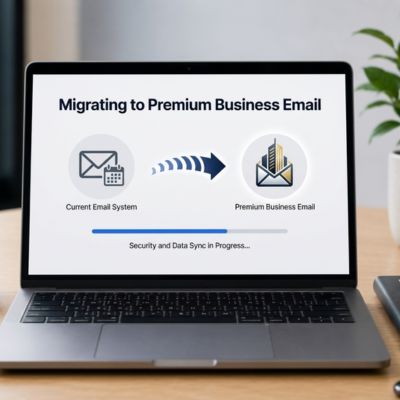
Premium Business Email Hosting’s migration process is described by Hiya Digital as fully managed: message history, folder structures, and organizational hierarchy are transferred systematically, with a parallel sync period run before any cutover and message-count verification completed before the old account is ever decommissioned. Contact and calendar data, described as business-critical rather than an afterthought, receive the same transfer-and-verify treatment rather than being handled as a lower priority than email itself.
Because Hiya Digital operates as an Authorized Reseller and Implementation & Migration Partner rather than expecting customers to self-serve, hands-on guidance is available throughout the process, including for edge cases that a standard self-serve import tool might miss. For a business with limited internal IT bandwidth, that managed model removes the migration project from their own to-do list almost entirely.
Admin Controls and Multi-User Management
Beyond individual mailboxes, how easily an admin can add users, manage departmental addresses, and control shared resources shapes the day-to-day cost of running either platform at scale.
Multi-User Administration on Fastmail
Fastmail’s business and family account structure supports a shared address book across all users on the account, along with domain-level delegation, aliasing, and multiple custom domains on its Standard and Professional tiers. That gives a growing business room to route several branded domains through a single account without separate sign-ups for each.
The administrative model here is comparatively lean; shared contacts and domain delegation cover the core multi-user need without a large, separate admin console layer, which suits smaller teams well but may feel light for an organization that wants granular, department-by-department control over who sees what.
Multi-User Administration on Premium Business Email Hosting
Premium Business Email Hosting manages every employee and department address from a single control panel, with aliases, forwarding rules, and auto-responders configurable without creating separate accounts for each address. Forwarding rules can automatically route messages to the right person or team, which Hiya Digital notes is particularly useful during role transitions or for managing shared departmental inboxes like sales@ or support@.
Calendar-sharing permissions extend the same department-level control to scheduling, allowing administrators to grant visibility by team or role rather than defaulting to either full or no access. For a business actively managing headcount growth or department restructuring, that combination of address, forwarding, and calendar permission controls in one panel reduces the number of separate systems an admin has to touch.
Client and Mobile Compatibility
A business platform that doesn’t work cleanly with the devices and apps a team already relies on creates retraining costs no comparison table captures well. Hence, client compatibility deserves its own look beyond the raw protocol list.
Fastmail on Desktop and Mobile
iOS and many desktop calendar applications natively support Fastmail’s CardDAV, while Android typically requires a plugin to achieve the same two-way contact sync. Desktop client support spans Outlook, Apple Mail, and Thunderbird via IMAP and SMTP, but only on tiers above Basic, since Fastmail’s own setup documentation states that Basic-tier accounts do not get IMAP, SMTP, CalDAV, or CardDAV access at all.
That tier restriction is worth repeating here specifically because client compatibility is exactly the kind of feature a buyer assumes is available at every tier until they check the fine print. For Fastmail, it genuinely isn’t.
Premium Business Email Hosting on Desktop and Mobile
 Premium Business Email Hosting on Desktop and Mobile
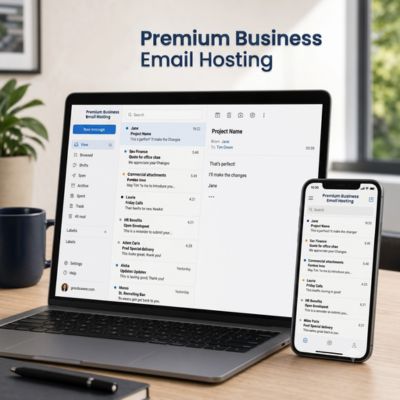
Premium Business Email Hosting’s webmail interface runs entirely in the browser with no configuration required, making it useful for securely logging in from a client site, a hotel, or any device that isn’t the user’s own. Desktop client support connects via IMAP, POP, and SMTP to Outlook, Apple Mail, and Thunderbird without retraining, and mobile sync covers smartphones and tablets, with changes reflected instantly across all other devices.
Because protocol access isn’t tier-gated the way it is on Fastmail’s entry plan, every Premium Business Email Hosting customer gets the same full client compatibility from day one, regardless of which of the two tiers they’re on, one less variable for an admin to check before rolling the platform out to a mixed-device team.
Support Model and Ongoing Account Management
The support experience only becomes visible after something goes wrong or a team needs a change made quickly, which makes it one of the harder things to evaluate from a plan comparison page alone, but one of the most consequential in practice.
Fastmail’s Support Structure
Fastmail’s support operations are based across Australia, India, and Philadelphia offices, reflecting a company that has run its own infrastructure and support functions in-house for decades rather than outsourcing either. Public reviews of the platform consistently describe it as reliable and privacy-respecting, but note that it isn’t designed around dedicated onboarding or account management; it’s built for technically confident teams who are comfortable configuring and troubleshooting their own setup.
That’s a legitimate, deliberate positioning choice rather than a flaw; a standards-first, self-serve provider naturally invests differently in support infrastructure than one selling managed onboarding as a core feature.
Premium Business Email Hosting’s Support Structure
Premium Business Email Hosting includes 24/7 support access on all plans, with a stated 2-hour response time commitment for critical issues, according to Hiya Digital’s published documentation. Onboarding is handled by a dedicated team that runs the parallel sync, post-migration verification, and DMARC monitoring processes described earlier in this comparison, rather than leaving those steps to the customer.
Ongoing account management continues past the initial setup as well, as an Authorized Reseller and Licensing & Support Partner, Hiya Digital remains the point of contact for configuration changes, added domains, or scaling questions as a business grows, rather than a one-time setup handoff followed by ticket-queue-only support.
| Buyer Priority | Recommended Platform | Why |
|---|---|---|
| Fully managed migration with verification before cutover | Premium Business Email Hosting | Parallel sync and message-count verification are handled by the provider’s team, not the customer. |
| Maximum standards purity and open-protocol philosophy | Fastmail Business | JMAP, CalDAV, CardDAV, and IMAP are core to Fastmail’s engineering identity, not add-ons. |
| Named, audited compliance certifications (SOC 3, PCI DSS, HIPAA-audited infrastructure) | Premium Business Email Hosting | Backed by an independently audited data center partner with specifically named certifications. |
| Strict EU-only data residency preference | Fastmail Business | Amsterdam data center offers an EU-primary-copy option as a structural feature. |
| No long-term contract commitment | Premium Business Email Hosting | Published comparison confirms no long-term contract requirement. |
| Automatic SPF/DKIM/DMARC setup with a monitored enforcement rollout | Premium Business Email Hosting | Domain authentication is configured and actively monitored during onboarding. |
| Small, technically confident team comfortable with self-serve setup | Fastmail Business | Self-serve import and configuration model suits teams that prefer to manage their own stack. |
| Growing team needing department-level admin and calendar permissions | Premium Business Email Hosting | Single control panel manages aliases, forwarding, and role-based calendar visibility. |
Frequently Asked Questions
Does Premium Business Email Hosting support the same open protocols as Fastmail Business?
Yes, at the core protocol level. Premium Business Email Hosting connects via IMAP, POP, and SMTP for desktop clients like Outlook, Apple Mail, and Thunderbird, the same protocol family Fastmail supports on its Standard and Professional business tiers. The practical difference is tier gating: Fastmail’s entry-level Basic plan explicitly excludes IMAP, SMTP, CalDAV, and CardDAV access, while Premium Business Email Hosting includes standard protocol access from its entry business tier onward, with no separate unlock required.
How much mailbox storage does each platform include?
Premium Business Email Hosting’s Standard plan includes 25GB of storage per user, with the Plus plan adding additional cloud storage. Fastmail’s Standard business tier includes 30GB per user, with 100GB available on its Professional tier. Attachment size is a separate consideration: Premium Business Email Hosting states a 50MB per-message attachment limit, while Fastmail’s public plan documentation doesn’t list a specific per-message attachment cap.
Is Fastmail Business or Premium Business Email Hosting better for GDPR compliance?
Both can support GDPR-relevant requirements, but through different mechanisms. Fastmail offers an EU-based data center in Amsterdam where customers can keep the primary copy of their data, though Fastmail remains an Australian-incorporated company subject to Australian law. Premium Business Email Hosting’s data center partner maintains SOC 3, HIPAA-audited, and PCI DSS Attestation of Compliance certifications, with GDPR-aligned configurations available on request through a scoping conversation before setup.
Which platform handles email migration for me?
Premium Business Email Hosting includes a fully managed migration process: message history, folder structures, contacts, and calendars are transferred by Hiya Digital’s team, with a parallel sync period and verification step completed before any old account is decommissioned. Fastmail’s migration path is self-serve, using import tools the customer configures directly, a workable option for a technically confident team, but one that puts the migration project timeline on the business itself rather than a dedicated partner.
Does either platform require a long-term contract?
Premium Business Email Hosting does not require a long-term contract, according to Hiya Digital’s published plan comparison. Fastmail’s published tier structure, Basic, Standard, and Professional, is billed annually, with a 30-day free trial available before that annual commitment begins. Family and business multi-user plans on Fastmail bundle several seats under the same annual structure rather than offering a month-to-month alternative.
How does spam and malware protection compare between the two?
Fastmail combines its own proprietary spam filter with the open-source SpamAssassin engine, routing suspicious mail to a reviewable quarantine folder. Premium Business Email Hosting runs simultaneous detection across sender reputation, content pattern analysis, and behavioral signal modeling, paired with real-time malware and ransomware scanning at the server level and automatic SPF, DKIM, and DMARC configuration, all monitored during a 30-day onboarding window.
Can I use my own domain with both platforms?
Yes. Fastmail supports custom domains with DNS configuration handled through its own dashboard, and multiple custom domains are available on Standard and Professional business tiers. Premium Business Email Hosting also supports custom domain email addresses, with SPF, DKIM, and DMARC configured automatically during setup, rather than requiring the customer to configure DNS records manually.
Which platform is better for a team that requires strict EU data residency?
Fastmail’s Amsterdam data center gives EU-based customers a structural option to keep the primary copy of their data within the EU, with a replica in the US for resilience. This is a genuine, sourced advantage for a buyer whose compliance requirement is specifically EU-only data hosting. Premium Business Email Hosting’s infrastructure runs in US enterprise data centers, with GDPR-aligned configurations available on request rather than an EU-primary hosting location as a default.
Does Fastmail Business or Premium Business Email Hosting offer better admin controls for a growing team?
Fastmail supports a shared address book across business and family accounts along with domain-level delegation on its Standard and Professional tiers. Premium Business Email Hosting centralizes alias creation, message forwarding, auto-responders, and role-based calendar-sharing permissions in a single control panel, giving administrators more granular, department-by-department visibility control as headcount grows without adding separate systems.
What kind of support can I expect after signing up with either provider?
Fastmail’s support team operates from offices in Australia, India, and Philadelphia, reflecting a self-serve, standards-first positioning rather than dedicated onboarding management. Premium Business Email Hosting includes 24/7 support on all plans, with a stated 2-hour response commitment for critical issues, plus a dedicated onboarding team that runs parallel-sync migration verification and continues as an ongoing account management contact through Hiya Digital, an Authorized Reseller and Licensing & Support Partner.
Glossary
IMAP: Internet Message Access Protocol; the standard used by most desktop and mobile email clients to sync mail with a server.
SMTP: Simple Mail Transfer Protocol; the standard used to send outbound email between mail servers.
JMAP: JSON Meta Application Protocol; a modern, JSON-based alternative to IMAP that Fastmail helped develop and contributed to the IETF as an open standard.
CalDAV: A standard protocol for syncing calendar data between a server and client applications.
CardDAV: A standard protocol for syncing contact/address book data between a server and client applications.
WebDAV: A protocol extension of HTTP used for remote file storage and editing, used by Fastmail for its file-storage feature.
SPF: Sender Policy Framework; an email authentication method that specifies which mail servers are authorized to send on behalf of a domain.
DKIM: DomainKeys Identified Mail; an authentication method that uses a cryptographic signature to verify an email wasn’t altered in transit.
DMARC: Domain-based Message Authentication, Reporting & Conformance; a policy layer built on SPF and DKIM that tells receiving servers what to do with messages that fail authentication.
TLS: Transport Layer Security; the encryption protocol used to secure data in transit between mail servers.
AES-256: Advanced Encryption Standard with a 256-bit key; a widely used algorithm for encrypting data at rest.
S/MIME: Secure/Multipurpose Internet Mail Extensions; a standard for public-key encryption and signing of email content at the message level.
SOC 3: A publicly shareable audit report attesting to a service organization’s security, availability, and confidentiality controls.
PCI DSS: Payment Card Industry Data Security Standard; a compliance framework for organizations handling cardholder data.
Cyrus: An open-source IMAP mail server originally developed at Carnegie Mellon University, used as Fastmail’s underlying mail storage system.
The Hiya Digital Team is a collective of IT infrastructure specialist engineers, certified systems administrators, and cloud architects driven by a singular mission: building corporate communication systems that just work. As an Authorized Google Partner, the team handles complex global hosting deployments, secure email migrations, and advanced data compliance architectures for businesses across 40+ countries.
With over two decades of technical experience spanning custom premium business email configurations, OX AppSuite deployments, and enterprise-level network security, the Hiya Digital Team writes to demystify domain infrastructure. Their content focuses on actionable technical strategies, anti-phishing security protocols, and seamless cloud collaboration setup, all backed by real-world deployment experience and 24/7 technical support accountability.