Choosing between Google Workspace Enterprise Standard and Enterprise Plus requires evaluating whether the additional security, compliance, administration, and AI capabilities deliver meaningful value for your organization. While both plans provide enterprise-grade collaboration and management tools, Enterprise Plus includes advanced features designed for organizations with more demanding governance, threat protection, and operational requirements. Understanding these differences helps IT leaders and decision-makers determine whether the premium tier aligns with their security objectives, compliance obligations, and long-term business needs.
Upgrade to Google Workspace For Enterprise →
Enterprise Standard and Enterprise Plus: What Actually Separates Them
Google splits its top tier into two SKUs rather than one, and the split isn’t cosmetic. Enterprise Standard covers the baseline enterprise feature set; Enterprise Plus adds the controls that compliance-heavy and security-mature organizations specifically request.
 The Feature Wall Between the Two Editions
 The Feature Wall Between the Two Editions
Enterprise Standard and Enterprise Plus share the same core apps, admin console, and support tiers, but Plus adds four categories Standard doesn’t touch: Data Loss Prevention across more surfaces, S/MIME message-level encryption, data regions with client-side encryption, and AppSheet Core for building line-of-business apps without a separate license.
Where the two SKUs diverge most is in surfaces that a procurement checklist rarely surfaces until legal or security review starts asking questions. Enterprise splits into Enterprise Standard and Enterprise Plus, with pricing handled via quote, and both editions support any number of users. The apps a frontline employee touches daily look identical across both editions; the difference lives almost entirely in governance and compliance tooling that IT and security teams configure, not in anything an end user would notice in Gmail or Docs on a normal Tuesday.
Why Google Splits Enterprise Into Two SKUs At All
The two-tier structure exists because Enterprise’s addressable market splits cleanly into two buying motions. Some large organizations need scale, more than 300 users, custom support arrangements, and dedicated account management without needing the deepest compliance stack. Others need scale and a specific regulatory or security posture that Standard genuinely cannot satisfy, regardless of how the rest of the feature set compares.
Splitting the SKU lets Google price the compliance stack separately, rather than forcing every enterprise customer to pay for controls that only a subset of customers actually use. Enterprise layers on DLP, context-aware access, data regions, Cloud Identity Premium, and additional classification tools on top of what Business Plus and Enterprise Standard already provide, which is the practical dividing line procurement teams should use when scoping a deal, rather than defaulting to the higher tier out of caution.
Storage Ceilings: Why “Unlimited” Needs a Footnote
Marketing copy for the Enterprise tier frequently promises unlimited storage without qualification. The actual policy is more specific, and that specificity matters to a compliance-literate buyer evaluating long-term data retention costs.
The Pooled-Storage Mechanics Behind the Marketing
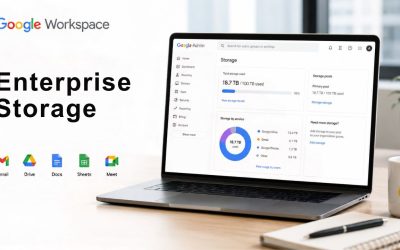
Storage across all Google Workspace tiers, including Enterprise, is pooled rather than allocated per mailbox. Google Workspace provides flexible, pooled storage per user that is shared across the organization, so a single heavy user consuming far more than average doesn’t necessarily trigger an upgrade, as long as the organization’s total pool covers it. This pooling model is identical in mechanism across Business Plus, Enterprise Standard, and Enterprise Plus; what changes between tiers is the starting allocation per seat, not the pooling logic itself.
Business Plus and Enterprise Plus both include 5 TB of pooled storage per user as the published starting point, with Enterprise editions able to request expansion beyond that baseline through account teams. Enterprise Standard’s storage allocation closely follows the pooled model. The genuinely unlimited framing that appears in some third-party guides is an oversimplification: Google’s document storage is expandable on request for Enterprise accounts, not an unconditional, uncapped default the moment a contract is signed.
When Storage Actually Becomes the Deciding Factor
Storage rarely determines the Standard-versus-Plus choice on its own, because both editions start from a similar pooled baseline and can both request more. What matters is how storage growth interacts with the other Plus-only controls: an organization retaining years of encrypted email under S/MIME, or storing regulated documents under a data region policy, needs storage planning that accounts for retention length as much as for raw volume.
A useful practical test: if the organization’s current storage conversation is purely “we’re running low, add more,” that’s a capacity problem solvable on either edition. If the conversation is “we need to prove where this data physically sits for the full retention period,” that’s a Plus-tier data region and encryption conversation. Storage volume becomes secondary to the controls surrounding it.
Enterprise Standard vs. Enterprise Plus: Feature Comparison
| Capability | Enterprise Standard | Enterprise Plus |
|---|---|---|
| Data Loss Prevention (DLP) | Included, standard rule depth | Included, deeper classification and enforcement granularity |
| S/MIME message-level encryption | Not included | Included |
| Data regions (org-unit level) | Not available | Available, configurable per organizational unit |
| Client-side encryption | Not available | Available, customer-held keys |
| AppSheet | Not included as Core | AppSheet Core included |
| Advanced Apigee integration | Available | Not the primary governance path |
| Meet participant cap | Below the Plus ceiling | Up to 1,000 participants |
| In-domain live streaming | Not included | Included |
| Minimum/maximum users | No cap either direction | No cap either direction |
Data Loss Prevention and S/MIME: Where Plus Pulls Ahead
These two controls are the ones most frequently cited by security and compliance teams as the primary reason for choosing Plus over Standard, and they deserve more precision than most comparison pages provide.
DLP Coverage Across Gmail, Drive, and Chat
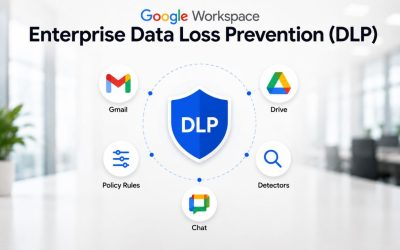
Data Loss Prevention automatically detects and prevents sensitive data, such as credit card numbers and Social Security numbers, from being shared outside the organization by scanning emails, Drive files, and Chat messages. DLP broadly belongs to the Enterprise family, but the depth of rule configuration, the number of supported content detectors, and the granularity of enforcement actions scale up meaningfully at the Plus tier compared to what a Business Plus or Enterprise Standard deployment typically supports.
For an organization handling personally identifiable information, payment data, or export-controlled content, DLP is the control that turns a policy document into an enforced technical boundary. A written policy saying “employees should not email customer SSNs externally” is only as good as the detection and blocking mechanism behind it. That mechanism is where Plus’s deeper rule sets and classification tooling earn their premium over the DLP baseline in Standard.
The practical rollout detail organizations underestimate: DLP rules need to be tuned against real traffic before they’re trusted to block, not just alert. A phased rollout, alert-only for several weeks, then graduated to blocking for confirmed rule categories, avoids the two failure modes seen most often: rules too loose to catch anything, or rules so aggressive they block legitimate business communication and get disabled in frustration within the first month.
S/MIME and the Regulatory Case for Message-Level Encryption
S/MIME, which signs or encrypts email at the message level, is available on Enterprise Plus rather than lower tiers, and this is a detail that several pricing guides skim past. Transport-level encryption, which every tier includes, protects email in transit between servers. S/MIME protects the message content itself, independent of the transport path, which matters for organizations subject to regulatory frameworks that require message-level controls rather than transport-level assurances alone.
S/MIME encryption is enhanced email encryption for organizations that need it for regulatory compliance, and it typically becomes a hard requirement rather than a nice-to-have for financial services firms handling wire instructions, legal teams handling privileged correspondence, and any organization operating under a framework that names message-level encryption explicitly in its control language. If a compliance mandate names S/MIME or equivalent message-level encryption by name, that single requirement is often sufficient justification for Plus on its own, regardless of how the rest of the feature comparison shakes out.
Meet Capacity and Live Streaming at Enterprise Scale
Video meeting capacity is one of the few Plus differentiators that a general employee population notices directly, rather than one confined to admin console configuration.
Participant Caps and Attendance Tracking by Edition
Meet scales with the plans: Business Plus supports up to 500 participants with attendance tracking, while Enterprise Plus supports up to 1000 participants and adds in-domain live streaming for larger internal events. Enterprise Standard’s Meet capacity sits between Business Plus and Enterprise Plus, positioned for organizations running large but not maximal all-hands meetings.
For a genuinely large organization, a multi-thousand-seat company running company-wide town halls, board briefings, or global training sessions, the 1000-participant ceiling on Plus is a real operational constraint, not a vanity number. An organization that regularly needs to reach an audience larger than Standard’s cap supports has a straightforward, verifiable reason to choose Plus: it has nothing to do with compliance and everything to do with whether a single meeting link can accommodate the intended audience without splitting into parallel sessions.
In-Domain Live Streaming for All-Hands and Town Halls
 In-Domain Live Streaming for All-Hands and Town Halls
In-domain live streaming, reserved for Enterprise Plus, allows an organization to broadcast a meeting to viewers within the domain without requiring every viewer to have an active meeting seat, which matters for events larger than even the 1000-participant interactive cap. A board update or company-wide product launch reaching tens of thousands of employees is the realistic use case this feature targets, not a small departmental sync.
Organizations that don’t run events at this scale gain little from this specific control, which is why it’s worth isolating from the rest of the Plus feature set during evaluation rather than folding it into a generic “better video features” argument. If large-scale internal broadcast isn’t a real recurring need, this particular Plus feature shouldn’t weigh heavily in either direction of the decision.
AppSheet, Advanced Endpoint Management, and the Governance Layer
Beyond security controls, Plus includes application-building and device-management depth that changes what IT teams can do without procuring separate tools.
What AppSheet Core Actually Unlocks in Plus
Enterprise Plus customers get AppSheet Core included, which is sufficient for most line-of-business apps, while Enterprise Standard instead adds advanced data governance and integration with Apigee. AppSheet Core lets internal teams build no-code applications, inventory trackers, approval workflows, and field-service forms against existing Workspace data without a separate AppSheet subscription, which is a real cost offset for organizations already planning internal tooling projects.
The Enterprise Standard alternative isn’t a downgrade so much as a different governance emphasis: deeper integration with Apigee suits organizations already invested in platform-level API management and governance, rather than teams that primarily want to build lightweight internal apps quickly. Which of the two matters more depends heavily on whether the organization’s existing IT roadmap already includes API governance work or leans toward citizen-developer tooling for operational teams.
Endpoint Management Depth Beyond Business Plus
Endpoint management scales meaningfully from Business Plus through the Enterprise editions, with Plus adding the deepest device-policy granularity, including more detailed configuration profiles and enforcement options for both managed and unmanaged devices accessing company data. For organizations with significant bring-your-own-device populations or distributed international workforces, this depth is often what separates a workable mobile device management policy from one that has visible gaps.
The practical governance question worth asking before committing to Plus for this reason alone: does the organization’s current device fleet and BYOD policy actually require the additional granularity, or would Enterprise Standard’s endpoint controls, combined with a third-party mobile device management tool the organization already owns, cover the same ground at lower incremental cost? This is a case where an existing tool stack can sometimes make the Plus-only depth redundant.
Get the Standard-vs-Plus Decision Reviewed Before You Sign
Deciding between Enterprise Standard and Enterprise Plus at a few hundred seats is a spreadsheet exercise; at several thousand seats with a live compliance mandate, a misjudged SKU choice compounds into real budget exposure over a multi-year term. Hiya Digital, as an Authorized Reseller and Licensing & Support Partner, reviews the specific compliance mandates, meeting-scale requirements, and device fleet driving your evaluation, then maps them against both editions before your procurement team commits to a quote Google’s account team has already priced to their advantage.

Data Regions and Client-Side Encryption: Plus-Only Controls
For organizations with data residency obligations, this pair of controls is frequently the deciding factor, independent of everything covered so far.
Setting a Data Region at the Org-Unit Level
With Enterprise Plus, Education Plus, or Education Standard editions, organizations can set a data region for an organizational unit or configuration group, allowing the data storage location to be scoped by department or business unit rather than applied uniformly across the entire domain. This granularity matters for multinational organizations where only certain business units, a European subsidiary under GDPR, or a government contractor under a residency clause, need a specific data region. In contrast, the rest of the organization operates without that constraint.
Data regions help customers store and process their data in a region of their choice, and local data storage lets customers select the country where their data is stored to proactively comply with evolving local or industry regulations or client requirements. This is a genuinely Plus-exclusive capability among the two Enterprise editions, which makes it one of the cleaner litmus tests during evaluation. If a specific regulatory framework or client contract names a data residency requirement, that requirement alone typically settles the SKU decision.
Client-Side Encryption and Who Holds the Keys
 Client-Side Encryption and Who Holds the Keys
Google Workspace’s client-side encryption capability allows organizations to control encryption keys outside Google and select where those keys are hosted to remain compliant with regional requirements. This differs meaningfully from standard server-side encryption, since Google itself cannot access content encrypted this way without the organization’s separately held keys. This distinction matters to security teams evaluating exposure in a subpoena or data-request scenario involving Google directly.
Combined with data regions, client-side encryption is the pairing most often cited by CISOs at regulated organizations as the concrete, checkable reason Plus was chosen over Standard, since both controls produce artifacts, key custody records, and region configuration logs that an external auditor can verify rather than a policy statement that has to be taken on faith.
Gemini Entitlements Across the Two Editions
AI features are bundled differently than they were even a year ago, and the current bundling logic affects the Standard-versus-Plus calculation in a way worth stating plainly.
What Ships by Default in Each Edition
Google removed the standalone Gemini add-on and bundled Gemini into every Workspace tier, meaning the Gemini feature set an organization receives is determined by the tier subscribed to, not by a separate AI purchase. Both Enterprise Standard and Enterprise Plus include the full Gemini side panel across Gmail, Docs, Sheets, Slides, and Meet; the AI experience itself is not the differentiator between the two Enterprise editions, unlike between lower Business tiers.
What differs at the Enterprise level is the governance wrapped around Gemini: data-region settings and client-side encryption, both Plus-exclusive as covered above, which extend to how Gemini processes content for organizations on that edition. Enterprise and Business Plus tiers add controls such as data-region settings, client-side encryption, and DLP specifically for how generative AI features handle organizational content. An organization choosing Plus primarily for AI governance, rather than for AI capability itself, is evaluating the right thing; the features are identical, but the guardrails around them are not.
Where Gemini Add-Ons Still Apply at This Tier
Separately from the bundled side panel, Gemini Enterprise, as a distinct product covering more advanced agent and NotebookLM Enterprise capabilities, carries its own compliance posture that is worth checking against organizational requirements. Gemini Enterprise Standard edition, Gemini Enterprise Plus edition, and NotebookLM Enterprise carry certifications including ISO 27001, ISO 27017, ISO 27018, ISO 27701, SOC 1, SOC 2, SOC 3, PCI DSS, and BSI C5:2020, but notably do not currently extend to the highest government-impact levels. These Gemini Enterprise products do not support International Traffic in Arms Regulations, FedRAMP Moderate and High, Impact Level 5, or Impact Level 4. Organizations under those specific federal frameworks need to verify Gemini’s scope separately from base Workspace compliance before assuming AI features carry the same authorization as the rest of the suite.
Pricing Mechanics: How the Premium Actually Gets Quoted
Neither Enterprise edition is sold through self-serve checkout, and understanding why changes how a procurement team should approach the negotiation.
Why Neither Edition Has a Public List Price
Enterprise pricing is custom and requires contacting Google sales directly rather than buying through self-serve checkout, and this applies equally to Standard and Plus. There is no minimum or maximum user limit for Enterprise plans, unlike the Business tiers. This is part of why Google prices Enterprise through account teams rather than a published rate card: deal size, industry, contract term, and competitive context all move the number independently of which edition is chosen.
Third-party market estimates place Enterprise Standard and Enterprise Plus in a band roughly comparable to a premium over Business Plus list pricing. However, any specific figure circulating publicly should be treated as a planning estimate rather than a quotable number, since Google itself does not publish one. What organizations should request directly from their account team or reseller, rather than estimate based on a blog post, is a like-for-like quote covering both editions, against the actual seat count and term length under consideration.
The Negotiation Levers That Move the Plus Premium
The gap between Standard and pricing is negotiable and moves on the same levers that drive overall Enterprise pricing: contract term length, competitive pressure from an alternative platform under consideration, and the extent to which the organization is willing to commit to the AI bundle alongside the base license. Multi-year commitments and a credible alternative under evaluation both tend to compress the Plus premium relative to Standard more than either lever alone.
Tier-mix optimization, covered earlier as a governance strategy, is equally a pricing strategy: quoting Plus only for the roles that genuinely need its controls, with the remainder on Standard, produces a blended cost that is almost always lower than a uniform Plus rollout, and gives the negotiation a concrete, role-justified rationale that account teams are more likely to work with than a request for an across-the-board discount.
Which Roles Typically Justify Which Edition
| Organizational Signal | Typically Sufficient On Standard | Typically Requires Plus |
|---|---|---|
| Handles regulated PII, PHI, or financial instruments daily | No | Yes |
| Named compliance framework requires message-level encryption | No | Yes |
| Data must be provably stored in a specific country or region | No | Yes |
| Runs company-wide broadcasts beyond 500-1,000 attendees | No | Yes |
| General internal collaboration, no regulated data | Yes | No |
| Building internal no-code apps against Workspace data | Possible via other tools | Yes, via AppSheet Core |
Mixed-Tier Licensing: Running Both Editions in One Domain
A common misconception is that an entire Workspace domain must run on a single license type, which unnecessarily shapes how organizations approach the Standard-versus-Plus decision.
How Multi-Subscription Domains Actually Work
With standard self-serve checkout, every user in a single Google Workspace domain shares the same plan, which is a real limitation that surprises growing teams that want only specific roles on a higher tier. The full picture is more nuanced: if an organization holds multiple active subscriptions for the same domain, individual users can be assigned to different licenses within those subscriptions. This distinction matters directly for the Enterprise decision: an organization doesn’t have to choose Standard or Plus as an all-or-nothing domain-wide setting when working through an account team or reseller rather than self-serve checkout.
Setting up multi-subscription licensing correctly requires coordination with Google’s enterprise sales process or a reseller partner from the start, since self-serve tooling doesn’t expose this configuration directly. This is precisely the kind of setup work where an implementation partner’s phased rollout experience, getting the organizational unit structure and license assignment right the first time, avoids a costly re-licensing exercise midway through deployment.
Building a Role-Based Tier Mix That Holds Up
A defensible tier-mix strategy starts with a role inventory, not a department inventory: which specific job functions handle regulated data, need message-level encryption, or require the largest Meet capacity, versus which functions are purely internal collaboration with no special compliance surface. Legal, finance, HR, and any customer-data-handling function are the usual candidates for Plus; general operations, marketing, and internal support functions frequently run comfortably on Standard.
The ongoing governance challenge is keeping the mix current as roles change; an employee transferred from operations into a compliance-adjacent function needs their license reassessed, not left on whatever tier they started with. Building this review into a standing quarterly access-recertification process, rather than treating tier assignment as a one-time rollout decision, helps prevent a mixed-tier deployment from drifting back toward uniform over-licensing within a year or two.
The Break-Even Case: When Plus Pays for Itself
Bringing the individual feature comparisons together into a single decision framework is the point of this entire evaluation.
Signals That Point Toward Plus
 Signals That Point Toward Plus
An organization should weigh toward Plus when at least one of the following is genuinely true, not hypothetically true: a named compliance framework requires message-level encryption or specific data residency; internal all-hands or broadcast events regularly exceed what Standard’s Meet capacity supports; or the security team has an active, funded initiative around DLP maturity and client-side encryption rather than a someday-priority item on a roadmap. Any one of these, confirmed as a real current requirement rather than a future possibility, is usually sufficient justification for Plus on the roles or business units it actually affects.
The pattern worth watching for during procurement conversations: compliance requirements that only surface once security or legal reviews the deal late in the cycle, well after IT has already scoped seat counts and budget against Standard pricing. Getting compliance and legal stakeholders into the tier-selection conversation before the budget is finalized, rather than after, is the single most common gap that turns an otherwise straightforward Enterprise renewal into a mid-cycle re-negotiation.
Signals That Point Toward Staying on Standard
Conversely, an organization staying on Standard is usually the right call when Meet events comfortably fit within Standard’s capacity, no named regulatory framework requires message-level encryption or data residency by name, and existing third-party tools already cover endpoint management and app-building needs that AppSheet Core or advanced device policies would otherwise address. In this profile, Plus’s premium buys governance depth the organization isn’t positioned to use, which is money better allocated toward implementation, training, or the AI rollout itself.
The honest middle case, and the most common one in practice, is a genuine tier mix: Plus for the specific roles or business units where a real requirement exists, Standard everywhere else. Treating this as the default expectation rather than the exception tends to produce both a lower blended cost and a cleaner audit trail than either uniform extreme.
Frequently Asked Questions
Which Google Workspace Enterprise plan is best?
There is no single best plan independent of what an organization actually handles. Enterprise Standard is the better fit for large organizations that need scale, custom support, and the core Enterprise feature set without a specific data residency, message-level encryption, or maximum-capacity broadcast requirement. Enterprise Plus is the better fit when at least one of those specific, named requirements exists. In practice, the highest-value approach for organizations with more than a few thousand seats is a role-based mix of both editions within the same domain via multi-subscription licensing, rather than treating the choice as all-or-nothing across the entire workforce. The right answer is determined by mapping actual compliance mandates and usage patterns against the two feature sets, not by defaulting to the higher tier out of caution or the lower tier purely to save on list price.
Does Enterprise Plus include unlimited storage, or is there a catch?
Enterprise Plus, like other Workspace tiers, uses pooled storage shared across the organization rather than a fixed per-mailbox limit, starting from a documented baseline that can be expanded on request through Google’s account team. The “unlimited” framing used in some marketing and third-party content oversimplifies a policy that is genuinely expandable but not unconditionally uncapped from day one. Organizations planning multi-year retention, particularly for recorded meetings or large media assets, should have the expansion terms confirmed in writing during the quoting process rather than assuming an unqualified, unlimited allocation applies automatically at contract signing.
What is the difference between DLP on Enterprise Standard and Enterprise Plus?
Both editions include Data Loss Prevention covering Gmail, Drive, and Chat, scanning for sensitive content such as payment card numbers and government ID numbers before it leaves the organization. The practical difference at Plus is depth: more granular content classification, broader detector coverage, and finer-grained enforcement actions than the DLP configuration typically available on Standard. Organizations with a narrow, well-defined data-loss risk (for example, only credit card numbers in a small billing team) may find Standard’s DLP sufficient. Organizations with broad, varied exposure to sensitive data across many departments typically need the deeper rule granularity that Plus provides to avoid coverage gaps.
Can I switch from Enterprise Standard to Enterprise Plus without a new contract?
Because Enterprise pricing is quoted directly through Google sales or a reseller rather than through self-serve checkout, an edition change is handled as a contract modification through the same account team or partner relationship, rather than as an in-console self-service upgrade. The process typically involves confirming the new per-seat terms, any changes to the committed term length, and re-provisioning affected organizational units for the added Plus controls, such as data regions and S/MIME. Working with an implementation partner during this transition helps ensure that the added controls are configured and enforced, not just licensed, once the contract change takes effect.
Does Enterprise Plus support data residency in specific countries?
Yes. Enterprise Plus allows an organization to set a data region for a specific organizational unit or configuration group, so that data storage is scoped by business unit rather than applied uniformly across the entire domain. This is useful for multinational organizations in which only certain subsidiaries or departments are subject to a residency obligation under a framework such as GDPR or a government contract clause. In contrast, the rest of the organization operates without that constraint. Enterprise Standard does not include this org-unit-level data region control, which makes it one of the clearest, most checkable reasons to choose Plus when a named residency requirement exists.
How many Meet participants does Enterprise Plus support compared to Standard?
Enterprise Plus supports Google Meet sessions with up to 1,000 participants. It adds in-domain live streaming to broadcast to even larger internal audiences, without requiring every viewer to hold an active meeting seat. Enterprise Standard’s Meet capacity sits below that Plus-tier ceiling, positioned between Business Plus and the maximum Enterprise Plus supports. Organizations that regularly run company-wide town halls, global training sessions, or board briefings at a scale approaching or exceeding Standard’s cap have a direct, verifiable, non-compliance-related reason to evaluate Plus based solely on meeting capacity.
Is S/MIME encryption required for HIPAA or financial compliance?
S/MIME itself is a specific technical encryption method rather than a named requirement in most regulatory text; HIPAA and most financial frameworks require appropriate safeguards for data in transit and at rest without mandating S/MIME by name. However, many organizations in healthcare and financial services choose S/MIME specifically because it provides message-level encryption independent of the transport path, which auditors and internal security teams often treat as the clearest, most defensible technical control to point to when demonstrating message confidentiality. Organizations should confirm the specific language of their framework with legal or compliance counsel rather than assuming S/MIME is a blanket legal requirement.
What does AppSheet Core add that isn’t in Enterprise Standard?
AppSheet Core, included with Enterprise Plus, lets internal teams build no-code applications such as inventory trackers, approval workflows, and field-service forms directly against existing Workspace data, without purchasing a separate AppSheet subscription. Enterprise Standard instead emphasizes advanced data governance and integration with Apigee, which suits organizations more focused on API management than on citizen-developer app building. The right choice between the two depends on whether the organization’s IT roadmap currently prioritizes lightweight internal tooling built by business teams or deeper API governance work led by a platform team.
Can a single Google Workspace domain run both Enterprise Standard and licenses?
Yes, but not through self-serve checkout, where every user in a domain shares a single plan by default. Organizations working through Google’s enterprise sales process or an authorized reseller can hold multiple active subscriptions on the same domain and assign individual users to different license types within those subscriptions. This is what makes a role-based tier mix- Plus for roles with genuine compliance or capacity needs, Standard for the rest- practically achievable, and it typically requires partner or account-team involvement to set up the organizational unit structure correctly from the start.
Does Enterprise Plus cost significantly more than Enterprise Standard in practice?
Neither edition has a published list price; both are quoted directly based on seat count, contract term, and competitive context, so the actual dollar gap between Standard and Plus varies by deal rather than following a fixed public rate. What organizations can control is the size of that gap through negotiation levers such as multi-year commitment and, more importantly, through tier-mix strategy, quoting Plus only for the roles that need its specific controls rather than applying it domain-wide. A blended approach often yields a total cost far closer to Standard pricing than a uniform Plus rollout would, while still meeting all genuine compliance and capacity requirements across the organization.
Glossary
DLP (Data Loss Prevention): A control that scans outbound content across Gmail, Drive, and Chat for sensitive data patterns and blocks or flags it before it leaves the organization.
S/MIME: A standard for signing and encrypting email at the message level, independent of the transport-layer encryption used to move mail between servers.
Data Regions: A Google Workspace capability, available from Enterprise Plus, that lets an organization choose the country or region where specific data is stored and processed, configurable per organizational unit.
Client-Side Encryption (CSE): An encryption method where the organization holds its own encryption keys outside of Google’s infrastructure, meaning Google cannot access the underlying content without the customer’s separately managed keys.
AppSheet Core: A no-code application-building platform included with Enterprise Plus, used to create internal tools such as approval workflows and tracking apps against existing Workspace data.
Pooled Storage: Google Workspace’s storage model, where each user’s allocation is drawn from a shared organizational pool rather than a fixed individual mailbox limit.
SOC 2: An audit framework, evaluated by independent third-party auditors, assessing an organization’s security, availability, and confidentiality controls over a defined review period.
ISO/IEC 27001: An internationally recognized certification standard for information security management systems, covering the people, processes, and technology protecting an organization’s data.
BAA (Business Associate Agreement): A contract required under HIPAA between a healthcare organization and a vendor handling protected health information on its behalf.
IL4 / FedRAMP: U.S. government authorization levels defining the security controls a cloud service must meet to handle federal or defense-related data; IL4 and FedRAMP High are the higher tiers relevant to government-adjacent enterprise customers.
The Hiya Digital Team is a collective of IT infrastructure specialist engineers, certified systems administrators, and cloud architects driven by a singular mission: building corporate communication systems that just work. As an Authorized Google Partner, the team handles complex global hosting deployments, secure email migrations, and advanced data compliance architectures for businesses across 40+ countries.
With over two decades of technical experience spanning custom premium business email configurations, OX AppSuite deployments, and enterprise-level network security, the Hiya Digital Team writes to demystify domain infrastructure. Their content focuses on actionable technical strategies, anti-phishing security protocols, and seamless cloud collaboration setup, all backed by real-world deployment experience and 24/7 technical support accountability.