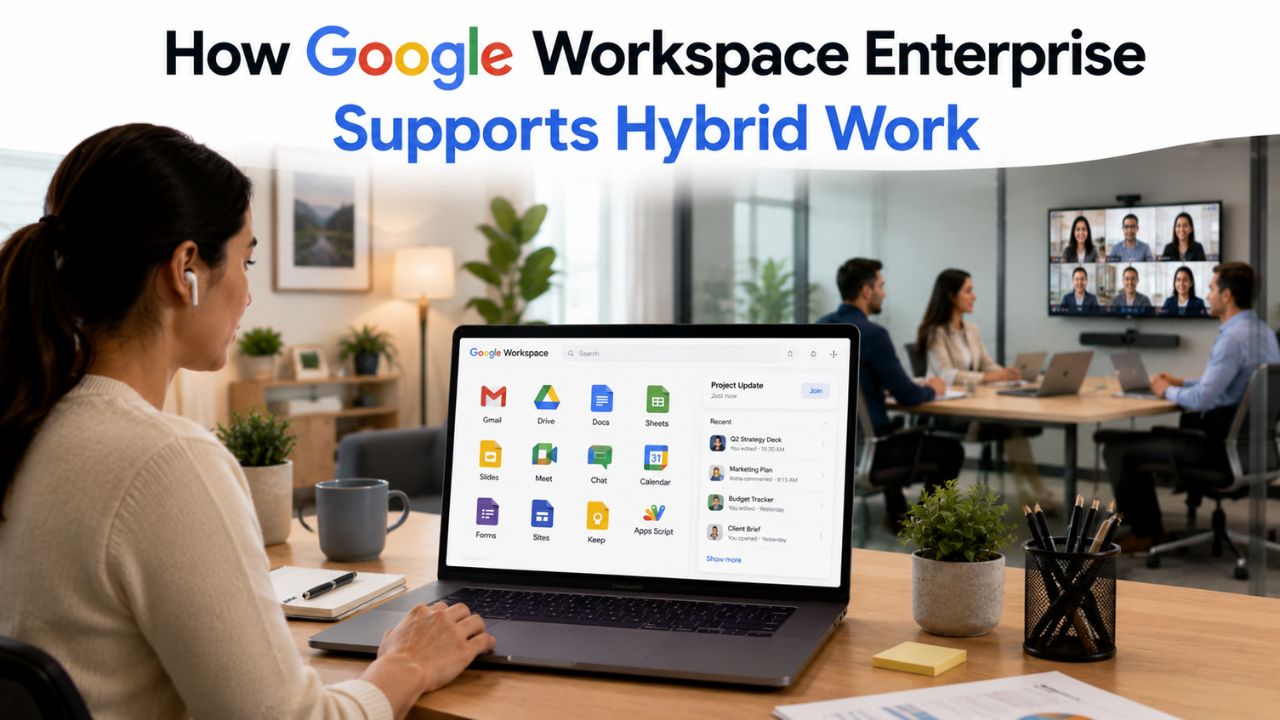
A distributed workforce multiplies the number of devices, networks, and locations an IT team has to trust. Google Workspace Enterprise addresses that specific problem: verifying every device and every access request on its own merits, without routing remote staff through a VPN, so a 5,000-seat organization can manage risk without managing chokepoints.
Get Google Workspace For Enterprise →
Why Perimeter Security Breaks Down for a Distributed Workforce
A VPN was built for a world where “remote” meant a handful of traveling employees, not a majority of the workforce logging in from home networks, co-working spaces, and airport lounges every day. Once remote access becomes the default rather than the exception, a single trusted tunnel into the corporate network becomes both a bottleneck and a single point of failure that attackers specifically target.
 The VPN Assumption No Longer Matches Where Work Happens
 The VPN Assumption No Longer Matches Where Work Happens
Traditional network security assumes that anything inside the perimeter is safe and anything outside it is suspect. That assumption made sense when employees worked from a single building on a single managed network. It breaks down completely once a large organization has thousands of employees connecting from personal routers, mobile hotspots, and shared Wi-Fi networks with no consistent security baseline whatsoever.
The practical failure mode is concentration risk. Every remote employee’s traffic funnels through the same VPN gateway, which means that gateway becomes both a performance bottleneck during peak hours and the single credential an attacker needs to compromise to reach everything behind it. A stolen VPN password or a vulnerable VPN appliance grants an intruder the same broad network access as a legitimate employee, regardless of which specific application they actually need.
What Zero Trust Changes About the Access Decision
Zero trust flips the underlying question. Instead of asking “is this connection coming from inside the network,” it asks “does this specific request, from this specific user, on this specific device, right now, meet policy?” Google’s own implementation of this model, BeyondCorp, grew out of an internal effort to let its own employees work from untrusted networks without a VPN at all.
That shift matters most for a hybrid workforce because it removes the false binary between “on the network” and “off the network.” A device can be evaluated the same way whether the employee is at headquarters or at a kitchen table, because the decision is based on identity, device posture, and context rather than physical location. Access to services is granted based on contextual factors from the user and their device, and it must be authenticated, authorized, and encrypted regardless of the network the person is connecting from.
Context-Aware Access: Replacing the VPN with Identity and Device Signals
Context-Aware Access is the policy engine that decides, in real time, whether a given sign-in attempt is allowed to reach Gmail, Drive, or any other Workspace application. It evaluates device posture, network origin, and user attributes together and is available only to organizations on Enterprise-tier editions, not the smaller Business plans.
How Access Levels Are Actually Built
An access level is a named bundle of conditions that an admin defines once and then applies across the organization. A typical enterprise builds a small ladder of these: a baseline level for general applications, a stricter level requiring a managed and encrypted device for financial or HR systems, and a high-assurance level reserved for the most sensitive admin functions. Context-Aware Access allows administrators to define access policies based on device posture, network location, and user attributes, blocking access that does not meet policy even when the credentials presented are entirely valid.
This is the detail that surprises procurement teams the first time they see it: a correct username and password are no longer sufficient on their own. If a remote employee’s laptop has disk encryption disabled or the operating system is several versions out of date, the access level can deny access to sensitive applications even if the login succeeds. That gap between “authenticated” and “authorized” is precisely the control a VPN cannot provide, since a VPN only checks that the tunnel itself was established correctly.
Requirements and Editions That Unlock the Feature
Context-Aware Access is not available on every Workspace plan, which matters when an organization compares Business-tier pricing with Enterprise-tier pricing for a remote-heavy workforce. The feature requires Google Workspace Enterprise Standard, Enterprise Plus, Education Plus, or Cloud Identity Premium; organizations on Business Starter, Business Standard, or Business Plus do not have it, though they retain basic two-step verification enforcement and some sharing controls.
That licensing detail is one of the clearest reasons a growing, remote-first organization outgrows the Business tier well before it hits any user cap. A 400-person company evaluating Business Plus against Enterprise Standard for cost reasons alone may not realize that the device-aware access control it actually needs for a remote workforce is not present at the lower tier, no matter how the rest of the feature comparison looks. This is a genuine gap in the Business-tier feature set, not a configuration option that is merely hidden by default.
Endpoint Verification and Device Trust Scoring
Context-Aware Access can only enforce a policy if it has real signals about the device making the request. Endpoint Verification is the mechanism that collects those signals, and without it deployed across the fleet, every device-posture rule in an access level has nothing to evaluate against.
What Endpoint Verification Actually Collects
Endpoint Verification runs as a Chrome extension, with a native helper application on some platforms, and reports device security attributes back to Google’s access infrastructure. It gathers a range of device security signals that feed into the access-level engine, which, in turn, controls whether a given device can access BeyondCorp-protected resources at all.
In practice, the signals an enterprise deployment typically checks include whether disk encryption is enabled, whether a screen lock is configured, whether the operating system is running a current, patched version, and whether the device is centrally managed or is a personal device with no management profile. None of these checks require the device to be inside a corporate network or connected through a VPN tunnel; the extension reports its findings the same way whether the laptop is on the office network or on a home connection halfway across the country.
Third-Party Device Management Signals
Many large enterprises already run a unified endpoint management platform for non-Google device fleets, and Google Workspace Enterprise is built to consume those signals rather than requiring a rip-and-replace. A UEM platform’s compliance data can be synchronized into Google’s context-aware access engine so that conditional access rules factor in device compliance as one input into multi-factor authentication decisions, passing managed, unmanaged, compliant, and non-compliant attributes through to the enforcement layer.
This integration path is specifically relevant to organizations with a mixed fleet: corporate-issued laptops managed one way, and personal phones enrolled in a separate mobile management system. Rather than forcing every device through a single Google-native enrollment flow, the access engine can ingest a compliance verdict from whichever management system already owns that device category and apply the same access-level logic regardless of the signal’s origin.
BYOD Policy Design for Enterprise-Scale Remote Teams
Bring-your-own-device programs solve real cost and convenience problems for distributed teams. Still, they introduce a control gap: IT does not own the hardware, so it cannot dictate every setting as it would on a corporate-issued laptop. Enterprise-tier Workspace closes most of that gap through app-level rather than device-level control.
Separating Corporate Data From Personal Data on the Same Device
The core design pattern for BYOD at enterprise scale is containerization: corporate email, documents, and chat live inside a managed application boundary on the personal phone, while the rest of the device, personal photos, personal apps, personal messages, remains entirely outside IT’s reach. This is a deliberate trade-off, and it is the one that makes BYOD acceptable to employees in the first place, since a program that gave IT full control over a personally owned phone would face immediate resistance. Likely violate employees’ reasonable expectation of privacy.
On Android and iOS specifically, this containerization enables Context-Aware Access to make a per-application decision rather than an all-or-nothing one. A UEM integration can enable context-aware access to individual Google-supported applications such as Gmail, Drive, and Calendar, evaluating device compliance for that specific app boundary rather than requiring blanket control of the whole device. A remote employee’s personal phone can be fully trusted for corporate email while remaining completely outside any corporate policy for the rest of the device.
Setting Different Rules for Owned Versus Personal Hardware
A mature enterprise policy rarely treats every device the same way; it tiers trust by ownership and manageability. A corporate-issued, fully managed laptop provides access to the broadest set of applications because IT can directly verify and enforce all relevant settings. A personal phone with only an app-level management profile earns access to a narrower set, typically email, chat, and calendar. At the same time, more sensitive systems, such as finance or HR platforms, are reserved for fully managed devices only.
This tiering is what keeps a BYOD program from becoming a security regression. Rather than choosing between “block personal devices entirely” and “trust personal devices exactly as much as corporate ones,” a tiered access-level structure lets an organization deliver real productivity value to BYOD participants without extending the same trust ceiling afforded to fully managed devices. Employees get genuine flexibility; the sensitive systems stay behind the stricter bar.
Mobile Device Management Tiers Across Enterprise Editions
Mobile device management capability is not uniform across Google Workspace’s tiers, and the gap between “basic” and “advanced” management directly determines what a remote-heavy organization can actually enforce on the phones and tablets its employees use in the field.
What Basic Management Covers and Where It Stops
 What Basic Management Covers and Where It Stops
Basic mobile management, available even on lower Workspace tiers, typically covers enforcing a screen lock, remotely wiping a corporate account from a device, and requiring a minimum passcode strength. That is enough for a small team with light mobile usage. Still, it stops well short of what a distributed enterprise workforce with real device diversity needs: no app-level policy control, no granular compliance reporting, no integration point for a broader zero-trust access decision.
Advanced mobile management, which sits at the Business Plus tier and above and carries forward into both Enterprise editions, adds the pieces that actually matter for a remote-first organization: app configuration and restriction, work-profile separation on Android for BYOD scenarios, and compliance reporting granular enough to feed into a Context-Aware Access level rather than existing as a standalone dashboard nobody checks. The jump from basic to advanced is the single most consequential mobile-management decision in a tier comparison for this exact use case.
Where Enterprise Editions Add Further Depth
Enterprise Standard and Enterprise Plus both build on advanced mobile management with the identity and access layer described earlier in this piece, tying device compliance directly into sign-in enforcement rather than treating mobile management as a parallel, disconnected system. The distinction between Enterprise Standard and Enterprise Plus in this specific area is narrower than it is for other capabilities like meeting size or storage; the device-and-access controls a remote workforce specifically needs are present on both editions, with Enterprise Plus adding message-level encryption and a handful of higher-end admin controls on top.
For a security team building the business case internally, the practical takeaway is this: the mobile-management gap that actually creates remote-work risk closes at Business Plus, but the identity-aware access enforcement that ties that device compliance into every sign-in decision is an Enterprise-tier capability. An organization evaluating tiers purely on mobile device management features may underestimate how much of the real protection depends on access-layer integration rather than on the device management console in isolation.
Context-Aware Access Levels for a Distributed Workforce
| Access Level | Device Requirement | Typical Applications Assigned | What It Blocks |
|---|---|---|---|
| Baseline (general remote access) | Endpoint Verification active, device reporting some status | Email, shared calendar, general Drive folders | Devices with no reporting extension installed at all |
| Managed-device tier | Encryption enabled, screen lock set, OS on a current patch version | Shared team drives, internal chat, project tools | Non-compliant devices, even with valid credentials |
| High-assurance tier | Managed device plus device pre-registered with the organization | Finance systems, HR/compensation data, admin console | Any device not explicitly registered, regardless of compliance status |
Expert Support for Enterprise Google Workspace Rollouts
Getting mobile management tiers and access-level design right the first time avoids months of reconfiguration once employees are already relying on the wrong policy structure in day-to-day operations. Hiya Digital, as an Authorized Reseller and Google Workspace Partner, maps an organization’s actual device fleet and remote-work patterns to the correct Enterprise edition and access-level structure before rollout begins, rather than after gaps surface in production.

Chrome Enterprise Premium as the Remote Access Layer
Endpoint Verification and access levels tell Google whether a device qualifies for access. Chrome Enterprise Premium is the layer that extends zero-trust protection into the browser session itself, which matters because for a remote workforce, the browser is effectively the corporate desktop.
What the Browser Layer Adds Beyond Sign-In Checks
A sign-in decision happens once, but a remote employee’s browsing session continues for hours afterward, and that session is where data actually moves in or out of the organization. BeyondCorp can be enabled at virtually any organization through Chrome Enterprise Premium, which is built to simplify and strengthen endpoint security for hundreds of millions of enterprise browser users. The browser becomes a continuously monitored access point rather than a one-time gate.
Newer capabilities in this browser layer include real-time URL checks, file upload and download analysis, and bulk-paste analysis, each configurable as its own access condition rather than a single blanket setting. For a remote workforce specifically, this closes a gap that device-posture checks alone cannot: a fully compliant, encrypted, up-to-date laptop can still be the vector for a user pasting sensitive data into an unauthorized destination, and the browser-layer controls are what catch that specific behavior in the moment it happens.
Rolling this out to a large remote fleet is a Chrome management exercise as much as a security one. The extension and policies are deployed through the same centralized Chrome management console already used for Endpoint Verification, which means an organization that has already done the device-trust groundwork in Section 3 is extending an existing deployment rather than starting a separate project from scratch.
Certificate-Based Access for Higher-Assurance Scenarios
 Certificate-Based Access for Higher-Assurance Scenarios
For the smallest, most sensitive slice of a remote workforce, typically finance, legal, or executive roles, certificate-based access adds a stronger assurance layer than password-and-device checks alone. Certificate-based access lets an organization tie access decisions to hardware-backed credentials rather than bearer credentials alone, closing the specific risk that an exposed password or token gets reused by an attacker outside the intended device</cite>.
This is not a control most organizations apply fleet-wide; it is reserved for the access levels a security team has already flagged as high-assurance in the tiered structure described in Section 2. Applying it selectively, rather than everywhere, keeps the operational burden proportional to the actual risk each role carries, which is the pattern that holds up across a genuinely large, varied remote workforce.
Conditional Access Levels: Building a Tiered Trust Model
A single access policy rarely fits every application an enterprise runs. The practical work of zero-trust rollout is building a small number of distinct access levels and mapping the right applications to each, rather than writing a single rule and hoping it covers every case.
A Practical Three-Tier Starting Structure
Most enterprise deployments converge on a similar starting shape, even before any industry-specific customization: a corporate-managed-device level requiring Endpoint Verification, device encryption, screen lock, and an up-to-date operating system; a corporate-network level requiring the connection to originate from a known office or VPN address range; and a high-assurance level requiring both a corporate-managed device and a device that has been explicitly registered in advance.
Mapping applications to these levels is where the real judgment call happens. General productivity tools like email and shared calendars typically sit at the lowest tier to avoid friction for remote employees doing routine work. Financial systems, HR platforms holding compensation data, and admin consoles sit at progressively stricter tiers, reflecting the actual sensitivity of what a compromised session there could expose. Getting this mapping wrong in either direction, too loose for sensitive systems or too strict for routine ones, is what generates the majority of help-desk friction after a zero-trust rollout.
Layering Multi-Factor Signals Into the Same Policy
Device posture and network origin are two of the inputs; the third is credential strength itself. A policy engine can factor in the strength of the authentication method presented, distinguishing between a hardware security key, a software one-time code, or an SMS-based code, and require the strongest available method for the most sensitive access levels.
For a remote workforce specifically, this layered approach matters because the population is heterogeneous by definition. Some employees will have hardware security keys issued by IT; others will only have a phone-based authenticator app, and the access-level structure needs to accommodate both without either over-trusting the weaker method or blocking legitimate access for employees using the stronger one. A well-built tiered structure treats credential strength as one more input, just as it treats device compliance, rather than as a separate, disconnected requirement.
Data Loss Prevention Tied to Device Posture
Blocking an untrusted device from signing in is one control. Preventing data from leaving through a trusted, signed-in session is a separate one, and enterprise-tier Workspace ties the two together rather than treating device trust and data protection as unrelated systems.
Combining DLP Rules With Access Conditions
Data loss prevention, on its own, inspects content, flagging or blocking the sharing of sensitive information such as financial account numbers or classified document labels, regardless of where the request originates. The more useful enterprise pattern combines that content inspection with the device-posture signals already described. DLP rules can be tied directly to context-aware access conditions, for example, preventing a sensitive document from being shared at all when the request originates from an unmanaged or non-compliant device, rather than applying the same sharing rule uniformly regardless of which device is asking.
This combination is particularly valuable for a remote, BYOD-heavy workforce because the risk profile of the same action varies by device. An employee downloading a client contract from a fully managed, encrypted corporate laptop is a low-risk action; the identical download from an unmanaged personal tablet with no passcode is a meaningfully different risk, even though the user’s identity and permissions are otherwise the same. Tying DLP to device posture lets the policy automatically reflect that difference rather than relying on a static, device-blind rule.
Automatic Classification as a Foundation for These Rules
DLP rules only work well if sensitive content is labeled as such in the first place, and manually classifying every document created by a large remote workforce is not realistic at scale. Workspace can automatically classify and label sensitive data in Drive at scale, giving DLP and access-level rules a consistent foundation to act on, without requiring every employee to manually tag every file they create.
For an IT director building the compliance case internally, this automatic classification is the piece that makes the device-aware DLP approach practical to operate, rather than a theoretical capability that nobody actually configures. Without it, the device-posture-aware sharing rules described above have nothing reliable to key off of, since a rule that depends on manual labeling will always be incomplete the moment employees move faster than their tagging discipline.
Offboarding and Lost-Device Response at Scale
A distributed workforce means lost and stolen devices happen constantly, at a volume a single office location never generated, and the response has to be fast enough to matter and precise enough not to destroy an employee’s personal data on a BYOD device.
The Selective-Wipe Requirement for Personal Devices
On a corporate-owned laptop, a full remote wipe is a reasonable emergency response to loss or theft. On a personal phone enrolled under a BYOD program, wiping the entire device destroys photos, personal messages, and unrelated apps that IT never had any claim over in the first place, which is precisely the outcome a well-designed BYOD policy is built to avoid. The containerization approach described in Section 4 is what makes selective wiping possible: the managed corporate container, email, documents, and chat can be wiped instantly and completely, while everything outside that container on the employee’s personal device remains untouched.
This distinction needs to be explicit in the written BYOD policy before any incident occurs, not decided in the moment a device is reported lost. Employees are considerably more willing to enroll a personal device in a BYOD program when the policy documentation states plainly, in advance, that loss or theft triggers a selective wipe of the corporate container only, not a factory reset of their phone.
Offboarding as a Routine Process, Not Just an Incident Response
Lost devices are the emergency case; planned employee departures are the routine one, and at enterprise scale, routine offboarding happens daily rather than occasionally. A departing employee’s access needs to be revoked across every application and device they had access to, on a schedule that exactly matches HR’s effective termination time, not sometime “by end of day.”
The access-level structure covered throughout this piece is what makes fast, complete offboarding operationally realistic rather than a manual checklist across a dozen separate systems. Because access decisions are routed through a centralized identity and device-trust engine rather than being scattered across independent per-application logins, revoking a departing employee’s Google identity and any registered devices immediately cuts off the access levels that depended on both, without an admin having to hunt down every individual application the employee had touched.
Governance, Auditing, and Continuous Verification for Remote Access
Zero trust is not a one-time configuration; it is a standing practice of monitoring whether the policies still align with reality as the remote workforce, its devices, and its risk profile continue to change. Governance is what keeps the access-level structure from silently drifting out of date.
What Ongoing Compliance Monitoring Actually Looks Like
 What Ongoing Compliance Monitoring Actually Looks Like
Device compliance is a moving target: a laptop that passed every check at enrollment can fall out of compliance months later through a missed update, a disabled encryption setting, or an expired certificate, with no single dramatic event marking the change. Effective device trust management requires monitoring compliance across the device fleet on an ongoing basis rather than treating enrollment as a one-time checkpoint. For a large remote fleet, this means a recurring review cadence, not a “set it and forget it” rollout.
The governance workload this creates is real and worth budgeting for, honestly. Someone on the security or IT team needs to own a recurring review of which devices have drifted out of compliance, whether access levels still map correctly to the applications they protect, and whether newly added applications have been assigned to an access level at all rather than defaulting to the loosest available policy. Skipping this ongoing review is how a well-designed zero-trust rollout quietly degrades over eighteen months into something closer to the perimeter-based trust model it was built to replace.
Audit Logging as the Evidence Layer for Compliance Reviews
Every access decision, every device-compliance check, and every DLP action generates a log entry. For a compliance-literate audience specifically, that log trail is what turns a policy into evidence during an actual audit rather than a claim IT makes about its own configuration. Configuring audit logging is a genuinely separate step from configuring the access levels themselves; a well-designed access-level structure with logging left at default settings still leaves an organization unable to demonstrate, after the fact, exactly which device accessed which system at which point in time.
For organizations that need to satisfy an external auditor or a customer security questionnaire, this logging layer is frequently the actual deliverable, more so than the access levels themselves. An auditor reviewing remote-access controls generally wants to see the evidence trail of decisions made and enforced over time, not just a description of the policy that was theoretically in place. Building that evidentiary habit into the rollout from day one, rather than retrofitting it before an audit deadline, is one of the more consistent patterns across enterprise deployments of this kind.
Device Ownership Model vs. Enforcement Reach
| Device Category | Who Configures Security Settings | Wipe Response on Loss | Typical Access Ceiling |
|---|---|---|---|
| Corporate-owned, fully managed | IT, directly on the device | Full remote wipe of entire device | High-assurance tier, including admin console |
| Personal device, app-level BYOD container | Employee owns device settings; IT manages only the app container | Selective wipe of the corporate container only | Baseline to managed-device tier (email, chat, calendar) |
| Personal device, no management profile enrolled | Employee only, no IT visibility | No remote wipe capability available | Blocked from sensitive systems; may still reach lowest-sensitivity apps if policy allows |
Frequently Asked Questions
Can employees use personal laptops and phones on Google Workspace Enterprise without a company VPN?
Yes. Google Workspace Enterprise is specifically designed around this scenario through Context-Aware Access, which evaluates the device and the sign-in request directly rather than requiring the connection to originate from inside a VPN tunnel. A personal laptop or phone can be enrolled in Endpoint Verification, which reports device security signals like encryption status and OS version back to Google’s access engine. Based on those signals, the device is granted or denied access to specific applications according to the applicable access level. This means an employee working from a home network or a coffee shop goes through the same evaluation as one sitting in a corporate office, with no VPN client required. The trade-off is that a device with weak security settings, no screen lock, an outdated operating system, and disabled encryption will be denied access to sensitive applications even with correct login credentials, which is the intended behavior rather than a bug.
What happens if a remote employee’s laptop is lost or stolen? The response depends on whether the device is corporate-owned or personally owned under a BYOD program. On a corporate-issued laptop, IT can perform a full remote wipe immediately upon reporting the loss, since the organization owns the entire device and everything on it. On a personal device enrolled under BYOD, the response is a selective wipe that removes only the managed corporate container, email, shared documents, and chat access, while leaving the employee’s personal photos, messages, and unrelated apps untouched. This distinction should be documented explicitly in the organization’s written BYOD policy before any incident occurs, since employees are far more willing to enroll personal hardware when they know in advance exactly what happens if it is lost.
How does Context-Aware Access differ from traditional VPN-based remote access?
A VPN grants broad network access once a single tunnel is authenticated, meaning a compromised VPN credential can potentially reach everything behind that gateway. Context-Aware Access instead evaluates each application request against a defined access level, checking device posture, network origin, and user attributes at that moment, rather than granting blanket network-level trust after one authentication event. A device can pass the VPN’s authentication check and still be denied access to a specific sensitive application if it fails the device-posture requirements attached to that application’s access level. This app-by-app, request-by-request evaluation is the core structural difference, and it is also why a compromised credential alone is not sufficient for an attacker to move freely once inside, the way it often is with a traditional VPN-based perimeter.
Does Google Workspace Enterprise require Chrome Enterprise Premium for BYOD security?
Chrome Enterprise Premium is not strictly required to run basic BYOD access rules through Context-Aware Access and Endpoint Verification. Still, it adds a meaningfully deeper layer of protection specifically for the browser session, where most remote work actually happens after sign-in. Chrome Enterprise Premium extends the zero-trust model to include real-time URL checks, file upload and download analysis, and bulk-paste detection, catching risky behavior during an active session rather than only at login. For organizations with a large BYOD population that access sensitive systems through the browser rather than native apps, this browser-layer protection closes a real gap that device posture and sign-in checks alone cannot address, since a compliant device can still be the source of risky in-session behavior.
Can IT enforce different access rules for corporate-owned devices versus personal devices?
Yes, and this tiered approach is the standard enterprise pattern rather than an edge case. A corporate-issued, fully managed laptop can be assigned to a broader access level because IT can verify and directly enforce every relevant security setting on it. A personal device enrolled under BYOD, where only an app-level management profile exists rather than full device control, is typically assigned a narrower access level that covers email, chat, and calendar. At the same time, more sensitive systems, such as financial platforms or HR data, remain restricted to fully managed devices. This tiering lets an organization extend genuine productivity value to BYOD participants without extending the same trust ceiling that a corporate-owned, fully managed device receives, keeping the most sensitive systems behind the stricter bar regardless of how many personal devices are enrolled.
What device signals does Endpoint Verification actually collect?
Endpoint Verification runs primarily as a Chrome extension, with a native helper application on certain platforms, and reports a set of device security attributes back to Google’s access infrastructure. In a typical enterprise deployment, the signals evaluated include whether disk encryption is enabled, whether a screen lock and a minimum passcode strength are configured, whether the operating system is running a current, patched version, and whether the device carries any management profile at all or is entirely unmanaged. These signals feed directly into the access-level conditions an admin has configured, meaning that a device failing any required check can be denied access to a specific application, even when the user’s login credentials are entirely valid. The extension reports these signals continuously rather than only once at enrollment, which allows compliance monitoring to detect a device that drifts out of policy over time.
Is BeyondCorp Enterprise included in Google Workspace Enterprise, or is it a separate purchase?
Core Context-Aware Access functionality for Workspace applications, Gmail, Drive, Calendar, and similar apps is included as part of Google Workspace Enterprise Standard and Enterprise Plus licensing, evaluating device and user signals for those specific applications. The broader BeyondCorp Enterprise License, which extends zero-trust access to on-premises applications and to applications deployed on Google Cloud Platform outside the core Workspace app set, is a separate license tied to Google Cloud rather than automatically bundled with Workspace Enterprise. An organization whose zero-trust needs are limited to securing Gmail, Drive, and native Workspace apps for a remote workforce typically does not need the separate BeyondCorp Enterprise license at all; one whose remote employees also need protected access to internal, on-premises business applications generally does.
How does device trust affect access to Gemini and AI features for remote workers?
Gemini for Workspace and the Gemini app sit within the same identity and access framework as the rest of Workspace, meaning the access levels an organization has already configured for device posture and network context extend to these AI features rather than requiring a separate policy layer. This matters for a remote workforce because AI features often involve summarizing or generating content from sensitive company data, so extending existing device-trust rules to them, rather than leaving them unrestricted by default, keeps the same posture requirements in place regardless of which specific application an employee is using. Google has also pursued compliance certifications specifically for these AI features, including ISO 42001 for responsible AI management, which large organizations with existing compliance programs often want to confirm covers their specific Gemini deployment before extending remote access to it broadly.
Can Google Workspace Enterprise block access from unmanaged Android or iOS devices?
Yes, this is one of the more common configurations for a security-conscious enterprise. Access levels can require that a device be enrolled and report a managed or compliant status before it is permitted to access specific applications, meaning a personal phone with no management profile at all can be blocked from sensitive systems while still being permitted to access lower-sensitivity applications like general email under a looser access level. Third-party unified endpoint management platforms can synchronize their own compliance verdicts into this system, passing managed, unmanaged, compliant, and non-compliant attributes through so that an organization using a UEM platform other than Google’s native tools does not need a second, parallel policy system for mobile devices specifically.
How long does it take to roll out zero-trust access policies across a distributed workforce?
There is no single fixed timeline, since it depends heavily on fleet size, how many distinct application-sensitivity tiers the organization needs, and whether devices are already enrolled in a management system. A realistic pattern for a mid-size distributed workforce starts with a permissive baseline access level applied broadly first, avoiding lockouts for legitimate remote employees, then progressively tightens specific access levels for higher-sensitivity applications as the security team gathers real usage data over several weeks to a few months. Organizations that attempt to implement the strictest possible policy fleet-wide on day one, rather than phasing in the rollout, are most likely to see a spike in help-desk tickets and legitimate access complaints in the first weeks after launch.
Glossary
BYOD (Bring Your Own Device): A policy model in which employees use personally owned laptops, phones, or tablets to access corporate systems, typically through an app-level managed container rather than full device control.
Zero Trust: A security model in which no device or network location is trusted by default; every access request is evaluated on identity, device posture, and context regardless of where it originates.
Context-Aware Access (CAA): Google Workspace’s policy engine for evaluating sign-in requests against defined access levels covering device posture, network origin, and user attributes.
BeyondCorp Enterprise (BCE): Google’s zero-trust product line extending context-aware access controls to on-premises and Google Cloud applications beyond the core Workspace app set.
Endpoint Verification: The Chrome extension and helper application that collect device security signals, such as encryption and OS version, and report them to Google’s access infrastructure.
Identity-Aware Proxy (IAP): The access proxy layer that authenticates and authorizes each request before routing it to a protected application, replacing a VPN’s network-level trust model.
Access Context Manager: The underlying policy engine behind BeyondCorp Enterprise, where administrators define and manage access-level conditions.
MDM (Mobile Device Management): Administrative controls over mobile devices, ranging from basic passcode enforcement to advanced app-level policy and compliance reporting.
DLP (Data Loss Prevention): Rules that detect and restrict the sharing of sensitive content, which can be combined with device-posture conditions for context-aware enforcement.
Chrome Enterprise Premium: The browser-layer security offering that extends zero-trust protections into active browsing sessions, including URL checks and file-transfer analysis.
S/MIME: A message-level encryption and signing standard for email, available on Enterprise Plus, that protects message content independently of transport-layer security.
SSO (Single Sign-On): A single authentication event that grants access across multiple applications, forming the identity layer that access levels are built on top of.
The Hiya Digital Team is a collective of IT infrastructure specialist engineers, certified systems administrators, and cloud architects driven by a singular mission: building corporate communication systems that just work. As an Authorized Google Partner, the team handles complex global hosting deployments, secure email migrations, and advanced data compliance architectures for businesses across 40+ countries.
With over two decades of technical experience spanning custom premium business email configurations, OX AppSuite deployments, and enterprise-level network security, the Hiya Digital Team writes to demystify domain infrastructure. Their content focuses on actionable technical strategies, anti-phishing security protocols, and seamless cloud collaboration setup, all backed by real-world deployment experience and 24/7 technical support accountability.