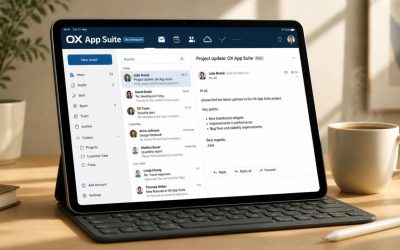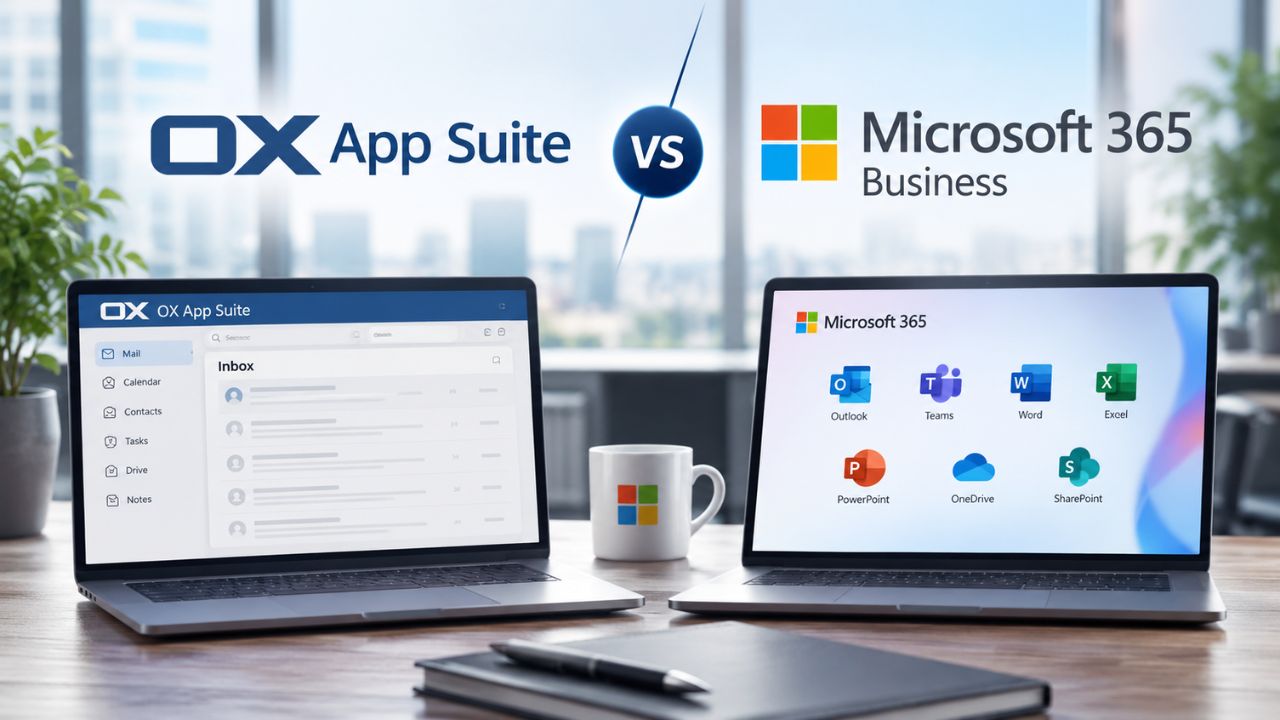
Two names come up constantly when a growing company shops for a cloud office platform: OX App Suite and Microsoft 365 Business. Both bundle email, calendar, file storage, and collaboration apps into one subscription. Compare feature by feature, so you can see exactly where OX App Suite’s professional email and collaboration stack pulls ahead, and where Microsoft’s suite has the edge.
Where OX App Suite and Microsoft 365 Business Diverge on Core Purpose
OX App Suite was built from the ground up as an email-first collaboration platform, designed so that hosting providers and IT partners could deliver secure business mailboxes with calendar, contacts, and file sync layered directly around the inbox. Microsoft 365 Business, by contrast, grew out of the desktop Office franchise and expanded into a broader productivity suite in which email is one module among many; Teams chat, SharePoint intranets, and Power Platform tools all compete for the same administrative attention.
 The Practical Difference for a Growing Team
 The Practical Difference for a Growing Team
A team of 20 to 200 people usually cares less about which vendor built the platform first and more about how quickly people become productive on it. OX App Suite’s integrated contact management uses CalDAV and CardDAV, so the same address book that powers the inbox also drives calendar invites and shared scheduling without extra configuration. That single-pane approach is a deliberate design choice, not an accident of the product’s age.
Microsoft 365 Business earns its reputation by offering depth across a wider set of tools. A Business Standard subscription pairs desktop Office apps with Exchange Online, SharePoint, and Teams in one license, and Microsoft has woven Teams into the fabric of its Business Standard offering, treating it as fundamental to daily operations as email or spreadsheets. That breadth is real, but it also means a buyer evaluating “email plus collaboration” is paying for chat, intranet, and low-code app tools whether or not the team uses them yet.
Why This Matters Before You Compare Feature Lists
Reading a feature-by-feature table without this context can be misleading, because the two products aren’t really solving the identical problem. OX App Suite is optimized for a business that wants professional email as the anchor, with collaboration built around it. Microsoft 365 Business is optimized for an organization that wants a single Microsoft account to span chat, documents, and email equally, with less emphasis on any single module.
Buyers who default to whichever platform they already recognize often skip this step, only to discover months later that they bought more suite than they needed or less mailbox depth than they expected. The next nine sections work through each functional area in detail, starting with the mailbox itself, so you can weigh the trade-off against how your team actually works rather than against brand familiarity alone.
Feature-by-Feature Snapshot
| Capability | OX App Suite | Microsoft 365 Business |
|---|---|---|
| Primary design center | Professional email and calendar, collaboration layered around the inbox | Broad productivity suite spanning Office apps, Teams, and SharePoint |
| Contact/calendar sync standard | CalDAV / CardDAV open standards | Exchange ActiveSync and proprietary Microsoft Graph APIs |
| Native document editing | OX Documents (Text, Spreadsheet, Presentation) with Microsoft Office file compatibility | Desktop and web Office apps (Word, Excel, PowerPoint) |
| Team chat | Not a core module; integrates with third-party chat via open APIs | Microsoft Teams, bundled and central to the license |
| Encryption add-on | OX Guard (end-to-end, PGP-compatible) | Microsoft Purview Message Encryption (Premium tier and above) |
| Deployment flexibility | On-premise, private cloud, or fully managed OX Cloud | Cloud-only (Microsoft-hosted tenant) |
| White-label capability | Full white-label for hosting partners and resellers | Not available, always Microsoft-branded |
| Seat scalability | Built to scale from thousands to millions of mailboxes | Business tiers hard-capped, Enterprise tiers required beyond that |
Email and Mailbox Experience Compared
Email is the one function every employee touches every day, which makes the mailbox experience the single most consequential line item in this comparison. OX App Suite treats the inbox as the command center of the whole platform, layering calendar, contacts, and file access directly around it. Microsoft 365 Business delivers Outlook and Exchange Online as a single, integrated module within a much larger suite, which is a different design bet with different trade-offs for a business that lives in email all day.
Which Platform Has the Stronger Business Mailbox?
For a business whose priority is professional email done well, OX App Suite is built specifically around that use case, bundling webmail, calendar, and contacts into one inbox-centered experience with open-standards sync. Microsoft 365 Business also delivers a capable Outlook and Exchange Online mailbox. Still, it’s one module inside a suite weighted toward Teams and Office apps, so mailbox depth isn’t the product’s singular focus the way it is for OX App Suite.
OX App Suite’s mailbox includes the features a growing business actually uses daily: forwarders, auto-responders, filters, signatures, and notifications, all without requiring a separate add-on tier. The platform also ships a practical detail that’s easy to overlook until it bites someone: it reminds users to turn off an out-of-office auto-reply when they return from a trip, catching the kind of small mistake that otherwise embarrasses a business in front of a client.
Where Mailbox Storage Actually Comes From
Storage numbers on a spec sheet only tell part of the story; how that storage is allocated across a team matters as much. OX App Suite uses a cumulative model, where cumulative storage accounts for usage variance across users and optimizes storage provisioning, resulting in significant savings compared to a rigid per-mailbox cap. A sales team with a few heavy attachment users and several light users draws from one shared pool rather than forcing an admin to buy up-tier storage for everyone to cover the outliers.
Microsoft 365 Business allocates storage per user and per site rather than dynamically pooling it. Business Standard and Business Premium each include 1 TB of SharePoint storage per organization, plus 10 GB per licensed user, and OneDrive capacity is tracked separately from that pool. That structure is predictable and easy to budget against. Still, it doesn’t flex the way OX App Suite’s cumulative model does when usage is uneven across a team; an admin has to actively manage individual quotas rather than let the platform absorb the variance.
Real-Time Document Collaboration and Office Compatibility
Document editing is where most buyers assume Microsoft has an automatic win, since Word, Excel, and PowerPoint are the file formats the business world already standardized on. That assumption undersells how far OX App Suite’s own editing suite has come and overlooks a genuinely important compatibility point: OX App Suite doesn’t require abandoning Office file formats to access its collaboration benefits.
Do You Have to Give Up Office Files to Switch?
No, OX App Suite lets teams create, edit, and share Microsoft Office documents like Word, Excel, and PowerPoint directly in its own online apps, so switching away from Microsoft 365 Business doesn’t require clients or partners to change the file formats they send you. Microsoft 365 Business’s native apps remain the deeper toolset for advanced formatting and macro-heavy spreadsheets. Still, for the document types most small and mid-size teams actually exchange, OX App Suite’s compatibility closes most of the practical gap.
OX Documents covers the three formats a business most often collaborates in: OX Text, OX Spreadsheet, and OX Presentation. Built to let teams work efficiently and creatively together, they run in the browser, so there’s no local installation to manage across a mixed fleet of company and personal devices. Real-time co-editing works the same way as modern cloud office tools, keeping the learning curve short for staff moving over from any prior platform.
File Sharing Built Around the Inbox vs. Built Around SharePoint
The other half of collaboration is getting a finished file to the right person, and here the two platforms take structurally different paths. OX App Suite ties file sharing directly to cloud storage, file sharing, and attachment handling that are tightly integrated with email, so a document a colleague emailed you and a document you’re editing live in the same place, with the same permissions model, without a second sign-in.
Microsoft channels the same task through SharePoint, and Teams inherits those rules in its chat interface because Teams runs on a SharePoint backend for file sharing. As a result, SharePoint’s storage and permission limitations apply directly to the Files section within a Team. That’s powerful once an admin has SharePoint site structure and permissions properly configured. Still, it adds a layer of intranet-style administration that a company choosing OX App Suite’s inbox-centered model doesn’t need to build out in the first place.
Team Chat, Calendar, and Meeting Tools
Real-time communication is the area where Microsoft 365 Business leans hardest into its suite-first design, and it’s worth acknowledging directly: Teams chat is a genuine strength of the Microsoft product that OX App Suite does not attempt to replicate natively. Where OX App Suite wins this section back is calendar depth and openness, the scheduling core that a professional email platform needs to get right.
Does OX App Suite Have a Teams Equivalent?
Not natively. OX App Suite is not built around a proprietary chat client the way Microsoft 365 Business is; instead, it integrates with a wide range of third-party collaboration and chat tools through open standards rather than bundling its own. Teams is core to Microsoft 365 Business and comes preconfigured out of the box, so a business whose top priority is one unified chat-and-video client inside the same suite as email will find that specific box checked more directly by Microsoft.
Microsoft has positioned Teams as just as fundamental to daily operations as email or spreadsheets in Business Standard. That integration runs deep: meetings scheduled in Outlook appear automatically in Teams, and meeting recordings are saved to SharePoint or OneDrive for participants to access later. For a distributed team that relies on video calls, this native integration reduces the number of separate tools employees have to juggle throughout the workday.
Calendar and Scheduling Depth
 Calendar and Scheduling Depth
The Calendar is where OX App Suite’s professional-email-first design pays off most clearly, because scheduling logic sits directly atop the same contact and mail infrastructure rather than being bolted on as a separate app. OX Calendar covers the features a business calendar needs, including moving appointments by drag and drop, checking a colleague’s availability, attaching documents to an invite, and letting invitees make and confirm changes directly. Shared calendaring and CalDAV support mean the calendar works with whatever client an employee already has on their phone, without a proprietary sync client in the way.
Microsoft’s calendar lives inside Outlook and syncs with Teams for meeting scheduling, giving it strong integration with the chat and video layer in particular. Where OX App Suite’s open-standards approach differs is portability: a CalDAV-based calendar can move to a different client or device without the migration friction of an Exchange-specific format. This detail matters more than it seems the day a business needs to switch tools or merge calendars after an acquisition.
Storage Architecture and Data Portability
Storage looks like a simple spec-sheet number until a business actually grows into it, and this is where OX App Suite’s cumulative pooling model and Microsoft’s per-user allocation produce genuinely different day-to-day admin experiences. Understanding the structural differences, not just the headline figure, is what actually predicts whether an admin will get a support ticket six months from now.
How Do the Two Storage Models Actually Differ?
OX App Suite pools storage across the entire organization, so usage variance between heavy and light users evens out automatically. At the same time, Microsoft 365 Business assigns storage per user and per site, which an admin has to actively monitor and reassign as needs shift. OX’s cumulative model accounts for usage variance across users and optimizes provisioning. In contrast, Microsoft’s OneDrive for Business allocation is tracked and capped per user, separate from the shared SharePoint pool, requiring more active oversight as a team’s usage patterns diverge.
OX Drive, the storage layer behind OX App Suite, is built for cross-device access without a separate app dependency: files sync across browser, smartphone, tablet, laptop, and desktop through OX Drive and its companion apps. Because storage is provisioned at the domain or organization level rather than rigidly per mailbox, a business with a mix of storage-light and storage-heavy roles doesn’t need to rebalance quotas as usage shifts month to month manually.
Plan Structure: Tiers, Seat Minimums, and Contract Terms
Beyond raw storage, the way each vendor structures its plans shapes how much flexibility a growing business actually gets. OX App Suite is offered in two versions, giving a business the option to start with core email and calendar and add the full productivity suite and tools when the team is ready, rather than being locked into every module from day one. That staged structure suits a company that wants professional email live immediately and collaboration depth added on its own timeline.
Microsoft 365 Business ties its structure to hard tier boundaries rather than an add-as-you-grow path. Both Business Standard and Business Premium are capped at a combined 300 users, and Microsoft allows mixed licensing within the same tenant, assigning Premium only to users in higher-risk roles while keeping others on Standard. That flexibility exists, but once an organization crosses the 300-seat ceiling, the transition to an Enterprise license is a hard requirement, not an optional upgrade, a structural cliff that OX App Suite’s seat-scalable architecture, built to run from thousands to millions of mailboxes on one platform, doesn’t impose.
Plan and Tier Structure Comparison
| Structural Element | OX App Suite | Microsoft 365 Business |
|---|---|---|
| Plan structure | Two-version model: core email/calendar, or full suite with productivity apps added on | Fixed tiers: Business Basic, Business Standard, Business Premium |
| Seat ceiling | None, designed to scale to millions of mailboxes on the same platform | Hard cap of 300 users combined across Business tiers |
| What happens at scale | Same platform, same admin experience, just more provisioned capacity | Mandatory migration to an Enterprise-tier license once the 300-seat cap is reached |
| Mixed licensing within one org | Flexible by design, plan add-ons apply per domain or user group | Supported, but Premium security features apply only to users actually holding a Premium seat |
| Contract commitment style | Set by the reseller partner relationship, including trial availability | Monthly or annual commitment options, varying by tier |
| Storage add-ons | Expand the pooled organization-wide allocation | Purchased per license or via a separate extra-storage add-on |
Make the Switch to OX App Suite Professional Email Through Hiya Digital
Storage architecture and plan flexibility, covered above, are exactly where OX App Suite’s cumulative pooling and add-as-you-grow structure tend to save a business the most operational headache down the line. Hiya Digital, as an Authorized Reseller and Licensing & Support Partner for OX App Suite, handles plan selection, mailbox provisioning, and ongoing account management. Hence, your team gets the professional email experience up and running without your IT staff having to become platform experts overnight.

Security, Encryption, and Threat Protection
Security is the section where a fair comparison holds both products to the same evidentiary standard, and it’s also where each platform’s design philosophy shows through most clearly. OX App Suite bakes core protections into the mailbox itself; Microsoft 365 Business builds a broader security stack but reserves its strongest protections for the Premium tier specifically.
Which Platform Protects the Mailbox by Default?
OX App Suite includes anti-spam and antivirus protection, as well as optional end-to-end encryption, as part of its core mailbox design. In contrast, Microsoft 365 Business’s strongest mailbox and endpoint protections, Defender for Office 365, Defender for Business, and Intune device management, are concentrated in the Business Premium tier rather than included at every level. A business comparing “security included by default” against “security available at the top tier” is comparing two different default postures, not two equally protected mailboxes.
OX App Suite pairs 25 GB of cloud storage per domain with superior antivirus and anti-spam protection built directly into the platform, and businesses that need message-level confidentiality can add OX Guard, which layers PGP-compatible end-to-end encryption onto standard email without requiring recipients to run special software to read encrypted messages. Because this protection sits at the mail-transport level, it applies uniformly across whichever plan version a business is running.
Identity and Compliance Standards
 Identity and Compliance Standards
Beyond day-to-day threat protection, both platforms rely on established open standards rather than proprietary lock-in for core identity and calendar interoperability, though they apply that principle differently. OX App Suite’s integration through open standards like CalDAV, alongside native synchronization clients in common app stores, means a business isn’t dependent on a single vendor’s proprietary sync protocol to keep contacts and calendars portable if circumstances change.
Microsoft’s identity layer runs through Microsoft Entra ID, with Entra ID Plan 1 providing account protection as a Business Premium inclusion and Basic Mobility and Security available at lower tiers for lighter device oversight. For a business already standardizing on Microsoft’s broader identity ecosystem, Azure infrastructure, and Windows device fleets, that native Entra ID tie-in is a real advantage; for a business that wants protection without needing to adopt an entire proprietary identity ecosystem to get it, OX App Suite’s open-standards approach carries less platform lock-in.
Admin Controls, Identity, and Device Management
Whoever administers the platform day-to-day experiences the difference between these two products more than any end user does, because the admin console design determines how much time IT spends on routine account, storage, and security tasks. This section is about operational overhead, not feature checklists.
Which Platform Is Lighter to Administer?
For a lean IT team or a business without dedicated IT staff, OX App Suite’s admin experience is built around fewer, more centralized controls tied to the mailbox and cumulative storage pool. In contrast, Microsoft 365 Business’s admin center spans a wider set of interconnected services: Exchange, SharePoint, Teams, Intune, and Entra ID, each with its own configuration surface. Neither approach is objectively “easier,” but they demand different kinds of administrative attention, and a business should weigh which kind of overhead fits its actual IT capacity.
OX App Suite’s onboarding process is designed to minimize the configuration burden on a new admin: onboarding wizards provide step-by-step instructions for a smooth setup experience, and because storage, mail rules, and contacts all live under one console tied to the inbox, there are fewer cross-service dependencies to reason about when something needs adjusting. For a business without a dedicated systems administrator, that consolidation reduces the number of places a misconfiguration can hide.
Device Management: Built-In vs. Add-On Tier
Managing the devices employees actually use to check email is where the tier-gating pattern reappears on Microsoft’s side. Microsoft 365 Business Standard includes Basic Mobility and Security, a lighter device-management layer. In contrast, full mobile device and application management, including remote app deployment and push updates, requires stepping up to Business Premium’s Intune Plan 1. A business on Standard planning, with device management as a core need, will find that capability sits one tier higher than the license it’s actually evaluating.
OX App Suite doesn’t segment device management behind a separate premium tier in the same way; mailbox-level protections and cross-device sync apply consistently across the plan a business is on. For a company whose device fleet is straightforward, company laptops and personal phones checking mail through native clients, OX App Suite’s approach avoids the tier-planning exercise Microsoft 365 Business buyers have to work through to make sure device policy lands on the license they actually purchase.
Deployment Models and Scalability for Growing Teams
Where a platform physically runs and how easily it scales beyond its current headcount become real constraints the moment a business starts growing quickly or has data-residency requirements. This is one of the clearest structural differences in the entire comparison.
Can You Choose Where OX App Suite Runs?
Yes, OX App Suite can run on-premises, in a business’s preferred public cloud, or through Open-Xchange’s fully managed OX Cloud service, while Microsoft 365 Business is cloud-only, hosted exclusively in Microsoft’s own tenant infrastructure, with no on-premises or alternate cloud option at the Business tier. For a business with data-residency, regulatory, or infrastructure-control requirements that rule out a purely cloud-hosted mailbox, that deployment flexibility is a structural difference, not a minor configuration setting.
Open-Xchange explicitly supports deploying OX on-premises, in a preferred public cloud, or via its fully managed OX Cloud service, with a consistent platform and user experience across all environments. That consistency matters for a business that might start in a managed cloud arrangement and later need to bring infrastructure in-house, or vice versa, without retraining users on a different interface.
Scaling Past Your Current Headcount
Scalability is the other half of this section, and it’s where the two products’ underlying architectures diverge most sharply. OX App Suite is explicitly engineered for growth without a platform swap: it’s built to scale from thousands to millions of mailboxes with predictable performance and cost, and it already supports more than 220 million users across roughly 120 hosting providers worldwide, evidence that the architecture holds up at genuine scale.
Microsoft 365 Business, by contrast, scales only up to a hard ceiling before requiring a license-family change. Business Premium is built specifically for organizations of 1 to 300 users, and crossing that 300-user maximum is a hard limit that forces a transition to an Enterprise license, with security features like Defender for Business needing to be reconfigured under a different product entirely. A fast-growing business evaluating Microsoft 365 Business today should factor in a future migration project now, rather than discovering it the week headcount crosses 301.
Migration Paths and Switching Friction
Every comparison eventually runs into the practical question of what it actually takes to move, and this is a place where an Authorized Reseller’s hands-on experience becomes directly relevant rather than theoretical.
Is Switching Mailbox Platforms Actually Disruptive?
Migration friction is real in both directions, but it’s manageable with the right support. Mailbox content, calendars, and contacts can move between OX App Suite and Microsoft 365 Business using standard protocols such as IMAP and CalDAV/CardDAV, and the bulk of the disruption businesses actually experience comes from client reconfiguration and user retraining rather than from data loss. A business planning a switch should budget time for testing mail flow and client setup, not just for the data transfer itself.
Because OX App Suite is built on open standards for device and client synchronization, moving mail, contacts, and calendars onto it from a prior platform generally doesn’t require proprietary conversion tools; the same CalDAV and CardDAV support that keeps data portable also makes an inbound migration more predictable to plan and test. Hiya Digital’s role as an Authorized Reseller and Implementation & Migration Partner adds hands-on project management to that process: sequencing the cutover, validating mail flow, and managing DNS changes so a switch doesn’t create a gap in inbound mail.
What Actually Triggers a Switch
In practice, businesses that move from one platform to another tend to share a recognizable pattern rather than a single universal reason. A common trigger for leaving Microsoft 365 Business is hitting the 300-seat ceiling and wanting to avoid an Enterprise-tier jump in complexity and administrative surface area; a common trigger for leaving a bare-bones email host for OX App Suite is outgrowing basic webmail and wanting calendar, contacts, and document collaboration built around the same inbox rather than bolted on separately.
That pattern isn’t a claim that either product is universally better; it’s simply what tends to prompt the conversation in the first place. A business evaluating this switch should treat that trigger as a starting question rather than an assumption: is the pain point seat-ceiling growth, mailbox depth, deployment control, or chat-and-video integration? The honest answer usually points fairly clearly toward one platform over the other.
Mobile Experience and Offline Access
Field staff, sales teams, and anyone working outside a desktop environment judge a platform primarily by how well it behaves on a phone, and this is an area where both products have invested seriously, if differently.
Does OX App Suite Work Well on Mobile Without Extra Apps?
 Does OX App Suite Work Well on Mobile Without Extra Apps?
Yes, OX App Suite delivers a seamless user experience across desktop, tablet, and mobile on both iOS and Android, and it integrates directly with most native mobile mail clients rather than requiring a proprietary app for basic functions. A companion OX Drive app extends that same experience to file access specifically, so mobile users aren’t limited to viewing attachments only in the mail app.
App Suite works seamlessly with most native desktop and mobile email clients, meaning a field employee can set up business email in their phone’s built-in mail app rather than installing a separate proprietary client to check the inbox. That flexibility particularly suits organizations with a bring-your-own-device culture, where standardizing on a single proprietary mobile app across every employee’s personal phone isn’t feasible.
Offline Reliability in the Field
Offline access matters most for field teams working in areas with unreliable connectivity, and both platforms handle this differently depending on which function is in use. OX Drive’s native mobile apps support local file sync, so documents saved for offline access before a job remain available without a live connection and sync back up once connectivity returns.
Microsoft’s offline story is strongest inside its desktop Office apps, where Word, Excel, and PowerPoint documents cached locally continue to function fully offline, syncing back to SharePoint or OneDrive once reconnected. Teams’ offline capability is more limited; chat history is generally available, but live features like calls and real-time file co-editing require an active connection, a distinction worth knowing for any team that regularly works from low-connectivity locations.
Decision-Summary: Which Platform Fits Your Priority
| Your Top Priority | Better Fit | Why |
|---|---|---|
| Professional email as the anchor of daily work | OX App Suite | Inbox-centered design with calendar, contacts, and files built directly around the mailbox |
| Native Office file depth for advanced formatting/macros | Microsoft 365 Business | Full desktop Word, Excel, and PowerPoint with decades of feature depth |
| Deployment control (on-prem, private cloud, or hybrid) | OX App Suite | Only platform of the two offering on-premise and private-cloud options alongside managed cloud |
| Native, bundled team chat and video | Microsoft 365 Business | Teams is core to the license, not a third-party add-on |
| Growing past a few hundred seats without a licensing-tier jump | OX App Suite | Built to scale to millions of mailboxes on one consistent platform |
| Cyber-insurance-grade endpoint and device security bundled in | Microsoft 365 Business Premium | Defender for Business, Intune, and Entra ID P1 bundled at the Premium tier |
| White-label branding for a reseller or hosting business | OX App Suite | Purpose-built for partners who need the platform invisible behind their own brand |
| Predictable, tier-based plan structure with clear upgrade path | Microsoft 365 Business | Clearly defined Basic/Standard/Premium tiers with published feature boundaries |
Frequently Asked Questions
Is OX App Suite compatible with Microsoft Office file formats?
Yes. OX App Suite’s built-in document apps let users create, edit, and share files in Word, Excel, and PowerPoint formats directly inside the browser, so switching away from Microsoft 365 Business doesn’t force a business to convert existing files or ask clients and partners to change what formats they send. This compatibility covers the document types most small and mid-size teams exchange day-to-day: standard text documents, spreadsheets, and presentations, without requiring desktop software to be installed on every device. For businesses with heavy macro or advanced formatting needs, native Microsoft Office apps still offer deeper functionality, which is worth weighing against how often those advanced features are actually used in daily work.
Can Microsoft 365 Business run on infrastructure I control instead of Microsoft’s cloud?
No. Microsoft 365 Business subscriptions are cloud-only, hosted exclusively within Microsoft’s own tenant infrastructure, with no on-premises or private cloud deployment option available at the Business tier. OX App Suite, by comparison, can be deployed on-premises, in a business’s preferred public cloud, or through a fully managed cloud service, giving organizations with data-residency or infrastructure-control requirements a choice Microsoft’s Business tier doesn’t offer. Businesses that need infrastructure control but are otherwise Microsoft-standardized typically have to move to a different Microsoft licensing family to get any deployment flexibility at all.
What happens when my organization grows past 300 users on Microsoft 365 Business?
Crossing the 300-user threshold on Microsoft 365 Business Standard or Premium forces a mandatory transition to an Enterprise-tier license; it isn’t optional, and it isn’t a simple plan upgrade within the same product. That transition can also require reconfiguring security tools, since Defender for Business, a Premium-tier feature, is being replaced by a different Enterprise security stack that may require additional add-ons to match prior protection levels. OX App Suite avoids this cliff entirely, since its architecture is built to scale from thousands to millions of mailboxes on the same consistent platform without a forced license-family change at any headcount milestone.
Does OX App Suite include built-in anti-spam and antivirus protection?
Yes. OX App Suite pairs cloud storage through OX Drive with anti-virus and anti-spam protection built directly into the mail platform, rather than requiring a separate security product purchased on top. Businesses that need message-level confidentiality beyond spam and malware filtering can add OX Guard, which layers PGP-compatible end-to-end encryption onto standard email. This protection applies at the mail-transport level, so it’s consistent regardless of which OX App Suite plan version a business runs, unlike security stacks that are only available starting at a specific tier.
How does Teams integration compare between the two platforms?
Microsoft Teams is bundled directly into Microsoft 365 Business Standard and Premium and is deeply woven into daily workflows: meetings scheduled in Outlook appear automatically in Teams, and recordings are saved directly to SharePoint or OneDrive. OX App Suite does not bundle a proprietary chat client in the same way; instead, it integrates with a range of third-party collaboration and chat tools via open standards, allowing a business to keep whatever chat platform it has already standardized on. For a business whose top priority is a single native chat-and-video client bundled with email, Microsoft 365 Business addresses those needs more directly out of the box.
Is switching email platforms disruptive to daily business operations?
Migration involves real planning, but it doesn’t have to disrupt daily operations if it’s sequenced correctly. Mail, contacts, and calendar data typically move via standard protocols like IMAP and CalDAV/CardDAV rather than proprietary export tools, making the data-transfer portion of a migration reasonably predictable to test in advance. Most of the disruption businesses actually experience comes from client reconfiguration and staff retraining on a new interface, not from data loss during the transfer itself. Working with an Implementation & Migration Partner to sequence the cutover and validate mail flow before going live substantially reduces the risk of an inbound-mail gap during the switch.
What device management features come with Microsoft 365 Business Standard versus Premium?
Business Standard includes Basic Mobility and Security, a lighter device-oversight layer suitable for straightforward device fleets. Full mobile device and application management, including remote app deployment, patch pushes, and compliance policies requiring screen locks or minimum OS versions, requires stepping up to Business Premium’s Intune Plan 1. A business evaluating Microsoft 365 Business Standard specifically for device management should confirm that the capability is available at the Premium tier before assuming it’s included at the license level they’re actually pricing out.
Does OX App Suite support white-label branding for resellers?
Yes, and this is one of OX App Suite’s more distinctive structural features compared to Microsoft 365 Business. The platform is built so that a hosting provider’s or reseller’s own brand, login screens, feature bundles, and the customer relationship itself stay front and center. At the same time, OX’s underlying technology remains invisible to end users. Microsoft 365 Business offers no equivalent option; every Business-tier subscription is Microsoft-branded regardless of which partner sells it. This distinction matters specifically for businesses that resell hosted email as part of their own service offering, rather than for an end-user business simply choosing a platform for internal use.
How is storage allocated differently between the two platforms?
OX App Suite uses a cumulative, pooled storage model that automatically accounts for usage variance across a team; heavy and light users draw from the same organization-wide pool, without requiring an admin to manually rebalance individual quotas. Microsoft 365 Business allocates storage per user and per site instead: Business Standard and Premium each include a baseline SharePoint pool per organization plus a fixed allocation per licensed user, with OneDrive storage tracked and capped separately per user. Microsoft’s model is more granular and easier to forecast for a stable headcount, but it requires more active admin oversight as usage patterns shift unevenly across a growing team.
Can I use OX App Suite Professional Email without adopting the rest of the productivity suite?
Yes. OX App Suite is available in a staged structure, with a core email-and-calendar version and a fuller productivity-suite version that adds document editing and collaboration tools as an organization is ready for them. This lets a business get professional email up and running immediately and layer on additional collaboration capabilities at its own pace, rather than paying for a full suite of tools from day one, even if the team doesn’t use them yet. Hiya Digital, as an Authorized Reseller and Licensing & Support Partner, can help determine which version fits a business’s current needs and manage the upgrade path when the time comes.
Glossary
CalDAV / CardDAV: Open, vendor-neutral standards for syncing calendar and contact data across devices and applications, used by OX App Suite to keep scheduling data portable rather than locked to one proprietary client.
Cumulative storage: A pooled storage model where an organization’s total storage allocation flexes to absorb usage variance across individual users, rather than assigning a fixed cap to each mailbox separately.
Defender for Business: Microsoft’s endpoint security solution included with Microsoft 365 Business Premium, designed for organizations of up to 300 users to protect devices from ransomware, malware, and phishing.
Entra ID: Microsoft’s cloud identity and access management service, used to authenticate users and enforce identity-based security policies across Microsoft 365 subscriptions.
Exchange Online: Microsoft’s cloud-hosted email service that powers the mailbox experience inside every Microsoft 365 Business subscription tier.
Intune: Microsoft’s device management platform, used to enforce compliance policies and deploy apps and updates to company and personal devices under Microsoft 365 Business Premium.
OX Drive: OX App Suite’s cloud storage component, providing file sync and sharing tightly integrated with the platform’s email and calendar functions.
OX Guard: An optional end-to-end, PGP-compatible encryption layer available for OX App Suite, used to protect message content beyond standard anti-spam and antivirus filtering.
SharePoint: Microsoft’s document management and intranet platform, which underlies file storage for both OneDrive and Microsoft Teams within Microsoft 365 Business.
White-label: A deployment model where a platform’s underlying technology is invisible to end users, allowing a reseller or hosting partner to present the service entirely under its own brand.
The Hiya Digital Team is a collective of IT infrastructure specialist engineers, certified systems administrators, and cloud architects driven by a singular mission: building corporate communication systems that just work. As an Authorized Google Partner, the team handles complex global hosting deployments, secure email migrations, and advanced data compliance architectures for businesses across 40+ countries.
With over two decades of technical experience spanning custom premium business email configurations, OX AppSuite deployments, and enterprise-level network security, the Hiya Digital Team writes to demystify domain infrastructure. Their content focuses on actionable technical strategies, anti-phishing security protocols, and seamless cloud collaboration setup, all backed by real-world deployment experience and 24/7 technical support accountability.