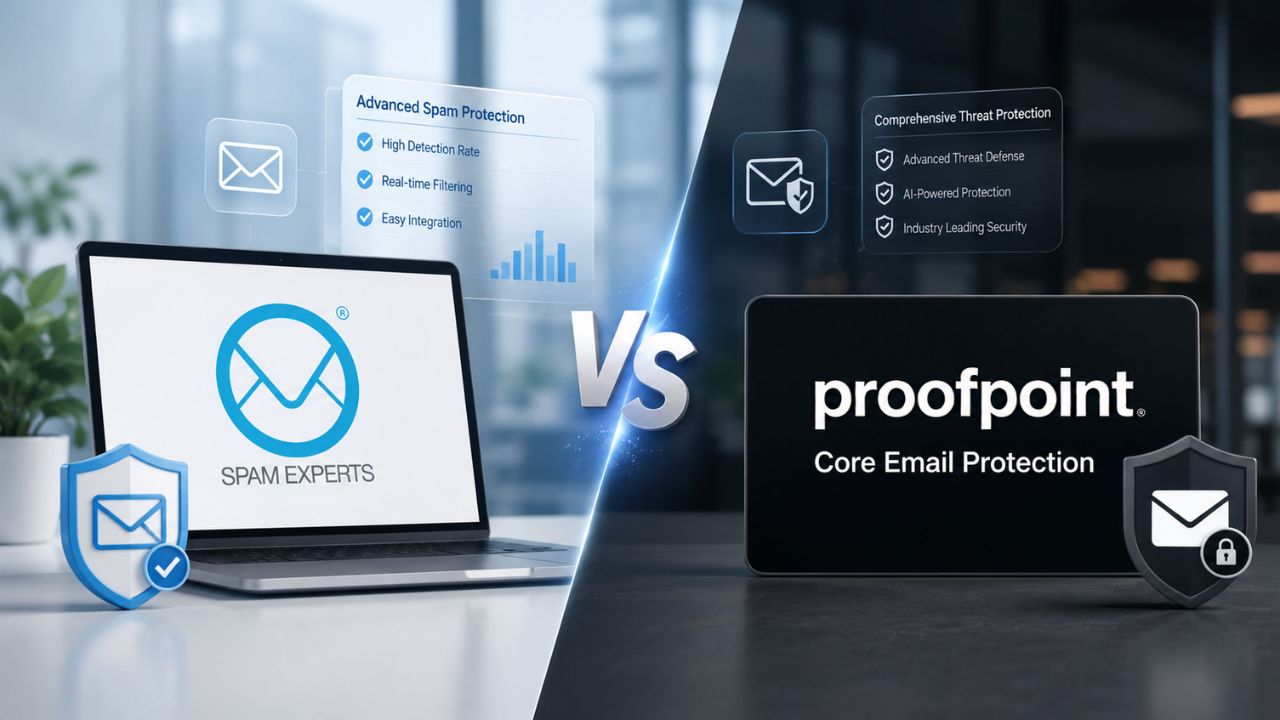
A focused inbound/outbound filtering gateway or a broader human-centric threat platform, SpamExperts and Proofpoint Core Email Protection solve overlapping problems from very different starting points.
What Each Product Is Actually Built to Stop
SpamExperts is a dedicated inbound and outbound filtering layer built to sit in front of an existing mail server. In contrast, Proofpoint Core Email Protection is a module within a broader human-centric security platform. That difference in scope, narrow gateway versus platform component, shapes almost every other comparison point in this post, from admin complexity to what’s included by default.
 SpamExperts’ Scope, Filtering, Continuity, and Archiving
 SpamExperts’ Scope, Filtering, Continuity, and Archiving
SpamExperts is organized around three discrete services: an incoming filter that blocks inbound spam, viruses, and phishing attempts before messages reach the mail server; an outgoing filter that screens outbound traffic to catch compromised accounts before they trigger IP blacklisting; and a separate email archiving service for retention and legal discovery needs. Each service is described as protecting a distinct part of the mail flow, inbound, outbound, or long-term storage, rather than as one bundled product. A single filter instance is scoped to cover up to a defined number of mailboxes within a single domain, which matters when sizing a deployment across multiple domains.
Continuity is treated as a first-class feature rather than an add-on. The service queues and retries delivery during a mail server outage, and administrators can view a live quarantine where they can release, remove, blacklist, or whitelist messages in real time. The admin interface supports multiple access tiers: super admin, admin, reseller, domain, and individual mailbox, which is the structure a reseller or hosting provider needs when managing filtering across many client domains from one pane of glass, rather than a single flat admin view.
Proofpoint Core Email Protection’s Scope, A Module in a Larger Platform
Proofpoint Core Email Protection is positioned as an entry point into the company’s wider Aegis Threat Protection platform rather than a standalone gateway. It is built to enhance existing Microsoft 365 and Google Workspace environments with real-time threat intelligence and machine learning rather than replace the mailbox provider outright. Deployment occurs either via a secure email gateway or through an API-based integration that layers detection onto the mailbox provider’s delivery pipeline.
That platform framing shows up in the feature list too. Independent feature tracking lists Core Email Protection under the broad Secure Email Gateway category, spanning anti-spam, anti-phishing, anti-malware, archiving, encryption, data loss prevention, and role-based access controls, in a single scored feature set. A buyer evaluating Core Email Protection is implicitly evaluating whether they want that breadth now, or whether a narrower gateway solves today’s problem while leaving room to add a platform later. Neither approach is wrong; the right one depends on how much of that surrounding platform a team will actually use.
Detection Approach and Threat Coverage
Both products publish strong detection claims, but they arrive at them through different architectures: SpamExperts through a shared-intelligence filtering engine tuned for high-volume spam and malware, and Proofpoint through a multi-layered AI stack aimed at highly targeted, human-centric attacks. Understanding which threat categories each was built to prioritize helps set realistic expectations before you buy either one.
SpamExperts, Volume-Tuned Filtering with Shared Threat Intelligence
SpamExperts’ detection engine is built around pattern recognition across a large, shared dataset of email traffic. Inbound scanning quarantines detected threats before they reach the mail server, and dangerous attachment types such as executables, DLLs, batch files, shortcuts, screensavers, and VBScript files are blocked by default rather than left to policy configuration. The outgoing filter works from the same detection core. Still, it is aimed at a different failure mode: catching a compromised account before its outbound spam gets the sending domain’s IP range blacklisted.
Independent vendor pages describe the incoming filter’s spam block rate in the high-90s, with the filtering engine continuously retrained on newly observed traffic rather than relying solely on static signature updates. The vendor describes the engine as learning from large volumes of daily email traffic and sharing detected threat intelligence across the customer base in near real time. This is a volume-and-velocity architecture: it’s tuned to catch the high-frequency, low-sophistication end of the threat spectrum, bulk spam, known malware signatures, credential-stuffing-adjacent traffic, efficiently and at scale.
Proofpoint Core Email Protection, Layered AI Against Targeted Attacks
Proofpoint’s detection stack leans more heavily on behavioral and semantic analysis aimed at individually crafted attacks rather than mass-distributed ones. The product evaluates messages using signature matching, behavioral sandboxing that executes suspicious attachments in isolated environments, and machine-learning classification layered on top of a published spam-blocking filter with full antivirus coverage. That sandboxing step is specifically aimed at attachment-based malware and ransomware payloads that wouldn’t be caught by signature matching alone.
Click-time protection is one of the more operationally distinct pieces of this stack. A URL Defense service rewrites every URL in a delivered message. Hence, a link that was clean when the message was delivered but later redirects to a malicious destination can still be blocked the moment someone actually clicks it. Business Email Compromise detection, which depends on relationship and language analysis rather than a malicious attachment or link, is a named priority of the platform, evaluating a large number of signals per message rather than a single spam score.
Feature-by-Feature Comparison
| Capability | SpamExperts | Proofpoint Core Email Protection |
|---|---|---|
| Primary deployment path | Sits in front of the mail server via MX-record change | API integration with Microsoft 365/Google Workspace, or secure email gateway |
| Outbound/outgoing filtering | Dedicated Outgoing Filter service; requires custom SMTP config per client, incompatible with webmail | Not a core focus; platform is oriented to inbound and post-delivery threats |
| Email archiving | Separate, purpose-built Archiving service with journaling and mailbox-level restriction options | Built into the platform’s compliance feature set alongside DLP and encryption |
| Attachment sandboxing | Not a named feature; relies on signature/pattern-based blocking of dangerous file types | Behavioral sandboxing executes suspicious attachments in an isolated environment before delivery |
| Click-time URL protection | Not a named feature | URL Defense rewrites and re-evaluates links at the moment of click, not just at delivery |
| BEC-specific detection | Not a named, distinct detection category | Named priority capability evaluating multiple signals per message for impersonation and fraud patterns |
| Data loss prevention | Not included; archiving covers retention, not content-based DLP | Pre-built DLP functions included in the base feature set |
| Admin access tiers | Five levels: super admin, admin, reseller, domain, mailbox | Analyst-oriented console with role-based access controls and centralized SSO |
| Mail continuity | Queues and retries delivery automatically during mail-server outages | Not the product’s primary framing; continuity depends on mailbox provider’s own uptime |
| Reporting orientation | Operational: delivery logs, quarantine digests, automated abuse/scout reports | Attack-surface visibility: who is targeted, by what, and how often |
Deployment Model and Setup Complexity
Getting either product live involves different levels of DNS record work, mail routing changes, and ongoing configuration, and the two differ meaningfully in how much of that falls on the admin versus how much is handled through integration with the existing mailbox platform.
SpamExperts, MX Records, SPF/DKIM, and a Sequenced Setup
SpamExperts deployment follows a defined sequence that the vendor’s documentation explicitly states must not be skipped. Incoming filtering setup involves configuring an abuse-report contact address, configuring SPF to restrict which servers can send mail for the domain, and changing MX records only after those steps are complete, with DMARC and DKIM configuration available as optional hardening steps. Outgoing filtering setup is sequenced the opposite way: hostname and connection-limit configuration happens first, and the mail-flow transport rule is always configured last, specifically to avoid routing mail through a filter that isn’t fully configured yet.
There’s a real environment-compatibility wrinkle worth flagging plainly rather than glossing over. Outbound filtering requires configuring a custom SMTP address in each user’s mail client, and webmail interfaces are explicitly noted as incompatible with outbound filtering, meaning users in browser-based mail clients won’t receive outbound coverage without a separate workaround. That’s a real constraint for teams standardized on webmail rather than desktop mail clients, and it’s worth checking against your own environment before assuming outbound filtering will cover every mailbox.
Proofpoint, API Integration or Gateway, Layered on the Existing Mailbox
Proofpoint Core Email Protection avoids most DNS-record sequencing by design, since its primary integration path sits on top of the mailbox provider rather than in front of it. Deployment happens via API integration with Microsoft 365 or Google Workspace, or via a traditional secure email gateway path for environments that need mail to physically route through Proofpoint’s infrastructure first. The API path, in particular, reduces the mail-flow risk of a botched MX cutover, since the mailbox provider continues handling primary delivery while Proofpoint’s detection layer runs in parallel.
That said, API-based deployment isn’t zero-configuration; it still requires admin consent to the mailbox platform’s API scopes, policy configuration within Proofpoint’s own console, and (for organizations also running the gateway path) coordination with existing mail-flow rules to avoid double scanning or conflicting quarantine actions. Teams moving from a pure gateway model to an API-based one should expect a genuine relearning curve for admins, even though the DNS risk is lower than a full MX migration.
Admin Controls, Quarantine, and Policy Management
Both products give administrators a working quarantine and policy layer. Still, the shape of that control surface reflects each product’s core audience: SpamExperts is built for multi-tenant resellers managing many domains, and Proofpoint is built for a security team managing one organization’s human attack surface in depth.
SpamExperts’s Multi-Level Admin Structure
SpamExperts’s admin interface is explicitly tiered for multi-tenant use. The interface supports super admin, admin, reseller, domain, and individual mailbox access levels, and administrators gain live quarantine visibility, allowing them to view, release, remove, blacklist, or whitelist any message in real time. That structure is built for the case where one admin, often a hosting provider or MSP, is managing filtering policy across dozens or hundreds of separate client domains, each potentially needing its own allow/block lists without touching anyone else’s configuration.
End users retain some control at the mailbox level too. Detected spam is automatically quarantined and never reaches the inbox. Individual mailbox owners can review, release, or permanently delete their own quarantined messages through the control panel without requiring admin intervention in routine cases. Digest reports and delivery logs sit alongside the quarantine view, giving both admins and end users a record of what was blocked and why, without requiring a separate reporting login.
Proofpoint’s Analyst-Oriented Console
 Proofpoint’s Analyst-Oriented Console
Proofpoint’s admin experience is built around a security analyst workflow rather than a multi-tenant reseller model. The interface is described as streamlining incident management so that analysts can investigate and respond to threats with less manual triage, backed by clear threat explanations and automated remediation workflows for each flagged message. Post-delivery remediation is a specific named capability: a message that’s later found to be malicious after landing in an inbox is automatically pulled into quarantine, including copies that were forwarded or otherwise redistributed internally.
Access consolidation has also been a deliberate product direction. A centralized single sign-on portal was introduced to reduce the number of separate logins an admin needs across the platform’s modules, which matters more here than it would for a single-purpose gateway, since Proofpoint’s broader suite spans multiple products beyond just Core Email Protection. For a team that only uses the Core tier, that consolidation mostly shows up as a cleaner login experience rather than a feature they’ll use heavily day-to-day.
Migration Friction and Onboarding Effort
Switching either direction carries real setup work, and the friction points aren’t symmetrical. SpamExperts migrations hinge on getting DNS sequencing right. In contrast, Proofpoint migrations hinge on API-scope approval and coordination with mail-flow rules for any gateway already in place.
What Complicates a Switch to or from SpamExperts
The DNS sequencing described earlier in this post is the single biggest source of migration risk for SpamExperts; changing MX records before SPF is configured, or configuring the outbound transport rule before hostname settings are finalized, is the documented failure pattern the vendor’s own setup guide warns against. Teams migrating away from another gateway need to reverse that sequence carefully, restoring the original MX and SPF records only after both outbound and inbound filtering have been fully decommissioned, to avoid a gap during which neither filter is actively protecting the domain.
The webmail-incompatibility constraint on outbound filtering, already noted above in ≤12 words, resurfaces here as a migration-specific risk: teams standardized on a browser-based mail client need a plan for outbound coverage before cutover, not after. A pattern worth naming plainly: organizations that migrate to SpamExperts as part of a broader mail-server or hosting-platform change tend to have a smoother cutover than those bolting it onto an otherwise unchanged existing setup, simply because the DNS work is already happening during the same maintenance window.
What Complicates a Switch to or from Proofpoint
Moving to Proofpoint’s API-integrated path means an admin has to formally grant API scope consent inside Microsoft 365 or Google Workspace, which in regulated or larger organizations often means a security-review step before the integration can go live, a genuinely different approval chain than swapping DNS records. Organizations already running a separate secure email gateway need a deliberate decommissioning plan, since running two gateways in parallel during a transition risks duplicate scanning, conflicting quarantine actions, or messages being flagged by one system after they have already cleared the other.
Migrating away from Proofpoint carries its own friction: any mail-flow rules, DLP policies, or BEC-specific detection tuning built up inside the platform’s console don’t transfer automatically to a new vendor and typically need to be rebuilt from scratch. A recurring pattern here is that teams who adopted Proofpoint primarily for its BEC and targeted-attack detection, rather than for baseline spam filtering, are the ones who feel the migration-away cost most acutely, since that specific capability is the hardest to replicate one-for-one elsewhere.
Pricing & Plan-Structure Comparison
| Structural Element | SpamExperts | Proofpoint Core Email Protection |
|---|---|---|
| Base unit of licensing | Per domain / per mailbox count under a filter instance | Per organization/tenant, typically scoped by user seat count |
| Service bundling | Incoming Filter, Outgoing Filter, and Archiving are separate, independently purchasable lines | Core Email Protection is one entry tier within a broader Aegis platform structure |
| Add-on structure | Archiving and outgoing filtering can be added to an existing incoming-filter domain without a full re-signup | Additional Aegis modules (beyond Core) extend detection depth as a platform upgrade path |
| Typical purchase channel | Predominantly reseller/hosting-partner channel rather than direct self-serve signup | Direct enterprise sales, or via MSSP/implementation partner, depending on organization size |
| Contract flexibility | Scoped per domain, allowing incremental scaling as new domains are added | Scoped per organization, with platform upgrades handled as tier changes rather than new contracts |
Why Get SpamExperts or Proofpoint Through an Authorized Partner
Getting the sequencing right on either side of a migration- DNS records, SPF/DKIM timing, or API-scope approvals- is exactly the kind of detail that’s easy to get wrong on a first attempt. As an Authorized Reseller and Implementation & Migration Partner, Hiya Digital handles sequencing directly, so your domain’s mail flow continues to work throughout the switch rather than being left exposed mid-migration.

Reporting, Visibility, and Threat Intelligence
Visibility into what’s being blocked and why lets an admin trust a filtering decision rather than accept it. Both products publish reports, but the depth and framing differ: SpamExperts leans toward operational logs and abuse reporting. In contrast, Proofpoint leans toward attack-surface visibility to identify who within an organization is being targeted.
SpamExperts’s Operational and Abuse Reporting
SpamExperts’s reporting is built around day-to-day operational questions: what was blocked, who sent it, and whether a domain’s own users are the source of an outbound abuse problem. Automated abuse detection and reporting tools, including dedicated email scout reports, are positioned specifically to streamline incident response for outbound abuse, catching a compromised account’s spam output before it triggers blacklisting rather than after. Delivery logs and quarantine digests round out the picture for inbound traffic.
Email Scout Reports can be generated automatically on a schedule or run as custom on-demand log searches, giving admins flexibility to switch between a passive monitoring cadence and an active investigation when something looks wrong. For a hosting provider or MSP managing many domains, this reporting layer functions more like an operations dashboard than a security analyst tool; it answers “is this domain currently a source of abuse” more directly than it profiles which outside attackers are targeting individual users.
Proofpoint’s Attack-Surface and Threat-Intelligence Visibility
 Proofpoint’s Attack-Surface and Threat-Intelligence Visibility
Proofpoint’s reporting is framed explicitly around the human attack surface, who inside an organization is being targeted, how, and how often, rather than purely around domain-level abuse metrics. The platform is described as providing actionable visibility into the human attack surface, highlighting who is being attacked and how, which is positioned to help security teams prioritize limited resources toward the people actually receiving the most sophisticated attacks. Interactive threat maps built on the platform’s broader intelligence feed are also part of this reporting layer.
That framing matters most for organizations with a distinct security function separate from IT operations, since the reporting is built to answer questions a security analyst would ask, such as which executives are being impersonated and which departments see the most BEC attempts, rather than questions a mail administrator would ask about deliverability or blacklist status. Teams without a dedicated security analyst function may find this depth of reporting underused compared with the admin time they spend reviewing it.
Compliance, Archiving, and Data-Loss Prevention
Regulatory retention and data-loss requirements pull in a genuinely different direction from spam-and-phishing filtering, and each product treats that requirement differently: SpamExperts as a distinct add-on service, Proofpoint as a built-in feature set inside the same console as its threat detection.
SpamExperts’s Archiving as a Separate, Purpose-Built Service
SpamExperts treats archiving as its own product line rather than a bundled feature of the filtering services. Email Archiving preserves and protects all inbound and outbound messages for later access and is useful for recovering accidentally deleted email, accelerating audit response, and securing intellectual-property-bearing correspondence for later retrieval. Because it’s a separate order line from Incoming or Outgoing Filtering, an organization can adopt filtering without archiving, or vice versa, rather than being forced into a single bundled tier.
Journaling of internal messages, capturing mail exchanged entirely within an organization’s own domain, not just messages crossing its perimeter, is available as a configurable option within the archiving service, which matters for organizations whose compliance obligations extend to internal-only communication and not just inbound/outbound traffic. Restricting archiving to specific mailboxes is also supported and useful for organizations that need to retain mail only for certain roles rather than across the entire domain.
Proofpoint’s Built-In DLP and Regulatory Alignment
Proofpoint bundles data-loss prevention and compliance features directly into the same platform as its threat detection, rather than treating them as a separate product. The feature set explicitly includes prebuilt data loss prevention functions to prevent compromised accounts or employees from exfiltrating sensitive information, as well as support for common regulatory frameworks, including PII protection standards, GDPR, HIPAA, and PCI. Encryption, including end-to-end options, and digital-signature support round out the compliance-adjacent feature list.
Because these controls live in the same admin console as spam and phishing detection, a policy change, say, tightening DLP rules around a specific document classification, doesn’t require jumping to a separate archiving product or a different login. That consolidation is a genuine advantage for compliance teams who want a single policy surface to audit. However, it also means that an organization only interested in filtering, not in DLP or encryption, is still evaluating a heavier console than a filtering-only alternative would require.
Support Structure and Ongoing Account Management
Neither product is truly “set and forget”; both need periodic policy tuning, and both are typically accessed through a partner or reseller channel rather than direct self-serve signup in most real-world deployments, which changes what “support” actually means day-to-day.
SpamExperts Through a Reseller or Hosting-Partner Channel
SpamExperts’ own positioning is explicitly channel-first: the product describes itself as purpose-built for scale and trusted by a large base of online service providers, with the underlying filtering and archiving technology refined over two decades of operation in that reseller-and-hosting-provider market. That heritage explains the multi-tenant admin structure covered earlier; the product was designed from day one to be re-sold and managed on behalf of end customers, not primarily self-served by an end user configuring their own single domain.
In practice, that means most organizations’ actual support experience is shaped as much by their reseller or hosting partner’s responsiveness as by SpamExperts’ documentation and knowledge base. A domain owner without a technical admin on staff is unlikely to want to manage SPF sequencing and outbound filter transport rules unassisted; that’s precisely the gap a hands-on reseller relationship is meant to close, as opposed to a self-serve signup where the customer handles every configuration step alone.
Proofpoint Through Direct Sales, MSSPs, or Implementation Partners
Proofpoint Core Email Protection is typically sold and supported either directly by Proofpoint’s own account teams for larger enterprise deployments or through managed security service providers and implementation partners for organizations that want ongoing tuning without building in-house security analyst capacity. Proofpoint markets the product as a threat-blocking layer that requires active policy tuning to fully leverage its behavioral and BEC detection capabilities, rather than as an install-once appliance.
That MSSP-or-partner-mediated model matters most for the platform’s more advanced capabilities: BEC detection tuning, DLP policy configuration, and reviewing attack-surface reporting all benefit from someone who understands the console and reviews it regularly, rather than an admin who logs in only when something breaks. Organizations adopting Core Email Protection purely for baseline spam and malware filtering, without exercising the platform’s deeper security-analyst-oriented features, may find a lighter support relationship is genuinely sufficient for their needs.
Scaling Across Domains, Seats, and Growing Teams
Growth changes the calculus for both products differently: SpamExperts’ per-domain, per-filter structure scales cleanly across many separate domains, while Proofpoint’s per-organization console scales cleanly across a growing single-tenant as users and sensitive data increase.
SpamExperts’s Per-Domain, Multi-Tenant Scaling Model
SpamExperts’s filtering is licensed and structured around individual domains and mailbox counts rather than a flat per-organization tier. A single filter instance covers up to a defined mailbox count within a single domain, and organizations that need to cover more emails with one filter or a larger volume of data under the archiving service can do so by expanding scope rather than switching products entirely. That structure is a natural fit for organizations managing many separate domains, franchises, agencies managing client domains, or hosting resellers, since each domain’s filtering can scale independently.
For a single organization simply adding headcount under one existing domain, rather than adding new domains, the scaling question becomes whether the existing filter’s mailbox allotment covers the larger user count, which is a straightforward capacity check rather than an architectural change. The multi-level admin tiers covered earlier in this post become more valuable, not less, as an organization scales; the ability to delegate domain- or mailbox-level access without granting super-admin rights matters more as more people need some level of console access.
Proofpoint’s Per-Organization Scaling for Deeper Threat Surfaces
Proofpoint’s scaling considerations center less on domain count and more on how much of the platform’s broader attack-surface visibility an organization is prepared to act on as it grows. Ongoing UI and workflow improvements to the platform have been explicitly aimed at simplifying access and clarifying the threat landscape as usage scales, including a centralized single sign-on portal meant to reduce login friction across the platform’s growing set of modules. That suggests the vendor’s own roadmap treats growing organizational complexity, not just growing headcount, as the primary scaling challenge.
A genuinely honest scaling caveat: an organization that adopts Core Email Protection while small, without dedicated security-analyst capacity, may find that the platform’s deeper attack-surface reporting and BEC-tuning capabilities go increasingly underused precisely as the organization grows and could benefit from them most, unless account management or an implementation partner is actively helping translate that reporting into policy changes as the organization’s risk profile evolves.
Where Each Product Is the Better Fit
Neither product wins this comparison outright; the honest answer depends on what an organization is actually trying to solve, its existing mailbox platform, and how much in-house security capacity it has to operate a more feature-rich console.
When SpamExperts Is the Stronger Fit
SpamExperts fits organizations that manage filtering across many separate domains, hosting providers, MSPs, and agencies, where the multi-tenant admin structure and per-domain scaling directly match how the organization operates day-to-day. It also fits organizations whose core need is reliable, high-accuracy spam and malware filtering plus outbound abuse protection, without a strong requirement for behavioral BEC detection, click-time URL rewriting, or built-in DLP capabilities that sit outside SpamExperts’ stated scope.
It’s also the more natural fit for organizations without in-house security-analyst capacity, since its admin workflow is built around operational tasks, reviewing quarantine, managing allow/block lists, monitoring abuse reports, rather than the kind of ongoing behavioral-policy tuning that gets the most value out of Proofpoint’s deeper feature set. Teams standardized on desktop mail clients rather than webmail will also avoid the outbound-filtering compatibility gap noted earlier in this post.
When Proofpoint Core Email Protection Is the Stronger Fit
 When Proofpoint Core Email Protection Is the Stronger Fit
Proofpoint fits organizations facing a meaningful volume of targeted, human-centric attacks, BEC attempts, executive impersonation, and credential phishing aimed at specific individuals, where behavioral AI, click-time link re-evaluation, and attack-surface visibility solve problems that volume-tuned spam filtering alone doesn’t address. It’s a stronger fit, too, for organizations that already have DLP and regulatory compliance requirements they’d rather manage in the same console as their threat detection, rather than stitching together separate archiving and encryption tools.
It also suits organizations with dedicated security-analyst capacity, or an MSSP relationship, that can actually exercise the platform’s deeper reporting and policy-tuning capabilities on an ongoing basis, since much of what differentiates Core Email Protection from a narrower gateway only pays off when someone is regularly acting on what it surfaces, rather than treating it as a passive filter running quietly in the background.
Decision-Summary Table
| Buyer Profile / Priority | Better Fit |
|---|---|
| Hosting provider or MSP managing filtering across many client domains | SpamExperts |
| Organization without in-house security-analyst capacity, needing baseline spam/malware filtering | SpamExperts |
| Team standardized on desktop mail clients needing both inbound and outbound filtering | SpamExperts |
| Organization facing frequent BEC or executive-impersonation attempts | Proofpoint Core Email Protection |
| Team wanting DLP, encryption, and compliance controls in the same console as threat detection | Proofpoint Core Email Protection |
| Organization with a dedicated security analyst or MSSP relationship to act on deeper reporting | Proofpoint Core Email Protection |
Frequently Asked Questions
Does SpamExperts replace my existing mail server, or sit alongside it?
SpamExperts sits in front of an existing mail server rather than replacing it. Incoming filtering is enabled by changing MX records so mail routes through SpamExperts first, gets scanned, and is then forwarded to the original server. The mail server itself and the mailbox provider behind it stay the same. This is why the setup guide is explicit about sequencing: SPF configuration and abuse-contact setup happen before the MX change, not after, to avoid a gap where mail routes through an incompletely configured filter. Outgoing filtering works the same way in reverse, intercepting outbound traffic before it leaves the network. Archiving is a third, separate service that can be layered on top of either filter without requiring further mail-flow changes.
Can I use Proofpoint Core Email Protection without changing my MX records at all?
Yes, Proofpoint’s API-based integration path with Microsoft 365 or Google Workspace is specifically designed to avoid a full MX cutover. Instead of routing mail through Proofpoint’s infrastructure first, the mailbox provider continues to handle primary delivery, and Proofpoint’s detection layer runs in parallel via API access, flagging or remediating threats after the mailbox provider’s own filtering has already evaluated them. This reduces the mail-flow risk associated with a botched DNS change. However, it requires granting API scope consent within the mailbox platform’s admin console, which, in some organizations, triggers an internal security review before the integration can go live.
What happens to email during a SpamExperts outage or mail-server downtime?
SpamExperts includes mail continuity as a named capability of the filtering service. If the destination mail server is temporarily unreachable, incoming messages are queued, and delivery is automatically retried rather than bouncing or being lost. Users retain access to queued, archived, or quarantined messages during that window. This continuity function is described as part of the incoming filter itself, not as a separately purchased add-on, so any domain running incoming filtering already has this protection active without additional configuration. It’s a relevant detail for organizations weighing self-hosted mail infrastructure against a provider with built-in redundancy.
Does Proofpoint Core Email Protection catch phishing links that look clean when the email first arrives?
This is specifically what the platform’s click-time protection is built for. A URL Defense redirect service rewrites every URL in a delivered message, so the destination is re-evaluated when someone actually clicks the link, not just when the message was originally delivered. A link that was genuinely clean at delivery time but later weaponized to redirect to a malicious page can still be blocked at the time of click, closing a gap that static, delivery-time-only scanning can’t address. This matters most for attacks deliberately timed to activate after initial scanning has already passed.
Is SpamExperts’s outbound filter compatible with browser-based webmail, or does it require a desktop mail client?
Outbound filtering specifically requires configuring a custom SMTP address inside a mail client such as Outlook, Thunderbird, or Apple Mail. Browser-based webmail interfaces are explicitly incompatible with outbound filtering as currently documented, meaning users who rely exclusively on a webmail interface won’t receive outbound coverage through the standard configuration path. Organizations running certain self-hosted mail platforms may be able to request a custom routing workaround directly from support, but this isn’t a default, self-service option. Teams evaluating SpamExperts should confirm which mail clients their users actually rely on before assuming outbound filtering will cover every mailbox on a domain.
Does Proofpoint Core Email Protection include data loss prevention, or is that a separate add-on?
Data loss prevention is included in Core Email Protection’s base feature set rather than sold as a separate product. The included DLP functions are described as prebuilt, designed to prevent compromised accounts or employees from sending sensitive information outside the organization, and they reside in the same admin console as spam, phishing, and malware detection. This consolidation means a compliance-related policy change doesn’t require switching to a different tool or console. Organizations should still confirm which specific regulatory frameworks their DLP policies need to cover, since supported frameworks like GDPR, HIPAA, and PCI each carry different configuration requirements within the platform.
How many mailboxes can one SpamExperts filter instance cover?
A single filter instance is scoped to cover up to a defined mailbox count within a single domain name. Organizations needing to cover a larger volume of addresses or more archived data can expand the scope rather than switch to a different product entirely. The underlying service structure is designed to scale by adjusting the filter’s coverage rather than requiring a full re-platform. This per-domain structure is part of why the product suits hosting providers and MSPs managing many separate domains: each domain’s filter can be scoped and scaled independently based on that domain’s actual mailbox count.
Does Proofpoint’s platform integrate with security tools beyond email, or is it strictly an email-only product?
Core Email Protection’s API-based deployment is designed to integrate with platforms like Microsoft 365 for advanced threat detection and automated remediation, and the vendor notes compatibility with other best-in-class security vendors to build a more comprehensive combined protection setup. This reflects Core Email Protection’s role as one module within a broader platform rather than a fully isolated point product. Organizations already running other security tooling, identity protection, endpoint detection, or a SIEM should evaluate how much of that cross-tool integration they’ll actually configure and use, since the value of this integration depends on active setup rather than working automatically out of the box.
Can I run SpamExperts archiving without also buying the incoming or outgoing filter?
Archiving is listed as its own service line. Still, current documentation frames it as an add-on to an existing Incoming or Outgoing Filtering order rather than a fully independent, standalone purchase. Within archiving, journaling can be configured separately to capture internal-only messages exchanged entirely within a domain, and administrators can restrict archiving to specific mailboxes rather than retaining every message in the domain by default. Organizations whose compliance needs are purely for long-term email retention, without an active filtering requirement, should confirm the current bundling terms directly, since the service is positioned as complementary to filtering rather than a fully decoupled offering.
Does either product require a dedicated security analyst to get value from it, or can a general IT admin manage it alone?
SpamExperts is built around operational tasks a general IT admin can manage without dedicated security-analyst training, reviewing quarantine, managing allow/block lists, and monitoring abuse reports through a tiered admin console. Proofpoint Core Email Protection can technically be run the same way for baseline spam and malware filtering. Still, its deeper capabilities- BEC-detection tuning, DLP policy configuration, and attack-surface reporting- are built around an analyst workflow and go significantly underused without someone reviewing and acting on them regularly, whether that’s an in-house analyst, an MSSP, or an implementation partner handling ongoing tuning on the organization’s behalf.
Glossary
API-based deployment: An integration method where a security product connects directly to a mailbox platform’s application programming interface to scan and act on mail, rather than routing mail through its own infrastructure first via DNS/MX changes.
BEC (Business Email Compromise): A targeted fraud attack, typically impersonating an executive or trusted vendor, aimed at tricking a recipient into a wire transfer, payment change, or sensitive-data disclosure.
Click-time protection: Security scanning applied at the moment a recipient clicks a link, rather than only at message delivery, catching links that were clean when first scanned but were later weaponized.
DKIM (DomainKeys Identified Mail): A DNS-based email authentication method that lets a receiving server verify that a message wasn’t altered in transit and genuinely originated from the claimed sending domain.
DLP (Data Loss Prevention): Policy-based controls that detect and block sensitive information from leaving an organization through email or other channels.
DMARC (Domain-based Message Authentication, Reporting & Conformance): A DNS policy layer built on top of SPF and DKIM that tells receiving mail servers what to do with messages that fail authentication checks.
Journaling: Capturing and retaining copies of messages exchanged entirely within an organization’s own domain, in addition to inbound and outbound external mail.
Mail continuity: The ability to queue and retry email delivery during a destination mail server’s downtime, so messages aren’t lost or bounced.
MX record: A DNS record that tells other mail servers where to deliver email for a domain; changing it is how inbound mail is routed through a filtering service.
Sandboxing: Executing a suspicious file or attachment in an isolated, monitored environment to observe its behavior before deciding whether to deliver it.
SEG (Secure Email Gateway): A category of product that sits in the mail-delivery path to inspect messages for spam, phishing, and malware before they reach a mailbox.
SPF (Sender Policy Framework): A DNS record that lists which mail servers are authorized to send email on behalf of a domain, used to detect spoofed sending addresses.
Quarantine: A holding area for messages flagged as suspicious, where an admin or end user can review, release, or delete them rather than having them delivered automatically or blocked outright.
The Hiya Digital Team is a collective of IT infrastructure specialist engineers, certified systems administrators, and cloud architects driven by a singular mission: building corporate communication systems that just work. As an Authorized Google Partner, the team handles complex global hosting deployments, secure email migrations, and advanced data compliance architectures for businesses across 40+ countries.
With over two decades of technical experience spanning custom premium business email configurations, OX AppSuite deployments, and enterprise-level network security, the Hiya Digital Team writes to demystify domain infrastructure. Their content focuses on actionable technical strategies, anti-phishing security protocols, and seamless cloud collaboration setup, all backed by real-world deployment experience and 24/7 technical support accountability.