Security and compliance are critical considerations for organizations operating in regulated industries or managing sensitive business data. Google Workspace Enterprise includes advanced capabilities for identity and access management, threat protection, data governance, auditing, and regulatory compliance that help organizations strengthen their security posture while meeting business and legal requirements. Understanding these enterprise features enables IT leaders, security teams, and compliance stakeholders to evaluate whether the platform aligns with their organization’s governance and risk management objectives.
Scale with Google Workspace For Enterprise →
Zero Trust Architecture in Google Workspace Enterprise
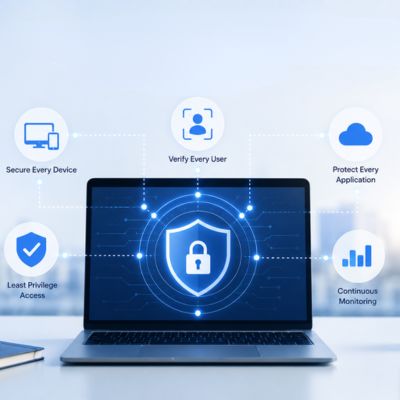
Google Workspace Enterprise is built on a Zero Trust model, meaning no user or device is trusted by default regardless of network location. Every request is verified against identity, device posture, and context before access is granted, which matters most once an organization stops assuming its perimeter firewall is the primary control.
 BeyondCorp Enterprise as the Foundation
 BeyondCorp Enterprise as the Foundation
Google’s internal security model, publicly known as BeyondCorp, underpins how Workspace Enterprise treats every access request. Rather than granting broad trust to anyone connected to a corporate VPN, the system evaluates each request independently, checking who is asking, from what device, and under what conditions, every single time a resource is opened. For a multi-thousand-seat organization, this removes the single point of failure that a compromised VPN credential once represented.
This shift matters more as workforces spread across home offices, regional branches, and contractor networks that IT never fully controls. A perimeter-based model assumes that once someone is “inside,” they’re safe to move around; Zero Trust assumes the opposite and re-checks constantly. Admins configure access levels through the Admin console, layering conditions such as device encryption status, IP ranges, and operating system patch levels onto individual apps or entire organizational units, rather than applying a single blanket policy to everyone.
Continuous Verification Over Perimeter Defense
Traditional network security draws a hard line between “inside” and “outside” the corporate network. Zero Trust replaces that line with continuous, contextual checks that run on every request, whether the employee is at headquarters or on a coffee-shop connection. This is the architectural shift IT directors are usually asked to defend to their board when justifying a Workspace Enterprise migration.
In practice, continuous verification draws on signals that Google already collects as part of normal account activity: device compliance status, login location patterns, and whether a session appears anomalous relative to the user’s history. None of this requires a separate agent to install on every laptop, since much of it is already built into how Chrome and the Workspace mobile apps authenticate. Larger deployments do typically add Chrome Enterprise or a mobile device management layer to extend the same posture checks to unmanaged or BYOD devices.
Identity and Access Management (IAM) Controls
Identity and access management (IAM) determines who can access what, under which conditions, across all Workspace applications. At Enterprise scale, IAM has to reconcile thousands of users, contractor accounts, and service accounts without becoming an administrative bottleneck.
Granular Role-Based Permissions
Google Workspace Enterprise supports custom admin roles that go well beyond the binary “super admin or regular user” model that smaller organizations often default to. IT teams can assign narrowly scoped privileges, a help desk role that can reset passwords but not touch billing, for instance, so that no single account carries more access than its job requires.
This granularity directly supports the principle of least privilege, a standard expectation in most compliance frameworks that large enterprises are audited against. Rather than provisioning admin rights by department, security teams build roles around specific tasks: user management, security investigation, mobile device management, and so on, each independently assignable and revocable. Audit logs then tie every privileged action back to the specific role that permitted it, not just the account that performed it.
Single Sign-On and Multi-Factor Enforcement
Enterprise-tier Workspace integrates with SAML-based single sign-on (SSO), letting large organizations centralize authentication through an existing identity provider such as Okta, Ping, or Microsoft Entra ID rather than managing separate Google credentials. This keeps one identity system as the source of truth, which simplifies offboarding and disables the identity provider account; Workspace access disappears with it.
Multi-factor enforcement can be mandated organization-wide, and Enterprise adds phishing-resistant options such as security keys and Titan-class hardware tokens, not just SMS or app-based codes. Admins can require stronger factors specifically for higher-risk roles, finance, HR, or IT admin accounts, while leaving standard factors for lower-risk users, matching the control intensity to the actual risk profile rather than applying one policy uniformly.
Context-Aware Access Policies
Context-aware access lets administrators grant or block resource access based on the real-time context of a request, device, location, or IP range, rather than identity alone. This is the mechanism that turns Zero Trust principles into an enforceable, app-by-app policy.
Device and Location-Based Restrictions
A context-aware access policy might restrict access to Gmail or Drive to company-managed, encrypted devices only, or block access entirely from IP ranges outside approved countries. These rules are configured per application and per organizational unit, so a finance team handling sensitive data can carry stricter restrictions than a marketing team using the same Workspace domain.
This matters for organizations operating across multiple jurisdictions, where certain data cannot leave a defined geographic area for regulatory reasons. Rather than relying on employees to self-police which network they connect to, the access level itself becomes the enforcement point: a login attempt from an unapproved region or an unmanaged personal device is denied before any data is served, regardless of whether the correct password is entered.
Application-Specific Access Levels
Beyond blanket device or location rules, context-aware access supports different policies for different applications within the same Workspace domain. Google Drive might require a managed device and a current OS patch level. At the same time, Google Calendar remains accessible from any authenticated device, reflecting the different sensitivity of the data each app handles.
This app-by-app model avoids the common trap of either over-restricting (blocking legitimate low-risk activity) or under-restricting (leaving sensitive apps as exposed as low-risk ones). Security teams typically start by classifying Workspace apps into sensitivity tiers, then map access levels to each tier rather than building rules app-by-app from scratch, which keeps the policy set maintainable as new apps get added to the suite.
Data Encryption Standards
Encryption protects Workspace data both while it moves across networks and while it sits in Google’s storage systems. For a compliance-literate audience, the relevant question isn’t whether encryption exists; it’s which standard, at which layer, and under whose control.
Encryption at Rest and in Transit
 Encryption at Rest and in Transit
Google Workspace encrypts customer data at rest using AES-256, and data in transit is protected using TLS, applied automatically across Gmail, Drive, Docs, and every other core application without requiring separate configuration. This baseline applies to every Workspace tier, not just Enterprise. Still, Enterprise adds a layer of client-side encryption for organizations that need to retain their own encryption keys outside Google’s control.
Client-side encryption (CSE) means Google never has access to the unencrypted content or the encryption keys themselves; those are managed through the organization’s own key management service or a third-party provider. This is the control that satisfies data sovereignty requirements in regulated industries, where “Google can technically decrypt this if compelled” is not an acceptable answer for certain categories of data.
Key Management Options for Regulated Data
Enterprise customers can choose between Google-managed encryption keys (the default, requiring no additional configuration) and customer-managed or client-side keys, in which the organization retains exclusive control over key access and rotation. This choice typically maps directly to what a specific regulatory framework requires, rather than being a general security preference.
Setting up customer-managed keys involves integrating with a supported key management service and defining rotation and revocation policies that align with the organization’s own security standards, not Google’s defaults. This is meaningfully more setup work than accepting Google-managed keys, and most organizations reserve it for the subset of data, legal holds, specific regulated records, and board-level communications where the added control is actually required rather than applying it everywhere by default.
Get Your Security Architecture Right Before You Sign
Zero Trust, encryption key strategy, and access-level design are exactly the decisions that are cheapest to get right during planning and most expensive to unwind after a few thousand seats are live. As an Authorized Reseller and Implementation & Migration Partner, Hiya Digital scopes these architectural choices alongside your security and compliance teams before licensing is finalized, not after rollout has already started.

Compliance Certifications Overview
Enterprise buyers rarely take a vendor’s own security claims at face value; they ask for the independent certifications that back them up. Google Workspace holds a documented set of third-party attestations that compliance teams can request directly and map against their own regulatory obligations.
ISO and SOC Certifications Explained
Google Workspace holds ISO/IEC 27001 certification for information security management, alongside ISO/IEC 27017 for cloud-specific security controls and ISO/IEC 27018 for protection of personally identifiable information in public cloud environments. Google Cloud, Google Workspace, and Apigee ISO/IEC 27001 certificates may be requested using the Compliance Reports Manager, giving procurement and compliance teams a documented audit trail rather than a marketing claim to take on faith.
On the SOC side, Google Cloud and Google Workspace undergo regular third-party audits to certify individual products against SOC 3 standards, and Google also has its own SOC 2 report covering Workspace. SOC 2 Type II reports assess controls over an extended period rather than a single point in time, which is generally the stronger evidence auditors want to see. These reports are available to customers under an NDA via Google’s Compliance Reports Manager rather than being published publicly, as they contain sensitive operational details.
Industry and Regional Framework Support
 Industry and Regional Framework Support
Beyond the core ISO and SOC set, Google maintains a FedRAMP authorization for Workspace covering U.S. federal government use cases and participates in regional frameworks such as Germany’s BSI C5 and Singapore’s MTCS, reflecting the reality that a global enterprise operates under different regional compliance regimes simultaneously rather than a single uniform standard.
Healthcare-specific requirements under HIPAA and financial-services-specific frameworks are handled through a signed Business Associate Agreement and sector-specific controls, respectively; the depth of what each requires for a regulated deployment goes beyond generic certification review. Data residency controls, which let organizations pin where certain categories of data are physically stored and processed, are a related but distinct control layer that compliance teams typically evaluate alongside certifications rather than as part of them.
| Certification / Framework | What It Covers | Who Typically Requires It |
|---|---|---|
| ISO/IEC 27001 | Information security management system across people, process, and technology | General enterprise security due-diligence baseline |
| ISO/IEC 27017 | Cloud-specific security controls | Organizations validating cloud provider security posture specifically |
| ISO/IEC 27018 | Protection of personally identifiable information in public cloud | Privacy officers, GDPR/CCPA-adjacent compliance reviews |
| SOC 2 Type II | Security, availability, and confidentiality controls tested over time | Enterprise procurement and vendor risk teams |
| FedRAMP Authorization | U.S. federal cloud security assessment standard | U.S. government agencies and federal contractors |
| BSI C5 / MTCS | Regional cloud security frameworks (Germany / Singapore) | Multinational organizations with regional data-hosting obligations |
Admin Console Security Controls
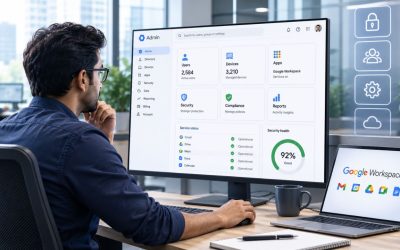
The Admin console is where every access, encryption, and monitoring policy described so far is actually configured and enforced day-to-day. At Enterprise scale, the depth of granularity is what separates a genuinely governed deployment from one with good intentions on paper.
Organizational Unit-Based Policy Enforcement
Organizational units (OUs) let administrators apply different security policies to different segments of the company, a finance OU with stricter data-loss controls, an engineering OU with different device requirements, all within a single Workspace domain rather than needing separate tenants. This structure scales far better than user-by-user configuration once headcount reaches the thousands.
Policies are inherited down the OU tree by default, so a broad baseline set at the top level applies everywhere unless a specific child OU overrides it. This inheritance model means new hires added to the correct OU automatically pick up the right security posture without manual per-user configuration, which matters enormously for large organizations with continuous hiring across many departments and regions.
Getting the OU structure right at initial rollout is one of the highest-leverage design decisions in a large deployment, since restructuring OUs after thousands of users and their associated policies are already in place is considerably more disruptive than getting the hierarchy right from the start.
Audit Logs and Admin Activity Tracking
Every administrative action, a permission change, a new OU created, a security policy modified, is captured in Workspace’s audit logs, giving compliance teams a defensible record of who changed what and when, independent of any individual admin’s own account of events. These logs are exportable to Google’s security information and event management (SIEM) tooling or a third-party SIEM the organization already uses.
For regulated enterprises, this audit trail is often the specific evidence requested during a compliance review or after a security incident, as it establishes a clear chain of accountability for administrative changes rather than relying on ticketing systems or verbal confirmation. Retention periods for these logs are configurable and should be set to match the organization’s own regulatory retention requirements rather than left at platform defaults.
Endpoint and Device Management
Enterprise security architecture extends past the Workspace apps themselves to the devices employees use to reach them. Endpoint management is where policy meets the physical laptops, phones, and tablets that an IT director is actually responsible for securing.
Mobile Device Management at Scale
Enterprise-tier mobile device management (MDM) lets IT enforce passcode requirements, remote wipe capability, and encryption requirements across company-owned and, with appropriate policy, BYOD mobile devices connecting to Workspace data. This closes a gap that context-aware access alone doesn’t fully cover: a lost or stolen phone with cached Workspace data is a different risk than an unauthorized login attempt.
At scale, MDM policy is typically split by device ownership category, with stricter controls, including full device wipe capability, for company-owned hardware; narrower, work-profile-only controls for BYOD devices where the organization has no right to touch personal data. This distinction matters for both security effectiveness and employee privacy expectations, particularly across jurisdictions with different personal-device privacy norms.
Rolling out MDM policy across a multi-thousand-device fleet is rarely a single-day switch-on; most large deployments phase enforcement by department or region to catch configuration issues on a smaller population before requiring it organization-wide.
Chrome Enterprise Endpoint Controls
For organizations standardized on Chrome as the primary access point, Chrome Enterprise extends the same security posture checks, device compliance, patch level, and managed browser state to the browser layer itself, which matters because browser-based attacks remain one of the most common enterprise entry points. Chrome Enterprise Core and Premium tiers hold their own ISO/IEC 27001:2022 certification independent of the core Workspace certification set.
Chrome Enterprise policies can restrict extension installation, enforce safe browsing settings, and block access to unmanaged or unrecognized devices at the browser level, adding a control layer that operates even before a login attempt reaches Workspace’s own access-level checks. For large deployments already managing a fleet of Chromebooks or Chrome as the standard browser, this integration reduces the number of separate endpoint tools IT needs to maintain.
The realistic timeline for a full endpoint management rollout across a multi-thousand-seat organization typically runs several months when phased properly, factoring in device enrollment, policy testing, and a rollback plan for edge cases that inevitably surface once real users start hitting the new restrictions.
Security Monitoring and Alert Center
Configuring access controls and encryption is necessary, but not sufficient; enterprise security also requires ongoing visibility into what’s actually happening across the domain, in near real time.
Security Investigation Tool Capabilities
The Security Investigation tool lets admins search across Gmail, Drive, and Chat activity logs using a rules-based query interface, then take direct remediation action, such as suspending a compromised account or removing a malicious email from every inbox it reached, without needing to jump between separate tools. This consolidates detection and response into a single console workflow.
For a large organization, this matters most during an active incident, when the time between detecting suspicious activity and containing it directly determines how much damage a compromised account can do. Pre-built investigation rules cover common patterns, mass file downloads, unusual login geography, and suspicious creation of forwarding rules. In contrast, custom rules allow security teams to add detection logic specific to their threat model.
Security teams should treat the investigation tool as a response mechanism that still depends on well-configured alerting upstream; a powerful investigation console doesn’t help if nobody is notified that an investigation is warranted in the first place.
Alert Center and Automated Threat Response
Alert Center surfaces security events automatically, including phishing attempts, suspicious device activity, and data exfiltration attempts flagged by DLP rules, and can be configured to trigger automated responses, such as forcing a password reset or requiring re-authentication, rather than waiting for a human admin to review each alert individually.
This automation matters at enterprise scale specifically because the volume of security-relevant events across thousands of users and devices exceeds what a security team could realistically triage manually in real time. Automated first-response actions buy time for the human investigation to happen without leaving a compromised account active in the interim.
Alert routing can be configured to notify specific teams based on alert category; a suspected phishing campaign is routed differently than an admin console configuration change, which keeps the right people looking at the right signals rather than funneling every alert through a single inbox.
Data Residency and Regional Controls
Multinational enterprises frequently operate under data protection laws that require certain categories of data to remain within a specific geographic or legal boundary. Google Workspace Enterprise addresses this through configurable data-region policies.
Data Region Policy Configuration
Enterprise customers can set data-region policy at the organizational-unit level, choosing to keep covered data within the United States, the European Union, or allow it to reside anywhere Google operates, depending on what a given business unit’s regulatory obligations require. This isn’t a single organization-wide switch; different OUs can carry different regional requirements simultaneously.
Data-region settings apply to data at rest for supported Workspace services, though not every feature or piece of metadata is covered in the same way, so compliance teams should review Google’s current published scope for the specific services they depend on rather than assuming blanket coverage. Access Management and Access Approvals, along with related digital-sovereignty controls, allow organizations to require explicit approval before Google support staff can view customer data during a support case.
For a compliance officer building a data-residency case for regulators or internal legal counsel, these controls provide documented, configurable evidence of where data physically sits and who can access it under what conditions, rather than a general assurance that data “stays in region.”
Access Transparency and Approval Workflows
 Access Transparency and Approval Workflows
Access Transparency logs give administrators visibility into actions that Google support personnel take when accessing customer data for troubleshooting, creating an audit trail on Google’s side of the relationship, not just the customer’s own admin activity. This is a control specifically aimed at the “who at the vendor can see our data, and when” question regulated organizations are increasingly asked to answer.
Access Approvals goes a step further by requiring the organization’s explicit sign-off before Google support can view specific data during a support interaction, rather than granting Google support default standing access. This shifts the default from implicit trust to explicit, logged consent for each instance.
Both controls are specifically relevant to organizations building a case for digital sovereignty or operating under regulatory frameworks that require documented vendor access controls, not just customer-side access controls, a distinction that’s easy to miss when a security review focuses only on internal policy.
Incident Response and Business Continuity
Even a well-architected security posture needs a defined plan for what happens when something goes wrong. Enterprise-tier Workspace provides the platform-level tooling; the organization still needs its own incident response plan built around it.
Google’s Incident Response Commitments
Google publishes documented incident response and breach notification commitments as part of its Workspace data processing terms, including specific timelines for notifying customers of a confirmed security incident affecting their data. These commitments are contractual, not just operational best practice, which is the level of specificity compliance and legal teams typically require before signing off on a vendor relationship.
Google’s internal security team continuously monitors its infrastructure. It applies the same Zero Trust and audit-logging principles internally as customers configure for their own domains. The platform’s own operational security posture is a separate but related question from the controls customers configure themselves. Compliance teams evaluating Workspace should request Google’s current security whitepaper and incident-response documentation directly, since specifics are updated as the underlying infrastructure evolves.
This is one area where “trust but verify” applies directly: contractual commitments and published documentation are the artifacts an auditor or regulator will actually want to see, not a general assurance of reliability.
Building an Internal Response Plan Around the Platform
Google’s platform-level tooling handles detection, logging, and containment mechanisms, but the organization’s own incident response plan still needs to define who gets notified internally, what the escalation path looks like, and how communications to affected users or regulators get handled, none of which Google can define on the customer’s behalf.
A realistic incident response plan for a large Workspace deployment typically maps specific platform capabilities, Security Investigation tool queries, Alert Center automated actions, and audit log exports to specific steps in the organization’s own response runbook, so that when an incident occurs, the response team already knows exactly which console and which query gets pulled up first rather than improvising under pressure.
Testing this plan against a simulated incident before a real one occurs is standard practice for regulated organizations. It is typically where gaps between platform capability and internal process assumptions surface. A plan that looks complete on paper often reveals a missing ownership question the first time it’s actually run through a tabletop exercise.
| Response Layer | Google Workspace Enterprise Provides | Organization Must Define |
|---|---|---|
| Detection | Alert Center, Security Investigation tool, automated flagging | Which alerts route to which internal team |
| Containment | Account suspension, forced re-authentication, message recall | Who has the authority to trigger containment actions |
| Notification | Contractual breach-notification timelines from Google | Internal and regulatory notification procedures |
| Evidence | Audit logs, Access Transparency logs, SIEM export | Retention policy and chain-of-custody handling |
Frequently Asked Questions
Is Google Workspace Enterprise secure?
Google Workspace Enterprise is built on a Zero Trust architecture, meaning every access request is verified based on identity, device posture, and context rather than assumed trust from network location alone. Security features include AES-256 encryption at rest, TLS encryption in transit, optional client-side encryption, where the organization holds its own keys, granular role-based admin permissions, mandatory multi-factor authentication with phishing-resistant options such as hardware security keys, and continuous monitoring through the Alert Center and Security Investigation tool. Google also undergoes regular independent audits and holds certifications, including ISO/IEC 27001, 27017, 27018, and 27701, as well as SOC 2 Type II and SOC 3 reports that specifically cover Workspace. No platform is unbreachable, and security ultimately depends on how well an organization configures the controls available to it; an under-configured Enterprise deployment is meaningfully less secure than a well-configured one, even though both run on identical underlying infrastructure.
What compliance certifications does Google Workspace Enterprise support?
Google Workspace holds ISO/IEC 27001 (information security management), ISO/IEC 27017 (cloud-specific security controls), ISO/IEC 27018 (protection of personal data in public cloud), and ISO/IEC 27701 (privacy information management) certifications, all issued by independent third-party auditors rather than self-attested. On the SOC side, Google maintains SOC 2 Type II and SOC 3 reports covering Workspace, assessing security, availability, and confidentiality controls over an extended audit period rather than a single point in time. Beyond these core certifications, Google maintains a FedRAMP authorization for U.S. federal use cases and participates in regional frameworks including Germany’s BSI C5 and Singapore’s MTCS. Industry-specific requirements, such as HIPAA, are addressed through a signed Business Associate Agreement rather than a standalone certification. Current certification scope and audit periods should always be verified directly in Google’s Compliance Reports Manager, since covered products and reporting periods refresh on a rolling basis.
What is Zero Trust architecture in Google Workspace Enterprise?
Zero Trust means no user, device, or network location is automatically trusted; every request to access Workspace data is independently verified against identity, device compliance status, and contextual signals such as login location, regardless of whether the request comes from inside a corporate office or a remote connection. This replaces the older perimeter-based security model, where anyone who successfully connected to the corporate network was implicitly trusted to move around within it. Google’s internal BeyondCorp model, which Workspace Enterprise draws on, checks conditions such as device encryption status and OS patch level for every request rather than once at initial login. Administrators configure these conditions through context-aware access policies in the Admin console, applying different rules to different applications or organizational units. The practical benefit for large organizations is that a single compromised credential no longer grants broad network access; the attacker still has to pass device and context checks, which the legitimate user’s session would pass automatically.
How does context-aware access work in Google Workspace Enterprise?
Context-aware access evaluates the real-time circumstances of a login attempt, the device’s management and encryption status, the network or IP range it originates from, and the specific application being requested before granting or denying access, rather than relying on username and password alone. Administrators build access levels in the Admin console that combine these signals into policies, which can then be applied selectively per application or per organizational unit, so a finance team’s access to sensitive spreadsheets can carry stricter device requirements than a general employee’s access to shared calendars. A common configuration blocks access entirely from unmanaged personal devices or from IP ranges outside approved countries, closing off a category of risk that traditional password-only authentication doesn’t address. These policies require active maintenance as an organization’s device fleet, office footprint, and contractor base change over time; a context-aware policy set left static for years typically drifts out of alignment with how the organization actually operates day-to-day.
Does Google Workspace Enterprise offer unlimited storage?
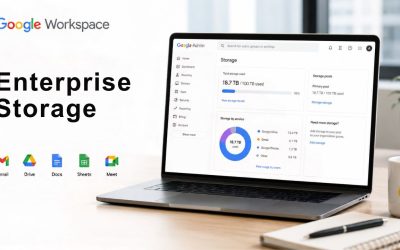
Google Workspace provides flexible pooled storage per user that is shared across the organization. Business Plus and Enterprise Plus include 5 TB per user as the pooled baseline. At the same time, full Enterprise agreements can negotiate storage terms without a fixed per-user cap, depending on organizational size and contract terms. The specific qualifying conditions, minimum seat counts, pooling mechanics, and whether “unlimited” applies to the full domain or specific services vary by agreement, so “unlimited” should never be treated as a blanket claim without checking the actual contract terms Google provides for a given deal size. There is no minimum or maximum user limit for Enterprise plans, which is part of why storage terms for Enterprise plans are negotiated rather than published as a fixed number, unlike Business-tier storage. Organizations evaluating this should request the specific storage terms in writing as part of the quote, rather than budgeting around a general “unlimited” assumption during initial planning.
How many users can Google Workspace Enterprise support?
There is no minimum or maximum user limit for Enterprise plans, unlike Business Starter, Standard, and Plus tiers, which are capped at 300 users each. This uncapped structure is one of the defining reasons organizations move to Enterprise once headcount exceeds what the Business tiers support, independent of any specific security or compliance requirement. In practice, organizational unit structure, not a technical user ceiling, becomes the real scaling constraint at very large headcounts; a poorly planned OU hierarchy makes policy management unwieldy well before any platform limit is reached. Enterprise deployments in the tens of thousands of seats are common, and the platform’s admin tooling, including bulk provisioning and directory sync with existing identity providers, is built with that scale in mind rather than being a stretched version of small-business tooling.
What is the difference between context-aware access and Zero Trust?
Zero Trust is the overarching security philosophy, the assumption that no request should be trusted by default regardless of its origin. Context-aware access is the specific mechanism Google Workspace Enterprise uses to implement that philosophy in practice, evaluating device, location, and other signals for each access request before granting entry. In other words, context-aware access is a tool; Zero Trust is the principle the tool is built to enforce. Google’s broader BeyondCorp model extends this principle to identity verification, device trust signals, and continuous session monitoring, with context-aware access policy configuration as the customer-facing control surface that administrators interact with in the Admin console. Understanding this distinction matters when communicating the security model to a board or auditor: Zero Trust describes what the organization is committing to; context-aware access policies are the specific, auditable evidence that the commitment is actually enforced.
Can Google Workspace Enterprise data stay within a specific country or region?
Yes, Enterprise customers can configure data-region policy at the organizational-unit level, choosing to keep covered data within the United States or the European Union, or allow global residency, depending on the regulatory requirements under which a specific business unit operates. This isn’t an all-or-nothing domain-wide setting; different organizational units within the same company can carry different regional requirements simultaneously, which matters for multinational organizations with genuinely different obligations across markets. Coverage applies to data at rest for supported services, though not every feature or type of metadata is covered identically, so compliance teams should check the current documented scope for the specific services in active use. Related controls, Access Transparency logs and Access Approvals, extend this further by giving organizations visibility into, and approval authority over, when Google support staff access customer data for troubleshooting, addressing the vendor-access side of data sovereignty rather than just physical data location.
What is client-side encryption in Google Workspace Enterprise?
Client-side encryption (CSE) is an Enterprise-tier feature where the encryption keys for specific content are held and managed by the organization itself, or a third-party key management provider, rather than by Google, meaning Google never has access to the unencrypted content or the keys required to decrypt it, even under a legal compulsion scenario. This is distinct from standard AES-256 encryption at rest, which is Google-managed by default and applies automatically without extra configuration. CSE requires integrating with a supported key management service and defining rotation and access policies independently of Google’s own systems, which is meaningfully more setup work than accepting default encryption. The trade-off is reduced native functionality on CSE-protected files; full-text search and certain collaboration features behave differently since Google’s own indexing systems can’t read encrypted content either. Most organizations scope CSE to specific high-sensitivity data categories rather than applying it across the entire domain by default, given the associated trade-off in functionality.
Does Google Workspace Enterprise include data loss prevention (DLP)?
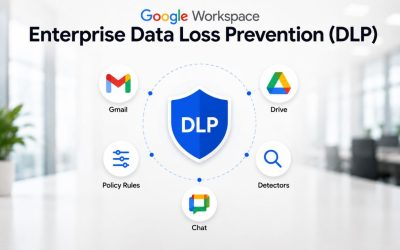
Yes, Google Workspace Enterprise includes data loss prevention capabilities that scan Gmail, Drive, and Chat content for sensitive data patterns and can automatically block or flag content from leaving the organization based on configurable rules. DLP configuration, rule design, and detection depth are covered in full elsewhere in this cluster as dedicated topics, since the subject warrants more depth than a single security overview section can responsibly provide. Within the broader security architecture described here, DLP functions as one enforcement layer among several, working alongside access controls, encryption, and monitoring rather than as a standalone control. Organizations evaluating Enterprise specifically for compliance should treat DLP rule configuration as a distinct implementation project with its own timeline, not an automatic feature that provides meaningful protection immediately upon licensing without configuration work.
Glossary
Zero Trust: A security model that verifies every access request independently based on identity, device, and context, rather than trusting requests by default based on network location.
IAM (Identity and Access Management): The systems and policies that determine which users and service accounts can access which resources, under what conditions.
Context-Aware Access: A Google Workspace access-control mechanism that evaluates real-time signals, device status, location, and IP range before granting access to a specific application.
BeyondCorp: Google’s internal Zero Trust security model, which underpins how Workspace Enterprise evaluates access requests without relying on a traditional network perimeter.
SSO (Single Sign-On): An authentication method that lets users access multiple applications, including Workspace, with one set of credentials managed by a central identity provider.
MFA (Multi-Factor Authentication): A login method requiring more than one form of verification, such as a password plus a hardware security key.
ISO/IEC 27001: An international standard for information security management systems, certified by independent third-party auditors.
SOC 2 Type II: An audit report assessing an organization’s security, availability, and confidentiality controls over an extended period, issued by an independent auditing firm.
DLP (Data Loss Prevention): Technology that detects and blocks sensitive data from leaving an organization through email, file sharing, or messaging.
Client-Side Encryption (CSE): An encryption model where the customer, not the cloud provider, holds the keys required to decrypt content.
Organizational Unit (OU): A grouping structure within the Google Workspace Admin console used to apply different policies to different segments of an organization.
Data Residency: The physical or legal geographic location where an organization’s data is stored and processed.
The Hiya Digital Team is a collective of IT infrastructure specialist engineers, certified systems administrators, and cloud architects driven by a singular mission: building corporate communication systems that just work. As an Authorized Google Partner, the team handles complex global hosting deployments, secure email migrations, and advanced data compliance architectures for businesses across 40+ countries.
With over two decades of technical experience spanning custom premium business email configurations, OX AppSuite deployments, and enterprise-level network security, the Hiya Digital Team writes to demystify domain infrastructure. Their content focuses on actionable technical strategies, anti-phishing security protocols, and seamless cloud collaboration setup, all backed by real-world deployment experience and 24/7 technical support accountability.