Google Workspace for Business & Enterprise
Official Licensing, Expert Deployment, and Ongoing Support from an Authorized Google Partner
Bring your team together with Gmail, Docs, Sheets, Meet, and Drive all working seamlessly in one place. Collaborate in real time, stay organized, and get more done from anywhere, on any device. Built for the way modern teams work today. With enterprise-grade security and reliability, your data stays protected at every step. Start free and scale effortlessly as your business grows.
Active Mail Box
Countries Served
Customer Support
Guaranteed Uptime SLA
Years of Experience
Industries Served
Hiya Digital is an Authorized Google Partner, independently verified in Google’s Partner Directory. That status means every license we supply is 100% genuine, contracted directly through Google’s partner ecosystem. It means our team holds active Google Workspace certifications. And it means your deployment follows the practices Google actually recommends, not shortcuts that create problems six months later.
Google Workspace Setup, Migration, and Support
Most businesses run on disconnected tools. Email through one provider. File storage through another. Video calls on a third platform that none of the team likes. The result is predictable: lost files, missed context, hours spent on coordination that should take minutes. Google Workspace replaces that friction with a single, genuinely integrated environment.
Professional Gmail on your domain. Google Drive with team-level storage controls. Google Meet for video calls with no time limits and built-in noise cancellation. Real-time collaboration in Docs, Sheets, and Slides, not one-at-a-time editing, but simultaneous co-authoring where changes appear as you make them. And Gemini AI is natively embedded across every application, not an add-on you have to configure separately.
The subscription alone does not deliver these benefits. The configuration does. An incorrectly set domain record means emails end up in spam folders. A migration planned without a rollback strategy means data that disappears is data you cannot recover. An admin console left in its default settings results in security policies that do not reflect your organization’s actual risk profile. We handle the plan selection, domain setup, email migration, admin configuration, user training, and ongoing support. You focus on your business.
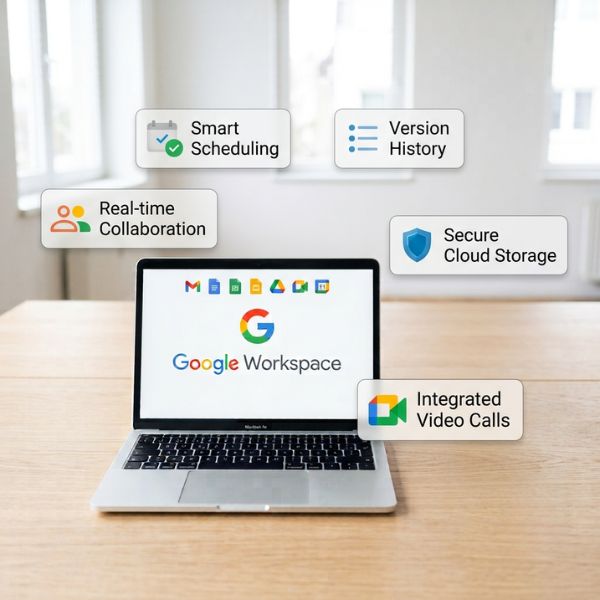
What Google Workspace Gives Your Business
| Capability | What It Means in Practice |
|---|---|
| Professional Business Email | Custom @yourcompany.com Gmail, 99.9% uptime SLA, zero ads, and full data ownership. The credibility baseline essential for any professional organization. |
| Cloud Storage for Every Team | Google Drive provides pooled team storage and Shared Drives with organization-level ownership, accessible from any device without the complexity of a VPN. |
| HD Video Conferencing | Google Meet with no artificial time limits, support for up to 1,000 participants on Enterprise Plus, noise cancellation, live captions, and automatic recording to Drive. |
| Real-Time Document Collaboration | Co-edit Docs, Sheets, and Slides simultaneously. One document always stays current, includes complete version history, and permanently eliminates version conflicts. |
| Native AI Across Every Application | Gemini AI is built directly into Gmail, Docs, Meet, Sheets, and Slides. Drafts, summaries, meeting notes, and formula generation are created from context rather than generic prompts. |
| Enterprise-Grade Security | Zero Trust architecture, AES-256 encryption at rest, data loss prevention, context-aware access, and centralized admin management through a single console. |
Why Purchase Google Workspace Through Hiya Digital?
Anyone can sell a Google Workspace license, but not every provider is an Authorized Google Partner. Hiya Digital delivers more than just a subscription—we provide Google-recognized expertise, trusted deployment, and ongoing support to help your business get the most from Google Workspace.
Our Authorized Google Partner status is independently verified in Google’s official Partner Directory at https://cloud.google.com/find-a-partner/partner/hiya-digital-private-limited. Search for Hiya Digital to verify our credentials directly with Google and choose your Google Workspace provider with confidence.
What Authorized Google Partner Status Means for Your Organization
| Credential | What It Means for Your Business |
|---|---|
| Official Google Licensing | Every license purchased through Hiya Digital is 100% authentic, contracted through Google's partner ecosystem, with proper invoicing, legitimate credentials, and a subscription directly tied to your organization. No grey-market sourcing, no unauthorized resale. |
| Google-Certified Deployment Expertise | Our team holds Google's official certification pathways for Workspace administration, deployment, and enterprise security configuration. We bring a verified knowledge base to your environment; we do not learn Workspace deployment through your engagement. |
| Direct Google Partner Support Access | As an Authorized Partner, Hiya Digital has access to Google's Partner-level support channels, which means faster escalation paths and direct resolution for issues that go beyond standard support tiers. |
| Compliance with Google's Official Standards | Every deployment we complete follows Google's official security baseline and configuration guidelines. No undocumented workarounds, no outdated configurations carried forward from older Workspace versions. |
| Honest Plan Recommendations | We recommend the plan that matches your actual requirements, not the most expensive option. If Business Standard is the right fit, we propose it. Our revenue model is built on long-term partnerships, not maximizing first transactions. |
| Long-Term Partnership Beyond the Sale | Most Workspace resellers are transaction-focused. Hiya Digital remains your Authorized Partner for renewals, user additions, security updates, admin configuration changes, and ongoing technical support. |
| Independently Verifiable Status | Verify our Authorized Partner status directly at cloud.google.com/find-a-partner/partner/hiya-digital-private-limited. We encourage you to check that transparency is deliberate. |
Complete Google Workspace Services, Licensing, Deployment, Migration, Security, and Ongoing Support
Buying a license is the beginning of the process, not the end of it. Most organizations that struggle with Google Workspace, poor email deliverability, lost data during migration, security configurations that nobody understands, and tools the team never actually adopted do not have a product problem. They had a deployment problem. Hiya Digital manages the full lifecycle. From the initial needs assessment through technical setup, data migration, user training, and long-term support, we handle every layer of the engagement. Here is what that looks like in practice.

Licensing & Plan Selection
Before recommending a plan, we ask the right questions. How many people will use the system today and in twelve months? What does your current infrastructure look like, and what are you migrating away from? Do you have compliance obligations that require specific security features, such as DLP or Vault? How do your teams actually work, and what tools do they rely on most?
The answers determine the recommendation. Business Starter for a lean founding team with straightforward needs. Business Standard for growing organizations that need meeting recordings, increased storage, and a larger Meet participant limit. Business Plus, when eDiscovery through Google Vault becomes a requirement. Enterprise Standard or Plus when compliance depth, Data Loss Prevention, and advanced security architecture are non-negotiable.

Email & Data Migration
Hiya Digital’s migration methodology is staged and validated. We run parallel environments until data integrity is confirmed. Cutover is scheduled for the lowest-risk window, not the first available slot. Every migration includes checksum validation before the legacy environment is decommissioned. Zero data loss is a documented commitment, not a marketing claim.

Domain Verification & Technical Infrastructure
We configure every DNS record correctly the first time. Organizations that have attempted a self-managed Workspace setup and found themselves with deliverability problems know exactly what this phase costs when it goes wrong.

Admin Console Configuration & Security Policy
Hiya Digital configures the Admin Console to match your organization’s structure, security requirements, and access policies. For Enterprise clients, this includes Context-Aware Access rules, DLP policy definition, Vault retention configuration, and endpoint management policies. For smaller businesses, it means a clean, maintainable setup that an admin can confidently manage without specialist knowledge.

User Training & Adoption
For enterprise rollouts, we identify departmental power users early and train them as internal champions. Adoption rates in environments with deliberate onboarding are measurably higher than in environments where access is granted, and users are left to discover tools independently.

Ongoing Support, License Management & Renewals
Long-term clients also benefit from regular environment health reviews: security configuration audits, feature adoption assessments, and briefings on new Workspace capabilities that are relevant to your business.
Every Tool Your Business Needs, Included with Google Workspace
The most underappreciated aspect of Google Workspace is not any single application; it is the integration between them. A Meet recording saves automatically to the correct Drive folder. A comment in a Doc can escalate to a Meet call in one click. A Gmail thread can move into a Chat Space without losing context. Calendar generates Meet links without a separate step.
This is not a marketing description of features working well together. It is the operational reality of a platform built from the beginning as a unified environment, rather than individual applications acquired and bundled over time. Here is the full suite and what each application delivers.
| Application | Business Purpose | Key Enterprise Capability |
|---|---|---|
| Gmail | Professional business email @yourcompany.com | No ads, TLS encryption, 99.9% uptime SLA, Gemini AI drafting and summarization |
| Google Drive | Cloud storage and file management for individuals and teams | Shared Drives with org-level ownership, granular permissions, unlimited storage on Enterprise plans |
| Google Meet | HD video conferencing with no third-party dependencies | No time limits, up to 1,000 participants (Enterprise Plus), noise cancellation, and drive recording |
| Google Docs | Real-time collaborative word processing | Simultaneous multi-user editing, complete version history, native .docx compatibility, and Gemini AI writing assistance |
| Google Sheets | Collaborative spreadsheets with deep data capability | Gemini AI formula generation, BigQuery Connected Sheets (Enterprise), native .xlsx compatibility |
| Google Slides | Collaborative presentation creation | Gemini design suggestions, live co-editing, speaker note AI generation, .pptx compatibility |
| Google Chat | Team messaging and persistent project spaces | Persistent Spaces with Drive integration, direct escalation to Meet, search across full conversation history |
| Google Calendar | Enterprise-grade scheduling and room management | Shared team calendars, room and resource booking, one-click Meet generation |
| Google Vault | eDiscovery, compliance archiving, and legal hold management | Legal holds, structured data retention, and eDiscovery export are available from Business Plus and Enterprise |
| Google Forms | Surveys, approvals, and structured data collection | Conditional logic, direct Sheets integration, response analysis |
| AppSheet | No-code application development from Workspace data | Build custom mobile and web applications from Drive, Sheets, or Forms data, without engineering resources |
| NotebookLM | AI knowledge synthesis trained on your documents | Upload internal reports and documentation, query in natural language, AI grounded in your content, not the general internet |
| Google Vids | AI-assisted internal video production | Onboarding, learning and development, and internal communications video creation without production overhead |
| Gemini for Workspace | Native AI intelligence across every application | Draft, summarize, analyze, and automate within the context of your actual work, natively embedded, not a third-party integration |
Google Workspace Business vs Enterprise: Compare Which Plan Is Right for Your Organization?
The question our consultants are asked more than any other is some version of this: do we need Enterprise, or will Business cover us? The honest answer is that it depends on factors unrelated to organization size alone. The difference between Business and Enterprise tiers is not primarily storage. It is security architecture, compliance capability, administrative depth, meeting scale, and the extent of AI capabilities available to your team.
Organizations in regulated industries, healthcare, financial services, legal, and government will encounter compliance requirements that Business tiers simply cannot satisfy, regardless of headcount. Others with 500 employees have workflows that Business Standard handles cleanly. Our certified consultants draw this comparison from their direct experience deploying Workspace across both tiers, not from a feature marketing sheet. Use it as a starting point; contact us if your requirements need a more detailed assessment.
Google Workspace Feature-by-Feature Comparison
| Feature / Capability | Business Starter / Standard / Plus | Enterprise Standard | Enterprise Plus |
|---|---|---|---|
| Custom domain email (@company.com) | Yes, all Business tiers | Yes | Yes |
| Pooled cloud storage | 30 GB (Starter) to 5 TB/user (Plus) | 5 TB/user pooled | 5 TB/user pooled |
| Meet: maximum participants | 100 (Starter) / 150 (Standard) / 500 (Plus) | Up to 500 | Up to 1,000 |
| Meeting recordings to Drive | Standard and Plus only | Yes, all users | Yes, all users |
| Noise cancellation in Meet | Standard and Plus only | Yes | Yes |
| Translated captions in Meet | No | No | Yes, exclusive |
| Attendance tracking | Business Plus only | Yes | Yes |
| Google Vault (eDiscovery) | Business Plus only | Full, all editions | Full, all editions |
| Data Loss Prevention (DLP) | Not available | Yes, Gmail and Drive | Yes, Gmail and Drive |
| Context-Aware Access | Not available | Yes | Yes |
| Client-Side Encryption (CSE) | Not available | Not available | Yes, Enterprise Plus only |
| Security Investigation Tool | Not available | Yes | Yes |
| S/MIME Email Encryption | Not available | Yes | Yes |
| Advanced Endpoint Management | Limited controls | Full capability | Full capability |
| Data Region Controls | Not available | Available as an add-on | Included |
| Gemini AI integration | Basic (Starter) / Full (Standard, Plus) | Full, all applications | Full + enhanced capabilities |
| NotebookLM | Yes | Yes | Yes |
| AppSheet Core | Yes | Yes | Yes |
| Dedicated Customer Success Manager | Not available | Available | Included |
| Enterprise SLA | Standard (99.9%) | Standard | Enhanced |
| Compliance certifications | ISO 27001, SOC 2, GDPR | All + HIPAA BAA eligible | All + FedRAMP High eligible |
Explore Google Workspace for Business & Enterprise, and Find Your Right-Fit Plan
Enterprise-Grade Email, Security & Collaboration, Deployed Right the First Time
Skip the trial-and-error setup. Our certified Google Partner team handles licensing, migration, and security configuration, so your business runs on Workspace correctly from day one, with zero data loss.
Business or Enterprise? How to Make the Right Google Workspace Decision for Your Organization
This is not a sales section. The most expensive option is not always the right one. The cheapest option that cannot meet your compliance obligations is not a bargain. What follows is a genuine decision framework based on the questions we ask every prospective client before recommending a tier.
Choose Google Workspace Business If
- Your organization has between 1 and 300 employees with standard collaboration, communication, and productivity requirements.
- You need professional email, shared file storage, video conferencing, and real-time document collaboration, without the overhead of enterprise-grade compliance architecture.
- Business Starter is a good fit if your team is under 50 people, storage needs are modest, and your primary requirement is a clean, professionally configured workspace with expert support.
- Business Standard is the right choice for most growing businesses: meeting recordings, noise cancellation, 2 TB of storage per user, and up to 150 participants in Meet cover most SMB use cases.
- Business Plus makes sense when eDiscovery through Google Vault becomes a requirement, when you need attendance tracking in Meet, or when your team has grown to the point where 500-participant meetings are a practical need.
- Your organization does not have formal regulatory requirements for Data Loss Prevention, Client-Side Encryption, or advanced compliance frameworks like HIPAA or FedRAMP.
- Your IT administration can be handled through Google’s standard Admin Console without specialist security architecture knowledge.
- You want the full Gemini AI productivity suite, available from Business Standard onwards, without the complexity and investment of enterprise security configuration.
Choose Google Workspace Enterprise If
- Your organization has 300 or more employees, complex departmental structures, multi-domain configurations, or distributed multi-location operations.
- You operate in a regulated industry: financial services with SEBI or RBI compliance obligations; healthcare with HIPAA Business Associate Agreement requirements; the US federal government requiring FedRAMP authorization requirements; or legal environments with client data privilege requirements.
- You require Data Loss Prevention, the ability to actively detect and block sensitive data leaving your organization through Gmail or Drive, not just after the fact, but in real time.
- Your legal or compliance team needs full-scale eDiscovery, legal hold management, and structured data export through Google Vault across the entire organization, not just selected users.
- Client-Side Encryption is a hard requirement: environments where Google itself must not be able to read your data, and where cryptographic key custody must remain entirely with your organization. This is an Enterprise Plus exclusive.
- You manage a distributed or hybrid workforce and require Zero Trust security controls, BeyondCorp implementation, Context-Aware Access policies, and advanced endpoint management as operational security requirements, not optional enhancements.
- You are migrating from Microsoft Exchange or Microsoft 365 at enterprise scale, hundreds or thousands of mailboxes, and require a migration methodology with documented data integrity validation at every stage.
Side-by-Side Decision Summary
| Decision Factor | Google Workspace Business | Google Workspace Enterprise |
|---|---|---|
| Typical organization size | 1–300 employees | 300+ employees |
| Budget orientation | Cost-effective; right-sized for SMBs | Investment justified by compliance requirements and scale |
| Compliance requirements | Standard, ISO 27001, SOC 2, GDPR | Advanced, HIPAA, FedRAMP, DLP, full Vault |
| Security architecture | Standard 2FA, admin controls, MFA enforcement | Zero Trust, Context-Aware Access, CSE (Plus) |
| Data sovereignty | Standard Google data handling | Data regions included + Client-Side Encryption (Plus) |
| eDiscovery / legal hold | Business Plus only, basic | Full, all Enterprise editions |
| Data Loss Prevention | Not available on any Business tier | Included: Gmail and Drive |
| Meeting scale | Up to 500 participants (Plus) | Up to 1,000 participants (Enterprise Plus) |
| Migration complexity | Standard migration methodology | Large-scale phased enterprise migration |
| Support model | Authorized Partner support | Dedicated CSM + enterprise SLA response |
| Best fit | SMBs, startups, and growing teams | Large enterprises and regulated industries |
The most common planning error we see: organizations choosing Enterprise before their requirements warrant it, or remaining on Business Standard when their compliance obligations have outgrown it. The right answer is rarely obvious without a structured assessment.
Google Workspace Solutions Built for Your Business Type, Small Teams to Enterprise Organizations
There is no such thing as a standard Google Workspace deployment. A five-person startup has completely different priorities from a 500-person financial services firm, different tools in use today, different migration complexity, different compliance obligations, and different training needs. Our deployment approach is tailored to the organization, not templated from a one-size methodology.
Small Businesses (1–50 Employees)
For most small businesses, Business Starter or Business Standard is the right foundation, professional email, shared file storage, video calling, and the collaboration tools the team actually uses every day. Setup typically takes days, not weeks. And once it is running, the ongoing administration is light enough that any designated internal admin can manage it with occasional support from us.
New Businesses & Founders
A custom domain Gmail address is the professional baseline. It signals that the business takes itself seriously and that the credibility gap is measurable in conversations with enterprise clients. Business Starter as the foundation, with a clear upgrade path as headcount grows.
Startups & Scale-Ups
For startups closing enterprise deals, the compliance and security posture of their infrastructure matters to enterprise procurement teams. A properly configured Google Workspace environment, with enforced MFA, documented admin policy, and a certified partner behind it, is a stronger compliance story than a stitched-together collection of consumer tools.
Growing Enterprises (150–500+ Employees)
Hiya Digital’s enterprise deployment methodology handles it all. Business Plus or Enterprise Standard is typically the right tier at this scale, depending on compliance obligations. The determination comes from the discovery assessment, not from a default recommendation.
Large Enterprises (500+ Employees)
At enterprise scale, Hiya Digital assigns a dedicated project team, conducts structured pre-migration environment audits, runs pilot groups before full organizational rollout, and maintains elevated support availability through the go-live period. Enterprise Standard or Enterprise Plus, with a dedicated Customer Success Manager and SLA-backed ongoing support.
Industries We Have Deployed Google Workspace For
| Industry | Key Deployment Considerations |
|---|---|
| Financial Services & Accounting | Data security requirements, SEBI and RBI compliance obligations, communication archiving for regulatory review, DLP configuration for sensitive financial data in transit and at rest. |
| Healthcare & Life Sciences | HIPAA-eligible infrastructure configuration, ePHI access controls, Business Associate Agreement availability from Business Plus, and audit logging for access to protected health information. |
| Retail & E-Commerce | Dispersed team communication across locations, mobile-first tool access for frontline staff, operational coordination through Chat Spaces and Shared Drives. |
| Technology Companies & SaaS Businesses | Developer-adjacent tooling, GCP integration, API access, AppSheet for internal tool development, and advanced admin API usage for fleet device management. |
| Professional Services (Legal, Consulting, Agency) | Client confidentiality requirements, Vault archiving for matter records, real-time collaboration on client deliverables, and admin controls for external sharing. |
| Manufacturing & Logistics | Frontline worker tools, AppSheet for field applications and inspections, Shared Drive for centralized documentation, and mobile Meet access for remote site communications. |
| Government & Public Sector | FedRAMP authorization, data sovereignty controls, Client-Side Encryption for regulated data classes, and compliance with regional data protection frameworks. |
How Hiya Digital Deploys Google Workspace: Our Certified 6-Phase Methodology
Most Google Workspace problems are not product problems. They are process problems. The way a Workspace environment is configured in the first week determines how it performs for years to come. A migration executed without a validation framework creates data integrity questions you may not discover until you need a file that is no longer there. Security policies configured in default settings leave gaps that an attacker could find before your team does.
Taking shortcuts during deployment saves time on day one. It costs significantly more in disruption and remediation, and occasionally in data loss. Our 6-phase methodology exists to prevent those outcomes.
Phase 1: Discovery & Requirements Assessment
Before anything is provisioned, we conduct a structured consultation covering your team’s size and structure, current technology stack, existing email infrastructure, compliance obligations, storage requirements, and growth trajectory over the next 12 to 24 months. The output is a deployment plan with defined milestones, a timeline, and no hidden scope assumptions.
This phase is what separates a deployment that performs from one that requires remediation. Organizations that skip structured discovery end up on the wrong plan, with migration gaps they did not anticipate, and compliance configurations they had no idea they needed.
Phase 2: Official Licensing & Plan Recommendation
Phase 3: Domain Verification & Technical Foundation
This is the phase that determines email deliverability. Misconfigured SPF and DKIM records mean that legitimate emails from your domain end up in spam. Missing DMARC policy leaves your domain open to impersonation. We configure these correctly the first time, because getting them right after emails have already been flagged is a significantly longer process.
Phase 4: Data Migration & User Provisioning
A rollback plan is always in place before migration begins. Cutover is scheduled for the lowest-risk window for your business. We have never decommissioned a legacy environment before data integrity is confirmed, not once.
Phase 5: Security Configuration
Phase 6: Training, Handover & Ongoing Support
Enterprise-Specific Additions
Phase 7: Pilot Group Migration
We validate the migration process with a technically proficient early-adopter group before any full organizational rollout. Issues found at the pilot scale are resolved without business impact.
Phase 8: Go-Live & Hypercare
Cutover is executed within a scheduled, low-risk window, with the deployment team available throughout the process. The first two weeks post-launch are supported at a higher level, with faster response commitments.
Phase 9: Ongoing Managed Support
Dedicated account management, SLA-backed support, quarterly environment reviews, and continuous optimization as your organization’s Workspace usage matures.
Gemini AI for Google Workspace, Native Intelligence Across Gmail, Docs, Meet, Sheets, and Slides
Gemini is not an add-on, a sidebar plugin, or a bolt-on AI subscription that requires separate configuration. It is embedded natively inside every major Google Workspace application, the same way search is embedded in every Google product, not layered on top.
The practical difference this makes is context. Gemini in Gmail knows who you are emailing, what the previous conversation said, and what tone is appropriate for that relationship. Gemini in Docs knows what you have already written and what the document is trying to accomplish. Gemini in Meet knows who attended and what was discussed. That contextual awareness is what separates Workspace AI from generic AI tools that produce output you then spend time editing into something usable.
Gemini Across Every Workspace Application
| Application | What Gemini AI Does in Practice |
|---|---|
| Gemini in Gmail | Draft complete email responses from a one-line instruction, with appropriate tone for the recipient and context. Summarizes long threads so you understand the current state of a conversation without reading backward through forty messages. Suggests smart reply options from conversation context. For high-volume communicators, the daily time savings are measurable from the first week. |
| Gemini in Google Docs | Generates first drafts from a topic prompt and desired structure. Rewrites sections in different tones, more formal for a board report, more accessible for a client-facing document. Summarizes lengthy documents into executive briefs. Creates structured outlines from unstructured inputs. In proposal writing, internal documentation, and policy drafts, the time from blank page to working draft compresses significantly. |
| Gemini in Google Sheets | Generates formulas in plain English, describes what you need the formula to do, and Gemini writes it. Creates charts from data descriptions without requiring knowledge of chart configuration. Summarizes data tables in natural language. The gap between "I have data" and "I have insight" narrows for every member of your team, not just the ones who are spreadsheet-proficient. |
| Gemini in Google Meet | Generates real-time captions and post-meeting summaries with extracted action items. Intelligent noise cancellation improves call quality in environments that are not purpose-built studios. Meeting documentation, the thing every team knows should happen and rarely does consistently, becomes automatic. Most organizations report this as the Gemini feature with the clearest, most quantifiable return. |
| Gemini in Google Slides | Generates presentation outlines from topic and target audience inputs. Drafts speaker notes for existing slides. Suggests design layout improvements. The mechanical work of building a presentation structure is compressed so that communicating well becomes the focus. |
| NotebookLM | An AI research assistant trained specifically on the documents you upload, including internal reports, product specifications, research briefs, and policy documents. Query it in natural language and receive accurate, source-grounded answers. This is not general AI generating plausible-sounding responses; it is your specific documentation, made queryable and synthesized on demand. |
| Google Workspace Studio | An AI automation platform for building intelligent agents and cross-application workflow automations inside Workspace. Connects data across Gmail, Drive, Sheets, and Calendar to reduce repetitive administrative overhead without requiring engineering resources. |
Making Gemini Work for Your Organization
Activating Gemini features is straightforward; they are available starting with Business Standard and can be enabled through the Admin Console. Getting meaningful, sustained productivity gains across your team is a different matter.
Organizations that adopt Gemini with a deliberate strategy, identifying the highest-value use cases for their specific workflow, training department leads as AI champions, and building internal adoption playbooks, see substantially better outcomes than those who enable features and leave employees to discover them independently.
Hiya Digital’s Gemini enablement service covers exactly this: configuring Gemini features appropriately for your security and compliance environment, identifying where the productivity gains are greatest for your team’s actual work, and delivering focused training that builds genuine capability rather than feature awareness.
Google Workspace Security & Compliance, Configured Correctly by an Authorized Google Partner
Choosing a cloud productivity platform is, at its core, a decision about where sensitive business data lives and how it is protected. For most organizations, that data includes email communications, financial documents, client records, intellectual property, and personal information subject to data protection law. Google Workspace is built on Google’s global infrastructure, one of the most thoroughly audited and heavily defended computing environments in existence.
The security engineering that protects Gmail for two billion users is the same infrastructure underlying your business email. But infrastructure security and deployment security are not the same thing. The security properties of your specific Workspace environment depend on its configuration, not just on the platform it runs on. As an Authorized Google Partner, Hiya Digital ensures the configuration matches your actual compliance obligations, not a generic secure-enough baseline.
Security Architecture in Depth
| Security Capability | How It Works and Why It Matters |
|---|---|
| Encryption At Rest and In Transit | All data at rest is encrypted with AES-256; this applies to every Google Workspace plan and every organization, without additional configuration. Data in transit is protected by TLS 1.3. For organizations with the most stringent data sovereignty requirements, Client-Side Encryption (Enterprise Plus) goes further: your data is encrypted with keys that remain entirely under your organization's control. Google's infrastructure processes your data in an encrypted form that it cannot read. |
| Zero Trust Architecture (BeyondCorp) | Traditional network perimeter security assumes that internal traffic is trustworthy. BeyondCorp assumes nothing. Every access request is verified against user identity, device health status, operating system version, disk encryption state, geographic location, and network context, regardless of whether the request comes from inside your office network or from a coffee shop in another country. Critical for distributed and hybrid workforces where the concept of a trusted internal network no longer reflects reality. |
| Context-Aware Access | Granular access policies that evaluate multiple signals before granting application access. An unpatched device attempting to access sensitive Drive content can be blocked, while the same user on a compliant device is automatically allowed through without user friction. Configured in the Admin Console and applied across all Workspace applications without additional client software installation. |
| Data Loss Prevention (DLP) | Available on the Business Plus and Enterprise tiers, DLP inspects the contents of Gmail messages and Drive files in real time against administrator-defined rules. Credit card numbers, national identification numbers, healthcare record indicators, and custom sensitive data patterns can trigger actions such as blocking transmission, quarantining content, alerting administrators, or applying labels. It provides active protection for sensitive information before it leaves your organization. |
| Google Vault, eDiscovery, and Archiving | Legal holds prevent specific data from being deleted, even by users with deletion rights. eDiscovery searches across Gmail, Drive, Chat, Meet recordings, and Groups produce structured exports for litigation support and regulatory audits. Compliance retention schedules are enforced automatically, reducing reliance on third-party archiving solutions. |
| Phishing-Resistant Multi-Factor Authentication | Two-Step Verification can be enforced organization-wide rather than simply recommended. FIDO2 hardware security keys and passkeys provide phishing-resistant authentication by eliminating passwords and one-time codes that attackers can steal or intercept. This is especially valuable for organizations frequently targeted by credential-based attacks. |
| Advanced Phishing and Malware Protection | Machine learning models trained on billions of threat signals analyze every incoming email before delivery. Attachments are scanned in sandboxed environments, links are checked when clicked, and Business Email Compromise detection identifies impersonation attempts that bypass standard domain protections. These protections are included with all Google Workspace Gmail accounts. |
| Security Investigation Tool and Alert Center | Available on Enterprise plans, these tools surface unusual account activity, suspicious logins, abnormal file sharing, and other potential security incidents with the investigative context needed to respond quickly. The Alert Center correlates events to simplify threat investigation instead of requiring manual log analysis. |
Compliance Certifications Supported by Google Workspace
| Certification / Framework | Organizational Relevance |
|---|---|
| ISO 27001, ISO 27017, ISO 27018 | Enterprise procurement teams typically require core information security management certifications as a baseline vendor security assurance. |
| SOC 1, SOC 2, SOC 3 | Financial reporting controls and general security assurance are commonly required during vendor due diligence by enterprise and financial services clients. |
| GDPR | Mandatory for any organization processing personal data of EU residents. It applies broadly to international businesses, not just organizations headquartered in the European Union. |
| HIPAA / HITECH (with BAA) | Designed for healthcare organizations handling electronically Protected Health Information (ePHI). A Business Associate Agreement (BAA) is available from Business Plus and all Enterprise tiers. HIPAA eligibility requires specific administrator configuration, which Hiya Digital implements as part of healthcare deployments. |
| FedRAMP High | The highest level of U.S. federal government cloud procurement authorization. Required for agencies handling Controlled Unclassified Information (CUI) and higher security workloads. |
| PCI DSS | Payment card data protection standard relevant to retail, e-commerce, and financial services organizations that store, process, or transmit cardholder data. |
| FIPS 140-2 | Cryptographic module validation required by U.S. government agencies and many regulated financial institutions for approved encryption technologies. |
| India IT Act & DPDP Act 2023 | India's data protection and privacy compliance framework. Relevant for Indian organizations and multinational businesses operating or processing personal data within India. |
| CSA STAR Level 2 | A cloud security assurance framework widely used during enterprise procurement to evaluate the security posture and transparency of cloud service providers. |
| IRAP, C5, ENS | Regional compliance frameworks for Australia, Germany, and Spain, respectively. Important for organizations operating in or serving customers within these jurisdictions. |
All compliance certifications listed above reflect Google’s infrastructure-level certifications. Hiya Digital configures your Workspace environment to operate within these frameworks; independent compliance certification for your organization’s specific practices requires your own compliance review process. We recommend consulting Google’s Compliance Reports Manager for the current certification status on any specific standard.
Why Businesses Choose Google Workspace: Ten Benefits That Change How Your Team Works
Productivity platform decisions are straightforward to make on a feature comparison spreadsheet and genuinely difficult to get right in practice. The ones with the longest feature lists do not always transform operations. Google Workspace is unusual in that the gains are consistently reported because the tools are genuinely integrated, reliably available, and built to work together from the beginning rather than assembled from acquisitions. Here is what that means in concrete operational terms.

Professional Brand Identity from Day One
A custom @yourcompany.com email address is the professional baseline for any business engaging clients, partners, or enterprise procurement teams. A @gmail.com address signals infrastructure that has not been invested in. The credibility difference is immediate and measurable, not a soft marketing claim.
With Google Workspace, professional email is set up in hours, not days. It runs on Gmail’s infrastructure, which means the deliverability, spam filtering, and anti-phishing protections that protect two billion Gmail users are applied to your business address. And it has been for as long as you have been a Workspace subscriber, with no downtime to absorb and no server to maintain.

Real-Time Collaboration That Eliminates Version Conflicts
Version management is one of the most underestimated operational costs in small and mid-size businesses. Every organization that relies on file attachments has experienced this: four versions of a proposal with different changes, nobody is certain which is current, and an hour spent consolidating edits that should have been made to one document.
Google Docs, Sheets, and Slides solve this structurally. There is one document, always up to date, with a complete version history that records every edit made by every contributor, timestamped. Simultaneous editing by multiple users is the default mode of operation, not a special feature. The productivity cost of version conflicts simply disappears.

A Unified Communication Stack
Gmail, Meet, Chat, and Calendar are a single integrated environment, not four separately licensed tools bundled together. A Calendar event automatically generates a Meet link. A Chat conversation can escalate to a video call in one click. A Gmail thread can move into a persistent Chat Space without losing context. Files shared via the Chat link open directly in Drive.
For distributed and hybrid teams, this integration eliminates the context-switching and dropped threads that plague organizations running separate email, messaging, calling, and calendar platforms. The reduction in operational friction is not incremental; it is architectural.

99.95% Uptime, Business Continuity Built In
Google Workspace’s contractual SLA is 99.95% uptime, backed by global infrastructure with geographic redundancy and no single point of failure. For a client-facing business, the cost of email downtime is tangible: missed communications, delayed responses, and the reputational signal that your infrastructure is unreliable.
Compare this with on-premises email servers, where planned maintenance, hardware failure, and power events create predictable downtime, or shared hosting providers whose SLAs are frequently aspirational rather than contractually binding. Google’s SLA is a legal commitment, and the infrastructure behind it is designed to honor it.

Cloud Storage That Scales With Your Business
Storage that scales from 30 GB per user on Business Starter to unlimited on Enterprise tiers, with no hardware procurement, no RAID configurations, and no backup schedules to maintain. Files in Drive are available on any device, access-controlled at the folder and file levels, backed up by Google’s infrastructure, and automatically versioned.
When an organization grows from 20 people to 200, storage scales with a configuration change in the Admin Console, rather than through a hardware procurement cycle.

Complete Device Independence
The same Workspace experience on Android, iOS, Windows, macOS, Chromebook, or any browser, with no meaningful functional differences across platforms for most use cases. Mixed device environments are the reality for most organizations today. Bring-your-own-device policies, remote workers using personal laptops, field staff using mobile devices, and office teams using Windows machines all access the same environment.
This is not something that requires special configuration. It is a fundamental characteristic of a cloud-native platform built for a world where the device is not the fixed point.

Dramatically Reduced IT Overhead
No email servers to patch. No software update cycles to manage. No hardware refresh planning. No backup infrastructure to operate. Google manages the infrastructure; Hiya Digital manages the Workspace administration; your team focuses on your business.
For organizations without dedicated IT staff, which describes the majority of businesses under 100 employees, this is not a marginal benefit. It is the difference between IT infrastructure as an ongoing operational burden and IT infrastructure as a solved problem.

Native Microsoft Office Compatibility
Google Docs opens .docx files natively. Sheets opens .xlsx files natively. Slides opens .pptx files natively. Export to Microsoft formats is a two-click operation. Clients, partners, and suppliers who use Microsoft Office do not need to change anything about how they work with your organization.
For organizations concerned about file format compatibility as a migration barrier, it is a reasonable question, and the answer is that for the overwhelming majority of business documents, the compatibility is seamless. Edge cases involving complex Excel macros or specialist Word formatting require deliberate attention, which is exactly the kind of pre-migration audit Hiya Digital conducts.

AI-Powered Productivity Built In, Not Bolted On
Gemini AI is not a separate subscription or a third-party integration sitting adjacent to your workflow. It is embedded in Gmail, Docs, Sheets, Slides, and Meet, with access to the context of your actual work, not to generic prompts that produce generic output.
The productivity differential compounds over time. Teams that use Gemini effectively for drafting, meeting documentation, formula generation, and data summarization reclaim hours per week per employee. Across a 50-person organization, that is a measurable operational advantage, not a marketing projection.

An Authorized Partner Supporting You Long-Term
Purchasing through Hiya Digital means you are not managing cloud infrastructure alone. Add staff, contact us. Upon receiving a Google release update covering new features, we will brief you on what is relevant to your business. In the event of a security incident requiring immediate admin action, we are reachable with defined response times.
This ongoing partnership is the value proposition most clients cite in long-term relationship reviews. The initial deployment matters. The support for it over the years afterward is what turns a productive tool into a genuine competitive advantage.
Microsoft 365 to Google Workspace: What Actually Goes Wrong and How We Prevent It
Most enterprise organizations evaluating Google Workspace are doing so in the context of an existing Microsoft 365 investment. The question is rarely ‘which is better in absolute terms’, it is ‘is the transition worth it for our organization, and what does it actually take to do it well?’ We will answer both directly, because the intellectually honest comparison is more useful than a one-sided case for migration.
Where Google Workspace Has a Genuine Advantage
- Real-time collaboration is natively designed in Google Workspace, not retrofitted. Multi-user simultaneous editing in Docs and Sheets operates more cleanly than Microsoft 365’s coauthoring experience, particularly in high-concurrency scenarios where multiple contributors are editing simultaneously. For teams whose primary work is collaborative document creation, this is a meaningful daily productivity difference.
- Cloud-native deployment eliminates on-premises Exchange infrastructure, Office application update cycles, and server-client compatibility matrices. IT administrators who have managed hybrid Exchange environments, maintaining on-premises servers alongside cloud mailboxes, know exactly what this simplification means in operational overhead and patching risk.
- Gemini AI is natively embedded across all applications, providing contextual access to organizational content rather than a separately licensed service that requires additional configuration. For organizations evaluating the AI productivity layer, the integration depth differs substantially from Microsoft Copilot’s current implementation in most deployment scenarios.
- Administrative management in Google Workspace operates through a single Admin Console. Experienced enterprise IT administrators consistently describe Workspace administration as meaningfully less complex than navigating the Microsoft 365 admin center, particularly for organizations that do not employ Microsoft-specialist IT staff.
- The mobile experience in Google Workspace was designed natively for mobile. The core applications are not adapted from desktop clients; they are purpose-built for mobile-first use, reflecting how most workforces operate.
Honest Considerations for Microsoft 365 Environments
- Complex Excel workbooks with advanced macros, VBA scripts, and specialized financial modeling capabilities pose a genuine migration risk. Google Sheets is an excellent collaborative spreadsheet tool; it is not a pixel-for-pixel replacement for highly complex Excel workbooks built by finance teams over the years. This is a specific edge case requiring deliberate pre-migration assessment, not a broad indictment of Sheets for general use.
- Organizations with significant SharePoint intranet investments face migration complexity that does not exist for cloud-native organizations. SharePoint content migration to Google Drive and Google Sites requires structured planning. For organizations where SharePoint is genuinely embedded in operational workflows, the change management scope is real.
- Recent Microsoft Teams deployments with strong user adoption represent a genuine cost in change management. The product capabilities of Teams and Google Meet/Chat are broadly comparable; the switching costs are behavioral and cultural, not technical. This does not make migration inadvisable, but it means the transition timeline and training investment need to account for it honestly.
Our Microsoft 365 Migration Methodology
Hiya Digital’s enterprise migration process begins before a single data object is moved. Pre-migration environment audit maps every data dependency: shared mailboxes, distribution lists, OneDrive folder structures, SharePoint sites in active use, Teams channels with ongoing conversations, calendar resources, and external sharing configurations.
Migration runs by department, with a pilot group of technically proficient users validating the process before it touches the broader organization. Email, calendar, contacts, OneDrive, and SharePoint content, and Teams conversations migrate to their Google Workspace equivalents, Gmail, Google Calendar, Drive, and Chat Spaces, respectively, with data integrity validation at each stage.
Parallel running is maintained throughout. No legacy environment is decommissioned before the migration is confirmed clean. A structured rollback plan is in place before go-live. Data loss incidents in Hiya Digital migrations are zero, a result of methodology, not luck.
Trusted by Businesses Across the Globe, Our Authorized Partner Track Record
Credential claims on a technology provider’s website are easy to make and easy to fabricate. We encourage you to verify ours directly. Hiya Digital’s Authorized Google Partner status is listed in Google’s official partner directory at cloud.google.com/find-a-partner/partner/hiya-digital-private-limited. The listing is maintained by Google, not by us. You can verify it now, before you contact us, before you commit to anything.
Verified Credentials
| Credential | Verification Details |
|---|---|
| Authorized Google Partner Status | Independently verifiable at cloud.google.com/find-a-partner, maintained by Google's Partner Program. Authorized status requires meeting Google's standards for certified expertise, deployment volume, and client satisfaction. We encourage prospective clients to confirm this listing before engaging. |
| Google Workspace Certifications | Our team holds active Google Workspace Administration and deployment certifications. These are not one-time credentials; they require renewal to remain current, ensuring our technical knowledge reflects Google's current platform capabilities rather than a certification passed three years ago. |
| Enterprise Deployment Track Record | Hiya Digital has deployed Google Workspace for organizations ranging from solo founders to multi-hundred-seat enterprise environments, across financial services, healthcare, technology, retail, professional services, and the public sector. Verified client references are available upon request. |
| Zero Data Loss Migration Record | Our migration methodology incorporates checksum validation, parallel running periods, and documented rollback procedures at every stage. No client migration has resulted in data loss, a process outcome, not a marketing claim. |
| Enterprise Support Commitments | SLA-backed support with defined response times, dedicated account management for enterprise clients, and a direct escalation path to Google's partner support channels for issues requiring Google's involvement. |
Our customer testimonials from across the world.
About Hiya Digital, Your Authorized Google Partner for Google Workspace
Hiya Digital was built on the conviction that businesses should not have to choose between enterprise-grade tools and the expert guidance needed to use them well. Most organizations buying Google Workspace do not need a marketplace transaction. They need a partner who understands the platform in depth, asks the right questions before making any recommendations, and stays accountable for the outcome.
Our Google Workspace practice is not a department within a broader IT services business, and it does not split attention across multiple cloud platforms. It is our primary focus. That means the team you work with, certified Workspace administrators, migration specialists, security practitioners, and client success managers, are specialists in this platform, not generalists managing a rotating assignment.
Our client base runs from solo founders setting up their first professional email infrastructure to mid-sized enterprise organizations with complex compliance requirements and multi-phase migration programs. The process scales. The technical precision does not vary by client size. Hiya Digital operates across multiple regions, supporting distributed and multi-location deployments. The commitment behind every engagement is the same: the right plan, correctly deployed, with support for as long as the client needs it.
Our Operating Principles

Technical Accuracy
We configure environments correctly. No corner-cutting, no skipped security steps, no moving to the next phase until the previous one is verified. Remediation after go-live is significantly more expensive than doing it right the first time, for our clients and for us.

Honest Recommendations
If Business Standard fits, we recommend it, even when Enterprise generates higher margins. Our business model depends on long-term client relationships, not maximizing initial transactions.

Long-Term Partnership
Client retention is earned by consistently delivering value after the initial deployment, not by making it difficult to switch providers. Clients stay because the ongoing support is worth it.

Verified Expertise
Our certifications are current, our processes are documented, and our deployment track record is real. We encourage verification of all of it.
Start Your Google Workspace Journey with an Authorized Google Partner
Whether you are setting up Google Workspace for the first time, migrating from a platform that is no longer serving your needs, or evaluating an upgrade from Business to Enterprise, the first conversation is the same: a structured assessment of where you are and what you actually need. For sole founders and small teams building professional infrastructure for the first time, we will get you set up correctly from the beginning, on the right plan for your current stage, with a clear upgrade path for when you need it.
For growing teams migrating from legacy systems or expanding existing deployments, we will audit your current environment, accurately map the migration, and execute it without disrupting the operations your business depends on. For enterprise organizations with complex security, compliance, or multi-region requirements, we bring a certified methodology, documented processes, and a team that has managed this specific problem at scale.
What to Expect from Your First Conversation
- A structured assessment of your current environment and requirements, not a generic sales presentation, but a specific review of your situation
- An honest recommendation on which edition fits your needs, with the reasoning behind it, including cases where the less expensive option is the right one.
- A clear explanation of what a deployment or migration engagement looks like in practice, timeline, phases, what we handle, and what we need from your team.
- Answers to specific technical and compliance questions you bring to the conversation.
- No pressure, no obligation, and no vague follow-up timelines. If it is not a fit, we will tell you that too.
Get Started With Google Workspace for Business & Enterprise
The right productivity platform does more than host your inbox. It protects your data, projects a professional identity, lets your team collaborate in real time, and scales as your business grows. For organizations that take their infrastructure seriously, Google Workspace deployed correctly is a foundational investment, not a line-item subscription.
You don’t need to navigate plan tiers, DNS records, migration risk, or admin console security policy alone. As your Authorized Google Partner, we handle the licensing, the deployment, and the configuration, so your team gets the Workspace environment it deserves, backed by the expertise, support, and reliability you need to operate with confidence.
Ready to give your business communications and collaboration the professional foundation they deserve? Our certified consultants are here to help you get started quickly, migrate without data loss, and scale without limitations.
Related Blogs

OX App Suite vs Google Workspace: Which Is Better?
Compare OX App Suite and Google Workspace on features, admin controls, migration options, and collaboration tools to find the best email suite for your team.
Google Workspace vs IceWarp: Which Is Better For You?
Comparing Google Workspace and IceWarp Email Suite on storage, security, and support to help growing businesses choose the right platform.

Google Workspace AI Features Explained With Gemini
See exactly which Gemini AI features come with Google Workspace, what each plan includes, and how they save real time in Gmail, Docs, Sheets, and Meet.
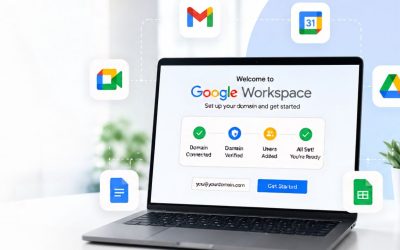
How to Set Up Google Workspace for Your Domain Fast
Follow this step-by-step Google Workspace setup guide to verify your domain, add MX, SPF, DKIM, DMARC records, and provision your first users correctly.

How to Migrate to Google Workspace Without Downtime
Move email, contacts & calendars from Microsoft 365 or IMAP to Google Workspace with zero downtime. Dual delivery, DNS cutover & data checks explained.

How Google Workspace Improves Remote Team Collaboration
Discover how Google Workspace improves remote team collaboration with shared files, real-time editing, communication tools, and secure workflows for teams.
Google Workspace Security Best Practices to Follow
Protect your organization with Google Workspace security best practices covering MFA, admin controls, data protection, access policies, and threat prevention.

Google Workspace Pricing Explained: Best Plan for You
Compare Google Workspace plan tiers by storage, meeting limits, and features to find the best value plan for your team’s budget, size, and collaboration needs.
Google Workspace Vs Zoho Workplace: Which to Choose?
Compare Google Workspace and Zoho Workplace on pricing philosophy, storage, security, AI, and app parity to find the right collaboration suite for your team.

Google Workspace Admin Onboarding Checklist for Teams
Follow this 25-setting Google Workspace admin checklist to configure domains, mail routing, security, user access controls, and essential policies correctly.

Google Workspace Backup: Do You Need Third-Party Tools?
Google Vault handles retention and eDiscovery, not backup. See what it covers, where coverage ends, and when third-party backup for Workspace actually pays off.

Google Workspace Apps Explained: Gmail, Drive & More
Learn what each Google Workspace app, including Gmail, Drive, Docs, Meet, Chat, and Vault, is designed for, and how they connect to streamline teamwork.

Google Workspace Admin Console: Essential Settings
Learn how to use the Google Workspace Admin Console with essential settings for user management, security, apps, policies, permissions, and admin controls.
Common Google Workspace Problems and Their Quick Fixes
Fix common Google Workspace problems quickly with practical solutions for Gmail, Drive, Meet, Calendar, sign-in, sync, storage, file sharing, and permissions.

25 Google Workspace Tips & Tricks for Productivity
Discover 25 practical Google Workspace tips to save hours every week, from Gmail shortcuts and Calendar tricks to Drive features you can start using today.
Frequently Asked Questions About Google Workspace
What is Google Workspace for Enterprise, and how is it different from the Business editions?
The Business editions Starter and Standard serve smaller and mid-market organizations well. They include the core application suite and reasonable security controls. But when you’re managing hundreds or thousands of users across multiple departments, geographies, or regulatory environments, the Business editions start to show their limits. There’s no Client-Side Encryption. The meeting capacity caps out well below what large enterprises actually need. The compliance toolset is lighter. And the administrative controls, while functional, don’t have the depth that complex organizations require.
Enterprise editions are designed for environments where a misconfigured security policy has compliance consequences, not just inconvenience. Where data governance means mapping your specific regulatory obligations, GDPR, HIPAA, India’s DPDP Act, and ISO 27001 to specific platform controls, not just enabling defaults and hoping for the best. Where legal holds, eDiscovery, and communication archiving aren’t edge cases but operational realities.
Enterprise Standard and Enterprise Plus both include the full application suite: Gmail, Meet, Drive, Docs, Sheets, Slides, Chat, Calendar, Vault, Gemini AI, AppSheet, NotebookLM, and more.
However, Enterprise Plus adds Client-Side Encryption, enhanced data region controls, larger meeting capacity (up to 1,000 participants), and the most comprehensive compliance toolset Google offers. Choosing between them primarily depends on your data sovereignty requirements and regulatory exposure.
For organizations evaluating this properly, working with a specialist who understands both editions in depth makes the selection process considerably more straightforward.
How do I choose between Google Workspace Business Starter, Standard, Plus, and Enterprise?
Enterprise is a different category entirely. The shift is not about storage; it is about security architecture. Data Loss Prevention, Context-Aware Access, S/MIME encryption, and Client-Side Encryption are unavailable on any Business tier. Regulated industries in healthcare, financial services, or government typically cannot satisfy their compliance obligations on Business plans regardless of headcount. A structured assessment with a certified partner is the most reliable path to the right answer.
What does an Authorized Google Partner do, and why does it matter for my deployment?
In practice, authorized status means that every license is legitimately contracted through Google’s partner ecosystem, every deployment follows Google’s recommended configuration standards, and the partner has access to Google’s partner-level support channels for faster escalation when issues arise. Hiya Digital is an Authorized Google Partner, verified directly at cloud.google.com/find-a-partner/partner/hiya-digital-private-limited, a level of transparency that any organization evaluating infrastructure partners should expect as a baseline.
How long does a Google Workspace migration take, and what should I expect during the process?
What every migration should include, regardless of scale, is a pre-migration environment audit, staged data transfer with integrity validation at each checkpoint, and a documented rollback plan before cutover begins. Parallel environments should run simultaneously until the new setup is confirmed clean. Decommissioning the legacy environment before data integrity is verified is the single most common source of migration data loss.
Can I migrate from Microsoft 365 to Google Workspace without losing data or disrupting operations?
There are honest considerations worth stating. Highly complex Excel workbooks built with advanced macros carry a genuine migration risk and require a specific pre-migration assessment. SharePoint-dependent intranet workflows add real planning complexity. For most organizations, however, email, calendar, contacts, file storage, and communication workflows migrate cleanly when the process is planned properly, validated at every stage, and executed with parallel running maintained throughout the transition.
Is Google Workspace compliant with HIPAA, GDPR, and other data protection regulations?
For HIPAA, Google Workspace is eligible for Business Plus and all Enterprise tiers, provided your organization has executed a Business Associate Agreement with Google and has configured the environment in accordance with HIPAA guidelines. The required data processing agreements are included for GDPR. For financial services regulations, the relevant capabilities, DLP, Vault, and audit logging require deliberate configuration at appropriate tier levels. Compliance is a deployment outcome, not a default setting.
What is Google Vault, and does my business actually need it?
Whether your business needs it depends on specific operational factors, not size alone. If your industry mandates communication retention schedules, if your legal team has ever needed to preserve an employee’s email for litigation, or if regulatory audits require structured data export, Vault quickly moves from optional to essential. One clarification worth making explicitly: Vault is a compliance and eDiscovery tool, not a backup solution. Those are distinct functions and should not be conflated when assessing your data protection architecture.
How does Gemini AI work in Google Workspace, and is it genuinely useful for business teams?
Practically, Gemini drafts email responses, summarises long threads, generates formulas from plain-English descriptions, writes post-meeting summaries with extracted action items, and produces first-draft documents from topic prompts. The honest qualifier: teams that receive deliberate training on the highest-value use cases consistently outperform those in which access is enabled and employees are left to discover applications independently. Enablement strategy matters as much as the technology itself.
What DNS records do I need for Google Workspace email, and what happens if they are wrong?
Getting these wrong has consequences that range from poor deliverability to serious security exposure. A misconfigured SPF record or an absent DKIM record means legitimate emails from your domain land in spam folders. Missing DMARC leaves your domain open to impersonation in phishing attacks targeting your clients or employees. Organizations that attempt a self-managed Workspace setup frequently encounter deliverability problems due to incorrect DNS configuration, and fixing them after emails have been flagged as spam is significantly longer than getting them right from the start.
How does Google Workspace handle data security, and what security features are included at each tier?
Enterprise tiers introduce a different level of security architecture. Data Loss Prevention actively inspects Gmail and Drive content in real time against administrator-defined policies, blocking the transmission of sensitive data before it leaves your organization. Context-Aware Access evaluates device health, location, and network context before granting application access. Enterprise Plus adds Client-Side Encryption, which encrypts data with keys under your organization’s complete control. Google’s infrastructure processes it in a form it cannot read. The critical point: platform security and deployment security are not the same thing.
What is the difference between Google Drive and Google Shared Drives, and which should my team use?
When a file lives in an employee’s My Drive and that employee leaves, the employee’s account deactivation can make the file inaccessible without deliberate administrator intervention. Files in a Shared Drive belong to the drive itself. When someone leaves, the files remain fully accessible to the team. For any organization beyond the solo-founder stage, building file infrastructure on Shared Drives from the beginning is the operationally sound default. Migrating years of My Drive file structure to Shared Drives later is possible, but it is substantially more work than starting correctly.
How does Google Workspace compare to Microsoft 365 for business use?
The honest considerations for Microsoft 365 environments deserve equal acknowledgment. Highly complex Excel workbooks built with advanced macros carry a genuine migration risk. Sheets is excellent for collaborative spreadsheet work, but it is not a replica of heavily customized financial models. Significant SharePoint intranet investments add real complexity to migration. Recent Teams deployments with strong user adoption carry genuine change management costs. The right decision requires a structured assessment of your specific workflows, not a feature comparison sheet.
What user training is needed after Google Workspace deployment, and how do you ensure team adoption?
Effective training is role-specific, not generic. A finance team needs depth on Sheets collaboration and Vault access. A customer-facing team needs proficiency in Gmail and Gemini. Leadership needs Calendar, Meet, and Docs. For enterprise rollouts, identifying power users in each department and training them as internal champions before the broader rollout creates a peer-level support network that sustains adoption beyond the initial training period. Post-deployment adoption assessments at 30, 60, and 90 days surface underutilized features before disengagement becomes habitual.
What happens after deployment if I need to add users, change my plan, or get ongoing support?
Removing a user requires equal care. Deactivating an account without a proper offboarding process risks losing access to emails, files, and calendar data. Plan changes, particularly upgrades to Enterprise tiers, are not simply billing adjustments. Moving to Enterprise introduces DLP, Vault, and security architecture that require deliberate configuration to deliver their value. Ongoing support from a certified partner means a single point of contact for all licenses, renewals, security updates, new-feature briefings, and defined escalation paths when direct involvement with the Google partner channel is needed.
How do I verify that Google genuinely authorizes a Google Workspace reseller?
The practical reason this verification matters: grey-market resellers selling Workspace licenses without a legitimate contractual relationship with Google offer no access to partner-level support channels, no accountability to Google’s deployment standards, and no guarantee that licenses are properly attributed to your organization. Hiya Digital’s Authorized Google Partner status is listed at cloud.google.com/find-a-partner/partner/hiya-digital-private-limited and is verifiable before any conversation begins or a commitment is made.
How is Google Workspace priced, and are there hidden costs beyond the per-user license fee?
Where organizations sometimes encounter unexpected costs is not in the Workspace subscription itself, but in the surrounding engagement: data migration complexity in large or legacy environments, custom security configuration for regulated industries, and ongoing admin support if it is not included in the original agreement. A transparent proposal from an Authorized Partner should itemize licensing costs separately from deployment and support costs, so there is no ambiguity about what the subscription covers versus what the service engagement covers.
What happens to an employee's email, files, and data when they leave the company?
Google Workspace’s Admin Console supports this through data transfer tools that reassign ownership of a departing user’s files and, for Business Plus and Enterprise tiers, Vault can preserve a former employee’s email and files under legal hold independent of account status. Organizations without a documented offboarding checklist are the ones that discover, months later, that a critical file existed only in a deactivated account.
Can Google Workspace support multiple business units, subsidiaries, or secondary domains under one account?
Organizational units solve a related but distinct problem: applying different security policies, app access permissions, or storage rules to different parts of the same company, for example, a stricter DLP policy for the finance department than for general staff, or separate Drive sharing rules for a subsidiary that handles client data under a different compliance regime. Getting this structure right at the outset avoids a difficult reorganization later, since retrofitting OU structure onto a flat, undifferentiated user base after growth is a materially larger project than designing it correctly during initial deployment.
How does Google Workspace handle mobile devices and bring-your-own-device (BYOD) policies?
Enterprise tiers add advanced endpoint management, including application-level data separation so corporate data can be wiped from a personal device without affecting personal photos or apps, device compliance checks integrated with Context-Aware Access, and detailed device inventory reporting. For organizations with a genuine BYOD policy, meaning employees routinely use personal devices for work, the Enterprise-level separation between corporate and personal data is generally the deciding factor, since Business-tier controls are effective but comparatively coarse.
Does Google Workspace support data residency requirements, and can my organization control where its data is stored?
For those cases, Data Region Controls are available as a configurable option, included by default on Enterprise Plus and available as an add-on for Enterprise Standard, allowing an organization to specify that data at rest is stored within a chosen region. This is a deliberate configuration decision made during deployment, not an automatic default, and it should be explicitly raised during the discovery phase if a client contract, regulatory framework, or internal policy specifically requires geographic data control, rather than being assumed to be satisfied automatically.
Glossary: Google Workspace Terms Explained
New to Google Workspace terminology? The definitions below explain the technical terms used throughout this page, helping you evaluate Google Workspace and compare it confidently against any other business email or productivity provider.
- Admin Console
The central dashboard where administrators manage users, security policies, devices, and settings across the Workspace environment. - AppSheet
A no-code platform for building custom mobile and web apps using data from Drive, Sheets, or Forms. - BeyondCorp
Google’s Zero Trust security framework that verifies every access request based on user identity and device health, rather than trusting internal networks. - Client-Side Encryption (CSE)
An Enterprise Plus feature where data is encrypted with keys controlled entirely by the organization, so even Google cannot read it. - Context-Aware Access
Security policies that grant or block app access based on signals like device compliance, location, and identity. - Data Loss Prevention (DLP)
A security feature (Business Plus and up) that scans Gmail and Drive content in real time to block or flag sensitive data leaving the organization. - DKIM (DomainKeys Identified Mail)
A DNS record that cryptographically authenticates outbound email to prevent spoofing. - DMARC
A DNS policy that tells receiving mail servers how to handle messages failing SPF/DKIM checks. - eDiscovery
The process of searching, retrieving, and exporting data for legal or regulatory purposes, handled via Google Vault. - FedRAMP
A U.S. government authorization standard for cloud security, with “High” being the top compliance level. - Gemini for Workspace
Google’s AI assistant natively embedded in Gmail, Docs, Sheets, Meet, and Slides for drafting, summarizing, and analysis. - Google Vault
Workspace’s compliance tool for eDiscovery, legal holds, and data retention/archiving. - HIPAA / BAA (Business Associate Agreement)
U.S. healthcare data privacy law; a BAA is a contract enabling HIPAA-compliant use of Workspace (available from Business Plus). - MX Records
DNS records that direct where a domain’s email should be delivered. - NotebookLM
An AI research tool that answers questions using only the documents a user uploads, rather than general web knowledge. - Organizational Unit (OU)
A structural grouping in the Admin Console used to apply different policies to different teams or departments. - S/MIME
An email encryption/signing standard available on Enterprise plans for secure, authenticated messaging. - SPF (Sender Policy Framework)
A DNS record listing which servers are authorized to send email for a domain, helping prevent spoofing. - Shared Drives
Drive storage owned by the organization (not an individual user), so files remain accessible even if a team member leaves. - SLA (Service Level Agreement)
A contractual uptime/performance guarantee (e.g., 99.9% for Workspace). - Zero Trust Architecture
A security model that treats no user or device as automatically trustworthy, requiring continuous verification.