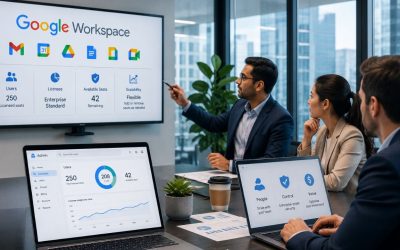
Large enterprises require collaboration platforms that can support complex organizational structures, distributed teams, and consistent governance across multiple departments and locations. Google Workspace provides centralized administration, enterprise-grade security, scalable communication tools, and integrated productivity applications that help standardize workflows while allowing individual teams to operate efficiently. Understanding how these capabilities work together enables organizations to improve collaboration, simplify management, and maintain operational consistency as they grow.
Empower Enterprise Teams with Google Workspace For Enterprise →
Replacing Department-Specific Tools With One Shared Operating Layer
Large organizations rarely start with a clean slate. Finance runs on one email system, sales runs on another CRM-linked inbox, and regional offices often pick their own file-sharing tools out of habit. Google Workspace gives IT leadership a single operating layer that every department sits on top of, regardless of what they used before.
 A Common Toolset Cuts Cross-Department Friction Fast
 A Common Toolset Cuts Cross-Department Friction Fast
When every business unit uses the same document format, meeting platform, and identity system, handoffs between departments no longer require a translation step. A shared operating layer means a request that moves from procurement to legal to finance doesn’t get stuck due to file-format conversions or permission mismatches, which are the most common sources of delay in multi-department approval chains.
This matters more as organizations grow past a few hundred employees. At that scale, informal workarounds, a shared spreadsheet here, a personal Drive folder there, stop being quirks and start being audit findings. Standardizing on one platform gives IT a single point of control for identity, storage, and access policy, which materially shortens the time it takes to onboard an acquired business unit or a newly formed department into the same operational rhythm as the rest of the company.
Legacy Tool Consolidation Follows a Predictable Sequence
Enterprises rarely retire every legacy tool on day one. The typical sequence starts with email and calendar, moves to file storage and Shared Drives, then finally addresses department-specific automation tools once the underlying data has a stable home. Skipping ahead to automation before storage is settled is the most common rollout mistake IT teams report.
Table 1 below maps this sequence against the specific Workspace tool that replaces each legacy layer, which is useful for a rollout committee deciding what to sunset first. The right of that table also flags where a Shared Drive migration typically surfaces old permission structures that no longer match the current org chart, a cleanup step that’s easier to do once, during migration, than repeatedly afterward.
Legacy System to Workspace Migration Sequence
| Legacy Layer | Typical Migration Order | Replacing Workspace Tool | Common Cleanup Surfaced |
|---|---|---|---|
| Departmental email systems | First | Gmail (custom domain) | Duplicate or inactive distribution lists |
| Ad hoc file-sharing tools | Second | Shared Drives | Outdated permissions tied to former employees |
| Standalone calendar/scheduling tools | Third | Google Calendar | Conflicting room-booking systems across offices |
| Department-specific automation add-ons | Fourth | Workspace add-ons / AppSheet | Automations built on data that hasn’t moved yet |
Standardizing Shared Drives Across Business Units
A Shared Drive structure that works for a 40-person team breaks down fast across a multi-thousand-seat organization unless departments agree on a common folder and permission model before migration, not after.
One Naming and Permission Convention Prevents Drive Sprawl
Without a shared convention, every department invents its own Shared Drive structure, and six months later, nobody outside that department can find anything. Enterprises solve this by defining a single naming standard, folder depth, and permission tier before any files are moved, then enforcing it through the Admin console rather than relying on individual departments to self-police.
The permission side matters as much as the naming side. A common enterprise pattern assigns three standard access tiers, viewer, contributor, and manager, consistently across every Shared Drive company-wide, rather than letting each department invent its own permission language. This makes cross-department audits far faster, since a compliance reviewer doesn’t have to relearn what “editor” means in five different business units before checking whether access matches job function.
Regional and Subsidiary Drives Still Need a Central Backbone
Multinational organizations often want regional autonomy for day-to-day file management while still needing a central backbone for company-wide policies, retention rules, and legal hold. Google Workspace supports this through org units that let a regional subsidiary manage its own Shared Drives locally while still inheriting company-wide security and retention policy from the top of the hierarchy.
This structure avoids the two failure modes enterprises hit most often: total centralization, which frustrates regional teams who need faster local decision-making, and total decentralization, which leaves IT unable to answer a straightforward “where does this data live” question during an audit. The org-unit model gives regional flexibility inside a policy boundary that headquarters still controls.
Coordinating Org-Wide Rollouts Without Halting Daily Operations
Migrating thousands of users onto a new platform while the business keeps running is the central operational challenge of any enterprise deployment, and it’s solved through sequencing, not brute force.
Wave-Based Rollouts Limit Business Disruption
Enterprises virtually never migrate every department simultaneously. A wave-based rollout moves one business unit or region at a time, validates that the wave is stable, then proceeds to the next, limiting the blast radius if something goes wrong and keeping the help desk from being overwhelmed by simultaneous, company-wide questions.
The waves are typically sequenced by risk tolerance rather than convenience. IT and a pilot department go first, since they can troubleshoot their own issues. Customer-facing teams with the least tolerance for downtime, sales during a renewal cycle, and support during a peak season go last once the process has been proven on lower-risk groups. This sequencing decision is usually the single biggest driver of whether a rollout finishes on schedule.
Rollback Planning Reduces Migration Risk for Every Wave
 Rollback Planning Reduces Migration Risk for Every Wave
Every wave needs a defined rollback path before it starts, not after something breaks. This typically means keeping legacy mail routing or file access available in read-only form for a defined window after each wave, so a department that hits an unexpected issue can fall back without losing access to its own data mid-crisis.
Communication cadence during rollout is a frequently underestimated success factor. Departments that receive a short, predictable update before, during, and immediately after their migration wave report far fewer support escalations than departments that are told a date and left to discover changes on their own. The operational discipline here is more about setting expectations than about technical execution.
Enforcing Governance at Scale Through the Admin Console
A single IT admin can manually manage settings for 40 people. The same admin managing settings for 4,000 people across a dozen departments needs policy enforcement that doesn’t depend on individual configuration.
Organizational Units Turn Policy Into Structure, Not Memory
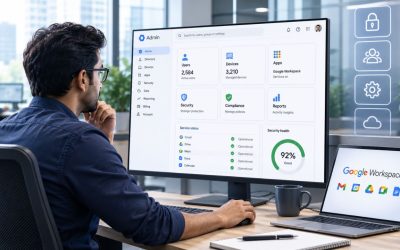
The Admin console’s organizational unit (OU) structure enables enterprise-scale governance. Rather than an admin remembering which departments need stricter sharing rules, the OU hierarchy encodes that policy directly: a finance OU inherits stricter external-sharing restrictions than a marketing OU, and that difference persists automatically as employees move between roles, without anyone needing to manually re-apply a setting.
This structural approach also makes onboarding and offboarding predictable at scale. A new employee assigned to the correct OU on their first day automatically inherits the right storage quota, sharing restrictions, and app access for their department; no individual configuration is required from IT. Multiplied across thousands of new hires and departures a year at a large organization, this removes a meaningful category of manual IT work.
Consistent Policy Reduces the Compliance Reporting Burden
When policy is enforced structurally through OUs rather than manually department by department, compliance reporting becomes a matter of exporting the current OU configuration rather than interviewing every department about what they’ve configured locally. This is a meaningful time-saver during an annual security review or a customer due diligence request, both of which are routine at large-organization scale.
Google Workspace’s security center and admin audit logs provide the underlying evidence a compliance officer needs to demonstrate that policy is actually enforced, not just documented, showing exactly which OU a setting change applied to and when. Google maintains ISO/IEC 27001, ISO/IEC 27017, ISO/IEC 27018, and ISO/IEC 27701 certifications alongside SOC 2 and SOC 3 reports covering Google Workspace, which large-organization procurement and compliance teams commonly request as part of a vendor security review.
Choosing a Consolidation Partner Matters As Much As Choosing the Platform
Vendor rationalization is as much a negotiation and change-management exercise as it is a technical migration, and getting the sequencing wrong, retiring a tool before its replacement workflow is proven, creates more operational risk than staying on the old tool a few extra months. Hiya Digital’s role as a Licensing & Support Partner is to manage that sequencing and the underlying licensing transition, so IT leadership isn’t running the negotiation and the migration simultaneously.

Enterprises operating across multiple time zones face a scheduling problem that doesn’t exist for a single-office team: finding a meeting window that works for Sydney, London, and Chicago simultaneously and repeatedly across dozens of recurring cross-department meetings.
Shared Calendar Visibility Removes the Guesswork From Global Scheduling
 Shared Calendar Visibility Removes the Guesswork From Global Scheduling
Google Calendar’s cross-organization visibility lets an executive assistant in one region see a colleague’s free/busy status in another region without needing to email to ask. At enterprise scale, this single feature eliminates a huge volume of back-and-forth that would otherwise consume administrative time across every department operating globally.
The “working hours” and time-zone display settings matter more than they might seem at first glance. When every calendar invite automatically displays in the recipient’s local time zone, the common enterprise mistake of double-booking someone at 2 a.m. their time stops happening, because the scheduler sees the actual local time before sending the invite rather than assuming a shared reference time zone.
Recurring Cross-Department Meetings Benefit From a Standard Cadence
Large organizations that run standing meetings across departments, a weekly operations sync, and a monthly cross-functional review benefit from a consistent calendar structure: same naming convention, same recurring time slot, same attached agenda document location, applied company-wide rather than left to each meeting organizer’s individual preference.
This consistency compounds over time. A new employee joining an operations team six months into a rollout can find every relevant standing meeting, its history, and its associated documents using the same search pattern that works for every other team’s meetings, because the naming and structure convention was applied uniformly rather than department by department.
Where this connects back to governance: calendar retention policy, like the Drive retention policy, is set at the OU level, which means a legal hold on a specific department’s calendars doesn’t require manually locking every individual calendar in that department; it inherits the same structural policy already covered above.
Consolidating Vendor and Tool Sprawl Under One Productivity Stack
Large enterprises accumulate tools the way any large organization accumulates anything over time: a department signs up for a point solution to solve an immediate problem, and five years later, IT is managing security reviews for forty overlapping applications that do variations of the same thing.
An Inventory of Overlapping Tools Is the Necessary First Step
Before consolidating anything, enterprises typically run an inventory of every collaboration, file-sharing, and communication tool currently active across departments, a step that routinely surfaces tools nobody in IT knew were in use, purchased directly by a department’s budget without going through central procurement.
Table below lays out a representative set of overlapping categories, file sharing, video conferencing, e-signature, project chat, against the Workspace tool that can absorb that function and the department most likely to resist consolidating, which is a useful starting framework for a vendor-rationalization project.
Overlapping Point Solutions and Consolidation Path
| Function | Common Point Solution Category | Workspace Replacement | Department Most Likely to Resist |
|---|---|---|---|
| File sharing | Standalone cloud storage subscriptions | Shared Drives | Design/creative teams with large media files |
| Video conferencing | Third-party meeting platforms | Google Meet | Sales teams tied to a CRM-integrated tool |
| E-signature | Standalone e-signature subscriptions | Workspace e-signature | Legal, over control of signature workflows |
| Project chat | Standalone team messaging apps | Google Chat | Engineering teams with existing integrations |
Consolidation Produces Measurable Licensing and Security Gains
The licensing gain from consolidation is usually the easiest to quantify: eliminating four overlapping point-solution subscriptions in favor of features already included in an Enterprise plan directly reduces total software spend, and that reduction is visible in the very next renewal cycle rather than requiring a long payback calculation.
The security gain is less visible but arguably larger. Every additional third-party tool is another vendor with its own data-handling practices, breach history, and access-review cycle that IT has to track separately. Consolidating onto fewer platforms reduces the total attack surface a security team has to monitor and the number of vendor security questionnaires that need to be sent out during an annual review.
Protecting Cross-Departmental Data Flows With Data Loss Prevention
Once departments share a common Drive and mail platform, data that used to stay siloed inside one department’s tools now flows freely across the whole organization, which is the operational benefit. Still, it also means a single misconfigured sharing setting can expose far more data than it could have when departments were isolated.
DLP Rules Apply Consistently Regardless of Which Department Created the Data
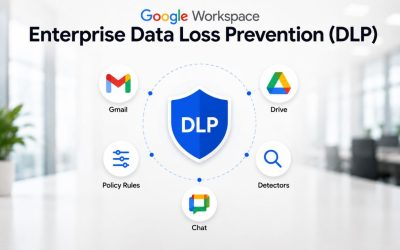
Data loss prevention (DLP) rules in Google Workspace scan content moving through Gmail and Drive for patterns, a credit card number format, a national ID number format, specific keyword combinations, and can block or flag that content from leaving the organization, regardless of which department’s employee triggered the rule. This consistency is exactly what a siloed, department-by-department tool set couldn’t offer.
The rule-authoring process itself is centralized in the Admin console, meaning a single security team defines a policy once, and it applies identically whether the flagged file originated in finance, HR, or a newly acquired subsidiary’s Shared Drive. This removes a gap that commonly exists in decentralized organizations, where each department’s IT contact interprets a data policy slightly differently.
Cross-Department Incident Response Benefits From Shared Visibility
When a DLP rule fires, the security center provides IT with a single place to view the alert, regardless of which department it originated in, rather than having to check department-specific logging systems separately. At enterprise scale, this consolidated visibility is what makes it realistic for a lean central security team to monitor data movement across a multi-thousand-person organization.
Investigation speed benefits from the same consolidation. Because access logs, sharing history, and DLP alerts live in a single admin surface rather than scattered across department-specific tools, a security analyst can trace an incident’s path across departmental boundaries without needing separate credentials or export requests from each business unit involved.
Measuring Operational Efficiency After Enterprise-Wide Adoption
Enterprises that invest in platform standardization eventually need to demonstrate the return on that investment to leadership, which means defining what to measure before the rollout finishes, not after.
Help-Desk Ticket Volume Is the Fastest Signal to Track
Help-desk ticket volume and category are usually the first efficiency signals to act on after a Workspace standardization project, because ticket data already exists in most IT service-management systems and doesn’t require building a new measurement process from scratch. A drop in “how do I access this file” tickets specifically, rather than total ticket volume, is the cleanest early indicator that standardization is working.
Time-to-onboard for new employees is the second commonly tracked metric, and it tends to show the clearest before-and-after contrast. When OU-based provisioning replaces manual account setup, the time between a new hire’s start date and full system access typically compresses from days to hours. That compression is straightforward to measure against historical onboarding records.
Storage and Licensing Costs Reveal the Consolidation Payoff
 Storage and Licensing Costs Reveal the Consolidation Payoff
Total licensing spend across previously separate point solutions, compared against the consolidated Workspace Enterprise cost, is the metric finance leadership asks for most directly, and it’s also the one most vulnerable to being measured incorrectly if hidden costs, system-address licenses, contractor seats, and migration services aren’t included on both sides of the comparison.
Storage costs deserve their own line item, since pooled storage under an Enterprise edition is priced and allocated differently than the per-department storage contracts many organizations previously ran independently. Enterprise editions offer flexible, customizable storage arrangements rather than a flat per-user allocation, and the specific pooling terms and any qualifying conditions should be confirmed directly against current Google documentation or through a reseller at the time of purchase, since these terms have shifted over time and vary by contract.
Preparing for Continuous Change at Multi-Thousand-Seat Scale
A rollout is a project with an end date. Operating a multi-thousand-seat organization on a standardized platform is not new; departments form, subsidiaries get acquired, and features change, all on an ongoing basis after the initial migration is long finished.
A Standing Governance Committee Outlasts the Rollout Team
Enterprises that sustain their standardization gains past the first year typically establish a standing governance committee, representatives from IT, a few major departments, and security, that meets on a regular cadence to approve new OU structures, review DLP rule changes, and decide how newly acquired business units get folded into the existing structure, rather than leaving those decisions to whoever handled the original rollout.
This committee model matters most in moments when a rollout plan can’t fully anticipate: a merger that brings in a new subsidiary’s users overnight, a new regulatory requirement that changes what a specific department’s DLP rules must capture, or a reorganization that moves an entire division under a different OU hierarchy. Having a standing decision-making body ready for these events prevents each one from becoming an ad hoc emergency.
Long-Term Support Arrangements Reduce the Burden on Internal IT
Multi-thousand-seat organizations that maintain a dedicated account relationship with their implementation partner, rather than treating deployment as a one-time engagement, typically resolve governance and configuration questions faster than organizations that revert to a generic support queue whenever a new business unit needs to be onboarded into the existing structure.
This is where a long-term Licensing & Support Partner relationship differs meaningfully from a self-serve purchase. Hiya Digital’s dedicated account management model for enterprise-scale clients means the same team that understands a specific organization’s OU structure, DLP configuration, and rollout history is available for ongoing changes, rather than an internal IT team having to re-explain the organization’s setup to a new support contact every time.
Frequently Asked Questions
How long does it typically take to standardize Google Workspace operations across a large, multi-department enterprise?
There’s no fixed timeline, since it depends heavily on how many legacy systems are being consolidated and how many departments are involved. Still, a wave-based rollout across a multi-thousand-seat organization commonly runs several months for the technical migration itself, followed by another six to twelve months before governance processes, a standing committee, mature OU structures, and tuned DLP rules reach a steady operating rhythm. Organizations that skip the governance-maturity phase and treat the migration’s completion as the finish line tend to see standardization gains erode within a year, as departments quietly drift back toward their own local workarounds once active oversight tapers off. Planning for both phases from the outset, rather than budgeting only for the technical cutover, is the detail that most first-time enterprise rollout plans underestimate.
What’s the difference between how a single department and an entire enterprise should structure Shared Drives?
A single department can usually manage with an informal folder structure and ad hoc permissions, since everyone involved understands the context. An enterprise standardizing across dozens of departments needs a company-wide naming convention, a fixed set of permission tiers, and org-unit-based inheritance defined before migration begins, because the informal approach that works for one team breaks down the moment files need to move between departments with different local conventions. The practical difference is most evident during audits and legal holds, where a standardized structure allows a compliance team to apply a policy once at the org-unit level. In contrast, an informal structure requires manually locating and adjusting each department’s files.
Can Google Workspace Enterprise support an organization with more than 10,000 users across multiple countries?
Yes. Enterprise editions have no minimum or maximum user limit, unlike Business Starter and Standard, which cap out at 300 users combined per domain. Multinational enterprises typically use organizational units to give regional subsidiaries local management flexibility over their own Shared Drives and settings while still inheriting company-wide security and retention policy from a central hierarchy, which is the structural feature that makes very large, geographically distributed deployments manageable from a single admin console rather than requiring separate regional instances.
Does consolidating multiple departmental tools into Google Workspace actually reduce security risk, or does it just shift the risk to a single platform?
Consolidation reduces the total number of vendors an organization has to track for data-handling practices, breach history, and access reviews, thereby lowering the overall attack surface, even though more data now sits on a single platform. The trade-off is real, though: since more of an organization’s operations depend on a single platform, the configuration of that platform, DLP rules, sharing defaults, and OU-based access policy carries more weight than it would across several smaller, siloed tools. Enterprises manage this by treating governance (OU structure, DLP tuning, access reviews) as an ongoing operational function rather than a one-time setup task, which determines whether consolidation nets out as a security improvement or concentrates existing risk.
How do enterprises decide which business unit or department goes first in a phased Workspace rollout?
Most enterprises sequence rollout waves by risk tolerance rather than convenience: IT and a willing pilot department go first because they can self-troubleshoot issues, followed by departments with moderate schedule flexibility, with the least schedule-flexible customer-facing teams, sales during a renewal push, support during a seasonal peak, going last once the process has been proven. Change-freeze windows around each department’s critical operating periods, such as finance’s month-end close, are typically respected even if that extends the overall project timeline, since a rollout wave that collides with a department’s busiest period generates disproportionate internal resistance compared with the schedule time saved by ignoring it.
What happens to a subsidiary’s existing files and permissions when it’s absorbed into a parent company’s Google Workspace environment?
Subsidiaries are typically onboarded through a phased approach where their Shared Drives are migrated one at a time under the parent organization’s org-unit hierarchy, rather than all at once, which gives IT a chance to reconcile the subsidiary’s existing permission structure against the parent company’s standard permission tiers before external users or departments gain access. This reconciliation step is where outdated permissions, former employees, dissolved project teams, and external partners who are no longer active most commonly surface, making subsidiary onboarding a practical opportunity to clean up access as part of the migration rather than a purely technical data-transfer exercise.
Is it possible to run Google Workspace Enterprise alongside other collaboration tools, or does full operational standardization require retiring all other tools?
Running Workspace Enterprise alongside a smaller number of specialized tools is common and often intentional, particularly for department-specific software that doesn’t have a direct Workspace equivalent. Full standardization doesn’t require retiring every other tool; it requires identifying which tools genuinely overlap with functionality already included in the Enterprise edition (file sharing, video conferencing, e-signature, basic project chat) and consolidating those specifically, while leaving genuinely specialized tools in place. Enterprises that try to force a single-platform mandate on every department, including those with legitimate specialized needs, tend to generate more resistance and shadow IT workarounds than those that consolidate only the genuinely overlapping categories.
How does data loss prevention (DLP) work differently across a large, multi-department enterprise compared to a smaller organization?
The underlying DLP mechanism is the same regardless of organization size, scanning Gmail and Drive content against defined rules for patterns like ID numbers or specific keywords. What changes at enterprise scale is rule complexity and governance: a large organization typically needs department-specific rule variations (finance’s rules differ from HR’s), centralized rule authorship. Hence, a single security team maintains consistency across every department, and a tuning process to reduce false positives generated by the sheer volume and variety of documents moving through a multi-thousand-seat organization daily. Smaller organizations can often run with simpler, less-tuned default rule sets without the same false-positive burden.
What’s the realistic ROI timeline for consolidating multiple point-solution tools into Google Workspace Enterprise at a large organization?
Licensing savings from eliminating overlapping subscriptions are typically visible within the first renewal cycle after consolidation, since that comparison is a direct spend reduction rather than a projection. Operational efficiency gains, reduced help-desk ticket volume, and faster new-employee onboarding usually take two to three operating quarters to show clearly in the data, since they require sufficient post-migration history to compare against a stable baseline. Harder-to-quantify gains, like reduced cross-department project cycle time, take the longest to demonstrate conclusively and benefit from tracking a specific, recurring process both before and after standardization, using identical measurement criteria, rather than relying on general impressions that “things feel faster.”
Do large enterprises need Enterprise Plus specifically, or does Enterprise Standard cover most operational-standardization use cases?
This depends on the specific security and compliance controls a given organization requires, rather than on operational scale alone. Enterprise Standard already includes the core productivity suite, flexible storage, and enterprise-grade security and management needed for the standardization patterns described in this post. Enterprise Plus adds the most advanced security and compliance controls on top of that baseline, which matters more for organizations in heavily regulated industries or with specific data-residency and advanced threat-protection requirements than it does for operational standardization alone. Since Google has adjusted enterprise tier names and inclusions before, the current feature-by-feature comparison should be checked against Google’s own Enterprise edition comparison documentation, or through a reseller, before finalizing a tier decision.
Glossary
Data Loss Prevention (DLP): Automated scanning of email and file content for defined patterns, such as ID numbers or specific keywords, that can block or flag sensitive data from leaving an organization.
Organizational Unit (OU): A structural grouping in the Google Admin console used to apply different policies, permissions, and settings to different departments, subsidiaries, or regions within one Workspace domain.
Pooled Storage: A shared storage allocation calculated across an entire organization’s user base rather than assigned individually per user, allowing heavy and light storage users to draw from the same pool.
SOC 2 / SOC 3: Independent audit reports, issued under AICPA standards, that evaluate a service provider’s security, availability, and confidentiality controls over a defined review period; SOC 3 is the public-facing version of a SOC 2 report.
ISO/IEC 27001: An internationally recognized certification for information security management systems, verifying that an organization has a structured, audited process for managing information security risk.
Shared Drive: A Google Drive space owned collectively by a team or organization rather than an individual, so files remain accessible even as individual members join or leave.
Wave-Based Rollout: A migration approach that moves one group of users at a time, in a defined sequence, rather than migrating an entire organization simultaneously.
Vendor Rationalization: The process of inventorying overlapping software tools across an organization and consolidating redundant ones onto a smaller, standardized set of platforms.
The Hiya Digital Team is a collective of IT infrastructure specialist engineers, certified systems administrators, and cloud architects driven by a singular mission: building corporate communication systems that just work. As an Authorized Google Partner, the team handles complex global hosting deployments, secure email migrations, and advanced data compliance architectures for businesses across 40+ countries.
With over two decades of technical experience spanning custom premium business email configurations, OX AppSuite deployments, and enterprise-level network security, the Hiya Digital Team writes to demystify domain infrastructure. Their content focuses on actionable technical strategies, anti-phishing security protocols, and seamless cloud collaboration setup, all backed by real-world deployment experience and 24/7 technical support accountability.