
Google Workspace for Enterprise
Power Your Enterprise with Google Workspace Deployed by a Trusted Authorized Google Partner
At enterprise scale, there’s no room for tools that almost work. Email that drops under load, security policies that leave gaps nobody notices until it’s too late, collaboration software that breaks the moment someone’s working from a different timezone or device, none of that is acceptable when thousands of people and your organization’s data are on the line. Google Workspace Enterprise exists for exactly this. It’s not the platform you outgrow. It’s the one built for the size you’re already at.
Active Mail Box
Countries Served
Customer Support
Guaranteed Uptime SLA
Years of Experience
Industries Served
What Is Google Workspace for Enterprise?
Google Workspace for Enterprise is Google’s most advanced tier of its cloud productivity and collaboration platform, built specifically for organizations that require enterprise-grade security, administrative control, compliance capabilities, and AI integration at scale.
Unlike the Business editions, which serve smaller and mid-market organizations well, the Enterprise editions are designed for environments with complex security requirements, large user populations, multi-jurisdictional compliance obligations, and dedicated support infrastructure. IT directors managing a workforce of hundreds or thousands need controls that go well beyond shared inbox policies and storage quotas.
Empower Your Business with Google Workspace Enterprise
Transform the way your organization collaborates with Google Workspace Enterprise, featuring advanced security, AI-powered productivity, and enterprise-grade collaboration tools. From deployment and migration to ongoing administration and support, we help large businesses and enterprises operate securely, efficiently, and at scale.
Enterprise Standard
USD 23.00 /mo/user (annually)
USD 27.60 /mo/user (monthly)
- ✓Custom and secure business email + eDiscovery, retention, S/MIME encryption
- ✓250 participant video meetings + recording, attendance tracking, noise cancellation, in-domain live streaming
- ✓As much storage as you need
- ✓Advanced security, management, and compliance controls, including Vault, DLP, data regions, and enterprise endpoint management
- ✓Enhanced Support (paid upgrade to Premium Support)
Enterprise Plus
USD 30.00 /mo/user (annually)
USD 36.00 /mo/user (monthly)
- ✓Custom and secure business email + eDiscovery, retention, S/MIME encryption
- ✓250 participant video meetings + recording, attendance tracking, noise cancellation, in-domain live streaming
- ✓As much storage as you need
- ✓Advanced security, management, and compliance controls, including Vault, DLP, data regions, and enterprise endpoint management
- ✓Enhanced Support (paid upgrade to Premium Support)
Google Workspace Enterprise Editions: Standard vs. Plus
Google Workspace Enterprise is available in two editions, each designed to serve different levels of organizational complexity, compliance requirements, and security posture. Both editions include the complete application suite and advanced security controls. The differences between them matter most for organizations with specific regulatory exposure, data sovereignty requirements, or meeting-scale needs. Here is a factual comparison of the two editions. We’ve focused on the capabilities that most directly influence enterprise buying decisions.
| Feature / Capability | Enterprise Standard | Enterprise Plus |
|---|---|---|
| Gmail with custom domain + advanced security | Included | Included |
| Google Meet video conferencing | Up to 500 participants | Up to 1,000 participants |
| Meet: recording, noise cancellation, live captions | Included | Included |
| Meet: translated captions | Not included | Included |
| Google Drive cloud storage | 5 TB pooled / user | 5 TB pooled / user |
| Shared Drives (organizational file ownership) | Included | Included |
| Docs, Sheets, Slides, Forms, Sites | Included | Included |
| Google Chat (team messaging) | Included | Included |
| Google Calendar with room booking | Included | Included |
| Gemini AI (core features) | Included | Included |
| NotebookLM | Included | Included |
| AppSheet core | Included | Included |
| Google Vault (eDiscovery & archiving) | Included | Included |
| Data Loss Prevention (Gmail & Drive) | Included | Included |
| Security Investigation Tool | Included | Included |
| Alert Center | Included | Included |
| Context-Aware Access | Included | Included |
| S/MIME encryption for Gmail | Included | Included |
| Endpoint Management (advanced) | Included | Included |
| Client-Side Encryption (CSE) | Not included | Included |
| Data regions (data residency controls) | Available | Included |
| eDiscovery for Chat & Spaces | Included | Included |
| Dedicated Customer Success Manager | Available | Included |
| Enterprise SLA | Standard | Enhanced |
Choosing between Enterprise Standard and Enterprise Plus typically depends on whether your organization requires Client-Side Encryption (CSE) and advanced data region controls, which are exclusive to Enterprise Plus. Organizations with the most stringent data sovereignty requirements or operating in jurisdictions with specific regulatory mandates around encryption key custody will typically find Enterprise Plus necessary. For most enterprise deployments that do not require these specific requirements, Enterprise Standard delivers the full set of security and AI capabilities.
The Complete Google Workspace Enterprise Application Suite
Every application in Google Workspace is designed to integrate natively with every other application. That integration is not accidental; it’s fundamental to how the platform creates productivity gains that isolated best-of-breed tools rarely achieve. Below is a structured overview of the full enterprise application suite.
Communication & Meeting Tools
| Application | Enterprise Capability & Key Features |
|---|---|
| Gmail for Enterprise | Custom domain email with advanced spam intelligence, confidential mode, S/MIME end-to-end encryption, and unlimited storage. Gemini AI writes, summarizes, and triages emails. The world's most widely used enterprise email platform, with a security and deliverability infrastructure that most organizations would not be able to replicate independently. |
| Google Meet | HD video conferencing supporting up to 1,000 participants on Enterprise Plus. Built-in noise cancellation, live automated captions, in-meeting chat, breakout rooms, meeting recordings stored to Drive, and Gemini-powered meeting summaries. No client installation required. Meet runs fully in the browser and on mobile. |
| Google Chat | Persistent team messaging with direct messages, group spaces, and threaded conversations. Deep integration with Meet, Drive, Docs, and Calendar. Chat spaces function as project hubs, bringing conversations, files, and meeting links into a single shared context without switching applications. |
| Google Calendar | Shared enterprise calendaring with meeting room booking, resource scheduling, smart scheduling suggestions, and cross-organization availability visibility. Integrates directly with Meet for one-click video conferencing and with Gmail for automated event creation from email content. |
Collaboration & Document Creation
| Application | Enterprise Capability & Key Features |
|---|---|
| Google Docs | Real-time collaborative word processing with simultaneous multi-user editing, full version history, Gemini AI writing assistance, Smart Chips for linking to Drive files and colleagues, and offline access. Interoperates fully with Microsoft Word formats for organizations managing mixed document environments. |
| Google Sheets | Cloud-based spreadsheets with intelligent formula suggestions, Gemini AI data analysis, Connected Sheets for live BigQuery data queries, pivot tables, and macro support. Real-time collaboration eliminates the version control problems that plague shared Excel files in large organizations. |
| Google Slides | Collaborative presentation builder with Gemini AI design suggestions, speaker coaching, real-time co-editing, and direct Drive integration. Enterprise-grade sharing controls allow presentations to be distributed with view-only or comment-only permissions without copying files. |
| Google Forms | Enterprise survey and form creation with conditional logic, response validation, automated data collection to Sheets, and advanced quiz functionality. Used widely for employee onboarding, IT request workflows, HR surveys, and compliance acknowledgment collection. |
| Google Sites | No-code intranet and team site builder that integrates directly with Drive, Docs, Sheets, and Calendar. Enterprise teams use Sites for knowledge bases, project hubs, onboarding portals, and departmental resource libraries without requiring web development resources. |
Storage, Governance & Administration
| Application | Enterprise Capability & Key Features |
|---|---|
| Google Drive & Shared Drives | Enterprise cloud storage with Shared Drives (formerly Team Drives) that provide organizational ownership of files rather than individual ownership, is critical for business continuity when employees leave. Granular sharing controls, DLP integration, and Drive for Desktop sync for Windows and macOS. |
| Google Vault | Enterprise archiving, eDiscovery, and legal hold tool covering Gmail, Drive, Chat, Meet recordings, and Groups data. Vault enables IT and legal teams to search, hold, and export organizational data in response to legal proceedings, regulatory audits, or internal investigations without requiring third-party eDiscovery software. |
| Admin Console | The centralized management interface for your entire Google Workspace environment. Organizational unit management, user provisioning, group configuration, policy inheritance, security dashboard, audit logs, app access management, and reporting are all accessible through a unified, role-based interface. |
| Google Endpoint Management | Unified device management for Android, iOS, Windows, macOS, and ChromeOS. App management, remote wipe, device policy enforcement, and compliance reporting covering both corporate-owned devices and BYOD environments under a single management framework. |
AI & Advanced Productivity Tools
| Application | Enterprise Capability & Key Features |
|---|---|
| Gemini for Workspace | Google's deeply integrated AI assistant is available across Gmail, Docs, Meet, Drive, Sheets, and Slides. Gemini summarizes email threads, generates document drafts from prompts, creates meeting summaries, analyzes spreadsheet data, and assists with presentation creation. Unlike third-party AI integrations, Gemini has native access to your organizational context while maintaining enterprise-grade privacy controls. |
| NotebookLM | An AI-powered research and knowledge synthesis tool that processes documents, PDFs, presentations, and web content into organized, queryable knowledge. Enterprise teams use NotebookLM to synthesize research reports, analyze competitive intelligence, and build internal knowledge bases that can be queried in natural language. |
| Google Vids | An AI-assisted video creation tool for enterprise communications. HR teams use it for onboarding content, L&D teams for training videos, and communications teams for internal broadcasts. Vids dramatically reduces the production overhead of video content, which is especially relevant for organizations that have moved toward video-first internal communications. |
| AppSheet | A no-code application development platform that allows operations teams to build custom mobile and web applications without writing code. Common enterprise use cases include field service management apps, inventory tracking, approval workflows, and customer-facing data collection forms built in days rather than months. |
| Google Workspace Studio | An AI automation platform for creating intelligent agents and automating repetitive workflows across Workspace applications. Enterprise teams use Studio to automate document routing, data extraction, approval notifications, and cross-application workflow coordination, reducing manual administrative overhead. |
Enterprise-Grade Security Built Into Every Layer of Google Workspace
Security is not an add-on in Google Workspace Enterprise; it is foundational to the platform’s design. Google operates one of the world’s most mature cloud security programs, and the controls built into Google Workspace Enterprise reflect that depth. For large organizations evaluating cloud platforms, understanding what those controls actually are and how they’re implemented matters far more than marketing claims. Here is what the security architecture of Google Workspace Enterprise actually looks like in practice.
Zero Trust Architecture: BeyondCorp Enterprise
For enterprise organizations managing large remote and hybrid workforces, this model is particularly relevant. Traditional perimeter security firewalls protecting a corporate network break down when your workforce is distributed across dozens of office locations, home offices, and travel environments. BeyondCorp’s continuous verification model doesn’t have this vulnerability.
Context-Aware Access
A practical example: a policy can require that access to Drive files containing sensitive data be permitted only from managed, compliant devices, while allowing standard email access from any verified device. These controls are configured within the Admin Console and apply across all Workspace applications without requiring additional client software on user devices.
Data Loss Prevention (DLP)
Critically, Workspace DLP operates on content at rest (files stored in Drive) and in motion (emails being sent, files being shared). This dual coverage is important for enterprises where data exfiltration risks arise from both deliberate policy violations and accidental oversharing by well-intentioned employees.
Google Vault: eDiscovery, Archiving & Legal Hold
For enterprises with active litigation, regulatory examinations, or audit obligations, Vault dramatically reduces the cost and complexity of data production compared with traditional approaches that rely on third-party eDiscovery software and backup tape retrieval. It also provides granular audit trails of all Vault access and actions, which are critical for demonstrating compliance with evidence-handling requirements.
Advanced Phishing & Malware Protection
Pre-delivery phishing protection rewrites email links and delays delivery of messages with attachments to apply additional scanning and control that catches sophisticated phishing attacks that pass initial filter checks. Sandbox analysis for attachments, advanced anti-spoofing controls, and Business Email Compromise (BEC) detection are all active by default on Enterprise editions.
Encryption At Rest, In Transit, and Client-Side (Enterprise Plus)
For organizations operating in regulated industries where data sovereignty requirements mandate that encryption key custody remains entirely within the organization’s control, CSE provides a technically verified answer to the question: “Can Google read our data?”
Compliance Certifications
| Compliance Standard | Coverage / Details |
|---|---|
| ISO 27001, 27017, 27018 | International standards for information security, cloud security, and protection of personally identifiable information (PII). |
| SOC 1, SOC 2, SOC 3 | Independent audits validating security, availability, confidentiality, and operational controls. |
| GDPR (EU General Data Protection Regulation) | Supports compliance with European data privacy and protection requirements. |
| HIPAA / HITECH (with Business Associate Agreement) | Supports healthcare organizations handling protected health information (PHI). |
| FedRAMP High (US Federal) | Meets stringent security requirements for U.S. federal government cloud services. |
| PCI DSS | Supports secure processing, storage, and transmission of payment card data. |
| FIPS 140-2 validated cryptography | Uses validated cryptographic modules for enhanced data protection. |
| India IT Act & DPDP Act 2023 alignment | Supports organizations in meeting India’s data protection and privacy requirements. |
| CSA STAR Level 2 | Demonstrates independently assessed cloud security and transparency practices. |
| IRAP (Australia), C5 (Germany), ENS (Spain), and others | Complies with additional regional security and government regulatory frameworks. |
Hiya Digital’s security configuration services map your organization’s specific compliance obligations to the Workspace controls that address them, producing a documented, auditable configuration that your compliance team can reference in regulatory submissions.

Hiya Digital is an Authorized Google Partner, officially recognized by Google to sell, deploy, configure, and support genuine Google Workspace licenses. We’ve built our practice around one thing: making Google Workspace work harder for enterprise organizations. Not just activating accounts, but designing environments that are secure, scalable, and aligned with how your people actually work.
✔ Authorized Google Partner Genuine Licenses, Direct from Google
✔ Google-Certified Workspace Specialists with Enterprise Deployment Experience
✔ End-to-End Services: Licensing · Migration · Security · Support
✔ Trusted by Enterprise Organizations Across Industries
An Authorized Google Partner You Can Verify
| Credential | What It Means for Your Organization |
|---|---|
| Authorized Google Partner Status | Independently verifiable on Google's Partner Directory at https://cloud.google.com/find-a-partner/partner/hiya-digital-private-limited |
| Google-Certified Workspace Specialists | Certified in Google Workspace Administration. |
| Enterprise Deployments Completed | Proven track record across large-scale implementations. |
| 24/7 Enterprise Support | Dedicated SLA-backed support for enterprise clients. |
| Zero Data Loss Migration Record | Structured migration methodology with full validation. |
| Multi-Industry Experience | Financial services, healthcare, manufacturing, technology, and more. |
Why Choose Hiya Digital for Google Workspace Enterprise?
There’s no shortage of vendors who will sell you a Google Workspace license. What most of them can’t offer is the combination of Authorized Partnership status, Google-certified technical expertise, and a delivery methodology tested in real enterprise environments.
Hiya Digital’s Google Workspace practice was built from the ground up to serve organizations where the stakes are high, where a misconfigured security policy has compliance consequences, where a failed migration means operational disruption, and where “we’ll figure it out” isn’t an acceptable answer from a technology partner. Here’s what sets us apart.

Authorized Google Partner Legitimate, Verifiable, Accountable
This is the most important credential to understand. As an Authorized Google Partner, Hiya Digital has been officially approved by Google to sell genuine Google Workspace licenses, deploy the platform, and provide ongoing support. This distinction carries real weight.
When enterprises purchase Google Workspace through an unauthorized channel, they risk licensing compliance issues, ineligibility for Google’s direct support escalation, and a lack of access to the partner-exclusive resources that accelerate deployment. Working with Hiya Digital means your organization purchases through a Google-approved channel, with the license integrity, support eligibility, and partner accountability that come with it.

Google-Certified Technical Team
Our Google Workspace specialists hold current Google Workspace Administration certifications. These are not honorary titles; they represent a practical, assessed understanding of how Google Workspace behaves at enterprise scale, from Admin Console policy architecture to SIEM integration and data governance configuration.
More than certifications, our team brings direct project experience. We’ve designed organizational unit structures for enterprises with complex departmental hierarchies. We’ve built custom DLP policies for organizations operating under multiple regulatory frameworks simultaneously. We’ve migrated organizations with 5,000+ mailboxes without a weekend outage. You cannot replicate that kind of experience by reading documentation; you gain it by doing the work repeatedly across different industries and organizational contexts.

End-to-End Delivery — No Handoffs, No Gaps
Many technology vendors specialize in one phase: licensing, migration, or support. Hiya Digital covers the entire lifecycle. A single accountable team manages the entire process, from your initial environment assessment through license procurement, deployment architecture, security hardening, data migration, administrator training, end-user adoption, and long-term managed support.
This matters operationally. When the team that designed your security policies is also the team that migrated your data and knows your organizational unit structure, support and optimization become far more effective. There are no handoffs to a different team that doesn’t know your environment.

Enterprise Migration Methodology Zero-Data-Loss Commitment
Migration is where enterprise Google Workspace deployments most commonly go wrong, and where the consequences are most visible. We’ve developed a structured, phased migration approach that accounts for the specific complexities of large environments: mailbox dependencies, delegated access configurations, shared calendars, Drive permissions inheritance, and the coordination required to move thousands of users without disrupting business operations.
We operate a parallel-running period during all enterprise migrations, maintain rollback readiness at each phase, and validate data integrity using checksums before decommissioning any legacy system. Our migration record is clean. We intend to keep it that way.

Security Architecture Expertise
Google Workspace’s security capabilities are extensive, but only if they’re properly configured. Default settings are not enterprise settings. Implementing zero trust with BeyondCorp, designing Context-Aware Access policies that account for remote workers, contractors, and BYOD devices, and building DLP rules that avoid false positives while catching genuine data exfiltration attempts requires judgment developed through experience, not just knowledge of the features.
Our security practice within Google Workspace covers the full spectrum: from initial posture assessment and policy design through Google Vault configuration for compliance holds, endpoint management, phishing protection tuning, and integration with external SIEM platforms.

Dedicated Enterprise Support with Accountable SLAs
Once your environment goes live, you’re assigned a dedicated account manager who knows your deployment, your organizational structure, and your business priorities, a consistent point of contact, not a rotating helpdesk queue.
Enterprise support at Hiya Digital is built around accountability: defined response SLAs, proactive monitoring, and quarterly business reviews to keep your deployment aligned with evolving needs. For issues requiring deeper platform-level involvement, you get a direct escalation path through us as your authorized partner, so critical issues move fast.
Trusted by Enterprise Organizations. Verified by Google
We understand that selecting a technology partner for an enterprise-scale deployment requires more than reading a vendor’s self-description. Here is the substantive evidence that informs our clients’ trust in Hiya Digital.
Our Google Partnership — What It Means in Practice
Hiya Digital’s Authorized Google Partner status is not a badge we’ve designed for ourselves. It is an official designation maintained in Google’s partner directory at https://cloud.google.com/find-a-partner/partner/hiya-digital-private-limited. Any prospective client can search for Hiya Digital in that directory and confirm our partnership status, service specializations, and certification levels directly from Google’s systems. We actively encourage this verification; it’s the most credible trust signal we can offer.
Google Workspace for Enterprise-Grade Collaboration Built for Scale
Enterprise Security. Effortless Scale. Total Control
Give your organization the infrastructure to operate at scale, without compromise. Google Workspace Enterprise combines advanced security controls, compliance safeguards, and AI-powered productivity across email, docs, and video, engineered to meet the demands of complex, global teams. It's the same trusted platform millions rely on, purpose-built for enterprise scale.
Verify Our Authorized Google Partner Status
Trust in a technology partner should be grounded in verifiable facts, not self-certification. Hiya Digital’s Authorized Google Partner status is listed in Google’s official partner directory, a public resource that allows any organization to independently verify our partnership credentials. To verify Hiya Digital’s status:
- Visit cloud.google.com/find-a-partner in your browser.
- Search for “Hiya Digital” in the partner directory.
- Filter by “Google Workspace” under products.
- Confirm our authorized status, specializations, and service capabilities
Or directly visit https://cloud.google.com/find-a-partner/partner/hiya-digital-private-limited.
What the Authorized Google Partner status means for your organization:
- You receive genuine, Google-issued Google Workspace licenses, not resold or unlicensed accounts.
- Your deployment is led by professionals who have met Google’s training and qualification requirements.
- You have access to Google’s partner support escalation paths when issues require Google’s direct involvement.
- You are protected by the accountability structure of the Google Partner program, which includes partner conduct requirements and customer satisfaction standards.
- Your license agreement is backed by Google’s standard enterprise terms and conditions.
Google Workspace Enterprise Solutions from Hiya Digital
Hiya Digital provides a complete portfolio of Google Workspace services for enterprise organizations. Each service is delivered by specialists who work exclusively within the Google Workspace ecosystem, rather than generalist IT consultants who divide their attention across dozens of platforms.
Google Workspace Licensing & Procurement
License procurement through Hiya Digital is not a transactional sale. We work with your IT and finance teams to right-size your user count, identify the edition that aligns with your operational and compliance requirements, and structure your licensing agreement to be flexible as your organization evolves. We also manage ongoing license administration, track renewals, provision new users, and conduct periodic license audits to ensure you’re not paying for seats you’re not using.
Enterprise Deployment & Environment Configuration
Group configuration, role-based administrator access, custom branding, Google Workspace Marketplace integrations, and mobile device management through Google Endpoint Management are all part of our standard enterprise deployment scope. We don’t hand you a configured environment and disappear; we document everything, train your administrators, and ensure your team can manage the environment confidently after handover.
Email, Data & Calendar Migration Services
We conduct a pre-migration environment audit to map every data dependency before a single mailbox moves. Migration phases are sequenced to minimize disruption: typically starting with a pilot group of technically proficient users, moving through departments in waves, and culminating in a cutover that your users experience as seamless. Post-migration validation confirms that every mailbox, every calendar appointment, and every Drive file landed correctly before we close any legacy systems.
Security Configuration & Compliance Implementation
Hiya Digital’s role is to configure these tools correctly to align with your specific threat model and compliance obligations. We map your organization’s regulatory requirements, GDPR, HIPAA, ISO 27001, SOC 2, PCI DSS, or others to specific Workspace controls, build your DLP ruleset, configure Vault retention policies, and implement the access control architecture that your risk posture requires. Security configuration is not a one-time event; we also provide ongoing security reviews as your organization and the threat landscape evolve.
Administrator Training & User Adoption
We build training programs around your specific Workspace configuration, your organization’s workflows, and the Gemini AI features that will have the most immediate impact for your teams. Training is delivered through live sessions, recorded video modules, and written guides with ongoing support materials that your internal IT team can use independently after the initial engagement.
Managed Support & Ongoing Optimization
Hiya Digital’s managed support offering provides enterprise clients with a dedicated account management model, guaranteed SLA response times, proactive environment monitoring, quarterly business reviews, and continuous optimization recommendations. We review your license utilization, surface new Workspace capabilities aligned with your priorities, and handle routine administrative tasks that would otherwise consume your internal IT team’s time.
Gemini AI & Advanced Feature Enablement
For organizations with more sophisticated automation needs, you can use AppSheet-based business solutions, advanced Google Workspace automations, Google Workspace Studio workflows, and NotebookLM enterprise configurations for knowledge management. These capabilities represent the leading edge of the Google Workspace ecosystem and increasingly distinguish organizations that simply use Workspace from those that fully leverage its potential.

How We Deploy Google Workspace for Enterprise: Our Nine-Phase Process
Enterprise technology deployments fail most often not because of technical problems but because of process problems: insufficient discovery, inadequate planning, poor communication with end users, and a lack of clear accountability for each phase. Hiya Digital’s implementation methodology was designed to address every one of these failure modes. Here is exactly how a Google Workspace Enterprise deployment with Hiya Digital works.
Phase 1: Discovery & Assessment
The output is a detailed assessment report that identifies the specific complexities in your environment, any migration risks to manage, and the recommended architecture for your Google Workspace deployment.
Phase 2: Planning & Architecture Design
This phase also includes confirming the edition selection, licensing sizing, and procuring your Google Workspace licenses through our Authorized Google Partner channel.
Phase 3: License Procurement
Phase 4: Environment Setup & Configuration
Phase 5: Security Configuration
Phase 6: Data Migration
Data integrity validation occurs at every wave: we verify mailbox completeness, check calendar event migration accuracy, confirm file permission inheritance in Drive, and validate against source counts before signing off each phase. A parallel running period is maintained throughout migration; users can access both environments until validation is complete.
Phase 7: Training & Adoption
We produce custom training materials, video guides, quick reference cards, and written documentation that are branded for your organization and hosted in a Drive-based resource center that your IT team can update independently.
Phase 8: Go-Live & Hypercare
Phase 9: Ongoing Managed Support
Google Workspace Enterprise Across Industries
Google Workspace for Enterprise adapts to the specific collaboration, security, and compliance demands of each industry. Hiya Digital brings sector-specific deployment experience to every engagement. We understand that a healthcare organization’s data governance requirements differ materially from those of a financial services firm, and we configure accordingly.

Financial Services & Banking
Financial institutions operate under some of the most stringent data governance and regulatory requirements of any industry. SEBI guidelines, RBI directives, GDPR (for internationally operating institutions), and internal audit obligations create a complex compliance landscape that cloud deployments must navigate carefully.
Google Workspace Enterprise addresses these requirements through Google Vault for communication archiving and eDiscovery, DLP policies configured to detect financial data patterns, Context-Aware Access for branch and remote users, and comprehensive audit logging that supports regulatory examination responses. Hiya Digital has experience structuring Workspace deployments for financial organizations to meet both IT security requirements and regulatory documentation standards.

Healthcare & Life Sciences
Beyond compliance, healthcare enterprises benefit significantly from Meet’s large-format video conferencing for clinical team collaboration, Docs and Forms for clinical workflow documentation, and Gemini AI’s ability to assist administrative staff with documentation and communication tasks without exposing clinical data. We configure healthcare Workspace environments with the specific policy architecture these environments require.

Manufacturing & Logistics
Shared Drives provide manufacturing teams with a centralized, permission-controlled document repository that replaces fragmented shared network drives and FTP servers. AppSheet enables operations teams to build custom field applications, track maintenance requests, manage inventory, and create safety inspection checklists without IT development resources.

Professional Services & Consulting
The collaboration capabilities are particularly impactful: simultaneous document editing in Docs and Sheets, Meet for client and internal calls, and Chat for project team communication, all within a single platform that maintains complete audit trails. Gemini AI’s document summarization and drafting capabilities are increasingly relevant for knowledge-intensive professional work.

Technology Companies
Google Workspace integrates natively with Google Cloud Platform, making it a natural collaboration layer for organizations already using GCP for infrastructure. Workspace’s API access enables custom integrations with developer tooling, project management platforms, and CRM systems that technology companies typically operate.

Government & Public Sector
FedRAMP High authorization (in the US) and equivalents in other markets demonstrate that Google Workspace Enterprise meets the security requirements of the most sensitive government deployments. Hiya Digital has experience navigating the specific procurement and compliance documentation requirements of public-sector Google Workspace engagements.
The Business Benefits of Google Workspace Enterprise
Enterprise technology decisions are investment decisions. The benefits of Google Workspace for Enterprise are tangible, measurable, and realized across multiple dimensions of organizational performance, from IT operating costs to frontline employee productivity. Here is what enterprises that have made this transition consistently experience.

Unified Platform, Reduced Tool Fragmentation
Most large organizations operate a fragmented collaboration stack: a separate email platform, a video conferencing tool, a messaging app, a document management system, and a file storage service, often from different vendors, with different identity systems, different security policies, and different admin interfaces. Managing this fragmentation is expensive, both in direct licensing costs and in IT overhead.
Google Workspace Enterprise consolidates all of these capabilities: email, video, messaging, documents, storage, AI, and security into a single platform with a unified identity layer and a single Admin Console. The operational simplification this creates is significant.

AI That Works Across Your Entire Workflow
This embedded AI capability creates compounding productivity gains over time as teams learn to integrate Gemini’s capabilities into their workflows. The organizations that deploy Workspace with a deliberate AI adoption strategy, which Hiya Digital can design and deliver, see the most significant productivity impact.
Security Without Complexity
For IT teams that have historically managed a separate email security gateway, a third-party archiving tool, a standalone eDiscovery platform, and a mobile device management solution as distinct products, the consolidation that Google Workspace offers reduces both direct costs and the operational complexity of maintaining multiple vendor relationships and systems.

Scale Without Infrastructure Investment
This has direct financial implications for enterprises in growth phases, organizations managing seasonal workforce fluctuations, and companies navigating mergers and acquisitions, where rapid user provisioning is a practical necessity.
Operational Cost Reduction
Hiya Digital conducts a structured TCO assessment as part of our pre-deployment engagement process, providing organizations with a clear financial picture of the transition before any commitment is made.

Anywhere Access True, Not Theoretical
For enterprise organizations managing a genuinely distributed workforce across offices, remote employees, field workers, and travel, this architecture provides a consistency of experience that enterprise-retrofitted desktop applications struggle to match.

Built for Collaboration, Not Bolted Together for It
Real-time collaboration reduces the email chains used to track document revisions, eliminates the version confusion that costs hours of reconciliation time on shared Excel files, and creates a collaborative working culture that is measurably faster for certain categories of knowledge work.
Simplified Vendor Management and Support
Enterprises running a multi-vendor collaboration stack also juggle multiple support contracts, renewal cycles, escalation paths, and account managers, each with their own SLAs and response times. When something breaks, IT teams often spend as much time figuring out which vendor owns the problem as they do fixing it.
Google Workspace Enterprise consolidates this into a single vendor relationship, a single support contract, and a single escalation path for the entire collaboration suite. Hiya Digital, as your Authorized Google Partner, adds a dedicated layer: one point of contact for provisioning, configuration, troubleshooting, and renewals, backed by Google’s enterprise-grade SLAs. For IT leadership, this means fewer contracts to negotiate, fewer renewal dates to track, and a single accountable partner when issues arise, rather than being caught in the middle of multiple vendors pointing fingers.
Google Workspace vs. Microsoft 365: An Honest Enterprise Comparison
Most enterprise organizations evaluating Google Workspace are doing so in the context of an existing or contemplated Microsoft 365 investment. It would be intellectually dishonest to pretend Google Workspace is the right answer for every enterprise in every situation. What we can provide is a clear-eyed, factual comparison of where each platform genuinely excels and what considerations should drive the decision.
Where Google Workspace Has a Genuine Advantage
- Real-time collaboration: The simultaneous multi-user editing experience in Google Docs and Sheets is natively designed, not retrofitted. Multiple authors can edit the same document concurrently, with changes visible in real time and individually attributed, providing a smoother co-authoring experience than Microsoft 365 applications.
- Deployment and maintenance: Google Workspace is cloud-native, eliminating the need for on-premises Exchange infrastructure, desktop Office application update cycles, or compatibility management between server and client versions. This significantly simplifies IT administration, especially for organizations migrating from hybrid Exchange environments.
- Native AI integration: Gemini AI does not require separate licensing add-ons for core features and has native access to organizational context, calendars, emails, and Drive files within Google’s enterprise privacy framework.
- Administrative simplicity: A single Admin Console manages users, security, devices, applications, and billing through a clean, modern interface with comprehensive audit logging. This streamlined approach reduces operational complexity for enterprise IT administrators.
- Mobile experience: Google Workspace applications were designed natively for mobile from the beginning rather than adapted from desktop software. Gmail, Google Meet, and Google Drive deliver a full-featured mobile experience for users working from anywhere.
Honest Considerations for Microsoft 365
- Microsoft Office familiarity: Organizations that rely heavily on Microsoft Word, Excel, and PowerPoint desktop applications—especially for complex formatting, macros, or advanced financial models—should plan for a structured change management process. Google Docs and Sheets provide robust productivity capabilities but are not identical replacements for every specialized desktop workflow.
- SharePoint investment: Businesses with extensive SharePoint-based intranet sites, document management systems, or custom workflows may experience additional migration complexity compared to organizations already operating in cloud-native environments.
- Microsoft Teams adoption: Organizations that have recently deployed Microsoft Teams and achieved strong user adoption should include the effort of transitioning to Google Chat and Google Meet when evaluating the overall return on investment and implementation timeline.
The Migration Path, If You're Moving from Microsoft 365
Hiya Digital manages Microsoft 365-to-Google Workspace Enterprise migrations end-to-end. This includes email, calendar, contacts, OneDrive/SharePoint to Google Drive, and Teams to Google Meet/Chat migration planning. Our structured migration methodology is designed specifically for complex enterprise environments, phased by department, with parallel-running periods and validation checkpoints at each stage.
About Hiya Digital Authorized Google Partner
Hiya Digital is a technology services company specializing in Google Workspace solutions for enterprise and mid-market organizations. We are an Authorized Google Partner, an official designation from Google that indicates we have met Google’s requirements for partner qualification, technical certification, and service delivery standards.
We built our practice entirely around the Google ecosystem. We don’t divide our attention between five cloud platforms and a dozen technology vendors. Google Workspace is what our team trains on, deploys, secures, and supports every working day. That focus translates into a depth of practical knowledge that generalist IT providers simply can’t replicate.
Our Google Partnership — What It Means in Practice
The Authorized Google Partner designation is not a marketing affiliation. It represents a formal, ongoing relationship with Google under which Hiya Digital has demonstrated:
- Technical competency, verified through Google’s certification and assessment process
- Qualified personnel who hold current Google Workspace certifications
- The organizational capability to deliver Google Workspace deployments to enterprise-quality standards
- Compliance with Google’s partner program requirements, including customer experience standards and business conduct requirements
This designation means that enterprises purchasing Google Workspace through Hiya Digital are purchasing through a Google-approved channel with the required license authenticity, support eligibility, and accountability. We encourage prospective clients to verify our partner status directly at Google’s partner directory.
Hiya Digital is listed as an Authorized Google Partner in Google’s official partner directory. You can verify our status at https://cloud.google.com/find-a-partner/partner/hiya-digital-private-limited
Our Team
Beyond credentials, our team’s value comes from practical deployment experience. We’ve worked with enterprise organizations that had 300 users and 30,000 mailboxes of historical email to migrate. We’ve configured Vault retention policies for organizations under active litigation. We’ve designed Context-Aware Access architectures for organizations with security requirements that default policy templates don’t address. That experience informs how we approach every new engagement.

Our Commitment
That long-term orientation shapes everything about how we work: the thoroughness of our pre-deployment assessments, the quality of our documentation, the structure of our administrator training, and the managed support model we offer to clients who want an ongoing partner rather than a one-time deployment vendor.
Google Workspace Enterprise Resources from Our Expert Team
Understanding Google Workspace Enterprise requires more than reading product specifications. Our team produces original, technically grounded content guides, checklists, and analyses written by specialists who deploy and manage these environments in practice. These resources are available to help IT leaders, CIOs, and enterprise decision-makers evaluate, plan, and execute their Google Workspace journey.
Google Workspace Enterprise Licensing & Cost Optimization Guide
The Enterprise IT Leader's Guide to Google Workspace Deployment

Google Workspace Enterprise Migration Checklist

Google Workspace Enterprise Security Configuration Guide

Gemini AI for Enterprise

Microsoft 365 to Google Workspace Migration
Get Started with Google Workspace for Enterprise
Enterprise technology investments deserve enterprise-quality guidance. Hiya Digital brings Google-certified expertise, a proven deployment methodology, and an Authorized Partner relationship with Google to every engagement we undertake.
We’ve helped organizations across industries deploy, migrate to, and optimize Google Workspace Enterprise from initial licensing through long-term managed support. We know where deployments go wrong, and we’ve built our process to prevent it.
If your organization is evaluating Google Workspace Enterprise, considering a migration from Microsoft 365 or a legacy environment, or looking for a more capable and accountable Google Workspace partner than you currently have, we’d like to hear from you.
Explore Email Trends Shaping Modern Businesses
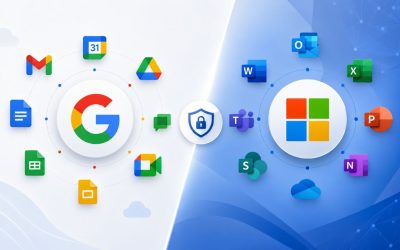
Google Workspace Enterprise vs Microsoft 365 Enterprise
Compare Google Workspace Enterprise and Microsoft 365 Enterprise on compliance, storage, and security to choose the right platform for your organization.
Google Workspace Enterprise Security & Compliance Tips
Explore how Google Workspace Enterprise safeguards data at scale through Zero Trust, IAM, and certifications compliance teams evaluate before deployment.

How Enterprises Streamline Ops With Google Workspace
See how large enterprises use Google Workspace to standardize operations across departments, reduce tool sprawl, and manage scalable rollouts efficiently.
Frequently Asked Questions About Google Workspace For Enterprise
What is Google Workspace for Enterprise, and how is it different from the Business editions?
The Business editions Starter and Standard serve smaller and mid-market organizations well. They include the core application suite and reasonable security controls. But when you’re managing hundreds or thousands of users across multiple departments, geographies, or regulatory environments, the Business editions start to show their limits. There’s no Client-Side Encryption. The meeting capacity caps out well below what large enterprises actually need. The compliance toolset is lighter. And the administrative controls, while functional, don’t have the depth that complex organizations require.
Enterprise editions are designed for environments where a misconfigured security policy has compliance consequences, not just inconvenience. Where data governance means mapping your specific regulatory obligations, GDPR, HIPAA, India’s DPDP Act, and ISO 27001 to specific platform controls, not just enabling defaults and hoping for the best. Where legal holds, eDiscovery, and communication archiving aren’t edge cases but operational realities.
Enterprise Standard and Enterprise Plus both include the full application suite: Gmail, Meet, Drive, Docs, Sheets, Slides, Chat, Calendar, Vault, Gemini AI, AppSheet, NotebookLM, and more. However, Enterprise Plus adds Client-Side Encryption, enhanced data region controls, larger meeting capacity (up to 1,000 participants), and the most comprehensive compliance toolset Google offers. Choosing between them primarily depends on your data sovereignty requirements and regulatory exposure.
For organizations evaluating this properly, working with a specialist who understands both editions in depth makes the selection process considerably more straightforward.
Is Google Workspace for Enterprise suitable for regulated industries like healthcare and financial services?
For healthcare organizations handling electronic Protected Health Information (ePHI), Google provides a Business Associate Agreement (BAA) for Google Workspace Enterprise, which is the foundational requirement for HIPAA-eligible deployments. With that BAA in place, Workspace’s access controls, encryption, DLP policies, and audit capabilities can be configured to support the technical safeguard requirements of HIPAA’s Security Rule. That configuration work is critical; having a BAA doesn’t make an environment HIPAA-compliant by default; the platform has to be set up correctly.
For financial services organizations, the combination of Google Vault for communication archiving and eDiscovery, DLP rules configured to detect financial data patterns, Context-Aware Access for branch and remote users, and comprehensive audit logging collectively addresses the compliance requirements of frameworks like SEBI guidelines, RBI directives, and GDPR for internationally operating institutions.
Google Workspace Enterprise also holds compliance certifications across a comprehensive set of global standards: ISO 27001, ISO 27017, ISO 27018, SOC 1/2/3, FedRAMP High, PCI DSS, FIPS 140-2 validated cryptography, and others. These aren’t self-assessments; they’re independently audited certifications.
The key caveat is that compliance isn’t delivered solely by the platform. The configuration of DLP rules, Vault retention policies, access controls, and audit settings should be handled by specialists who understand both the platform and the regulatory framework being addressed. That’s where the team managing your deployment directly affects your compliance posture.
How does Google Workspace Enterprise handle data security, and what security features does it include?
The foundation is BeyondCorp Enterprise, Google’s zero-trust security model, developed internally after a major cyberattack in 2009 and refined over more than a decade of protecting Google’s own infrastructure. Zero trust means that no user, device, or network connection is inherently trusted. Every access request is continuously verified based on identity, device posture, location, and context, regardless of whether the request comes from inside or outside the corporate network. For enterprises managing distributed or hybrid workforces, this model is significantly more resilient than traditional perimeter-based security.
Built on that foundation, the platform provides Context-Aware Access granular policies that can, for example, require that access to Drive files containing sensitive data be permitted only from managed, compliant devices, while allowing standard email access from any verified device. Data Loss Prevention inspects content in Gmail, Drive, and Chat against administrator-defined rules, blocking or quarantining content that matches sensitive data patterns. Google Vault handles eDiscovery, archiving, and legal hold across all communication and collaboration data.
Advanced phishing and malware protection, drawing on threat intelligence from billions of emails processed daily, runs continuously.
For Enterprise Plus subscribers, Client-Side Encryption adds a layer in which data is encrypted with keys that Google never has access to, providing a verifiable answer to whether data sovereignty can be maintained.
What does migrating from Microsoft 365 to Google Workspace Enterprise actually involve?
A well-managed migration from Microsoft 365 to Google Workspace Enterprise covers several data streams, including email (including archived mail and distribution groups), calendars, contacts, file storage, OneDrive, and SharePoint, migrating to Google Drive. Each stream has its own complexity. Email migration at scale requires careful handling of delegated access configurations, shared mailboxes, and mailbox size variations.
SharePoint migration is often the most complex component, particularly for organizations that have built significant workflow infrastructure on top of SharePoint over the years. Calendar migration needs to account for recurring events, attendee permissions, and resource booking configurations.
The migration approach that works for enterprises involves a phased execution: starting with a technically proficient pilot group to validate the process in your specific environment, then moving through departments in sequenced waves, and culminating in a production cutover that users experience as seamless. A parallel-running period in which both environments remain accessible during active migration is essential for business continuity and for catching any data discrepancies before legacy systems are decommissioned. Data integrity validation at each wave, verified against source counts, is what separates a structured migration from a risky one.
Change management is the dimension that technical migration planning often underestimates. Users moving from Outlook to Gmail, from Teams to Google Chat and Meet, and from SharePoint to Drive need structured onboarding, not just access provisioning. Organizations that invest in role-based training and clear internal communication before cutover see adoption that sticks. Those that don’t end up with workarounds and shadow IT.
The team managing your migration should be the same team that configured your security policies and understands your organizational structure. Handoffs between phases introduce risk. End-to-end accountability keeps migrations clean.
What is an Authorized Google Partner, and why does it matter when deploying Google Workspace?
Why that matters for your organization is concrete, not theoretical. When you purchase Google Workspace through an unauthorized channel, you face several risks: licensing compliance issues, ineligibility for Google’s partner support escalation paths, and the absence of partner-exclusive resources that accelerate enterprise deployments. An authorized partner purchases genuine, Google-issued licenses directly, ensuring license authenticity, proper provisioning, and access to Google’s enterprise support infrastructure.
Beyond licensing, the credential signals that Google itself has assessed the deploying team. That’s meaningful when the stakes involve organizational data, compliance obligations, and technology infrastructure that needs to perform reliably for years.
The credential is independently verifiable in Google’s official partner directory at https://cloud.google.com/find-a-partner/partner/hiya-digital-private-limited. We actively encourage prospective clients to verify Hiya Digital’s status there directly rather than take our word for it.
For an enterprise making a technology decision of this scale, the prudent standard is to work with a Google-approved, independently verifiable partner, not because it guarantees a successful deployment by itself, but because it provides accountability structures and access to support that working through unverified channels doesn’t.
How does Gemini AI work within Google Workspace Enterprise, and what can it actually do for our teams?
Most AI tools your teams currently use are external: a separate browser tab, a standalone application, or a third-party add-in that requires data to leave your organizational environment for processing. Gemini is natively embedded across every major Workspace application, Gmail, Docs, Meet, Drive, Sheets, Slides, and Chat, which means it has access to the organizational context that makes AI genuinely useful, while operating within Google’s enterprise-grade privacy framework.
In practical terms, this is what it looks like day-to-day. In Gmail, Gemini can draft responses, summarize long email threads, and suggest follow-up actions. Google Meet automatically generates meeting summaries and action item lists after calls, removing the follow-up documentation burden on participants. In Docs, it assists with drafting, editing, and reformatting content in the sidebar without disrupting the primary working view. In Sheets, it can write formulas, generate pivot table structures, and surface anomalies in data sets when prompted. In Drive, it summarizes documents and helps users find content across organizational storage.
For enterprises, the AI capability that’s less visible but potentially more impactful is Google Workspace Studio. This automation platform allows teams to build intelligent agents and automate repetitive workflows across Workspace applications without engineering resources. Document routing, data extraction, approval notifications, cross-application workflow coordination: these are the categories of manual overhead that Studio is built to eliminate.
Getting meaningful productivity gains from Gemini requires more than activation. It requires a deliberate adoption strategy that identifies the highest-impact use cases for each team, builds internal champions, and trains users to integrate these capabilities into actual workflows. Organizations that approach Gemini enablement strategically see compounding productivity improvements. Those who enable the features and step back tend to see patchy, inconsistent adoption.
How long does a Google Workspace Enterprise deployment typically take?
For a straightforward deployment, a single-domain organization migrating from a relatively clean Microsoft 365 or hosted Exchange environment, with a clearly defined organizational structure and no unusual compliance requirements, a well-run engagement can be completed from initial assessment through go-live in six to ten weeks. That figure includes discovery, architecture design, license procurement, environment configuration, security setup, migration execution, and end-user training.
Complexity adds time in predictable ways. Multi-domain environments require additional DNS configuration and domain management work. Large mailbox volumes, particularly with significant archived email, extend migration timelines because phased waves must be sized to balance speed and validation thoroughness. Unusual data dependencies, complex delegated access configurations, extensive shared calendar structures, or bespoke SharePoint environments with significant workflow logic require additional discovery and planning time before migration begins. Organizations with stringent compliance requirements that demand documented security configurations for regulatory purposes add time to the security configuration phase.
A nine-phase methodology covers the full lifecycle: discovery and assessment, planning and architecture design, license procurement, environment setup and configuration, security configuration, data migration, training and adoption, go-live with hypercare, and ongoing managed support. The phases don’t compress safely, and experienced deployment teams resist the pressure to do so because the phases where shortcuts are taken are almost always where problems emerge post-go-live.
For organizations with aggressive timelines, the most important thing is starting the discovery and assessment phase early. Much of the timeline pressure in enterprise deployments comes from discovering complexity late rather than addressing it in the planning phase, where it’s manageable.
What is the difference between Google Workspace Enterprise Standard and Enterprise Plus?
Client-Side Encryption is the most significant differentiator. Available only in Enterprise Plus, CSE allows organizations to encrypt data using keys that Google never has access to, before it leaves the user’s browser. This means that even Google itself cannot read CSE-protected content; only your organization’s key management system can decrypt it. For organizations operating in regulated industries with data sovereignty requirements that mandate encryption key custody remains within organizational control, CSE provides a technically verified answer to data sovereignty questions that no other configuration offers.
Data region controls, which determine where your organization’s data is stored geographically, are available in both editions, but are standard in Enterprise Plus rather than an add-on. For organizations with explicit data residency requirements under frameworks such as the GDPR or India’s DPDP Act, this control is operational.
Meeting capacity is the third differentiator: Enterprise Standard supports up to 500 participants in Google Meet, while Enterprise Plus supports up to 1,000. Enterprise Plus also includes translated captions in Meet, which matters for globally distributed organizations operating across multiple languages.
The decision between the two editions is most clearly determined by whether your organization requires Client-Side Encryption or has specific data sovereignty obligations that demand it.
Organizations without those specific requirements typically find that Enterprise Standard delivers everything they need at the enterprise level. A qualified Google Workspace specialist should assess your compliance obligations and security requirements before recommending either edition. The right answer depends on your specific situation, not a general preference.
Can Google Workspace Enterprise support a large-scale migration without data loss?
A structured, zero-data-loss migration methodology rests on several non-negotiable practices. First, a pre-migration environment audit that maps every data dependency before any mailbox or file moves: delegated access configurations, shared calendar structures, distribution group memberships, Drive permission inheritance patterns, and mailbox size and content inventories. Discovering dependencies mid-migration is how data gets orphaned or misconfigured.
Second, phased execution with validation checkpoints at each wave. Migration data is verified against source checksums, not just counted, but validated at the content level before the next wave proceeds and before any legacy system is decommissioned. A parallel running period is maintained throughout the migration, allowing users to access both environments and providing a safety net that enables discrepancies to be identified and corrected without business impact.
Third, rollback readiness at each phase. A migration team that cannot roll back cleanly at any point in the process has not properly planned the migration. Rollback is not a sign of failure; it’s a professional standard that responsible migration practices build in by design.
Fourth, post-migration validation before cutover is finalized. Every mailbox, every calendar appointment, every Drive file should be verified against the source before legacy systems are closed. This takes time. It is not a step that can be safely compressed.
Hiya Digital, as an Authorized Google Partner with direct enterprise migration experience, has maintained a clean migration record across large-scale engagements by consistently following these practices. The methodology is documented, the validation steps are auditable, and the approach is the same regardless of migration scale.
How does Google Workspace Enterprise compare to Microsoft 365 for large organizations?
Google Workspace has genuine, measurable advantages in several areas. Real-time collaboration in Docs and Sheets, with multiple users editing simultaneously and changes visible in real time and individually attributed, was built natively into the platform architecture, not retrofitted. Enterprises that have moved from Microsoft 365 consistently report that the collaborative experience has improved. Deployment and ongoing maintenance are substantially simpler: there’s no on-premises Exchange infrastructure, no update management cycle for desktop applications, and no compatibility matrix between server and client versions.
Gemini AI is natively embedded across all applications, without requiring separate licensing add-ons for core features, and it provides native access to organizational context within Google’s privacy framework. Administrative management through a single, unified Admin Console governing users, security, devices, apps, and billing is consistently rated by experienced enterprise IT administrators as less operationally complex than the equivalent Microsoft 365 administration experience.
Microsoft 365 has legitimate advantages that deserve acknowledgment. Organizations deeply invested in Word, Excel, and PowerPoint desktop workflows, particularly complex Excel financial models, specialist macro-dependent spreadsheets, or intricate Word document formatting, will face a real change management effort transitioning to Workspace equivalents. Docs and Sheets are excellent tools, but they are not perfect replacements for Word and Excel in every use case. Organizations with significant SharePoint-based intranet and workflow infrastructure face migration complexity that native organizations don’t. And enterprises that have recently completed a Microsoft Teams rollout with strong adoption need to honestly factor the change management costs of that transition into any ROI calculation.
The migration path from Microsoft 365 to Google Workspace is well-established and manageable with proper planning and an experienced team. Whether it’s the right path for a specific organization requires an honest assessment of the current environment, actual user workflows, and organizational priorities, not a vendor-driven recommendation.
What ongoing support does an enterprise get after Google Workspace is deployed?
Immediately following production cutover, a dedicated hypercare period provides elevated support with rapid response to any issues that emerge as the full user population onboards. This is the period where edge cases surface unusual device configurations, unexpected application integrations, and user behavior patterns that weren’t fully anticipated in training.
Having the same team that built the environment available during hypercare means those issues get resolved by people who know the environment, not a generic helpdesk that’s reading documentation.
After hypercare, a well-structured managed support model provides a dedicated account manager who understands your deployment, organizational structure, and business priorities. This is not a ticket queue staffed by rotating agents who lack context for your environment. It’s a defined relationship with SLA-backed response times, proactive environment monitoring, quarterly business reviews, and direct escalation paths to Google when issues require Google’s involvement.
Beyond reactive support, ongoing managed services should include proactive optimization. Google releases new Workspace features and policy options on a rolling basis; some will benefit your environment, and others won’t. A dedicated account team reviews your license utilization, surfaces relevant new capabilities, and handles routine administration tasks, such as user provisioning, license adjustments, and group management, that would otherwise consume your internal IT team’s time without adding strategic value.
For enterprises that have invested in a proper deployment, protecting that investment with an ongoing support structure is the decision that determines whether the deployment’s benefits compound over time or gradually erode as the environment drifts from its configured state.
How does Google Workspace Enterprise handle compliance with GDPR, HIPAA, and India's DPDP Act?
Google Workspace Enterprise’s compliance architecture addresses GDPR, HIPAA, and India’s DPDP Act 2023 at the platform level through a combination of technical controls, contractual commitments, and independently audited certifications. Under the GDPR, Google provides a Data Processing Amendment that covers the controller-processor relationship, data subject rights, and transfer mechanisms for cross-border data flows. For HIPAA, Google provides a Business Associate Agreement for Google Workspace Enterprise, enabling HIPAA-eligible deployments for healthcare organizations. In line with India’s DPDP Act, Workspace’s data handling practices and controls are structured to align with the Act’s requirements for data fiduciaries.
The platform certifications that underpin these compliance claims, ISO 27001, ISO 27017, ISO 27018, SOC 2 Type II, FedRAMP High, and others, are maintained through independent third-party audits. These aren’t self-assessments; they’re verified in Google’s compliance reports, which are available to enterprise customers.
Where organizations often get into difficulty is confusing platform compliance capability with organizational compliance. The platform’s controls need to be mapped to your specific regulatory obligations and configured accordingly. DLP rules need to be built for your actual data types. Vault retention policies need to reflect your specific legal requirements, not generic templates. Context-Aware Access policies need to account for your particular user population, device fleet, and access patterns.
That mapping and configuration work, which produces a documented, auditable security and compliance architecture, is what turns a capable platform into a compliant deployment. Hiya Digital, as an Authorized Google Partner, includes this compliance configuration mapping as a core component of its enterprise security configuration service.
What is Google Vault, and how does it support eDiscovery and legal hold requirements?
Vault is a comprehensive legal and compliance data management tool covering Gmail, Drive, Chat messages, Google Meet recordings, and Google Groups data. Its core capabilities are legal hold, eDiscovery search, and data export, but understanding what each of those means in an enterprise context requires more than a definition.
Legal hold allows authorized administrators to place specific users’ data under a preservation order that overrides any deletion policies, including user-initiated deletions and automated retention policy purges. When an organization receives a litigation notice or anticipates legal proceedings, the ability to place a targeted hold immediately, without IT development work or third-party software, is operationally significant. Vault holds are logged and auditable.
eDiscovery search within Vault allows legal team members and authorized administrators to run complex queries across organizational data by user, date range, content terms, and data type, and review results before export. The results are consistent and reproducible, which is important for the evidentiary standards required in legal proceedings.
Data export produces output in formats accepted by legal teams and regulatory bodies, with full chain-of-custody audit trails that document who accessed which data in Vault, when, and what actions they took. That audit trail is critical for demonstrating proper handling of evidence in regulatory submissions and legal proceedings.
For enterprises that have historically managed eDiscovery through third-party software and backup tape retrieval, Vault dramatically reduces both the cost and the time required to respond to data production requests. The operational value is most evident when you need it, which is precisely why it should be configured correctly before that moment arrives.
How does Google Workspace Enterprise scale for organizations that are growing or going through mergers and acquisitions?
Growing from 500 users to 5,000 users in Google Workspace requires changing a number in the Admin Console. There is no hardware procurement cycle to initiate, no server capacity-planning project to develop and take through finance approval, and no data center expansion to plan for. Google’s infrastructure scales automatically. The operational and financial implications of that for organizations in active growth phases or managing seasonal workforce fluctuations are significant.
Specifically for mergers and acquisitions, the platform’s architecture provides practical advantages. New users from an acquired entity can be provisioned in structured waves using the same methodology established during the original deployment. Multiple domains can be managed under a single Workspace account, which is relevant for organizations integrating acquired companies that may have their own domain configurations. Shared Drives, which provide organizational ownership of files rather than individual user ownership, ensure that operational documents remain accessible through organizational changes, role transitions, and team restructuring, rather than being tied to individual accounts that may change during integration.
The administrative framework, organizational unit structure, group configuration, security policy inheritance, and role-based access controls should be architected with growth in mind from the outset. Organizations that build their OU structure to mirror only their current state tend to encounter limitations as they grow or acquire other organizations. Those who architect with flexibility built in find that scaling is as straightforward as the platform is designed to make it.
For organizations anticipating M&A activity, the pre-deployment architecture phase is the right time to have those conversations with the deployment team.
What should an enterprise look for when choosing a Google Workspace deployment partner?
The first, and most important, check is partner status. This is not a title that can be self-assigned. Vendors who describe themselves as “Google specialists” or “Google certified” but are not listed as Authorized Partners in that directory have not met Google’s qualification standards. For an enterprise purchasing genuine licenses and expecting access to Google’s support infrastructure, this distinction is foundational.
Beyond partnership status, look for Google-certified practitioners specifically, team members holding current Google Workspace certifications. Ask for evidence, not assurances. Certifications have renewal requirements; “experienced in Google” is not the same as holding a current certification.
Evaluate the partner’s methodology rigorously. An enterprise deployment partner should be able to describe their pre-migration assessment process in specific terms, not generalities about “thorough discovery.” They should be able to explain how they validate data integrity during migration, what their rollback approach looks like at each phase, and how their security configuration process maps platform controls to your specific compliance obligations.
Assess whether they cover the full lifecycle or specialize in one phase. Licensing-only resellers, migration-only vendors, and support-only providers all create the handoff problem: the team doing the work at each stage doesn’t know what the previous team did. End-to-end accountability, in which one team manages assessment with ongoing support, eliminates that gap.
Finally, look for industry-specific experience relevant to your sector. A healthcare organization’s compliance requirements are materially different from those of a financial services firm, and a partner who has genuinely deployed Workspace for regulated-industry enterprises will ask different questions in the pre-sales process than a generalist IT provider. The quality of the questions a partner asks before proposing a solution is one of the most reliable signals of their actual expertise. Hiya Digital, as an Authorized Google Partner, structures its enterprise engagements around rigorous, sector-informed discovery, and the difference shows in deployment outcomes.
What happens to an employee's data and access when they leave the organization?
When an administrator suspends or deletes a user account, access to that user’s Gmail, Drive files, and Calendar is revoked immediately. Because Shared Drives are owned by the organization rather than by individual users, files stored there remain fully accessible to the team regardless of who created them, eliminating the common problem of critical documents disappearing when an employee’s individual account is deactivated. For content stored in an employee’s personal Drive space, administrators can transfer ownership of files to a manager or successor before deprovisioning, using either the Admin Console’s built-in data transfer tool or Google Vault for a more comprehensive export.
For organizations with compliance obligations, Vault can also be used to place a departing employee’s account under legal hold or export their full data set for retention purposes before the account is removed. A well-configured offboarding workflow, built into your organizational unit and group structure during deployment, ensures the process is consistent and auditable, rather than relying on someone to remember the right steps.
How does Google Workspace Enterprise integrate with the other business applications our organization already uses?
The Google Workspace Marketplace offers a large catalog of pre-built integrations spanning CRM systems, project management tools, e-signature platforms, help desk software, and accounting systems, most of which can be deployed organization-wide by an administrator rather than installed individually by each user.
For organizations with more specific requirements, Workspace provides REST APIs for Gmail, Drive, Calendar, and the Admin Console, enabling custom-built integrations with internal systems or industry-specific software. AppSheet and Google Workspace Studio extend this further, enabling teams to build lightweight custom applications and automated workflows that connect Workspace data with other business systems, without requiring a dedicated engineering team.
Single sign-on (SSO) integration is also a standard consideration for enterprise deployments. Workspace supports SAML-based SSO with most major identity providers, allowing organizations to maintain a single identity and access management system across Workspace and their other business applications rather than managing separate credentials. The right integration approach depends on your existing technology stack, and mapping that out is part of the discovery phase of any properly run deployment.
What ongoing training does Hiya Digital provide for our internal IT team after the initial deployment?
Administrator training during deployment covers Admin Console fundamentals, user and group management, security policy configuration, and Vault operations. Still, Google Workspace itself continues to evolve as new features and policy options are released. As part of our managed support offering, we provide periodic refresher sessions and briefings on relevant new capabilities as they become available, rather than expecting your internal team to track Google’s release notes independently.
We also maintain a Drive-based resource center for each client, containing configuration documentation, training materials, and quick-reference guides that your IT team can update and expand over time as your environment evolves. For organizations with staff turnover in IT roles, this documentation is particularly valuable: new administrators can get up to speed against a documented environment rather than reverse-engineering configuration decisions made by someone no longer with the organization.
Does Google Workspace Enterprise support hybrid and remote work environments effectively?
Every core application- Gmail, Meet, Drive, Docs, Sheets, and Chat- runs natively in the browser and on mobile devices with full functionality, not a reduced feature set. Meet supports HD video conferencing with noise cancellation and live captions regardless of whether a participant is in an office, at home, or traveling.
Offline mode in Docs, Sheets, and Slides allows employees to continue working without an internet connection, with changes syncing automatically once they’re back online. Drive for Desktop keeps files synced across devices without requiring a VPN connection back to an on-premises server.
Security for distributed workforces is handled through Context-Aware Access and BeyondCorp’s zero-trust model, which verifies every access request based on identity, device posture, and location rather than relying on a traditional network perimeter that assumes anyone inside the corporate network is trusted. This means an employee working from a home office or a shared workspace is subject to the same access verification as someone in a corporate building, which is a materially different and more resilient security posture than perimeter-based models built around VPNs and firewalls.
What happens to our organization's data if we decide to move away from Google Workspace Enterprise in the future?
Your organization retains full ownership of its data throughout the relationship with Google, and this doesn’t change if you decide to migrate to a different platform. Google provides data export tools, including Google Takeout for individual account data and Vault exports for organization-wide, legally defensible extraction. These tools allow administrators to export email, calendar, Drive files, and other Workspace data in standard, portable formats, such as PST for email and standard file formats for Drive content.
A well-planned offboarding from any platform, not just Workspace, requires the same discipline as a well-planned migration onto it: a structured data export process, validation that exported data is complete and usable in the destination environment, and a clear timeline that avoids gaps in access during the transition.
Hiya Digital’s engagement model doesn’t include contractual lock-in mechanisms designed to make departure difficult; our view is that a technology partner earns an ongoing relationship through the quality of the service provided, not through data portability friction. If a transition away from Workspace is ever the right decision for your organization, we can support that export process just as we would support a migration onto the platform.
Glossary
New to Google Workspace terminology? The definitions below explain the technical terms used throughout this page, helping you evaluate Google Workspace and compare it confidently against any other business email or productivity provider.
- Google Workspace
Google’s cloud-based suite of productivity and collaboration apps (Gmail, Drive, Docs, Meet, etc.) delivered under a single admin-managed platform. - Enterprise Standard
The base enterprise tier of Google Workspace, including the full app suite and core security controls, without Client-Side Encryption. - Enterprise Plus
The top enterprise tier, adding Client-Side Encryption, enhanced data residency controls, larger Meet capacity, and the most comprehensive compliance toolset. - Admin Console
The centralized web interface administrators use to manage users, security policies, devices, and reporting across the entire Workspace environment. - Zero Trust
A security model where no user or device is automatically trusted, even inside the corporate network; every access request is verified based on identity, device, and context. - BeyondCorp (Enterprise)
Google’s zero-trust security architecture, originally built internally at Google, that underlies Workspace’s access control model. - Context-Aware Access
A feature letting admins restrict access to apps and data based on factors like device security posture, location, and IP address. - MFA (Multi-Factor Authentication)
A login security method requiring more than one form of verification (e.g., password plus a phone prompt) to confirm a user’s identity. - S/MIME
A standard for encrypting and digitally signing emails end-to-end, available in Gmail for enterprise-grade message security. - SIEM (Security Information and Event Management)
A category of security software that aggregates and analyzes log data from multiple systems to detect threats; Workspace can integrate with external SIEM tools. - Endpoint Management
Tools for managing and securing the devices (phones, laptops) that access company data, including remote wipe and policy enforcement. - BYOD (Bring Your Own Device)
A policy allowing employees to use personal devices for work, requiring specific security controls to manage the associated risk. - DLP (Data Loss Prevention)
A security feature that scans content (emails, files) for sensitive data patterns and blocks, flags, or quarantines violations. - CSE (Client-Side Encryption)
An Enterprise Plus feature where data is encrypted in the user’s browser before reaching Google’s servers, meaning Google itself cannot read the content. - Data Residency / Data Regions
Controls that let organizations specify which geographic region their data is physically stored in, important for regulatory compliance. - eDiscovery
The process of searching, identifying, and exporting electronic data (emails, files, chats) for use in legal proceedings or investigations. - Legal Hold
A directive to preserve specific data indefinitely (overriding normal deletion policies) because it may be relevant to litigation or an audit. - Google Vault
Google’s built-in tool for archiving, eDiscovery, and legal hold across Gmail, Drive, Chat, and Meet recordings. - BAA (Business Associate Agreement)
A legal contract required under HIPAA between a healthcare entity and a vendor (like Google) handling protected health information, confirming compliance obligations. - AES-256
An encryption standard (256-bit key length) used to protect data while it’s stored (“at rest”). - TLS (Transport Layer Security)
A protocol that encrypts data while it travels between systems (“in transit”), e.g., between a user’s browser and Google’s servers. - FIPS 140-2
A US government standard validating that a cryptographic module meets specific security requirements. - GDPR
The EU’s General Data Protection Regulation, governing how personal data of EU residents must be handled. - HIPAA / HITECH
US laws governing the privacy and security of health information. - SOC 1/2/3
Audit reports (System and Organization Controls) verifying a service provider’s internal controls, commonly required by enterprise and financial clients. - ISO 27001 / 27017 / 27018
International standards for information security management (27001), cloud security (27017), and cloud privacy (27018). - FedRAMP High
The US federal government’s highest-level cloud security authorization, required for sensitive government workloads. - PCI DSS
Payment Card Industry Data Security Standard, required for any system that handles credit card data. - CSA STAR
A cloud-specific security certification program run by the Cloud Security Alliance. - DPDP Act 2023
India’s Digital Personal Data Protection Act, governing personal data handling within India. - Gemini for Workspace
Google’s AI assistant integrated directly into Gmail, Docs, Sheets, Meet, and other apps for drafting, summarizing, and analysis. - NotebookLM
An AI tool that synthesizes uploaded documents into a queryable knowledge base. - AppSheet
A no-code platform for building custom business apps (e.g., inventory trackers, approval workflows) without writing code. - Google Workspace Studio
An AI-driven automation tool for building agents and automating workflows across Workspace apps. - Shared Drives
Drive storage owned by a team or organization rather than an individual, so files remain accessible if an employee leaves. - Smart Chips
Inline, clickable references in Google Docs that link to people, files, or events without leaving the document. - Connected Sheets
A Sheets feature allowing live querying of large datasets stored in Google BigQuery. - MX Record
A DNS setting that directs incoming email to the correct mail server. - SPF (Sender Policy Framework)
A DNS record specifying which servers are authorized to send email on behalf of a domain, used to prevent spoofing. - DKIM (DomainKeys Identified Mail)
An email authentication method using a digital signature to verify a message wasn’t altered in transit. - DMARC
A policy layered on top of SPF and DKIM telling receiving mail servers what to do with messages that fail authentication checks. - Organizational Unit (OU)
A way of grouping users in the Admin Console (e.g., by department) to apply different policies to different groups. - Cutover
The point during a migration when users switch from the old system to the new one (e.g., old email server to Google Workspace). - Parallel Running
Operating both the old and new systems simultaneously during migration to validate data and reduce risk before fully decommissioning the old system. - Hypercare
A short period of intensive, elevated support immediately following a go-live, to quickly resolve issues as the full user base starts using the new system. - Authorized Google Partner
An official Google designation for resellers and implementers who’ve met Google’s certification, training, and service-quality requirements. - SLA (Service Level Agreement)
A contractual commitment defining guaranteed service standards, such as uptime percentage or support response times. - TCO (Total Cost of Ownership)
The full cost of a system over its lifetime, including licensing, infrastructure, maintenance, and staff time—not just the sticker price. - YMYL (“Your Money or Your Life”)
A Google content-quality classification for topics (like security, compliance, or financial decisions) where inaccurate information could cause real harm, requiring a higher trust bar.
