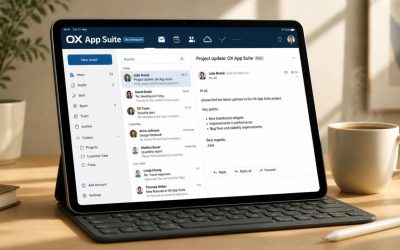
Choosing the right business email platform involves evaluating the features that most impact daily communication, security, and administration. OX App Suite and Zoho Mail each provide professional email hosting with capabilities such as mailbox storage, spam protection, email protocols, administrative controls, migration support, and compliance features. Understanding how these services compare across these key areas helps businesses select the email solution that best meets their operational requirements, security expectations, and long-term growth plans.
Mailbox Storage and Attachment Limits
Storage is the first wall most growing teams hit, and the two products handle it differently. OX App Suite scales mailbox size by plan tier and reseller configuration. At the same time, Zoho Mail publishes fixed per-tier storage figures that include a separate archival allowance on its paid plan.
 OX App Suite’s tiered mailbox model
 OX App Suite’s tiered mailbox model
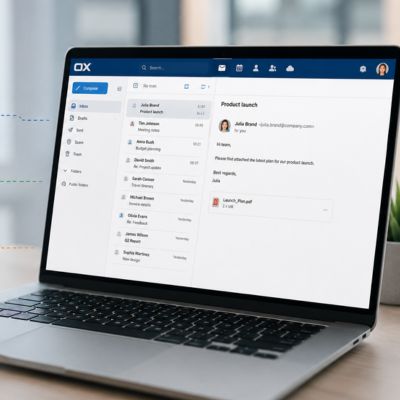
OX App Suite’s entry plan ships with a 10GB mailbox, with the higher Productivity tier extending combined mailbox and cloud storage; reseller listings show configurations reaching up to 50GB once OX Drive’s cloud allocation is counted alongside the mailbox itself. Because OX App Suite is deployed through hosting partners and telcos rather than sold as a single fixed SKU, the exact split between mailbox and Drive storage varies by each partner’s packaging, so a buyer should confirm the live figure with the reseller provisioning the account rather than assuming a universal number applies.
The practical effect is that OX App Suite’s storage ceiling is genuinely competitive at the top end. Still, it’s worth asking your specific provider exactly where the mailbox-versus-Drive split lands, since two resellers advertising “OX App Suite” can quote different numbers for the same underlying plan tier. Teams with high attachment volumes, contracts, design files, and invoices should get that number in writing before migrating, rather than assuming parity with whatever a competitor’s spec sheet shows.
Zoho Mail’s published storage tiers
Zoho Mail states its numbers directly: the free tier includes 5GB of mailbox storage for a single custom domain. In comparison, the Mail Premium plan provides 50GB of mail storage plus a separate 50GB of archival storage per user, and the Workplace Professional bundle extends that to 100GB of mail storage per user. The archival allocation is a genuine structural difference; it’s not counted against the active mailbox, so a Premium-tier user effectively gets double the headroom before anything needs to be deleted or offloaded.
Where Zoho Mail’s model becomes relevant for growing teams is its Additional Storage Add-on, which lets an admin assign extra capacity to individual heavy users without upgrading the whole organization’s plan tier. That per-user flexibility is useful for departments, sales, support, and legal that generate disproportionate attachment volume compared to the rest of the company, and it avoids the all-or-nothing tier jump that some platforms force.
Spam, Phishing, and Malware Defense
Inbox security is table stakes, but the two platforms describe their approach differently: one leans on AI-driven pattern detection baked into the platform, the other on layered filtering plus organization-wide policy controls.
How OX App Suite filters threats
OX App Suite markets its mail defense as AI-driven and predictive, positioning it to adapt to emerging spam, phishing, and malware patterns, rather than relying purely on static blocklists, with suspicious content quarantined or flagged instead of silently dropped. Reseller documentation consistently describes this as “built-in” anti-spam and anti-virus rather than a separate purchasable add-on, meaning the base mailbox plan already includes filtering rather than requiring an upsell.
This matters for a comparison because it removes a line-item decision that some competing platforms force on buyers; there’s no separate “do we also need the security add-on” conversation for baseline filtering. The trade-off is that, because OX App Suite is white-labeled through resellers, the exact filtering engine and its tuning can vary slightly by provider, so a buyer evaluating spam catch rates specifically should ask their reseller which anti-spam partner or engine is used behind the scenes.
How Zoho Mail filters and locks down threats
Zoho Mail’s security model is built around an admin-configurable organization-wide policy rather than a single filtering claim. The admin console lets an administrator enforce mandatory multi-factor authentication, strong password policies, and IP- or location-based access restrictions across every user in the organization at once. That org-wide enforcement is a genuine differentiator for security-conscious admins. Instead of relying on each user to opt in to protections, the administrator sets the floor once, and it applies universally.
Zoho Mail also supports SPF, DKIM, and DMARC configuration to protect the domain against spoofing, as well as role-based access control and audit logging to track email activity for compliance purposes. For a security or IT lead evaluating both platforms, the honest framing is that OX App Suite’s filtering happens largely behind the scenes at the platform level. At the same time, Zoho Mail gives the admin more visible levers to pull, and which one “wins” depends on whether your team wants security handled for you or configured directly.
Protocol Support and Email Client Compatibility
Neither platform locks users into a single proprietary client experience; both support standard protocols, but the depth of support differs by plan tier in ways worth checking before migration.
OX App Suite’s protocol and client support
OX App Suite provides webmail alongside standard POP and IMAP access for desktop, mobile, and web clients, and it fully supports CalDAV and CardDAV for calendar and contact synchronization with third-party apps. It also lets users add and unify external accounts, Gmail, Yahoo, and Outlook.com, into a single inbox view without needing to separately log into each provider, which is a genuinely useful consolidation feature for anyone managing several inboxes.
Because the base tier bundles webmail, calendar, and address book by default, teams that only need core mail don’t have to upgrade to a higher tier to unlock IMAP; it’s included on the entry plan across the reseller listings reviewed.
Zoho Mail’s protocol and client support
Zoho Mail supports IMAP and POP as paid-plan features, alongside Exchange ActiveSync (EAS) for two-way sync of mail, calendar, contacts, tasks, and notes with any standard EAS-compatible client. However, ActiveSync is reserved for business-paid plans and isn’t available on personal accounts. This is a meaningful scoping detail: a business evaluating the free tier specifically should know that protocol access requiring standard email clients is a paid-plan feature, not something available at zero cost.
Zoho Mail’s ActiveSync implementation connects through a dedicated sync server (msync.zoho.com). It works with any standard EAS client, not just Zoho’s own mobile apps, giving IT teams the flexibility to standardize on whatever mobile device management stack they already use. For organizations already invested in EAS-based device policies, that native support can simplify onboarding compared to platforms where ActiveSync isn’t a first-class option.
Mobile Email Access and Sync
Mobile parity matters more than it used to; most inbox triage now happens on a phone, not a desktop client, and both platforms ship dedicated apps, though their approaches to sync differ.
OX App Suite on mobile
OX App Suite ships the OX Mail app across Windows, iOS, and Android, letting users add all their email accounts into one unified inbox and sync email, calendar, and address book data across devices. The mobile experience is built to mirror the webmail interface closely, so switching between desktop and mobile doesn’t require relearning where features live, folders, filters, and search behave consistently across both.
For teams standardizing on a single vendor’s mobile app rather than a generic client configuration, OX App Suite’s first-party app removes a setup step: users don’t need to manually configure IMAP or CalDAV settings on their phones; the app handles provisioning directly once the account is added.
Zoho Mail on mobile
 Zoho Mail on mobile
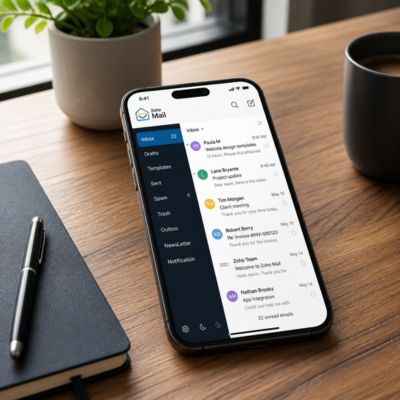
Zoho Mail offers dedicated iOS and Android apps for end users, plus a separate Admin Mobile App that lets administrators add users, reset passwords, enable two-factor authentication, toggle POP/IMAP/ActiveSync access per user, and assign additional storage, all from a phone. That admin-specific mobile tooling is a genuine differentiator: it’s built for IT leads who need to make account changes without a desktop, which is a narrower but real use case that most competing mobile apps don’t address.
End users who prefer a non-Zoho mail client aren’t locked out either, because ActiveSync is supported on paid plans, any standard EAS-compatible mobile client can sync Zoho Mail without installing Zoho’s own app, giving organizations with existing mobile device management policies more flexibility in how they standardize device configuration.
Admin Console and Organization-Wide Controls
This is where the two products diverge most clearly: one is designed primarily for resellers and hosting partners to manage at scale, the other for an in-house IT admin to configure directly.
OX App Suite’s admin model
OX App Suite is architected for hosting providers, telcos, and ISPs to operate at scale, with a control layer that manages users, domains, features, quotas, and entitlements from a single console. The platform explicitly positions itself as invisible infrastructure sitting behind a reseller’s own branding, from login screens through feature bundles. That white-label design means a business buying OX App Suite typically isn’t managing the platform directly; a reseller or hosting partner provisions and adjusts it on the buyer’s behalf.
For a buyer, this shifts where day-to-day admin work actually happens: quota changes, new mailbox provisioning, and policy adjustments usually go through the reseller’s support channel or a reseller-branded control panel rather than a native OX-operated admin dashboard the buyer logs into directly. That can be a genuine advantage for teams that would rather hand off IT administration than staff it internally.
Zoho Mail’s admin console
Zoho Mail’s Admin Console is built for the buying organization’s own IT administrator to use directly, with dedicated controls for mandatory multi-factor authentication, password policy enforcement, IP- and location-based access restriction, email alias and group management, and per-user protocol toggles for POP, IMAP, and ActiveSync. Two-factor authentication, in particular, is enforced at the organization level rather than per-user. Once an admin turns it on organization-wide, every account is required to use it, with individual exceptions requiring the admin to reset a user’s TFA configuration manually.
That org-wide enforcement model is a real point in Zoho Mail’s favor for compliance-conscious buyers: security policy isn’t dependent on each employee opting in correctly, and it’s set and audited from one place by the organization’s own admin rather than routed through a third-party reseller support queue.
Decision-Summary Table
| Lean toward | If your priority is… |
|---|---|
| OX App Suite | Handing IT administration off to a managed hosting partner rather than staffing it in-house |
| Zoho Mail | Direct, in-house admin control over org-wide MFA, IP restriction, and per-user protocol toggles |
| OX App Suite (Productivity tier) | Large combined mailbox + cloud storage ceiling on a single plan |
| Zoho Mail (Mail Premium) | Precise, published per-tier storage numbers with a separate archival allowance |
| Zoho Mail | Built-in eDiscovery and retention for compliance audits |
| OX App Suite via an Authorized Reseller | A single reseller relationship covering hosting, migration, and support |
| Zoho Mail | Mixing Mail-only and full productivity-suite licenses within one organization |
Let Certified Experts Handle Your Email Deployment
Storage limits, protocol scope, and admin ownership all point to the same underlying question: do you want a reseller-managed platform tuned for scale, or direct in-house admin control? Hiya Digital, as an Authorized Reseller and Certified Sales Partner for OX App Suite, handles provisioning, mailbox sizing, and migration support so your team doesn’t have to configure either platform from scratch.

Migration Tools and Switching Process
Switching platforms is the moment when most buyers hesitate, so both vendors have invested in reducing friction, but the depth of their self-service tooling differs.
Migrating to OX App Suite
Reseller documentation for OX App Suite consistently references a self-service migration tool included with hosting plans, along with full IMAP support for connecting to and pulling mail from external accounts, including Gmail, Yahoo, and Outlook.com, without requiring a full cutover on day one. Because OX App Suite lets users add external IMAP accounts directly to the unified inbox, some organizations run a soft migration, keeping the old account live and aggregated within OX App Suite before fully redirecting mail flow to the new domain.
That soft migration path reduces the risk of a hard cutover for teams nervous about losing mail during a transition window. However, the exact self-service migration tooling available depends on the hosting partner provisioning the OX App Suite account, as implementations vary across resellers.
Migrating to Zoho Mail
 Migrating to Zoho Mail
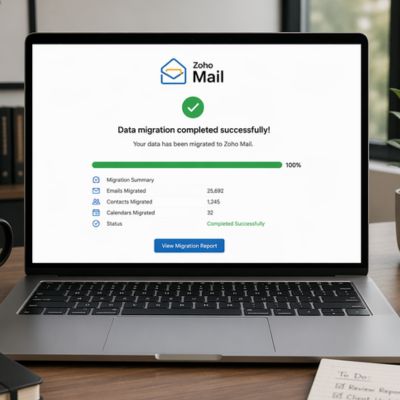
Zoho Mail provides dedicated migration tooling for moving mail, contacts, and calendars from Microsoft 365, Google Workspace, or Exchange environments, with a documented step-by-step guide covering both IMAP-based migration, which preserves folder structure and read/unread status, and POP-based migration, which is more limited and marks messages as unread on arrival. For organizations with more than 50 users, Zoho also offers dedicated technical migration assistance as part of its higher-tier plans.
Zoho Mail’s migration documentation also covers common failure points directly, for example, authentication errors tied to two-factor authentication on the source Microsoft 365 account, or service-account key restrictions in Google Workspace’s admin console, which suggests a migration process mature enough to have pattern-matched its own common support tickets rather than treating every migration as a one-off.
Security Certifications and Compliance
For regulated industries or any buyer conducting vendor security reviews, named certifications matter more than marketing language. Both platforms hold real third-party certifications, but they’re not identical.
OX App Suite’s certification posture
Open-Xchange, the company behind OX App Suite, holds ISO/IEC 27001:2022 certification issued by TÜV Rheinland of North America, and its cloud platform is described as GDPR-compliant, with end-to-end email and document encryption, built-in geo-redundancy across Europe, the US, and India, and abuse protection, including GeoIP-based and rate-limiting controls. The company’s Trust Center also references a public bug-bounty program covering App Suite alongside its Dovecot and PowerDNS products, run through YesWeHack.
For European buyers specifically, OX App Suite is frequently positioned around GDPR-first design given Open-Xchange’s German origins, and hosting through an EU-based reseller can keep data processing inside the EEA by default, a point worth confirming directly with whichever partner is provisioning the account, since final data residency depends on that reseller’s specific hosting location.
Zoho Mail’s certification posture
Zoho Mail is GDPR-compliant and has earned ISO/IEC 27001 certification for information security management, as well as SOC 2 Type II certification covering security, availability, processing integrity, confidentiality, and privacy controls. At the parent-company level, Zoho also holds ISO/IEC 27017 (cloud-specific security controls) and ISO/IEC 27018 (protection of personally identifiable information in public cloud environments), both of which extend the base ISO 27001 scope.
Zoho Mail’s compliance tooling extends beyond certification to include operational features, eDiscovery to locate and recover archived mail during an audit, and configurable retention policies for organizations that need to demonstrate that email records are preserved for a defined period. For a buyer running a formal vendor security questionnaire, having eDiscovery and retention built into the base compliance tooling, rather than as a bolt-on, is a genuine operational convenience during an actual audit, not just a certification checkbox.
Calendar, Contacts, and Scheduling
Mail rarely lives in isolation; calendar and contact sync are core to how both platforms function day-to-day, even when scoped narrowly to email rather than full collaboration suites.
OX App Suite’s calendar and contacts
Every OX App Suite tier, even the entry plan, includes a shared calendar with scheduling-wizard functionality, iCal support, and a Global Address List, along with CalDAV and CardDAV support for syncing with third-party calendar and contact apps. Because these are included in the base tier rather than gated to a higher plan, teams don’t need to upgrade to get shared scheduling across the organization.
The Global Address List, in particular, is a detail worth flagging for larger teams: it gives every user a searchable directory of colleagues without requiring separate directory-sync software, which smaller competing platforms sometimes offer only at a higher tier or as a paid add-on.
Zoho Mail’s calendar and contacts
Zoho Mail’s contact and calendar sync runs through the same Exchange ActiveSync channel used for mail, giving two-way synchronization of calendar, contacts, tasks, and notes alongside email on any standard EAS client. Because it rides the same protocol as mail rather than a separate sync mechanism, calendar and contact updates propagate on the same connection admins are already managing for mail access.
While Zoho Mail’s scope is narrower by design, this specific comparison focuses on document collaboration. Deeper shared-document and team-workspace functionality lives in Zoho’s separate Workplace suite rather than in Zoho Mail itself, which is out of scope for a mailbox-focused comparison like this one.
Feature-by-Feature Comparison
| Category | OX App Suite | Zoho Mail |
|---|---|---|
| Base mailbox storage | 10 GB entry tier; up to 50 GB combined mailbox/Drive on Productivity tier (varies by reseller) | 5 GB free tier; 50 GB mail + 50 GB archival on Mail Premium; 100 GB on Workplace Professional |
| Per-user storage add-on | Depends on the reseller’s packaging | Yes, the Additional Storage Add-on is assignable per user |
| Native mobile app | OX Mail app (Windows, iOS, Android) | Zoho Mail app + separate Admin Mobile App (iOS, Android) |
| ActiveSync support | Not the primary sync method (IMAP/CalDAV/CardDAV instead) | Yes, on paid business plans only |
| Org-wide MFA enforcement | Managed via reseller-level admin tooling | Native, organization-wide toggle in Admin Console |
| IP/location access restriction | Reseller-dependent | Native Admin Console feature |
| eDiscovery / retention | Not a named feature in reviewed documentation | Native, included on qualifying plans |
| ISO/IEC 27001 | Yes (Open-Xchange, 2022 revision) | Yes |
| SOC 2 Type II | Not cited in reviewed OX documentation | Yes |
| GDPR compliance | Yes, stated | Yes, stated |
| Multi-account IMAP aggregation | Yes, into the unified inbox | Via IMAP account configuration |
| Mix-and-match plan tiers within one org | Reseller-dependent | Yes, explicitly supported |
Uptime, Reliability, and Data Residency
Neither platform is worth comparing on paper specs alone if the mail doesn’t stay up; both publish reliability commitments, though from different vantage points in the stack.
OX App Suite’s reliability commitments
Open-Xchange’s cloud platform documentation cites a guaranteed 99.999% uptime SLA, including maintenance windows, backed by geo-redundant infrastructure spanning three continents. Individual hosting resellers reselling OX App Suite sometimes publish their own uptime commitment on top of that; figures in the 99.9% range appear in some reseller-level terms, so the specific SLA a buyer is actually covered by depends on which layer of the contract governs: the underlying Open-Xchange platform SLA or the reseller’s own customer-facing terms.
That distinction is genuinely worth clarifying before signing, since a reseller’s customer-facing SLA and the underlying platform’s infrastructure SLA aren’t always the same document, and only the one named in your actual contract is enforceable.
Zoho Mail’s reliability commitments
 Zoho Mail’s reliability commitments
Zoho Mail’s own published documentation is comparatively light on a headline uptime percentage in its public help pages, focusing instead on rate limits, sending thresholds, and account-recovery policy rather than a single advertised SLA figure. Zoho does host servers across multiple geographic regions, including the US, EU, China, India, and Australia, with the specific hosting region determined by the domain through which the organization’s admin originally signed up.
For a buyer with strict data-residency requirements, that region-selection-at-signup model is worth checking directly against your compliance needs before account creation, since the hosting region can’t be reassigned after the fact without support intervention.
Pricing Structure and Plan Tiers
Neither platform’s sticker price is the full story; what matters more for total cost of ownership is how each vendor structures tiers, storage upgrades, and add-ons around that base price.
How OX App Suite structures its tiers
OX App Suite is typically sold by resellers in two core tiers: a base plan covering webmail, calendar, tasks, and address book, with anti-spam included, and a Productivity tier that adds OX Documents (word processing, spreadsheets, presentations) and OX Drive cloud storage on top of the same mail foundation. Pricing is charged per mailbox/user account rather than as an organization-wide flat fee, and because OX App Suite is white-labeled, billing cadence, monthly versus annual commitment, and any bundled add-ons ultimately depend on the specific reseller’s own plan structure rather than a single universal price list.
That per-mailbox structure means costs scale predictably as headcount grows. Still, it also means two organizations of the same size can end up with meaningfully different effective plans depending on which reseller and regional hosting partner they’re buying through.
How Zoho Mail structures its tiers
Zoho Mail offers a free tier limited to a single custom domain and 5GB of storage per user, with paid Mail-only tiers and Workplace bundles that combine mail with broader productivity apps. Notably, Zoho explicitly supports a “Mix and Match” structure that lets an organization subscribe some users to Mail-only plans and others to full Workplace plans within the same organization, rather than forcing every seat onto an identical tier.
Contract terms follow a standard SaaS structure, with monthly or annual billing; annual commitments unlock additional benefits under Zoho’s stated terms, and storage can be extended per user via the Additional Storage Add-on rather than requiring an organization-wide tier upgrade to cover a handful of heavy users.
Pricing & Plan-Structure Comparison
| Structural Element | OX App Suite | Zoho Mail |
|---|---|---|
| Billing basis | Per mailbox/user | Per user, with Mix-and-Match across tiers |
| Entry tier scope | Webmail, calendar, tasks, address book, anti-spam | Free: single domain, 5 GB storage, limited protocol access |
| Upper tier adds | OX Documents, OX Drive cloud storage | Larger mail + archival storage, ActiveSync, SSO |
| Storage expansion path | Tier upgrade (reseller-dependent) | Per-user Additional Storage Add-on |
| Migration assistance tier gate | Reseller-dependent self-service tooling | Dedicated technical migration agent for over 50 users |
| Contract flexibility | Set by individual reseller | Monthly or annual, org-wide or mixed by user |
Frequently Asked Questions
Is OX App Suite or Zoho Mail easier to migrate to from Google Workspace?
Zoho Mail publishes a documented migration path for Google Workspace, including troubleshooting steps for service account key restrictions in Google’s admin console. OX App Suite supports connecting Gmail and other external IMAP accounts directly to a unified inbox, enabling a gradual migration rather than a single cutover. Neither path requires a full mailbox export in most cases. Still, Zoho Mail’s documentation explicitly covers more edge cases, which can shorten troubleshooting time for an in-house IT team managing the switch without reseller support.
Does Zoho Mail support ActiveSync on every plan?
No, Exchange ActiveSync on Zoho Mail is supported exclusively on business-paid plans and is not available on personal or free accounts. Organizations evaluating the free tier specifically for a pilot should confirm this before assuming full mobile client compatibility, since a small-team trial on the free plan won’t reflect the protocol access available once the organization upgrades to a paid tier.
Can OX App Suite mailboxes be accessed with a non-native email client?
Yes, OX App Suite supports standard POP and IMAP access, along with CalDAV and CardDAV for calendar and contact sync, so any client that supports those protocols can connect without requiring the OX Mail app. This is a meaningful flexibility point for organizations with an existing standardized email client across the company that they don’t want to replace to adopt new mailbox hosting.
Which platform holds SOC 2 certification?
Zoho Mail holds SOC 2 Type II certification alongside ISO/IEC 27001, covering security, availability, processing integrity, confidentiality, and privacy. The OX App Suite documentation reviewed for this comparison cites ISO/IEC 27001:2022 certification for Open-Xchange. Still, it does not reference a SOC 2 designation, so buyers with a SOC 2 requirement in their vendor security policy should confirm the current certification status directly with the reseller provisioning the OX App Suite account.
Does either platform charge extra for two-factor authentication?
Neither platform’s reviewed documentation lists two-factor authentication as a paid add-on. Zoho Mail’s Admin Console lets an administrator enable MFA organization-wide via a native console toggle, with enforcement automatically applied to all users once activated. OX App Suite’s security features, including its threat filtering, are described as part of the base mailbox plan rather than sold separately, though the exact authentication options available may vary by hosting reseller.
How does per-user storage expansion work on each platform?
Zoho Mail has a named Additional Storage Add-on that an admin can assign to individual users directly from the console, without upgrading the entire organization’s plan tier. OX App Suite’s storage expansion path is generally tied to upgrading the mailbox plan tier itself; the base-to-Productivity jump combines the mailbox and OX Drive cloud allowances rather than offering a standalone per-user storage add-on in the documentation reviewed.
Can I run a mix of Mail-only and full-suite licenses within a single organization?
Zoho explicitly supports this through its Mix and Match structure, letting an organization license some users under Mail-only plans and others under Workplace bundles within the same account, provided license counts are reported accurately. This is useful for organizations where, for example, frontline staff need only mailbox access, while other departments need broader productivity tools. OX App Suite’s tiering is generally set at the reseller package level, so mixed licensing within a single organization depends on which hosting partner supports it.
Where is my mailbox data physically hosted?
Zoho hosts servers across multiple regions, including the US, EU, China, India, and Australia, with the hosting region determined by the domain through which the organization’s admin originally registered. OX App Suite’s underlying platform runs on geo-redundant infrastructure spanning Europe, the US, and India. However, the specific region governing a given account depends on which hosting reseller provisioned it. Buyers with strict data residency requirements should confirm the exact hosting region in writing before creating an account on either platform.
Does OX App Suite include document editing, or is that separate?
Document editing (OX Documents) and cloud file storage (OX Drive) are bundled into OX App Suite’s higher Productivity tier rather than the base mail plan. This comparison is scoped to mailbox and email-related features specifically; a deeper look at document and collaboration functionality on both platforms is covered separately.
What happens to email formatting during migration between the two platforms?
Zoho Mail’s documentation distinguishes IMAP-based migration, which preserves folder structure and read/unread message status, from POP-based migration, which transfers messages into the inbox only and marks them as unread on arrival, a meaningful difference for anyone relying on existing folder organization. OX App Suite’s IMAP support enables a similar folder-preserving connection when linking an external account. However, the specific migration tooling available depends on the hosting reseller that manages the account.
Glossary
IMAP (Internet Message Access Protocol): A standard protocol that keeps email synchronized across multiple devices by storing messages on the server rather than downloading and removing them.
POP (Post Office Protocol): An older mail retrieval protocol that typically downloads messages to a single device rather than keeping them synced across multiple clients.
ActiveSync (Exchange ActiveSync / EAS): A protocol originally developed for Microsoft Exchange that synchronizes mail, calendar, contacts, tasks, and notes with mobile devices over a secure connection.
CalDAV / CardDAV: Open standards for syncing calendar events (CalDAV) and contact/address book data (CardDAV) between a server and third-party client applications.
MFA (Multi-Factor Authentication): A login security method requiring more than one form of verification, such as a password plus a one-time code, before granting account access.
eDiscovery: The process of searching, retrieving, and producing archived electronic communications, typically for legal, audit, or compliance purposes.
ISO/IEC 27001: An international standard specifying requirements for an organization’s information security management system.
SOC 2 Type II: An audit report evaluating a service provider’s controls over security, availability, processing integrity, confidentiality, and privacy over a sustained period.
GDPR (General Data Protection Regulation): The European Union’s data protection and privacy regulation governing how organizations collect, process, and store personal data of EU residents.
Data residency: The physical or geographic location where an organization’s data is stored, often relevant for regulatory compliance requirements.
The Hiya Digital Team is a collective of IT infrastructure specialist engineers, certified systems administrators, and cloud architects driven by a singular mission: building corporate communication systems that just work. As an Authorized Google Partner, the team handles complex global hosting deployments, secure email migrations, and advanced data compliance architectures for businesses across 40+ countries.
With over two decades of technical experience spanning custom premium business email configurations, OX AppSuite deployments, and enterprise-level network security, the Hiya Digital Team writes to demystify domain infrastructure. Their content focuses on actionable technical strategies, anti-phishing security protocols, and seamless cloud collaboration setup, all backed by real-world deployment experience and 24/7 technical support accountability.