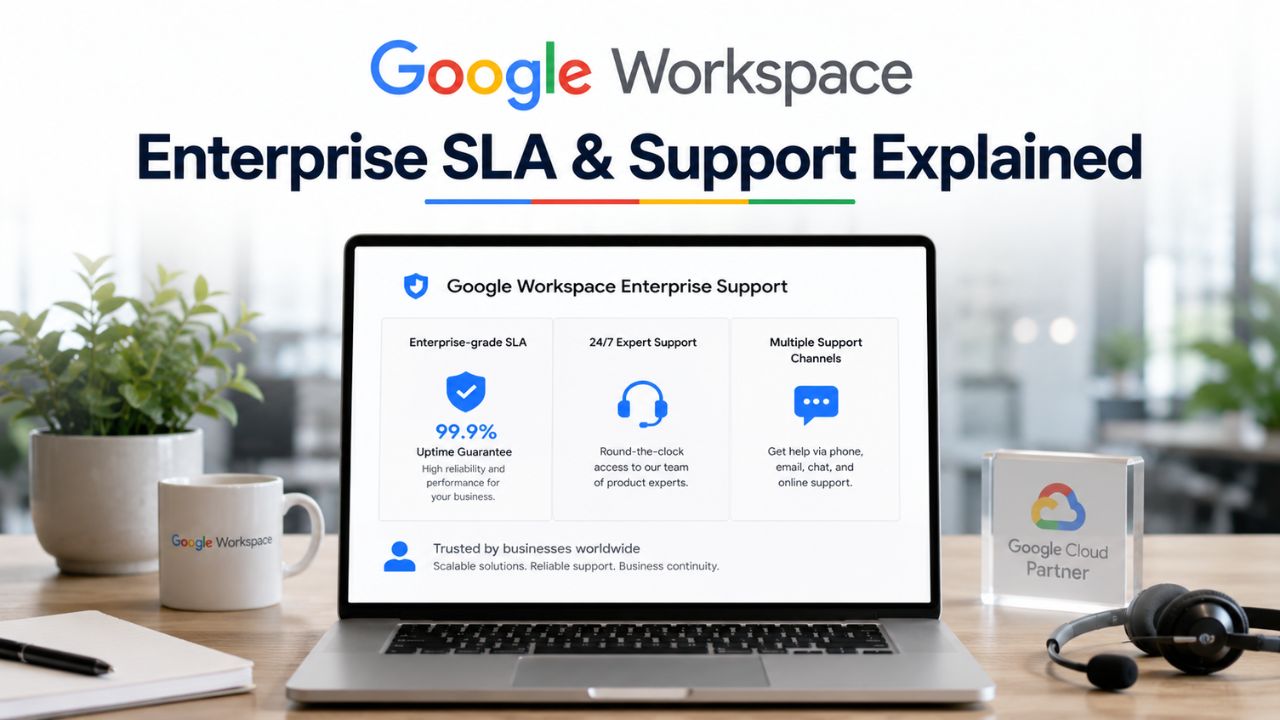
For large organizations, reliable support and service availability are just as important as collaboration features and security capabilities. Google Workspace Enterprise includes service-level commitments, support options, and escalation paths designed to help businesses maintain continuity when technical issues arise. Understanding how uptime guarantees, service credits, response times, and available support tiers differ enables organizations to choose the level of assistance that best matches their operational requirements and business-critical workloads.
Compare Google Workspace For Enterprise Plans →
The 99.9% Uptime Guarantee, Decoded
Google’s Workspace Service Level Agreement (SLA), the contractual commitment governing uptime, promises a Monthly Uptime Percentage of at least 99.9% for Covered Services, with financial remedies if that threshold is missed. Understanding what actually triggers those remedies matters more than the headline number.
 What Counts as Downtime Under the Google Workspace SLA
 What Counts as Downtime Under the Google Workspace SLA
Google defines downtime narrowly: a domain must show more than a five percent user error rate on a Covered Service’s web interface, measured server-side, for that period to count against the Monthly Uptime Percentage. Downtime means, for a domain, a period of time during which the user web interface for the applicable Covered Services used by Customer has a user error rate greater than 5%, measured based on the server-side error rate. That threshold means isolated errors affecting a handful of users, or issues limited to a single feature within an otherwise functional app, typically won’t register as SLA-qualifying downtime.
This distinction catches IT directors off guard during a real incident. A degraded but partially functional Gmail interface, where most users can still send and receive but a subset hit intermittent errors, may never cross the five percent threshold Google uses internally. Enterprise buyers should build their own internal monitoring and user-impact logging rather than relying solely on Google’s Status Dashboard, since the two measurement approaches can diverge meaningfully during a partial outage, and that gap can later become the basis for a credit dispute.
Which Apps Are Actually Covered Services
The SLA doesn’t apply uniformly across every Workspace application. Google’s Covered Services list includes Gmail, Google Calendar, Google Chat, Google Cloud Search, Google Docs, Google Drive, Google Forms, Google Groups for Business, Google Keep, Google Meet, Google Sheets, Google Sites, Google Slides, Google Tasks, Google Vault, Google Vids, and Google Voice, explicitly excluding Gmail Labs functionality. AppSheet is covered only in its Enterprise Standard and Enterprise Plus editions.
For a compliance officer building a business continuity case, the practical takeaway is that the SLA is an application-by-application commitment, not a blanket promise across the entire suite. If your organization depends heavily on a feature that sits outside the Covered Services definition, or on a third-party Marketplace add-on layered on top of Workspace, that dependency carries no SLA backing at all, and any outage there won’t generate a service credit regardless of how disruptive it is to daily operations.
How Service Credits Actually Get Calculated and Paid
When Google misses the 99.9% threshold, the remedy isn’t cash compensation for lost productivity; it’s a defined credit ladder tied to the severity of the shortfall, and the mechanics of claiming it are stricter than most buyers expect.
The Three-Tier Credit Ladder
The credit structure scales with the extent to which Google missed the target in a given calendar month. At 99.0% to just under 99.9% uptime, customers are eligible for three days of service credit; between 95.0% and just under 99.0%, that rises to seven days; below 95.0%, it reaches fifteen days the Service Credit for Monthly Uptime Percentage of 99.0% to under 99.9% is 3 days, 95.0% to under 99.0% is 7 days, and under 95.0% is 15 days of Service added to the term or an equivalent monetary credit. Fifteen days is also the hard ceiling; Google will not issue more than fifteen days of credit for a single Covered Service in a single billing month, no matter how severe or prolonged the outage was.
For offline-billing customers, credit is extended as an additional service term rather than cash; monthly online-billing customers receive an equivalent monetary credit applied to a future invoice. Neither form converts to a refund. An enterprise finance team modeling downtime risk should treat this as a service-continuity guarantee, not a financial hedge. The ceiling means a catastrophic multi-day outage, and a moderate one that crosses the 95% line both cap out at the same fifteen-day maximum credit.
Filing a Claim Before the 30-Day Window Closes
Service credits are not issued automatically. The customer, or the reseller acting on the customer’s behalf, must open a support case within thirty days of becoming eligible, or the right to the credit is forfeited entirely Customer must notify Google, or if Customer ordered Services from a Reseller, Customer must notify Customer’s Reseller who must notify Google, by creating a support case within thirty days from the time Customer becomes eligible to receive a Service Credit. This filing requirement is easy to miss in the aftermath of an incident, when IT teams are focused on remediation rather than paperwork.
Organizations that purchased through an Authorized Reseller route their claim through that partner rather than filing with Google directly, which is where a Licensing & Support Partner’s operational discipline matters: tracking the incident, opening the case inside the window, and confirming the credit posts to the right invoice cycle. Building a 30-day incident-to-claim checklist into your own IT operations runbook removes the need to rely on someone remembering to act during a stressful outage window.
Google Workspace SLA Credit Ladder
| Monthly Uptime Percentage | Service Credit Issued | Claim Window | Maximum Credit Per Month |
|---|---|---|---|
| 99.0% to under 99.9% | 3 days of service (or equivalent monetary credit) | 30 days from eligibility | Capped at 15 days per Covered Service |
| 95.0% to under 99.0% | 7 days of service (or equivalent monetary credit) | 30 days from eligibility | Capped at 15 days per Covered Service |
| Below 95.0% | 15 days of service (or equivalent monetary credit) | 30 days from eligibility | Capped at 15 days per Covered Service |
| Any tier, reseller-purchased | Same credit scale, routed through reseller | 30 days, the customer must notify the reseller first | The same 15-day cap applies |
Standard, Enhanced, and Premium Support Compared
Every Workspace edition ships with baseline support, but the gap between what’s included and what large organizations actually need widens quickly once response-time commitments and account coverage come into play.
What Ships Free With Every Enterprise Edition
Standard Support comes bundled with every Workspace license at no additional cost, offering 24/7 access and a 4-hour service-level objective for the highest-priority cases. Enhanced Support, by contrast, comes included with Enterprise editions rather than requiring a separate purchase, cutting that same P1 response commitment to 1 hour, with 24/7 priority access and intelligent case triaging to route issues to specialists with deeper product knowledge.
Enhanced Support also bundles Third-Party Technology Support, which extends Google’s assistance into setup, configuration, and troubleshooting for integrated third-party applications, a detail compliance-minded IT teams often overlook when scoping what “support” actually covers on an enterprise contract. Business Standard and Business Plus customers can purchase Enhanced Support as a paid add-on. Still, Enterprise editions include it as a standard inclusion, which is one of the clearer differentiators between the Business and Enterprise tracks on the support dimension.
Where Enhanced and Premium Diverge
Premium Support sits above Enhanced, cutting the P1 response commitment further to a 15-minute service-level objective. It’s the only tier that includes a named Technical Account Manager as part of the package. Premium Support offers the fastest response times, with a 15-minute SLO for P1 cases. Unlike Enhanced Support, which is automatically included in Enterprise editions, Premium requires a separate purchase and a conversation with Google’s sales team to determine pricing based on your organization’s case volume and headcount.
Language coverage is another practical detail buyers overlook: Enhanced and Premium Support operate 24/7 in English, but Japanese-language support is limited to business hours, with off-hours Japanese requests falling back to Standard Support’s response targets. For a multinational enterprise with support needs spanning time zones, mapping which regional teams actually need Premium’s 15-minute SLO, versus which can run comfortably on Enhanced’s one-hour commitment, is a cost-control exercise worth doing before signing, since Premium’s per-organization pricing scales with the breadth of coverage requested.
Priority Levels and What Response Time Really Means
The response-time numbers attached to each support tier only mean something once you understand how Google classifies incoming cases, and why a fast “response” doesn’t guarantee a fast fix.
How Google Defines P1 Through P4
 How Google Defines P1 Through P4
Google’s support structure sorts every case into a priority level, with P1 reserved for critical, business-stopping issues and lower priorities covering degraded functionality, general questions, and feature requests. It’s the P1 classification that every published response-time figure, four hours on Standard, one hour on Enhanced, fifteen minutes on Premium, is actually measuring, and P2 cases carry their own, longer commitments even on the faster tiers.
Getting a case correctly classified as P1 at the moment you open it is the single biggest lever an IT team controls over how fast Google responds. A ticket described vaguely or opened by someone unfamiliar with Google’s priority definitions risks being triaged to P2 or P3 by default, which can add hours to the response clock during an incident that genuinely warrants P1 treatment. Training whoever holds admin console access on Google’s own priority criteria, before an incident happens, closes that gap.
Response Time Is Not Resolution Time
None of Google’s published SLOs, four hours, one hour, or fifteen minutes, represent a commitment to fix the underlying problem. They represent a commitment to the first meaningful contact from a support engineer. Resolution time depends on the complexity of the issue, whether it originates in Google’s infrastructure or the customer’s configuration, and how quickly the customer can provide the diagnostic information the support team requests.
This distinction matters enormously for the incident communication plans that large organizations build around Workspace outages. A CISO reporting status to executive leadership during a P1 incident should frame the response-time SLO as “Google engaged within X minutes,” not “Google will have this fixed within X minutes”, conflating the two in an internal status update sets expectations that Google’s own contractual commitments were never designed to meet. The mismatch tends to surface right when leadership’s patience is thinnest.
Escalation Paths When a Case Stalls
Every support tier includes a mechanism for pushing a case that isn’t progressing. Still, the paths differ depending on whether you’re relying on the built-in case system or a dedicated account contact.
Built-In Escalation Inside a Support Case
Every open Google Workspace support case includes a standard escalation option accessible directly from the Admin console, allowing the case owner to flag that the assigned engineer’s pace or communication isn’t meeting the urgency of the issue. This routes the case to a duty manager for review, independent of which support tier originated the request, and it’s available even to organizations running on the free Standard tier.
The mistake enterprise admins make most often is waiting too long to use it. Escalation inside Google’s system isn’t an admission that something has gone wrong with the case, it’s a built-in checkpoint meant to be used proactively whenever a P1 or P2 case sits without meaningful progress for longer than the situation warrants. Documenting a specific internal trigger, for example, “escalate if no substantive update arrives within two hours of the SLO deadline”, turns this into a repeatable process rather than a judgment call made under incident pressure.
When to Loop In a Technical Account Advisor or TAM
Above the standard escalation button sits a layer of dedicated account coverage available only on higher support tiers. Enhanced Support customers get access to a Technical Account Advisor service that provides assisted support and periodic service reviews. At the same time, Premium Support includes a named Technical Account Manager as a standing point of contact rather than a resource engaged only during active incidents.
For a multi-thousand-seat deployment, having that named contact already briefed on your environment before an incident occurs materially shortens the time it takes to get a stalled case unstuck, since the TAM already understands your architecture, prior incidents, and internal escalation contacts rather than needing that context rebuilt from scratch by whichever engineer picks up the case. Organizations that lean on Enhanced Support without upgrading to Premium should still schedule the periodic reviews their Technical Account Advisor offers; skipping them forfeits one of the tier’s clearer practical advantages.
Strengthen Your Google Workspace Enterprise Support Strategy
Understanding Google’s SLA, support tiers, and escalation paths is only part of maintaining a resilient business environment. The right licensing and implementation partner can help with deployment planning, support coordination, account management, and ongoing administration.

The Technical Account Manager Role in Premium Support
Premium Support’s headline feature isn’t just the 15-minute response time; it’s the shift from anonymous case-by-case support to a named individual who understands your environment on an ongoing basis.
What a Named TAM Actually Does Day to Day
A Technical Account Manager functions as a standing liaison between the customer’s IT organization and Google’s internal support and engineering teams, rather than someone who only appears once a P1 case is opened. Day-to-day, that means the TAM tracks open cases across the account, flags patterns across recurring issues that individual case owners might miss, and serves as the escalation contact of first resort when a case isn’t moving at the pace the situation demands.
For an organization running Workspace across thousands of seats and multiple business units, this continuity matters more than the raw response-time number suggests. A TAM who already understands which business units are most sensitive to Gmail downtime, or which integrations are fragile during Admin console changes, can triage and route issues faster than the response-time SLO alone would predict, because the diagnostic groundwork doesn’t have to be redone with every new case.
Quarterly Reviews and Proactive Risk Flags
 Quarterly Reviews and Proactive Risk Flags
Beyond reactive support, Premium Support’s TAM function includes periodic operational reviews and structured check-ins in which the TAM walks through case trends, configuration risk areas, and upcoming changes that could affect the organization’s environment. These reviews shift the relationship from purely reactive to partly proactive, surfacing issues before they escalate into P1 incidents rather than only responding after the fact.
Enterprise customers who treat these reviews as a formality tend to get less value from Premium Support than the price justifies. Coming prepared with a specific agenda, recent near-misses, planned organizational changes like a merger or a major rollout, or configuration questions the internal team has been sitting on turns a routine check-in into genuine risk mitigation. It’s one of the more common gaps Hiya Digital sees when auditing how newly onboarded Enterprise customers are actually using support tiers they’re already paying for.
What the SLA Does Not Cover
The 99.9% commitment reads as a guarantee until you reach the exclusions section, which carves out several categories of disruption that Google explicitly won’t count against the SLA or credit.
Exclusions Baked Into the Agreement
Google’s SLA explicitly excludes performance issues caused by force majeure events, problems originating in the customer’s own equipment or third-party equipment outside Google’s control, and any downtime resulting from a customer’s or end user’s behavior that violates the underlying agreement the SLA does not apply to performance issues caused by factors described in the Force Majeure section, that resulted from Customer’s equipment and/or third party equipment not within the primary control of Google, or that resulted from Customer’s or its End Users’ abuses or other behaviors that violate the Agreement. Separately, services in the Google Workspace Essentials Starter edition are entirely excluded from SLA coverage, even though that edition technically uses some of the same underlying Covered Services.
This exclusion list is where enterprise legal and procurement teams should focus their contract review time, since the categories are broad enough to cover a wide range of real-world incident causes. An outage traced back to a misconfigured firewall rule on the customer’s network, for instance, falls squarely under the “customer’s equipment” exclusion regardless of how disruptive it was internally, and no service credit will apply.
The Gap Between Uptime and Usability
Uptime, as Google measures it, is a narrower concept than the “Is Workspace usable today?” question an end user actually cares about. Slow load times, degraded search performance within Drive, or intermittent sync delays across devices can all significantly hurt productivity without ever crossing the 5% server-side error threshold that triggers SLA remedies. None of that shows up as a credit-eligible event, even during a genuinely bad week for the organization.
This gap is why relying exclusively on the contractual SLA as a health metric for the Workspace deployment misses the real signal. Enterprise IT teams get a more accurate picture by layering their own performance monitoring, help desk ticket volume, user-reported slowness, and application response-time sampling onto what Google’s Status Dashboard reports, since the two data sources measure genuinely different things. Neither one alone tells the complete story a CISO needs for an incident postmortem.
Google Workspace Support Tier Comparison
| Support Tier | P1 Response SLO | How It’s Obtained | Named Account Contact | Third-Party Technology Support |
|---|---|---|---|---|
| Standard | 4 hours | Included with every Workspace license at no cost | None | Not included |
| Enhanced | 1 hour | Included by default with Enterprise editions; paid upgrade on Business Standard/Plus | Technical Account Advisor (assisted support, periodic reviews) | Included |
| Premium | 15 minutes | Separate purchase, priced via Google sales conversation | Named Technical Account Manager (standing contact) | Included, plus deeper architectural guidance |
Support Through a Reseller vs. Direct from Google
How support cases get filed, routed, and credited changes depending on whether an organization bought Workspace directly from Google or through an Authorized Reseller, a distinction that surprises some newly migrated enterprise customers.
How Case Routing Changes With a Reseller Agreement
Customers who purchase through a reseller still open support cases and interact with Google’s engineers the same way as direct customers; the underlying support infrastructure, priority levels, and response-time commitments don’t change based on the purchase channel. What changes is the account relationship layered on top: a reseller can provide a first line of triage, help determine which priority level a given issue warrants, and handle licensing or billing questions that would otherwise require a separate conversation with Google.
For an IT director evaluating whether to renew directly with Google or continue through a Reseller and Implementation Partner, the practical question is less about the SLA terms themselves, which are contractually identical either way, and more about whether the reseller adds meaningful value in day-to-day case management, deployment support, and the administrative overhead of a multi-thousand-seat license.
Credit Handling When a Reseller Sits in the Middle
The service-credit claim process changes meaningfully when a reseller is involved. Rather than notifying Google directly, the customer must notify the reseller, who is then responsible for notifying Google on the customer’s behalf. The credit is issued to the customer by the reseller rather than being issued directly by Google. If Customer orders Services from a Reseller and complies with this requirement, Customer will receive the applicable Service Credit from Customer’s Reseller on Google’s behalf. This adds a coordination step to the 30-day claim window discussed earlier in this post.
That added step is exactly where a competent Licensing & Support Partner earns its role in the relationship. Hiya Digital’s approach is to track SLA-qualifying incidents on behalf of clients as part of ongoing account management, rather than waiting for the customer to notice a shortfall and initiate the claim, closing a gap that, left to a customer’s own internal bandwidth during a busy quarter, results in real, eligible credits going unclaimed and unnoticed until it’s too late to file.
Building an Internal Escalation Runbook
None of Google’s support commitments does an organization much good if the internal team doesn’t know how to invoke them quickly and correctly during an actual incident.
Mapping Internal Severity to Google’s Priority Levels
Most enterprise IT organizations already run their own internal severity classification, Sev-1, Sev-2, and so on, for incident management, and that internal scale rarely maps one-to-one onto Google’s P1 through P4 system. A mismatch here costs precious minutes during an incident, when someone has to translate “this is a Sev-1 for us” into the correct Google priority level before a support case even gets opened with accurate metadata.
Building an explicit crosswalk table in advance, documenting which internal severity levels correspond to which Google priority, and pre-authorizing whoever holds on-call responsibility to open a P1 case without needing sign-off first, removes that translation step from the critical path of an active incident. This is a one-time documentation exercise that pays off disproportionately when a genuine outage hits during off-hours, when the on-call person may not be the same person who normally manages the Workspace support relationship.
Documenting the Chain of Contacts Before an Incident
A runbook is incomplete without a clear, current list of who to contact at each stage of an escalation: the on-call admin with console access, the internal escalation contact if the assigned Google engineer isn’t responsive, and, for organizations on Premium Support or working through a reseller, the named TAM or account manager who should be looped in directly rather than through a general support queue.
Keeping this document current matters more than most IT teams treat it. Support contacts change, TAM assignments shift, and reseller account managers move between clients; a runbook built once during initial deployment and never revisited is often stale by the time it’s actually needed. Reviewing and re-confirming these contacts on a fixed quarterly cadence, tied to the same rhythm as any Technical Account Advisor review the organization already has scheduled, keeps the document trustworthy when it counts.
Measuring Support Performance Over a Contract Term
A support relationship that looks good on paper at signing can drift over a multi-year contract term, and the only way to catch that drift is actually to track performance against it.
What to Track Beyond the Headline SLO
 What to Track Beyond the Headline SLO
The published SLO, one hour on Enhanced, fifteen minutes on Premium, is a useful benchmark, but it’s only one data point. A more complete picture over a contract term includes actual average response times achieved on a case-by-case basis, the percentage of cases correctly classified into the right priority level on first submission, and how often a case required escalation before resolving.
Organizations rarely track this systematically on their own, which means the data needed to negotiate a renewal from a position of strength, “our P1 cases averaged 22 minutes against a 15-minute SLO over the past year, and that’s a pattern we need addressed”, doesn’t exist when it’s needed most. Building a lightweight internal log, even a shared spreadsheet updated after every case closes, turns anecdotal frustration into a documented trend that carries real weight in a renewal conversation.
Renewal Leverage Built From a Year of Case Data
Contract renewal is the moment when accumulated support performance data becomes genuinely useful leverage. An organization that can point to a documented pattern of recurring misclassification of P1 cases, response times consistently trailing the contractual SLO, or a TAM relationship that never delivered the promised quarterly reviews is in a fundamentally stronger negotiating position than one relying on general dissatisfaction.
This is an area where a Certified Sales Partner adds tangible value heading into renewal: benchmarking a client’s documented support performance against patterns seen across other Enterprise accounts, and using that context to inform what’s realistic to push for in a renegotiated support package, whether that’s a tier upgrade, added TAM coverage, or contractual language addressing the specific gaps the past year’s data actually surfaced.
Frequently Asked Questions
What happens if Google misses the 99.9% uptime SLA for Google Workspace Enterprise?
Google issues a Service Credit rather than a cash refund. The size of the credit depends on how far below 99.9% the Monthly Uptime Percentage fell: three days of service credit for uptime between 99.0% and just under 99.9%, seven days for 95.0% to just under 99.0%, and fifteen days for anything below 95.0%. Fifteen days is the maximum credit issuable for a single Covered Service in a single billing month, regardless of how severe the outage was. Customers billed offline receive an extended service term; customers billed monthly online receive an equivalent monetary credit applied to a future invoice. The customer, or their reseller on their behalf, must file the claim within thirty days of becoming eligible; otherwise, the right to the credit is forfeited entirely. There’s no retroactive claim window once that period closes.
Does Standard Support cost extra on Google Workspace Enterprise editions?
No. Standard Support ships included with every Google Workspace license at no additional charge, offering 24/7 access and a four-hour service-level objective for the highest-priority cases. What typically costs extra, depending on which Enterprise edition an organization holds, is Premium Support, the tier above the Enhanced Support that Enterprise editions already include by default. Premium requires a separate conversation with Google’s sales team, since its pricing scales with organizational size and case volume rather than following a flat published rate. Business Standard and Business Plus customers, by contrast, must purchase even Enhanced Support as a paid upgrade, which is one of the clearer support-related distinctions between the Business and Enterprise product lines specifically.
How fast does Premium Support respond to a P1 outage on Google Workspace?
Premium Support carries a 15-minute service-level objective for first response on Priority 1 cases, the fastest commitment across all three Workspace support tiers. That figure measures the first meaningful engagement from a support engineer, not the full resolution of the underlying issue. Resolution time depends on the complexity of the problem and how quickly the customer can supply requested diagnostic information. Premium Support also includes a named Technical Account Manager as a standing point of contact, which, in practice, often shortens the path to resolution beyond what the raw response-time number suggests, since that TAM typically already understands the customer’s environment before an incident begins, rather than starting from a blank case file.
Can organizations working with an Authorized Reseller escalate cases directly to Google?
Yes, the underlying support infrastructure, case system, and response-time commitments are identical whether Workspace was purchased directly from Google or through an Authorized Reseller like Hiya Digital. What changes is the service-credit claim process: reseller customers notify their reseller, who then notifies Google and issues any resulting credit back to the customer, rather than the customer filing and receiving credit directly. A well-run reseller relationship typically adds value on top of that baseline by proactively tracking SLA-qualifying incidents, helping classify cases into the correct Google priority level, and coordinating the 30-day credit claim window so eligible credits don’t go unclaimed due to internal bandwidth constraints during a busy incident period.
What actually qualifies as a Priority 1 case under Google Workspace support?
Google reserves P1 for critical, business-stopping issues, situations where a Covered Service is effectively unusable for a significant portion of an organization’s users, not isolated individual errors. It’s this classification that every published response-time commitment is built around: four hours on Standard Support, one hour on Enhanced, fifteen minutes on Premium. Cases opened with vague descriptions or by admins unfamiliar with Google’s own priority criteria risk being triaged down to P2 or lower by default, which can meaningfully delay response during an incident that genuinely warrants P1 treatment. Training whoever holds Admin console access on these classification criteria before an incident occurs is one of the highest-leverage, lowest-cost steps an enterprise IT team can take.
Is a Technical Account Manager included automatically with every Enterprise edition?
No. A named Technical Account Manager is specific to Premium Support, which is a separate, sales-negotiated purchase on top of whatever Enterprise edition an organization already holds; it is not automatically bundled with Enterprise Standard or Enterprise Plus. Enhanced Support, which Enterprise editions do receive by default, includes a related but distinct benefit: access to a Technical Account Advisor service that provides assisted support and periodic service reviews, without the standing, always-assigned relationship a full TAM represents. Organizations weighing whether Premium’s added cost is justified should evaluate it against actual case volume and business criticality rather than assuming Enterprise-tier licensing alone covers dedicated account management.
How do I request a service credit after a Google Workspace outage?
Within thirty days of becoming eligible for a credit, open a support case specifically requesting the Service Credit. This notification requirement is not automatic and must be actively initiated. If Workspace was purchased through a reseller, that notification goes to the reseller first, who is responsible for relaying it to Google and subsequently issuing the credit on Google’s behalf; direct customers file with Google themselves. Missing the thirty-day window forfeits the right to the credit entirely, with no exceptions described in the published SLA terms. Because this filing step is easy to overlook amid the operational chaos that follows a real outage, some organizations build a standing internal checklist or rely on their reseller’s account management to ensure the window doesn’t close unnoticed.
Does the Google Workspace SLA cover downtime caused by scheduled maintenance?
The published SLA does not carve out a separate blanket exemption for all scheduled maintenance, as some other Google Cloud service SLAs explicitly do. Still, it does exclude downtime resulting from factors outside Google’s control and from customer-side equipment or behavior. In practice, Google structures planned maintenance windows to minimize measurable downtime against the five percent server-side error threshold that defines an SLA-qualifying event, so routine maintenance rarely generates a credit-eligible outage on its own. Enterprise IT teams should still monitor Google’s Workspace Status Dashboard and admin notifications about announced maintenance windows, since distinguishing the impact of planned maintenance from a genuine SLA-qualifying outage matters when deciding whether to file a credit claim.
What’s the practical difference between Enhanced Support and services like Assured Support?
Enhanced Support is a core Workspace support tier focused on accelerating response times, a 1-hour P1 service-level objective, 24/7 priority access, and intelligent case triaging to specialists. Assured Support, by contrast, is a specialized add-on primarily associated with Google Cloud’s compliance-driven support offerings, built for regulatory frameworks like FedRAMP High, IL4, and CJIS where governance over personnel location and data handling, not just response speed, is the primary requirement. For most commercial enterprise Workspace customers, Enhanced or Premium Support covers the operational need; Assured-style governance controls are primarily relevant for government contractors or organizations operating under specific federal compliance mandates that require documented control over who can access support data and from where.
How many support cases can an Enterprise customer have open simultaneously?
Google’s published support documentation does not state a hard cap on concurrent open cases for Enterprise customers. Case volume is not itself a factor that changes the per-case response-time SLO; each new P1 case still receives its own independent response-time commitment, regardless of how many other cases are currently open on the account. What scales with case volume is the practical value of Premium Support’s named Technical Account Manager, who can track patterns and prioritize across a high volume of simultaneous cases in a way the standard case-by-case system isn’t designed to do on its own. Organizations anticipating high case volume during a major migration or rollout should discuss surge support expectations directly with their account team or reseller before the event, rather than assuming standard response commitments will hold under unusually heavy simultaneous load.
Glossary
SLA (Service Level Agreement): The contractual document defining Google’s uptime commitment for Covered Services and the remedies available if that commitment isn’t met.
SLO (Service Level Objective): The specific, measurable target within a support tier, such as a one-hour first-response time for P1 cases on Enhanced Support.
Covered Services: The specific set of Workspace applications to which the SLA’s uptime guarantee applies, explicitly listed in the agreement.
Monthly Uptime Percentage: The calculation Google uses to determine SLA compliance: total minutes in a calendar month minus downtime minutes, divided by total minutes.
Downtime (as defined by the SLA): A period during which a domain’s Covered Service shows a server-side user error rate above five percent.
Service Credit: The contractual remedy for missed uptime targets, additional service days, or an equivalent monetary credit, not a cash refund.
P1–P4: Google’s priority classification system for support cases, with P1 reserved for critical, business-stopping issues and each level carrying its own response-time commitment.
TAM (Technical Account Manager): A named individual, included with Premium Support, who serves as a standing liaison between an enterprise customer and Google’s support and engineering teams.
Technical Account Advisor: A related but lighter-weight service included with Enhanced Support, offering assisted support and periodic service reviews without a dedicated, always-assigned TAM.
Escalation: The process of flagging an open support case for accelerated review when its pace doesn’t match the urgency of the underlying issue.
The Hiya Digital Team is a collective of IT infrastructure specialist engineers, certified systems administrators, and cloud architects driven by a singular mission: building corporate communication systems that just work. As an Authorized Google Partner, the team handles complex global hosting deployments, secure email migrations, and advanced data compliance architectures for businesses across 40+ countries.
With over two decades of technical experience spanning custom premium business email configurations, OX AppSuite deployments, and enterprise-level network security, the Hiya Digital Team writes to demystify domain infrastructure. Their content focuses on actionable technical strategies, anti-phishing security protocols, and seamless cloud collaboration setup, all backed by real-world deployment experience and 24/7 technical support accountability.