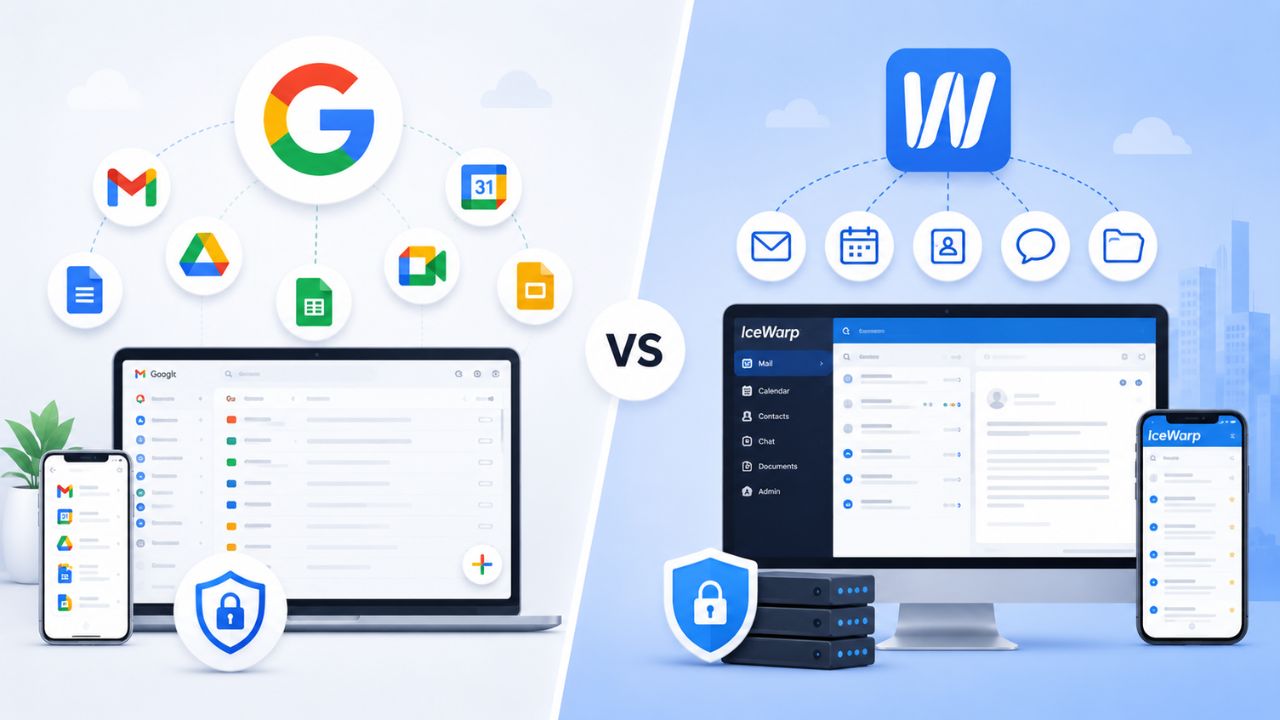
As businesses grow, their email and collaboration platforms must keep pace with increasing user counts, evolving workflows, and greater administrative and security requirements. Google Workspace and IceWarp Email Suite both provide integrated business communication tools, including email, file storage, messaging, and online meetings. Still, they differ in their approach to collaboration, scalability, management, and long-term flexibility. Understanding how these platforms compare across key business requirements helps organizations choose the solution that best supports sustainable growth and day-to-day operations.
What Each Platform Is Actually Built For
Google Workspace is Google’s cloud productivity suite built around Gmail, Drive, Meet, and the Docs editor family, sold on a per-user subscription with no infrastructure for the customer to manage. IceWarp Email Suite is a business email and collaboration platform that bundles TeamChat, video conferencing, and document co-authoring, and, unlike Workspace, is available via web, desktop, and mobile apps, offering flexible deployment options including cloud, self-hosted, and hybrid. That deployment fork is the single biggest structural difference between the two, and it shapes almost every other comparison in this post.
 The Core Product Philosophy Behind Each Suite
 The Core Product Philosophy Behind Each Suite
Google built Workspace as a single cloud-native environment: there is no on-premise version, no server to patch, and every app in the suite, Gmail, Drive, Meet, Docs, Sheets, runs on Google’s own infrastructure under one login. That trade-off buys simplicity at the cost of control: a business adopts Google’s release cycle, data center footprint, and default security posture as a package deal, with configuration handled through the admin console rather than on the server itself.
IceWarp takes the opposite starting position. IceWarp is an all-in-one business email and collaboration platform that combines email, TeamChat, video conferencing, document collaboration, folder storage, and AI tools into a single secure, cost-effective solution, and it is explicitly positioned as a modern alternative to Microsoft 365 and Google Workspace. Because it can run self-hosted as well as in the cloud, a business that wants its mailboxes on its own hardware, for data-residency reasons, or simply institutional preference, has that option in a way Workspace customers do not.
Where the Two Platforms Compete Directly
Both platforms sell themselves as an “everything a small business needs” bundle rather than email alone: calendar, chat, video meetings, file storage, and document editing are included in the base plan on both platforms. Where they diverge is emphasis. Google’s bundle leans on its editor suite, Docs, Sheets, and Slides, as the collaboration layer, with Gmail as the entry point. IceWarp leans on storage and messaging as the differentiator, pairing 200GB email storage per user and 1TB file storage per user with its own TeamChat and video layer rather than a third-party editor stack.
For a growing business, that framing matters more than it sounds. A team that already lives in Google Docs for proposals and spreadsheets will find Workspace’s bundle native; a team that cares more about mailbox size and wants deployment flexibility will see IceWarp’s bundle as better aligned. Neither framing is objectively superior; it’s a fit question, which is why the rest of this post works through the specific dimensions (security, migration, admin control, scalability) rather than a single verdict.
Storage: Pooled Cloud Limits vs. Per-User Ceilings
Storage is usually the first number a growing team checks, and the two vendors structure it differently enough that a direct GB-to-GB comparison undersells the real difference. Google pools storage across the whole organization and scales it by plan tier; IceWarp assigns a flat per-user ceiling split between email and files.
How Storage Scales as Headcount Grows
Google Workspace uses flexible pooled storage per user, shared across the organization, meaning one employee’s lighter usage effectively subsidizes another’s heavier usage. Business Starter includes 30 GB of pooled storage per user; Business Standard includes 2 TB; and Business Plus and Enterprise Plus include 5 TB. For a growing business, the practical effect is that the entry tier is tight for anything beyond email and light documents. In contrast, the mid and upper tiers give enough headroom that storage rarely becomes the reason to upgrade.
IceWarp’s Business plan instead gives every user a fixed, non-pooled allotment: 200GB of email storage and 1 TB of file storage for document and file management. That ceiling doesn’t move with plan tier the way Workspace’s does; it’s closer to a flat guarantee than a scaling curve, which suits teams whose per-person usage is fairly even and unpredictable in aggregate.
What Storage Structure Means for a Growing Team
A business scaling from 10 to 50 employees will experience these two models differently. Under Google’s pooled system, uneven usage across departments, heavy Drive use in design, light use in sales, evens out automatically inside one tier. Under IceWarp’s flat-per-user system, every new hire arrives with the same 200GB/1TB ceiling regardless of role, which is predictable for budgeting but can’t flex the way a pool can if one team’s usage spikes.
Self-hosted IceWarp deployments break from both models entirely: admins manage storage space, but each user must have at least 2GB of storage, with the actual ceiling set by the organization’s own hardware rather than a vendor-imposed cap. That’s a genuine differentiator for a business that wants storage growth decoupled from subscription tier. Still, it also means storage planning becomes an internal IT responsibility rather than something handled entirely by the vendor.
| Storage Dimension | Google Workspace | IceWarp Email Suite |
|---|---|---|
| Storage model | Pooled across the organization, scales by tier | Flat per-user allotment (cloud); admin-set minimum of 2 GB/user (self-hosted) |
| Entry-tier ceiling | 30 GB pooled per user (Business Starter) | 200 GB email + 1 TB file storage per user (Business plan) |
| Mid/upper-tier ceiling | 2 TB pooled (Standard); 5 TB pooled (Plus/Enterprise) | Same flat allotment across the cloud Business tier; custom for Enterprise |
| Storage flexibility source | Automatic pooling across all users | Self-hosted deployment gives admin-controlled, hardware-bound capacity |
Security, Compliance, and Certifications
Security posture is one of the few areas where growing businesses actively compare vendor documentation rather than take marketing copy at face value, and it’s the area where deployment model, cloud-only vs. cloud-or-self-hosted, has the most downstream effect.
Compliance Frameworks Each Vendor Publishes
IceWarp publishes a defined set of compliance for its cloud offering: SOC 2 and GDPR compliance, ISO/IEC 27001 certification, alongside migration tooling and desktop client support. Notably, independent review coverage flags a gap worth knowing before a regulated business commits: no publicly confirmed HIPAA Business Associate Agreement. IceWarp markets “HIPAA support” but offers a GDPR DPA rather than a signed BAA, so healthcare buyers should verify with sales before storing protected health information. That’s exactly the sourced, verifiable limitation a fair comparison should surface rather than smooth over.
Google Workspace’s compliance program has a broader scope of certifications. It includes eDiscovery-specific tooling and Vault, which becomes available starting at the Standard tier, with advanced endpoint management and enhanced controls reserved for Business Plus and Enterprise. Business Plus adds eDiscovery and attendance tracking, while Enterprise adds unlimited storage, DLP, and enterprise security controls, giving Google’s upper tiers a level of compliance depth that IceWarp’s published cloud documentation doesn’t fully match at an equivalent price point.
Deployment Control as a Security Variable
For businesses in regulated or data-residency-sensitive industries, IceWarp’s self-hosted option is a genuinely different security conversation than anything Workspace offers. Because Workspace has no on-premises mode, every Workspace customer’s data sits in Google’s infrastructure by design. IceWarp’s cloud tier also offers flexibility here: hosted deployments include data center selection to meet compliance requirements, providing a meaningful middle ground between full self-hosting and Google’s fixed-infrastructure model.
The trade-off is operational, not just architectural. Self-hosting shifts patching, uptime, and breach response from vendor to customer IT staff, a real cost that a compliance-driven “we want our own servers” decision needs to account for before it’s treated as a pure security win. A growing business without a dedicated infrastructure team will likely find that Google’s fully managed model reduces its actual attack surface more than a self-hosted deployment, which it doesn’t have the staff to harden and monitor.
Video Conferencing and Real-Time Collaboration
Meeting capacity is one of the more concrete, non-monetary numbers worth comparing directly, since both vendors publish hard participant ceilings by tier.
Participant Ceilings by Plan Tier
IceWarp’s conferencing tooling is not tier-gated the way Google’s is: IceWarp supports video conferences with up to 1,000 attendees, including webinar mode features, available as part of its standard collaboration bundle rather than reserved for a top tier. Google, by contrast, scales meeting size directly with plan: Business Starter supports 100-participant video meetings; Business Standard raises that to 150 participants, plus recording and noise cancellation; and Business Plus extends to 500-participant video meetings, plus recording, attendance tracking, and noise cancellation.
That structure means a growing business evaluating “can we run a 300-person all-hands” gets two very different answers depending on vendor: IceWarp’s webinar mode covers that scenario on its standard plan, while Google requires stepping up to Business Plus (500-participant cap) to clear it; Business Standard’s 150-participant ceiling would not.
What “Collaboration” Means Beyond the Call
 What “Collaboration” Means Beyond the Call
Document co-authoring sits inside both suites, but the underlying tooling differs in maturity and ecosystem reach. Google’s Docs, Sheets, and Slides are purpose-built, deeply integrated editors with a large existing user base outside of Workspace itself; most external collaborators already know how to use them. IceWarp’s document co-authoring and office productivity and collaboration tools cover the same functional need inside its own interface, which keeps everything in one screen but means external partners not already on IceWarp are collaborating in a less familiar environment.
TeamChat is IceWarp’s answer to Google Chat, and both operate similarly as persistent, channel-based messaging tied to the same login used for email and calendar. Neither vendor’s real-time chat tooling is a meaningful differentiator on its own for a growing business; the participant-ceiling and storage numbers above are the dimensions actually worth weighing here.
Migration Friction: What It Takes to Switch
Migration risk is where many otherwise sound vendor decisions stall, because the switching cost is rarely visible until a business is mid-move.
Migrating Into Each Platform
Both vendors have invested in reducing this friction from the incoming direction. IceWarp offers fully managed migration services from Microsoft Exchange, Microsoft 365, Google Workspace, Zimbra, and other platforms, which explicitly covers the Google-to-IceWarp direction this post’s audience is most likely to be considering. Google’s own migration tooling for inbound moves from Exchange, other IMAP systems, or competing suites is comparably mature and well-documented, reflecting how common that migration direction is industry-wide.
In practice, the lower-friction direction is whichever platform has invested more specifically in tooling for your source system. A business moving off Exchange has strong tooling on both sides; a business moving specifically from IceWarp to Google, or vice versa, should confirm current mailbox-migration tooling directly with either vendor’s support team before committing to a timeline, since suite-to-suite migration tooling changes faster than either vendor’s marketing pages reflect.
What Growing Businesses Underestimate About Switching
The parts of a migration that actually cause downtime are rarely the mailbox transfer itself; it’s shared calendars, distribution lists, mobile device re-enrollment, and third-party app integrations (CRM, helpdesk, marketing tools) that were wired to the old platform’s API. Neither vendor’s marketing materials fully cover this layer, which is exactly the gap a migration partner is meant to close rather than something either platform solves natively out of the box.
This is also where the deployment model reappears as a factor: moving into a self-hosted IceWarp deployment adds a server-provisioning step that a cloud-only move (Google-to-Google-tier, or Google-to-IceWarp-cloud) doesn’t have. A business without in-house server administration experience should weigh the extra step carefully before choosing self-hosted IceWarp solely for the storage or data-residency upside described in Section 2.
Deploy Google Workspace with Expert Migration and Support
Migration friction is exactly where a hands-off signup with either vendor tends to expose its limits; someone still has to handle calendars, distribution lists, and integrations without breaking anything mid-move. As an Authorized Reseller and Certified Sales Partner for Google Workspace, Hiya Digital handles that migration and account setup directly, so a growing business gets the platform without owning the transition risk alone.

Admin Controls and IT Overhead
Whoever manages the mailbox environment day-to-day cares less about feature lists and more about how much ongoing work each platform actually creates.
Console Depth and Policy Granularity
 Console Depth and Policy Granularity
Google’s admin console centralizes user provisioning, group policy, device management, and security alerts in a single interface, with the depth of available controls increasing at each tier. Business Starter includes security and management controls, while Business Plus adds enhanced security and management controls, including Vault and advanced endpoint management. For an IT admin managing a purely cloud environment, that tiered depth means growing into more granular controls is a planned upgrade rather than a new system to learn.
IceWarp’s admin experience differs by deployment mode. Cloud customers get a hosted admin panel comparable in scope to Google’s console for day-to-day provisioning; self-hosted customers take on server-level administration in addition to mailbox policy, which is a materially larger ongoing workload unless the business already runs its own IT infrastructure team.
Support Structure by Tier
IceWarp offers several support plans, including 24/7 assistance for enterprise customers, delivered via email, phone, and online chat. Google structures support similarly by tier, moving from standard support at entry level toward enhanced, upgradable support as businesses move up the Standard-to-Plus-to-Enterprise ladder, with Enterprise carrying the deepest coverage.
Where the two genuinely differ is in who a growing business calls when something breaks at 2 am on a self-hosted deployment: IceWarp’s support plans cover the software, but hardware-level incidents on a self-hosted install fall to whoever the business has running its servers, a responsibility that doesn’t exist for a Google Workspace customer, since Google owns the entire infrastructure stack.
Mobile and Desktop Experience
Field teams, sales staff, and hybrid employees interact with these platforms primarily through phones and laptops rather than a browser tab, making native app quality a real day-to-day factor.
Native App Coverage on Both Platforms
IceWarp provides mobile apps for iOS and Android with email, chat, video, and file access capabilities, and separately ships a desktop client for Windows and macOS, giving it native coverage across phone, tablet, and desktop without relying on a browser. Google’s mobile presence runs through the individual Gmail, Drive, Meet, and Docs apps rather than one unified client, which spreads functionality across more icons on a home screen but keeps each app narrowly focused and frequently updated on its own release cycle.
Offline Access and Field-Team Reliability
IceWarp’s desktop apps synchronize business information locally and make it available offline, which matters for field staff or anyone working through unreliable connectivity. Google’s offline support exists at the individual app level: Gmail and Docs both offer offline modes, but it’s opt-in per app rather than a single synchronized desktop client covering the whole suite the way IceWarp’s Desktop Suite does.
For a growing business with a distributed or travel-heavy sales team, this is a real point in IceWarp’s favor structurally; for a mostly office-based or always-connected team, the distinction is unlikely to change day-to-day experience much either way.
Pricing and Plan Structure (No Figures, Structural Comparison Only)
Both vendors organize pricing around per-user subscription tiers. Still, the shape of those tiers, seat minimums, contract commitment, and add-on structure differs enough to matter independent of the actual monetary cost.
Tier Structure and Seat Minimums
IceWarp’s cloud plans include a Startup tier aimed at very small teams and a Business tier that scales up to a defined user ceiling before requiring a custom quote; independent review coverage notes a practical floor worth knowing going in, IceWarp requires signing up a minimum of 10 users on some plans, which rules out the smallest teams from that tier entirely. Self-hosted IceWarp licensing runs on a separate structure again, priced on a subscription basis rather than the cloud per-user model.
Google’s tiers, Starter, Standard, Plus, and Enterprise, carry no seat minimum at any level and cap the three lower tiers at a maximum user count before Enterprise becomes the only option: Starter, Standard, and Plus plans can be purchased for a maximum of 300 users, while Enterprise plans have no minimum or maximum user limit. That structure suits a business scaling gradually from a handful of employees, since there’s no floor to clear before signing up.
Contract Commitment and Add-On Costs
Google’s published tiers assume an annual commitment as the standard billing structure, with a month-to-month option typically carrying a premium over the annual rate, a monthly-vs-annual trade-off rather than a fixed price point. IceWarp’s cloud plans follow a comparable monthly-subscription structure, with its self-hosted licensing offered as a separate subscription track from the cloud plans, giving IceWarp customers a genuine choice between ongoing subscription and infrastructure-owned licensing that Google’s cloud-only model doesn’t offer.
Add-on structure also diverges: Google sells discrete add-ons like AppSheet or Voice on top of any base tier, allowing a business to add a narrow capability without a full tier upgrade. IceWarp’s model leans more toward tier-inclusive bundling, with features like webinar mode and appointment booking rolled into the base plan rather than sold piecemeal. However, vendors periodically shift specific features between “included” and “add-on” status, so a business should confirm current bundling directly before budgeting.
| Plan Structure Element | Google Workspace | IceWarp Email Suite |
|---|---|---|
| Seat minimum | None at any tier | Minimum user count required on some cloud plans |
| Maximum users per tier | 300 users cap on Starter/Standard/Plus; unlimited on Enterprise | Defined cap on the Business tier before a custom Enterprise quote |
| Deployment/licensing choice | Cloud subscription only | Cloud subscription or self-hosted licensing track |
| Add-on model | Discrete paid add-ons (e.g., AppSheet, Voice) on top of any tier | Feature bundling is largely built into the base tier |
| Free trial | Available | Available |
Scalability for Growing Teams
Everything above compounds differently as a business moves from 10 to 100 employees, which is the scenario this post’s audience is actually planning around.
Cloud-Native Scaling vs. Self-Hosted Scaling
Google Workspace scales by adding seats within an existing tier or moving up a tier; there’s no infrastructure decision required at any headcount, since Google’s cloud backbone automatically scales with demand. That makes scaling essentially a billing conversation rather than an IT project, which is a meaningful advantage for a business without dedicated infrastructure staff.
IceWarp’s cloud tier scales the same way up to its published ceiling, after which Enterprise custom quoting takes over, with a structure comparable to Google’s Enterprise step. Self-hosted IceWarp scaling is a different exercise entirely: growth means provisioning more server capacity, which is where IceWarp’s own technical guidance recommends LDAP or another directory service for deployments of 1,000 users and above, a level of infrastructure planning that has no equivalent on the Google side because Google customers never touch the underlying servers.
The Realistic Break Point Between the Two
For most businesses scaling from a handful of employees into the low hundreds, either platform’s cloud tier handles the growth without friction; the real fork in the road is whether the business ever plans to run its own infrastructure. A business that will never want self-hosting will gain no practical benefit from IceWarp’s flexibility in that area and should weigh the other sections of this comparison more heavily. A business that specifically wants infrastructure control as it scales, for compliance, cost-at-scale, or institutional preference, has an option on the IceWarp side that doesn’t exist with Google Workspace at any tier or price point.
The table below maps the scaling and fit questions worked through throughout this post into a straight recommendation by buyer profile, so a growing business can jump to the row that matches its situation.
| Better Fit | Buyer Profile / Priority |
|---|---|
| Google Workspace | The team already standardized on Google Docs/Sheets and wants zero infrastructure management |
| IceWarp (self-hosted) | Needs data physically hosted on owned/controlled servers (compliance or preference) |
| Google Workspace | Small team under 10 people, wants no seat minimum |
| IceWarp | Needs very large webinar-style meetings (500–1,000 attendees) without an Enterprise upgrade |
| Google Workspace (confirm BAA availability directly) | Regulated business specifically requiring a signed HIPAA BAA |
| Google Workspace (pooled model) | Wants storage that scales automatically with mixed usage across departments |
| IceWarp | Existing software stack built around Microsoft/Exchange-style protocols |
| Google Workspace (Gemini built-in) | Wants AI features fully bundled with zero extra account setup |
| IceWarp (Desktop Suite) | Distributed field team needing strong native offline desktop sync |
Ecosystem and Third-Party Integrations
The last practical dimension is how each platform plays with the other software a growing business already runs, CRM, helpdesk, accounting, marketing automation.
Breadth of Third-Party Integration
 Breadth of Third-Party Integration
Google Workspace’s integration ecosystem is substantially larger in sheer market presence; most SaaS tools built in the last decade ship a native Google Workspace connector (Gmail add-ons, Drive integrations, Calendar sync) because Workspace is already widely deployed. That breadth is less a feature Google engineered directly and more a byproduct of Workspace’s install base. Still, it’s a real practical advantage for a growing business stitching together a software stack.
IceWarp’s ecosystem story instead centers on compatibility rather than raw integration count: full compatibility with the Microsoft ecosystem ensures easy migration, minimal retraining, and seamless integration for businesses whose existing tools were built around Exchange/Outlook conventions rather than Google’s API surface. For a business whose stack already assumes Microsoft-style protocols, that compatibility layer can matter more than Google’s broader but differently shaped integration marketplace.
Built-In AI and Automation Features
Both platforms have added AI tooling directly into the suite rather than treating it as a bolt-on. Google’s Gemini assistant is embedded across Gmail, Docs, Meet, and the rest of the suite, with access scope expanding at higher tiers. IceWarp takes a different technical approach: IceWarp includes ChatGPT integration to enhance productivity across email, chat, and document workflows, though this AI integration requires a separate OpenAI account or API key rather than shipping as a fully bundled, zero-setup feature the way Gemini does inside Workspace.
That distinction is worth flagging plainly for a growing business budgeting for AI features: Google’s AI tooling is turnkey within the subscription, while IceWarp’s requires an additional account and its own separate setup step before it’s usable, a real friction difference even though both vendors market “AI built in.”
Frequently Asked Questions
Does Google Workspace or IceWarp offer more email storage per user?
It depends on the tier being compared. Google Workspace’s entry-level Business Starter plan pools 30 GB of storage per user across the organization. At the same time, its Business Standard tier raises the pooled amount to 2 TB per user, and Business Plus reaches 5 TB per user. IceWarp’s cloud Business plan instead gives every user a flat, non-pooled allotment of 200GB dedicated to email plus a separate 1 TB for file storage, regardless of how usage varies across the team. So at the entry tier, IceWarp’s flat allotment is larger than Google’s pooled Starter amount. Still, Google’s Standard and Plus tiers both exceed IceWarp’s combined per-user ceiling once pooling is factored in.
Can I migrate my mailboxes from Google Workspace to IceWarp without losing data?
IceWarp offers fully managed migration services, including moves from Google Workspace, Microsoft Exchange, Microsoft 365, and Zimbra, as well as other source platforms. That managed service is designed to transfer core mailbox data as part of the switch. What it typically doesn’t cover automatically is every downstream integration, third-party apps wired to Gmail’s API, and mobile device re-enrollment. Shared calendar permissions, which often need separate handling during the same migration window, are why a dedicated migration partner is worth involving even when a vendor’s own tooling exists.
Does IceWarp support HIPAA compliance for healthcare businesses?
IceWarp markets general “HIPAA support” but does not have a publicly confirmed, signed Business Associate Agreement (BAA) available to customers. What it offers instead is a GDPR-oriented Data Processing Agreement (DPA), which is a different legal instrument from a BAA. A healthcare business handling protected health information should confirm directly with IceWarp’s sales team whether a signed BAA is available for its specific plan before storing any PHI on the platform, rather than relying on general marketing language about HIPAA support.
How many people can join a video meeting on each platform?
IceWarp’s video conferencing supports up to 1,000 attendees, including a dedicated webinar mode, and this is not gated by a specific plan tier the way Google’s meeting sizes are. Google Workspace instead scales meeting capacity directly with subscription tier: Business Starter supports 100 participants, Business Standard raises that to 150 participants with recording, and Business Plus extends the ceiling to 500 participants with recording and attendance tracking. A business that regularly runs meetings for over 500 attendees would need IceWarp’s webinar mode or Google’s Enterprise tier to support that scenario.
Is there a minimum number of users required to sign up for IceWarp?
Yes, on some of IceWarp’s cloud plans, a minimum of 10 users is required to subscribe, which is a real constraint for very small teams or solo operators evaluating the platform. Google Workspace, by contrast, has no seat minimum at any tier; a single user can subscribe to any of its Starter, Standard, or Plus plans without needing to reach a minimum headcount. This is a meaningful structural difference for a business that’s still below ten employees and comparing the two platforms early.
Which platform offers self-hosted or on-premise email hosting?
IceWarp is the only one of the two that offers a genuine self-hosted deployment option, running on Windows Server or supported Linux distributions, alongside its standard cloud subscription. Google Workspace has no self-hosted or on-premise mode at any tier; every Workspace customer’s data runs on Google’s own cloud infrastructure by design. For a business that specifically wants to control where its mailbox data is physically stored, IceWarp’s self-hosted track is the only option among the two platforms that meets that requirement.
Does either platform include built-in AI features, and are they included in the base subscription?
Both platforms have added AI tooling directly into their interfaces. Google Workspace’s Gemini assistant is built into Gmail, Docs, Meet, and other core apps as part of the subscription, with Gemini access expanding at higher plan tiers. IceWarp instead integrates with ChatGPT to support writing and editing across email, chat, and documents. Still, this integration requires a separate OpenAI account or API key rather than being shipped as a fully self-contained feature, which means there’s an extra setup step and a second account to manage before IceWarp’s AI tooling is usable.
What certifications does each platform hold for security compliance?
IceWarp’s cloud offering carries SOC 2 and GDPR compliance along with ISO/IEC 27001 certification. Google Workspace’s compliance program extends further at higher tiers, adding eDiscovery tooling through Google Vault starting at Business Standard, and expanding to data loss prevention (DLP) and broader enterprise security controls at the Enterprise tier. Businesses with specific regulatory requirements, such as healthcare, finance, or government-adjacent work, should compare each vendor’s certifications against their own compliance checklist rather than assuming that either platform’s general security marketing covers a specific framework.
Can I use IceWarp’s collaboration tools if my team already relies heavily on Google Docs and Sheets?
IceWarp includes its own document co-authoring and office productivity tools built into its unified interface. Still, these are separate applications from Google’s Docs and Sheets, meaning files and formatting conventions don’t carry over automatically between the two. A team deeply embedded in Google’s editor ecosystem, especially one that frequently collaborates with external partners who also use Google Docs, would face a genuine relearning curve when moving to IceWarp’s native editors, which is a practical switching cost worth weighing separately from storage or pricing considerations.
Does either vendor offer a free trial before committing to a paid plan?
Yes, both platforms offer a free trial so prospective customers can test core features before subscribing. IceWarp’s trial provides full access to its feature set for a defined evaluation window on its cloud plans. Google Workspace similarly offers a trial period across its Starter, Standard, and Plus tiers, letting a business test the admin console, storage, and meeting tools with real users before committing to an annual or monthly plan. Confirm the current trial length directly with either vendor’s sales team, since trial windows are adjusted periodically.
Glossary
Pooled storage: A storage model where the total capacity purchased is shared across every user in an organization rather than assigned as a fixed amount per individual, allowing heavier and lighter users to balance out within the same plan.
Self-hosted deployment: Running software on infrastructure owned and managed by the customer (physical or virtual servers) rather than on the vendor’s cloud, giving the customer direct control over data location and server configuration.
BAA (Business Associate Agreement): A legally binding contract required under HIPAA between a healthcare organization and any vendor handling protected health information (PHI) on its behalf, distinct from a general data-processing agreement.
DPA (Data Processing Agreement): A contract, typically required under GDPR, that governs how a vendor processes personal data on behalf of a customer; it does not by itself satisfy HIPAA’s BAA requirement.
eDiscovery: The process of identifying, preserving, and retrieving electronic records (emails, documents, chat logs) for legal or regulatory purposes, typically supported through dedicated retention and search tooling such as Google Vault.
Pooled vs. flat-allotment storage: Two competing models for distributing purchased storage: pooled storage automatically flexes across all users in an organization, while a flat allotment assigns a fixed capacity to every user regardless of individual usage.
LDAP (Lightweight Directory Access Protocol): A protocol used to manage user accounts and authentication across a network centrally, commonly recommended for larger self-hosted email deployments to simplify user administration at scale.
Webinar mode: A video-conferencing configuration designed for large one-to-many broadcasts (Q&A, live polling, streaming, recording) rather than standard multi-participant meetings, typically supporting substantially higher attendee counts than a normal call.
Endpoint management: Administrative tools that let IT staff enforce security policy, remotely wipe data, and monitor compliance on the laptops, phones, and tablets employees use to access company email and files.
DLP (Data Loss Prevention): Security tooling that automatically detects and blocks sensitive information (financial data, personal identifiers) from being shared outside approved channels, typically included at higher enterprise-tier plans.
The Hiya Digital Team is a collective of IT infrastructure specialist engineers, certified systems administrators, and cloud architects driven by a singular mission: building corporate communication systems that just work. As an Authorized Google Partner, the team handles complex global hosting deployments, secure email migrations, and advanced data compliance architectures for businesses across 40+ countries.
With over two decades of technical experience spanning custom premium business email configurations, OX AppSuite deployments, and enterprise-level network security, the Hiya Digital Team writes to demystify domain infrastructure. Their content focuses on actionable technical strategies, anti-phishing security protocols, and seamless cloud collaboration setup, all backed by real-world deployment experience and 24/7 technical support accountability.