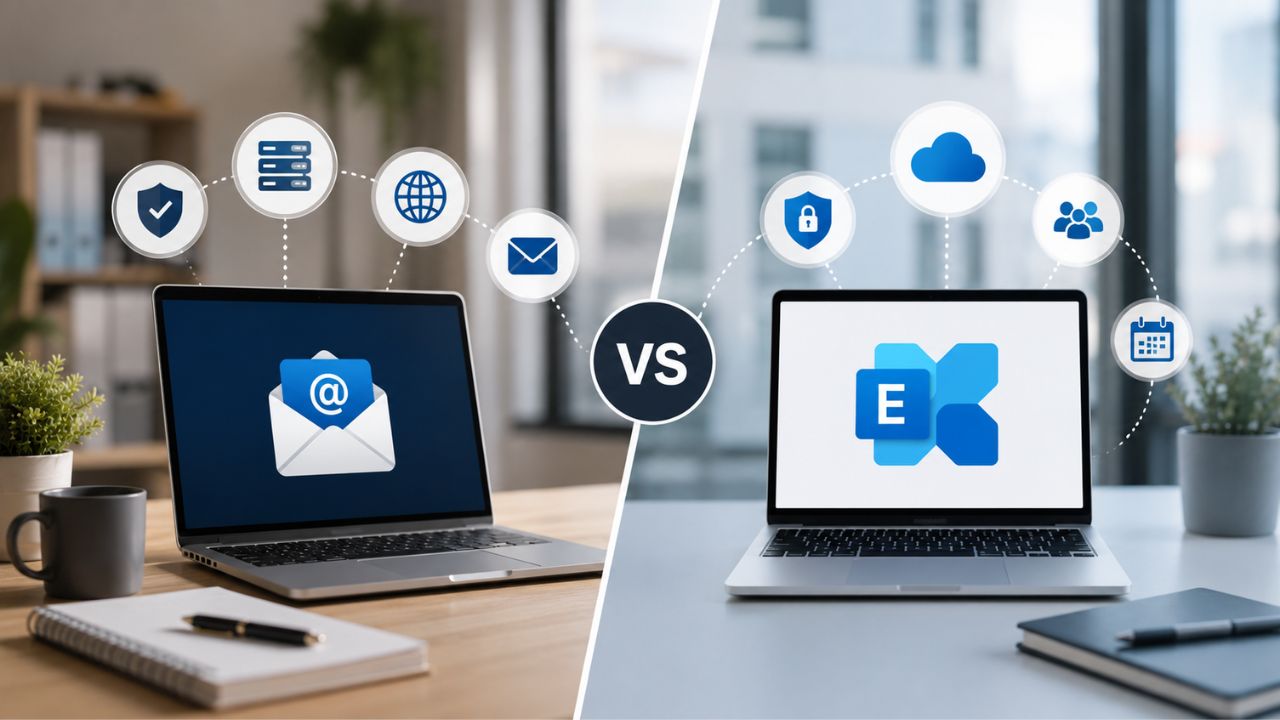
Choosing between Premium Business Email Hosting and Microsoft Exchange Online usually comes down to one question: do you want a leaner, partner-supported mailbox platform, or the deeper Microsoft 365 ecosystem with its own management overhead?
Switch to Premium Email with Ease →
Mailbox Foundations: What You Actually Get Out of the Box
Both products start from the same premise: a hosted mailbox accessible via Outlook, webmail, and mobile, but the defaults diverge quickly once you look beyond the inbox itself. This section covers what ships standard versus what requires an upgrade or add-on.
Exchange Online’s tiered mailbox defaults are the first fork in the road.
Exchange Online splits its entry tiers by storage rather than by feature depth, and that split shapes every later decision. Plan 1 ships with a 50 GB primary mailbox, while Plan 2 doubles that to 100 GB, and the gap compounds once archive mailboxes and compliance holds come into play.
Microsoft’s own service description confirms the Plan 1 versus Plan 2 split extends beyond the primary mailbox; Plan 1 caps the archive mailbox at 50 GB, while Plan 2 permits auto-expanding archiving up to 1.5 TB per user. For a business still deciding between plans, that difference matters more than the sticker on the primary mailbox, because archive pressure is what actually triggers upgrade conversations two or three years into a subscription.
Premium Business Email Hosting is structured around tier-to-tier consistency, not a storage cliff.
While Exchange Online forces a binary choice between two mailbox ceilings, Premium Business Email Hosting through Hiya Digital is designed so that moving between tiers changes the feature set, collaboration tools, support level, and add-on eligibility, without the primary mailbox allowance itself becoming the deciding factor at the point of signup.
That structure suits buyers who want to size their plan around team roles rather than storage math. A sales team and a finance team can sit on different tiers of Premium Business Email Hosting based on each team’s operational needs, without either team’s day-to-day mailbox experience depending on which side of the 50 GB line they fall.
Storage Ceilings, Archiving, and What Happens When Inboxes Fill Up
Storage isn’t just a number on a comparison chart; it’s what eventually forces an admin’s hand. This section covers what happens at the ceiling, not just where the ceiling sits.
 A full Exchange Online mailbox stops sending and receiving, not just warns
 A full Exchange Online mailbox stops sending and receiving, not just warns
Exchange Online enforces its quota strictly: once a mailbox crosses roughly 98 percent of its assigned limit, users see soft warnings, and once it crosses the ceiling entirely, sending stops and incoming mail bounces back to the original sender with a non-delivery report. There’s no grace period built into the platform itself.
That hard stop is precisely why Microsoft built auto-expanding archiving into Plan 2, and the Plan 1-plus-Archiving add-on; moving older mail into an archive mailbox is the sanctioned way to keep the primary mailbox under its ceiling without deleting anything. The archive mailbox starts at 100 GB and automatically grows in increments up to a maximum of 1.5 TB once auto-expanding archiving is enabled.
Premium Business Email Hosting shifts the storage conversation toward upfront plan selection.
Rather than relying on a separate archiving add-on triggered after the fact, Premium Business Email Hosting’s tier structure is designed so that storage allowance is chosen at the point of onboarding based on actual usage patterns, heavy attachment users on one tier, lighter correspondence-only roles on another, with Hiya Digital’s implementation team helping size that choice correctly the first time.
This front-loaded approach reduces the odds of an unplanned mid-cycle upgrade, but it does require a more honest usage assessment during onboarding than a “start on the cheapest tier and see what happens” approach would. Teams that skip that assessment and undersize their initial tier will still hit a wall eventually, just as they would with any hosted email product.
Threat Protection: Built-In Defenses vs Add-On Stacks
Security is where marketing language on both sides tends to outrun what’s actually included by default. This section separates what ships in the base plan from what requires a separate purchase.
Exchange Online’s baseline security is transport encryption, not full threat protection.
Out of the box, Exchange Online mailboxes are protected by Transport Layer Security for mail in transit, and Microsoft’s own enterprise service description frames this as the baseline defense against interception- solid. Still, it’s encryption in transit, not inbound threat filtering, phishing detection, or attachment sandboxing.
Advanced protections, safe attachments, safe links, and anti-phishing policies with impersonation detection fall under Microsoft Defender for Office 365, which is not included by default in Exchange Online Plan 1 or Plan 2 and must be licensed separately or obtained through a higher Microsoft 365 bundle. A buyer comparing “Exchange Online security” against a competitor needs to be clear about which layer they’re actually pricing.
Where Premium Business Email Hosting differs is what’s bundled versus what’s optional.
Premium Business Email Hosting’s security positioning through Hiya Digital leans on pairing the base hosting product with SpamExperts filtering as a complementary layer rather than assuming spam and phishing defense is automatically part of the mailbox product itself, a distinction worth being explicit about rather than blurring the two products together.
That pairing means a buyer evaluating Premium Business Email Hosting on security grounds should ask the same layer question they’d ask about Exchange Online: is threat filtering included in the base tier, or is it a deliberate add-on decision made at onboarding? Being upfront about that structure, rather than implying baseline protection that isn’t there, is what keeps this comparison credible on both sides.
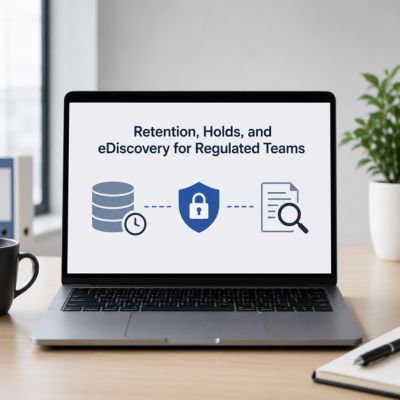
Retention, Holds, and eDiscovery for Regulated Teams
Compliance requirements are usually what turn a routine plan comparison into a legal or IT governance conversation. This section covers the specific features regulated industries ask about first.
Litigation hold is a Plan 2 feature in Exchange Online, not a Plan 1 feature.
Microsoft’s service description draws a firm line here: placing a mailbox on litigation hold or in-place hold requires an Exchange Online Plan 2 license, or a Plan 1 license paired with the Exchange Online Archiving add-on. Plan 1 alone does not include this capability, regardless of how the mailbox is otherwise configured.
Content search for eDiscovery, by contrast, is available on both Plan 1 and Plan 2 according to Microsoft’s own documentation, so a regulated organization on the lower tier isn’t locked out of search entirely, only from the hold mechanism that legally preserves mail pending litigation or investigation. That’s a distinction worth flagging precisely because “eDiscovery is included” and “litigation hold is included” are two different claims that are often conflated in comparison content.
Premium Business Email Hosting’s compliance story is tier-dependent rather than universal.
 Premium Business Email Hosting’s compliance story is tier-dependent rather than universal.
As with storage, Premium Business Email Hosting structures retention and hold-adjacent features by tier rather than bundling them uniformly across every plan, which means a regulated buyer needs to confirm which specific tier includes which specific retention capability before assuming parity with a named competitor feature.
This is an area where honesty matters more than in almost any other section of this comparison: a business in finance, healthcare, or legal services choosing between these two products should ask Hiya Digital directly which tier includes hold-equivalent retention controls, rather than assuming the reseller relationship alone guarantees feature parity with Exchange Online Plan 2.
Migration Reality: Cutover Windows, Downtime, and Data Integrity
Migration friction is the single biggest reason comparison-shopping buyers hesitate on either side. This section covers what actually happens during a switch, in both directions.
Moving into Exchange Online carries real hybrid and cutover complexity.
Organizations migrating from on-premises Exchange Server to Exchange Online typically go through a hybrid configuration phase before a full cutover. Microsoft’s own hybrid documentation treats this as a distinct, multi-step project: mailbox copy, directory synchronization, mail flow reconfiguration, and coexistence testing all precede the final move.
Message size limits also become a migration detail worth checking directly: Exchange Online enforces an organization-wide inbound and outbound message size ceiling that includes attachments, and mail exceeding it is rejected outright with a non-delivery report rather than silently truncated. A migration plan that doesn’t account for legacy mailboxes with oversized historical attachments can surface delivery failures that appear to be a platform bug but are actually due to a size-limit collision.
Premium Business Email Hosting migrations lean on Hiya Digital’s implementation role.
The genuine differentiator on this side of the comparison is what a direct self-serve signup wouldn’t include: Hiya Digital’s role as Implementation & Migration Partner means that a business moving into Premium Business Email Hosting gets hands-on migration support and account management through the switch, rather than relying on vendor documentation alone.
That support model doesn’t eliminate migration risk; no mail platform switch is entirely risk-free, and DNS propagation delays, mailbox size mismatches, and calendar/contact sync gaps can occur on any migration, regardless of which two platforms are involved. But it does mean the buyer isn’t solving those problems unassisted.
Feature-by-Feature Comparison Table
| Category | Premium Business Email Hosting | Microsoft Exchange Online |
|---|---|---|
| Primary mailbox model | Tier-based allowance, sized at onboarding | Plan 1: 50 GB / Plan 2: 100 GB, fixed by license |
| Archive storage | Tier-dependent, confirmed at signup | Plan 1: 50 GB / Plan 2: up to 1.5 TB auto-expanding |
| Litigation hold | Available on select tiers (confirm at onboarding) | Plan 2 only, or Plan 1 + Archiving add-on |
| eDiscovery content search | Tier-dependent | Included on both Plan 1 and Plan 2 |
| Threat filtering | Paired via SpamExperts as an add-on layer | Baseline TLS only; advanced filtering via Defender for Office 365 add-on |
| Message size ceiling | Confirmed per tier at onboarding | Organization-wide cap; oversized mail rejected with non-delivery report |
| Client protocol depth | Standard IMAP/mobile mail support | Native ActiveSync, MAPI over HTTP, Exchange Web Services |
| Ecosystem scope | Standalone hosting product | Entry point into wider Microsoft 365 suite |
| Admin console complexity | Streamlined for lean IT teams | Deep configuration surface built for enterprise IT |
| Support model | Named account management via Hiya Digital | Tiered ticket queue through Microsoft 365 admin center |
Switch to Premium Business Email Hosting Before the Next Migration Gets Harder
Every month a mailbox sits on the wrong platform is another month migration risk compounds instead of shrinking. Hiya Digital’s role as Authorized Reseller and Implementation & Migration Partner means the move to Premium Business Email Hosting is planned, staffed, and carried through go-live by people who’ve done it before, not something a growing team pieces together from vendor documentation alone. For teams weighing that migration reality, Hiya Digital is the faster, steadier way to make the switch.

Admin Console Depth vs Admin Console Simplicity
The day-to-day admin experience is where a “simple” product and a “powerful” product genuinely diverge, and where genuine trade-offs exist in both directions, not just talking points.
Exchange admin center exposes granular control at the cost of a learning curve.
The Exchange admin center gives IT administrators direct control over transport rules, retention policies, mailbox permissions, and mail flow- a genuinely deep configuration surface area that larger organizations with dedicated IT staff can put to real use for complex routing, compliance, and delegation scenarios.
That depth is also the console’s biggest barrier to adoption for smaller teams. A business without a dedicated Exchange administrator often finds the admin center’s PowerShell-adjacent complexity, mailbox plans, connectors, transport rules, and quota management all living in separate panes, a genuine obstacle to making routine changes without either hiring specialized help or working through a partner.
Premium Business Email Hosting’s admin layer is built for a leaner IT footprint.
Premium Business Email Hosting’s administrative interface is designed for organizations without a dedicated Exchange specialist on staff. Day-to-day tasks like adding a mailbox, adjusting a distribution list, or resetting access are designed to be handled without the deeper transport-rule and connector configuration that the Exchange admin center exposes by default.
The trade-off, stated plainly: an organization that eventually needs the kind of granular mail-flow rule engine Exchange admin center provides- complex conditional routing across dozens of departments, for instance- may find Premium Business Email Hosting’s leaner console genuinely limiting at that scale, and that’s a fair reason to choose Exchange Online instead for organizations that size.
Mobile Access and Client Flexibility
How a mailbox behaves on a phone, in a browser, and inside third-party clients often decides adoption more than any back-end feature does.
Outlook Mobile and cross-client support are mature on Exchange Online.
 Outlook Mobile and cross-client support are mature on Exchange Online.
Exchange Online mailboxes work natively with Outlook for iOS and Android, Outlook on the web, and standard Exchange ActiveSync-compatible mobile mail clients, giving users broad flexibility in which app they check mail from without losing calendar and contact sync.
That flexibility comes from Exchange Online’s protocol maturity: ActiveSync, MAPI over HTTP, and Exchange Web Services are all long-established, widely supported standards that most third-party mail and calendar clients already build against, which is why cross-client compatibility on this side of the comparison tends to be a genuine strength rather than a marketing claim.
Premium Business Email Hosting supports standard protocols with a narrower client ecosystem.
Premium Business Email Hosting supports standard IMAP and mobile mail access patterns that work with common mail apps. Still, it doesn’t have the same decades-deep third-party client ecosystem built specifically around Exchange’s proprietary protocols, a genuine limitation worth naming rather than glossing over.
For most day-to-day users checking mail from a phone’s native mail app or a standard webmail interface, this difference is unlikely to be noticeable. It becomes more relevant for organizations with legacy software integrations built against Exchange Web Services or MAPI, where a lift-and-shift migration would require integration testing regardless of which competing platform was chosen.
Plan Tiers and Contract Commitment Structures
Beyond feature checklists, the shape of the commitment itself, contract length, seat minimums, and add-on structure often decide which platform actually fits a business’s operating rhythm.
Exchange Online ties commitment length directly to cost structure.
Microsoft’s licensing model for Exchange Online generally offers both monthly and annual commitment options, with the annual commitment carrying a lower effective per-seat cost in exchange for the longer lock-in, a structural trade-off between flexibility and cost that applies regardless of which specific plan tier a business selects.
This commitment structure interacts directly with the mailbox tier decision covered earlier in this post: a business locking into an annual term on Plan 1 needs more confidence in its storage forecasting than one on a flexible monthly term, since switching tiers mid-contract is possible but adds administrative overhead that a correctly-sized initial choice avoids.
Premium Business Email Hosting structures commitment around tier, not just term length
Premium Business Email Hosting’s plan structure ties add-on eligibility, additional storage, enhanced retention, and premium support response to the tier a business selects, with contract term (monthly versus annual) offered as a separate axis of choice rather than bundled into the tier decision itself.
This separation gives a buyer more granular control: a business can choose a higher feature tier on a monthly term while it validates fit, then move to an annual commitment once usage patterns are confirmed, without having to re-evaluate the entire feature set at the same time as the commitment length.
Pricing & Plan-Structure Comparison Table
| Structural Factor | Premium Business Email Hosting | Microsoft Exchange Online |
|---|---|---|
| Tier naming | Multiple tiers scaled by feature set and support level | Plan 1 and Plan 2, scaled primarily by storage |
| Contract term options | Monthly and annual, chosen independently of tier | Monthly and annual, annual term at lower effective per-seat rate |
| Seat minimum | Confirm current minimum with Hiya Digital at signup | Generally low, accessible to very small teams |
| Add-on structure | Add-ons (storage, retention, support level) layered per tier | Add-ons (Archiving, Defender for Office 365) layered per license |
| Free trial availability | Confirm current trial terms with Hiya Digital | Trial availability varies by current Microsoft offer |
| Upgrade path | Tier upgrade managed through Hiya Digital account team | Per-seat license swap through Microsoft 365 admin center |
Support Response: Ticket Queue vs Named Contact
Support model is where the reseller relationship shows up most concretely, and where the two products differ by design rather than by degree.
Exchange Online support routes through Microsoft’s standard tiered channels
Support for Exchange Online subscribers generally flows through Microsoft’s standard Microsoft 365 admin center ticketing system, with response priority tied to the severity level assigned to the ticket and the specific Microsoft 365 plan a tenant is subscribed to. This structured, scalable system is built for Microsoft’s enterprise customer base.
That structure works well for organizations with an internal IT team capable of triaging issues before escalating to Microsoft, since the ticketing system rewards precise problem description and severity classification. It’s a less natural fit for a business without that internal triage capability, where the first point of contact for any mailbox issue is a support queue rather than a person who already knows the account’s history.
Hiya Digital pairs Premium Business Email Hosting with ongoing account management.
 Hiya Digital pairs Premium Business Email Hosting with ongoing account management.
The differentiator worth naming honestly on this side is specific to the reseller relationship itself: Hiya Digital’s role as Licensing & Support Partner means a Premium Business Email Hosting customer has an ongoing account management relationship, rather than starting every support interaction from a cold ticket queue with no account history.
That relationship model particularly benefits smaller businesses without dedicated IT staff, where having a consistent partner contact who already understands the account’s setup shortens the path from “something’s wrong” to “someone who can actually fix it” compared to a first-time ticket-triage process.
Scaling Past 50 Seats Without a Re-Platform
Growth is the scenario every comparison-shopping buyer is implicitly planning for, even when the immediate decision is about today’s headcount.
Exchange Online scales into the wider Microsoft 365 stack, for better and worse.
Exchange Online’s scalability story is inseparable from the broader Microsoft 365 ecosystem; as an organization grows, it’s less likely to be adding Exchange Online seats in isolation and more likely to be adopting Teams, SharePoint, and the wider Microsoft 365 suite alongside it, which is precisely the ecosystem-locked structure that makes Exchange Online attractive to organizations already committed to Microsoft’s stack.
That same ecosystem depth becomes friction for organizations that specifically want to avoid deeper Microsoft 365 lock-in as they scale, licensing tiers above the basic Exchange Online plans increasingly bundle Exchange with other Microsoft 365 applications, meaning growth within Exchange Online often means growth within Microsoft’s broader licensing structure, whether or not the organization wants the rest of that stack.
Premium Business Email Hosting scales as a standalone product, by design
Premium Business Email Hosting is positioned as a standalone hosting product rather than an entry point into a broader software ecosystem, which means that scaling seat count doesn’t implicitly pull an organization toward adopting additional bundled applications, as Exchange Online growth often does within Microsoft’s stack.
That standalone positioning suits organizations that want email hosting decoupled from a broader productivity suite decision, perhaps because they’ve already standardized on different collaboration tools, or prefer to make those purchasing decisions independently rather than as part of a bundle.
Decision-Summary Table
| Buyer Profile | Better Fit |
|---|---|
| Small team without dedicated IT staff, wants a lean admin console | Premium Business Email Hosting |
| Organization already committed to Teams, SharePoint, Microsoft 365 suite | Microsoft Exchange Online |
| Regulated business needing litigation hold as a baseline requirement | Microsoft Exchange Online (Plan 2) |
| Business wanting an ongoing named support relationship over a ticket queue | Premium Business Email Hosting |
| Organization with legacy software wired directly into Exchange-specific APIs | Microsoft Exchange Online |
| Business wanting email hosting decoupled from a broader productivity suite decision | Premium Business Email Hosting |
| Team scaling past 300 seats already planning enterprise-tier Microsoft licensing | Microsoft Exchange Online |
| Business mid-evaluation, wanting contract term decided separately from feature tier | Premium Business Email Hosting |
Frequently Asked Questions
Is Premium Business Email Hosting compatible with Outlook the same way Exchange Online is?
Both platforms support standard mail clients including Outlook, but the depth of compatibility differs. Exchange Online integrates with Outlook through proprietary protocols, including MAPI over HTTP and Exchange Web Services, which are built specifically around Exchange’s architecture developed over roughly two decades. Premium Business Email Hosting supports Outlook via standard IMAP connectivity rather than Exchange-specific protocols, which covers the core mail, calendar, and contact functions most users rely on day-to-day. The practical difference shows up mainly in advanced Outlook features that depend on Exchange-specific synchronization behavior, such as certain shared-calendar permission structures. For most day-to-day business correspondence, both connect to Outlook reliably; organizations with advanced Exchange-specific Outlook configurations already in place should confirm feature parity with Hiya Digital before migrating.
Can I keep my existing domain and MX records during a switch?
Yes, on both platforms, domain ownership and MX record configuration are standard parts of onboarding, and neither requires abandoning an existing domain to migrate. The process involves updating MX records to point to the new mail platform’s servers, a change that typically propagates within a defined DNS time-to-live window rather than instantly. What differs is the support around that cutover: Hiya Digital’s Implementation & Migration Partner role means the MX record change and mailbox provisioning are coordinated to minimize the window during which mail could be misrouted, rather than leaving DNS timing to a self-service admin panel.
Does Premium Business Email Hosting support shared mailboxes and distribution lists?
Yes, shared mailboxes and distribution lists are standard features supported across Premium Business Email Hosting’s tiers, functioning similarly to their Exchange Online counterparts for routing mail to multiple recipients or giving a team shared access to one inbox. Exchange Online’s shared mailboxes, by comparison, default to a 50 GB storage limit unless a Plan 2 license is assigned to them, at which point that limit increases to 100 GB. Buyers with high-volume shared mailboxes, a support inbox handling hundreds of daily messages, for instance, should confirm the specific storage allowance for shared mailboxes under either platform’s current tier structure before migrating, since this detail is easy to overlook until the mailbox is already in active use.
What happens to my Exchange Online archive mailbox if I migrate away?
Archive mailbox content doesn’t automatically transfer to a new platform; it must be explicitly exported or migrated as part of the cutover, using either built-in export tools or a third-party migration utility, depending on the destination platform and the volume of archived mail. Because Exchange Online’s auto-expanding archive can hold up to 1.5 TB per user, organizations with long-tenured mailboxes should treat archive migration as a distinct planning item rather than assuming it happens automatically alongside the primary mailbox move. Hiya Digital’s migration support specifically accounts for archive content as part of a Premium Business Email Hosting cutover plan, rather than treating it as an afterthought once the primary mailboxes are already live.
Does either option support hybrid on-premises Exchange coexistence?
Exchange Online has mature, well-documented support for hybrid coexistence with on-premises Exchange Server, allowing organizations to run both environments simultaneously during a gradual migration rather than a single hard cutover, a common path for larger organizations with existing on-premises infrastructure. Premium Business Email Hosting is not designed for coexistence with on-premises Exchange Server in the same way, since it’s a standalone hosted platform rather than an extension of Exchange’s hybrid architecture. Organizations currently running on-premises Exchange Server and specifically seeking a gradual, coexistence-based migration path rather than a full cutover should weigh this structural difference carefully, as it affects the migration timeline and complexity more than any other single factor in this comparison.
Which option gives better protection against phishing and spoofing out of the box?
Neither platform’s base tier includes advanced phishing and spoofing protection by default. Exchange Online’s baseline is Transport Layer Security encryption for mail in transit; advanced anti-phishing and impersonation detection requires Microsoft Defender for Office 365, a separate license. Premium Business Email Hosting’s phishing protection is delivered by pairing with SpamExperts filtering rather than being automatically bundled into the base hosting tier. Buyers evaluating either platform on security grounds should ask specifically whether the quoted plan includes threat filtering or requires it; the base mailbox product on either side is not, by itself, a complete phishing defense.
Can I run a mixed environment during a phased migration?
On the Exchange Online side, yes, a hybrid configuration is explicitly designed to support a phased migration in which some mailboxes remain on-premises. In contrast, others move to the cloud, with mail flow and directory sync maintained across both environments during the transition. A phased migration to Premium Business Email Hosting generally works by moving mailboxes in coordinated batches, with Hiya Digital’s migration team managing mail flow continuity between the old and new platforms during the transition window, rather than relying on a formal hybrid architecture. Both approaches reduce single-cutover risk; which is the better fit depends on whether the organization is migrating away from on-premises Exchange Server specifically or from a different prior email platform.
Is there a seat minimum to sign up?
Exchange Online generally accommodates very small organizations with low seat minimums, making it accessible for teams as small as a single user in many licensing configurations. The current seat minimum for Premium Business Email Hosting should be confirmed directly with Hiya Digital at the point of inquiry, as minimums can vary by tier and shift between contract cycles. Neither platform should be assumed to have a fixed, universal minimum without checking the current terms, as both vendors periodically adjust these thresholds as their plan structures evolve.
What’s the actual mailbox size difference at entry-level tiers?
At its entry tier, Exchange Online Plan 1 provides a 50 GB primary mailbox and a 50 GB archive mailbox, both fixed by the license rather than adjustable independently. Premium Business Email Hosting’s entry-tier mailbox allowance is sized at onboarding based on the tier selected, so the direct comparison depends on which specific tier is being evaluated against Plan 1. Buyers should request the exact current entry-tier allowance from Hiya Digital and compare it directly against the documented 50 GB Exchange Online Plan 1 figure rather than assuming rough parity, since even a modest gap in primary mailbox size compounds over years of retained correspondence.
Who handles migration support, Microsoft or a partner?
For Exchange Online, migration support generally comes through Microsoft’s own documentation, admin center tools, and standard support ticketing, or through a separate third-party migration consultant an organization hires independently; Microsoft itself doesn’t provide hands-on, person-to-person migration project management as a default part of the Exchange Online subscription. For Premium Business Email Hosting, Hiya Digital’s role as Authorized Reseller and Implementation & Migration Partner means that migration support is built into the relationship from the outset, with a named contact managing the cutover plan rather than relying on a self-service toolset. This is one of the clearest structural differences in this entire comparison and often the deciding factor for organizations without in-house migration expertise.
Glossary
Archive mailbox: A secondary mailbox, separate from the primary inbox, used to store older mail and free up space in the primary mailbox; capacity and auto-expansion behavior vary by plan.
ActiveSync: A mobile synchronization protocol used to connect mail clients to a mailbox for email, calendar, and contact sync.
Content search (eDiscovery): A search capability used to locate and export mailbox content for legal, compliance, or investigative purposes.
Litigation hold: A mailbox setting that preserves all mail content, including items a user attempts to delete, pending legal review.
MAPI over HTTP: A messaging protocol used by Outlook to connect to Exchange-based mailboxes over standard web ports.
Non-delivery report (NDR): An automated message returned to a sender when an email fails to reach its recipient, often due to a size or quota limit.
Retention policy: A rule set that governs how long mail is kept, when it’s moved to an archive, or when it’s automatically deleted.
Transport Layer Security (TLS): An encryption protocol that protects email content while it’s in transit between mail servers.
The Hiya Digital Team is a collective of IT infrastructure specialist engineers, certified systems administrators, and cloud architects driven by a singular mission: building corporate communication systems that just work. As an Authorized Google Partner, the team handles complex global hosting deployments, secure email migrations, and advanced data compliance architectures for businesses across 40+ countries.
With over two decades of technical experience spanning custom premium business email configurations, OX AppSuite deployments, and enterprise-level network security, the Hiya Digital Team writes to demystify domain infrastructure. Their content focuses on actionable technical strategies, anti-phishing security protocols, and seamless cloud collaboration setup, all backed by real-world deployment experience and 24/7 technical support accountability.