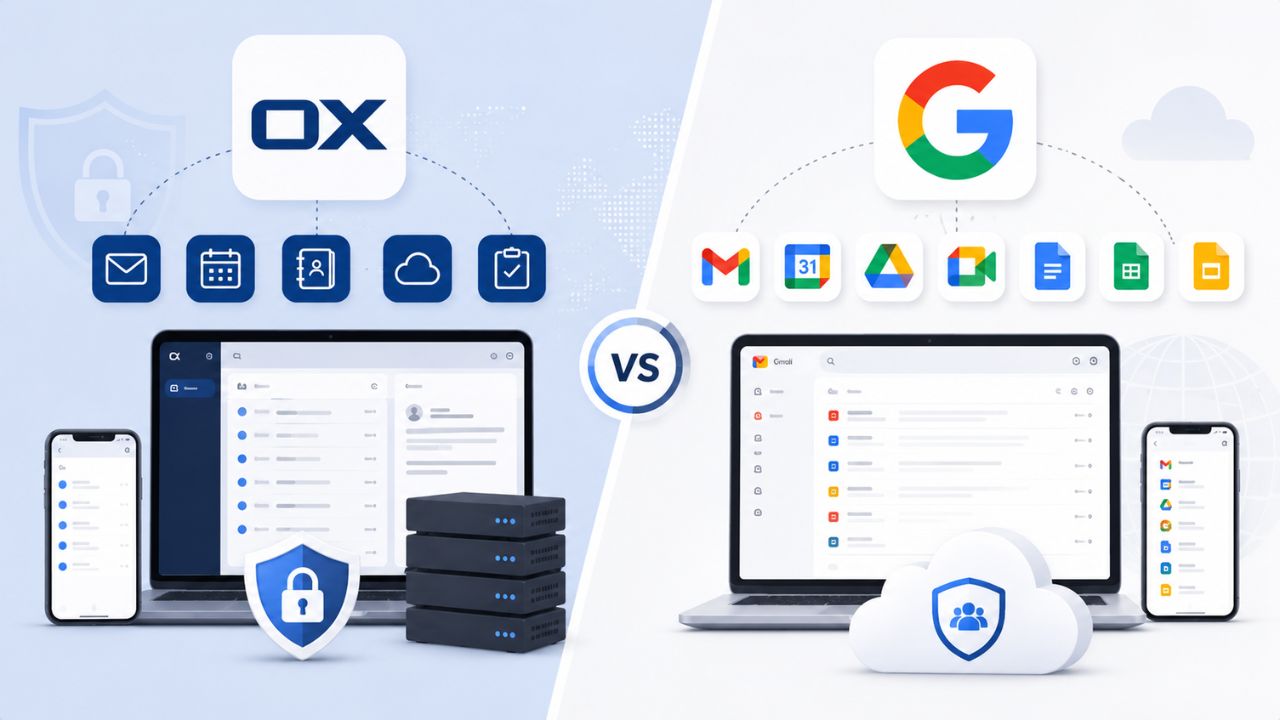
Selecting a professional email platform requires balancing communication, collaboration, security, and administrative needs with your organization’s operations. OX App Suite and Google Workspace both provide business email, productivity tools, cloud storage, and collaboration features. Still, they differ in their approach to administration, data management, scalability, and ecosystem integration. Understanding how these platforms compare across key areas helps businesses choose the solution that best aligns with their workflows, IT requirements, and long-term growth objectives.
Upgrade Your Business with Google Workspace For Business →
Try Professional Email Powered by OX App Suite →
What Each Platform Is Actually Built For
OX App Suite is a white-label, self-hostable-or-hosted collaboration suite built around email, calendaring, contacts, and document handling, designed to give hosting partners and IT teams granular control over the environment. Google Workspace is a fully managed, cloud-native suite built around Gmail, Google Calendar, Drive, and the broader Google ecosystem, prioritizing zero-maintenance simplicity over infrastructure control.
 OX App Suite’s Design Philosophy
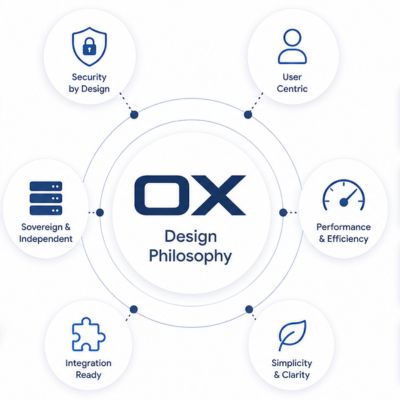 OX App Suite’s Design Philosophy
OX App Suite provides hosting providers and IT-controlled organizations with a full email and collaboration stack without ceding infrastructure decisions to a single hyperscaler. Open-Xchange originally built it as an open, modular platform, and that heritage still shows in how configurable the interface, storage backend, and deployment model remain today.
That modularity matters most to organizations with existing hosting relationships, compliance requirements around data residency, or a preference for white-labeled interfaces their users see under a familiar brand. Because the suite can be deployed in different hosting configurations, IT administrators retain more say over where mail data physically sits and how backups are handled, compared to a platform where those decisions are made entirely upstream.
Google Workspace’s Design Philosophy
Google Workspace is built around a single design premise: the infrastructure should be invisible. Gmail, Drive, Calendar, Meet, and Docs are deeply interconnected; updates roll out automatically; and administrators manage users and policies through the Admin Console rather than server configuration.
This works especially well for teams already living inside the Google ecosystem, Android devices, Chrome as the default browser, existing Google accounts, where switching costs are effectively zero and features like real-time Docs collaboration or Meet integration feel native rather than bolted on.
Email and Collaboration Feature Set
Both platforms cover the core email-collaboration bundle: mail, calendar, contacts, and document editing or sharing. Still, they differ in how tightly those pieces are integrated and how much configurability sits underneath each one.
Core Mail and Calendar Experience
OX App Suite’s mail client supports IMAP/SMTP standards, threaded conversations, shared calendars, and contact synchronization, delivered through a web interface that hosting partners can rebrand. Its calendar module supports resource booking and shared team calendars, which cover the essentials most SMBs need without requiring a separate scheduling tool.
Gmail and Google Calendar, by contrast, benefit from Google’s scale, smart categorization (Primary/Social/Promotions tabs), integrated video calling directly from calendar invites via Meet, and search that spans years of mail history near-instantly. For teams that live in their inbox all day, these small conveniences compound.
Document and File Collaboration
OX App Suite includes Documents, Spreadsheets, and a Drive-equivalent file storage module that supports real-time co-editing and standard office file formats. It’s a genuinely complete productivity layer, but it’s less deeply cross-referenced with third-party apps than Google’s ecosystem.
Google Workspace’s Docs, Sheets, and Slides benefit from broad third-party integration (thousands of Google Workspace Marketplace add-ons), version history that syncs seamlessly across devices, and near-universal familiarity among new hires, which lowers onboarding friction for growing teams.
Feature-by-Feature Comparison
| Capability | OX App Suite | Google Workspace |
|---|---|---|
| Interface branding | White-label, partner-configurable | Fixed Google/Gmail branding |
| Native video calling in calendar invites | Not built-in; depends on partner integrations | Native via Google Meet |
| Document co-editing | Built-in Documents/Spreadsheets module | Docs, Sheets, Slides with real-time sync |
| Data residency control | Partner-dependent hosting location | Data-region policy on eligible plans |
| Offline mode maturity | Client-dependent (protocol-based) | Native offline mode for Gmail and Docs |
| Marketplace/third-party app ecosystem | Narrower, partner-curated | Broad, via Google Workspace Marketplace |
| Admin console standardization | Varies by hosting partner | Single global Admin Console |
Administration and IT Control
Admin experience is where the two platforms diverge most sharply, because it reflects their core philosophies: OX App Suite gives admins more levers, Google Workspace hides most of them.
Admin Console and User Management
 Admin Console and User Management
Google Workspace’s Admin Console centralizes user provisioning, security policies, device management, and reporting in a single interface that’s consistent across all Workspace deployments globally, making it easy to hire IT staff already fluent in it.
OX App Suite’s admin panel, because it’s deployed through hosting partners, can vary in depth and branding depending on the partner’s implementation, which is a feature for organizations that want a tailored admin experience and a learning curve for admins moving from a standardized platform.
Data Residency and Hosting Control
Because OX App Suite can be deployed through regional hosting partners, organizations with strict data-residency requirements, keeping mail data within a specific country or region, often have more direct routes to satisfy that requirement than with a platform hosted entirely on a hyperscaler’s global infrastructure footprint.
Google Workspace does offer data-region policies for eligible plans that let admins choose where certain covered data is stored. Still, the underlying infrastructure remains Google’s, which is a meaningful distinction for organizations in regulated industries that require infrastructure-level assurances rather than policy-level ones.
Mobile and Remote Work Experience
Distributed and hybrid teams increasingly evaluate email platforms by how well they work outside a desk, and both platforms take genuinely different approaches to mobile access.
Native Mobile Apps
Google Workspace’s mobile experience runs through the standalone Gmail, Calendar, Drive, and Meet apps, each independently mature, deeply tied to Android at the OS level, and updated on Google’s own release cadence.
OX App Suite is generally accessed on mobile through standard mail protocols (IMAP/CalDAV/CardDAV) paired with native mail, calendar, and contacts apps, or through partner-branded apps where available, a workable approach, but one that leans on the device’s built-in apps rather than a dedicated first-party app suite.
Offline Access and Sync Reliability
Google Workspace supports robust offline modes for Gmail and Docs, allowing continued work without connectivity that syncs automatically once a device reconnects, a meaningful advantage for field teams or frequent travelers.
OX App Suite’s offline capability depends more on the mail client used to access it, since it relies on standard protocol syncing rather than a proprietary offline-first architecture. It’s functional but requires a capable third-party or partner-provided client to match Workspace’s offline polish.
Choose the Right Business Email Platform with Expert Guidance
Whichever way the first five sections point your team, the setup and account structure matter as much as the platform itself. As an Authorized Reseller for both OX App Suite and Google Workspace, Hiya Digital helps you map your team’s actual workflow, not a generic checklist, onto the right platform, then handles licensing, provisioning, and migration so the switch (or the initial setup) doesn’t fall entirely on your internal IT team.

Security, Compliance, and Data Protection
Security architecture differs less in raw capability than in where responsibility sits, a distinction that matters for compliance-conscious buyers evaluating either platform.
Built-In Security Features
 Built-In Security Features
Google Workspace includes phishing and malware scanning, 2-Step Verification, and Security Center reporting built directly into the Admin Console, backed by Google’s global threat intelligence infrastructure, which benefits from the sheer volume of mail Google processes daily.
OX App Suite’s security depends more heavily on the hosting partner’s configuration; spam filtering, encryption in transit, and access controls are supported. Still, the specific implementation and the depth of threat intelligence vary depending on how the partner has deployed the suite, which is why organizations using OX App Suite often pair it with a dedicated filtering layer.
Compliance Certifications and Standards
Google Workspace maintains a broad set of independently audited compliance certifications, including ISO/IEC 27001 for information security management and SOC 2 Type II reporting, published and updated on Google’s own compliance resource pages.
OX App Suite’s compliance posture is typically inherited from the hosting partner’s infrastructure certifications rather than a single global set of certifications, which means the specific standards in place can vary meaningfully depending on which partner and data center are handling the deployment.
Migration Paths and Switching Friction
Moving mail, calendar, and contact data between platforms is rarely instantaneous, and the friction varies depending on the direction you’re moving.
Migrating Into Google Workspace
Google provides native migration tooling (Data Migration Service) for moving mail, calendar, and contacts from IMAP-based sources, including OX App Suite deployments, into Workspace accounts, which generally covers the bulk of a standard mailbox migration without custom tooling.
Larger organizations with complex folder structures, shared mailboxes, or legacy calendar permissions typically still need a supervised migration window to avoid sync gaps, and a managed migration, rather than a fully self-serve one, reduces the risk of lost mail or broken calendar invites during cutover.
Migrating Into or Between OX App Suite Deployments
Moving into OX App Suite, or between two OX App Suite hosting partners, generally relies on standard IMAP migration tools, as the platform’s protocol-based architecture makes it compatible with most such utilities.
The friction point is less about the migration mechanics and more about matching feature configurations between the source and destination environments. Admin console setup, branding, and storage allocation need to be manually replicated rather than inherited automatically, whereas Google’s migration tooling handles this differently since the destination environment is standardized.
Scalability for Growing Teams
Both platforms scale to enterprise size, but the mechanics of adding users and managing growth differ.
Adding Users and Seats
Google Workspace’s per-seat licensing model is designed for straightforward incremental scaling; adding a new hire is as simple as provisioning a new account through the Admin Console, with billing automatically adjusting to the seat count.
OX App Suite’s scaling depends on the hosting partner’s provisioning process, since seats are typically managed through the partner relationship rather than a fully self-serve global console. This can mean slightly more lead time to provision new accounts, offset by more direct support during provisioning from the partner relationship itself.
Storage and Resource Scaling
Google Workspace ties storage allocations to plan tier, with pooled storage options available on higher tiers so growing teams aren’t managing individual mailbox limits one by one. OX App Suite’s storage scaling is generally configured at the hosting-partner level, meaning storage increases are a provisioning conversation with the partner rather than an automatic tier upgrade, which suits organizations that want predictable, negotiated capacity planning over automatic scaling.
Fast-growing teams that hire in bursts tend to find Google Workspace’s self-serve seat and storage model lower-friction; teams that scale more predictably and prefer a direct relationship managing capacity often find the OX App Suite partner model just as workable.
Plan Structure and Contract Comparison
| Structural Factor | OX App Suite | Google Workspace |
|---|---|---|
| Contract commitment | Typically negotiated with the hosting partner (monthly or annual terms available) | Monthly or annual commitment, selectable per plan |
| Seat minimums | Set by the hosting partner arrangement | No fixed seat minimum on standard plans |
| Storage scaling | Negotiated capacity increases via a partner | Tiered storage, pooled options on higher plans |
| Add-on structure | Partner-specific add-ons (e.g., dedicated filtering layer) | Google-native add-ons via Marketplace |
| Free trial availability | Varies by hosting partner | Free trial period on standard signup |
Interface, Branding, and User Experience
For organizations that care how the platform looks and feels to end users and clients, branding flexibility is a real differentiator.
White-Label and Custom Branding
OX App Suite’s white-label architecture allows hosting partners to present the interface under their own or their client’s branding, a meaningful feature for hosting providers or agencies reselling email as part of a broader service bundle.
Google Workspace does not offer interface white-labeling; the Gmail and Workspace branding remains consistent regardless of the reseller relationship, which is a non-issue for most direct business users but a real limitation for partners that need the interface itself to carry their own brand.
Learning Curve and Familiarity
Google Workspace benefits from near-universal familiarity; most new hires have used Gmail personally, which shortens onboarding time for teams switching to Workspace for the first time.
OX App Suite’s interface, while intuitive, is less likely to be something a new hire has already used outside work, meaning onboarding may include a short orientation to the specific layout and features, particularly for teams moving from a more common consumer webmail interface.
Support and Account Management
Beyond the platform itself, the support relationship shapes the day-to-day experience of running either suite.
Vendor Support Structures
Google Workspace support is delivered through Google’s own tiered support structure, supplemented in many cases by the reseller relationship for account-level help, billing questions, and initial setup guidance.
OX App Suite support runs primarily through the hosting partner relationship, meaning day-to-day support quality is a direct function of which partner is managing the deployment, a structure that, when the partner relationship is strong, often means faster, more personal responses than a large-scale ticketing queue.
Account Management for Growing Organizations
 Account Management for Growing Organizations
As organizations grow, having a single account manager who understands the specific deployment, not just the ticket in front of them, becomes more valuable than raw support volume, which is a structural strength of the partner-managed OX App Suite model.
Google Workspace organizations get this same continuity through their reseller relationship rather than directly from Google for most SMB and mid-market accounts, since direct enterprise account management from Google is typically reserved for larger commitments.
Making the Call for Your Organization
There’s no single right answer here; the decision genuinely depends on what your organization prioritizes operationally, not on which platform is “more advanced.”
When OX App Suite Fits Better
OX App Suite tends to fit organizations that want white-labeled branding, a closer hosting-partner relationship, more direct say in data residency, or standards-based protocol flexibility over deep ecosystem integration. Common patterns include agencies reselling email under their own brand and organizations with specific regional hosting requirements.
It also tends to fit teams that don’t need deep native integration with the broader Google product ecosystem and are comfortable with a partner-mediated admin and support relationship rather than a single global self-serve console.
When Google Workspace Fits Better
Google Workspace tends to fit organizations already invested in the Google ecosystem, Android devices, existing Gmail familiarity, heavy reliance on Meet and Docs collaboration, or teams that prioritize a standardized, self-serve admin experience and broad third-party app integration over interface branding control.
It also fits fast-growing teams that value predictable, automatic scaling of seats and storage without a provisioning conversation, and organizations where IT staff turnover makes a widely known admin console more valuable than a bespoke one.
Decision-Summary Table
| Better Fit | Buyer Priority |
|---|---|
| OX App Suite | White-labeled interface for clients or sub-brands |
| Google Workspace | Deep integration with Android and Google ecosystem |
| OX App Suite | Direct control over data residency and hosting |
| Google Workspace | Broadest third-party app marketplace |
| OX App Suite | Predictable, partner-managed capacity planning |
| Google Workspace | Fast, self-serve scaling for rapid hiring |
| OX App Suite | Standards-based protocol flexibility (IMAP/CalDAV/CardDAV) |
| Google Workspace | Minimal onboarding curve for new hires |
Frequently Asked Questions
Can I migrate from OX App Suite to Google Workspace without losing calendar data?
Yes, in most cases. Google’s Data Migration Service supports IMAP-based mail migration, and calendar data can typically be migrated using CalDAV-compatible export/import tools, provided the source calendars use standard formats. Shared calendars with complex permission structures often need manual reconfiguration after migration rather than automatic transfer. A supervised migration window, rather than a fully self-serve cutover, reduces the risk of gaps for organizations with more than a handful of shared calendars. Testing the migration with a pilot group of 3–5 mailboxes before a full-organization cutover is standard practice for catching configuration issues early.
Does OX App Suite support two-factor authentication?
Support for two-factor and multi-factor authentication in OX App Suite depends on the specific hosting partner’s configuration, since the suite’s security layer is implemented at the partner level rather than as a single global standard. Most partner deployments support at least one MFA method, commonly time-based one-time passcodes (TOTP) via authenticator apps. Organizations with a hard MFA requirement should confirm the exact supported methods with their hosting partner before deployment, since implementation depth varies across partners in ways it doesn’t for a single-vendor platform like Google Workspace.
Which platform works better for a fully remote team?
Both support remote work, but Google Workspace’s native offline mode for Gmail and Docs, combined with deeply integrated Meet video calling, gives it an edge for teams that need reliable connectivity-independent access and frequent video collaboration. OX App Suite works well for remote teams too, particularly those already using standards-based mail clients (IMAP/CalDAV). Still, its offline capability depends on the third-party or partner-provided client in use rather than on a built-in offline-first architecture. Teams prioritizing video-first collaboration tend to lean toward Workspace; teams prioritizing protocol flexibility often find OX App Suite equally workable remotely.
Can I keep my existing domain when switching between these platforms?
Yes. Both OX App Suite and Google Workspace support custom domain configuration via standard DNS records (MX, SPF, DKIM), so switching platforms doesn’t require changing your domain or email addresses. The technical work involves updating MX records to point to the new mail servers and configuring SPF/DKIM authentication records to maintain deliverability during and after the switch. A brief DNS propagation window, typically a few hours depending on your current TTL settings, means most organizations plan the cutover for a low-traffic period to minimize disruption.
Is OX App Suite compatible with Outlook and other third-party mail clients?
Yes. Because OX App Suite is built on standard mail protocols (IMAP, SMTP, CalDAV, CardDAV), it’s generally compatible with Outlook, Apple Mail, Thunderbird, and most other standards-based mail clients, as well as its own web interface. This protocol-first design is one of the more concrete differentiators from Google Workspace’s tighter, Gmail-centric experience, since it gives organizations more choice in which client their team actually uses day-to-day, rather than defaulting to a single first-party app.
How does storage allocation differ between the two platforms if my team grows quickly?
Google Workspace ties storage to plan tier, with pooled storage available on higher tiers, meaning a fast-hiring team can add seats without a separate capacity conversation in most cases. OX App Suite storage scaling is typically negotiated directly with the hosting partner, so capacity increases require a provisioning step rather than an automatic tier bump. Organizations that hire in unpredictable bursts often find Workspace’s model lower-friction; organizations that scale more predictably, and prefer negotiated capacity planning with a known partner, often find the OX App Suite model equally manageable.
Does either platform offer white-labeled branding for resellers or agencies?
Only OX App Suite offers white-labeling for the interface, since its architecture is specifically designed to let hosting partners present the platform under their own or a client’s brand. Google Workspace’s Gmail and Workspace interface branding is fixed regardless of the reseller relationship. A reseller can manage the account and billing, but the interface itself always carries Google’s branding. This is one of the clearer decision points for agencies or hosting providers that need the interface itself, not just the account relationship, to reflect their own brand.
What certifications should I ask about if my organization has compliance requirements?
For Google Workspace, ask about ISO/IEC 27001 certification and SOC 2 Type II reporting, both published through Google’s compliance resource center and applicable globally across the platform. For OX App Suite, ask your specific hosting partner which infrastructure-level certifications apply to their data centers, since the compliance chain is inherited from the partner’s own infrastructure rather than a single global certification set. Organizations with strict compliance mandates should request the specific certification documentation in writing before finalizing a deployment on either platform.
Can I run OX App Suite and Google Workspace side by side during a transition?
Yes, and it’s common practice during a phased migration. Both platforms support standard mail forwarding and dual-delivery configurations that temporarily route mail to both systems while a pilot group tests the new platform before the full cutover. This overlap period, often two to four weeks depending on team size, gives IT staff time to catch configuration gaps, permission structures, shared mailbox access, and calendar invites without risking mail loss during the transition.
Which platform requires less ongoing IT management after setup?
Google Workspace generally requires less ongoing IT management once configured, since updates, infrastructure maintenance, and most security patching happen automatically on Google’s side, leaving admins to manage users and policy rather than infrastructure. OX App Suite’s ongoing management load depends more on the hosting partner relationship. A. A strong partner handles much of the infrastructure burden. Still, the division of responsibility between the partner and internal IT should be clarified during setup, since it isn’t as uniformly standardized as Google’s single-vendor model.
Glossary
IMAP (Internet Message Access Protocol): A standard protocol that allows mail clients to access and sync email stored on a server, used by both platforms for standards-based mail access.
CalDAV / CardDAV: Standard protocols for syncing calendar and contact data across devices and clients, core to OX App Suite’s protocol-first architecture.
MX Record: A DNS record that directs incoming email for a domain to the correct mail server.
SPF / DKIM: Email authentication standards (Sender Policy Framework and DomainKeys Identified Mail) that verify a message’s origin and reduce the likelihood it’s marked as spam.
White-labeling: Presenting a platform’s interface under a reseller’s or partner’s own branding rather than the original vendor’s branding.
Admin Console: The centralized interface administrators use to manage users, security policy, and settings across an organization’s account.
Data residency: The physical or jurisdictional location where an organization’s data is stored, relevant to regulatory and compliance requirements.
Pooled storage: A storage model where total capacity is shared across an organization’s users rather than allocated per individual mailbox.
SOC 2 Type II: An auditing standard assessing how an organization manages data security over a period of time, commonly referenced in vendor compliance documentation.
ISO/IEC 27001: An international standard for information security management systems, used as a benchmark compliance certification by cloud service providers.
The Hiya Digital Team is a collective of IT infrastructure specialist engineers, certified systems administrators, and cloud architects driven by a singular mission: building corporate communication systems that just work. As an Authorized Google Partner, the team handles complex global hosting deployments, secure email migrations, and advanced data compliance architectures for businesses across 40+ countries.
With over two decades of technical experience spanning custom premium business email configurations, OX AppSuite deployments, and enterprise-level network security, the Hiya Digital Team writes to demystify domain infrastructure. Their content focuses on actionable technical strategies, anti-phishing security protocols, and seamless cloud collaboration setup, all backed by real-world deployment experience and 24/7 technical support accountability.