Educational institutions rely on email for teaching, administration, student services, and day-to-day communication, making it a critical system that requires strong protection against cyber threats. With large numbers of user accounts, diverse devices, and limited IT resources, schools, colleges, and universities often face unique email security challenges. SpamExperts helps protect student and staff email by filtering spam, phishing attempts, malware, and other email-borne threats while providing scalable security that supports high mailbox volumes and centralized administration.
View SpamExperts Features →
Why Schools and Universities Are Prime Phishing Targets
Education sits in an unusual spot for attackers: large numbers of mailboxes, predictable academic-calendar events to spoof, and a population, students especially, with little training in spotting a fake sender. That combination shows up in breach data more than most administrators expect.
 High mailbox volume meets low security maturity.
 High mailbox volume meets low security maturity.
A single school district can operate thousands of student and staff mailboxes across a dozen buildings, run by an IT team sized for helpdesk tickets, not threat hunting. Attackers know this. Ransomware groups and phishing crews treat education as a volume play: send broadly, expect a handful of the least security-aware recipients, a substitute teacher, a first-year student, or a front-office volunteer to click, and pivot from there into the wider network. Vendor-side data on K-12 breaches consistently points to third-party and email-borne compromise as the entry point in more incidents than any other vector, which is part of why filtering positioned in front of the mail server, rather than bolted onto it, matters here specifically.
Budget scrutiny compounds the problem. A district’s technology line item competes directly with classroom spending, so security tools are judged on cost-per-mailbox in a way mid-size law firm tools never are. That pressure pushes some districts toward whatever spam control ships free with their existing mail platform, which is rarely tuned for the phishing patterns education specifically sees: fake scholarship offers, fraudulent transcript requests, spoofed financial-aid notices, because those patterns aren’t common outside the sector.
The academic calendar is a built-in attack script.
Attackers don’t need to guess what a school community is thinking about; the calendar tells them. Enrollment periods, financial aid deadlines, tuition due dates, and graduation season each produce a predictable spike in real emails that look almost identical to well-crafted fake ones. A spoofed “tuition payment portal update” sent the week before a payment deadline exploits urgency the same way a spoofed invoice does in a corporate accounts-payable inbox, except the target, a parent or a student, is far less likely to verify through a second channel.
This is also why generic threat-marketing language (“advanced attacks,” “sophisticated phishing”) undersells what’s actually happening in education specifically: the emails aren’t technically advanced; they’re contextually well-timed. Filtering that only flags technical spam signals, malformed headers, and known bad IPs can miss a plausibly wordedplausibly worded, well-timed message sent from a fresh domain. Filtering that also weighs sender reputation, domain age, and behavioral patterns across the whole hosted network catches more of exactly this category, because it has already seen the same seasonal pattern targeting other school clients.
Threat Patterns Specific to Education Email
| Threat Pattern | How It Targets School Email | SpamExperts Control That Addresses It |
|---|---|---|
| Compromised student account sending outbound spam/links | Uses a trusted internal sender to reach classmates, bypassing outside-sender skepticism | Outbound filtering inspects internal-to-internal mail flow, not just inbound-from-outside traffic |
| W-2 / payroll BEC during tax season | Spoofs superintendent or business-office lead requesting employee tax forms | Look-alike domain and display-name mismatch rules scoped to defined high-value senders |
| Vendor invoice fraud via a compromised supplier account | Uses a real, previously trusted vendor domain to request a changed payment account | Behavioral/reputation-deviation detection on established sender domains |
| Coursework-themed malicious attachments | Exploits the routine, expected nature of student-to-student file sharing | Attachment reputation and behavior inspection, not just file-extension filtering |
| Bulk parent-communication deliverability failure | District’s own mass mailing trips spam filters or damages sending reputation | Outbound reputation and abuse management to protect the district’s own sending IPs |
How Student Email Accounts Get Compromised
Understanding the mechanism matters more than the label “phishing.” Most student account compromises in education follow one of two paths, and each calls for a different filtering response.
Credential phishing through cloned login pages
The dominant pattern is a cloned sign-in page, often mimicking the district’s Google Workspace or Microsoft 365 login screen, accessed via a link in an email that appears to be an IT notice, a library fine reminder, or a shared-document invite. Students, less accustomed to checking a URL bar for a mismatched domain, are disproportionately likely to enter real credentials into the fake page. Once a student account is compromised, it becomes a trusted internal sender: mail from a real classmate’s real address, bypassing the instinctive skepticism that a message from an unknown outside sender would trigger.
That internal-sender problem is a filtering design question, not just a training question. A spam filter that only inspects inbound mail from outside the organization won’t catch a compromised student account emailing malicious links to fifty other students in the same class; the message never crosses the perimeter it’s watching. SpamExperts’ filtering sits in front of both inbound and outbound mail flows, which means a compromised account sending abnormal volumes of outbound messages or messages containing known-bad links gets flagged and quarantined, even if the sender is internal and previously trusted.
Malicious attachments disguised as coursework
The second common path is a document, a “group project,” a “makeup assignment,” a “scholarship application form”, carrying a macro-enabled payload or a link to a credential-harvesting page. This works because attachments are a routine, expected part of student-to-student and student-to-staff email, unlike in many corporate environments where unsolicited attachments already draw suspicion.
Filtering that inspects attachment behavior and reputation, not just the visible file extension, is the relevant control here: a renamed executable or a macro-laden document from a first-time sender scores very differently than a legitimate assignment from a known classroom domain. This is a case where the “Owns” boundary for this post stops short of full malware-engine mechanics, which belong to a different post in this cluster. Still, the education-specific point stands: coursework-themed lures work precisely because the setting makes attachments feel routine. The filtering has to account for that baseline behavior rather than treat every attachment with equal suspicion.
Staff and Faculty Email: Business Email Compromise in a School Setting
Business email compromise (BEC), where an attacker impersonates a real staff member to redirect a payment or extract sensitive information, has a distinct shape in education, aimed less at wire transfers and more at payroll, W-2 data, and vendor invoices.
CEO-fraud patterns aimed at superintendents and principals
The classic BEC pattern spoofs a senior figure, a superintendent, principal, or district CFO, emailing a business office employee with an urgent, slightly-outside-normal-process request: redirect a vendor payment, buy gift cards for a “staff appreciation” event, or send a batch of employee W-2 forms ahead of tax season. Education has been a documented target for this exact variant, particularly during the January–April tax-filing window, when W-2 requests look routine.
The mechanic that makes this effective is domain look-alike spoofing combined with organizational-chart knowledge scraped from a district’s own public staff directory; most districts publish exactly the reporting structure an attacker needs on their own website. Filtering rules that specifically flag look-alike domains and display-name mismatches for a defined list of high-value senders (superintendent, business office lead, HR director) close a meaningful part of this gap, because they catch the spoof at the point the message enters the system rather than relying on a busy business-office employee to notice a one-character domain difference under deadline pressure.
Vendor and invoice fraud through compromised supplier accounts
The second BEC variant doesn’t spoof a district employee at all; it compromises or spoofs an actual vendor the district already pays: a curriculum supplier, a bus contractor, a food-service provider. The fraudulent email arrives from a previously used domain and requests that future payments be sent to an “updated” bank account. Because the vendor relationship is real, this bypasses the skepticism a first-time sender would trigger.
This is harder to catch on content alone, since the wording is often plausible and grammatically clean; it’s the pattern-and-reputation signal that matters: a sudden change in sending infrastructure for an established vendor domain, combined with financial-account-change language, is the kind of anomaly that filtering tuned for behavioral deviation flags even when the words themselves read as ordinary business correspondence.
Budget Realities: Filtering at Scale Without a Security Team
Every decision in this section comes back to one constraint education administrators live with that most SpamExperts buyers in other verticals don’t: the tool has to work well with minimal ongoing tuning, because there usually isn’t a dedicated security analyst watching it.
Per-domain and bulk licensing that matches how districts actually buy
Education buyers typically aren’t purchasing per-user seats the way a 50-person law firm would; they’re covering an entire domain or a multi-school district in a single deployment, often with mailbox counts that fluctuate seasonally as enrollment changes. SpamExperts’ packaging is built around per-domain coverage for hosting-style deployments and bulk, user-based licensing for larger multi-site organizations, which maps more naturally onto a district’s actual mailbox-count volatility than a strict per-seat model would. (Exact monetary figures vary by district size, contract term, and current package inclusions; a district’s actual quote should come from a current conversation with a partner, not a number quoted here.)
The practical budget question isn’t “what’s the sticker price,” it’s “what does a small IT team have to do after go-live.” A filtering platform that needs constant rule-tweaking to stay accurate effectively costs the district staff hours it doesn’t have, regardless of the license price. This is the gap a managed implementation partner closes. It’s worth naming plainly rather than dressing it in vague “sophisticated support” language: someone who has tuned filtering rules across other education deployments starts from a baseline that already accounts for scholarship-scam season and W-2 season, instead of the district’s one IT generalist discovering those patterns for the first time during an actual incident.
Consolidating filtering, continuity, and archiving under one line item
Districts frequently run separate point tools for spam filtering, email continuity (keeping mail flowing during an outage), and archiving for records-retention purposes, three renewal dates, three vendor contacts, three dashboards. SpamExperts bundles filtering, continuity, and encrypted archiving into a single deployment, which is a genuine line-item simplification for a business office justifying technology spend to a school board, not just a sales talking point.
That consolidation also matters for staff time: one admin console covering incoming filtering, outgoing filtering, quarantine review, and archive search means a single IT generalist can realistically manage all of it without cross-training across three separate vendor portals, a meaningful difference when the person managing email security is also fixing projectors and resetting passwords the same afternoon.
Deploying SpamExperts Across a District or Multi-Campus System
Rollout mechanics differ meaningfully between a single school and a twelve-campus district, and getting the architecture right at the start avoids a slow re-migration later.
Domain-level and email-user-level access matched to staff roles
 Domain-level and email-user-level access matched to staff roles
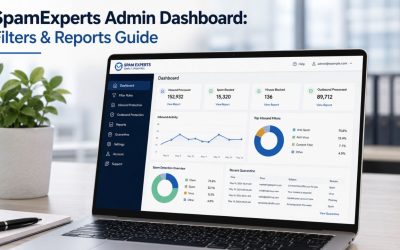
SpamExperts’ portal separates domain-level access, where an administrator manages filtering settings for an entire domain and every user under it, from email-user-level access, where an individual can manage settings only for their own account. For a district, this maps naturally onto real staff structure: a central IT administrator holds domain-level control across every school’s domain. In contrast, individual teachers or staff can be given narrow, self-service access to release their own quarantined messages without needing a helpdesk ticket every time a legitimate parent email gets caught.
Getting this permission structure right at rollout, rather than granting broad access by default and narrowing it later, avoids both a helpdesk bottleneck (every quarantine release routed through central IT) and an oversight gap (individual staff able to change domain-wide rules they shouldn’t touch). This is a one-time setup decision that’s far easier to get right before go-live than to unwind across dozens of school sites afterward.
Phased rollout by campus to catch configuration issues early
A multi-campus district is better served by a phased rollout, one or two schools first, then the rest, than a single simultaneous cutover, because MX record changes and mail-flow routing issues surface fastest in a smaller, contained group. A phased approach also lets a district’s business office and IT team validate that legitimate high-volume senders, the student information system, the learning management platform, and the meal-payment portal are properly allow-listed before the whole district depends on the new filtering layer.
The specific detail worth flagging early: the platforms schools depend on for automated notifications (attendance alerts, grade portal updates, cafeteria balance reminders) are exactly the kind of high-volume, templated senders that generic spam filters sometimes misclassify. Allow-listing these systems by sender domain and authentication status during the phased rollout, rather than after parents start complaining about missed notifications, is a small step that prevents a much larger trust problem with the school community.
Deployment Considerations by District Structure
| District Structure | Typical Mailbox Pattern | Key Rollout Consideration |
|---|---|---|
| Single school or small campus | A few hundred staff and student mailboxes on one domain | Straightforward single-phase rollout; allow-list core school systems before go-live |
| Multi-school district, shared domain | Several thousand mailboxes across campuses share one root domain | Domain-level admin access for central IT, scoped user-level access per school |
| Multi-school district, per-campus subdomains | Mailbox volume split across campus-specific subdomains | SPF/DKIM must be verified per sending subdomain, not just the root domain |
| Higher-education institution | High mailbox turnover tied to enrollment cycles, plus alumni/faculty accounts | Licensing is structured around bulk, user-based counts to match enrollment volatility |
Get Education-Specific Filtering Configured Right the First Time
Getting domain- and user-level access structured correctly across every school in a district, and allowing the systems parents actually rely on, is exactly the kind of setup work that’s easy to get wrong on a first self-serve attempt. As an Authorized Reseller and Implementation Partner for SpamExperts, Hiya Digital configures the rollout against education-specific patterns from day one, rather than leaving a stretched IT team to discover gaps during the first W-2 season or scholarship-scam wave.

Protecting Younger Students From Social Engineering They Can’t Yet Recognize
K-12 students, particularly at the elementary and middle-school levels, aren’t just less trained than adult employees; they’re developmentally at an earlier stage in the skepticism that spotting a scam requires. That changes what “protection” needs to mean for this specific population.
Age-appropriate filtering can’t rely on the student to be the last line of defense.
Corporate security training assumes the end user, once trained, becomes a meaningful detection layer: “If it looks suspicious, don’t click.” That assumption breaks down for a nine-year-old reading a “you’ve won a gift card” email on a school-issued device. For younger students, the filtering layer has to serve as the actual last line of defense, not a backstop behind user judgment, because the judgment isn’t there yet to backstop it.
In practice, that shifts the tuning priority for elementary and middle-school domains toward more aggressive default blocking of unfamiliar senders and known scam categories (gift-card lures, prize notifications, fake account-verification requests) even at some cost to false positives, compared to a staff domain where a slightly more permissive default might be acceptable because the recipient is expected to exercise judgment. This is a genuine, defensible tuning trade-off specific to the age of the mailbox population, not a one-size default.
Chromebook and shared-device email create their own exposure pattern.
 Chromebook and shared-device email create their own exposure pattern.
Many districts issue Chromebooks or shared devices, where students log in to a school Google Workspace or Microsoft 365 account that’s also their email gateway. A phishing link clicked on a shared or school-issued device can compromise credentials tied to grade portals, library systems, and sometimes a linked parent-communication account, widening the blast radius of a single click beyond what a single compromised staff mailbox would.
This is one of the clearer arguments for filtering that inspects outbound and internal mail flow, not only what arrives from outside the organization: a young student’s account, once compromised, becomes an internal sender that other students’ filtering needs to catch, and the district can’t rely on the affected student to recognize or report the compromise quickly given the age group.
FERPA, Data Handling, and Where Email Filtering Actually Fits
FERPA (the Family Educational Rights and Privacy Act) governs how schools handle personally identifiable student education records; it does not, on its own, mandate a specific spam-filtering product or technical standard, and this post won’t claim otherwise. What it does create is a real, practical connection worth stating precisely rather than vaguely.
What FERPA actually requires, and where filtering fits around it
FERPA gives parents and eligible students, once they turn 18, control over the disclosure of personally identifiable information in education records and requires schools receiving federal funding to safeguard that information. A school employee sending an unencrypted email containing student personal information without consent is a recognized FERPA violation pattern, and the law’s protections extend to records in email and cloud-based document form, not just paper files. A FERPA violation resulting from a data breach traces back to how the underlying data was handled and disclosed, not to whether a spam filter was present; that distinction matters for any post making compliance claims.
Where email security genuinely intersects with FERPA is upstream of the disclosure question: phishing and BEC attacks are a documented path into the systems that hold student PII. Vendor-side data show that the majority of K-12 data breaches between 2016 and 2021 were carried out through school districts’ own vendors, which is exactly the vendor-impersonation pattern covered in Section 3. Reducing successful phishing and BEC attempts reduces the number of opportunities for a breach that would trigger a FERPA problem; that’s a legitimate, honestly stated connection. It is not the same as saying a spam filter makes a district “FERPA compliant,” and no post in this cluster should claim that.
Archiving and retention support records requests without owning compliance.
Encrypted email archiving, part of the SpamExperts service, supports a district’s ability to retain and retrieve email records that may be responsive to a parent access request or a public-records request touching on staff correspondence, a genuinely useful adjacent capability. It doesn’t determine what a district’s retention policy should be, or which records fall inside or outside FERPA’s scope; that’s a legal and records-management decision the district’s own policy and counsel make, with the archiving tool simply making retained mail searchable and retrievable once that decision has already been made.
Email Continuity: Keeping School Communication Running During an Outage
A school district’s email server going down during the school day isn’t an abstract IT inconvenience; it can mean parents can’t reach the front office, staff can’t coordinate a schedule change, and automated attendance or emergency alerts stop reaching families at the exact moment they’re needed most.
Store-and-forward continuity during a mail server outage
Because SpamExperts filtering sits in front of a district’s mail infrastructure rather than inside it, it can continue accepting and queuing inbound mail even if the district’s own mail server is temporarily unreachable, then deliver the backlog once the server is back, a store-and-forward continuity function distinct from filtering itself. For a district running its own on-premises Exchange server, or coming out of a scheduled maintenance window during business hours, this means mail isn’t silently bounced or lost during the gap; it queues rather than fails.
The compose-email feature within the platform extends this further: SpamExperts includes a Compose Email capability that lets an administrator send email even when the district’s own mail server is down or offline, which matters specifically for time-sensitive communication, a weather closure notice, a lockdown-drill update that a district needs to send regardless of what’s happening with its own server at that moment.
Why does continuity matter more in education than in a typical small business?
A small business experiencing an hour of email downtime loses some external correspondence. A school district experiencing the same outage during the school day risks a communication gap around student safety and attendance, categories of message where “it’ll arrive eventually” isn’t an acceptable answer. This is the reasoning that should push continuity from a nice-to-have line item to a genuinely load-bearing part of a district’s technology stack, distinct from spam filtering’s usual framing as a purely inbox-hygiene tool.
Managing Bulk Parent Communication Without Getting Blacklisted
Districts send enormous volumes of legitimate bulk email, newsletters, attendance alerts, cafeteria balance notices, weather closures, and that volume, handled carelessly, can get a district’s own sending domain flagged as a spam source by the receiving providers (Gmail, Outlook.com) that many parents use.
Outbound reputation management protects the district’s own deliverability.
SpamExperts’ outbound filtering inspects mail leaving the district’s domain before it reaches recipients’ providers, catching both malicious outbound traffic. Reputation-damaging patterns from legitimate bulk sends, a poorly configured mass mailing that trips spam filters at scale on the receiving end, reflect on the district’s sending reputation the same way a compromised account would. Abuse management functionality specifically works to keep the district’s sending IPs off third-party blacklists, which is the mechanism that actually determines whether a district’s weather-closure email lands in a parent’s inbox or their spam folder.
Getting this wrong has a compounding cost: once a sending domain or IP lands on a major blacklist, every subsequent legitimate email, including the safety-critical ones from Section 8, faces degraded deliverability until the listing is resolved, which can take days depending on the specific blacklist operator’s delisting process.
Authenticating district-wide sends with SPF, DKIM, and DMARC.
 Authenticating district-wide sends with SPF, DKIM, and DMARC.
Bulk parent communications are far more likely to land in the inbox rather than a spam folder when the sending domain is properly authenticated. SPF (Sender Policy Framework) lets a domain owner publish which mail servers are authorized to send email on the domain’s behalf. DKIM (DomainKeys Identified Mail) attaches a cryptographic signature that lets a receiving server verify that the message wasn’t altered in transit and that it genuinely came from the claimed domain. DMARC (Domain-based Message Authentication, Reporting & Conformance) builds on both, telling receiving providers what to do with mail that fails SPF or DKIM checks and giving the district visibility into who is sending mail using its domain, including any attacker attempting to spoof it directly. Full technical details for all three standards are available at dmarc.org, the standards body’s official reference.
For a district running its own newsletter platform, learning management system, and meal-payment portal off subdomains of the same root domain, getting SPF and DKIM correctly configured across every sending system, not just the main mail server, is the detail that most commonly gets missed. It’s the single most common cause of legitimate district bulk mail landing in spam.
Self-Managed Filtering vs. a Managed Implementation Partner
A district can technically configure SpamExperts filtering rules, allow-lists, and authentication records on its own; the question is whether that’s the best use of a stretched IT team’s time, and what gets missed in a self-serve setup that a partner catches on day one.
What a self-serve setup typically misses in year one
A district IT generalist configuring filters for the first time is working from general documentation rather than a pattern built across dozens of other education deployments. The gaps that show up most often in year one: allow-lists that don’t yet cover every automated system parents depend on, outbound rules left at default rather than tightened for the specific BEC patterns education sees, and SPF/DKIM records that cover the main domain but not every subdomain actually sending district mail. None of these are difficult problems individually; they’re just the kind of detail that’s easy to miss without having already seen them surface at another district.
The cost of missing them isn’t usually a catastrophic breach on day one; it’s a slow trickle of false positives, missed legitimate parent replies, and one incident, a W-2 phishing attempt during tax season, most commonly, that reveals the outbound rules were never tightened past default.
What a partner relationship adds beyond initial setup
Configuration correctness at launch is only part of it; filtering rules need periodic review as new scam patterns emerge each academic year, and a district without dedicated security staff has no natural mechanism for that review to happen on its own. An implementation and support partner brings that review as an ongoing part of the relationship rather than a one-time setup task, alongside bundling SpamExperts deployment with other services, Google Workspace or email hosting, a district may already be sourcing from the same partner, consolidating vendor relationships rather than adding another one.
Deployment Considerations by District Structure
| District Structure | Typical Mailbox Pattern | Key Rollout Consideration |
|---|---|---|
| Single school or small campus | A few hundred staff and student mailboxes on one domain | Straightforward single-phase rollout; allow-list core school systems before go-live |
| Multi-school district, shared domain | Several thousand mailboxes across campuses share one root domain | Domain-level admin access for central IT, scoped user-level access per school |
| Multi-school district, per-campus subdomains | Mailbox volume split across campus-specific subdomains | SPF/DKIM must be verified per sending subdomain, not just the root domain |
| Higher-education institution | High mailbox turnover tied to enrollment cycles, plus alumni/faculty accounts | Licensing is structured around bulk, user-based counts to match enrollment volatility |
Frequently Asked Questions
Does SpamExperts filter emails sent between students on the same school domain, or only mail from outside senders?
SpamExperts inspects both inbound mail arriving from outside the organization and outbound/internal mail flow, which is especially important for education because a compromised student account sending malicious links to classmates is an internal-to-internal message, not an inbound one. A filter that only watches the perimeter would miss this entirely, since the message never crosses it. This internal visibility is part of why the platform can flag abnormal outbound volume from a single compromised account, a pattern common after a student’s credentials are phished, even though the sender is a trusted, internal address, the receiving students’ inboxes wouldn’t otherwise scrutinize.
Can a school district set different filtering aggressiveness for elementary students versus high school staff?
Yes, SpamExperts’ domain- and user-level access structure allows different filtering rules and quarantine behavior for different groups of mailboxes on the same overall system. A district can reasonably set more aggressive default blocking on younger-student domains, where the mailbox owner has less capacity to independently judge a suspicious message, while allowing a slightly more permissive default for staff and older students who are expected to exercise more judgment. This tuning decision should be made deliberately during rollout rather than left as a single, uniform default across all age groups in the district.
What happens to legitimate parent emails that get caught in the spam quarantine by mistake?
Quarantined messages remain visible and recoverable rather than being silently deleted; an authorized user (either central IT at the domain level or an individual staff member with account-level access) can review, release, and train the filtering system so that a specific sender should be treated as legitimate going forward. Districts that grant individual teachers narrow, account-level quarantine access reduce the number of “why didn’t I get that parent email” tickets landing on central IT, since the affected teacher can resolve it directly without a helpdesk request.
Does using SpamExperts make a school district FERPA-compliant?
No, and a partner or vendor claiming that should be treated with caution. FERPA governs how a district handles disclosure of personally identifiable student education records, and compliance depends on the district’s own policies, consent processes, and data-handling practices. Email filtering reduces the likelihood of a phishing or business-email-compromise incident that could lead to an unauthorized disclosure, a genuinely relevant risk-reduction connection, since school-vendor compromise is a documented breach vector. Still, it does not, by itself, constitute or guarantee FERPA compliance, which is a broader legal and administrative responsibility.
Why do school district newsletters and mass notifications sometimes land in parents’ spam folders?
This is most often a sender-authentication or reputation problem rather than a content problem. If the district’s SPF, DKIM, and DMARC records aren’t correctly configured for every system sending mail on its behalf, the newsletter platform, the learning management system, the meal-payment portal, and receiving providers like Gmail have less basis to trust that the mail genuinely came from the district, which pushes borderline messages toward spam folders. Outbound reputation issues, such as a large mailing tripping spam thresholds on the receiving end, compound this and can affect deliverability for the district’s other legitimate mail as well.
How does SpamExperts handle the seasonal spike in phishing attempts during enrollment or financial-aid periods?
The platform’s filtering engine is continuously updated based on patterns detected across its full hosted client base, which includes other education deployments experiencing the same seasonal spikes, scholarship-scam waves during financial-aid season, and fake transcript-request scams during enrollment. These are patterns the system has typically already seen elsewhere before a specific district’s own spike begins. Districts working with an implementation partner can also have outbound and inbound rules reviewed specifically ahead of known seasonal windows, rather than relying solely on default settings to catch a spike that recurs each year.
Can a compromised student email account affect other schools in the same district, not just its own school?
Yes, if the district shares mail infrastructure or a root domain across multiple schools, a compromised account’s outbound spam or phishing links aren’t limited to reaching only its own campus; they can reach any recipient on the shared system, including staff and students at other schools in the district. This is one of the reasons domain-wide outbound filtering, rather than per-school filtering in isolation, matters for multi-campus districts: a compromise anywhere in the system is a risk to every connected mailbox, not just the originating one.
Does email filtering slow the delivery of time-sensitive alerts, such as weather closures or lockdown notifications?
Properly configured filtering shouldn’t meaningfully delay legitimate, well-authenticated district communications; the scoring and delivery decision happens in milliseconds for mail from a recognized, properly authenticated sending system. The larger risk to time-sensitive alerts is actually the opposite scenario covered in Section 8: a district’s own mail server being down. That’s specifically why continuity features like store-and-forward queuing and the ability to compose and send mail even during a server outage matter for time-critical district communication, separate from the filtering scoring process itself.
What’s the difference between a spam quarantine and an email archive for a school district’s purposes?
A spam quarantine is a temporary holding area for messages the filtering system suspects are spam or malicious, pending review or automatic deletion after a set period. An email archive is a separate, longer-term retained copy of a district’s actual sent and received mail, kept for records retention and retrievability purposes, relevant to a public records request or an internal review, and is not the same system or the same purpose as the spam quarantine. Districts evaluating SpamExperts should understand these as two distinct components of the same overall service, not interchangeable terms.
Should a small district with one IT generalist handle SpamExperts setup themselves, or use an implementation partner?
A small district can technically configure SpamExperts independently. Still, the most commonly missed setup details, subdomain-level SPF/DKIM authentication, outbound rules tightened for education-specific BEC patterns, and allow-lists covering every automated parent-communication system, tend to surface as incidents rather than being caught proactively when there’s no dedicated security staff reviewing the configuration. A district with exactly one generalist managing IT alongside other duties is the profile that benefits most from a partner handling initial configuration and periodic rule review, since that review otherwise has no natural owner within the district itself.
Glossary
SPF (Sender Policy Framework): A DNS record that lists which mail servers are authorized to send email on behalf of a domain, letting receiving servers reject mail claiming to be from that domain but sent from an unauthorized source.
DKIM (DomainKeys Identified Mail): A cryptographic signature attached to outgoing mail that lets a receiving server verify the message content wasn’t altered in transit and genuinely originated from the claimed sending domain.
DMARC (Domain-based Message Authentication, Reporting & Conformance): A policy layered on top of SPF and DKIM that tells receiving mail providers what to do with a message that fails those checks, and provides the domain owner with reporting on who is sending mail using their domain.
SEG (Secure Email Gateway): A filtering system positioned in front of an organization’s mail infrastructure that inspects inbound and outbound mail before it reaches the mail server or the recipient.
BEC (Business Email Compromise): An attack where a threat actor impersonates a trusted sender, an executive, a vendor, or a colleague, to manipulate a recipient into a fraudulent payment, data disclosure, or account change.
Quarantine: A holding area for messages flagged as suspected spam or malicious, allowing an authorized user to review, release, or permanently block the message rather than having it delivered or silently deleted.
Backscatter: Automated bounce or non-delivery messages sent to a forged sender address that never actually sent the original message, often a byproduct of spam campaigns spoofing that address.
FERPA: The Family Educational Rights and Privacy Act, a U.S. federal law governing the privacy and disclosure of personally identifiable information in student education records.
The Hiya Digital Team is a collective of IT infrastructure specialist engineers, certified systems administrators, and cloud architects driven by a singular mission: building corporate communication systems that just work. As an Authorized Google Partner, the team handles complex global hosting deployments, secure email migrations, and advanced data compliance architectures for businesses across 40+ countries.
With over two decades of technical experience spanning custom premium business email configurations, OX AppSuite deployments, and enterprise-level network security, the Hiya Digital Team writes to demystify domain infrastructure. Their content focuses on actionable technical strategies, anti-phishing security protocols, and seamless cloud collaboration setup, all backed by real-world deployment experience and 24/7 technical support accountability.