Email remains one of the most common entry points for cyber threats, making reliable email security essential to protecting any business. For small businesses with limited IT resources, phishing attacks, malware, spam, and business email compromise can lead to financial losses, operational disruption, and reputational damage. SpamExperts provides dedicated inbound and outbound email filtering that helps reduce these risks while offering an affordable, scalable security solution designed to protect growing organizations.
View SpamExperts Pricing →
Why a Single Email Attack Costs More Than Most Businesses Expect
Most budget conversations about email security start from the wrong number, the subscription cost, instead of the cost being defended against. Framing the decision around what an attack actually removes from the business changes the calculation entirely.
 The Anatomy of an Email-Borne Attack’s True Price Tag
 The Anatomy of an Email-Borne Attack’s True Price Tag
An email attack rarely results in a single bill. It produces a sequence: the initial fraud or ransom demand, the hours of staff time spent isolating the compromised account, the IT contractor called in outside normal hours, and the customer communications that follow once the incident becomes visible externally. Each of these lands on a different budget line, which is precisely why the total is so often underestimated when leadership evaluates whether email security spending is worth it. The direct cost is only the entry point; the compounding costs are what actually determine whether the incident is a bad week or a bad year.
Industry breach research consistently puts the average cost of a data breach in the range of several million dollars once containment, notification, and remediation are included, and email remains the most common entry point feeding into that figure. That average blends businesses that had layered defenses in place with those that didn’t, which means an unprotected business is statistically exposed to the higher end of that range, not the average itself. Business owners evaluating email security are really pricing a probability distribution, not a single fixed cost.
Why the Cost Curve Is Steeper for Businesses Without Layered Filtering
A business relying only on the spam filter bundled into its email platform is not choosing “no cost” over “some cost”; it is choosing a different, less visible cost curve. Built-in filtering typically screens for known spam signatures and obvious bulk mail, but it is not purpose-built to catch the targeted, low-volume phishing and business email compromise attempts that cause the largest losses. Those attacks are specifically engineered to look unremarkable, which is exactly the profile that generic filtering is weakest against.
The gap shows up in outcome data more than in feature comparisons. Independent testing bodies such as Virus Bulletin publish comparative results showing purpose-built filtering services achieving malware catch rates above 99.9 percent with zero false positives in controlled test runs, a bar that generic bundled filtering is rarely tested against, let alone certified to. That difference between “generally adequate” and “independently verified” is where the cost curve actually diverges; one path has a documented ceiling on what gets through, and the other does not.
Threat Type vs. Cost Driver Table
| Threat Type | Immediate Cost Driver | Downstream Business Impact |
|---|---|---|
| Business email compromise (BEC) | Fraudulent wire transfer or invoice redirect | Client-facing reputational damage if a client’s payment was misdirected |
| Phishing credential theft | Account takeover and forensic investigation | Legal review of contractual notification obligations |
| Ransomware delivered via email | Ransom demand plus system rebuild time | Extended operational downtime beyond the ransom itself |
| Outbound spam from a compromised account | Domain or IP blocklisting | Company-wide outbound mail delays until reputation is restored |
| Spoofed executive email (CEO fraud) | One-time fraudulent payment | Internal process slowdown as staff re-verify future approvals |
Downtime: What an Email Breach Does to Daily Operations
Downtime from an email incident behaves differently than a server outage; it spreads through trust rather than infrastructure, and it lingers well past the technical fix.
Why Email Downtime Outlasts the Technical Recovery Window
Restoring mail flow after a compromise is usually the fastest part of the recovery process. The slower part is re-establishing which accounts, contacts, and message threads can be trusted again, because a compromised inbox typically means every email sent from it during the exposure window is now suspect. Staff have to manually re-verify invoices, approvals, and client requests that would normally be actioned on sight. That verification overhead can persist for days or weeks after the mailbox itself is clean.
This is also where email continuity becomes a distinct line item from spam filtering. Dedicated services typically maintain a queued copy of inbound mail during an outage or migration so operations don’t stall. At the same time, DNS or server issues are resolved, whereas a basic setup with no continuity layer drops or bounces mail until the underlying issue is fixed. For a business that handles time-sensitive communications, order confirmations, client approvals, and support tickets, that gap is not a minor inconvenience; it results in lost transactions that don’t automatically get recreated once mail resumes.
The Operational Ripple Effect Across Departments
An email incident rarely stays contained to IT. Sales teams lose the paper trail on active deals if a compromised account sent or received altered terms. Finance has to freeze payment approvals until every recent invoice email is re-verified against a phone call or a separate channel, which slows down accounts payable across the board, not just the affected transaction. Customer support inherits a wave of “did you really send this” inquiries that consume hours regardless of whether any customer was actually harmed.
The pattern that shows up repeatedly across businesses evaluating dedicated protection for the first time is that the trigger is rarely the first spam email they receive; it’s the first time an operational process had to stop because nobody could tell which messages were legitimate. That moment tends to reframe email security internally from an IT preference into an operations requirement, because the cost was felt outside the IT department.
Reputational Damage That Outlasts the Incident
Financial losses from an email attack are usually recoverable on a balance sheet within a fiscal year or two. Reputational damage follows a longer, less predictable timeline and is harder to reverse with a single corrective action.
How Customer Trust Erodes After a Disclosed Breach
When a business has to notify customers or partners that their email environment was compromised, the notification itself becomes evidence used to evaluate the vendor relationship in the future, independent of whether any customer data was actually misused. Procurement teams and enterprise clients increasingly ask about email security posture during vendor reviews, and a documented incident, even one contained quickly, becomes a disclosure item in future contract negotiations for years afterward.
The damage compounds when the compromised account was used to send fraudulent invoices or payment redirection requests to the business’s own clients, because now the reputational cost is no longer internal; it is a story the client tells other prospective vendors. Recovering from that requires more than a technical fix; it typically requires proactive, sustained communication demonstrating what changed, which is its own ongoing cost that doesn’t appear in any breach-cost calculator.
Why Reputational Cost Is Difficult to Model in Advance
Reputational damage is difficult to model precisely because it depends on who was affected and how visible the incident became, not just on the technical severity of the compromise. A breach confined to a single internal mailbox with no external fallout is a very different reputational event from one in which a spoofed executive email reached a major client, even if the underlying technical exposure was similar in both cases.
This unpredictability is itself an argument for prevention over reaction: a business cannot reliably estimate which incident will be the reputationally costly one until after it happens. Layered filtering that blocks both inbound threats and outbound abuse reduces the number of scenarios in which the business’s own domain becomes the vehicle for a client-facing incident, which is the scenario most likely to produce reputational costs that outlive the technical recovery.
Direct Financial Costs Beyond the Ransom or Fraud
The amount most often cited after an email attack, a fraudulent wire transfer, or a ransom demand is often the smallest part of the eventual financial picture.
Where the Hidden Costs Actually Accumulate
Forensic investigation to determine the scope of a compromise is typically billed separately from remediation, and businesses without an existing security relationship often pay a premium for emergency-response engagement compared to a pre-negotiated support arrangement. Legal counsel is frequently brought in even for incidents that don’t clearly trigger a regulatory notification requirement to assess whether one exists. That assessment itself carries a cost regardless of the outcome.
Staff time is the least visible line item and often the largest. Every hour an IT admin, a finance controller, or a department head spends on incident response, account resets, and internal communication is an hour not spent on revenue-generating or growth work. That opportunity cost rarely appears on the incident’s official cost summary, even though it is very real to the business absorbing it.
The Compounding Effect of Repeat Incidents
 The Compounding Effect of Repeat Incidents
A business that treats its first email incident as a one-off rather than a signal tends to see the second incident cost more, not less, because trust in email as a communication channel has already been partially eroded internally. Staff who were burned once become slower to act on legitimate emails afterward, which introduces its own quieter cost in delayed approvals and second-guessed communication that persists long after the original incident is closed.
This is the financial argument for dedicated protection framed plainly: the cost of prevention is fixed and predictable, while the cost of repeated exposure compounds unpredictably across direct loss, remediation, and the internal friction that follows. A business evaluating email security purely by subscription cost against a single hypothetical incident is comparing the wrong two numbers; the real comparison is a known, recurring cost against an unknown, compounding one.
Regulatory and Legal Exposure After an Email Breach
Even businesses with no formal compliance obligation can face legal exposure after an email breach, because contractual data-handling clauses often create obligations that don’t require a named regulation to be enforceable.
When an Email Breach Becomes a Legal Matter
Many business-to-business contracts now include data protection or breach-notification clauses negotiated with a client’s compliance requirements in mind, meaning a business can inherit notification obligations under a contract even when no specific law directly applies to its operations. An email compromise that exposed client correspondence, invoices, or shared documents can trigger those contractual clauses regardless of the business’s size or industry, turning what looked like an IT incident into a legal review.
Retention and evidentiary questions also surface quickly once legal counsel is involved, because demonstrating what happened, when, and to which messages requires access to archived mail rather than just the live inbox. Businesses without any email archiving in place at the time of the incident often find they cannot fully answer these questions, which extends the legal review and, in some cases, weakens the business’s position if a dispute follows. A brief diagnostic look at how to tell whether your current setup is already falling short belongs in a dedicated assessment guide rather than in this discussion.
Building a Defensible Position Before an Incident, Not After
The businesses that come through a legal review with the least friction are typically the ones that can show a documented security posture predating the incident, not a perfect record, but evidence of reasonable, ongoing protection. Dedicated email filtering services that log detection activity and retain quarantine records for a defined period give a business exactly this kind of evidence trail. In contrast, ad hoc or unmanaged filtering rarely produces anything a legal team can present.
This is less about avoiding liability entirely and more about the practical difference between a business that can demonstrate due diligence and one that cannot. Insurers and legal counsel both weigh this distinction heavily, and it is one of the more concrete, non-hypothetical reasons the business case for dedicated protection holds up even for organizations that don’t consider themselves a high-value target.
Getting Regulatory and Financial Exposure Reviewed the Right Way
Assessing where your business’s actual legal and financial exposure sits after an email incident, or before one happens, is not a task most internal teams do often enough to do quickly or confidently. Hiya Digital, as an Authorized Reseller and Implementation Partner for SpamExperts, works through that exposure review alongside deployment, so the protection put in place actually matches the risks your business carries rather than a generic default configuration.

Why Email Is Still the Primary Attack Vector
Despite years of security investment across other channels, email remains the entry point attackers default to first, and understanding why explains why protection at the email layer specifically pays off disproportionately.
The Structural Reasons Email Stays the Easiest Way In
Email is the one business system every employee is trusted to interact with independently, often dozens of times a day, without a second layer of review before acting on what they see. That combination of high volume and high individual trust is exactly what makes it more exploitable than systems that require multiple people or additional authentication steps before an action is taken. An attacker only needs one employee, on one occasion, to trust one message.
Attackers also know that email is where human urgency is easiest to manufacture; a message that appears to come from an executive, a vendor, or a client can be written to demand immediate action, and immediate action is precisely when careful verification tends to lapse. This is a structural feature of email as a communication medium, not a flaw specific to any one business, which is why the volume of email-borne attacks continues climbing industry-wide rather than concentrating on organizations with weaker general IT practices.
Why Volume Alone Justifies Dedicated Filtering
 Why Volume Alone Justifies Dedicated Filtering
Purpose-built filtering services process enormous volumes of email traffic across their customer base, which lets them recognize an emerging attack pattern across thousands of domains before it reaches any single business’s inbox for the first time. A business relying only on its own historical spam data, or on a platform’s generic bundled filter, does not benefit from that cross-customer pattern recognition, meaning it is more likely to be among the first, rather than the last, to receive a newly circulating attack.
This collective-intelligence effect is one of the more concrete, mechanism-based reasons dedicated filtering consistently outperforms generic protection, independent of marketing language about being “advanced” or “next-generation.” It comes down to data volume and pattern-recognition speed, not a vaguely described technology advantage, and it is a genuine structural reason why email deserves security spending proportionate to how often it is actually attacked.
The Business Case for Layered Email Threat Protection
Framed correctly, dedicated email protection is not a redundant add-on next to a platform’s built-in filter; it is a second, differently designed layer that catches what the first layer is not built to catch.
What “Layered” Actually Means in Practice
A platform’s built-in filter is generally tuned to efficiently catch high-volume, low-sophistication spam without over-blocking legitimate mail, because it must work acceptably for every customer on the platform by default. A dedicated filtering layer sits on top of that baseline and is tuned specifically for the harder cases, targeted phishing, spoofed sender domains, and outbound abuse detection, which a one-size-fits-all default filter is not optimized to catch without generating excessive false positives for other users.
The result is not duplicate protection but complementary protection: the baseline filter removes bulk noise cheaply, and the dedicated layer applies more resource-intensive analysis to the smaller volume of messages that pass the first pass. This layered design is why businesses running Microsoft 365 or Google Workspace still see a measurable reduction in successful attacks after adding dedicated filtering, rather than the addition being redundant with what the platform already provides.
Translating the Layered Model Into a Budget Decision
For a business owner weighing the decision, the relevant comparison is not “do we already have a spam filter” but “does our current filter address the attack types most likely to cause real financial or reputational damage.” Bulk spam is an annoyance; targeted phishing and business email compromise are the categories responsible for the outsized losses referenced earlier in this piece, and those are precisely the categories a baseline filter is least equipped to catch consistently.
Once the decision is framed around the attack category rather than the presence or absence of filtering, dedicated protection no longer appears to be a duplicate expense. It starts looking like coverage for the specific gap where the largest losses actually originate. That reframing is usually the point at which a business moves from considering email security in the abstract to budgeting for it.
What SpamExperts Adds to a Business’s Risk Posture
Beyond the general case for layered filtering, SpamExperts specifically contributes a set of measurable protections that map directly onto the cost categories already discussed in this post.
Inbound and Outbound Coverage as a Single Risk-Reduction Package
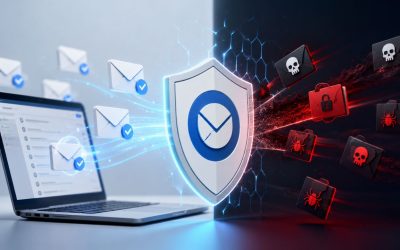
SpamExperts filters inbound mail for spam, phishing, and malware, while separately monitoring outbound traffic for signs that an account has already been compromised and is being used to send abuse. This combination addresses both the “getting attacked” and “becoming the source of an attack” scenarios in a single deployment. Outbound monitoring specifically protects a business’s sending reputation, since a domain or IP that gets blocklisted for sending spam, even unintentionally, through a single compromised account, can see all its legitimate outbound mail delayed or rejected by other providers until the reputation issue is resolved.
That reputation protection connects directly back to the downtime and continuity costs discussed earlier, because a blocklisted domain doesn’t just lose the compromised account’s mail; it can lose deliverability for every employee’s outbound mail simultaneously, turning one compromised mailbox into a company-wide communication outage until remediated. Independent testing from Virus Bulletin’s VBSpam program has repeatedly certified this class of filtering technology at malware catch rates above 99.9 percent with no false positives recorded, which is a documented ceiling rather than a marketing claim.
Archiving and Continuity as Risk-Transfer Tools, Not Just Convenience Features
Long-term email archiving, offered alongside the filtering layer, directly addresses the legal and evidentiary exposure discussed earlier; a business facing a contractual notification question or a legal review can produce the actual historical mail record rather than relying on memory or partial local copies. Built-in 24/7 email continuity similarly addresses the downtime risk category by queuing inbound mail during an outage, so operations don’t stop even if the underlying mail server or DNS configuration needs time to be fixed.
Neither feature is a convenience add-on in the framing this post has built; both map directly onto specific cost categories already quantified above: archiving reduces legal exposure cost, and continuity reduces downtime cost. Evaluating SpamExperts purely as “a spam filter” undercounts what it is actually priced to cover across a business’s full risk profile.
Cost Category vs. Timeframe Table
| Cost Category | Typical Timeframe | Long-Term Business Consequence |
|---|---|---|
| Direct fraud or ransom loss | Immediate to 30 days | Rarely recovered in full; insurance may offset a portion |
| Forensic and legal review costs | 1–3 months post-incident | Establishes whether contractual notification is required |
| Operational downtime and re-verification | Days to several weeks | Slower internal approvals that persist after the technical fix |
| Reputational and client trust impact | 6 months to several years | Factored into future vendor and procurement reviews |
| Cyber insurance and renewal impact | Following the annual renewal cycle | Affects premium and eligibility terms going forward |
Measuring Return on Investment for Email Security
Security spending is notoriously difficult to justify in ROI terms because success looks like nothing happening, but a workable framework exists for putting a number on it anyway.
A Practical Framework for Calculating Avoided-Cost ROI
The standard approach is to estimate the annual probability of a successful email-borne incident for a business of your size and industry, multiply that by the realistic cost range for such an incident established earlier in this post, and compare the result against the annual cost of dedicated protection. Even a conservative estimate, a modest annual probability multiplied against a mid-range incident cost, typically produces an avoided-cost figure many times larger than the protection’s subscription cost, which is the core of the ROI argument for any layered security control.
This framework deliberately avoids exact dollar figures because actual pricing varies by business size, mailbox count, and package tier, and should be confirmed directly with a reseller rather than estimated here. What the framework does reliably establish is the shape of the comparison: a small, predictable, recurring cost against a larger, less predictable, but statistically near-certain-over-time cost of doing nothing.
Why “Nothing Happened” Is the Success Metric, Not a Wasted Budget Line
Security leaders often struggle to justify renewed spending on a control that appears to have “done nothing” over the prior year, but that framing inverts the actual metric of success. A year with zero successful email-borne incidents, in an environment averaging industry-typical attack volumes, is direct evidence the control is functioning, not evidence it wasn’t needed.
Businesses that drop dedicated filtering after a quiet year, reasoning that the investment “wasn’t used”, are the ones most likely to reappear in the following year’s incident statistics, because the attack volume didn’t decrease; only the visible defense did. Framing ROI around avoided cost rather than visible activity is the more accurate way to evaluate whether the spending is earning its keep.
Building an Incident-Free Track Record Into Business Value
Beyond avoiding losses, a documented history of email security investment becomes a business asset in its own right, particularly in vendor relationships, insurance renewals, and eventual sale or investment conversations.
How a Security Track Record Becomes a Competitive Asset
 How a Security Track Record Becomes a Competitive Asset
Enterprise clients and procurement teams increasingly ask smaller vendors about their security posture as a condition of doing business, and a documented history of dedicated email protection, rather than a vague assurance, is a concrete, verifiable answer to that question. Businesses that can point to a specific filtering service, an incident-free record, and defined data retention practices move through vendor security reviews faster than those answering from memory or informal practice.
The same documentation supports cyber insurance renewals, where insurers increasingly ask specific questions about email filtering and archiving practices as part of underwriting, and a documented layered setup can materially affect both eligibility and renewal terms. This turns what started as a defensive cost into a factor that actively supports revenue relationships and lowers other operating costs over time.
Making the Case Internally for Sustained Investment
The businesses most successful at maintaining consistent email security investment year over year are the ones that stopped treating it as an IT line item and started treating it as a standing business-risk control, reviewed alongside insurance and legal budgets rather than technology budgets alone. That reframing tends to survive leadership changes and budget cuts better than a purely technical justification does because it ties spending to board-level risk categories rather than to departmental preferences.
Sustained investment also compounds in value the way avoided incidents compound in the other direction; each additional year without a successful attack strengthens the track record used in the vendor and insurance conversations above, making the case for renewal progressively easier to make internally rather than harder, which is the opposite of how many security budgets are perceived.
Frequently Asked Questions
Is SpamExperts a good email security solution?
SpamExperts has an extensive track record in the email filtering space, with independent testing from Virus Bulletin’s VBSpam program repeatedly certifying its underlying filtering technology at malware catch rates above 99.9 percent, with zero recorded false positives in those test cycles. It covers both inbound filtering for spam, phishing, and malware and outbound monitoring, which protects a business’s sending reputation from damage caused by a compromised account. For businesses already running Microsoft 365 or Google Workspace, it functions as an added layer rather than a replacement, closing gaps that generic bundled filters are not tuned to catch. Whether it’s the right fit depends on mailbox volume and existing infrastructure, which a reseller consultation can assess directly.
How much does a single email attack typically cost a business?
There is no single fixed figure, because cost depends on attack type and business size. How quickly the incident is contained matters, but breach-cost research consistently places the average total cost of a data breach, including containment, notification, and remediation, in the multi-million-dollar range industry-wide, with email as the most common entry point contributing to that average. For a smaller business, the absolute dollar figure is lower as a percentage. Still, the categories of cost are identical: direct fraud, forensic investigation, legal review, and operational downtime all still apply, just at a scale matched to the business’s size.
Does email security actually reduce cyber insurance premiums?
Insurers increasingly ask specific underwriting questions about email filtering, archiving, and continuity practices before issuing or renewing a cyber insurance policy, and a documented, layered email security setup can influence both eligibility and premium terms. The exact effect varies by insurer and policy, so this should be confirmed directly with your insurance provider. However, having a named filtering service and defined retention practices to reference during underwriting is consistently viewed more favorably than an informal or undocumented setup.
What’s the real return on investment for dedicated email threat protection?
ROI is best calculated as avoided cost: estimate a realistic annual probability of a successful email-borne incident for a business of your size, multiply it by the incident cost range your business would realistically face, and compare that figure against the annual cost of dedicated protection. Even conservative assumptions typically produce an avoided-cost figure well above the protection’s subscription cost, because a single successful incident’s cost, direct loss, legal review, downtime, and reputational impact combined usually exceed several years of filtering fees on its own.
How long does it typically take a business to recover from an email-based breach?
Technical recovery, resetting the account and restoring mail flow, is often the fastest part, sometimes resolved within a day. The slower recovery is operational and reputational: re-verifying communications sent during the exposure window, restoring client trust if the compromise reached external parties, and, if a legal or regulatory review was triggered, closing that process out, which can extend the full recovery timeline to several months depending on how many external parties were affected.
Why do businesses still get breached even with Microsoft 365 or Google Workspace’s built-in email filters?
Built-in filters on major platforms are generally tuned to efficiently catch high-volume, low-sophistication spam for every customer on the platform by default, which means they are not specifically optimized for targeted, low-volume phishing and business email compromise attempts that cause the largest losses. Those attacks are engineered to appear unremarkable to a generic filter, which is exactly the profile a dedicated, more aggressively tuned filtering layer is built to catch.
What’s the difference between reactive and proactive email security spending?
Reactive spending happens after an incident, forensic investigation, emergency remediation, and legal review, and is typically billed at a premium because it’s unplanned and urgent. Proactive spending is the fixed, predictable cost of dedicated filtering, continuity, and archiving in place before an incident occurs. The business case for proactive spending is that it converts an unpredictable, often larger reactive cost into a smaller, budgeted, recurring one.
How does an email breach affect customer trust over the long term?
When a breach affects communications with external clients or partners, results in a spoofed invoice, or involves an intercepted approval, it becomes part of that client’s evaluation of the vendor relationship, often resurfacing during contract renewals or procurement reviews years later. Even when no data was ultimately misused, the disclosure itself is treated as a data point by risk-conscious clients, which is why reputational cost tends to outlast the technical resolution of the incident by a wide margin.
Can a single phishing email really shut down a whole business’s operations?
Yes, particularly through the outbound reputation pathway: if a phishing email compromises one account and that account is used to send spam or malware to external contacts, the business’s sending domain or IP can be blocklisted by other mail providers, which can delay or block legitimate outbound mail from every employee simultaneously until the reputation issue is resolved, turning a single compromised inbox into a company-wide communication outage.
What role does email security play in meeting cyber insurance requirements?
Many cyber insurance applications now include specific questions about email filtering, continuity, and archiving in the underwriting questionnaire, treating email security posture as a material factor in risk assessment rather than a minor detail. Having a named, dedicated filtering service in place, along with documented retention and detection practices, is generally considered stronger evidence of risk management than relying solely on a platform’s default bundled spam filter.
Glossary
SPF (Sender Policy Framework): A DNS record that specifies which mail servers are authorized to send email on behalf of a domain, used to detect spoofed sending addresses.
DKIM (DomainKeys Identified Mail): A cryptographic signature added to outgoing email that lets receiving servers verify the message wasn’t altered in transit and genuinely originated from the claimed domain.
DMARC (Domain-based Message Authentication, Reporting & Conformance): A policy layer built on top of SPF and DKIM that tells receiving mail servers what to do with messages that fail authentication and provides reporting back to the sending domain.
SEG (Secure Email Gateway): A filtering system that inspects inbound and outbound email traffic for spam, phishing, malware, and policy violations before messages reach the recipient’s inbox.
BEC (Business Email Compromise): A targeted attack, often involving a spoofed or compromised legitimate account, designed to trick an employee into making a fraudulent payment or disclosing sensitive information.
Quarantine: A holding area where suspicious or blocked messages are stored rather than delivered or deleted outright, allowing review before a final delivery decision.
Backscatter: Automated bounce messages sent to an innocent third party after a spammer forges that party’s address as the sender of spam, often mistaken for a new attack by the receiving business.
The Hiya Digital Team is a collective of IT infrastructure specialist engineers, certified systems administrators, and cloud architects driven by a singular mission: building corporate communication systems that just work. As an Authorized Google Partner, the team handles complex global hosting deployments, secure email migrations, and advanced data compliance architectures for businesses across 40+ countries.
With over two decades of technical experience spanning custom premium business email configurations, OX AppSuite deployments, and enterprise-level network security, the Hiya Digital Team writes to demystify domain infrastructure. Their content focuses on actionable technical strategies, anti-phishing security protocols, and seamless cloud collaboration setup, all backed by real-world deployment experience and 24/7 technical support accountability.