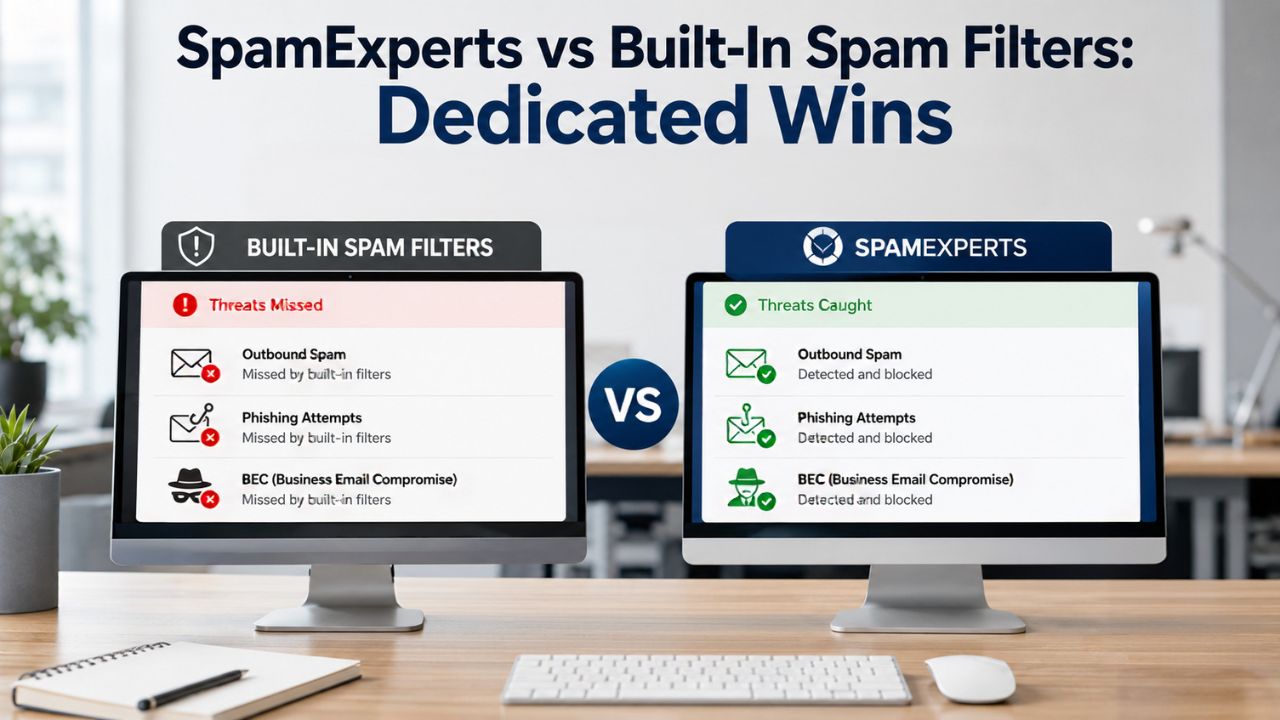
Most email platforms include built-in spam filtering to block common unwanted messages, but these native protections are often designed to address general threats rather than provide comprehensive email security. As phishing techniques, business email compromise, spoofing, and other advanced attacks become more sophisticated, organizations may require additional layers of protection beyond standard filtering. SpamExperts adds dedicated inbound and outbound email security with advanced threat detection, helping businesses improve email protection, reduce false positives, and strengthen overall mail security.
Explore SpamExperts →
Why Built-In Spam Filters Exist and What They’re Actually Built to Do
Every major mail platform ships with some form of spam filtering baked into the mailbox itself. It exists to catch the obvious, high-volume junk that would otherwise overwhelm an inbox within hours, not to serve as a full security perimeter, with the understanding that the original design intent explains almost every limitation covered in the rest of this post.
 The Original Design Goal of Native Filtering
 The Original Design Goal of Native Filtering
Built-in spam filters were designed to solve a volume problem, not a threat problem: strip out mass-blasted junk mail before it clutters the inbox, using broad signals like sender reputation lists and known spam patterns. That goal was achievable with relatively simple rule sets because early spam was crude, repetitive, and easy to fingerprint at scale.
The engineering priority behind native filtering has always been “good enough for most users, most of the time,” bundled into a mailbox product rather than sold as a dedicated security layer. That trade-off shows up in how conservatively these filters are tuned: mailbox providers would rather let some junk through than risk blocking a legitimate message, since a missed spam email is an inconvenience. In contrast, a wrongly blocked invoice or contract is a support ticket and a trust problem.
Where That Design Goal Runs Out
The gap opens precisely where attackers stopped sending crude, high-volume junk and started sending small, targeted, well-written messages. A filter built to catch obvious mass-mail patterns has very little to work with when the email in question is a single, carefully worded message impersonating a vendor or executive.
Native filters also rarely expose the tuning controls a business actually needs: adjustable spam and quarantine thresholds, per-domain policies, granular allow/block lists, or visibility into why a specific message was or wasn’t flagged. Most consumer-grade and default business-tier filtering treats these settings as backend implementation details rather than administrator-facing controls, which matters once a company has more than a handful of mailboxes to manage consistently.
The Detection Gap: Signature and Reputation Filtering vs. Behavioral Analysis
Native filters lean heavily on known-bad signatures and sender reputation lists, mechanisms that work well against recycled spam campaigns but poorly against anything novel. A dedicated filtering layer adds behavioral and heuristic analysis on top, which is the mechanism difference that actually matters here, not marketing language about being “more advanced.”
How Signature and Reputation Filtering Works
Signature-based filtering compares incoming mail against a database of known spam patterns, malicious attachment hashes, and blocklisted sending IPs or domains. It’s fast and cheap to run at scale, which is exactly why it’s the backbone of most built-in filters, but it only catches what’s already been seen and cataloged somewhere in that database.
Reputation filtering supplements this by scoring the sending server and domain based on historical behavior: how much of its past mail was flagged as spam, whether it’s on any real-time blocklists, and how long the domain has existed. This works well against botnets and established spam operations with a visible track record. Still, it does nothing for a brand-new domain registered an hour ago specifically to send one round of convincing phishing emails before being abandoned.
What Behavioral and Heuristic Layers Add
Dedicated filtering layers like SpamExperts add heuristic scoring that evaluates message structure, header inconsistencies, embedded link behavior, and language patterns independent of whether the sender has any prior track record. This catches messages that look wrong on inspection, even when nothing about the sender is flagged elsewhere.
Cluster-based learning is the other piece: a dedicated system processing filtering decisions across a large pool of domains can recognize an emerging pattern, a new phishing template, a fresh wave of lookalike domains, as it spreads, rather than waiting for each mailbox to be hit and manually reported first. Built-in filters tied to a single platform’s own traffic don’t get that cross-pool visibility in the same way.
Built-In Filtering vs. SpamExperts Dedicated Layer
| Capability | Typical Built-In Mailbox Filter | SpamExperts Dedicated Layer |
|---|---|---|
| Inbound signature/reputation filtering | Standard, tuned to platform-wide defaults | Standard, plus heuristic and cluster-based pattern detection |
| Outbound spam scanning | Rarely applied per-message; mostly reactive at infrastructure level | Applied per-message before mail leaves the domain |
| Quarantine access | Per-mailbox folder; no centralized admin view | IMAP-based access at super-administrator, domain, or recipient level |
| Threshold tuning | Little to no admin-facing control | Adjustable per-domain quarantine and tagging thresholds |
| Multi-domain administration | Managed separately per domain/tenant | Single console across all managed domains |
| Authentication alignment (SPF/DKIM/DMARC) | Basic pass/fail handling in most cases | Alignment checks used as active scoring input |
| Release-and-train correction | Not typically available to admins | Built into quarantine actions, feeds back into filtering |
Outbound Filtering: The Layer Built-In Tools Almost Always Skip
Inbound protection gets most of the attention, but outbound filtering is where built-in tools leave a genuinely open door. If one mailbox in a domain is compromised and starts sending spam, most native mailbox-level filters lack a mechanism to block that traffic before it damages the domain’s overall sending reputation.
Why Outbound Spam Is a Domain-Wide Risk
 Why Outbound Spam Is a Domain-Wide Risk
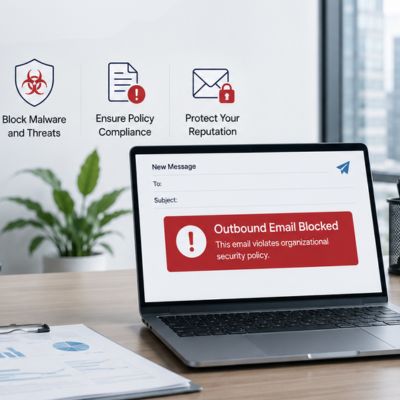
Outbound spam from a single compromised mailbox doesn’t just embarrass that one user; it can get the entire sending domain or IP range blocklisted by major receiving providers, which then blocks or delays legitimate mail from every other mailbox on that domain. A five-person business can lose deliverability for the whole company because of one compromised account nobody caught in time.
Built-in inbound filters are, by design, watching what arrives, not what leaves. Most mailbox platforms have some baseline outbound abuse detection at the infrastructure level. Still, it’s typically reactive, triggered after a volume spike is already underway, rather than a proactive, per-message outbound scan comparable to what’s applied on the inbound side.
How Dedicated Outbound Filtering Closes the Gap
SpamExperts applies the same filtering engine to outbound mail as inbound, scanning messages leaving a domain for spam characteristics, unusual volume spikes from a single account, and known malicious content patterns before they reach the public internet and damage sender reputation. This is a scope that this cluster of posts treats as its own dedicated topic, so only the mechanism relevant to this comparison is covered here.
From a built-in vs. dedicated standpoint, the relevant point is narrower: native mailbox filters generally aren’t built to intercept outbound abuse on a per-message basis the way a dedicated gateway is, which is precisely the coverage gap that turns one compromised mailbox into a domain-wide deliverability problem.
False Positives and Missed Threats: The Trade-Off Built-In Filters Don’t Let You Tune
Every spam filter, dedicated or not, makes a trade-off between blocking more junk and risking more false positives. The difference is control: built-in filters set that balance for you and rarely expose it, while a dedicated layer gives administrators the visibility and thresholds to manage it deliberately.
The Trade-Off Nobody Can Fully Eliminate
No filtering system, however sophisticated, achieves zero false positives and zero missed spam simultaneously; tightening thresholds to catch more borderline spam inevitably increases the risk of flagging a legitimate message, and loosening them to protect deliverability lets more marginal spam through. This is a mathematical reality of classification systems, not a solvable engineering problem.
Built-in filters resolve that trade-off with a single, largely invisible global setting tuned for the platform’s median user, and most consumer or default business tiers don’t expose per-domain thresholds at all. A law firm handling sensitive time-critical documents and a marketing team blasting newsletters have very different risk tolerances, but a native filter typically treats them the same way.
What Configurable Thresholds and Quarantine Visibility Change
A dedicated platform exposes adjustable quarantine and tagging thresholds, per-domain policy control, and a searchable quarantine log, so administrators can see exactly what was blocked and why, and adjust the balance to their specific mail patterns rather than accepting a one-size-fits-all default.
Release-and-train workflows are the other piece: when a legitimate message is wrongly quarantined, releasing it back to the recipient while simultaneously feeding that correction back into the filtering engine improves future accuracy for that domain specifically. Built-in consumer filters rarely offer this kind of closed feedback loop at the administrator level.
Phishing and Business Email Compromise: Where Native Filters Fall Short
Bulk spam is a nuisance; phishing and business email compromise (BEC) are the categories that actually cost businesses money. This is the sharpest edge of the built-in vs. dedicated comparison, because these attacks are specifically engineered to look nothing like the bulk spam native filters are tuned to catch.
Why Phishing and BEC Slip Past Volume-Tuned Filters
Phishing and BEC messages are typically sent in very low volumes, sometimes a single email to a single target, with no attachment, no suspicious link in some cases, and carefully mimicked sender formatting. Every one of the signals a volume-tuned filter relies on (mass-sending patterns, known bad reputation, flagged attachments) is deliberately absent.
BEC, in particular, relies on social engineering more than technical exploitation: a message that appears to come from a CFO requesting an urgent wire transfer, or from a known vendor with slightly altered banking details. There’s often nothing technically malicious in the message itself for a signature-based system to catch; the deception is in the content and context, not the payload.
Where Dedicated Filtering Adds Coverage
Dedicated filtering layers apply header and domain-alignment checks, verifying SPF (Sender Policy Framework), DKIM (DomainKeys Identified Mail), and DMARC (Domain-based Message Authentication, Reporting & Conformance) results and flagging mismatches between the display name and the actual sending domain, which is a common lookalike-domain BEC pattern. DMARC is specifically designed to give domain owners a way to protect against unauthorized use of their domain, commonly known as email spoofing, with reducing successful phishing and business email compromise as a core goal of the protocol.
Cross-domain pattern recognition also plays a role: a dedicated platform filtering mail across many domains can flag a newly registered lookalike domain or a template being reused across multiple targets faster than a single business’s isolated mailbox filter ever could, since it isn’t limited to that one domain’s traffic history.
Threat Scenario vs. Coverage Gap
| Threat Scenario | Why Built-In Filtering Often Misses It | How Dedicated Filtering Closes the Gap |
|---|---|---|
| Compromised mailbox sending outbound spam | No per-message outbound scan on most platforms | Outbound traffic scanned before reaching receiving servers |
| Newly registered lookalike domain | No prior reputation data to flag against | Cross-domain pattern recognition flags emerging lookalikes faster |
| Low-volume, single-target BEC attempt | Doesn’t match mass-spam volume signatures | Header, alignment, and behavioral scoring apply regardless of volume |
| Legitimate mail wrongly flagged (false positive) | No visibility into why, no per-domain adjustment | Searchable quarantine log with release-and-train correction |
| Multiple client domains needing consistent policy | Each domain configured in isolation | Centralized multi-tenant policy management |
Getting Phishing and BEC Protection Configured Correctly
Recognizing that native filtering falls short on phishing and BEC is one thing; getting SPF, DKIM, and DMARC alignment checks, quarantine thresholds, and domain policies configured correctly is another. Hiya Digital, as an Authorized Reseller and SpamExperts Partner, handles that setup end-to-end, configuring authentication alignment, tuning thresholds to a business’s actual mail patterns, and providing ongoing support rather than leaving a self-serve signup to guess at its settings.

Quarantine, Visibility, and Admin Control: What a Dedicated Layer Adds
Beyond raw detection accuracy, the operational experience of managing email security differs sharply between built-in and dedicated filtering. Visibility into what’s being blocked and the ability to act on it are where administrators most directly feel the difference on a day-to-day basis.
The Visibility Gap in Native Quarantine Tools
Most built-in spam folders are exactly that, a folder, not a managed quarantine. Individual users can see what landed in their own spam folders. Still, an administrator typically has no centralized view across all mailboxes in the domain, no searchable log of what was blocked and why, and no way to audit filtering decisions at the domain level.
That per-mailbox isolation means a pattern affecting multiple users, say, a phishing campaign hitting ten mailboxes on the same domain, is invisible as a pattern from the administrator’s seat. Each affected user sees their own spam folder, with no aggregated signal that something coordinated is happening across the organization.
Centralized Quarantine and Admin-Level Reporting
 Centralized Quarantine and Admin-Level Reporting
A dedicated platform provides administrator-level quarantine access across every domain and mailbox it protects, accessible via IMAP at the super-administrator, domain, or individual recipient level, along with mass actions and search by sender, recipient, or subject. That centralization turns individual spam folders into one manageable system.
Daily or scheduled quarantine reports sent to end users, combined with domain-level statistics for administrators, give both individual users and IT teams visibility into filtering activity without requiring anyone to manually check a folder. This closes the reactive-discovery problem described above by surfacing patterns before a user has to notice and report them.
For a business managing more than a handful of mailboxes, that shift from isolated per-user folders to a centralized, searchable, administrator-visible system is often the single most immediately noticeable operational difference when moving from built-in filtering to a dedicated layer.
Deliverability and Sender Reputation: The Hidden Cost of Weak Filtering
Spam filtering isn’t only about what arrives in an inbox; it also affects whether a business’s outgoing mail is trusted and delivered by others. Weak filtering has a deliverability cost that’s easy to overlook until it shows up as missed client emails.
How Filtering Quality Feeds Back Into Sender Reputation
Sending domains and IPs build a reputation score with major receiving providers based on complaint rates, blocklist appearances, and spam-flagging patterns from recipients. A domain associated with unfiltered outbound spam, even unintentionally, from one compromised account, accumulates a worse reputation that then affects deliverability for every legitimate email sent from that domain going forward.
This creates a feedback loop that has nothing to do with the content of any individual legitimate email. Once a domain’s reputation degrades, receiving mail servers start applying stricter scrutiny to everything from that domain, including messages that would otherwise sail through. A business can end up with its invoices and proposals landing in clients’ spam folders for reasons entirely unrelated to those messages.
How Dedicated Filtering Protects Reputation Proactively
Because dedicated filtering scans outbound mail as well as inbound, it catches compromised-account spam or misconfigured bulk sends before they reach receiving servers and trigger complaint-based reputation damage, protecting deliverability for the whole domain rather than just cleaning up the inbox side.
Combined with SPF, DKIM, and DMARC alignment support, a dedicated layer also helps ensure that a domain’s legitimate outbound mail is properly authenticated, which receiving providers increasingly factor into their reputation and inbox placement decisions, independent of spam content itself.
The practical payoff is fewer legitimate emails silently landing in a client’s spam folder, a failure mode that’s invisible to the sender by definition, since nobody gets notified when their email is filtered on the receiving end. Protecting sender reputation proactively is one of the least visible but most consequential differences dedicated filtering adds over native tools.
Scaling Across Multiple Domains and Mailboxes
A single mailbox with built-in filtering is manageable. A business with multiple domains, dozens or hundreds of mailboxes, or client domains to manage on their behalf runs into a different set of limitations that native filtering wasn’t built to handle at that scale.
Where Native Filtering Breaks Down at Scale
Built-in filters are configured per mailbox or, at best, per a single organizational tenant. There’s typically no mechanism to apply a consistent policy across multiple domains or to manage filtering for client domains that a hosting provider or MSP is responsible for on the client’s behalf. Each domain effectively becomes its own isolated island of default settings.
That per-domain isolation means inconsistent protection: one domain might have stricter default filtering than another simply due to platform differences, with no central way to standardize policy across an entire portfolio of domains. For an MSP or hosting provider managing dozens of client domains, that inconsistency becomes a genuine operational and liability problem.
How a Dedicated Platform Handles Multi-Domain Management
A dedicated platform like SpamExperts is built around multi-domain and multi-tenant administration from the ground up, allowing a super-administrator to apply consistent baseline policies across every domain under management while still allowing per-domain customization when individual clients need different thresholds.
That structure suits hosting providers and MSPs specifically, since it lets a single team manage filtering consistently across many client domains without manually reconfiguring each one, and provides a single pane of visibility across all domains rather than logging into separate mailbox platforms per client.
Integration: Running Dedicated Filtering Alongside Microsoft 365 or Google Workspace
A common misconception is that adding dedicated filtering means replacing an existing mailbox platform. In practice, SpamExperts sits in front of Microsoft 365 or Google Workspace as an additional filtering layer, not a replacement for either.
How a Dedicated Filter Layers on Top of an Existing Mailbox Platform
Dedicated filtering typically works by routing a domain’s MX records through the filtering service first, so mail is scanned before it ever reaches the mailbox platform, then forwarded on to Microsoft 365 or Google Workspace for delivery. The mailbox platform’s own native filtering can remain active as a secondary layer or be adjusted, depending on preference.
This architecture means end users keep the same mailbox experience they already know, same inbox, same client, same login, while gaining an additional filtering pass in front of it that catches what the platform’s own default filter misses. There’s no migration of mailbox data and no change to how employees send or receive mail day-to-day.
What to Confirm Before Layering Filtering on an Existing Platform
Before adding a dedicated layer in front of Microsoft 365 or Google Workspace, it’s worth confirming how the receiving platform’s own connector or transport rules will treat mail arriving from the filtering service’s IP ranges, since some default configurations expect mail to arrive directly and may need a minor adjustment to avoid duplicate spam scoring.
It’s also worth deciding, on a per-organization basis, whether to keep the native platform’s own spam filtering active as a secondary check or rely primarily on the dedicated layer; both configurations work, and the right choice depends on how much the organization wants a second opinion versus a single point of filtering control.
Cost, Complexity, and the Real Total Cost of “Free” Built-In Filtering
Built-in filtering is bundled into the cost of a mailbox platform, which makes it feel free. Dedicated filtering is a separate line item, which makes it feel like an added expense. Comparing the two fairly requires accounting for the costs that native filtering’s gaps actually create.
Why “Free” Built-In Filtering Isn’t Actually Free
 Why “Free” Built-In Filtering Isn’t Actually Free
The cost of relying solely on built-in filtering doesn’t disappear; it shifts into other categories: staff time lost to phishing incidents and recovery, deliverability damage from an undetected, compromised outbound account, and the reputational cost when a client’s legitimate proposal lands in spam because a lookalike domain went unnoticed for weeks.
These costs are harder to see on an invoice than a monthly subscription line item, which is exactly why “free” native filtering feels cheaper in the moment even when a single successful BEC incident or a week of degraded deliverability can cost far more than years of a dedicated filtering subscription would have.
What a Dedicated Layer Actually Costs to Add
Dedicated filtering is typically priced in tiered packages based on mailbox count and feature set, inbound-only versus inbound-and-outbound, standard retention versus extended archiving, rather than a single flat per-business fee, which lets a company size the investment to its actual mailbox count rather than overpaying for capacity it doesn’t need.
Package structures generally scale down efficiently for smaller mailbox counts and offer volume-based tiers as a business grows, meaning a five-person company and a five-hundred-person company aren’t paying the same rate structure. Neither is locked into a package sized for the other’s needs.
Frequently Asked Questions
What are the alternatives to SpamExperts?
The realistic alternative for most businesses isn’t a dedicated vendor; it’s continuing to rely on the built-in filtering in Microsoft 365, Google Workspace, or a hosting provider’s default mail setup. That option costs nothing extra and works reasonably well against high-volume, obvious spam, which is the majority of junk mail by sheer count. Where it falls short is the smaller but more damaging category: targeted phishing, business email compromise, and unmonitored outbound spam from a compromised account, all of which this post has covered in detail. A side-by-side comparison against specific, named competing vendors is a separate topic with its own considerations regarding pricing tiers and feature sets and isn’t covered here. The comparison that matters most for most businesses evaluating this decision is dedicated versus built-in, not one dedicated vendor versus another.
Do I need SpamExperts if my email already has a spam folder?
Having a spam folder means basic junk filtering is happening, but it doesn’t mean the coverage gaps described throughout this post are addressed. A spam folder catches high-volume, previously seen spam patterns reasonably well; it does very little against a single well-crafted phishing email, an outbound spam problem from a compromised account, or inconsistent policy across multiple domains. Whether the gap matters depends on what’s at stake; a business handling client payments, contracts, or sensitive data has greater exposure to a missed BEC attempt than a spam folder alone would suggest. The spam folder isn’t wrong or broken; it’s simply solving a narrower problem than dedicated filtering does.
Can I run SpamExperts alongside my existing Microsoft 365 or Google Workspace filter?
Yes. Dedicated filtering is typically deployed by routing MX records through the filtering service first, which then forwards scanned mail onto the existing mailbox platform. The platform’s native filtering can remain active as a secondary layer or be adjusted to preference, and no mailbox migration or change in how employees access email is required. This layered setup is the standard deployment model, not an edge case, precisely because most businesses adopting dedicated filtering want to keep their existing mailbox platform unchanged.
Will turning on outbound filtering slow down or delay my email delivery?
Outbound scanning adds a filtering pass before a message leaves the domain. Still, for legitimate mail, this typically adds only a negligible amount of processing time, not a noticeable delay, since the scan occurs automatically as part of the existing send flow rather than requiring manual review. The larger, more noticeable delay businesses actually experience is the opposite scenario: mail is rejected or delayed by receiving providers because a domain’s reputation has already been damaged by unfiltered outbound spam. Preventing that reputation damage in the first place generally improves overall deliverability speed rather than reducing it.
Why does spam still get through even though my default filter is enabled?
This usually comes down to the message type rather than to a broken filter. Default filters are tuned primarily against high-volume, previously cataloged spam patterns and sender reputation signals. A message from a brand-new domain, written specifically to avoid obvious spam markers or mimicking a known contact’s writing style, doesn’t trigger those signals, not because the filter failed, but because it was never built to catch that category of message in the first place. This is the core reason a dedicated behavioral layer exists as a complement rather than a competitor to built-in filtering.
What happens to outbound spam if I only rely on built-in mailbox filtering? I
n most default configurations, outbound spam from a compromised mailbox goes largely unmonitored at the per-message level until volume triggers a reactive response from the mailbox platform’s infrastructure team, by which point receiving providers may have already flagged or blocklisted the sending domain. The business typically discovers the problem indirectly, through a client mentioning delivery issues or a sudden deliverability drop, rather than through a proactive alert. This is one of the clearest gaps between built-in and dedicated filtering that this post covers.
Is dedicated filtering worth it for a small business with only a few mailboxes? I
t depends on what a business is protecting, not strictly on mailbox count. A five-person consultancy that handles client contracts and wire transfer requests has meaningful BEC exposure regardless of its small size. In contrast, a larger team sending mostly internal, low-stakes communications may have a less urgent need for BEC. Package structures for dedicated filtering generally scale down for smaller mailbox counts, specifically, so cost isn’t the deciding factor; the more relevant question is how costly a single successful phishing or BEC incident would actually be for that specific business.
Does adding a dedicated filtering layer increase false positives compared to my current setup?
Not inherently, and it can reduce them, since dedicated platforms expose adjustable thresholds and a release-and-train workflow that lets a business tune the balance for its own mail patterns rather than inheriting a single global default. A poorly configured dedicated layer can produce far more false positives than a well-tuned built-in filter, which is why the initial configuration matters more than the choice of underlying technology. This is also why working with an implementation partner to set thresholds appropriately from the outset tends to produce better real-world results than a fully self-serve, unconfigured deployment.
How does dedicated filtering handle multiple domains differently from built-in tools?
Built-in filtering is generally configured per mailbox platform tenant, with no native mechanism to apply a single policy across multiple domains; each domain effectively manages its own settings in isolation. A dedicated platform is built around multi-domain administration from the outset, allowing a single administrator to set a consistent baseline policy across all managed domains while still customizing individual domains as needed. This becomes increasingly relevant as a business adds domains through growth, acquisitions, or new client relationships.
Do I have to disable my existing spam filter to use SpamExperts?
No. Most deployments layer dedicated filtering in front of an existing platform’s native filtering rather than requiring the platform’s native filtering to be switched off. Some organizations choose to keep native filtering active as a secondary check. In contrast, others rely primarily on the dedicated layer once it’s proven effective; both are valid configurations, and the choice comes down to whether an organization wants a second filtering opinion or a single point of control. Confirming this preference during setup avoids confusion about which layer makes the final delivery decision.
Glossary
SPF (Sender Policy Framework): A DNS record that specifies which mail servers are authorized to send email on behalf of a domain, used by receiving servers to verify sender legitimacy.
DKIM (DomainKeys Identified Mail): An email authentication method that adds a digital signature to outgoing messages, allowing the receiving server to verify the message wasn’t altered in transit and genuinely originated from the claimed domain.
DMARC (Domain-based Message Authentication, Reporting & Conformance): An email authentication, policy, and reporting protocol that builds on SPF and DKIM, adding linkage to the author “From:” domain name and published policies for how receivers should handle messages that fail alignment.
Quarantine: A holding area where suspected spam or malicious messages are stored rather than delivered or deleted outright, typically for a set retention period during which an administrator or recipient can review and release false positives.
Backscatter: Automated bounce or non-delivery notifications sent to an address that never actually sent the original message, usually the result of a spammer forging that address as the sender.
Business Email Compromise (BEC): A targeted attack in which a message impersonates a trusted contact, such as an executive or vendor, typically requesting a wire transfer, payment change, or sensitive data with no malicious attachment or link involved.
False positive: A legitimate email incorrectly identified and blocked or quarantined as spam.
Sender reputation: A score assigned to a sending domain or IP address by receiving mail providers based on historical spam complaints, blocklist status, and sending patterns, which influences whether future mail from that source is delivered, filtered, or blocked.
The Hiya Digital Team is a collective of IT infrastructure specialist engineers, certified systems administrators, and cloud architects driven by a singular mission: building corporate communication systems that just work. As an Authorized Google Partner, the team handles complex global hosting deployments, secure email migrations, and advanced data compliance architectures for businesses across 40+ countries.
With over two decades of technical experience spanning custom premium business email configurations, OX AppSuite deployments, and enterprise-level network security, the Hiya Digital Team writes to demystify domain infrastructure. Their content focuses on actionable technical strategies, anti-phishing security protocols, and seamless cloud collaboration setup, all backed by real-world deployment experience and 24/7 technical support accountability.