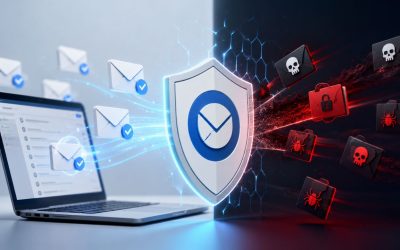
Modern email attacks extend far beyond traditional spam, with cybercriminals using increasingly sophisticated techniques to impersonate trusted contacts, steal credentials, distribute malware, and compromise business communications. SpamExperts helps defend against a broad range of email threats by combining advanced filtering, sender reputation analysis, email authentication, behavioral detection, and intelligent threat inspection to identify malicious messages before they reach users. Understanding the different types of attacks SpamExperts is designed to stop helps businesses strengthen their email security and reduce the risk of financial, operational, and reputational damage.
Buy SpamExperts Email Security →
Why Email Is Still the Top Attack Vector for Businesses
Every other channel a business uses, chat apps, project tools, phone systems, sits behind some form of gatekeeping. Email doesn’t. Any server on the internet can attempt delivery to any mailbox, which is exactly the design flaw attackers have spent two decades learning to exploit.
 The Trust Gap Built Into SMTP
 The Trust Gap Built Into SMTP
Simple Mail Transfer Protocol (SMTP), the underlying standard that moves nearly all business email, was designed in the early 1980s for a much smaller, higher-trust internet. It has no built-in mechanism to verify that a sender is who the “From” field claims. A message can declare any sender address and, absent additional authentication layers, an ordinary mail server will accept and deliver it without objection. That single gap is the foundation for most of the threats covered in this post.
This matters more for businesses than for individuals because business email addresses are functionally public. They appear on invoices, press releases, LinkedIn profiles, and vendor contracts, giving an attacker everything needed to convincingly impersonate a real employee. A consumer inbox rarely has this level of exposed metadata, which is part of why commercial email traffic is disproportionately targeted compared to personal accounts.
Why Volume Alone No Longer Predicts Damage
A decade ago, email risk correlated fairly closely with volume; more spam meant more risk, and blocking bulk junk mail solved most of the problem. That correlation has broken down. A single, carefully worded message sent to one finance employee, with no attachment and no malicious link, can now cause more financial damage than ten thousand blocked spam messages ever would. Business email compromise campaigns average a handful of messages per target, not thousands, precisely because attackers have learned that precision beats scale once a target’s habits and vendor relationships are understood.
This shift is why threat detection has moved from pure volume-and-keyword filtering toward behavioral and authentication-based analysis. Catching a payload-carrying attachment is still necessary, but it no longer covers the threats most likely to actually cost a business money. The eight categories below indicate where that gap lies and where a spam filter alone is no longer sufficient. Two related threats, standard phishing and ransomware-carrying malware attachments, are covered in depth elsewhere in this series and are only referenced here in passing.
Business Email Compromise: When Trust Becomes the Attack Surface
Business email compromise, or BEC, replaces malicious code with malicious instructions. There is often nothing for a traditional filter to scan, just a well-timed request that looks like it came from someone the recipient already trusts.
How a BEC Message Is Actually Constructed
A BEC attack typically begins with reconnaissance: the attacker studies publicly available information about an organization’s structure, vendor relationships, and travel patterns, often drawn from LinkedIn, press releases, or a supplier’s compromised mailbox. The message itself is then built to exploit a specific, time-sensitive scenario, a wire transfer to a “new” vendor bank account, an urgent gift card request from an “executive,” or a payroll redirect request timed to a pay cycle. None of this requires an attachment or a link, which is precisely why keyword- and signature-based filters routinely let it through.
What separates BEC from generic phishing is the precision of impersonation, paired with urgency and authority. The message usually claims to come from a real named individual, a CEO, a CFO, or a known vendor contact. It creates a reason the request can’t wait for normal verification, such as the executive being “in a meeting” or “traveling” and unreachable by phone. Detection systems that analyze sender behavior patterns, display-name-versus-domain mismatches, and unusual request language flag these messages even when no malicious file or URL is present to scan.
Why BEC Losses Outpace Most Other Email Threats
Because BEC targets the transfer of money or sensitive data directly rather than installing malware first, a successful attack results in immediate loss; there’s no intermediate step in which antivirus tools or endpoint detection can get a second chance to intervene. This is a pattern worth naming plainly: businesses that have never experienced a virus outbreak from email can still lose five or six figures to a single well-crafted BEC message, because the attack bypasses the technical controls built to catch payloads entirely.
Effective BEC defense combines authentication protocol enforcement (covered in the next section) with heuristic analysis of message content and the sender-recipient relationship history. A message claiming to be from a company’s CFO, sent from a domain that has never previously corresponded with the recipient, requesting an unusual and time-sensitive financial action, is exactly the combination of signals that behavioral filtering is designed to catch, even though every individual signal, taken alone, might look unremarkable. Phishing-style credential-theft links are a separate, related risk covered in a dedicated post in this series and are only mentioned briefly here.
Domain and Sender Spoofing: Wearing Your Identity Without Permission
Spoofing is the technical mechanism that makes most BEC and phishing campaigns believable in the first place: a message that appears to display someone else’s identity without any actual access to that person’s account.
The Mechanics Behind a Spoofed Sender Address
Email spoofing exploits the same SMTP trust gap discussed earlier; the protocol accepts whatever sender address a message declares unless something downstream checks it against authorization records. The industry’s answer to this gap is a trio of DNS-published authentication standards: Sender Policy Framework (SPF), which lists which mail servers are authorized to send on a domain’s behalf; DomainKeys Identified Mail (DKIM), which cryptographically signs outgoing mail so recipients can verify it wasn’t altered in transit; and Domain-based Message Authentication, Reporting and Conformance (DMARC), which tells receiving servers what to do when a message fails SPF or DKIM checks, and gives the domain owner visibility into spoofing attempts since DMARC is designed to give email domain owners the ability to protect their domain from unauthorized use, commonly known as email spoofing.
Without a DMARC policy published and enforced, SPF and DKIM alone leave a gap: a receiving server might notice an authentication failure but has no domain-owner instruction on what to do about it, so many servers deliver the message anyway. This is why domain owners are increasingly encouraged to move from a monitoring-only DMARC policy toward one that instructs receiving servers to quarantine or reject unauthenticated mail outright, a configuration step that a self-managed setup frequently leaves incomplete for months or years after the record is first published.
Detecting Spoofing That Slips Past Basic Authentication
 Detecting Spoofing That Slips Past Basic Authentication
Not every spoofing attempt trips SPF or DKIM failures; a well-resourced attacker can register a deceptively similar domain and pass authentication checks legitimately, because the checks only confirm the message came from where it claims to have come from, not that the claimed domain is trustworthy. This is where filtering systems layer in reputation intelligence: cross-referencing sending IP history, domain age, and prior spam-reporting patterns against a constantly updated threat database, rather than relying on authentication protocols alone.
Display-name spoofing adds a further wrinkle that authentication protocols don’t directly address, since SPF, DKIM, and DMARC validate the technical sending domain, not the friendly name shown in a recipient’s inbox. Catching this pattern requires filtering rules that compare display names against known executive and contact names and flag mismatches between the visible name and the authenticated sending domain. This detection layer sits outside what SPF, DKIM, and DMARC alone can catch.
Spam-Volume and Backscatter Attacks: Weaponizing Your Own Mail Queue
Not every threat targets your inbox directly. Some target your ability to send mail at all, turning your own server into a liability by flooding it with junk or bouncing it off other people’s spam filters.
What Backscatter Actually Is and Why It Happens
Backscatter occurs when a spammer forges a business’s domain in the “From” field of spam sent to a large list of invalid or nonexistent addresses. Many of the receiving mail servers on that list, upon discovering the address doesn’t exist, generate an automatic bounce message, a non-delivery report, and send it back to the forged “From” address. Because the address was forged, that bounce lands not with the actual spammer but in the business’s own mailbox, sometimes by the tens of thousands within hours, none of it ever having been sent by the business at all.
The business impact of a large backscatter event goes beyond nuisance volume. A sudden spike in outbound-looking bounce traffic, or, in some configurations, even a spike in inbound bounces triggered by a business’s own server incorrectly auto-responding to forged mail, can trip spam-reputation thresholds at major inbox providers. Once a sending IP or domain crosses that threshold, legitimate outbound email, invoices, client replies, and marketing sends start landing in recipients’ spam folders or get rejected outright, a consequence that often takes days or weeks of remediation to reverse, even after the triggering event has stopped.
Outbound Monitoring as the Practical Defense
Because backscatter is fundamentally an abuse of a forged sender identity rather than a message actually originating from the victim’s server, the same SPF, DKIM, and DMARC authentication layer discussed above materially reduces it: receiving servers that enforce DMARC on the forged domain simply reject the spoofed spam outright, which means no bounce is ever generated in the first place. This is one of the clearest cases where protocol-level authentication protects a business from an attack that never even touches its own infrastructure.
The remaining exposure is on the outbound side and requires active monitoring rather than passive authentication. If a business’s own account or server is compromised and starts sending real spam volume, not forged, but genuinely originating from a business’s own credentials, that traffic needs to be caught before receiving providers blacklist the sending IP. Outbound filtering systems monitor send-rate patterns, sudden volume spikes from individual accounts, and content signatures consistent with spam campaigns, flagging and throttling suspicious accounts in real time rather than waiting for an external blacklist notice after the damage to the sender’s reputation is already done.
Account Takeover: The Threat That Starts Inside Your Own Inbox
Account takeover differs from every threat covered so far because the attacker isn’t impersonating anyone; they’ve gained actual access to a legitimate mailbox, which makes everything that follows far harder to distinguish from normal activity.
How Attackers Get In and What They Do Once Inside
Most account takeovers begin with credentials obtained elsewhere, a password reused from a breached third-party service, a successful phishing page, or a credential-stuffing attempt against weak or absent multi-factor authentication. Once inside, an attacker rarely announces themselves. Common early behavior includes setting up a hidden mailbox forwarding rule that silently copies incoming mail to an external address, reviewing sent-mail history to study the account owner’s writing style and vendor relationships, and watching for active financial conversations to hijack at the most convincing possible moment.
Because the resulting messages come from a genuinely authenticated account, they pass SPF, DKIM, and DMARC checks without issue; the sending domain and server really are legitimate. This is why account takeover detection depends on behavioral analysis rather than authentication: sudden login attempts from unfamiliar geographic locations, mail-forwarding rules created outside normal account activity, and abrupt shifts in a sender’s writing patterns or request types are the signals that actually catch a hijacked account in use, since every technical authentication signal looks correct throughout the attack.
Quarantine Review as a Detection and Recovery Tool
A live quarantine system serves a second, less obvious purpose beyond blocking incoming spam: it gives administrators and users a searchable record of exactly what arrived, when, and from where, which becomes critical during an account takeover investigation. On a standard hosted setup, quarantined messages are retained for 14 days by default, giving investigators a window to review recent inbound traffic patterns for signs of reconnaissance messages that preceded the takeover. Quarantined messages are stored for 14 days, with local-cloud deployments able to adjust that retention window where a longer review period is needed.
Recovery from a confirmed account takeover requires more than a password reset. Forwarding rules created by the attacker often survive a simple password change and must be manually located and removed; sent-mail folders need to be reviewed to identify any messages the attacker sent. In contrast, for account control, any financial requests that went out during the compromise window require direct, out-of-band confirmation from the recipients before they are assumed legitimate. This remediation checklist is exactly the kind of hands-on work that a managed implementation partner walks a business through, rather than leaving an IT admin to reconstruct the timeline alone under pressure.
Get Detection and Recovery Configured Correctly the First Time
A compromised mailbox rarely announces itself with a single obvious signal; it’s the combination of a forwarding rule, an unfamiliar login location, and a shift in tone across several messages that confirms it, and missing any one of those during recovery leaves a door open for the attacker to return. Hiya Digital, as an Authorized Reseller and Implementation Partner, configures behavioral detection rules and quarantine retention correctly from the outset and walks a business through the specific recovery checklist above rather than leaving it to be reconstructed from documentation during an active incident.

Whaling: Precision Attacks on the C-Suite
Whaling narrows the BEC playbook to a single, high-value target: the executives whose approval authority makes a single successful message worth the extra reconnaissance effort.
Why Executives Are Targeted Differently Than Other Employees
A whaling attack is a BEC variant aimed specifically at senior executives, CEOs, CFOs, and board members, rather than general staff, because their sign-off authority means a single successful message can authorize a transaction that would otherwise require multiple approvals. Attackers invest disproportionate time in reconnaissance here: reviewing earnings calls, conference speaker bios, and board meeting schedules to time a message for a moment when the target is genuinely traveling or in back-to-back meetings and is least likely to verify a request by phone.
The messages themselves are frequently shorter and more confident in tone than a typical phishing attempt, since executives are accustomed to receiving terse, high-priority requests from peers and legal counsel. A whaling message might reference a real, publicly known acquisition, legal matter, or board decision to lend the request specific, verifiable-sounding context, a level of tailoring that generic phishing rarely bothers with because the payoff-per-message calculation only justifies it for high-value targets.
Layered Controls That Catch What Executive Judgment Alone Misses
Because whaling messages are engineered to appear ordinary to a busy, distracted recipient, technical detection has to compensate for the very moment when human scrutiny is weakest. Sender-domain age checks, display-name-versus-domain mismatch detection, and cross-referencing the message against known executive correspondence patterns catch a meaningful share of whaling attempts before they ever reach an inbox, serving as a check that doesn’t depend on the target noticing anything.
The remaining layer is procedural rather than technical: a standing rule that no wire transfer or sensitive-data request is executed based on email instructions alone, regardless of how senior the apparent sender appears, unless a secondary verification channel, such as a phone call to a known number, is in place. Filtering technology reduces the frequency with which a convincing whaling message reaches an executive’s inbox. Still, it can’t replace that verification step for the messages that do occasionally slip through; the two layers work together, not as substitutes for each other.
Zero-Day Payloads: Threats Without a Signature Yet
Zero-day threats exploit the gap between when a new attack technique first appears and when detection systems have a known signature to catch it, a window that traditional, signature-only filtering can’t close.
Why Signature-Based Detection Alone Falls Short
 Why Signature-Based Detection Alone Falls Short
Traditional antivirus and spam filtering historically relied heavily on signature matching: comparing incoming files or code against a database of known malicious patterns. This works well against threats that have already been seen and cataloged. Still, it offers no protection against a genuinely new payload, one built specifically to avoid matching any existing signature, during the window between its first use and the moment security vendors identify and catalog it. That window, sometimes hours and sometimes weeks, is precisely what “zero-day” refers to: zero days of prior public knowledge about the specific threat.
Attackers deliberately target this gap because it’s the period with the highest probability of success. A newly modified malware variant, even one built from largely known malicious code with minor structural changes, can slip past signature-only defenses simply because the specific byte pattern hasn’t been cataloged yet, even though the underlying malicious behavior is nearly identical to threats already well understood.
Behavioral and Machine-Learning Detection as the Practical Answer
Closing the zero-day gap requires detection that doesn’t depend on having seen the exact threat before. Machine-learning-based filtering analyzes structural and behavioral characteristics of incoming messages and attachments, unusual macro behavior in a document, suspicious embedded script patterns, and anomalous sender-recipient relationship combinations, rather than matching against a static signature list, allowing it to flag content that resembles known attack patterns even when the specific payload is new.
This approach also depends on continuous retraining against freshly observed threats across a filtering provider’s entire customer base, not just a single business’s own mail flow. A self-learning system improves faster the more traffic it observes threats across, which is a structural advantage a single organization’s isolated mail server cannot replicate on its own. A provider processing filtering decisions across a large volume of business domains has meaningfully more pattern data to train against than any single company’s inbox history could ever generate independently.
Credential Harvesting: Fake Logins, Real Damage
Credential harvesting skips malware entirely and goes straight for what unlocks everything else: a working username and password, handed over voluntarily by the target.
The Anatomy of a Credential Harvesting Page
A credential harvesting attack typically pairs a convincing email with a fake login page cloned to closely resemble a real service, a Microsoft 365 sign-in screen, a document-sharing portal, or a payroll system, hosted on a domain the attacker controls. The email itself usually carries a plausible pretext: a shared-document notification, an account-verification request, or a fake security alert claiming that suspicious activity requires the recipient to “confirm” their credentials immediately.
What makes these pages effective is fidelity, not the sophistication of the underlying code. Modern harvesting kits reproduce a target service’s login page with pixel-level accuracy, often automatically scraping the real page’s current styling so the fake stays visually current even as the real service’s design changes. The credentials entered are typically captured and either used immediately for account takeover, as discussed earlier in this post, or sold in bulk to other attackers, meaning a single successful harvest rarely stays contained to just the one incident it caused.
Link and Domain Analysis at the Point of Delivery
Because the malicious component of a credential-harvesting attack resides on a linked page rather than in the email body itself, detection focuses heavily on the destination URL rather than on message content alone. Filtering systems check linked domains against continuously updated threat intelligence databases, flag newly registered domains disproportionately likely to host short-lived harvesting pages, and analyze URL structure for patterns common to cloned login pages, such as subdomains designed to make the URL bar appear to resemble a legitimate service at a glance.
Time-of-click protection adds a further layer that static link scanning alone misses: a link that’s clean when a message is delivered can be swapped for a malicious harvesting page hours or days later, after the initial scan has already passed it as safe. Re-checking a link’s destination at the actual moment a recipient clicks it, rather than relying solely on the scan performed at delivery time, catches this delayed-activation pattern that a one-time scan structurally cannot.
Warning Signs and Immediate Response by Threat Category
| Threat Type | Warning Sign to Watch For | Immediate Response Action |
|---|---|---|
| Business Email Compromise | Urgent financial request with no prior context | Verify by phone using a known, previously saved number |
| Domain/Sender Spoofing | Display name doesn’t match the underlying sender address | Check the raw sending domain before replying or clicking |
| Spam-Volume/Backscatter | Sudden flood of bounce/non-delivery messages | Check outbound send logs and confirm DMARC enforcement status |
| Account Takeover | Unfamiliar login location or new forwarding rule | Force password reset, remove forwarding rules, review sent mail |
| Whaling | Executive request bypassing normal approval steps | Escalate to a secondary approver regardless of apparent urgency |
| Credential Harvesting | Login page prompt inside an email-linked page | Navigate to the service directly rather than via the email link |
Typosquatting Domains: The Attack That Starts Before the Email Is Sent
Typosquatting is the foundational threat that makes several of the categories above possible in the first place; it occurs during domain registration, long before any message is ever sent.
How a Typosquatted Domain Is Built for Deception
A typosquatting domain is registered to closely resemble a legitimate business domain through small, easily overlooked alterations, swapping a lowercase “l” for a capital “I”, adding an extra letter, using a different top-level domain, or substituting a visually similar character. Once registered, the domain can be used to send convincing-looking business email, host a credential-harvesting page at a URL that looks correct at a glance, or receive misdirected replies from recipients who don’t notice the substitution before hitting reply.
This groundwork step is what allows a subsequent BEC or whaling message to pass basic scrutiny even from a recipient who glances at the sender’s address. A domain that reads as “reliable at a glance” is specifically what makes the difference between an attack that gets caught in the first three seconds and one that doesn’t. Attackers frequently register several typosquatted variants of a target domain simultaneously, holding them in reserve for use across multiple future campaigns rather than a single one-off attempt.
Monitoring for Lookalike Domains Before They’re Weaponized
Registering every conceivable typosquatted variant of a domain defensively is neither practical nor necessary; a more useful defense is continuous monitoring for newly registered lookalike domains, combined with inbound filtering that flags mail from domains that bear a suspiciously close visual or structural resemblance to the recipient’s own domain or its known vendors. This catches the threat at the moment it’s first weaponized in an actual campaign, rather than requiring a business to secure every possible misspelling of its own name preemptively. This list grows longer than any single organization could realistically maintain.
Typosquatting detection also benefits from the same reputation-intelligence layer used against spoofing: a domain registered within the past few days, bearing a one-character difference from a known business domain, and suddenly sending volume to that business’s known contacts is a combination of signals specific enough to flag with high confidence, even before any single message from it has been individually reported as malicious.
Threat Type, Detection Method, and Business Impact at a Glance
| Threat Type | Primary Detection Method | Business Impact If Missed |
|---|---|---|
| Business Email Compromise | Behavioral and relationship-history analysis | Direct financial loss, often five to six figures per incident |
| Domain/Sender Spoofing | SPF, DKIM, DMARC enforcement plus display-name checks | Brand impersonation, downstream phishing enabled under your name |
| Spam-Volume/Backscatter | Outbound send-rate monitoring, DMARC enforcement on forged domains | Sender IP blacklisting, legitimate mail rejected for weeks |
| Account Takeover | Login anomaly and mail-rule change detection | Data exposure, hijacked vendor conversations, reputational fallout |
| Whaling | Executive-pattern matching, domain-age checks | High-value authorization abused in a single message |
| Zero-Day Payloads | Machine-learning behavioral analysis | Malware execution before any signature exists to block it |
| Credential Harvesting | Time-of-click link re-scanning, domain reputation checks | Stolen credentials are reused across every connected system |
| Typosquatting Domains | New-domain monitoring, visual-similarity matching | Convincing impersonation that survives casual inspection |
Building a Layered Defense: How These Threats Interact
None of the eight threats above operate in true isolation: a typosquatted domain enables a spoofed message, a spoofed message enables account takeover, and account takeover enables the next campaign’s reconnaissance. Defense has to account for these dependencies, not just each threat individually.
Why Single-Layer Filtering Consistently Falls Short
 Why Single-Layer Filtering Consistently Falls Short
A pattern worth naming directly: businesses that adopt email security tend to do so only after a near-miss or an actual loss, rather than proactively, and by that point, the gap usually isn’t a single missing tool but a chain of small, individually reasonable-looking oversights that compounded. A DMARC record was published but never moved to enforcement. A quarantine window too short to catch reconnaissance traffic before it’s purged. Outbound monitoring is absent because the original setup only ever configured inbound filtering. Each gap alone looks minor; together, they form exactly the chain an attacker needs.
This is the practical argument for layered filtering over any single control: authentication protocols handle spoofing and reduce backscatter; behavioral analysis catches BEC and account takeover; machine-learning detection covers zero-day payloads that no signature yet describes; and link re-scanning closes the gap that delayed-activation credential-harvesting pages exploit. Independent testing bears this out at the aggregate level. SpamExperts has held VBSpam+ certification with a detection rate above 99.9% and zero false positives in tested rounds, achieving a final score of 99.936 in real-world tests. This result depends on exactly this kind of layered analysis rather than any single detection technique carrying the full load.
What a Correctly Tuned Setup Actually Looks Like Day to Day
In practice, a properly layered setup is largely invisible during normal operation, with legitimate mail flowing without added friction, and the business only notices the system working when a quarantine notification or a blocked-sender report surfaces something that would otherwise have reached an inbox. The visible signals of correct configuration are a DMARC policy enforced rather than left in monitoring-only mode, outbound send patterns actively watched rather than only checked after a complaint, and a quarantine window long enough to support investigation if something does slip through.
Getting from an unconfigured default install to that state usually isn’t a single setup step but an ongoing tuning process, adjusting sensitivity thresholds as false positives or missed threats surface during the first few weeks, then periodically revisiting the configuration as an organization’s vendor list and typical correspondence patterns shift. This is where the difference between a self-serve signup and a managed implementation tends to show up most clearly: the technology is the same either way, but the tuning discipline behind it usually isn’t.
Frequently Asked Questions
What is business email compromise, and how is it different from regular spam?
Business email compromise (BEC) is a targeted attack in which a message impersonates a trusted contact, often an executive or vendor, to request a financial transaction or sensitive data, typically without any attachments or malicious links. Regular spam is untargeted bulk mail flagged largely through volume and content pattern matching. BEC evades that kind of filtering because each message is individually crafted and sent in small numbers, which is why detecting it depends on behavioral analysis: sender-recipient relationship history, unusual request framing, and domain-authentication mismatches, rather than the keyword or volume signals that catch conventional spam.
How does email spoofing actually work if my domain has SPF set up?
SPF alone only verifies that a message came from a server authorized to send on behalf of the declared domain; it doesn’t stop an attacker who registers a similar-looking domain and sends from servers authorized for that lookalike domain instead. Full protection against spoofing that abuses your exact domain requires DKIM signing paired with a DMARC policy set to actively quarantine or reject, not just monitor, unauthenticated mail. A domain with SPF configured but DMARC left at a monitoring-only policy still allows a meaningful share of spoofed mail through to recipients.
What is a backscatter attack, and can it get my domain blacklisted?
Backscatter happens when a spammer forges your domain in the “From” field of spam sent to invalid addresses, and the resulting automatic bounce messages land in your mailbox instead of the spammer’s, sometimes at very high volume. Yes, a large or sustained backscatter event can indirectly contribute to reputation problems if it’s mistaken for outbound abuse by receiving mail providers, and remediation to restore normal deliverability can take days to weeks. Enforcing DMARC on your domain significantly reduces this, since receiving servers reject the forged spam outright before any bounce is generated.
How is account takeover different from someone just guessing my password?
Account takeover refers to the full attack lifecycle after unauthorized access is gained, not just the initial credential theft, but everything an attacker does once inside, including creating hidden mail-forwarding rules, studying sent-mail history, and waiting for an active financial conversation to hijack. Because the resulting messages come from a genuinely authenticated account, they pass every technical authentication check, which is why detecting an active takeover depends on behavioral signals such as login-location anomalies and unexpected mail-rule changes rather than on message-content scanning.
Why are executives specifically targeted in whaling attacks?
Executives are targeted because their approval authority means a single successful message can authorize a transaction or data release that would otherwise require multiple layers of sign-off from other staff. Attackers invest more time in reconnaissance per whaling attempt than in a typical phishing campaign, often timing messages around publicly known travel schedules, board meetings, or acquisitions to exploit moments when the target is least likely to verify the request through a secondary channel, such as a phone call.
What makes a zero-day payload different from a regular virus attachment?
A zero-day payload uses a new or modified attack technique that hasn’t yet been cataloged in the signature databases that traditional antivirus and spam filters rely on for detection, meaning it can pass signature-based scans purely because its specific pattern is unrecognized, even if its underlying malicious behavior closely resembles known threats. Machine-learning-based filtering closes this gap by analyzing structural and behavioral characteristics of a file or message rather than matching against a static list of known-bad patterns.
How does credential harvesting protection work if the malicious page loads after the email is scanned?
This is exactly the gap that time-of-click link protection is built to close. A link can be marked as safe when a message is delivered and later swapped to point to a credential-harvesting page, so relying only on a delivery-time scan would miss it. Rechecking the destination at the exact moment a recipient clicks, rather than only once at delivery, captures this delayed-activation pattern that a single upfront scan cannot.
What is typosquatting, and why does it matter specifically for email?
Typosquatting is the registration of a domain that closely resembles a legitimate one through small alterations like an added letter, a swapped character, or a different top-level domain. For email specifically, it matters because a typosquatted domain lets an attacker send messages and host fake login pages under an address that passes a casual glance, which is precisely the scrutiny level most recipients apply before replying to routine business correspondence.
Does SpamExperts also stop phishing emails and ransomware attachments?
Yes, phishing and ransomware-carrying malware attachments are both covered by SpamExperts’ filtering layers. Still, they’re substantial enough topics that they’re addressed in dedicated posts elsewhere in this series rather than repeated in full here, which focuses specifically on the eight threat types listed above.
Can these eight threats be stopped by SPF, DKIM, and DMARC alone, without a dedicated filtering service?
Authentication protocols meaningfully reduce spoofing, backscatter, and some spoofing-dependent BEC attempts. Still, they don’t address threats where the message originates from a genuinely authenticated source, such as account takeover, or threats that don’t rely on domain impersonation at all, such as zero-day payloads or credential-harvesting pages hosted on newly registered but technically unrelated domains. A layered filtering service adds the behavioral, reputation, and machine-learning detection that protocol-level authentication alone doesn’t cover.
Glossary
Business Email Compromise (BEC): A targeted attack in which a message impersonates a trusted contact to request a financial transaction or sensitive data, typically without malware or malicious links.
Sender Policy Framework (SPF): A DNS record listing which mail servers are authorized to send email on behalf of a domain.
DomainKeys Identified Mail (DKIM): A cryptographic signing standard that lets receiving servers verify an email wasn’t altered in transit.
Domain-based Message Authentication, Reporting and Conformance (DMARC): A DNS-published policy that tells receiving servers what to do when a message fails SPF or DKIM checks, and reports spoofing attempts back to the domain owner.
Spoofing: Forging the sender address of an email to make it appear as though it came from a different, often trusted, domain or person.
Backscatter: Automatic bounce messages generated by other mail servers in response to spam that forged a business’s domain as the sender, landing in that business’s own mailbox despite never having sent the original spam.
Account Takeover (ATO): Unauthorized access to a legitimate email account, after which the attacker uses the genuine account to send convincing messages or gather information.
Whaling: A business email compromise attack narrowly targeted at senior executives, exploiting their approval authority and public visibility.
Zero-Day Payload: A malicious file or attack technique new enough that no detection signature yet exists for it, exploiting the window between first use and formal identification.
Credential Harvesting: An attack that uses a fake login page, typically linked from an email, to trick a recipient into voluntarily entering real account credentials.
Typosquatting: Registering a domain that closely resembles a legitimate one through small, easily overlooked alterations, used to impersonate the real domain.
Quarantine: A holding area where filtered messages are stored for a set retention period, allowing review before permanent deletion or delivery.
The Hiya Digital Team is a collective of IT infrastructure specialist engineers, certified systems administrators, and cloud architects driven by a singular mission: building corporate communication systems that just work. As an Authorized Google Partner, the team handles complex global hosting deployments, secure email migrations, and advanced data compliance architectures for businesses across 40+ countries.
With over two decades of technical experience spanning custom premium business email configurations, OX AppSuite deployments, and enterprise-level network security, the Hiya Digital Team writes to demystify domain infrastructure. Their content focuses on actionable technical strategies, anti-phishing security protocols, and seamless cloud collaboration setup, all backed by real-world deployment experience and 24/7 technical support accountability.