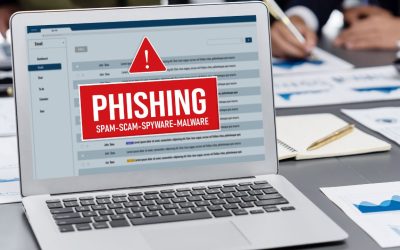
A single successful email attack can cost far more than the ransom or the wire transfer itself. The actual business case is downtime, breached trust, and compliance exposure, stemming from treating dedicated protection like SpamExperts as a cost of doing business rather than an optional add-on.
Get SpamExperts Email Security →
The Real Cost of a Single Successful Email Attack
Most budget conversations about email security start with the subscription price and stop there, which inverts the actual math. The more useful starting point is what one successful attack drains from a business before anyone even discusses a filtering tool.
 A Breach Rarely Stays Contained to One Line Item
 A Breach Rarely Stays Contained to One Line Item
Financial losses from a successful email attack rarely show up as a single number. They stack: the fraudulent payment itself, the forensic investigation, legal counsel, customer notification, credit monitoring offered to affected parties, and often a regulatory fine layered on top. The FBI’s Internet Crime Complaint Center recorded business email compromise losses of roughly $2.77 billion in 2024 alone. This figure only counts reported cases funneled through a single reporting channel in a single country. Globally, total cybercrime losses reported to the IC3 reached $16.6 billion in 2024, a 33% jump from the prior year. Neither number includes the unreported incidents that never reach a regulator’s desk.
Layer on the average cost of a full data breach and the picture worsens further. IBM’s most recent research put the global average cost of a data breach at $4.44 million in 2025, down from $4.88 million the year before. That improvement was driven almost entirely by faster detection, not fewer incidents. For a mid-sized company without a security team monitoring around the clock, “faster detection” is exactly the capability dedicated email filtering is built to provide, since most breaches investigated by IBM started with a phishing or business email compromise attempt that a stronger filter would have intercepted before it reached an inbox.
Recovery Spending Continues Long After the Headline Fades
The line items that get less attention are the ones that continue after the initial incident is “resolved.” Legal fees for breach notification obligations, extended IT contractor hours to rebuild trust in the email infrastructure, and renegotiated vendor contracts because a partner no longer trusts the domain all continue to bill well past the week the attack made news. IBM found that organizations took an average of 241 days to identify and contain a breach in the most recent reporting period, the shortest cycle in nine years but still meaning most incidents run for months, and every one of those months carries its own staffing and opportunity cost.
For businesses in regulated sectors, recovery spending compounds further. Healthcare breaches averaged $7.42 million in IBM’s research and took roughly nine months to identify and contain, longer than any other industry measured. A dedicated filtering layer that blocks the initial phishing email not only prevents the breach; it also avoids the entire multi-month recovery tail that follows.
Cost Category Breakdown at a Glance
| Cost Category | Typical Onset | Business Impact Beyond the Headline Figure |
|---|---|---|
| Direct fraud loss (wire transfer, invoice fraud) | Immediate, at time of payment | Rarely recoverable once funds clear multiple accounts |
| Forensic investigation and legal counsel | Days 1–14 | Billed hourly regardless of incident size; scales with how long logs take to review |
| Regulatory notification and credit monitoring | Weeks 2–8, jurisdiction-dependent | Fixed administrative cost triggered by law, independent of attack sophistication |
| Insurance premium increase at next renewal | Following policy renewal cycle | Recurring cost increase that can outlast the original incident by years |
| Customer and partner attrition | Months 1–24 | Hardest to quantify in real time, often the largest cumulative figure |
Downtime After an Email Breach Drains Productivity
Downtime rarely gets its own line in a budget spreadsheet, yet it is often the highest hidden cost of an email-borne incident. This section quantifies what “systems are down” actually means in lost working hours.
Incident Response Takes Priority Over Everything Else
The moment ransomware or a compromised mailbox is discovered, IT staff stop doing planned work and start doing triage: isolating affected accounts, resetting credentials across the organization, and manually reviewing message logs to determine how far the compromise spread. That work doesn’t scale down for a smaller company; a five-person IT team investigating a breach at a 50-person firm loses the same proportional capacity as a 500-person security team investigating one at a 5,000-person enterprise. Every hour spent on containment is an hour not spent on the roadmap that was supposed to ship that quarter.
Communication systems are frequently the first things deliberately taken offline, since email itself may still be the vector being exploited. That means the tool teams would normally use to coordinate the incident response is unavailable during the response, forcing a fallback to phone calls, messaging apps, or in-person coordination that slows every subsequent step. Businesses that depend on email for time-sensitive client communication, invoicing, appointment confirmations, and order processing immediately feel this gap in missed deadlines and delayed transactions that translate into real revenue loss, not just an internal inconvenience.
Employees Lose Working Hours Long Before IT Declares Resolution
Downtime isn’t binary. Long before systems are fully restored, employees across the business are working at reduced capacity: double-checking whether a request is legitimate, waiting on password resets, or simply unable to access attachments and threads locked in quarantine during the investigation. Multiply even fifteen minutes of friction per employee per day across a few dozen staff over a multi-week recovery window, and the productivity loss rivals the direct financial theft in many incidents.
The knock-on effect on morale and trust in internal systems is harder to quantify but persists after technical recovery. Employees who were tricked by a convincing phishing email often become overly cautious afterward, second-guessing legitimate requests and slowing down normal business communication for weeks. A filtering layer that keeps convincing attempts out of the inbox in the first place avoids this quieter, longer-tail productivity tax entirely, rather than just shortening the visible incident window.
Reputational Damage Outlasts the Technical Fix
Systems can be restored in days or weeks. Trust takes considerably longer to rebuild, and it rarely rebuilds to its original level without deliberate, sustained effort.
Customers Judge a Business by What Happened to Their Data
When a breach touches customer data, even indirectly, through a compromised vendor mailbox, customers rarely distinguish between “we were attacked” and “we were careless.” The disclosure itself becomes the story customers remember, regardless of how quickly the technical issue was resolved. Businesses that handle sensitive information, from payment details to health records, face an even greater form of this exposure, since a single breach disclosure can trigger customer churn that outlasts the incident by years, not months.
Public disclosure requirements further compound the reputational exposure. Once notification laws require informing affected individuals, the story is no longer contained to internal stakeholders; it becomes a searchable, permanent record tied to the business’s name. Prospective customers researching a vendor before signing a contract will find that disclosure sitting alongside the company’s other search results indefinitely, creating a drag on new business acquisition that has nothing to do with the technical severity of the original incident and everything to do with its visibility.
Partners and Vendors Reassess Every Shared Connection
Business-to-business relationships carry their own version of this exposure. A vendor whose email domain was used to send a convincing phishing message to a partner’s finance team doesn’t just lose that transaction; they often lose the relationship, since the partner now has to explain internally why they continue working with a supplier whose systems were the entry point for an attempted fraud. Procurement and security review processes at larger partners increasingly ask directly about email security posture before signing new contracts, turning “how do you protect your email” from a courtesy question into a gating one.
This reassessment isn’t always dramatic or immediate; sometimes it shows up quietly as a partner routing a renewal through a longer security review, or a prospective client asking pointed questions during due diligence that a competitor without a similar incident would never face. The compounding effect over several sales cycles can meaningfully slow growth, even when no single deal is explicitly lost because of the breach.
Email Remains the Primary Entry Point for Attackers
Given how much downstream cost stems from a single message getting through, it’s worth being precise about why email specifically carries this much risk relative to other attack surfaces.
Phishing and Impersonation Dominate How Attacks Begin
 Phishing and Impersonation Dominate How Attacks Begin
Email continues to be the way most cyberattacks begin, not because it’s technically fragile, but because it’s the channel every employee is actually trained to open and act on. Cyber-enabled fraud, phishing, spoofing, and related scams delivered primarily via email accounted for nearly 83% of all losses the FBI’s IC3 tracked in 2024, totaling roughly $13.7 billion. That proportion reflects a simple asymmetry: attackers only need one employee to click one link or approve one fraudulent invoice, while a business needs every employee to catch every attempt, indefinitely.
Business email compromise specifically exploits this asymmetry with precision rather than volume. Rather than blasting obvious spam, attackers research a company’s vendor relationships, executive names, and typical invoice language, then send a small number of highly targeted messages timed around plausible events like a wire transfer or payroll update and reported BEC losses have reached roughly $17.1 billion since 2015 according to the FBI’s cumulative tracking, a figure built almost entirely from attacks that looked legitimate enough to bypass a recipient’s own judgment.
One Compromised Mailbox Can Expose an Entire Organization
Modern email accounts are rarely just email anymore; they’re the recovery mechanism for dozens of other business systems, from cloud storage to accounting software to single sign-on portals. When an attacker compromises a mailbox through a successful phishing attempt, they often gain a foothold to reset passwords across connected services, turning a single successful message into an organization-wide incident. This is why the value of stopping the initial email is disproportionately larger than the apparent size of that one message.
The cascading risk multiplies further in businesses with shared or forwarded mailboxes, distribution lists, and connected calendar or file-sharing integrations, all of which extend an attacker’s reach the moment one credential is captured. A filtering layer focused on catching malicious messages before delivery addresses this risk at its earliest and cheapest point to intervene, well before any downstream system has to detect and contain a lateral movement that started with one convincing subject line.
Regulatory and Compliance Exposure Grows With Every Breach
Beyond the direct financial and reputational cost, a successful email attack frequently triggers legal and regulatory obligations that carry their own separate price tag.
Breach Notification Rules Turn an Incident Into a Legal Process
Most jurisdictions now require businesses to notify affected individuals, and sometimes regulators, within a defined timeframe once a personal data breach is confirmed. Meeting that window requires legal review, drafted notifications, and often a call center or web portal to field the inevitable questions. These costs begin accruing immediately, regardless of how the incident originated. A business that suffers a breach via a phishing email that bypassed weak filtering faces the same notification machinery as one breached by a more exotic technical exploit; the entry point doesn’t alter the legal obligation that follows.
The specific diagnostic signs indicating that a business’s current protection is already inadequate are covered in greater diagnostic detail elsewhere. Still, the compliance consequence is the same regardless of which specific weakness allowed the attack to succeed. Once notification triggers, the business is on a clock it doesn’t control, coordinating legal, communications, and IT simultaneously under public scrutiny.
Recurring Incidents Draw Sustained Regulatory Attention
A single disclosed breach is a costly event. A pattern of repeated incidents is a different category of problem, since regulators and auditors increasingly treat repeat exposure as evidence of inadequate ongoing controls rather than bad luck. That shift changes the conversation from “what happened” to “why wasn’t this prevented after the first time,” a much harder position for a business to defend before a regulator, an insurer, or a court.
Industries already carrying sector-specific compliance obligations- financial services, healthcare, legal- face this scrutiny even more acutely, since their regulators often have explicit authority to audit security controls after a disclosed incident. Demonstrating a documented, actively maintained email filtering layer becomes part of the evidence a business can point to when explaining what it had in place, materially changing how that conversation goes compared to a business that can only describe ad hoc, built-in protections it never actively managed.
Getting Email Security Configured Right the First Time
Regulatory exposure is exactly the kind of risk that rewards getting configuration right the first time rather than discovering gaps during an audit or, worse, during a breach investigation. Hiya Digital, as an Authorized Reseller and Implementation Partner for SpamExperts, sets up filtering rules, quarantine policies, and SPF/DKIM/DMARC records correctly from day one and continues tuning them as threats evolve, rather than leaving a business to configure a self-serve signup alone and hope the defaults hold up under a real attack.

Insurance and Liability Considerations Shift With Protection Level
Cyber insurance has moved from a nice-to-have to a near-standard requirement in many contracts, and the underwriting process itself now directly rewards demonstrable investment in email security.
Underwriters Ask Pointed Questions About Email Controls Specifically
Cyber insurance applications increasingly include specific questions about email filtering, multi-factor authentication, and whether SPF, DKIM, and DMARC records are configured and enforced. Businesses that answer these questions with vague or negative responses often face higher premiums, larger deductibles, or, in some cases, outright denial of coverage for email-related incidents specifically, since insurers now have enough claims history to know exactly which control gaps correlate with payouts. A dedicated filtering solution with a documented configuration gives a business concrete, specific answers rather than a shrug during underwriting.
This isn’t a one-time conversation either. Renewal cycles increasingly revisit the same questions, meaning a business that lets its email security lapse or never formalizes it in the first place faces repeated friction at every renewal, not just during the initial application. Insurers that previously took self-attestation at face value are now more frequently requesting documentation or even technical verification before binding coverage.
Liability Exposure Looks Different When Protection Is Documented
 Liability Exposure Looks Different When Protection Is Documented
Beyond insurance premiums, liability exposure in the event of litigation, from customers, partners, or shareholders, often turns on whether a business can demonstrate it took reasonable, industry-standard precautions before an incident occurred. “We had a dedicated, actively managed email security layer in place” is a fundamentally different position in a negligence claim than “we relied on whatever spam filter came bundled with our email hosting.” Courts and opposing counsel increasingly understand the distinction between the two, and documentation of the former materially changes settlement leverage.
This dynamic also affects director and officer conversations internally, since board members and executives are increasingly asked to account for cybersecurity oversight decisions personally. Being able to point to a specific, named vendor relationship and configuration, rather than an assumption that “email is probably fine”, gives leadership a defensible answer when the question eventually comes up, whether from an insurer, a regulator, or a plaintiff’s attorney.
The Multiplying Effect of Business Email Compromise
Business email compromise deserves its own dedicated section in the business case because its economics are structurally different from broader spam or malware; it targets trust rather than technology, which changes both how it works and how expensive it becomes.
BEC Attacks Exploit Human Trust, Not Software Vulnerabilities
Unlike malware or ransomware, a business email compromise attempt often contains no malicious link, no attachment, and nothing a traditional antivirus scanner would flag. It’s a well-timed, well-written message impersonating a known vendor, executive, or colleague, asking for something entirely plausible: an updated bank account for an upcoming payment, a rushed wire transfer ahead of a deadline, or a change to payroll direct-deposit details. Because the message contains no technically malicious payload, it depends on filtering technology sophisticated enough to flag behavioral and reputation-based anomalies, sender history mismatches, domain look-alikes, and unusual timing patterns, rather than signature-based malware detection alone.
This is precisely why BEC has remained profitable for attackers even as malware detection has improved industry-wide: the attack was never designed to be caught by the defenses most businesses already had. A filtering approach that only screens for known malicious attachments and links will pass a well-crafted BEC attempt straight through to an inbox, because there’s nothing conventionally “malicious” in the message for that layer to detect.
The Financial Losses Rarely Get Recovered Once Sent
Once a fraudulent wire transfer clears, recovery odds drop sharply with every hour that passes, since funds are typically moved through multiple accounts, often across borders, within minutes of receipt specifically to outrun any recall request. The FBI’s Recovery Asset Team exists specifically to intervene in exactly this window, and even with that dedicated effort, recovered funds in 2024 totaled just over $561.6 million against $16.6 billion in total reported losses, a small fraction of what was actually stolen.
That recovery math is the clearest argument for prevention over response in the BEC category specifically. Unlike a stolen laptop or a compromised database, money that clears through a fraudulent wire is functionally gone the moment it’s sent in the vast majority of cases, which means every dollar spent stopping the initiating email before an employee acts on it is worth substantially more than a dollar spent on the best possible post-incident recovery effort.
Dedicated Filtering Outperforms Basic Built-In Protection
A recurring assumption worth addressing directly: the filtering already bundled into a business’s email hosting is not the same thing as a dedicated security layer, and the gap between the two is where much of this cost exposure lives.
Native Platform Filters Are Built for Volume, Not Precision
The spam filtering built into major email hosting platforms is designed primarily to catch high-volume, low-sophistication spam efficiently across enormous numbers of mailboxes, a necessary but fairly blunt baseline. It’s generally effective against obvious mass-mailed spam and known malware signatures. Still, it wasn’t built with the specific goal of catching a single, carefully worded, low-volume BEC attempt targeting one company’s finance team, because that kind of attack doesn’t look statistically similar to the bulk spam the native filter is tuned to catch.
Dedicated filtering technology, by contrast, is purpose-built around exactly this gap, layering domain reputation analysis, behavioral pattern detection, and continuously updated threat intelligence drawn from a much larger, actively monitored network of domains on top of the baseline. SpamExperts, for example, has been independently VBSpam+ certified with a 99.99% phishing catch rate and a 100% success rate blocking malware in Virus Bulletin testing, a level of precision that reflects filtering built specifically for this threat category rather than adapted from general spam suppression.
The Configuration Gap Is Where Most Real Risk Hides
Even where a native platform offers additional security features, they’re frequently left at default settings because configuring them properly requires dedicated attention most IT teams don’t have time to give an email system that “already works.” SPF records left incomplete, DKIM signing not enabled across every sending source, and DMARC policies stuck at a passive monitoring setting instead of active enforcement are extremely common gaps found during any real security review, not because the tools don’t exist, but because nobody owns actively maintaining them.
A dedicated implementation partner closes exactly this gap by treating email security as an actively managed service rather than a set-once configuration. That distinction, active, ongoing tuning versus a one-time setup that quietly drifts out of date, is frequently the actual difference between a business that stops an attack and one that doesn’t, regardless of which underlying filtering technology either business happens to have licensed.
Native Platform Filtering vs. a Dedicated Layer
| Capability | Typical Native Platform Filtering | Dedicated Filtering Layer (e.g., SpamExperts) |
|---|---|---|
| Detection focus | High-volume, low-sophistication spam and known malware signatures | Behavioral anomaly and domain reputation detection tuned for low-volume, targeted BEC attempts |
| Independent certification | Not typically third-party benchmarked for this specific use case | VBSpam+ certified with a 99.99% phishing catch rate in Virus Bulletin testing |
| Outbound filtering | Limited or bundled as a secondary feature | Dedicated outbound scanning to prevent domain blacklisting from compromised accounts |
| Ongoing configuration ownership | Left at default settings unless a team specifically assigns ownership | Actively tuned and monitored as a managed service |
| Archiving retention | Often limited or add-on pricing | Custom retention policies with encrypted, long-term storage built in |
Prevention Costs a Fraction of Incident Response
Bringing the argument back to plain economics: every figure discussed so far in this post is what happens after prevention fails. It’s worth stating directly what the comparison looks like against the cost of prevention itself.
Subscription Costs Are Predictable, Budgeted Expenses
A dedicated email security subscription is a known, recurring line item that a finance team can budget for with confidence a year in advance. It doesn’t spike unpredictably, it doesn’t require emergency approval processes, and it doesn’t compete with other priorities the way an unplanned incident response engagement does. Package tiers and general pricing structures vary by provider and by the specific mix of filtering, archiving, and continuity features a business selects. Still, the defining characteristic of this cost category is that it’s known in advance, not discovered after the fact.
This predictability itself has value beyond the raw dollar comparison. Finance and operations leaders can plan around a subscription cost the same way they plan around any other recurring vendor expense. In contrast, incident response spending, legal fees, and regulatory fines cannot be forecast or budgeted for in any meaningful way before they occur; they appear all at once, exactly when a business can least afford the disruption.
Incident Response Costs Compound Instead of Amortizing
Contrast that predictability with what a single significant incident actually costs once every category discussed in this post- downtime, reputational damage, legal exposure, insurance premium increases, recovery vendor fees- is added together. None of those costs amortize the way a subscription does; they hit all at once, often stacking with each other simultaneously rather than arriving one at a time. A business that has never priced out its realistic incident cost tends to substantially underestimate the stacking effect, because each cost category, viewed in isolation, doesn’t appear as severe as the combined total.
The comparison isn’t between “spending money” and “not spending money”; it’s between spending a known, modest amount continuously or an unknown, often much larger amount unpredictably. Once framed that way, the economics of dedicated protection stop looking like a discretionary security purchase and start looking like ordinary risk management, no different in principle from carrying property insurance or maintaining fire suppression systems a business hopes it never needs to use.
The Business Case Holds Regardless of Company Size
A common objection to everything covered so far is that this level of risk applies mainly to large, high-profile organizations. The evidence doesn’t actually support that assumption.
Attackers Automate Targeting, Which Removes the Size Filter
 Attackers Automate Targeting, Which Removes the Size Filter
Much of the initial targeting behind phishing and BEC campaigns is automated, scraping publicly listed executive names, guessing common email address formats, and sending initial reconnaissance messages at a scale that costs an attacker almost nothing per attempt. That economics means a business doesn’t need to be large or famous to be targeted; it only needs a discoverable domain and a public website, which describes essentially every operating business. Smaller organizations without dedicated security staff to notice and respond to a well-crafted attempt are, if anything, a more attractive target precisely because the follow-through is often easier, not because attackers deliberately skip them for being small.
The affordability angle specific to smaller businesses budgeting for this kind of protection is covered in more focused detail in a companion resource, but the underlying exposure calculus described throughout this post- cost of downtime, reputational fallout, compliance risk- scales with a business’s own revenue and customer relationships, not with its headcount.
The Return on Investment Argument Scales With What’s at Stake
For any business, regardless of size, the ROI argument for dedicated email protection ultimately reduces to a comparison between a small, predictable, recurring cost and a much larger, unpredictable one that a single successful attack can trigger. What changes with company size isn’t whether this comparison favors prevention; it almost always does, but the absolute dollar figures involved on both sides of it. A ten-person firm has a smaller potential loss in absolute terms than a thousand-person enterprise, but it also typically has far less capacity to absorb even a modest unplanned cost, making the relative case for prevention arguably just as strong, if not stronger, at the smaller end of the market.
Framed this way, dedicated email threat protection isn’t a purchase reserved for businesses that feel they’ve reached some size threshold; it’s a standing decision every business faces continuously, for as long as it depends on email to operate, which in practice means indefinitely.
Frequently Asked Questions
Is SpamExperts a good email security solution?
SpamExperts is independently VBSpam+ certified, a recognized industry benchmark from Virus Bulletin’s ongoing comparative testing program, and has demonstrated a 99.99% phishing catch rate alongside a 100% success rate blocking malware in that testing. It covers inbound and outbound filtering, supports SPF, DKIM, and DMARC authentication, and includes encrypted long-term archiving with custom retention policies, features that matter for both threat protection and compliance. Whether it’s “good” for a specific business depends on how it’s configured and maintained, which is why implementation quality matters as much as the underlying technology. Deployed and tuned correctly, it addresses the core risks this post covers: phishing, business email compromise, and the downtime and reputational fallout that follow a successful attack, making it a reasonable foundation for most businesses’ email security posture.
How much does a successful email attack typically cost a business?
There’s no single figure, since costs stack across categories: direct financial loss, downtime, legal fees, notification costs, and reputational fallout. IBM’s most recent global research puts the average cost of a full data breach at $4.44 million. In comparison, the FBI’s IC3 recorded business email compromise losses of roughly $2.77 billion across reported U.S. cases in 2024 alone. Individual incidents obviously vary widely by business size and industry. Still, the pattern across nearly every published dataset is the same: the visible cost (a fraudulent payment, for instance) is usually a fraction of the total cost once downtime, legal exposure, and recovery are factored in.
Why does email remain the most common way businesses get attacked?
Email is the channel every employee is trained to open and act on, which creates a structural advantage for attackers: they need only one employee to click one link or approve one fraudulent request, while a business needs every employee to catch every attempt indefinitely. Cyber-enabled fraud, delivered primarily via email, accounted for nearly 83% of all cybercrime losses tracked by the FBI’s IC3 in 2024. Email accounts are also frequently the recovery mechanism for other connected business systems, meaning one compromised mailbox can expose far more than the inbox itself.
Does a business need dedicated email security if it already uses Microsoft 365 or Google Workspace?
Both platforms include baseline spam and malware filtering, but that filtering is built to catch high-volume, low-sophistication threats efficiently across enormous numbers of mailboxes, not to catch a single, carefully worded business email compromise attempt aimed at one company’s finance team. Dedicated filtering layers on additional domain reputation analysis, behavioral detection, and continuously updated threat intelligence specifically tuned to catch the kind of targeted attempt that native platform filters were never designed to prioritize. Many businesses running Microsoft 365 or Google Workspace add a dedicated layer on top of either platform rather than replacing either platform.
How quickly do fraudulent wire transfers from business email compromise get recovered?
Recovery odds drop sharply within hours, since stolen funds are typically moved through multiple accounts, often internationally, specifically to outrun any recall request. The FBI’s Recovery Asset Team exists to intervene in exactly this narrow window, and even with that dedicated effort, recovered funds in 2024 totaled just over $561.6 million against $16.6 billion in total reported cybercrime losses, a small fraction of what was actually stolen. This is the core reason prevention is emphasized so heavily over post-incident recovery in this category of fraud specifically.
What role does cyber insurance play in the business case for email security?
Cyber insurance underwriting increasingly asks specific questions about email filtering, authentication protocols, and documented security controls before issuing or renewing coverage. Businesses that can’t answer these questions with specifics often face higher premiums, larger deductibles, or denied claims tied to email-related incidents. A documented, actively managed email security implementation provides a business with concrete answers during underwriting and renewal, which can materially affect both the cost and the availability of coverage over time, regardless of whether an incident ever occurs.
Is the business case for email security different for a small company versus a large enterprise?
The underlying risk calculus is the same at any size, since much of the initial targeting behind phishing and BEC campaigns is automated and doesn’t discriminate by company size; it only requires a discoverable domain and public website. What changes with size is the absolute dollar amount at stake on both sides of the comparison, not whether prevention remains the cheaper option. Smaller businesses often have less capacity to absorb even a modest unplanned cost, which can make the relative argument for prevention just as strong, if not stronger, than it is for a larger enterprise.
What’s the difference between phishing, business email compromise, and general spam?
General spam is unsolicited bulk email, usually commercial and easy for filters to identify at scale. Phishing is a deceptive message designed to trick a recipient into revealing credentials or clicking a malicious link, often impersonating a trusted brand. Business email compromise is a more targeted variant that impersonates a specific known contact, an executive, vendor, or colleague, asking for something plausible like a wire transfer or updated payment details, typically without any malicious link or attachment at all. Each requires a different detection approach, which is why layered filtering matters more than any single technique.
Do reputational damage and customer trust actually affect revenue after a breach?
Yes, though the effect is often delayed and harder to attribute directly than the upfront financial loss. Breach disclosure requirements make incidents part of a searchable public record, which prospective customers and partners frequently encounter during due diligence long after the technical issue is resolved. Procurement and vendor review processes at larger partners increasingly ask directly about a company’s security posture before signing contracts, meaning that reputational fallout from a disclosed breach can quietly slow new business acquisition and contract renewals for years, well beyond the visible incident window itself.
How does regulatory exposure change after more than one email-related incident?
A single disclosed breach is treated differently than a documented pattern of repeated incidents. Regulators, auditors, and insurers increasingly view repeat exposure as evidence of inadequate ongoing controls rather than isolated bad luck, shifting scrutiny from “what happened” to “why wasn’t this prevented after the first occurrence.” Businesses in regulated sectors such as financial services or healthcare face this scrutiny even more directly, since sector regulators often hold explicit authority to audit security controls following a disclosed incident.
What should a business look for when comparing dedicated email security options?
Independent certification matters; look for testing results from a recognized program like Virus Bulletin’s VBSpam+ rather than a vendor’s own marketing claims. Confirm support for SPF, DKIM, and DMARC authentication, encrypted archiving with defined retention policies for compliance needs, and both inbound and outbound filtering rather than inbound protection alone. Just as important as the technology itself is how it’s configured and maintained on an ongoing basis, since a strong filtering engine left at default settings closes far less of the real-world risk gap than the same technology actively tuned by someone responsible for it.
Glossary
SPF (Sender Policy Framework): A DNS record listing which mail servers are authorized to send email on behalf of a domain, used to reject messages sent from unauthorized sources.
DKIM (DomainKeys Identified Mail): A cryptographic signature added to outgoing email that lets the receiving server verify the message wasn’t altered in transit and genuinely originated from the claimed domain.
DMARC (Domain-based Message Authentication, Reporting, and Conformance): A policy layer built on SPF and DKIM that requires the domains they authenticate to align with the visible “From” address, and instructs receiving servers whether to deliver, quarantine, or reject messages that fail.
Business Email Compromise (BEC): A targeted fraud technique impersonating a trusted contact, often an executive or vendor, to trick an employee into a fraudulent wire transfer or payment change, typically without any malicious link or attachment.
Quarantine: A holding area where suspicious or filtered messages are stored instead of being delivered to the inbox, pending review or automatic deletion after a set period.
VBSpam+: An independent, ongoing comparative testing certification from Virus Bulletin that benchmarks email security products on spam catch rate, malware detection, and false-positive rate.
Email Continuity: A backup mechanism that keeps email flowing through an alternate system if a business’s primary mail server goes down, preventing a technical outage from becoming a communications blackout.
Email Archiving: Long-term, typically encrypted storage of sent and received messages, used to meet legal retention requirements and support fast retrieval during audits, disputes, or eDiscovery requests.
The Hiya Digital Team is a collective of IT infrastructure specialist engineers, certified systems administrators, and cloud architects driven by a singular mission: building corporate communication systems that just work. As an Authorized Google Partner, the team handles complex global hosting deployments, secure email migrations, and advanced data compliance architectures for businesses across 40+ countries.
With over two decades of technical experience spanning custom premium business email configurations, OX AppSuite deployments, and enterprise-level network security, the Hiya Digital Team writes to demystify domain infrastructure. Their content focuses on actionable technical strategies, anti-phishing security protocols, and seamless cloud collaboration setup, all backed by real-world deployment experience and 24/7 technical support accountability.