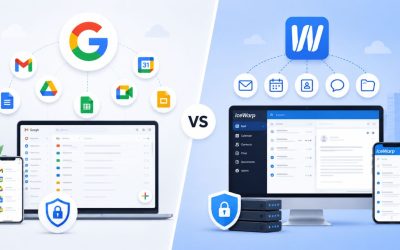
Choosing between Google Workspace and Zoho Workplace involves balancing collaboration capabilities, productivity features, security controls, pricing, and long-term scalability. While Google Workspace emphasizes a deeply integrated cloud ecosystem with built-in AI tools, Zoho Workplace focuses on affordability and a broad collection of business applications. Evaluating how each platform aligns with your team’s workflows, collaboration style, and operational requirements helps determine which solution is the better fit for your organization.
Boost Your Productivity with Google Workspace →
Pricing Philosophy: Per-Seat Value vs. Rock-Bottom Entry Cost
Google Workspace and Zoho Workplace start from opposite pricing instincts. Google prices for ecosystem depth and AI inclusion, positioning even its entry tier as a full productivity platform. Zoho prices for accessibility, using a near-free entry point to pull cost-sensitive teams in before upselling storage and meeting capacity. Neither approach is objectively cheaper once you map real usage against what each tier actually includes.
 How Google Workspace Structures Its Tiers
 How Google Workspace Structures Its Tiers
Google Workspace offers four core paid tiers: Business Starter, Business Standard, Business Plus, and Enterprise, each unlocking more storage, larger meeting limits, and deeper admin and security controls than the one below it. Every paid tier, including the entry-level plan, now bundles Gemini AI assistance into Gmail at minimum, with fuller AI access unlocked at Standard and above. Pricing sits in the moderate range for cloud productivity suites, generally landing in the high single-digit to low double-digit dollars per user per month on annual billing, with Business Plus moving up from there.
The philosophy behind this structure is straightforward: Google wants your organization’s data, communication, and AI usage to live entirely within a single ecosystem, and it prices accordingly. There’s no meaningful “lite” version of Gmail or Drive in Workspace; even Business Starter includes a fully featured email and document platform, not a stripped-down teaser. The cost difference between tiers is driven almost entirely by storage headroom, meeting capacity, and compliance tooling like Google Vault, rather than by withholding core functionality until you pay more. That makes the entry tier usable indefinitely for very small teams rather than a forced stepping stone.
How Zoho Workplace Structures Its Tiers
Zoho takes a volume-first approach. A genuinely usable Forever Free plan covers up to five users, and paid tiers, Mail Only, Standard, and Professional, scale up from a low single-digit dollar per user monthly starting point on annual billing, roughly half to a third of Google’s comparable tiers at the low end. Zoho also offers a Flexible mix-and-match option, allowing an organization to assign different plan tiers to different employees rather than forcing a single tier across the whole domain, something Google’s self-serve checkout doesn’t support without a reseller-managed multi-subscription arrangement.
The trade-off shows up in what’s gated behind each tier. Zoho’s entry-level Standard plan caps video meeting participants far below Google’s equivalent tier, and its bundled office suite, while functionally complete for most day-to-day documents, has thinner enterprise-grade polish than Google’s Docs, Sheets, and Slides. Zoho’s pricing philosophy rewards organizations willing to actively manage which employees get which tier rather than defaulting everyone to the top plan, which is exactly the kind of per-seat optimization Google’s flatter tier structure doesn’t reward in the same way.
| Suite & Tier | Pooled/Team Storage | Meeting Participant Cap | AI Assistant Included | Notable Gate |
|---|---|---|---|---|
| Google Workspace Business Starter | 30 GB pooled per user | 100 | Gemini in Gmail | No meeting recording |
| Google Workspace Business Standard | 2 TB pooled per user | 150 | Gemini across core apps | Vault not included |
| Google Workspace Business Plus | 5 TB pooled per user | 500 (with recording) | Full Gemini suite | Enterprise needed above 300 users |
| Zoho Workplace Standard | 100 GB team (3–10 users) | 10 | Zia (limited) | Low meeting cap |
| Zoho Workplace Professional | 1 TB team (3–10 users) | Up to 100+ | Zia (limited) | HIPAA limited to Mail + WorkDrive |
Storage Allowances: Pooled Enterprise Capacity vs. Scalable Team Pools
Storage is where the two platforms diverge most sharply in raw numbers, and it’s worth stating the published figures directly rather than hedging them, since these are technical specs, not pricing.
Google Workspace’s Pooled Storage Model
Google Workspace provides flexible pooled storage per user, shared across the organization: Business Starter includes 30 GB per user, Business Standard includes 2 TB, and Business Plus and Enterprise Plus include 5 TB. Because the pool is shared across the entire domain, a handful of light users effectively subsidize a few heavy users, which matters for teams with uneven storage needs across roles such as design, video, or client archiving.
The jump from Starter to Standard is where most growing teams feel real pressure. A 30 GB pooled allowance per user fills up faster than expected when Drive is actively used for shared documents, images, or client files, making Business Standard the more practical starting point for teams collaborating daily. Business Plus and Enterprise tiers extend that headroom to 5 TB pooled per user, with Enterprise offering effectively unlimited storage for larger deployments, which matters mainly for organizations doing heavy media work or long-term data retention.
Zoho Workplace’s Team-Based Storage Pools
Zoho structures storage around team size bands rather than a flat per-user allowance. The Standard plan provides 100 GB of team storage for organizations with 3 to 10 users, adding 10 GB of shared storage per new user beyond that threshold. In comparison, teams with fewer than 3 users receive 10 GB per user. The Professional plan raises this to 1 TB of team storage for 3 to 10 users, adding 100 GB per additional user beyond ten.
This banded model rewards small, tightly staffed teams; a five-person Standard-tier team effectively gets a larger per-head slice of its pool than a fifty-person team does, since the increments taper. It’s a reasonable fit for lean operations. Still, it requires more active monitoring as headcount grows, since the storage math shifts at each tier threshold rather than scaling in a flat, predictable line as Google’s per-user allowance does. Teams anticipating rapid hiring should model out their Zoho storage curve before committing rather than assuming it scales the same way Google’s does.
Video Meetings and Team Communication
Meeting capacity and chat tooling are where day-to-day usability differences become obvious fastest, since these are the tools employees touch multiple times daily.
Meeting Capacity: Google Meet vs. Zoho Meeting
Google Meet supports up to 100 participants on Business Starter, rising to 150 participants on Business Standard, and up to 500 participants with recording and attendance tracking on Business Plus. Meet recordings, a genuinely useful feature for async teams and client-facing calls, are absent from Starter and only unlock starting at Standard.
Zoho’s meeting tooling runs through the separate Zoho Meeting product bundled into Workplace, and its participant ceiling is considerably lower across the board. Zoho Meeting tops out at a maximum of 250 participants even on its highest plan, a real constraint for organizations that regularly host larger all-hands calls or webinars. On Zoho Workplace’s own entry Standard tier, video meetings are capped at just 10 participants, a figure aimed squarely at small internal team syncs rather than client-facing calls, with the cap rising meaningfully only on the Professional tier.
Chat, Email Client, and Everyday Collaboration
Gmail inside Google Workspace remains the more polished, more widely recognized inbox experience, with tight native integration into Calendar, Meet, and Drive that most employees already know from personal use, reducing training overhead. Google Chat handles team messaging with threaded channels and deep Meet integration, though it’s generally viewed as a secondary tool compared to purpose-built chat platforms.
Zoho Mail is a capable, clean webmail client in its own right, and Zoho Workplace bundles Zoho Cliq for team chat and Zoho Connect for intranet-style announcements, a broader out-of-the-box communication stack than Google ships natively. The trade-off is a steeper learning curve for teams migrating from Gmail, since Zoho’s interface conventions and keyboard shortcuts differ meaningfully from what most hires already know, which is a real onboarding cost worth factoring into any total-cost comparison.
Document Collaboration: Docs, Sheets, and Slides vs. Writer, Sheet, and Show
 Document Collaboration: Docs, Sheets, and Slides vs. Writer, Sheet, and Show
Real-time document editing is core to both suites, but the depth of formatting fidelity and third-party file compatibility differs in ways that matter for specific workflows.
Google’s Editor Suite and Ecosystem Depth
Google Docs, Sheets, and Slides remain the more widely adopted standard, particularly for teams that regularly exchange files with clients or partners who use Microsoft Office formats, since Google’s converters for .docx, .xlsx, and .pptx are mature and widely tested. Comments, suggestion mode, and version history are deeply refined after years of iteration, and integration with Drive means that file organization, sharing permissions, and search all work from a single, consistent mental model across every document type.
Where Google’s editors show their maturity most is in complex spreadsheet work; Sheets handles large datasets, pivot tables, and add-on scripting (Apps Script) with a depth that most competing lightweight editors, Zoho’s included, don’t fully match. For teams doing financial modeling, marketing analytics, or anything beyond straightforward tables, this is a genuine differentiator that shows up in daily friction rather than a marketing checkbox.
Zoho’s Writer, Sheet, and Show
Zoho’s document suite covers the same core ground, word processing, spreadsheets, and presentations, and handles everyday business documents competently, with solid real-time co-editing and reasonable Microsoft Office file compatibility for standard use cases. For a small team writing proposals, tracking simple budgets, and building internal decks, the functional gap versus Google’s editors is rarely decisive.
The gap widens with complexity. Zoho Sheet’s formula and scripting depth (via Zoho’s Deluge scripting language) is capable but less broadly documented and less commonly known among hires than Google Apps Script, meaning custom automation work tends to take longer to staff and build. Formatting fidelity when round-tripping complex Word or Excel files with heavy formatting, macros, or embedded objects is also more likely to show minor rendering differences than Google’s converters, a detail worth testing against your organization’s actual file types before migrating.
Get the Right Suite Set Up Correctly the First Time
Deciding between Google Workspace’s ecosystem depth and Zoho Workplace’s lower entry cost is only half the job; getting DNS, mail routing, and user provisioning right on the first attempt is what actually protects your email deliverability and avoids downtime. As an Authorized Google Workspace Partner, Hiya Digital configures your domain, migrates existing mailboxes, and sets up admin controls correctly the first time, so you’re not troubleshooting broken MX records during a business-critical week.

Security, Compliance, and Certification Coverage
Security posture is one of the few areas where both platforms publish concrete, verifiable certifications rather than marketing language, and it’s worth citing those precisely.
Google Workspace’s Security and Compliance Stack
Google Workspace runs on infrastructure independently audited against ISO/IEC 27001, ISO/IEC 27017, and ISO/IEC 27018, along with SOC 2 and SOC 3 reporting, providing enterprise buyers with a well-documented audit trail for their own vendor risk assessments. A HIPAA Business Associate Agreement is available on every paid Google Workspace plan, not gated behind Enterprise as many buyers assume; the actual Plus-and-above requirement is Google Vault for email archiving and eDiscovery, a separate and distinct feature from HIPAA eligibility itself.
Advanced protections, data loss prevention (DLP), S/MIME encryption, and context-aware access are concentrated in Business Plus and Enterprise, consistent with the platform’s broader pattern of scaling security depth with tier level rather than offering it flatly across all plans. For organizations in regulated industries, this means the real decision point is rarely “is Google Workspace secure enough” but rather “which tier unlocks the specific control our compliance framework requires.”
Zoho Workplace’s Security and Compliance Stack
 Zoho Workplace’s Security and Compliance Stack
Zoho holds ISO/IEC 27001 certification covering applications, systems, people, technology, and processes, alongside ISO/IEC 27017 for cloud service security controls and ISO/IEC 27018 for protection of personally identifiable information in public cloud environments. Zoho is also SOC 2 Type II compliant across security, confidentiality, processing integrity, availability, and privacy criteria, with these ISO and SOC audits conducted annually.
The meaningful gap versus Google lies in HIPAA coverage at the suite level. Within the Workplace bundle, only Zoho Mail and Zoho WorkDrive are HIPAA-compliant, whereas Google offers a blanket BAA covering the entire suite, as it does across all paid plans. Healthcare and healthcare-adjacent organizations evaluating Zoho should confirm which specific apps in their workflow fall under that HIPAA scope before assuming full-suite coverage.
AI Features: Gemini vs. Zia
AI assistance has become a baseline expectation rather than a premium add-on across both platforms, but the depth of integration varies by tier and product maturity.
Gemini’s Reach Across the Google Workspace Suite
Gemini AI is included on every paid Google Workspace plan at no extra charge, starting with writing assistance in Gmail at the Business Starter tier and expanding to full integration across Gmail, Docs, Sheets, Slides, and Meet from Business Standard upward, unlike Microsoft 365, which charges separately for its Copilot AI add-on. That expansion pattern matters in practice: a Starter-tier user gets Gemini-assisted email drafting, but summarizing a long Slides deck or generating formulas in Sheets requires stepping up to Standard or higher.
Because Gemini is built by the same company that owns the underlying models, its integration tends to feel native rather than bolted-on, surfacing contextually within the compose window or document sidebar rather than as a separate app to switch into. For teams already standardized on Google’s ecosystem, this consistency reduces the friction of adopting AI features organization-wide, since there’s one assistant behavior to learn rather than several.
Zia’s Role Inside Zoho Workplace
Zoho’s AI assistant, Zia, is woven throughout the Workplace suite for tasks like email prioritization, meeting-scheduling suggestions, and writing assistance in Writer and Mail, with deeper automation capabilities available through Zoho’s broader CRM and business-app ecosystem for organizations using those adjacent products. Zia’s presence inside Workplace itself is real but generally narrower in scope than Gemini’s reach across Google’s editor suite.
The more meaningful AI differentiator for Zoho isn’t really Workplace in isolation; it’s the payoff for organizations already running Zoho CRM, Zoho Books, or Zoho Projects, where Zia’s automation spans those connected apps in ways a Workplace-only subscription doesn’t. A team evaluating Zoho purely for email and documents, without the wider Zoho One ecosystem, will see a comparatively thinner AI feature set than what Gemini offers at equivalent Google Workspace tiers.
Admin Controls and IT Management
The depth of the admin console shapes how much day-to-day IT overhead your organization carries after setup, and it’s a genuinely underweighted factor in most buying decisions.
Google Admin Console Depth
Google’s Admin Console is built for organizations that expect to grow past a handful of users, with granular organizational unit structures, device management (including mobile device policies), and audit logging available even at lower tiers. Security key enforcement, context-aware access rules, and endpoint management scale up meaningfully at Business Plus and Enterprise, giving IT teams room to tighten controls without migrating platforms as headcount grows.
Where the console genuinely shines is in mixed-device environments; an organization running a blend of company-owned and personal devices across desktop and mobile can apply differentiated policies without third-party mobile device management tools for basic use cases. That reduces the total tool count an IT admin needs to maintain, which is a real, if easy-to-overlook, cost-saving on top of the subscription price itself.
Zoho Admin Console and Org-Wide Settings
Zoho’s admin console covers the essentials: user provisioning, storage allocation across the mix-and-match plan structure, and organization-wide security policy configuration, all through a single dashboard that ties together Mail, WorkDrive, Cliq, and the other bundled apps. Admins can generate detailed reports, monitor user actions, and adjust organization settings to tighten security as needed.
The standout admin feature specific to Zoho is the mix-and-match plan assignment itself: rather than every user consuming an identical license, admins can assign Mail Only, Standard, or Professional tiers to individuals, matching cost to actual need at the person level. Migration assistance with a dedicated technical agent is available for organizations with more than fifty users. However, smaller teams handle onboarding largely on a self-serve basis, which can lead to a steeper unassisted learning curve for lean IT staff managing the transition alone.
Ecosystem and Third-Party Integrations
How well a suite plugs into the rest of your software stack often decides adoption more than any single feature comparison.
Google Workspace’s Integration Footprint
Google Workspace benefits from being the default integration target for most SaaS products on the market; CRMs, project management tools, and marketing platforms overwhelmingly ship native Google Calendar, Drive, and Gmail connectors before building anything for competing suites, simply due to Google’s market share. This translates into fewer custom integration projects and less reliance on middleware tools like Zapier for common workflows.
Google Workspace Marketplace also hosts a mature library of vetted third-party add-ons that install directly into Gmail, Docs, or Sheets, letting teams extend functionality without leaving the core apps they already use daily. For organizations with complex tool stacks spanning marketing, sales, and support software, this breadth of pre-built connectivity is a real time saver that compounds over the life of the subscription.
Zoho Workplace’s Ecosystem Advantage
 Zoho Workplace’s Ecosystem Advantage
Zoho’s integration story runs in a different direction: rather than connecting broadly to third-party SaaS tools, its strongest advantage is connecting inward to Zoho’s sprawling suite of over 45 business applications, spanning CRM, finance, HR, and project management, all under one login and a unified data model. For an organization willing to standardize on Zoho across departments, not just email and documents, that internal cohesion can eliminate integration work rather than just simplifying it.
The trade-off is real for organizations with an existing, deeply embedded non-Zoho tool stack, Salesforce for CRM, QuickBooks for accounting, and so on, where Zoho Workplace’s native connectors are noticeably thinner than Google’s, and third-party integration platforms become a more frequent necessity to bridge the gap. The right read on Zoho’s ecosystem value depends heavily on whether your organization is starting fresh or already committed elsewhere.
Target-Customer Fit: Who Should Actually Choose Each Suite
Pulling the comparison together, the decision usually comes down to organizational profile rather than a universal “better” answer.
When Google Workspace Is the Stronger Fit
Google Workspace fits organizations that already lean on Google’s broader ecosystem, Android devices, Google Ads, Google Analytics, or Chrome-managed environments, where a unified login and shared data model reduce friction across teams. It also fits teams that exchange large volumes of files with external clients or partners, since Docs, Sheets, and Slides remain the most widely recognized and compatible formats for cross-organizational collaboration, and Gmail’s spam filtering and deliverability reputation are well-established.
Fast-growing teams anticipating headcount scaling beyond 50 or 100 users also tend to fare better with Google’s flatter per-user storage model and its Enterprise tier’s uncapped user count, since Zoho’s team-banded storage pools require more frequent recalculation as headcount climbs. Organizations with regulated data, healthcare, finance, and legal that need a full-suite HIPAA Business Associate Agreement without carving out which specific apps are covered also lean naturally toward Google.
| Your Situation | Better Fit | Why |
|---|---|---|
| Frequent large client webinars or all-hands calls | Google Workspace | Higher Meet participant ceiling, broader real-world reliability testing |
| Tight software budget, under 20 staff | Zoho Workplace | Lower entry cost, mix-and-match licensing by role |
| Already using Zoho CRM/Books/Projects | Zoho Workplace | Native cross-app data model and Zia automation |
| Regulated healthcare data across multiple apps | Google Workspace | Suite-wide HIPAA BAA vs. app-specific coverage in Zoho |
| Heavy Microsoft Office file exchange with clients | Google Workspace | More mature Office format conversion fidelity |
| Rapid headcount growth past 100 users | Google Workspace | Flat per-user storage scaling, uncapped Enterprise tier |
When Zoho Workplace Is the Stronger Fit
Zoho Workplace is well-suited to cost-conscious small teams and startups where every dollar of software spend is scrutinized, particularly organizations with fewer than 50 users that don’t need meeting rooms for more than a few dozen participants. The mix-and-match pricing model is a genuine advantage for organizations with mixed roles, field staff on a cheaper Mail Only tier, office staff on Standard, and executives on Professional, letting cost track actual usage rather than a flat per-seat charge across the whole org.
It’s also the stronger fit for organizations already running other Zoho products, CRM, Books, Projects, or Zoho One broadly, where Workplace becomes one more connected piece of an already-unified system rather than a standalone decision. Teams that don’t need large-scale video conferencing, don’t have deep Microsoft Office file compatibility requirements, and are comfortable with a steeper initial learning curve in exchange for meaningfully lower software spend will find Zoho Workplace a practical, capable choice.
Frequently Asked Questions
Is Zoho Workplace actually cheaper than Google Workspace?
At comparable entry tiers, Zoho Workplace’s published pricing generally sits well below Google Workspace’s, often at roughly half or less per user per month on an annual billing plan. But cheaper isn’t the same as equivalent; Zoho’s entry Standard tier caps video meetings at a fraction of Google Business Starter’s 100-participant limit, and its storage pools are banded by team size rather than a flat per-user allowance. For a small team that mainly needs email and light document collaboration, Zoho’s lower cost holds up well. For teams that frequently hold larger video calls or need predictable per-user storage as headcount grows, the price gap narrows once you account for what each tier actually unlocks.
Can I switch from Zoho Workplace to Google Workspace without losing data?
Yes. Both platforms support standard IMAP-based email migration and file export in common formats, so mailboxes, calendar events, and documents can be moved across without data loss when the migration is planned properly. The practical risk isn’t data loss; it’s downtime and DNS misconfiguration during the cutover window, since MX records, SPF, and DKIM all need to be re-pointed correctly to avoid email delivery gaps. Working with a migration partner that has handled this specific transition before significantly reduces the chance of mail routing errors during the switch.
Does Zoho Workplace support custom domain email like Google Workspace does?
Yes, all of Zoho Workplace’s paid tiers, including the entry Mail Only and Standard plans, support sending and receiving email from your own custom domain rather than a generic Zoho address. This matches Google Workspace’s approach, where custom-domain email is included starting with Business Starter. The functional email experience, inbox, filters, and custom domain aliases are comparable across both platforms at their respective entry tiers; the differences are more evident in storage allowance and the depth of the surrounding app suite than in the core email-sending capability itself.
Which video meeting service has better video quality, Google Meet or Zoho Meeting?
Google Meet generally has broader real-world testing at scale. He integrates natively with Calendar and Gmail invites, with participant caps ranging from 100 on Business Starter up to 500 on Business Plus. Zoho Meeting supports standard business calls. Still, it caps out at 250 participants even on its top plan, and some independent reviews note occasional video quality degradation during larger or bandwidth-constrained sessions. For teams whose primary use of video is small internal syncs, the practical quality difference is minor; for teams hosting larger client webinars or all-hands meetings, Google Meet’s higher ceiling and broader testing base make it the safer default.
Does Google Workspace or Zoho Workplace include more storage for the price?
Per raw gigabyte, Google Workspace’s pooled storage model generally delivers more capacity per dollar at comparable tiers; Business Standard’s 2 TB pooled-per-user allowance is substantially larger than Zoho Professional’s 1 TB team-wide pool for a 3- to 10-person group. Zoho’s storage scales by team size band rather than flatly per user, which can work in a small team’s favor early on but requires closer monitoring as headcount grows past each threshold. Teams with heavy file storage needs, design agencies, video production companies, or organizations handling long-term document retention should model their actual storage growth against both platforms’ specific tier structures before deciding on cost grounds alone.
Is Zoho Workplace secure enough for a regulated industry like healthcare or finance?
Zoho holds ISO/IEC 27001, ISO/IEC 27017, and ISO/IEC 27018 certifications and is SOC 2 Type II compliant across security, confidentiality, and privacy criteria, which cover most general enterprise security due diligence requirements. The specific gap for healthcare buyers is that HIPAA compliance within the Workplace bundle applies only to Zoho Mail and Zoho WorkDrive, not to blanket coverage across every bundled app, so organizations should confirm which tools in their workflow fall under that scope. Google Workspace, by contrast, offers a HIPAA Business Associate Agreement across its entire suite on every paid plan, which is a meaningfully simpler compliance story for regulated buyers evaluating suite-wide coverage.
Can different employees be on different plans within the same Zoho Workplace organization?
Yes, this is one of Zoho’s more distinctive features. Zoho’s Flexible mix-and-match pricing lets an organization cherry-pick different plan tiers for different users without limits, rather than being locked into a single uniform plan across the whole domain, giving precise control over exactly which plans each role actually needs. This is genuinely useful for organizations with a wide range of roles, field staff who only need email versus office staff who need full document collaboration and larger storage. Google Workspace doesn’t offer this natively through self-serve checkout; achieving a similar mixed-tier setup on Google typically requires working through a reseller to manage a multi-subscription arrangement across the domain.
Does Google Workspace’s AI (Gemini) work better than Zoho’s Zia?
Gemini has broader native integration across Google Workspace’s own editor suite, Gmail, Docs, Sheets, Slides, and Meet, all of which get contextual Gemini assistance starting from Business Standard, with basic Gmail assistance even at Business Starter. Zia’s presence inside Zoho Workplace itself is narrower in scope, focused mainly on email prioritization and writing assistance, with its more substantial automation capabilities really coming alive for organizations also running Zoho’s broader CRM and business-app suite rather than Workplace alone. For a team evaluating AI assistance purely within email and documents, Gemini currently offers deeper, more consistent coverage across the suite.
How many users can I add to Google Workspace or Zoho Workplace before needing an Enterprise-level plan?
Google Workspace’s Business Starter, Standard, and tiers all cap out at 300 users per account; beyond that, organizations move to Enterprise, which has no user ceiling and is priced through direct negotiation. Zoho Workplace’s standard tiers don’t have the same hard 300-user cap, since pricing and storage continue to scale per additional user in Standard or Professional, though very large deployments above 100,000 users require Zoho’s dedicated Virtual Private Cloud hosting option. For most small- to midsize businesses, neither platform’s user cap is the deciding factor; cost per user and feature depth at your actual headcount matter more.
Is it worth using a reseller instead of signing up for Google Workspace or Zoho Workplace directly?
Signing up directly works fine for a technically confident team comfortable configuring DNS records, mail routing, and admin policies without support. Working through an Authorized Reseller and Implementation Partner adds value specifically in initial setup accuracy, mailbox migration from a previous provider, and a dedicated point of contact for licensing and renewal management, rather than relying solely on self-serve support queues. This matters most for organizations migrating an existing domain’s email history, since DNS misconfiguration during a self-managed cutover is one of the more common causes of email downtime during a suite switch.
Glossary
Pooled Storage: A storage model where the total capacity purchased across all users in an organization is shared from one collective pool rather than assigned as a fixed, siloed amount per individual, allowing heavy and light users to balance out.
HIPAA Business Associate Agreement (BAA): A legally required contract between a healthcare organization and any vendor handling protected health information on its behalf, confirming the vendor will safeguard that data to HIPAA’s standards.
SOC 2 Type II: An independent audit report confirming that a company’s security, availability, and confidentiality controls were not just designed correctly but actually operated effectively over a sustained review period, typically six to twelve months.
ISO/IEC 27001: An internationally recognized certification confirming an organization has a formal, audited information security management system in place covering people, processes, and technology.
eDiscovery: The process of searching, retrieving, and producing archived electronic communications, typically email, for legal, compliance, or investigative purposes.
Mix-and-Match Licensing: A licensing model, used by Zoho Workplace, that allows an organization to assign different subscription tiers to different individual users within the same domain rather than requiring one uniform plan organization-wide.
Admin Console: The centralized dashboard through which an IT administrator manages user accounts, security policies, storage allocation, and device management across an entire organization’s suite subscription.
DKIM/SPF (email authentication records): DNS records that verify outgoing email actually originates from an authorized mail server for a given domain, reducing the likelihood of messages being flagged as spam or spoofed.
The Hiya Digital Team is a collective of IT infrastructure specialist engineers, certified systems administrators, and cloud architects driven by a singular mission: building corporate communication systems that just work. As an Authorized Google Partner, the team handles complex global hosting deployments, secure email migrations, and advanced data compliance architectures for businesses across 40+ countries.
With over two decades of technical experience spanning custom premium business email configurations, OX AppSuite deployments, and enterprise-level network security, the Hiya Digital Team writes to demystify domain infrastructure. Their content focuses on actionable technical strategies, anti-phishing security protocols, and seamless cloud collaboration setup, all backed by real-world deployment experience and 24/7 technical support accountability.