Upgrade to Professional Email Powered by OX App Suite →
Unified Webmail and Productivity Interface
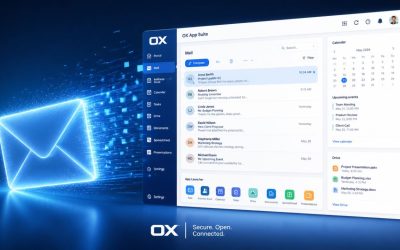
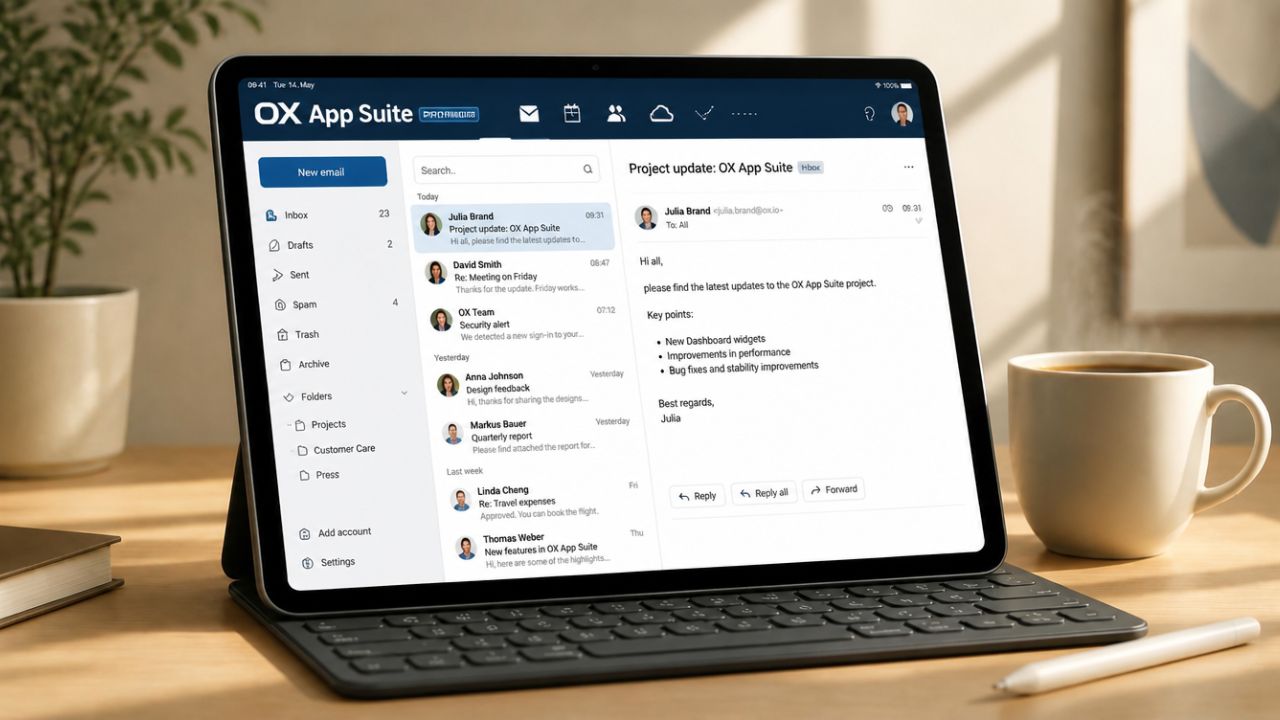
OX App Suite ties email, calendar, contacts, and file storage into a single browser-based workspace instead of forcing users between separate apps. The interface uses a modular tile layout, allowing administrators to enable or hide specific apps (Mail, Calendar, Drive, Tasks) for each user group via OX’s permission model.
How the Modular Layout Works
Unlike a fixed inbox-only webmail client, OX App Suite renders each function, Mail, Calendar, Drive, Contacts, as a separate module that can be pinned, reordered, or hidden entirely for a given user role. A receptionist account might see only Mail and Calendar, while a project lead sees the full suite including Drive and Tasks. This modularity is configured at the group level, not per individual user, which keeps administrative overhead low for mid-sized teams managing dozens of mailboxes.
The practical effect shows up during onboarding. New hires log in to a single URL and immediately see the tools relevant to their role, rather than hunting through a generic dashboard. For agencies managing client-facing staff versus internal operations staff, this separation reduces accidental data exposure. For instance, a contractor account can be scoped to Mail and Drive only, without calendar visibility into internal scheduling.
Cross-Module Data Linking
A distinguishing behavior in OX App Suite is that objects link across modules natively, email attachments can be saved directly to OX Drive without a separate upload step, and calendar invites automatically pull contact details from the Contacts module. This differs from bolting a file-sync client onto a webmail interface as an afterthought, which is how several competing suites still architect the connection.
For teams handling frequent client correspondence, this reduces the manual re-filing that eats into a workday, dragging an invoice PDF from an email straight into a shared Drive folder, tagged and searchable, without downloading and re-uploading through a desktop file manager. It’s a small mechanical difference, but reviewing support tickets across reseller accounts, “where did that attachment go?” is a recurring low-grade friction point this design choice avoids.
Custom Domain Email Hosting
Business email hosting through OX App Suite runs on the customer’s own domain rather than a shared consumer domain, which is foundational to professional credibility and deliverability. Setting this up correctly involves DNS-level configuration, MX (Mail Exchange) records, and authentication records, pointed at the provider’s mail servers.
MX Record Configuration
An MX record tells the broader internet which mail servers are authorized to accept email for a domain, and it includes a priority value that lets backup servers be defined. Getting this wrong, pointing to an outdated server, or leaving a stale secondary MX from a previous provider is one of the more common causes of intermittent, hard-to-diagnose delivery failures reported during onboarding.
Because MX changes propagate through DNS caching layers across the internet, a change doesn’t take effect instantly everywhere; propagation commonly completes within a few hours but can take up to 48 hours depending on the previous record’s TTL (time-to-live) setting. Reputable providers, including those for OX App Suite deployments, recommend lowering TTL values a day or two before a planned migration to shorten this window.
 Domain Verification and Multi-Domain Support
 Domain Verification and Multi-Domain Support
Before a domain can send or receive mail through OX App Suite, ownership must be verified, typically via a TXT record placed in DNS that the provider checks before activating the mailbox. This prevents someone from routing mail for a domain they don’t control.
Agencies and consultants managing multiple client domains benefit from OX’s multi-domain hosting under a single reseller-managed account structure, where each client domain sits in its own logically separate tenant with independent DNS requirements, rather than being merged into a single flat mailbox pool. This separation matters for compliance-conscious clients who want assurance that their mail data isn’t commingled with another customer’s domain at the application layer.
Email Authentication: SPF, DKIM, and DMARC
Authentication records protect a domain’s sending reputation by proving that outgoing mail genuinely originates from an authorized source. SPF (Sender Policy Framework), DKIM (DomainKeys Identified Mail), and DMARC (Domain-based Message Authentication, Reporting and Conformance) work together, each addressing a different part of the spoofing problem.
SPF and DKIM Mechanics
SPF is a TXT record listing which mail servers are permitted to send on behalf of a domain; receiving servers check the sending server’s IP against this list. RFC 7208 defines a hard limit of 10 DNS lookups per SPF check; exceeding it causes a permanent error result, which is a common failure point when businesses stack multiple third-party senders (a CRM, a marketing tool, and their hosting provider) into one SPF record without consolidating includes.
DKIM works differently: it attaches a cryptographic signature to outgoing mail, generated from a private key held by the sending server, verified against a public key published in DNS. OX App Suite provisions DKIM keys per domain rather than sharing a single suite-wide key across all hosted domains, which keeps one customer’s sending reputation from being affected by another’s mailing behavior on the same platform.
DMARC Policy and Reporting
DMARC builds on SPF and DKIM by telling receiving servers what to do when a message fails both checks: quarantine it, reject it, or take no action. It also generates aggregate reports back to the domain owner showing who’s sending mail using that domain, including any spoofing attempts. A domain with no DMARC record at all is more exposed to phishing that impersonates its name.
Setting the DMARC policy to reject too early, before confirming that every legitimate sending source passes SPF and DKIM, is a mistake that surfaces regularly in renewal reviews. A domain migrated from an old provider whose SPF include was never removed will suddenly see legitimate internal mail rejected. A staged rollout, starting at “none” (monitor-only) for a few weeks before moving to “quarantine” and eventually “reject”, avoids this.
OX Guard Encryption and Data Protection
OX Guard is OX App Suite’s built-in encryption layer, adding PGP (Pretty Good Privacy)- based end-to-end encryption and S/MIME support directly within the webmail interface, rather than requiring a separate plugin or desktop client. This distinguishes it from providers where encrypted email requires exporting to a third-party tool.
How OX Guard Encrypts Messages
OX Guard generates and manages PGP key pairs for users within the OX App Suite interface, so encrypting a message is a toggle in the compose window rather than a manual key-exchange process handled outside the platform. Recipients using compatible PGP-aware clients can decrypt the message directly; recipients without PGP support can still receive a password-protected, encrypted message via a guest access link.
This built-in approach matters for regulated industries, healthcare intake forms, legal correspondence, and financial documents, where message content itself needs protection beyond transport-layer security. A law firm sending a signed settlement document, for example, can encrypt the message body and attachment without asking the client to install separate decryption software first.
Encryption in Transit vs. At Rest
Separate from OX Guard’s message-level encryption, TLS (Transport Layer Security) protects mail in transit between servers, encrypting the connection itself rather than the message content. Most modern mail servers, including OX App Suite deployments, use STARTTLS to upgrade a plain connection to an encrypted one during the SMTP handshake. However, delivery falls back to unencrypted transport if the receiving server doesn’t support TLS.
The distinction matters in practice: TLS protects a message while it’s moving between servers, but once it lands in a recipient’s inbox, transport encryption no longer applies. OX Guard’s message-level encryption protects content even after delivery, including from access by the receiving mail provider itself. Businesses handling sensitive attachments should treat these as complementary layers rather than substitutes.
Mobile Access and Cross-Device Sync
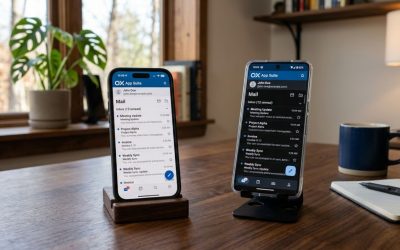
OX App Suite supports mobile access through both a native mobile app and standard protocol-based sync (ActiveSync, IMAP, CalDAV, CardDAV) for use with built-in device mail apps, giving administrators flexibility in how they roll out mobile access across a mixed-device workforce.
Native App vs. Protocol-Based Sync
 Native App vs. Protocol-Based Sync
The native OX App Suite mobile app mirrors the desktop’s modular interface, Mail, Calendar, and Drive, in a single app, and typically supports push notifications and offline caching more reliably than protocol-based sync alone. Protocol-based access, by contrast, uses the device’s built-in mail app (iOS Mail or Android’s default client), connecting via IMAP for email and CalDAV/CardDAV for calendar and contacts.
Enterprises with device management policies (MDM) often prefer protocol-based sync because it works within existing device mail apps without requiring users to install and trust a separate application. In contrast, smaller teams frequently prefer the native app for its unified interface and generally simpler setup flow, since it only requires an account login rather than manually entering server addresses and ports.
CalDAV and CardDAV Behavior
CalDAV and CardDAV are open standards for calendar and contact synchronization, respectively, and OX App Suite implements both rather than relying on a proprietary sync protocol that would lock mobile access to its own app. This means a user’s calendar can sync bidirectionally with a phone’s native calendar app, including recurring events and shared calendar visibility, without requiring the OX mobile app to be installed.
The trade-off is that some OX-specific features, shared calendar permission tiers, for instance, render differently or with reduced functionality inside a third-party calendar app compared to inside OX App Suite’s own interface, since the third-party app only implements the generic CalDAV specification rather than OX’s full permission model. Teams relying heavily on granular calendar sharing should test this before standardizing on protocol-only access.
Choose the Right Mailbox Configuration for Your Business
Choosing the right mailbox setup often comes down to which of these access methods fits your team’s device policies, and that’s exactly the kind of configuration decision Hiya Digital, as an Authorized Partner and Reseller of OX App Suite Email Service, helps businesses work through before migration, not after.

Storage Allocation and Scalability
Mailbox and file storage in OX App Suite are allocated based on the plan tier. Drive storage is typically pooled separately from mailbox storage, and administrators can often reassign storage between users within a shared organizational pool rather than being locked to fixed per-mailbox limits.
Mailbox Storage vs. Drive Storage
Mailbox storage covers email messages and their attachments as they sit in the inbox. In contrast, Drive storage is a separate allocation for files stored and shared independently of email, documents, spreadsheets, and shared folders accessible across the team. Keeping these pools distinct, rather than merging them into one combined number, gives administrators clearer visibility into what’s consuming space.
A common scaling pattern in growing businesses is that mailbox storage fills gradually as attachments accumulate, while Drive storage spikes suddenly when a team starts using shared folders for active project files. Administrators who monitor only total combined usage sometimes miss that a pool is approaching its limit until a specific user hits a hard ceiling.
| Security Layer | Applies To | Configurable By |
|---|---|---|
| SPF | Outbound sender verification | Admin (DNS-level) |
| DKIM | Message signature verification | Provider-provisioned, per domain |
| DMARC | Policy enforcement + reporting | Admin (DNS-level) |
| TLS/STARTTLS | Transport encryption | Server default, not user-toggled |
| OX Guard (PGP) | Message content encryption | End user, per message |
| 2FA | Login/account access | Admin (org-wide) or user (optional) |
| Antivirus scanning | Inbound attachments | Provider-managed, admin threshold |
| Spam filtering threshold | Inbound message routing | Admin, per domain or user |
Pooled Storage Across an Organization
Rather than assigning a fixed, non-transferable quota to each mailbox, many OX App Suite plans allow administrators to draw from a shared organizational storage pool and allocate more to specific users as needed, useful when one department (say, a design team with large file attachments) consistently needs more headroom than a sales team handling mostly text-based correspondence.
This pooled approach reduces the operational overhead of manually purchasing add-on storage for individual mailboxes. Exact pooling rules and reassignment limits vary by specific plan tier and are worth confirming directly with your reseller before finalizing a rollout plan, since not every tier supports the same degree of flexibility.
Spam, Phishing, and Antivirus Protection
Inbound mail filtering in OX App Suite deployments typically layers spam scoring, antivirus scanning, and phishing pattern detection before a message reaches the inbox, reducing the volume of malicious or low-quality mail that administrators must manage manually.
Spam Filtering Logic
Spam filters generally score incoming messages against multiple signals, sender reputation, content patterns, authentication results (whether SPF/DKIM/DMARC passed), and known blocklists, then route messages above a threshold to a junk folder rather than the inbox. Administrators can typically adjust sensitivity thresholds per domain or per user, trading a stricter filter (fewer spam messages, higher risk of false positives) against a looser one.
False positives are the more damaging failure mode in practice; a legitimate client email misrouted to junk is often worse for business than an extra spam message reaching the inbox. Reviewing filter logs periodically, particularly after a sensitivity change, catches these issues before they become a pattern that leads to missed opportunities.
Antivirus Scanning and Attachment Handling
Antivirus scanning inspects inbound attachments against known malware signatures before delivery, and administrators can typically configure whether infected attachments are stripped, quarantined, or the entire message is blocked outright. This scanning occurs server-side before the message reaches any device, protecting users on platforms or devices that don’t run their own antivirus software.
Attachment-based threats increasingly use disguised file types, a malicious script renamed with a document extension, for example, so filtering that only checks extensions rather than actual file content misses a meaningful category of threats. Confirming that a provider’s scanning inspects actual file signatures, not just extensions, is a reasonable question to raise before onboarding.
Two-Factor Authentication and Access Controls
Two-factor authentication (2FA) adds a second verification step beyond a password, typically a time-based one-time code from an authenticator app, before granting mailbox access, addressing the common failure mode where a leaked or guessed password alone compromises an account.
2FA Enforcement Options
 2FA Enforcement Options
Administrators can typically choose whether 2FA is optional per user or enforced organization-wide, and OX App Suite’s permission model allows this to be set at the group level rather than requiring individual configuration for every mailbox. Enforcing 2FA org-wide closes a common gap: security-conscious admins enable it for themselves but forget to require it for less technical staff, who are often the more likely targets of phishing.
Recovery flow design matters here too. If a user loses access to their authenticator app, the account recovery process should go through an administrator rather than a self-service email reset, since a self-service email reset defeats the purpose of 2FA if the same mailbox is the recovery destination. Confirming how account recovery is handled is worth doing during setup, not after a lockout.
Role-Based Access and Mailbox Permissions
Beyond authentication, OX App Suite’s permission model lets administrators assign granular access levels; a delegate might get read-only access to a manager’s calendar, while a department lead gets full mailbox access to a shared team address. This differs from an all-or-nothing sharing model, in which any delegated access grants full control.
For businesses handling shared inboxes (support@, sales@, info@), this granularity means a support team member can be given send/receive access to the shared address without also inheriting access to the business owner’s personal calendar or private folders, which is a meaningfully different security posture than sharing a single set of login credentials across a team. This practice removes any per-user accountability for what was sent from that address.
Email Migration Without Downtime
Migrating an existing mailbox to OX App Suite involves transferring historical mail, contacts, and calendar data while switching MX records; the sequence of these steps determines whether users experience a gap in mail delivery during the transition.
Migration Sequencing
A downtime-minimizing migration typically runs mailbox data transfer (historical email, folders, contacts) in the background. In contrast, the old mailbox remains live and receiving mail, then switches the MX record only after the bulk of historical data has already synced, meaning the final cutover window mainly needs to catch messages sent during the actual switch, not the full mailbox history. Attempting to migrate data and switch MX records simultaneously is what typically causes the multi-hour gaps businesses fear.
Because DNS propagation isn’t instantaneous, a short window exists where some senders’ mail servers may still route to the old MX record even after the new one is published, which is why keeping the old mailbox active and forwarding for a defined grace period, rather than deactivating it immediately at cutover, catches straggling messages during propagation.
Data Integrity and Common Migration Failures
Folder structure and read/unread status don’t always transfer perfectly across all migration tools, and calendar recurring events are a particularly common point of failure. A recurring meeting may migrate as a single instance rather than the full recurring series if the migration tool doesn’t correctly interpret the source calendar’s recurrence rules.
Before committing to a migration date, requesting a small-scale test migration of one or two mailboxes, rather than migrating the entire organization at once, surfaces these formatting issues. At the same time, there’s still time to adjust the approach, and it’s worth explicitly asking a reseller to include this step in the migration plan rather than assuming it’s standard.
OX App Suite vs. Google Workspace and Microsoft 365
Comparing OX App Suite against Google Workspace and Microsoft 365 comes down to interface philosophy, ecosystem lock-in, and pricing structure, rather than to one platform being objectively superior in every category. The right choice depends on what a business already uses and how much ecosystem lock-in it wants to avoid.
Interface and Ecosystem Differences
 Interface and Ecosystem Differences
Google Workspace and Microsoft 365 both push users toward their broader ecosystems, Google Docs/Sheets tied to Drive, or Microsoft 365 apps tied to OneDrive and Teams, while OX App Suite’s Documents and Drive modules function as a more self-contained, less ecosystem-dependent alternative, which appeals to businesses that don’t want their email provider dictating which office-suite tools they’re locked into.
This matters most for businesses already standardized on a specific office suite for reasons unrelated to email; a firm using Adobe’s creative tools alongside Microsoft Office documents, for instance, may prefer an email platform that doesn’t try to redirect them toward a competing document ecosystem as a side effect of adopting business email.
Pricing Structure and Licensing Model
Google Workspace and Microsoft 365 pricing is generally published directly by Google and Microsoft at fixed per-user tiers. At the same time, OX App Suite is typically sold through reseller partners like Hiya Digital, meaning published pricing can vary by reseller and often includes bundled support or migration assistance not itemized separately by the underlying platform. Approximate per-mailbox pricing is generally comparable to mid-tier Google Workspace or Microsoft 365 business plans. However, exact figures depend on the plan tier, mailbox count, and any bundled add-ons; confirming current pricing directly with a reseller is the most reliable way to get an accurate figure, rather than relying on a published range that may reflect an older tier structure.
| Feature | OX App Suite | Google Workspace | Microsoft 365 |
|---|---|---|---|
| Native encryption (message-level) | OX Guard (PGP/S-MIME built-in) | No native PGP; relies on add-ons | S/MIME available, PGP via add-ons |
| Calendar sync protocol | CalDAV/CardDAV (open standard) | Proprietary + CalDAV (partial) | Proprietary (Exchange ActiveSync primary) |
| Document ecosystem lock-in | Low (OX Documents self-contained) | High (Google Docs/Sheets) | High (Microsoft Office apps) |
| Purchase model | Primarily reseller-distributed | Direct or reseller | Direct or reseller |
| Mobile access without a native app | Full IMAP/CalDAV/CardDAV support | Partial (Gmail app preferred) | Partial (Outlook app preferred) |
| Storage pooling across org | Supported on qualifying plans | Limited pooling (per-tier caps) | Limited pooling (per-tier caps) |
Frequently Asked Questions
Does OX App Suite support Outlook as a desktop client?
Yes, OX App Suite supports IMAP and SMTP, which means Outlook (Windows and Mac) can connect using standard IMAP account settings rather than a proprietary connector. Calendar and contact sync to Outlook works via CalDAV/CardDAV plugins, since Outlook doesn’t support these protocols natively out of the box, which is the case for most desktop Outlook versions outside of Microsoft 365’s own ecosystem. Some businesses prefer to run OX App Suite’s own webmail interface for full-featured access (Drive integration, OX Guard encryption) and reserve Outlook only for users who specifically need it for existing workflows, since not every OX-native feature carries over cleanly into a third-party client.
What happens to my mailbox data if I don’t renew on time?
Providers typically apply a grace period after a plan lapses, during which the mailbox is usually suspended rather than erased. The exact length of this grace period and what happens to Drive-stored files during suspension vary by specific plan and reseller agreement, so getting this confirmed in writing at signup, not assumed from a general FAQ, avoids surprises. Setting a renewal reminder 30 days before the actual expiration date, rather than relying solely on automated renewal emails that can be filtered as spam, is a simple safeguard worth adding to your admin calendar.
Can I use OX App Suite with a domain I already registered elsewhere?
Yes, OX App Suite doesn’t require domain registration with the same provider that hosts the mailbox. You keep your domain registrar as is and update the MX, SPF, DKIM, and DMARC records in your registrar’s DNS management panel to point to the new mail servers. This is standard practice and doesn’t require transferring domain ownership or registrar accounts. However, you’ll need administrative access to your domain’s DNS settings to make the required record changes, which sometimes means coordinating with whoever originally registered the domain if that’s a different person than the one managing email today.
How does OX App Suite handle shared team calendars for scheduling across departments?
Shared calendars in OX App Suite use a permission-tiered model: view-only, edit, or full-delegate access, assignable per user or per group, distinct from the underlying CalDAV protocol used for third-party calendar app sync. When a shared calendar syncs with a personal device’s native calendar app via CalDAV, permission nuances (such as edit access granted only to specific event types) may not appear the same outside OX’s interface, since third-party apps only implement the generic CalDAV spec. Departments coordinating heavily across time zones should test their specific permission setup inside both OX’s native interface and any mobile calendar apps before rolling it out organization-wide.
Is OX App Suite suitable for a business with fewer than 5 employees?
Yes, though the value proposition shifts at small scale, the collaboration features (shared Drive, team calendars, granular permissions) matter less when there are only a handful of people who likely already coordinate informally. At the same time, custom domain hosting, spam filtering, and professional credibility remain relevant regardless of team size. Very small teams sometimes find the modular interface has more surface area than they need day-to-day. However, nothing prevents scaling usage up as the team grows without a platform migration later, which is a real advantage over choosing a more limited platform initially and needing to re-migrate at 10+ employees.
Does OX App Suite offer automatic mailbox backups?
Backup policies vary meaningfully by plan tier and reseller agreement. Some plans include automated backup snapshots at defined intervals, while others treat backup as an add-on rather than a default inclusion. This is a detail worth explicitly confirming rather than assuming it is bundled, since “backup” can mean different things (point-in-time snapshots vs. simple redundancy across servers) depending on the provider’s specific implementation. For businesses with compliance requirements around data retention, requesting written confirmation of backup frequency and retention length before signing is a reasonable ask of any reseller.
Can I migrate from Google Workspace to OX App Suite without losing my Gmail labels?
Gmail labels don’t map one-to-one to OX App Suite’s folder structure, since Gmail’s label system allows a single email to carry multiple labels simultaneously. In contrast, OX App Suite (like most IMAP-based folder systems) generally expects each message to live in a single folder. Migration tools typically convert each label into a separate folder, which can result in duplicate copies of messages that had multiple labels applied in Gmail. Reviewing how your migration tool specifically handles this conversion and testing on a sample mailbox first helps avoid an unpleasant surprise where your inbox’s folder count looks meaningfully different after migration than it did in Gmail.
Does OX App Suite support custom email signatures with images or logos across all devices?
Yes, though rendering consistency varies, HTML signatures with embedded images generally render correctly in OX App Suite’s own webmail and in most modern desktop mail clients, but some mobile mail apps strip embedded images from signatures by default for bandwidth and security reasons, showing only the text portion instead. Businesses standardizing brand-consistent signatures across a team should test the signature specifically on the mobile apps their staff actually use, rather than assuming desktop rendering guarantees mobile rendering, since this is a common gap that surfaces after a company-wide signature rollout rather than during initial setup.
What’s the difference between OX Guard encryption and simply using a strong password?
A strong password protects account access; it prevents someone from logging into the mailbox itself. In contrast, OX Guard’s PGP-based encryption protects the content of a specific message, even if the account is accessed or the message is intercepted in transit or in storage. These address different threat models: password strength prevents unauthorized logins, while message encryption prevents content exposure even when access controls fail (e.g., a compromised password, an insider threat, or legal discovery of stored mail). Businesses handling sensitive documents should treat these as complementary controls rather than assuming a strong password alone covers message confidentiality.
How do I confirm my exact grace period and renewal terms before signing with a reseller?
Because grace period length, renewal pricing, and suspension policies vary by reseller agreement rather than being fixed platform-wide, the reliable approach is to request these terms in writing as part of the sales agreement, rather than relying on verbal assurances or general marketing pages. Specific questions worth asking include: what happens to Drive-stored files (not just mailbox data) during a lapsed grace period, whether renewal pricing is locked for a defined term or subject to change at each renewal, and who to contact if an automated renewal notice isn’t received. Documenting these answers before signing avoids ambiguity later, particularly since renewal terms are exactly the kind of detail that’s easy to overlook amid the more visible feature comparisons during initial evaluation.
Glossary
MX Record: DNS record specifying which mail servers accept email for a domain, with priority values for failover.
SPF (Sender Policy Framework): DNS TXT record listing servers authorized to send mail for a domain.
DKIM (DomainKeys Identified Mail): Cryptographic signature system verifying a message wasn’t altered in transit and originated from an authorized server.
DMARC: Policy layer built on SPF/DKIM defining how receiving servers should handle authentication failures, plus reporting.
TLS/STARTTLS: Protocol encrypting the connection between mail servers during transmission.
IMAP: Protocol syncing mail across multiple devices by keeping messages on the server.
POP3: A protocol that typically downloads mail to a single device rather than syncing across devices.
SMTP: Protocol used to send outgoing mail between servers.
CalDAV/CardDAV: Open standards for syncing calendar and contact data across devices and apps.
OX Guard: OX App Suite’s built-in PGP/S-MIME encryption layer for message-level content protection.
2FA (Two-Factor Authentication): A second verification step beyond a password, typically a time-based code.
The Hiya Digital Team is a collective of IT infrastructure specialist engineers, certified systems administrators, and cloud architects driven by a singular mission: building corporate communication systems that just work. As an Authorized Google Partner, the team handles complex global hosting deployments, secure email migrations, and advanced data compliance architectures for businesses across 40+ countries.
With over two decades of technical experience spanning custom premium business email configurations, OX AppSuite deployments, and enterprise-level network security, the Hiya Digital Team writes to demystify domain infrastructure. Their content focuses on actionable technical strategies, anti-phishing security protocols, and seamless cloud collaboration setup, all backed by real-world deployment experience and 24/7 technical support accountability.