Switch to Professional Email Powered by OX App Suite →
OX App Suite and Traditional Webmail: The Core Difference
Traditional webmail, the free Gmail, Yahoo, or Outlook.com account many small businesses start with, treats email as a standalone product. OX App Suite treats it as a single module within a licensed collaboration platform, sold through resellers under agreements that vary by region and mailbox count.
What “Traditional Webmail” Actually Means Here
Traditional webmail refers to consumer-grade inboxes provisioned under a shared public domain (gmail.com, yahoo.com) rather than a company’s own domain, or to free-tier hosting bundled by a domain registrar as an afterthought. These accounts typically include a single inbox, calendar, and contacts list with no administrative layer connecting multiple users. No owner account can reset another employee’s password, enforce a retention policy, or see which device last accessed a shared mailbox, because the product was never designed for organizational use.
That absence of an admin layer is the detail most SMB owners underestimate until an employee leaves. Recovering a departed employee’s client correspondence from a personal Gmail account often means asking that person for their password after the fact, which is both a security risk and, in many jurisdictions, a compliance gap. OX App Suite’s domain-based provisioning model closes that gap by making every mailbox a company asset from creation and administering it centrally rather than individually.
Where OX App Suite Sits in the Licensing Chain
OX App Suite is licensed software built by Open-Xchange and distributed to end customers through authorized resellers rather than sold directly to most small businesses. Hiya Digital operates as an Authorized Partner in that chain, provisioning and supporting mailboxes on Open-Xchange’s platform without owning or operating the underlying infrastructure. This reseller model is common across enterprise software and explains why pricing, feature bundles, and support terms can differ slightly between providers offering the “same” underlying platform.
For a buyer, the practical effect is that support quality and onboarding experience depend heavily on which partner they choose, even though the core mailbox technology is identical across resellers. A partner that only processes signups will leave DNS configuration to the customer; a partner that manages the full provisioning cycle, MX records, SPF alignment, mailbox creation, and mail client setup removes the most common source of first-week deliverability problems. That distinction matters more than most comparison articles acknowledge.
Mailbox Provisioning and Custom Domain Setup
Moving off free webmail starts with a domain the business actually owns, not a subdomain of someone else’s brand. Provisioning a mailbox under that domain involves DNS changes, mailbox-level permissions, and a decision about how many addresses the business actually needs on day one.
 Domain Verification and Initial Mailbox Creation
 Domain Verification and Initial Mailbox Creation
Setting up business email begins with proving domain ownership, typically through a TXT record the provider asks the registrant to add before any mailbox goes live. Once verified, the administrator creates a primary domain alias structure (info@, sales@, and individual named addresses) and assigns storage quotas per mailbox rather than pooling everything under a single, undifferentiated limit. This step is where most of the visible cost difference between free webmail and a paid platform first appears, because quota planning forces a real conversation about how many people actually need a mailbox versus a shared alias.
A common early mistake is provisioning individual mailboxes for roles that only need a forwarding alias, such as a general accounts-payable inbox that three people occasionally check. OX App Suite supports both patterns, but billing is typically per named mailbox, so conflating the two inflates the invoice without adding real functionality. Getting this split right during initial setup, rather than after six months of overprovisioned licenses, is one of the more overlooked cost levers in a migration project.
Mailbox-Level Permissions and Delegated Access
OX App Suite’s administrative console assigns granular permissions at the mailbox level, read-only delegate access, send-on-behalf rights, and full ownership transfer through a structure distinct from the folder-sharing model most free webmail platforms use. An operations manager can grant a temporary assistant read access to a shared inbox without handing over the account password. That access can be revoked instantly without a password reset cascading to every other service tied to that login. This is a meaningfully different security posture from consumer webmail, where “sharing” usually means literally sharing credentials.
Enterprises with rotating support staff or seasonal hires benefit most from this, since permission changes take effect immediately across the web client without requiring the delegate to log out and back in. Agencies managing multiple client domains under a single Hiya Digital reseller account use the same permission layer to keep client mailboxes fully isolated from one another, even though they’re administered from a single console. That isolation is a frequent source of confusion for buyers comparing platforms, since not every competing suite cleanly separates administrative visibility from access to mailbox content.
DNS Authentication: MX, SPF, DKIM, and DMARC
Deliverability depends on DNS records that most business owners never look at until messages start landing in spam. Traditional webmail providers manage this invisibly because they control the entire sending domain; moving to a custom domain means the business or its provider must configure and maintain these records correctly.
Setting the Records That Prove You’re Legitimate
MX records tell the internet which mail server should receive messages for a domain, while SPF is a TXT record listing which servers are authorized to send mail on that domain’s behalf. DKIM adds a cryptographic signature to outgoing messages so receiving servers can verify the message wasn’t altered in transit, and DMARC tells receiving servers what to do when SPF or DKIM checks fail: quarantine, reject, or take no action. Each of these is a separate DNS entry, and a mistake in any one of them can cause otherwise legitimate mail to land in spam folders or bounce outright.
SPF specifically enforces a 10-DNS-lookup limit per check, and businesses that stack several third-party senders, a CRM, a marketing platform, and an invoicing tool under one SPF record frequently exceed that limit without realizing it until deliverability drops. OX App Suite’s provisioning process issues the SPF include and DKIM selector values needed for the platform itself, but any additional senders a business adds later still count against that same lookup ceiling, which is worth tracking in a simple spreadsheet as services are added.
DKIM Key Provisioning at the Domain Level
Open-Xchange provisions DKIM signing keys per domain rather than issuing a single shared signature across all customers on the platform, so each business’s outbound mail is cryptographically distinct from every other tenant’s. This per-domain key model is documented in Open-Xchange’s technical resources and matters in practice because it isolates one customer’s sending reputation from another’s. If a different business on the same shared infrastructure has a deliverability problem, it does not automatically drag down an unrelated domain’s DKIM standing.
Rotating DKIM keys periodically is good practice but not something most small businesses handle themselves; it typically falls to the reseller managing DNS on the customer’s behalf. Renewal reviews commonly surface a stale SPF that nobody remembers adding, usually from a marketing tool trialed once and never removed, and cleaning that up during a DKIM rotation is a natural point to also audit the SPF record rather than treating the two as unrelated maintenance tasks.
Spam Filtering and Malware Protection
Free webmail filters spam using aggregate data from billions of consumer accounts, which works well for obvious spam but less well for targeted phishing aimed at a specific company. Business-grade filtering needs to catch both categories without burying legitimate client correspondence.
How Filtering Logic Differs From Consumer Inboxes
 How Filtering Logic Differs From Consumer Inboxes
Consumer webmail spam filters are tuned for volume, catching mass phishing and bulk unsolicited mail sent to millions of addresses simultaneously. Business email filtering, often delivered through a SpamExpert-style layer sitting in front of the mailbox, adds heuristics tuned for targeted attacks: invoice fraud impersonating a known vendor, wire-transfer requests spoofing an executive’s display name, and attachments carrying macro-based malware aimed at a specific industry. These threats rarely trigger consumer-grade filters because they’re low-volume and highly customized to the target.
A message that looks identical to a real vendor invoice but originates from a lookalike domain is the kind of threat business filtering is built to catch through domain reputation checks and sender behavior analysis, rather than keyword matching alone. This category of attack has grown more common as attackers research a target company’s actual vendors before sending the fraudulent invoice, making the message far harder to spot by eye than generic spam ever was.
Quarantine Handling and False-Positive Management
Filtered messages land in a quarantine queue rather than being deleted outright, and administrators can review, release, or permanently block senders from a centralized console rather than each employee managing their own spam folder independently. This centralization matters for compliance-sensitive industries where a missed client email due to an overzealous filter carries real business cost, since an administrator can adjust sensitivity for a specific sender or domain without changing the filtering policy for the entire organization.
False positives, legitimate mail flagged as spam, are the more common complaint in the first weeks after migration, usually because a frequently used sender hasn’t yet built up a reputation history with the new filtering layer. Whitelisting known vendors and clients during onboarding meaningfully reduces this friction, and it’s a step worth doing proactively rather than reactively after a client complains a quoted email never arrived.
Calendar, Contacts, and Document Collaboration
The features that most clearly distinguish a collaboration platform from a plain inbox rarely appear in a feature list comparison. Still, they’re the ones staff notices daily: whether a shared calendar actually stays in sync and whether two people can edit a document without emailing versions back and forth.
Shared Calendars and Contact Synchronization
OX App Suite syncs calendars and contacts using the open CalDAV and CardDAV protocols, which means a shared calendar created in the web client appears correctly in Apple Calendar, Thunderbird, or any other CalDAV-compliant client without a proprietary connector. This is a meaningful contrast with platforms that rely on a proprietary sync layer requiring a dedicated plugin for each mail client, since CalDAV compliance means IT staff aren’t locked into a single supported client list.
A sales team booking client meetings across five calendars benefits from real-time free/busy visibility without requiring everyone to use the same device type, and a shared team calendar can handle room or resource bookings the same way a personal calendar handles appointments. Contact synchronization follows the same standard, so a contact added on a phone appears in the web and desktop clients without a manual export-import cycle, which is a common friction point on less standards-compliant platforms.
OX App Suite, Google Workspace, Microsoft 365, and Free Webmail
| Feature | OX App Suite | Google Workspace | Microsoft 365 | Free Webmail |
|---|---|---|---|---|
| Custom domain mailbox | Yes, standard | Yes, standard | Yes, standard | No |
| Native document co-editing | Yes (OX Documents) | Yes (Docs/Sheets) | Yes (Word/Excel Online) | No |
| Built-in end-to-end email encryption | Yes (OX Guard, OpenPGP) | No (add-on required) | No (add-on required) | No |
| Calendar sync protocol | CalDAV/CardDAV native | CalDAV via workaround | EAS/Outlook native | Proprietary, limited |
| Admin-level mailbox delegation | Granular, per-mailbox | Group-based | Granular via Exchange admin | None |
| Storage pooling across domains | Yes | Limited (per-user pools) | Yes (via SharePoint) | No |
| Offline mobile message cache | Native app only | Native app | Native app | Browser-dependent |
| Reseller/partner support model | Common | Available via partners | Available via partners | None |
| Typical minimum deployment | 1 mailbox | 1 mailbox | 1 mailbox | N/A |
| Two-factor authentication enforcement | Org-wide, admin-set | Org-wide, admin-set | Org-wide, admin-set | Optional, user-set |
Document Collaboration Inside the Mail Client
OX Documents lets users create and co-edit spreadsheets, text documents, and presentations directly inside the webmail interface, attaching a live document link to an email rather than a static file that immediately goes out of date once someone edits their local copy. This keeps collaborative editing within the same login employees already use for email, rather than requiring a separate account with a third-party office suite to comment on a shared file.
Version history is tracked automatically, so reverting an accidental overwrite doesn’t require restoring from a backup or asking a colleague to resend an earlier draft. Teams that previously emailed Word documents as attachments, with filenames like “proposal_v3_final_FINAL”, tend to find this the most noticeable workflow change after migration, more than the security improvements that usually motivated the switch in the first place.
Ready to Move Off Free Webmail?
Coordinating shared calendars and co-edited documents across a growing team is exactly the friction point that pushes most businesses to migrate. Hiya Digital, as an Authorized OX App Suite Partner, handles domain verification, DNS configuration, and mailbox provisioning so the switch doesn’t stall on technical setup.

Mobile Access and Cross-Device Sync
Staff increasingly read and respond to email primarily from a phone, which changes what “reliable email” means in practice. The comparison between a dedicated mobile app and a browser-based mobile site is one buyers rarely investigate before migrating, and it affects daily usability more than most feature checklists suggest.
Native App Behavior Versus Browser Access
OX App Suite offers a dedicated mobile app alongside browser-based mobile access, and the two behave differently in ways that matter for offline scenarios. The native app caches recent messages and calendar entries locally, so a user can review, though not send, recent correspondence in an area with no signal, something the browser-based mobile site cannot do since it depends on an active connection for every page load. Push notifications through the native app also tend to arrive faster than browser-based polling, which checks for new mail at set intervals rather than receiving a server-initiated alert.
Field staff, technicians, sales reps, and delivery coordinators are the group that notices this difference most, since they’re frequently in low-connectivity areas where the native app’s offline cache prevents a complete communication blackout. Office-based staff with consistent Wi-Fi rarely notice a difference between the two access methods, which is worth knowing before assuming every employee needs the app installed.
IMAP and Exchange ActiveSync Compatibility
For businesses standardized on a specific native mail client, the iOS Mail app or Outlook mobile, OX App Suite supports standard IMAP and SMTP alongside Exchange ActiveSync (EAS) protocol support, meaning employees aren’t forced into the OX-branded app if company policy mandates a specific client. IMAP keeps mail synchronized across all connected devices by leaving messages on the server rather than downloading and removing them, which is the correct protocol choice for anyone checking mail on multiple devices.
EAS support also brings push-based calendar and contact sync to clients that don’t natively support CalDAV or CardDAV, which covers most Windows-based Outlook desktop deployments in mixed-device offices. Businesses running a bring-your-own-device policy generally find this protocol’s flexibility more valuable than the native app itself, since it lets each employee keep using whatever client they’re already comfortable with rather than retraining the whole team on a new interface.
Storage, Scalability, and Performance
Storage limits are the first thing to become visible when a business outgrows free webmail. Still, scalability is really a question of how storage is allocated and pooled across a growing number of mailboxes, not just the size of any one inbox.
Per-Mailbox Quotas and Storage Pooling
 Per-Mailbox Quotas and Storage Pooling
OX App Suite plans typically assign each mailbox an individual quota. Still, administrators can also pool unused storage across the domain, reallocating headroom from a lightly used shared mailbox to a heavily used sales inbox without purchasing additional storage outright. This pooling model, distinct from Drive storage, which can be allocated separately from mail storage, gives administrators flexibility that flat per-user quotas don’t provide, particularly in organizations where usage varies wildly between roles.
A support team generating large volumes of attachments daily and a leadership team using email mostly for correspondence have very different real storage needs. Pooling avoids over-provisioning every mailbox to the level the heaviest user actually requires. Exact quota sizes and pooling limits vary by the specific plan a reseller offers, so confirming the pooling policy in writing before migration, rather than assuming it works identically to a previous provider, avoids an unpleasant surprise mid-year.
Performance Under Concurrent Load
Webmail performance degrades most visibly when many users access large shared folders or search across years of archived mail simultaneously, and this is where the quality of server-side indexing separates platforms more than marketing materials suggest. OX App Suite indexes mail server-side, so full-text search across a large archive returns results without first downloading every message to the client, a meaningful difference for anyone who has waited on a client-side search against a decade of email.
Enterprises with dozens or hundreds of concurrent users should ask specifically about server response times under peak load, typically the first hour of the business day, since this is when performance issues actually surface, not during a quiet demo environment. Most reputable providers target at least 99.9% uptime, though the specific SLA terms, credits for downtime, and measurement methodology differ by reseller agreement and are worth reading rather than assuming.
Security Controls and Access Management
Security is the argument that ultimately convinces most IT decision-makers to leave free webmail behind, since consumer platforms offer no visibility into who accessed what, when, or from where, visibility that becomes a compliance requirement the moment a business handles client financial or health data.
Encrypted Communication With OX Guard
OX Guard adds end-to-end encryption and digital signing to email directly inside the OX App Suite interface, using OpenPGP-based key management rather than requiring a separate encryption client installed alongside the mail app. A sender can encrypt a message to a recipient’s public key with a single click in the compose window, and the recipient decrypts it using their private key without needing specialized software if they’re also on the OX platform.
This matters most for regulated industries, legal, healthcare-adjacent services, and financial advisory, where GDPR or similar regional privacy frameworks require demonstrable protection of personal data in transit, not just in storage. Key management for OX Guard occurs within the same admin console used for mailbox provisioning, keeping encryption policy enforcement centralized rather than relying on individual employees to enable it for sensitive messages manually.
Two-Factor Authentication and Login Auditing
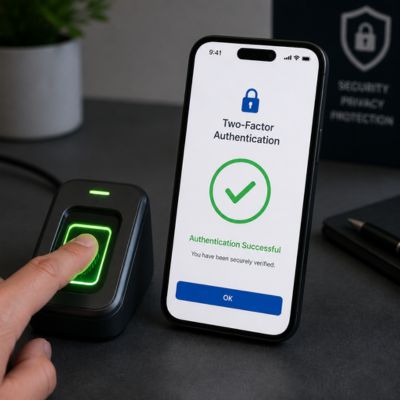 Two-Factor Authentication and Login Auditing
Two-factor authentication (2FA) adds a second verification step beyond a password, typically a time-based code from an authenticator app, before granting access to a mailbox, closing the most common attack vector for compromised business email: a reused or phished password with no second barrier. OX App Suite supports 2FA at the platform level, and administrators can enforce it organization-wide rather than leaving it as an optional setting individual employees may or may not turn on.
Login auditing complements 2FA by giving administrators visibility into which IP address and device last accessed a given mailbox, which is the kind of forensic detail that matters after a suspected compromise but is completely unavailable on consumer webmail accounts. Combined with TLS/STARTTLS encryption enforced on the SMTP connection itself, these controls address both the transport-layer and account-access layers of email security, providing a more complete posture than the password-only model typically offered by free webmail.
Security Feature Comparison: Business Email Layers
| Security Layer | Present in OX App Suite | Present in Typical Free Webmail | Enforced By |
|---|---|---|---|
| SPF/DKIM/DMARC provisioning | Yes, provider-managed | Partial (SPF/DKIM only, self-managed) | DNS administrator |
| Quarantine console for admins | Yes, centralized | No | Mail admin |
| Per-domain DKIM key isolation | Yes | N/A (shared domain) | Provider |
| End-to-end encryption (OpenPGP) | Yes, via OX Guard | No | End user, admin-enabled |
| Login/device audit trail | Yes | No | Mail admin |
| TLS/STARTTLS on SMTP | Yes, enforced | Yes, enforced | Provider |
| Malware/attachment scanning | Yes, business-tier filtering | Yes, consumer-tier filtering | Provider |
| Compliance reporting (GDPR-relevant) | Available via admin console | Not available | Mail admin |
Migration From Traditional Webmail
Migration is the step that generates the most hesitation among business owners considering the switch, usually driven by fear of losing historical email or disrupting client communication during the transition window. The actual risk is manageable when the process is sequenced correctly.
The Migration Sequence and Common Failure Points
A typical migration runs in four phases: exporting existing mail from the source webmail account, provisioning the new mailboxes and DNS records on the target domain, importing historical mail via IMAP migration tools, and briefly running both systems in parallel before fully cutting over the MX records. The parallel-run phase is where most migration anxiety resolves in practice, since it means nothing is lost even if the new system needs a few days of adjustment before becoming the sole point of contact.
The most common failure point isn’t the mail transfer itself but the timing of DNS propagation. MX record changes can take anywhere from a few hours to 48 hours to fully propagate across the internet’s resolvers, and businesses that cut over without accounting for this window sometimes see a short gap during which messages bounce or route inconsistently. Scheduling the cutover for a low-volume period, such as a weekend, and confirming propagation with an external DNS lookup tool before considering the migration complete avoids most of this risk.
Preserving Historical Documents and Folder Structure
Migrating attachments and stored documents, not just message text, requires a tool that preserves folder hierarchy and calendar entries rather than flattening everything into a single inbox. OX Documents can import existing files during migration, maintaining the folder structure users are already familiar with on the source platform, which meaningfully reduces the relearning curve after cutover compared to a migration that dumps every file into a single, undifferentiated archive.
Calendar migration deserves particular attention, since recurring events and shared calendar permissions don’t always transfer cleanly between platforms using different underlying protocols. Verifying that recurring meetings appear correctly on the new platform before decommissioning the old account is worth a manual spot check rather than assuming that the automated migration caught every edge case. A partner managing the migration end-to-end, rather than handing the business a set of instructions to follow independently, is where most of the practical risk reduction actually happens.
Pricing Models and Administrative Controls
Pricing on business email platforms is rarely as simple as the advertised rate suggests, and understanding the renewal structure matters more for total cost of ownership than the introductory price that first appears in search results.
Introductory Pricing Versus Renewal Rates
Business email platforms, including OX App Suite offered through resellers like Hiya Digital, commonly advertise an introductory rate for the first term that differs from the renewal rate applied afterward, a pricing structure common across the hosting and SaaS industry generally, not unique to any one provider. The renewal rate, add-on costs for extra storage or additional mailboxes, and any proration applied when adding users mid-cycle should be confirmed in writing before signing, since these details vary by reseller agreement and aren’t always surfaced clearly at checkout.
Exact figures shift by plan tier and promotional period. Hence, treating any specific number as fixed without checking current terms with the reseller directly is the safer approach for budgeting purposes. What remains consistent across reputable providers is that renewal terms are in writing before purchase; asking to see them upfront, rather than discovering them on the first renewal invoice, is a reasonable request of any Authorized Partner.
Shared Calendar Permissions and Multi-User Administration
The administrative console separates calendar sharing permissions from general mailbox delegation, letting an admin grant view-only calendar access to one group while granting full edit rights to another, without those two permission sets bleeding into each other. This separation is more granular than the folder-level sharing most consumer platforms offer, where sharing a calendar typically means all-or-nothing visibility rather than tiered access levels.
For a growing business, this level of control becomes necessary once headcount crosses roughly a dozen employees. At this point, ad hoc permission management can no longer scale, and a centralized admin console is the difference between a five-minute offboarding process and a scramble to track down every system a departing employee accessed. Multi-user administration through a single console, covering mailboxes, calendars, and document permissions, is ultimately the operational case for moving to a platform like OX App Suite in the first place.
Frequently Asked Questions
Does OX App Suite support Outlook on desktop and mobile?
Yes. OX App Suite connects to Outlook desktop via standard IMAP and SMTP settings and to Outlook mobile via Exchange ActiveSync, so businesses standardized on Outlook don’t need to retrain staff on a new interface. One detail worth confirming with your reseller specifically: some Outlook features that assume a full Exchange server, such as certain shared-mailbox auto-mapping behaviors, may require manual configuration rather than working automatically the way they would on native Exchange. Ask for a short test account before full rollout if your team relies heavily on Outlook-specific features, since this lets IT confirm behavior before migrating every mailbox.
What happens to email if we stop paying or don’t renew on time?
Most business email providers apply a grace period after a missed renewal before suspending or deleting mailbox data. Still, the exact length of that window, whether data is recoverable after suspension, and whether a late fee applies all vary by reseller contract. Rather than assuming a standard industry grace period exists, request the specific terms in writing from your reseller before signing, and calendar a renewal reminder well ahead of the actual date. This is a more reliable safeguard than relying on the provider’s own renewal notice emails, which can be missed or filtered as promotional mail.
Can we migrate mid-contract from Google Workspace without losing calendar history?
Yes, calendar history can migrate, but recurring events and calendar-sharing permissions are the two elements most likely to need manual verification after an automated migration, since CalDAV-based systems and Google’s proprietary calendar API don’t map every setting one-to-one. Budget time for a spot check of your most-used shared calendars after cutover, rather than assuming the migration tool captured every recurrence pattern and permission correctly. Google Workspace’s own contract terms may also affect timing; check whether you’re mid-annual-commitment before initiating a switch to avoid double-paying during an overlap period.
Is OX App Suite suitable for a business with fewer than five employees?
Yes, though the value proposition differs from a larger deployment. A five-person business benefits most from the custom-domain professionalism and centralized admin control rather than the multi-tier permission structures that matter more once headcount grows past a dozen or so employees. Smaller businesses should ask their reseller whether minimum mailbox counts or plan tiers apply, since some providers set a floor that makes per-mailbox pricing less competitive for very small teams than for a mid-sized deployment.
How does storage pooling actually work if one mailbox needs significantly more space than others?
An administrator can reallocate unused quota from lightly used mailboxes to a specific heavy-usage mailbox through the admin console, without purchasing additional total storage, as long as the domain’s aggregate storage allowance under the current plan hasn’t been exceeded. This is different from platforms where each mailbox has a hard, non-transferable individual limit. If your business anticipates uneven usage from the outset, for example, a support inbox generating large attachment volumes, flag this during initial plan selection so the reseller sizes the aggregate quota correctly rather than the per-mailbox default.
Does switching to OX App Suite require replacing our existing anti-virus software?
No. Mail-level malware scanning through the platform’s filtering layer catches malicious attachments before they reach the inbox. Still, it operates independently of endpoint anti-virus software running on individual devices, and the two are complementary rather than redundant. Mail-level scanning stops a malicious file from ever being delivered; endpoint protection catches threats introduced through other channels, such as USB drives or downloads outside of email. Businesses should keep both layers rather than treating mail filtering as a full replacement for device-level security.
Can multiple people manage the admin console, or does it require one designated administrator?
OX App Suite supports multiple administrator accounts with configurable permission scopes, so a business can designate a primary IT administrator alongside a secondary admin with more limited rights, for example, someone who can reset passwords but not delete mailboxes outright. This tiered admin structure is worth setting up deliberately rather than sharing one admin login among several people, since individual admin accounts preserve an audit trail of who made which change, which matters if a configuration error needs to be traced back later.
What’s the realistic timeline for a full migration from free webmail to OX App Suite?
For a business with under 20 mailboxes and straightforward folder structures, a full migration, including DNS propagation and a parallel-run verification period, typically completes within 1 to 2 weeks. However, DNS propagation timing itself is not something any provider can precisely guarantee, since it depends on external DNS resolvers outside their control. Larger deployments with complex shared calendar structures or large historical archives should budget more time and request a specific project timeline from their reseller rather than assuming a generic estimate applies to their exact data volume.
Does OX Guard encryption work when emailing someone outside the organization who isn’t on OX App Suite?
Yes, but the recipient needs their own OpenPGP key pair to decrypt a fully end-to-end encrypted message, which most external recipients won’t already have set up. For recipients without a compatible key, OX Guard can send a password-protected message instead, in which the recipient receives a secure link and enters a shared password to view the content, rather than needing to manage full PGP keys themselves. This makes encrypted correspondence with external clients practical without requiring them to install anything. However, it’s a different mechanism from true end-to-end key-based encryption and worth understanding as such.
How do we verify that our SPF and DKIM records are correctly configured after migration?
Beyond confirming your reseller completed setup, run independent SPF and DKIM lookups using a third-party DNS checking tool after cutover, and send a test message to a mailbox testing service that reports authentication results directly, rather than relying solely on the absence of bounced mail as proof of correct configuration. A record that’s present but malformed can still cause intermittent deliverability issues that don’t show up as an outright bounce. Hence, an explicit authentication check, not just “email seems to be arriving”, is the more reliable verification step before considering the setup complete.
Glossary
MX Record: A DNS entry that specifies which mail server should receive email for a domain.
SPF (Sender Policy Framework): A DNS TXT record listing servers authorized to send mail on behalf of a domain.
DKIM (DomainKeys Identified Mail): A cryptographic signature added to outgoing mail that lets receiving servers verify the message wasn’t altered in transit.
DMARC (Domain-based Message Authentication, Reporting, and Conformance): A policy record telling receiving servers what to do when SPF or DKIM checks fail.
IMAP (Internet Message Access Protocol): A protocol that keeps mail synchronized across multiple devices by storing messages on the server.
POP3 (Post Office Protocol 3): An older mail retrieval protocol that typically downloads and removes messages from the server.
SMTP (Simple Mail Transfer Protocol): The protocol used to send outgoing email between servers.
TLS/STARTTLS: Encryption protocols that protect email content while it travels between mail servers.
CalDAV/CardDAV: Open standards for syncing calendars and contacts across different mail clients and devices.
2FA (Two-Factor Authentication): A login security method requiring a password plus a second verification step, such as an authenticator code.
OX Guard: OX App Suite’s built-in encryption and digital signing feature, based on OpenPGP.
OX Documents: OX App Suite’s built-in tool for creating and co-editing spreadsheets, text documents, and presentations.
The Hiya Digital Team is a collective of IT infrastructure specialist engineers, certified systems administrators, and cloud architects driven by a singular mission: building corporate communication systems that just work. As an Authorized Google Partner, the team handles complex global hosting deployments, secure email migrations, and advanced data compliance architectures for businesses across 40+ countries.
With over two decades of technical experience spanning custom premium business email configurations, OX AppSuite deployments, and enterprise-level network security, the Hiya Digital Team writes to demystify domain infrastructure. Their content focuses on actionable technical strategies, anti-phishing security protocols, and seamless cloud collaboration setup, all backed by real-world deployment experience and 24/7 technical support accountability.