Discover Professional Email Powered by OX App Suite →
What OX App Suite Actually Gives a Solo Professional
Freelancers rarely need a full enterprise communication stack, but they do need an inbox that looks legitimate, syncs across devices, and doesn’t fall apart under a client audit. OX App Suite packages webmail, calendaring, contact management, and lightweight document handling into a single login, which matters more to a one-person operation than it might to a large IT department managing separate tools for each function.
Core Modules Included in a Standard Mailbox
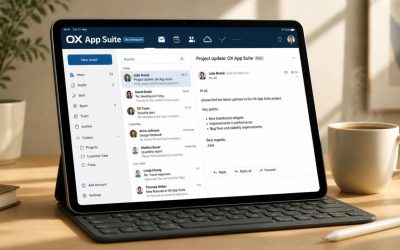
Every OX App Suite mailbox ships with webmail, a calendar module, a contacts address book, and OX Documents, a browser-based editor for text files, spreadsheets, and presentations that opens and saves without requiring a separate office suite to be installed locally. For a freelancer sending a formatted invoice or a project brief, this removes the step of switching between a mail client and a word processor, since drafts can be created and attached from the same interface.
The practical value shows up during client handoffs. A freelance designer or consultant can draft a scope-of-work document inside OX Documents, attach it directly to an outgoing message, and keep a synced copy without exporting files across platforms. This is not a replacement for dedicated design or accounting software. Still, it closes the gap for routine written correspondence, quotes, summaries, and contracts that make up most of a freelancer’s daily email traffic.
Where the Feature Set Falls Short for Solo Use
Some bundled modules assume a team context that a single freelancer won’t use fully. Shared task lists, group scheduling views, and multi-user document co-editing are available in the suite but sit idle on a one-person account, meaning part of what’s being paid for has no immediate use. This isn’t unique to OX App Suite; most collaboration-first platforms carry the same dead weight for solo users, but it’s worth naming honestly rather than pretending every feature earns its keep.
The upside is that none of this idle functionality gets in the way. Unused modules don’t clutter the webmail interface or slow down mail delivery, and a freelancer can ignore calendar-sharing settings entirely without any functional penalty. The practical question is whether the core email, storage, and document handling justify the cost on their own, independent of the collaboration features a solo operator won’t touch.
Custom Domain Email Setup for Independent Consultants
Using an email address at @yourname.com instead of a free webmail domain changes how prospects perceive a freelance business before any work has been delivered. Setting this up correctly requires a handful of DNS records configured with the right values, and even one wrong one can quietly break delivery for weeks.
MX, SPF, and DKIM Records Explained
Mail Exchange (MX) records tell the sending server which mail server accepts messages for a domain, and this is the first record a freelancer configures when pointing a domain at OX App Suite. Sender Policy Framework (SPF) is a DNS TXT record listing which servers are authorized to send mail on the domain’s behalf; without it, messages are more likely to land in spam folders regardless of content quality. SPF records support a maximum of 10 DNS lookups per RFC 7208, and freelancers who later add invoicing tools or CRM platforms often exceed that limit without realizing it, silently breaking authentication for every sending source on the domain.
DomainKeys Identified Mail (DKIM) adds a cryptographic signature to outgoing messages, generated from a private key held by the mail server and verified against a public key published in DNS. OX App Suite provisions DKIM keys on a per-domain basis, meaning each domain hosted under a reseller account gets its own signing key rather than sharing one across a provider’s entire customer base. This distinction matters if a freelancer ever migrates domains or runs multiple client-facing brands from separate mailboxes. Getting the DKIM TXT record copied exactly, with no trailing characters or line breaks, is the most common point of failure during setup.
Common DNS Mistakes That Break Deliverability
The most frequent error is publishing two SPF records instead of merging sending sources into one; most receiving servers treat this as a hard failure rather than choosing the more permissive one. A freelancer who already has SPF configured for a previous host and adds a second record for OX App Suite, instead of merging the include statements, effectively breaks authentication for all outgoing mail until someone catches it, often not until a client mentions their proposal landed in spam.
DMARC (Domain-based Message Authentication, Reporting and Conformance) policy misconfiguration causes similar damage in the opposite direction: setting a “reject” policy before SPF and DKIM are both confirmed to be working can cause legitimate mail to bounce entirely. The safer approach is to start DMARC in monitor-only mode, review the aggregate reports for a couple of weeks, then tighten the policy once alignment is confirmed. Freelancers managing their own DNS without prior email administration experience benefit from having a partner check the full record set before flipping any enforcement policy live.
Storage, Attachments, and Client File Handling
Freelancers who exchange large design files, video previews, or scanned contracts reach storage limits faster than the “professional email” marketing language suggests. How OX App Suite allocates and pools that storage affects whether a single mailbox is enough or whether a paid storage add-on becomes necessary within the first year.
Mailbox Size Limits and Attachment Handling
Standard OX App Suite mailboxes carry a defined storage allocation that covers mail, calendar data, and contacts combined, not mail alone, a detail that surprises freelancers who assume the quoted number is dedicated purely to inbox storage. Individual attachment size is capped separately from total mailbox storage, typically well under what’s needed to send an uncompressed video file or a large batch of high-resolution images directly through email. For attachments beyond that cap, the practical workaround is to upload to OX Drive and share a link instead of attaching the file directly, which also helps avoid triggering spam filters that flag unusually large messages.
This distinction matters operationally: a freelance photographer sending a client a gallery preview will hit the attachment ceiling long before hitting the mailbox storage ceiling. In contrast, a consultant archiving years of email correspondence will eventually hit the storage ceiling regardless of attachment size. Knowing which limit applies to a given workflow determines whether the fix is compressing files, upgrading storage, or simply archiving old threads locally.
OX Drive as an Extension of Mailbox Storage
OX Drive functions as a linked cloud storage layer rather than a separate product requiring its own login, and files stored there can be attached to outgoing messages as shareable links without duplicating the file into the message itself. This prevents sent-mail storage from ballooning whenever a freelancer resends the same portfolio PDF to a new prospect, since the link references a stored copy rather than creating a new attachment for each message.
For a freelancer working across multiple devices, OX Drive syncs through a desktop or mobile client the same way a standalone cloud storage service would. Still, it draws from the same account and billing relationship as the mailbox rather than requiring a separate subscription. The trade-off is that OX Drive’s allocation is typically pooled with, or capped relative to, the mailbox’s total storage plan, so heavy Drive usage for client asset delivery can reduce the headroom left for mail archiving. Freelancers with large file-sharing needs should size their plan around combined usage rather than mailbox storage in isolation.
Security and Spam Protection for Solo Operators
A freelancer without an IT department is a more attractive phishing target than a large company, not less, because there’s no second person to catch a convincing invoice-fraud email before it’s paid. Security features that ship by default, rather than requiring manual configuration, carry more real-world weight for solo users than for teams with dedicated security staff.
 OX Guard and Message-Level Encryption
 OX Guard and Message-Level Encryption
OX Guard adds end-to-end encryption and digital signing at the message level, using OpenPGP-based key pairs rather than relying solely on transport-layer encryption between servers. This matters for freelancers handling sensitive material, signed contracts, financial statements, health-adjacent consulting data, where the content itself needs protection, not just the connection carrying it. Transport Layer Security (TLS) protects mail in transit between servers. Still, once a message lands in an inbox, encryption at rest and per-message signing depend on tools like OX Guard rather than the mail protocol itself.
Setup requires generating or importing a key pair and exchanging public keys with regular correspondents, which is more friction than a typical freelancer wants for day-to-day quotes and scheduling emails. In practice, most solo operators reserve OX Guard for a specific subset of sensitive threads, signed contracts, and clients’ financial documents, rather than encrypting everything by default, since recipients without compatible PGP tools can’t easily read an encrypted message without extra steps on their end.
Spam Filtering and Phishing Defense by Default
Anti-spam and anti-virus filtering runs at the mail-gateway level before messages reach the inbox, scanning for known malware signatures and spam-pattern heuristics without requiring the user to configure rules manually. For a freelancer, this baseline filtering matters more than advanced encryption tools day-to-day, since phishing and invoice fraud attempts arrive far more often than genuinely sensitive documents that need PGP protection. Two-factor authentication, when enabled on the account, adds a second verification step beyond the password, closing off the most common way a freelancer’s business email gets compromised, a reused or guessed password with no secondary check.
Renewal reviews commonly surface a stale SPF that nobody remembers adding, usually left behind from a marketing tool or CRM trial that was never fully removed, and it sits there quietly until a deliverability problem forces someone to audit the record. Solo freelancers, without a colleague to flag configuration drift, are more likely to carry these leftover entries for years than a team with rotating IT oversight would.
| Security Feature | OX App Suite | Typical Free Webmail |
|---|---|---|
| Message-level encryption (PGP-based) | Available via OX Guard | Not natively available |
| Two-factor authentication | Supported | Supported on major providers only |
| Custom domain DKIM signing | Per-domain key provisioning | Shared or unavailable |
| Anti-spam/anti-virus gateway filtering | Included by default | Included, less configurable |
| DMARC reporting visibility | Available through DNS setup | Not applicable without custom domain |
| Admin-level account recovery options | Available through reseller support | Self-service only |
| Encrypted file storage (Drive) | Available | Varies by provider |
| Business-grade SLA-backed support | Available through partner channel | Community/forum support typical |
Mobile Access and Cross-Device Sync for Freelancers
A freelancer working from a laptop, a phone, and occasionally a client’s borrowed conference room device needs mail, calendar, and contacts to stay consistent across all three without manual re-entry. How OX App Suite handles that sync depends on whether access is through its native app or a generic mobile mail client.
Native App vs. Standard IMAP/POP3 Mail Clients
 Native App vs. Standard IMAP/POP3 Mail Clients
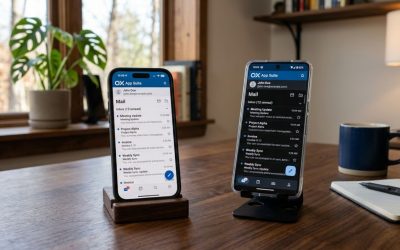
The OX App Suite mobile application syncs mail, calendar, contacts, and Drive files through a unified connection, pushing changes in near real time and preserving folder structures and read/unread states consistently across devices. Configuring the same account through a generic phone mail app using IMAP (Internet Message Access Protocol) will retrieve and sync mail correctly, since IMAP keeps messages on the server and mirrors folder state, but calendar and contact sync typically requires a separate CalDAV/CardDAV configuration that the native app handles automatically without extra setup steps.
POP3 (Post Office Protocol), by contrast, downloads mail to a single device and is generally a poor fit for freelancers who check email from more than one device, since messages marked read on a phone won’t reflect that status on a laptop unless the client is specifically configured to leave copies on the server. Freelancers standardizing on IMAP or the native app avoid this inconsistency entirely, and it’s worth confirming which protocol a mail client defaults to before assuming multi-device sync will work.
Calendar and Contact Sync Across Devices
Calendar and contact synchronization outside the native app relies on CalDAV and CardDAV, open standards for syncing calendar events and contact records, respectively, which most modern phone operating systems support natively once the correct server address is entered. This means a freelancer can keep using their phone’s built-in calendar app rather than switching to OX’s interface, provided the CalDAV endpoint is configured correctly. However, initial setup requires manually entering server URLs that the native app would otherwise handle automatically.
The practical trade-off is setup time versus interface preference: the native app requires no manual server configuration. Still, it locks the user into OX’s own calendar and mail views. In contrast, CalDAV/CardDAV configuration takes a few extra minutes upfront but lets a freelancer keep their preferred phone-native calendar and contacts apps. Neither approach affects reliability once configured correctly; both keep events and contacts consistently synced. Hence, the choice comes down to whether a freelancer prefers a single unified app or wants to keep using familiar device-native tools.
Buy OX App Suite Email Through an Authorized Partner
Getting DNS records, DKIM provisioning, and mobile sync configured correctly the first time saves the deliverability headaches described above. Hiya Digital, as an Authorized Partner and Reseller of OX App Suite Email Service, handles setup and ongoing support so a freelancer’s domain reputation stays clean from day one.

OX App Suite vs. Google Workspace for Freelancers
Most freelancers comparing business email have already used Gmail personally, which makes Google Workspace the default mental benchmark even when it isn’t necessarily the better technical fit. The real differences show up in calendar architecture, document collaboration philosophy, and how each platform treats a single-user account.
Interface Familiarity vs. Feature Depth
Google Workspace’s webmail and calendar interfaces closely mirror the free Gmail and Google Calendar products most freelancers already know, which shortens the learning curve to nearly zero for anyone migrating from a personal Gmail account. OX App Suite’s webmail interface is comparably capable but visually and structurally different, meaning there’s a short adjustment period even for freelancers who are otherwise technically comfortable; folder organization, settings menus, and compose-window behavior all sit in different places than a longtime Gmail user would expect.
Where OX App Suite pulls ahead is in bundled document handling reaching further into spreadsheet and presentation editing without a separate subscription tier, and in calendar/contact sync relying on the open CalDAV/CardDAV standard rather than a proprietary sync protocol, meaning a freelancer isn’t locked into Google’s own calendar app to get reliable cross-device sync, unlike Google Workspace, which pushes users toward its own first-party apps for the smoothest experience. Both approaches work; the choice depends on whether interface familiarity or open-standard flexibility matters more to a given freelancer’s existing toolchain.
Collaboration Tools for a One-Person Business
Google Workspace’s real-time collaborative editing in Docs and Sheets is built around multiple simultaneous editors, a feature a solo freelancer rarely uses beyond the occasional need to share a document for client comment. OX Documents offers comparable file creation and editing, as well as sharing links via OX Drive. Still, its collaborative editing is less mature in scenarios with many simultaneous external collaborators, which matters less to a freelancer working mostly alone than to an agency team.
The more relevant comparison point for a solo operator is the cost structure relative to features actually used: Google Workspace’s per-user pricing includes collaboration depth that a freelancer may never use, while an OX App Suite plan through a reseller can be scoped more closely to what a single mailbox with document and Drive access actually needs. Neither platform is objectively superior for every freelancer; a consultant regularly co-editing documents with outside partners may prefer Workspace’s collaboration strength, while one prioritizing custom-domain email with lighter document needs may find OX App Suite’s bundle a tighter fit.
| Comparison Point | OX App Suite | Google Workspace | Microsoft 365 |
|---|---|---|---|
| Calendar/contact sync standard | Open CalDAV/CardDAV | Proprietary Google sync | Exchange ActiveSync |
| Real-time multi-user document co-editing | Limited | Extensive | Extensive |
| Native message-level PGP encryption | Yes (OX Guard) | No (third-party add-on required) | No (third-party add-on required) |
| Typical minimum billed users | 1 (freelancer-friendly) | 1 | 1 |
| Desktop office suite included | No (browser-based only) | No (browser-based only) | Yes (with higher tiers) |
| Storage pooling across mail and Drive | Yes | Separate quotas | Separate quotas |
| Admin console complexity for solo users | Low | Moderate | Moderate to high |
| Reseller-managed billing available | Yes | Limited | Yes |
OX App Suite vs. Microsoft 365 for Solo Professionals
Microsoft 365 has strong brand recognition among enterprise clients, which sometimes leads freelancers to assume it’s the safer choice, even if they don’t need its full feature set. Administrative complexity and licensing structure separate the two platforms more than raw email functionality does.
Admin Console Complexity for a Single User
 Admin Console Complexity for a Single User
Microsoft 365’s admin center is built to manage security groups, conditional access policies, and compliance settings across potentially thousands of users, and a freelancer logging in to manage a single mailbox encounters most of that same interface regardless of scale. OX App Suite’s mailbox-level permission model is comparatively lightweight for a solo account; permissions and access controls exist for scenarios involving shared or delegate mailboxes, but a single-user account doesn’t surface the deeper policy layers that Microsoft 365 exposes by default, even when they’re not being used.
This isn’t a criticism of Microsoft 365’s design, which makes sense for its primary enterprise market. Still, it does mean a freelancer managing their own account without dedicated IT support may find OX App Suite’s admin surface faster to understand and less prone to accidental misconfiguration. A permission setting buried three menus deep in an enterprise-oriented console is more likely to get changed by mistake than one in a simpler, single-purpose interface.
Licensing Tiers and What’s Actually Needed Solo
Microsoft 365’s tier structure bundles desktop versions of Word, Excel, and Outlook at higher price points, which appeals to freelancers who specifically want offline-capable desktop office software rather than browser-based tools. A freelancer who doesn’t need offline document editing and who’s comfortable with browser-based tools is often paying for desktop app licensing they won’t use if they default to a mid-tier Microsoft 365 plan without checking what’s actually included at each level.
OX App Suite’s plans, particularly through a reseller relationship, can be scoped more narrowly to mailbox, calendar, contacts, and browser-based document access, without bundling desktop software licensing that a solo user doesn’t need. The trade-off is the reverse of the Microsoft comparison: a freelancer who genuinely needs full offline Word and Excel functionality for client deliverables may find that need better served by Microsoft’s desktop-inclusive tiers, even at a higher cost, than by a browser-only alternative.
Migration From Gmail or Free Webmail to OX App Suite
Moving years of email history, contacts, and calendar events off a free Gmail or Outlook.com account is the step that causes the most hesitation, not the ongoing cost of a paid mailbox. The actual risk is narrower than most freelancers assume, provided the migration is sequenced correctly.
What Transfers Automatically and What Doesn’t
Mail migration tools typically move message content, folder structure, and read/unread status reliably when configured with the correct source credentials, and contacts export cleanly through standard formats like vCard that both old and new platforms support. What doesn’t transfer cleanly without manual attention is anything tied to the old address specifically, mailing list subscriptions, two-factor authentication recovery settings on other services, and any automation (invoicing tools, CRM notifications) still pointed at the old inbox rather than the new custom-domain address.
Storage pooling behavior also differs during migration: a freelancer moving from a 15GB free Gmail account into an OX App Suite plan needs to confirm the destination mailbox’s combined mail-and-Drive allocation actually covers the incoming volume, since importing years of attachments can consume more of a pooled quota than the freelancer expects if Drive usage is added on top of existing mail storage. Checking this before migration, not after, avoids a mid-transfer storage ceiling interrupting the import.
Sequencing a Migration to Avoid Downtime
The safer sequence sets up the new OX App Suite mailbox and confirms DNS propagation before touching the old account, then runs a parallel period in which both inboxes remain active. At the same time, mail history migrates in the background, and outgoing correspondence gradually shifts to the new address. Cutting over the MX record before confirming the new mailbox is fully provisioned and DNS-verified is the most common cause of freelancers experiencing a gap where incoming mail bounces or gets lost during the transition window.
A gradual redirect, updating email signatures, invoicing platforms, and client-facing profiles to the new address over a few weeks rather than all at once, reduces the number of places still pointed at the old inbox when it’s eventually retired. Freelancers who skip this step and switch everything at once are more likely to miss a client reply sent to the old address after cutover, simply because nobody is still checking it.
Pricing Models, Renewal Terms, and Cost Planning
Introductory pricing on business email plans rarely reflects what a freelancer actually pays in year two, and the gap between first-term and renewal pricing is one of the most common sources of billing surprise across the hosted email category generally, not specific to any one provider.
Introductory vs. Renewal Pricing Structures
Most business email providers, including OX App Suite resellers, price the first billing term lower than subsequent renewal terms, a structure common enough in the hosting and email industry that it shouldn’t be treated as a red flag on its own. Still, it does mean a freelancer budgeting based on the sign-up price alone will likely see an increase at renewal. The size of that increase varies by reseller and plan tier, so it’s worth asking directly in writing what the renewal rate will be before signing, rather than assuming it matches the introductory rate.
Add-ons, extra storage, and additional mailboxes for a future hire are typically billed on top of the base mailbox price rather than being bundled in by default. A freelancer planning to scale from solo to a small team within the year should ask about the multi-mailbox pricing structure up front, since per-mailbox costs sometimes drop at higher seat counts in ways that aren’t obvious from a single-user quote.
What to Confirm Before Signing a Contract
Grace periods, the window after a renewal payment is missed before a mailbox is suspended or deleted, vary meaningfully between providers and are worth confirming in writing before signing, since losing access to years of client correspondence over a missed renewal notification is a disproportionate consequence for what’s often an administrative oversight rather than an intentional cancellation. Reseller-managed accounts add a layer here: because Hiya Digital operates as an Authorized Partner rather than the underlying infrastructure owner, billing terms, grace periods, and renewal timing are governed by the reseller agreement, and a freelancer should confirm these specifics with their chosen partner rather than assuming they match generic industry norms.
Domain transfer terms matter too if a freelancer ever switches resellers or providers; confirming upfront that DNS records, mailbox exports, and historical mail remain accessible during the transition helps avoid starting from scratch when switching providers. None of this makes reseller-based pricing worse than buying directly from a platform owner; it just means the specific terms are tied to the reseller relationship and are worth reading rather than assuming.
Scaling From Solo Freelancer to Small Team
Freelancers who bring on a subcontractor, a part-time assistant, or eventually incorporate into a two- or three-person studio need their email setup to absorb that growth without a full platform migration. OX App Suite’s account structure supports this expansion, though the transition surfaces a few decisions a solo freelancer hasn’t had to make before.
Adding Mailboxes Without Rebuilding the Domain
 Adding Mailboxes Without Rebuilding the Domain
Adding a second mailbox to an existing custom domain involves provisioning a new account within the same domain’s DNS setup. The MX, SPF, and DKIM records already in place continue to serve the new mailbox without requiring separate DNS configuration, provided the new address is correctly added on the mail platform. This is meaningfully simpler than what a freelancer faced during their original setup, since the domain-level authentication work is already done.
Shared calendars introduce a permission layer that a solo account never needed: OX App Suite separates calendar visibility from calendar editing rights, meaning a freelancer bringing on an assistant can grant read access to a project calendar without also granting the ability to modify or delete existing entries. Getting this permission separation right early avoids the more disruptive problem of having to walk back overly broad access after a new team member has already been working in the shared calendar for weeks.
Deciding When Delegated Access Makes Sense
Delegated mailbox access, letting an assistant send on behalf of the freelancer’s primary address rather than provisioning them a fully separate mailbox, makes sense for narrow, high-trust tasks like scheduling replies. Still, it blurs accountability if used broadly, since messages sent through delegation don’t always make clear to the recipient which person actually wrote them. A separate mailbox under the same domain, by contrast, gives a subcontractor or assistant a clearly attributable address while still presenting a unified, professional domain to clients.
The decision point is usually trust and task scope: a bookkeeper who only needs to view invoicing threads is better served by narrow, read-only delegated access than a full mailbox, while a subcontractor doing client-facing work under the studio’s name needs their own address entirely. Freelancers scaling for the first time tend to default to whichever option is easier to set up rather than the one that matches the actual working relationship, which is usually the wrong call in hindsight.
Frequently Asked Questions
Is OX App Suite email worth the cost for a freelancer with a small client base?
For a freelancer sending fewer than a few hundred emails a month, the value depends less on volume and more on whether a custom-domain address changes how clients perceive quotes and contracts arriving from it. A freelancer already losing occasional work to perceived unprofessionalism, a prospect commenting on a Gmail-based invoice, for instance, sees more direct return than one whose client base has never raised it. Reseller pricing scoped to a single mailbox tends to be lower than assuming enterprise-tier pricing applies, so it’s worth getting an actual quote rather than estimating from generic per-seat pricing seen for larger Workspace or Microsoft 365 deployments, which often isn’t representative of a single-mailbox freelancer plan.
Does OX App Suite work with Outlook as a desktop mail client?
Yes, OX App Suite mailboxes connect to Microsoft Outlook using standard IMAP and SMTP settings, which reliably cover mail sync. Calendar and contact sync into Outlook specifically sometimes requires an added connector or plugin rather than working natively out of the box the way it does with phone-native CalDAV/CardDAV support, so a freelancer who relies heavily on Outlook’s calendar view day-to-day should confirm connector compatibility with their reseller before assuming full parity with Outlook’s native Microsoft 365 calendar integration, since the setup step differs from a purely IMAP mail connection.
Can I keep my old Gmail address active as a backup during migration?
Yes, and it’s generally the safer approach rather than an unnecessary extra step. Keeping the old Gmail account active in read-only or forwarding mode for several weeks after cutover catches any client, vendor, or subscription still sending to the old address before it’s fully retired. A common mistake is closing or abandoning the old account too soon, only to discover months later that a specific client contact or annual renewal notice never got updated to the new domain and went unanswered during the gap.
What happens to my mailbox if I miss a renewal payment?
This depends on the reseller agreement’s specific grace period terms, which is exactly why confirming that window in writing before signing matters more than assuming a standard timeframe applies. Ask specifically: how many days after a missed payment the mailbox is suspended, how many additional days before content is permanently deleted, and whether an automated notification is sent to a secondary contact address before either threshold is reached. A freelancer relying on a single card on file, with no backup payment method or alert system, is the most common scenario in which a routine card expiration turns into an unplanned mailbox suspension.
Is my email actually more secure with OX App Suite than free webmail?
The baseline anti-spam and anti-virus filtering is broadly comparable to what major free webmail providers already offer. Hence, security improvements mainly come from features that free webmail doesn’t provide at all: custom-domain DKIM signing, optional message-level PGP encryption through OX Guard, and admin-level account recovery support through a reseller rather than relying solely on self-service password reset flows. A freelancer handling routine correspondence sees a modest security improvement; one occasionally exchanging signed contracts or financial documents sees a more meaningful one, since that’s specifically where OX Guard’s encryption applies.
How much storage does a freelancer typically need?
This varies widely by industry; a writer or consultant who exchanges mostly text-based correspondence uses a small fraction of a standard mailbox allocation even after years of history, while a photographer or video editor who shares large files hits attachment and storage ceilings much faster. A reasonable starting point is to review roughly six months of existing email volume, including attachments, and project forward, rather than guessing. Providers and resellers can usually pull actual usage figures from an existing account before migration to inform this decision, rather than relying on estimates.
Can I use OX App Suite email on multiple phones and a shared computer?
Yes, mail, calendar, and contacts sync across as many devices as needed via either the native app or a standard IMAP/CalDAV/CardDAV configuration, and there’s no per-device limit tied to a single mailbox, unlike some legacy email systems that historically imposed one. The consideration worth flagging is a shared or borrowed computer: logging into webmail from a public or shared machine and forgetting to log out leaves the account accessible to the next user, which is a device-hygiene issue rather than a platform limitation, but worth mentioning since freelancers working from co-working spaces or client offices encounter this more often than office-based employees.
Does switching to OX App Suite affect my existing email signature and branding?
The switch itself doesn’t affect signature formatting. Still, it does require rebuilding the signature manually in the new webmail interface or mail client, since signatures don’t typically migrate automatically between platforms during an email migration. This is a good opportunity to update a signature that’s gone stale, an old phone number, a defunct social link, rather than simply recreating exactly what existed before. Logo images embedded in signatures should be re-uploaded and tested on both desktop and mobile views, as rendering can differ slightly across platforms.
What’s the actual difference between buying through a reseller versus directly from Open-Xchange?
A reseller relationship, such as Hiya Digital’s role as an Authorized Partner, typically means more direct, responsive support for setup, DNS troubleshooting, and billing questions than what’s available through a large platform’s general support channel, along with pricing and contract terms scoped to the reseller’s own customer base rather than a single global rate card. The underlying mail infrastructure and feature set are the same regardless of the purchase channel. Since the reseller isn’t operating separate servers, the difference is entirely in support responsiveness, billing flexibility, and account management, not in the technology itself.
Can I use OX App Suite for both personal and freelance business email on one domain?
Technically, yes, provisioning separate mailboxes like hello@ and personal@ under the same domain, but mixing personal and business correspondence on a domain used for client-facing invoicing carries a practical risk: any DNS or authentication issue affecting the domain impacts both simultaneously. A personal subscription service accidentally sent to a business-branded address (or vice versa) creates a small but real inconsistency in professionalism. Most freelancers who scale past a certain point separate the two, either with distinct domains or by keeping strictly personal accounts on a different provider entirely. Still, a single-domain setup with clearly separated mailboxes works fine at a smaller scale.
Glossary
MX Record: A DNS record specifying which mail server accepts incoming email for a domain.
SPF (Sender Policy Framework): A DNS TXT record listing servers authorized to send mail for a domain, used to reduce spoofing.
DKIM (DomainKeys Identified Mail): A cryptographic signing method that verifies an email wasn’t altered in transit and originated from an authorized server.
DMARC: A policy layer built on SPF and DKIM that tells receiving servers how to handle messages failing authentication checks.
IMAP (Internet Message Access Protocol): A mail retrieval protocol that keeps messages stored on the server and syncs state across multiple devices.
POP3 (Post Office Protocol): A mail retrieval protocol that downloads messages to a single device, generally unsuited to multi-device use.
CalDAV / CardDAV: Open standards for syncing calendar events and contact records across devices and applications.
TLS (Transport Layer Security): Encryption protecting data in transit between mail servers, distinct from message-level encryption at rest.
OX Guard: OX App Suite’s message-level encryption and digital signing tool, based on OpenPGP key pairs.
OX Drive: OX App Suite’s linked cloud storage module, sharing an account and billing relationship with the mailbox.
Grace Period: The window after a missed renewal payment before a mailbox is suspended or its data deleted.
The Hiya Digital Team is a collective of IT infrastructure specialist engineers, certified systems administrators, and cloud architects driven by a singular mission: building corporate communication systems that just work. As an Authorized Google Partner, the team handles complex global hosting deployments, secure email migrations, and advanced data compliance architectures for businesses across 40+ countries.
With over two decades of technical experience spanning custom premium business email configurations, OX AppSuite deployments, and enterprise-level network security, the Hiya Digital Team writes to demystify domain infrastructure. Their content focuses on actionable technical strategies, anti-phishing security protocols, and seamless cloud collaboration setup, all backed by real-world deployment experience and 24/7 technical support accountability.