Switch to Professional Email Powered by OX App Suite →
Spam Filtering and Anti-Virus Scanning in OX App Suite
Inbound mail in OX App Suite mailboxes typically passes through a layered filtering engine before reaching the inbox, screening for known spam signatures, malicious attachments, and phishing patterns. The depth of that filtering, how aggressively it quarantines, how often it retrains against new spam patterns, and whether outbound scanning is included usually depend on the license tier a reseller has provisioned, not on OX App Suite as a single, fixed product.
 How the Filtering Layer Actually Works
 How the Filtering Layer Actually Works
Most OX App Suite deployments route mail through a SpamExpert-style filtering layer before it ever touches the mailbox, scoring each message against spam signatures, sender reputation, and heuristic pattern checks. Messages above a threshold get quarantined rather than deleted outright, which matters for administrators who need to review false positives. A legitimate invoice from a new vendor domain, for instance, can score high enough to get flagged simply because the sending domain has no email history. Anti-virus scanning runs as a separate pass, checking attachments against signature databases before delivery, and it typically blocks executable file types outright regardless of the scan result.
The practical detail that trips people up during setup is that filtering aggressiveness and quarantine retention windows are configured at the reseller or admin level, not fixed by OX App Suite itself. A reseller managing licensing for dozens of domains can set stricter thresholds for a law firm than for a marketing agency that sends high volumes of cold outreach. This is a reseller-managed licensing decision, and it means two businesses on the “same” OX App Suite plan can experience meaningfully different spam behavior depending on how their provider configured the filter tier at provisioning time.
What Gets Missed and Why
No spam filter catches everything, and OX App Suite’s layer is no exception; spear-phishing emails that mimic a known contact’s writing style and domain-spoof low-reputation lookalike domains routinely slip past signature-based detection because they don’t match known spam patterns. This is a structural limitation of signature and heuristic scoring generally, not something specific to how OX implements filtering; the same gap exists across most mid-market anti-spam engines. Businesses handling wire transfers or sensitive client data usually need a secondary verification habit, calling to confirm any payment change request, because no filtering layer alone closes that risk.
Renewal reviews often surface a stale SPF record that nobody remembers adding, and it’s often discovered only after a filtering false positive forces someone to read the DNS record closely. That pattern, filtering catching a symptom of a deeper authentication misconfiguration, comes up often enough that it’s worth checking SPF and DKIM alignment whenever spam filtering behavior changes unexpectedly, rather than assuming the filter itself has degraded.
SPF, DKIM, and DMARC Domain Authentication
Sender Policy Framework (SPF), DomainKeys Identified Mail (DKIM), and Domain-based Message Authentication, Reporting and Conformance (DMARC) are the three DNS-published records that tell receiving mail servers whether a message claiming to come from your domain is legitimate. OX App Suite supports all three, but each requires manual DNS configuration; none of them activate automatically when a mailbox is provisioned.
DKIM Key Provisioning on OX Domains
DKIM works by attaching a cryptographic signature to outgoing mail, generated from a private key held by the sending server, which the receiving server verifies against a public key published in DNS. In OX App Suite deployments, DKIM keys are typically generated per domain rather than shared across a reseller’s entire customer base, so each domain added to the platform requires its own DKIM TXT record to be published before outbound signing takes effect. This per-domain provisioning model is a deliberate architectural choice; shared keys across unrelated domains would weaken the authentication guarantee that DKIM is meant to provide, since a compromise of one domain could affect all domains signing with the same key.
The failure mode administrators hit most often is publishing the DKIM record with a typo in the selector name, which causes silent authentication failures; mail still delivers, but without the SPF/DKIM alignment DMARC checks for, so deliverability quietly degrades over weeks rather than failing outright. Testing the record with a DKIM validator immediately after publishing, rather than assuming propagation has succeeded, catches this before it affects the sender’s reputation.
SPF Records and the 10-Lookup Limit
SPF works differently: instead of signing messages, it publishes a list of servers authorized to send mail on a domain’s behalf, and receiving servers check the sending IP against that list. As defined in RFC 7208, SPF evaluation is capped at 10 DNS lookups per check, and exceeding that limit causes the entire SPF check to fail, a limit that catches businesses who’ve added several include mechanisms for different tools (a CRM, a marketing platform, a helpdesk) without realizing each include often triggers its own nested lookups.
Domains migrating to OX App Suite from another provider frequently carry over old SPF includes for services they no longer use, silently consuming lookup budget and pushing newer legitimate includes past the limit. DMARC then compounds this: it references the SPF and DKIM results to decide whether to quarantine, reject, or deliver mail claiming to be from the domain, and a domain running in enforcement mode (p=reject) with a broken SPF record can lose legitimate mail entirely rather than just seeing it flagged as spam. Auditing the SPF record before enabling DMARC enforcement, not after, is the sequence that avoids this.
OX Guard and Message-Level Encryption
Transport-layer encryption protects mail in transit between servers, but it doesn’t protect the message content itself from anyone with access to the mailbox at rest. OX Guard is Open-Xchange’s built-in encryption module, designed to add end-to-end, PGP-based encryption and digital signing at the message level for users who need content protection beyond standard transport security.
What OX Guard Actually Encrypts
OX Guard uses OpenPGP-standard key pairs to encrypt message bodies and attachments before they leave the sender’s mailbox, meaning the content is unreadable to anyone without the recipient’s private key, including, in principle, the hosting infrastructure itself. This distinguishes it from TLS-in-transit protection, which secures the connection between mail servers but leaves the message readable once it lands in a mailbox. A firm handling regulated data, such as health records or financial statements under confidentiality obligations, typically needs this message-level layer specifically because transport encryption alone doesn’t satisfy “data at rest” protection requirements common in compliance frameworks.
Key management is the part that trips up first-time OX Guard users. Each user generates or imports their own key pair, and if a private key is lost without a backup, previously encrypted messages become permanently unreadable. There’s no recovery mechanism built around administrator override, because that would defeat the purpose of end-to-end encryption. Businesses adopting OX Guard for compliance reasons need a documented key-backup process from day one, not as an afterthought once someone has already lost access to three months of encrypted correspondence.
Where OX Guard Doesn’t Apply
OX Guard encrypts messages between users who both have it configured with exchanged public keys; it doesn’t retroactively encrypt a mailbox’s existing message history, and it doesn’t encrypt messages to recipients outside the OX Guard ecosystem unless they use a compatible PGP client to decrypt a specially formatted message. Sending an OX Guard-encrypted email to a Gmail user who has no PGP setup typically results in the recipient getting a password-protected message or a notification to retrieve the content through a secure portal, rather than a seamlessly encrypted inbox experience, a workflow difference worth explaining to stakeholders before assuming encrypted correspondence with external partners will feel invisible.
It also doesn’t replace DKIM, SPF, or DMARC. Encryption protects content confidentiality, not sender authenticity, so a domain can have OX Guard fully configured and still be vulnerable to spoofing if its DNS authentication records are incomplete. Businesses sometimes conflate the two and assume that encryption alone solves the impersonation risk; the two protections address different threats, and both require independent configuration.
TLS Encryption and Connection Security
Transport Layer Security (TLS) protects the connection between a mail client and the mail server, and, separately, between sending and receiving mail servers, encrypting data in transit rather than at rest. OX App Suite supports TLS/STARTTLS across IMAP, POP3, and SMTP connections. Still, enforcement, whether a connection is rejected or merely unencrypted when TLS isn’t available, depends on client configuration as much as server settings.
Opportunistic vs. Enforced TLS
STARTTLS is opportunistic by design: a connection starts unencrypted and upgrades to TLS if both ends support it, but if the receiving server doesn’t offer STARTTLS, most sending servers fall back to unencrypted delivery rather than refusing to send. This matters for outbound mail to domains with poorly configured mail servers: the message still delivers, but without transit encryption, and neither the sender nor the recipient typically receives an explicit warning that this happened. Administrators who need guaranteed transport encryption to specific partner domains generally configure MTA-STS or forced-TLS policies at the DNS and mail-server level, which is a separate configuration layer from simply “having TLS available.”
Client-side behavior adds another variable: the official OX Mail mobile app enforces TLS connections by default and won’t silently downgrade, whereas a native IMAP client configured manually by an end user can be set to accept unencrypted connections if someone selects the wrong port during setup. This is a real gap that administrators encounter during migrations: a user who manually configures Outlook or Apple Mail to connect to an OX App Suite mailbox can inadvertently choose a non-TLS port, and unless server-side policy blocks non-TLS connections entirely, the mailbox will accept them.
Certificate Validation and Common Misconfigurations
TLS connection security depends on valid certificate chains, and a lapsed or misconfigured certificate on the mail server side causes client warnings that many users learn to click through rather than investigate, a habit that erodes the protection TLS is meant to provide. Reseller-managed OX App Suite deployments typically handle certificate renewal automatically as part of the hosting service. Still, domains with custom mail server configurations or self-managed certificates need an explicit renewal calendar, since expired certificates can silently degrade to unencrypted fallback on clients that don’t strictly enforce validation.
A second common issue arises during domain migrations: pointing MX records to a new mail server before the TLS certificate for that server is fully provisioned creates a window in which inbound mail either fails TLS negotiation or falls back to plaintext, depending on the sending server’s configuration. Sequencing certificate provisioning ahead of the DNS cutover, rather than simultaneously, avoids this gap entirely.
Two-Factor Authentication and Login Protection
Two-factor authentication (2FA) adds a second verification step, typically a time-based one-time code from an authenticator app, beyond a mailbox password, closing the most common account-compromise vector: credential reuse from an unrelated data breach. OX App Suite supports 2FA at the account level, but whether it’s enforced for every user or left optional depends on how the administrator configures permission profiles.
How 2FA Enforcement Ties to Permission Profiles
 How 2FA Enforcement Ties to Permission Profiles
Enabling 2FA for an individual OX App Suite mailbox is usually a self-service setting that a user can configure in their account preferences. Still, enforcing it organization-wide requires an administrator to apply the policy at the mailbox-level permission model rather than trusting individual users to opt in. This distinction matters in practice: a business that enables 2FA but doesn’t enforce it organization-wide often discovers only after a credential-stuffing incident that the compromised account belonged to the one team member who never enabled it. Enforcement at the permission-profile level closes that gap by making 2FA a condition of account access rather than a personal preference.
Recovery planning is the part most businesses skip during setup: if a user loses access to their authenticator app and has no backup codes saved, regaining mailbox access typically requires an administrator to temporarily reset the 2FA requirement. Without a documented recovery process, this becomes a support bottleneck; a locked-out executive during a time-sensitive negotiation is a bad moment to be improvising a reset procedure for the first time.
What 2FA Does Not Protect Against
2FA protects the login step specifically; it doesn’t protect against a user being tricked into approving a fraudulent session through a real-time phishing proxy, a technique that has become common enough to bypass one-time-code 2FA on other platforms and applies in principle to any TOTP-based system, OX App Suite included. It also doesn’t protect a mailbox once a session token is active; a compromised device with an open webmail session bypasses the login step entirely, which is why session-timeout policies and device management matter as complementary controls rather than a substitute.
It’s also worth being direct about a limitation businesses sometimes assume away: 2FA doesn’t retroactively secure email already sent or received before it was enabled. It doesn’t encrypt message content the way OX Guard does; the two controls solve different problems, and neither compensates for the other’s absence.
OX App Suite Security Features by Configuration Layer
| Feature | Configuration Level | Default State | Enforcement Scope |
|---|---|---|---|
| SPF | DNS (domain owner) | Not published automatically | Domain-wide |
| DKIM | DNS + server (per-domain key) | Not active until published | Domain-wide |
| DMARC | DNS (domain owner) | Not published automatically | Domain-wide |
| OX Guard | Per-user key pair | Off | Per-message, per-recipient pair |
| 2FA | Per-user or permission profile | Off unless enforced by admin | Per-account |
| TLS/STARTTLS | Server + client | Opportunistic, not enforced | Per-connection |
| Anti-spam/anti-virus | Reseller license tier | On, threshold varies by tier | Domain-wide |
| Storage pooling | Reseller/admin configuration | Varies by plan | Organization-wide |
| Delegated mailbox access | Per-mailbox permission | Off | Per-delegate |
| Audit log retention | Reseller plan tier | Varies, not uniform | Per-admin panel |
Choose an Authorized OX App Suite Partner for Deployment
Two-factor authentication, DKIM key provisioning, and OX Guard encryption all need to be configured correctly at setup, not patched together after a security incident. Hiya Digital, as an Authorized Partner and Reseller of OX App Suite Email Service, helps businesses configure these controls correctly from the first mailbox provisioned, rather than reverse-engineering them under pressure.

Mailbox-Level Permission Models and Admin Controls
OX App Suite organizes access around a mailbox-level permission model that determines what any given user, delegate, or administrator can view, modify, or send on behalf of another account. This model extends beyond the inbox itself into shared folders, Drive storage, and delegated send permissions, and misconfiguring it is one of the more common sources of accidental data exposure in shared business mailboxes.
Delegated Access and Send-As Permissions
Delegated access lets one user manage another’s mailbox, common for executive assistants managing an executive’s calendar and inbox, and OX App Suite’s permission structure allows granular control over whether a delegate can only read, can read and reply, or can send new messages under the primary account’s identity. The risk businesses underestimate is scope creep: a delegate granted full send-as access for a temporary project often retains that access long after the project ends, because permission reviews aren’t built into most onboarding-offboarding checklists by default.
Admin-level controls extend to storage quotas tied to OX Drive, where administrators can set per-user or per-department storage caps independent of mailbox size limits, meaning a user could have ample email storage but still hit a Drive ceiling that blocks document uploads via shared folders. This separation between mailbox quota and Drive quota is a detail that catches administrators who assume a single storage number governs the whole account. It’s worth checking both limits separately during any storage-related support ticket.
Audit Visibility for Administrators
Administrators managing OX App Suite through a reseller-provisioned control panel typically have visibility into login activity, permission changes, and storage usage per mailbox. Still, the depth of that audit trail depends on the plan tier the reseller has configured, rather than being uniform across all deployments. A business relying on audit logs for compliance purposes, proving who accessed a mailbox and when, for instance, needs to confirm log retention length and granularity with their provider before assuming a default configuration meets a specific regulatory requirement.
A recurring gap worth flagging directly: permission changes made by an administrator aren’t always surfaced to the affected user in real time, which means a mailbox owner can be unaware their delegate access has been modified or revoked until they attempt an action that now fails. Businesses with strict internal access policies often add their own notification workflow, an internal ticket or Slack alert tied to permission changes, because OX App Suite doesn’t generate one automatically for every permission adjustment.
Mobile Device Security and Sync Behavior
Mobile access to OX App Suite mailboxes occurs through two distinct paths: the native OX Mail app or a device’s built-in mail client configured via standard protocols. The security posture differs meaningfully between them, particularly around calendar and contact synchronization.
CalDAV and CardDAV Sync on Native Clients
When a user configures OX App Suite mail on a native device client rather than the OX Mail app, calendar and contact synchronization typically runs over the CalDAV and CardDAV protocols rather than a proprietary sync layer, which is the same standard many other providers use for cross-platform calendar sharing. This standards-based approach means OX App Suite calendars sync reliably with iOS and most Android calendar apps without a dedicated plugin. Still, it also means the encryption and authentication strength of that sync depends on how the device’s native client implements CalDAV over TLS, a detail OX App Suite itself doesn’t fully control once the connection leaves its servers.
The practical security implication is that a lost or stolen device with CalDAV/CardDAV credentials cached in the native mail app retains sync access until those credentials are explicitly revoked at the account level, rather than removed from the device settings. Administrators managing mobile device policies need a documented process for revoking account-level access immediately upon device loss, rather than relying on remote wipe alone, since a sufficiently fast attacker could extract cached credentials before a wipe command executes.
Native App vs. Third-Party Mail Client Behavior
The official OX Mail mobile app consistently applies the account’s full security policy set, including 2FA prompts, session timeouts, and TLS enforcement. In contrast, a third-party mail client or a device’s built-in app that connects via IMAP/SMTP may not respect all of those policies, particularly regarding forced session expiration. This is a genuine behavioral gap: a business that enforces a 15-minute session timeout through OX App Suite’s own interface can’t always guarantee that same timeout applies to a generic IMAP connection configured on an employee’s personal phone.
Businesses issuing devices under a mobile device management (MDM) policy typically standardize on the native OX Mail app to close this gap, since MDM tools can enforce app-level policies (such as requiring biometric unlock before opening mail) that aren’t achievable with a generic third-party client. For organizations allowing personal devices under a bring-your-own-device policy, this native-app-versus-generic-client distinction is worth stating explicitly in the device policy document rather than assuming employees will choose the more secure option unprompted.
Shared Calendar and Contact Permission Boundaries
Team collaboration in OX App Suite extends beyond individual mailboxes into shared calendars and shared contact folders, each governed by its own permission layer that’s separate from, and sometimes confused with, mailbox delegation permissions covered earlier.
Granular Calendar Sharing Levels
 Granular Calendar Sharing Levels
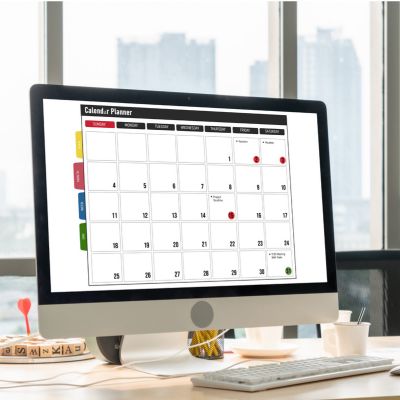
OX App Suite’s shared calendar permissions typically operate on a tiered scale: free/busy visibility only, full event detail visibility, or full edit access, and each can be assigned independently per user or per group rather than as a single all-or-nothing toggle. This granularity matters for businesses managing sensitive scheduling. A recruiting team, for example, might want interview slots visible as “busy” to the wider company without exposing candidate names in event titles, which requires setting free/busy-only visibility for most staff while granting full detail access only to the hiring team itself.
The common misstep is defaulting every shared calendar to full-detail visibility during initial setup because it’s the simplest option to configure quickly, only to discover months later that sensitive event details, client names, and deal values mentioned in event notes were visible company-wide the entire time. Auditing calendar sharing settings as a distinct step from mailbox permission review, rather than assuming they were configured together, catches this before it becomes a disclosure problem.
Contact Folder Access and External Sharing
Shared contact folders follow a similar permission structure to calendars. Still, the risk profile is different: contact data often includes external partner and client information that, if overshared internally or synced insecurely to personal devices, creates a data-handling problem distinct from calendar exposure. OX App Suite allows administrators to restrict which users can export contact folders to external formats (like vCard downloads), which is a meaningful control for businesses concerned about a departing employee taking client contact data with them.
That export restriction, however, doesn’t prevent a user with legitimate read access from manually copying contact details out of the interface; permission controls govern structured export and sync behavior, not manual transcription; and no email platform fully closes that gap through settings alone. Businesses handling sensitive client lists typically pair the technical control with a signed data-handling policy, since the permission system is only one layer of a broader access-governance approach.
Backup, Retention, and Data Recovery Limitations
The backup and retention policy for OX App Suite mailboxes determines how long deleted mail, Drive files, and calendar data remain recoverable, and this is one of the areas where reseller-configured policies vary most from one deployment to another.
How Storage Pooling Affects Recovery Windows
OX App Suite deployments frequently use storage pooling across a customer’s mailboxes and Drive allocation, meaning total storage is managed as a shared pool across an organization’s accounts rather than strictly siloed per user, which affects how backup snapshots and retention are typically scoped. A business nearing its pooled storage limit may find that retention windows for deleted items get shortened as an automatic space-management measure, unless the reseller has configured a fixed retention policy independent of pool utilization, a detail worth confirming explicitly rather than assuming deleted mail always follows a fixed 30-day window.
This pooled structure also means that a single user’s aggressive Drive usage can indirectly affect backup retention behavior across the organization if the deployment ties retention policy to available pool capacity. Businesses with predictable, compliance-driven retention requirements, needing deleted mail recoverable for a fixed period regardless of storage pressure, should request written confirmation of how retention interacts with pooled storage before signing, since this detail is rarely spelled out clearly in standard plan documentation.
What Backup Does Not Cover
Standard mailbox backup and retention windows typically protect against accidental deletion within a defined recovery period. Still, they don’t function as a long-term archival solution. Once the retention window closes, recovery generally isn’t possible even with administrator escalation. Businesses subject to legal hold obligations or long-term compliance retention requirements (e.g., multi-year email archiving for regulatory purposes) usually need a dedicated archiving add-on rather than relying on standard deletion-recovery retention, since the two serve different purposes and are often confused during initial plan selection.
It’s also worth being direct: backup protects against accidental loss, not against a compromised account used to maliciously delete mail in bulk. If an attacker with account access deliberately deletes messages and empties the recovery window, the standard retention policy may not offer a recovery path once that window elapses, which is a scenario worth discussing with a provider before assuming backup alone covers account-compromise scenarios.
Security Gaps: What OX App Suite Does Not Cover
Having walked through what’s included, it’s worth stating plainly what OX App Suite’s email security stack does not handle on its own, since assuming full coverage is where most security gaps in small business deployments actually originate.
Document Collaboration Security Boundaries
 Document Collaboration Security Boundaries
OX Documents, the platform’s built-in document editing and collaboration tool, handles version history and in-app sharing permissions for files edited within OX Drive. Still, it doesn’t provide document-level encryption or rights-management controls (restricting printing, forwarding, or copy-paste on a specific file) that some dedicated enterprise document platforms offer as built-in features. A business collaborating on sensitive contracts or financial documents through OX Documents gets folder-level and file-level sharing permissions, but not granular in-document usage restrictions, a distinction worth understanding before assuming document collaboration security matches email security depth.
Endpoint security is another area entirely outside OX App Suite’s scope: the platform secures the mail and collaboration infrastructure itself, but it has no visibility into or control over the security posture of the devices connecting to it; a compromised laptop with saved credentials remains a risk regardless of how well-configured the mailbox-side security is. This isn’t a gap specific to OX App Suite; it’s structurally true of any hosted email platform, and it’s why endpoint protection and email security are typically treated as separate line items in a business’s overall security budget rather than assumed to be covered by the email provider.
OX App Suite vs. Google Workspace vs. Microsoft 365
| Security Capability | OX App Suite | Google Workspace | Microsoft 365 |
|---|---|---|---|
| Built-in end-to-end encryption module | Yes (OX Guard) | No native equivalent | Requires add-on (Purview) |
| Per-domain DKIM key provisioning | Yes | Yes | Yes |
| Native hardware security key support | Varies by deployment | Yes, broadly supported | Yes, broadly supported |
| Behavioral attachment sandboxing | Add-on only | Add-on tier required | Add-on tier required |
| CalDAV/CardDAV standard sync | Yes | Partial (proprietary sync preferred) | Partial (proprietary sync preferred) |
| Click-time URL rescanning | Not standard | Add-on tier | Add-on tier |
| Admin-configurable storage pooling | Yes | Limited | Limited |
| Employee phishing simulation training | Not included | Add-on/third-party | Add-on/third-party |
Advanced Threat Protection and Sandboxing
Standard anti-virus scanning, covered earlier under spam filtering, checks attachments against known signature databases. Still, it generally doesn’t include behavioral sandboxing, opening a suspicious attachment in an isolated environment to observe its behavior before delivery, which is a feature associated with higher-tier enterprise security add-ons rather than standard OX App Suite deployments. Businesses in higher-risk sectors, such as financial services or legal firms, are frequently targeted by sophisticated phishing campaigns and often layer a dedicated advanced threat protection service on top of standard filtering, specifically because zero-day attachment threats can bypass signature-based scanning entirely.
URL rewriting and click-time link scanning, checking a link’s destination at the moment it’s clicked rather than only at delivery time, which catches links that are benign when sent but weaponized later, is similarly not a standard inclusion. Businesses concerned about this specific attack pattern should ask their reseller directly whether it’s available as an add-on rather than assuming standard filtering covers it.
Frequently Asked Questions
Does OX App Suite include phishing-specific training or simulated phishing tests for employees?
No, OX App Suite’s security stack covers technical filtering, authentication, and access controls, but it doesn’t include employee-facing phishing simulation or security awareness training as a built-in feature. That’s typically a separate service layered on top by an IT provider or a dedicated security awareness platform. Businesses relying entirely on technical filtering without any employee training component tend to remain vulnerable to phishing patterns that filtering can’t structurally catch, such as a spoofed lookalike domain from a sender the employee recognizes by name. If phishing training is a priority, it’s worth asking a reseller whether they bundle a third-party awareness platform with the mailbox deployment, since it’s rarely included in the base email security configuration and must be sourced or budgeted for separately.
Can I automatically enforce OX Guard encryption for every outgoing message?
OX Guard can be configured to automatically encrypt for specific recipients or domains where both sides have exchanged public keys. Still, it can’t enforce end-to-end encryption on every outgoing message, because encryption depends on the recipient having a compatible key or PGP setup on their end. For recipients without OX Guard, messages typically fall back to a password-protected or portal-based delivery method instead of true end-to-end encryption. Organizations that want encryption enforced as a blanket policy usually configure rules based on recipient domain or message-content triggers (such as detecting a Social Security number pattern) rather than assuming a universal toggle exists, since message-level encryption inherently depends on both parties’ setup.
What happens to my mailbox security settings during a migration from Google Workspace to OX App Suite?
Security settings don’t migrate automatically; SPF, DKIM, and DMARC records need to be reconfigured specifically for OX App Suite’s sending infrastructure, since the previous provider’s authentication records won’t validate against a new set of sending servers. Two-factor authentication, permission profiles, and any encryption configuration also need to be rebuilt from scratch on the new platform rather than transferred as part of a standard mailbox content migration. This is a common point of confusion during provider switches: businesses often migrate email content successfully but leave DNS authentication misconfigured for days or weeks afterward, causing deliverability problems unrelated to the migration itself and tied to incomplete DNS cutover sequencing.
Does OX App Suite’s spam filtering work the same way for a domain with a poor sending reputation from a previous provider?
Not necessarily, inbound spam filtering (protecting what arrives in the mailbox) is largely independent of a domain’s outbound sending reputation. Still, if a domain carries a poor sending reputation from a previous provider due to past spam complaints or blacklisting, that reputation typically follows the domain rather than resetting with a new mail platform. This means outbound deliverability issues can persist after migrating to OX App Suite even though inbound filtering itself works normally from day one. Businesses migrating a domain with known deliverability problems should request a reputation check before migration and budget time for reputation recovery, sending gradually increasing, low-complaint volume, rather than expecting a clean slate immediately upon switching platforms.
Is there a way to see which of my employees haven’t enabled two-factor authentication?
Administrators managing OX App Suite through a reseller control panel typically have a per-user view showing 2FA enrollment status. Still, the visibility and reporting depth for this specific metric depend on the admin panel version and plan tier provisioned by the reseller. Some deployments surface this as a clear dashboard flag; others require checking individual account settings, which becomes impractical for organizations with dozens of mailboxes. If organization-wide 2FA visibility is a priority, particularly for businesses in regulated industries that need to demonstrate enforcement, it’s worth confirming reporting capabilities with a reseller before assuming a consolidated compliance view exists by default.
Can I restrict which countries or IP ranges are allowed to log into a mailbox?
Geographic or IP-based login restrictions are not a standard feature exposed in typical OX App Suite user-level settings, though some reseller deployments offer this as an administrator-level policy add-on depending on how the hosting environment is configured. Where it’s available, it typically works by blocking or flagging login attempts from IP ranges outside a defined allowlist, which is useful for businesses with a geographically stable workforce but impractical for teams with frequent international travel or remote contractors. Because this control isn’t universally included, businesses with a specific compliance requirement regarding geographic access restrictions should confirm its availability directly with their reseller before assuming it’s part of the standard security package.
How does OX App Suite handle a compromised account that’s being used to send spam to my contact list?
Once an account compromise is identified, the standard remediation path involves an administrator forcing a password reset, revoking all active sessions and cached device credentials, and reviewing the mailbox’s sent folder and forwarding rules. Compromised accounts are frequently configured with a silent forwarding rule that continues exfiltrating mail even after the password changes. OX App Suite’s outbound spam filtering may also automatically catch and throttle unusual sending volume from a single account, serving as an early warning before a full compromise is confirmed. Businesses without a documented incident response checklist for this scenario often miss the forwarding-rule check specifically, allowing continued data exposure after the password reset. It’s one of the more common oversights during account-compromise remediation.
Does OX App Suite support hardware security keys instead of app-based two-factor authentication?
Support for hardware security keys (such as FIDO2/U2F devices) alongside standard authenticator app-based 2FA depends on the specific OX App Suite deployment version and how the reseller has configured available authentication methods, rather than being a universal guarantee across all plans. Where supported, hardware keys offer stronger phishing resistance than app-based one-time codes, since they verify the legitimate domain cryptographically rather than relying on a code a user could be tricked into entering on a fraudulent site. Organizations with a specific hardware-key requirement, common in higher-security industries, should confirm this capability explicitly during the evaluation stage rather than assuming it’s available, since not every reseller-configured deployment exposes this option in the account settings.
If I cancel my OX App Suite plan, how long are my mailbox and Drive data retained before being deleted?
Post-cancellation data retention periods vary by reseller policy rather than being fixed uniformly across every OX App Suite deployment, so the specific window, commonly ranging from a short grace period to several weeks, should be confirmed in writing with the provider before cancellation rather than assumed. During this window, data is typically still recoverable if the cancellation was accidental or a business decides to reactivate it. Still, after the window closes, recovery usually isn’t possible, even with an escalated support request. Businesses planning a deliberate migration away from OX App Suite should export mailbox content, Drive files, and contacts proactively before cancellation, treating the retention window as a safety net rather than a primary export mechanism.
Can external auditors get read-only access to review our OX App Suite security configuration without full admin rights?
Granular, audit-scoped access, read-only visibility into configuration and logs without the ability to modify settings, depends on whether the specific permission model deployed supports a role scoped that narrowly, which varies by plan tier and reseller configuration rather than being guaranteed on every account. Some deployments support a limited admin role suited to this use case; others only offer a binary full-admin-or-no-access structure, which forces businesses undergoing a security audit to either grant broader access than ideal or have an internal administrator pull and forward reports manually. Confirming this capability ahead of a scheduled audit, rather than discovering the limitation during the audit itself, avoids a scramble to work around an access model that doesn’t fit the auditor’s request.
Glossary
SPF (Sender Policy Framework): A DNS TXT record listing which servers are authorized to send mail for a domain, checked by receiving servers to detect spoofed senders.
DKIM (DomainKeys Identified Mail): A cryptographic signature attached to outgoing mail, verified against a public key in DNS to confirm the message wasn’t altered in transit.
DMARC (Domain-based Message Authentication, Reporting and Conformance): A policy record that tells receiving servers what to do with mail that fails SPF or DKIM checks, and provides reporting on authentication failures.
TLS/STARTTLS (Transport Layer Security): Encryption protecting the connection between mail servers or between a client and server, applied opportunistically via STARTTLS unless explicitly enforced.
OX Guard: Open-Xchange’s built-in PGP-based encryption module for end-to-end message and attachment encryption between compatible accounts.
CalDAV/CardDAV: Standard protocols used to sync calendar and contact data between a mail server and native device clients across platforms.
MDM (Mobile Device Management): Software used by organizations to enforce security policy, app restrictions, biometric unlock, remote wipe, on employee devices.
Two-Factor Authentication (2FA): A login security method requiring a second verification step, typically a time-based code, in addition to a password.
Storage Pooling: A configuration where mailbox and Drive storage are managed as a shared allocation across an organization’s accounts rather than strictly per-user.
Retention Window: The period during which deleted mail or files remain recoverable before permanent deletion.
The Hiya Digital Team is a collective of IT infrastructure specialist engineers, certified systems administrators, and cloud architects driven by a singular mission: building corporate communication systems that just work. As an Authorized Google Partner, the team handles complex global hosting deployments, secure email migrations, and advanced data compliance architectures for businesses across 40+ countries.
With over two decades of technical experience spanning custom premium business email configurations, OX AppSuite deployments, and enterprise-level network security, the Hiya Digital Team writes to demystify domain infrastructure. Their content focuses on actionable technical strategies, anti-phishing security protocols, and seamless cloud collaboration setup, all backed by real-world deployment experience and 24/7 technical support accountability.