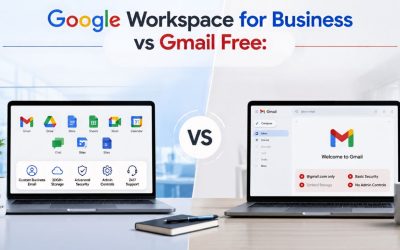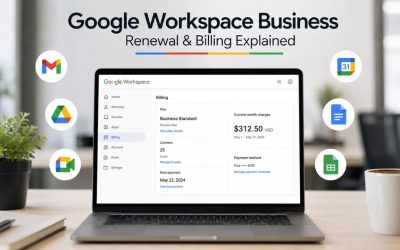
Google Workspace offers a professional set of collaboration, communication, and productivity tools, but the right time to adopt it depends on how your team works and plans to grow. Factors such as business email requirements, cloud storage, security, collaboration needs, meeting capabilities, and administrative controls all influence whether a paid workspace delivers meaningful value. Evaluating these practical considerations helps small teams determine if Google Workspace is the right fit for their current operations and future expansion.
Signs Your Team Has Outgrown a Free Email Setup
A free Gmail account or a scattered mix of personal tools works fine until a team starts sharing client work, hiring beyond the founder, or needing anyone outside the business to trust the email address on a quote. The signs below show up quietly at first, then all at once.
 The Professional Email Tipping Point
 The Professional Email Tipping Point
The clearest signal is embarrassment. A vendor, investor, or client questions why an invoice or proposal arrives from a free consumer email address instead of a company domain. That single moment of doubt costs more in lost trust than a small monthly software line item ever will. Once a business regularly sends contracts, invoices, or client deliverables, a domain-matched email address stops being a nice-to-have and becomes a basic credibility requirement that free webmail cannot provide on its own.
A second tipping point is account ownership. Free personal accounts belong to whoever created them, not to the business. When that person leaves, goes on leave, or forgets a password, the business has no clean way to recover access to years of client correspondence, shared files, or calendar history. A domain-based business account under centralized administration removes that single point of failure; any authorized person, not just the original account creator, can regain control when needed.
When File Chaos Becomes a Real Cost
The second major signal is document sprawl. Teams that rely on email attachments, personal cloud drives, or a patchwork of free storage accounts eventually lose track of which file is current. Someone edits a local copy, sends it back, and now three versions of the same contract exist with no clear owner. This isn’t a hypothetical risk; it’s the single most common complaint small business owners raise once a team regularly crosses roughly five people working on shared documents.
Shared, centrally owned storage solves this by giving every file one authoritative home that survives staff turnover and device changes. It also solves a second, quieter cost: search time. A team spending ten minutes several times a day hunting for “that file someone sent last month” is losing meaningful hours every week, hours that a searchable, centrally organized drive recovers almost immediately.
What “Small Team” Actually Means for This Decision
Google Workspace doesn’t define fit purely by employee count; it defines it by how a team works. This section reframes “small team” in terms of the factors that actually determine whether the suite pays for itself.
Team Size Isn’t the Only Variable
Two five-person teams can have completely different needs. A five-person design studio that shares large image files and records client review calls needs meaningfully more storage and meeting capabilities than a five-person consulting firm that mostly exchanges short emails and text documents. Sizing a decision purely on headcount misses the point; the actual variables are data volume and collaboration intensity, not the number of people on the payroll.
Client-facing exposure matters just as much. A team that never has an outsider on a call or in a shared folder has very different security needs from one that regularly shares sensitive documents with clients, auditors, or partners. The latter benefits far more from centralized sharing controls and admin oversight, even at the same headcount, because the consequences of a mistake are higher and harder to reverse without a shared drive and an audit trail.
Matching the Suite to a Non-Technical Owner
This cluster’s audience is deliberately narrow: an owner or office manager making this call without a dedicated IT person to lean on. That changes what “fit” means. A suite that requires a systems administrator to configure it properly is a poor fit, regardless of its features, because no one in the business can maintain it once it’s set up.
Google Workspace’s appeal for this audience is that its administrative console uses plain-language settings rather than command-line configuration, and most day-to-day tasks, such as adding a user, resetting a password, and sharing a folder, take a few clicks rather than a support ticket. That doesn’t mean there’s no learning curve; it means the learning curve is measured in an afternoon of reading, not a certification course.
The Core Toolset and What It Actually Replaces
Every paid Google Workspace plan bundles the same core app set: Gmail, Drive, Docs, Sheets, Slides, Calendar, Meet, and Chat, under one login and one company domain. This section maps that bundle against the free tools it’s likely replacing.
One Login Instead of a Tool Patchwork
Most small teams arrive at this decision already using several free tools stitched together: personal Gmail for email, a free Dropbox or Drive account for files, a separate video call app, and a shared spreadsheet for scheduling. Each of those tools has its own login, its own sharing permissions, and its own way of losing track of who has access to what.
Consolidating into a single suite means a single login controls email, files, calendar, and video calls. When an employee leaves, disabling a single account removes their access everywhere at once, instead of an owner having to remember and revoke five separate free-tool logins, a step that gets skipped more often than any small business owner would like to admit.
What Changes Day to Day for the Team
For most employees, the practical change is smaller than it sounds. Gmail, Docs, Sheets, and Slides behave almost identically to their free consumer counterparts, the same interface, the same keyboard shortcuts, so retraining time is minimal for anyone who has used Google’s free tools before.
What changes is what happens behind the scenes. Files created on a shared drive belong to the business, not to the employee who created them, which means a departing staff member doesn’t take institutional knowledge or client files with them by default. Calendar sharing becomes organization-wide by default rather than something each employee configures manually, which removes a surprisingly common source of double-booked meetings.
Storage, Meeting Limits, and Where Small Teams Actually Hit Ceilings
Storage and meeting capacity are the two limits small teams hit first, and they scale very differently across plans. Getting this wrong in either direction, overpaying for capacity never used, or underbuying and hitting a wall mid-project, is the single most common mistake in this decision.
Storage That Grows With the Business
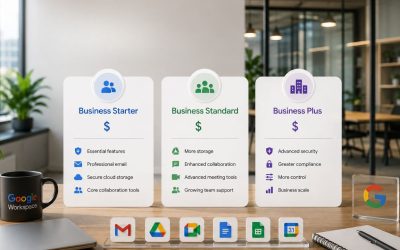
Storage on every paid tier is pooled across the whole organization rather than fixed per person. This matters for small teams with uneven usage: a designer who stores large files and a bookkeeper who stores almost nothing can draw from the same shared pool. According to Google’s own documentation, Business Starter provides 30 GB per licensed user, Business Standard provides 2 TB per licensed user, and Business Plus provides 5 TB per licensed user, with storage pooled across the organization. A five-person team on Standard, for example, is drawing from a shared pool built from that per-user allocation, not a hard 2 TB ceiling for the whole company.
For context on what that pool actually needs to cover: a single user account can upload up to 750 GB of files to Drive within any 24 hours, and individual synced files can be as large as 5 TB. Very few small teams approach either ceiling in normal daily use; the constraint that matters in practice is the per-user pooled total, not the upload-rate limit.
Meeting Capacity for Client Calls and Team Huddles
Video meeting participant caps rise the same way storage does, moving from the entry tier’s 100-participant limit up through the mid tier’s 150-participant limit, and further at higher tiers for teams that regularly host larger webinars or all-hands sessions. Most small teams never approach even the lower of these figures; internal huddles and one-on-one client calls rarely exceed a dozen participants.
Where the practical difference shows up is in meeting recording, which becomes available starting at the mid-tier rather than the entry-tier. For a small team fielding recurring client calls, training sessions, or remote onboarding, the ability to record and revisit a conversation is often worth more day-to-day than the participant-count increase itself, a detail easy to overlook when comparing plans purely by headline numbers.
| Plan Tier | Pooled Storage Per User | Meet Participant Cap | Meeting Recording | Max Users Per Domain |
|---|---|---|---|---|
| Business Starter | 30 GB | 100 | Not included | 300 |
| Business Standard | 2 TB | 150 | Included | 300 |
| Business Plus | 5 TB | 500 | Included, plus attendance tracking | 300 |
| Enterprise | Negotiated, effectively unlimited | Negotiated | Included, plus advanced controls | No fixed cap |
Security and Admin Control Gained Over a Free Stack
Free consumer tools offer almost no centralized oversight; every account is an island. This section covers what a small team specifically gains in terms of control and risk reduction by moving to a managed suite, without overselling protections it doesn’t yet need.
Centralized Control Without a Dedicated IT Person
 Centralized Control Without a Dedicated IT Person
The core security gain for a small team isn’t advanced threat detection; it’s basic visibility. An admin console shows every account under the domain, whether two-step verification is active, and which devices are connected, all from a single screen a non-technical owner can review in a few minutes each month.
Offboarding is the single biggest practical improvement. Under a free-tool patchwork, disabling a departing employee’s access means separately revoking permissions across email, storage, and any shared calendars, a process people forget steps of under normal circumstances, let alone a rushed or contentious departure. Centralized admin control turns that into a single account suspension, immediately cutting off every connected service.
Where the Line Sits Between “Enough” and “Overkill”
Not every small team needs everything a managed suite offers. Advanced data loss prevention, retention policies, and legal-hold features exist mainly for regulated industries and larger teams handling sensitive records at volume; a five-person creative agency rarely needs eDiscovery-grade retention, and paying for it as a checkbox feature is a common overspend.
Where the line usually falls: teams handling client financial data, medical information, or signed contracts benefit meaningfully from the archiving and retention controls available starting at the higher business tiers. Teams exchanging mostly ordinary business correspondence get most of the real security benefit from the basics, centralized offboarding, enforced two-step verification, and organization-wide sharing controls, all of which are available well below the tiers built for compliance-heavy industries.
Choose the Right Google Workspace Plan with Expert Guidance
Getting this balance right, enough control to close real gaps, without paying for compliance machinery a five-person team doesn’t need yet, is exactly the kind of assessment Hiya Digital, as an Authorized Google Workspace Partner, walks small business owners through before they commit to a tier, rather than leaving them to guess from a features chart alone.

Cost Reality: Weighing Workspace Against a DIY Free Stack
Cost comparisons that only look at the sticker price miss the real math. This section weighs the ongoing subscription against what a “free” stack actually costs a small team in time, risk, and workaround tools.
The Sticker Price Isn’t the Whole Comparison
Comparing a Workspace subscription against “free” tools looks lopsided on price alone, but a genuinely free stack usually isn’t free once every gap is filled. Free storage tiers run out quickly; free video call tools often cap meeting length or participant count more aggressively than paid business plans; and free email doesn’t include a matching business domain at all. Most small teams end up paying for at least one or two point solutions to patch these gaps individually.
Annual commitment pricing runs meaningfully lower per month than paying flexibly month to month across every business tier, a detail worth factoring in before assuming the paid option is automatically the pricier route once the comparison accounts for a full year rather than a single month.
The Hidden Cost of Owner Time
 The Hidden Cost of Owner Time
The cost small business owners weigh most is their own time. Every hour spent manually re-sharing a file, resetting a forgotten personal-account password, or reassembling a departed employee’s scattered work has a real dollar value, even when no invoice appears for it. A managed suite converts many of those recurring manual tasks into a few minutes of admin console clicking.
This is where the case for Hiya Digital’s ongoing account management becomes concrete rather than abstract: a self-serve Google Workspace signup gets a business the software, but it doesn’t get an owner, someone to call when a DNS record breaks email delivery or when a new hire’s account needs setting up correctly the first time. An Authorized Reseller relationship adds an ongoing support layer on top of the same underlying Google infrastructure, which matters most in the very weeks when an owner has the least spare time to troubleshoot it alone.
When a Smaller or Free Stack Still Makes the Better Choice
Fit assessments have to be honest about the “not yet” scenarios, too. This section covers the situations where holding off on a paid suite is the more sensible call for now.
Solo Operators and Very Early-Stage Teams
A single-person operation with no near-term hiring plan often gets little practical benefit from centralized admin controls designed to manage multiple accounts. There’s no offboarding process to simplify, and no shared-drive ownership problem to solve when only one person is using the files. In that situation, a free email account paired with a personal cloud storage plan can genuinely cover the need without added cost. This overlaps only briefly with the broader free-versus-paid case elsewhere in this cluster.
The calculus changes the moment a first hire is on the horizon. Setting up centralized administration before a second person joins is meaningfully easier than retrofitting it onto two or three already-scattered personal accounts a few months later, so solo operators anticipating growth within the next year often benefit from making the switch slightly ahead of strict necessity rather than waiting for the pain point to force it.
Teams With Very Light, Low-Risk Collaboration Needs
A small team that rarely shares sensitive files, never records client calls, and works almost entirely through short email threads may not yet need the storage or meeting features that justify a paid tier. If nobody has ever lost a file, missed a shared calendar invite, or struggled to recover a departed employee’s work, the pain points that justify switching haven’t shown up yet.
The honest test here is retrospective, not hypothetical: has the team actually lost time or data to the gaps a free stack leaves open? Teams that answer no to that question consistently can reasonably defer this decision without real risk, and should revisit it as headcount, client sensitivity, or storage needs change, not on a fixed calendar schedule, but when one of the earlier signals in this piece actually shows up.
Setup Effort: What a Non-Technical Owner Can Realistically Handle
Creating the account, verifying the business, and adding the first handful of users through the admin console is a guided, form-based process that most owners complete without help. Google walks through each step with plain-language prompts, and the interface flags obvious mistakes, like a mistyped domain, before they cause problems.
Everyday Administration
Day-to-day tasks, such as adding a new hire, resetting a password, creating a shared drive, and adjusting sharing permissions on a folder, require only simple, repeatable clicks once the initial setup is complete. These are exactly the tasks a non-technical office manager can own indefinitely without escalating to outside help, and they make up the vast majority of what an admin console actually gets used for after the first month.
Where owners tend to feel confident fastest is anything resembling a settings toggle: turning a feature on or off for the whole team, adjusting who can share files externally, or enabling two-step verification. These changes are low-risk to experiment with, since almost all of them can be reversed with a second click if something doesn’t work as expected.
The Parts Worth a Second Look Before Doing Alone
Domain verification and mail routing changes carry real risk if done incorrectly, because a wrong DNS entry can silently stop email from arriving for days before anyone notices, and diagnosing the cause without a technical background takes far more time than doing it right the first time.
Full email and file migration from an existing provider is the other area where a rushed, unaided attempt tends to go wrong, with missing folders, broken calendar invites, or duplicate contacts being common outcomes when migration steps are skipped or done out of order. This is precisely the gap Hiya Digital’s implementation and migration support closes: getting the domain, mail routing, and existing data moved over correctly the first time, rather than an owner discovering mid-migration that something didn’t transfer.
| Setup Task | Typical Owner Skill Fit | Reversible If Wrong? | Risk If Done Alone |
|---|---|---|---|
| Adding/removing users | Non-technical owner | Yes, instantly | Low |
| Creating a shared drive | Non-technical owner | Yes, instantly | Low |
| Enabling two-step verification | Non-technical owner | Yes, instantly | Low |
| Domain (DNS) verification | Benefits from guidance | No, it can break email silently | High |
| Full email/file migration | Benefits from guidance | Partially, with data-loss risk | High |
Common Pitfalls Small Teams Hit After Making the Switch
Even a well-justified decision to adopt Google Workspace can go sideways in the first few weeks. This section flags the recurring mistakes small teams make after switching, so they’re avoidable rather than discovered the hard way.
Underestimating the Migration Window
Teams frequently assume email and file migration will happen instantly, only to be caught off guard when older emails, calendar events, or nested folder structures take longer to transfer than expected. Planning a short overlap period, where the old system stays accessible while the new one settles in, avoids the scramble of losing access to something mid-transition.
A related mistake is migrating everyone on the same day without a pilot run. Moving one or two users first, confirming email, calendar, and file access all work as expected, and then rolling out to the rest of the team a few days later helps catch configuration issues. At the same time, the blast radius is still small.
Skipping Structure in Shared Drives
Teams that migrate loose personal folders directly into a shared drive without any reorganization often recreate the same disorganized mess they were trying to escape, just in a new location. A brief planning pass, deciding on a small number of top-level shared drives organized by client, project, or department, before migrating files, pays off far more than most owners expect for the small amount of upfront time it costs.
Permission sprawl is the other recurring issue: granting broad edit access to everyone by default, only to discover months later that former contractors or long-departed staff still technically have access to sensitive folders. Reviewing sharing permissions regularly, even quarterly, catches this kind of drift before it becomes a real exposure.
Signs You’re Ready to Commit: A Small-Team Decision Checklist
Bringing together all earlier signals, this section provides a straightforward way to check whether the decision is ready to be made, rather than still deferred due to uncertainty.
The Readiness Signals Worth Weighing Together
 The Readiness Signals Worth Weighing Together
A team is generally ready to commit when several of the earlier signals are true at once, not just one in isolation: professional credibility is being questioned by clients or vendors, file version confusion happens regularly rather than rarely, a recent staff departure caused real access headaches, and the team has either hit or can clearly foresee hitting a free-tool storage or meeting-length ceiling within the next few months.
Conversely, a team is generally justified in waiting when none of those signals have appeared yet, headcount growth isn’t imminent, and the current free-tool setup hasn’t caused a real, remembered incident of lost time or access. Waiting isn’t the wrong call in that scenario; it’s simply premature to pay for problems that haven’t materialized.
Making the Final Call With Confidence
The clearest practical trigger, more than any single feature, is a recent incident: a lost file, a delayed client response caused by access confusion, or the discomfort of sending a proposal from a personal email address. Owners who can point to a specific recent moment like this rarely need much more convincing; the decision has effectively already been made by the business’s own growing pains.
For owners still weighing the decision without a clear triggering incident, the safest approach is to start with the entry-level plan, since every tier can be upgraded without data loss or downtime whenever storage, meeting, or security needs genuinely grow. That removes the pressure to get it right on the first try and reframes it as a low-risk first step rather than a high-stakes, hard-to-reverse commitment.
Frequently Asked Questions
How many employees does a business need before Google Workspace makes sense?
There’s no fixed headcount threshold; the real trigger is behavior, not team size. A two-person team sharing large client files and recording calls may need it sooner than a ten-person team exchanging only short emails. The clearest practical signal is a recurring, remembered incident: a lost file, a departed employee whose access wasn’t fully revoked, or a client questioning a personal email address on a formal document. Teams experiencing any of these more than once a quarter are typically past the point where a free tool stack is genuinely serving them well, regardless of exact staff count.
Can a small team start on the entry-level plan and upgrade later without losing data?
Yes. Upgrading from one Google Workspace tier to another takes effect immediately and doesn’t require re-migrating files, re-creating accounts, or losing any existing email or documents. Storage, meeting participant limits, and features like recording expand once the upgrade completes. This makes starting conservatively a genuinely low-risk choice; a team unsure which tier fits can begin with the entry plan and move up the moment storage or meeting limits become a practical constraint, rather than needing to predict future needs at signup.
Does a small team need a dedicated IT person to manage Google Workspace day-to-day?
No. Day-to-day administration, adding users, resetting passwords, adjusting folder sharing, and creating shared drives, is designed around a form-based admin console meant for non-technical use, and most small business owners or office managers manage it directly after a short initial learning period. The tasks that benefit from outside help are typically one-time events: initial domain verification, DNS configuration, and full email migration from a previous provider, all of which can be silently disrupted by a misconfiguration. Ongoing daily use rarely requires specialized technical skill.
What happens to files and email if a small team decides to downgrade to a lower plan later?
Downgrading takes effect at the start of the next billing cycle rather than immediately, and no data is deleted in the process. However, if a lower tier’s storage allocation is smaller than the team’s current usage, users may be unable to upload new files or receive new email until usage drops back below the new limit. Features tied to higher tiers, such as meeting recording or advanced retention tools, also stop working immediately on downgrade, even though any previously created recordings or retained data typically remain accessible.
Is Google Workspace overkill for a team that only uses email and basic documents?
It can be, depending on how that light usage actually plays out day to day. A team with genuinely minimal collaboration, no shared client files, no recorded calls, and no history of access problems after a staff departure may get limited practical value from centralized administration and pooled storage features built for heavier collaboration. The more useful question isn’t app usage volume but risk exposure: even a light-usage team benefits from centralized offboarding and a professional domain address if client trust or staff turnover are realistic near-term concerns, independent of how many documents get created each week.
How much storage does a five-person small team typically need to avoid running into limits?
It depends heavily on file type rather than headcount alone. According to Google’s storage documentation, Business Starter provides 30 GB per user and Business Standard provides 2 TB per user, pooled across the organization, so a five-person team on Standard draws from a shared pool built from that allocation. Teams working mainly in text documents and spreadsheets rarely strain even the entry tier, since Docs, Sheets, and Slides files don’t count against the quota. Teams regularly storing video, high-resolution photography, or large design files should plan for the higher-storage tier from the outset rather than discovering the ceiling mid-project.
Can a small team keep using its existing free video call tool instead of switching to Google Meet?
Yes, nothing about a Google Workspace subscription requires abandoning an existing video tool the team already prefers, and many small teams do keep a separate video platform for specific use cases, such as large webinars. That said, Google Meet is included in every paid tier at no additional cost and integrates directly with Calendar invites, removing a step for teams currently juggling a separate video tool’s scheduling and link-sharing processes. The practical decision usually comes down to whether the team’s current tool offers something Meet doesn’t for their specific use case, rather than any technical requirement to switch.
What’s the realistic time investment to get a small team fully set up and migrated?
For a team of under ten people with a straightforward setup, one email domain, no complex existing mail routing, and a moderate volume of files to migrate, the guided signup and initial account creation typically take under an hour. However, a full email and file migration from a previous provider often takes several days to complete the transfer of older data. Rushing the migration window is the most common source of frustration; planning a short overlap period during which the old system remains accessible prevents losing access to anything during the transition, and pilot-testing with one or two users before migrating the full team catches most configuration issues early.
Does switching to Google Workspace mean giving up control of business files to Google?
No, the business, not any individual employee, remains the owner and administrator of its own domain, accounts, and files, and an admin console gives the business owner direct control over sharing settings, access permissions, and account suspension at any time. This is actually a control improvement over a free-tool stack, where files often live under an individual employee’s personal account rather than under centralized business ownership. The distinction worth understanding is between the underlying infrastructure, which Google operates, and account-level control, which stays entirely with the business through its admin console.
How does a small team decide between doing the Google Workspace signup themselves versus using a reseller like Hiya Digital?
Google’s self-serve signup works fine for a team comfortable configuring domain verification, mail routing, and migration correctly without guidance or ongoing support afterward. A reseller relationship adds value specifically around getting that initial setup right the first time and having an ongoing point of contact for account management questions later, ordinary account setup, adding users, and daily administration, over the underlying Google Workspace software itself, which functions identically either way it’s purchased.
Glossary
Pooled storage: A shared storage allowance calculated across all licensed users on an account, rather than a fixed individual quota, allowing usage to vary between team members within the same total pool.
Admin console: The web-based dashboard where an authorized administrator manages users, devices, sharing settings, and security policies for the entire organization’s account.
Two-step verification: A login security method requiring a second confirmation step, such as a code sent to a phone, in addition to a password, before granting account access.
Shared drive: A storage location owned by the organization rather than an individual user, so files remain accessible to the team even after the original creator leaves the business.
Domain verification: The process of proving ownership of a business’s website domain so that matching email addresses and services can be activated under that domain.
DNS (Domain Name System) record: A configuration setting attached to a domain that directs where email and web traffic for that domain should be routed.
Google Vault: An add-on feature, available starting at higher business tiers, that provides email and file archiving, retention policies, and legal-hold capabilities for compliance purposes.
Migration: The process of transferring existing email, calendar events, and files from a previous provider into a new system without data loss.
Google Workspace is a product of Google LLC. Hiya Digital is an Authorized Reseller and Google Workspace Partner providing licensing, implementation, migration, and ongoing support services; Hiya Digital does not develop or operate the underlying Google Workspace infrastructure.
Related Reading: Google Workspace Free vs. Paid: What’s the Real Difference? · Google Workspace Business Starter vs. Business Standard vs. Business Plus · Google Workspace Migration: A Step-by-Step Guide
The Hiya Digital Team is a collective of IT infrastructure specialist engineers, certified systems administrators, and cloud architects driven by a singular mission: building corporate communication systems that just work. As an Authorized Google Partner, the team handles complex global hosting deployments, secure email migrations, and advanced data compliance architectures for businesses across 40+ countries.
With over two decades of technical experience spanning custom premium business email configurations, OX AppSuite deployments, and enterprise-level network security, the Hiya Digital Team writes to demystify domain infrastructure. Their content focuses on actionable technical strategies, anti-phishing security protocols, and seamless cloud collaboration setup, all backed by real-world deployment experience and 24/7 technical support accountability.