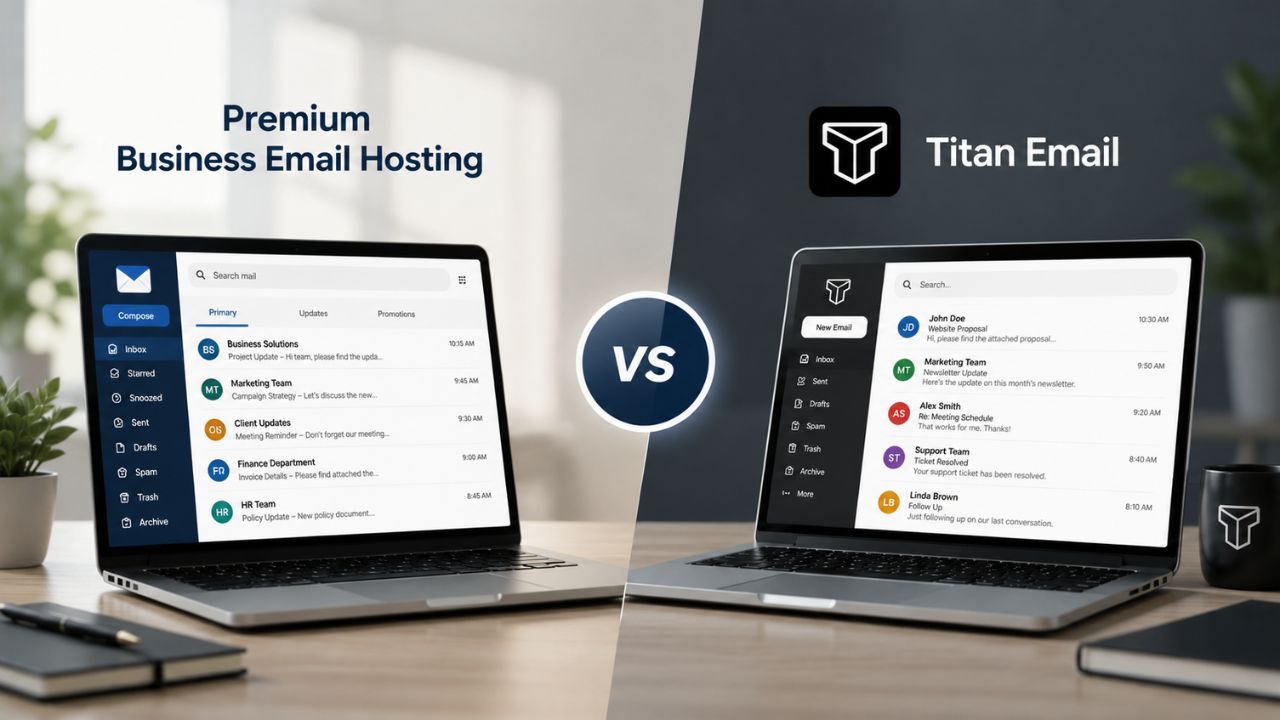
Choosing business email usually comes down to one question: do you want email as a hosting add-on or as the main product? Premium Business Email Hosting against Titan Email on storage, security ownership, migration, admin control, and support, so you can pick the one built for how your team actually works.
Add-On Email vs. Purpose-Built Business Email
Where a mailbox lives inside a vendor’s product lineup shapes how much attention it gets. Premium Business Email Hosting is Hiya Digital’s dedicated email product; Titan Email is most commonly sold as an add-on bolted onto web hosting or domain registration.
Titan Email’s Bundled Positioning
Titan is distributed through hosting and domain platforms rather than as a standalone product line. Multiple registrars and hosting providers, including Hostinger, Name.com, Pressable, and Whois, package Titan as an add-on to a hosting or domain purchase rather than something a buyer seeks out on its own. Titan has also partnered with hosting provider GMO Internet to bundle premium business email together with a free domain for small businesses, reinforcing that Titan’s growth strategy runs through hosting and domain bundles rather than direct signup.
That distribution model has a real upside for a business that wants a mailbox attached to a new domain purchase with minimal setup. But it also means Titan’s product roadmap, support queue, and account structure answer to whichever hosting platform sold it. If the hosting side of the relationship changes- a plan downgrade, a provider migration, a support ticket routed through a reseller’s help desk instead of Titan’s own team- the mailbox experience is affected by decisions made outside the email product itself.
 Premium Business Email Hosting’s Dedicated Model
 Premium Business Email Hosting’s Dedicated Model
Premium Business Email Hosting is not an upsell attached to another purchase; it is the product itself, delivered and supported by Hiya Digital as an Authorized Reseller and Certified Sales Partner. That distinction matters for a buyer whose email is core business infrastructure rather than an afterthought next to a website purchase.
Because the mailbox is the product, plan changes, account structure, and support routing are built around email needs specifically: mailbox provisioning, domain authentication setup, and spam-filter tuning, rather than shaped by an unrelated hosting roadmap. For a team that has outgrown a hosting-panel mailbox and wants email treated as a standalone system of record, that focus is the practical difference this comparison keeps coming back to.
Plan Structure and Contract Terms
Neither product publishes pricing here; the comparison that matters is structural: how tiers are named, what triggers an upgrade, and what commitment length each requires.
How Titan Structures Its Tiers
Titan’s plans are organized around a base tier and one or two upgraded tiers, with the upgrade path primarily focused on additional storage and mail filter limits. A higher Titan tier adds an extra 30GB of email storage on top of the Business Plan allotment, along with unlimited mail filters. At the same time, base plans commonly start with a smaller default allotment before storage becomes a paid add-on.
Because Titan is usually purchased through a hosting or registrar checkout flow, contract terms often mirror that host’s billing cadence, monthly or annual, rather than a term set by Titan directly. A buyer comparing tiers needs to check both the mailbox plan and the underlying hosting contract, since the two are often bundled into a single renewal rather than billed separately.
How Premium Business Email Hosting Structures Its Tiers
Premium Business Email Hosting is structured around mailbox tiers tied to storage allotments and administrative features, sold separately from the email product rather than folded into a hosting bill. Hiya Digital, as Licensing & Support Partner, offers both monthly and annual commitment options, letting a buyer choose faster flexibility or a longer-term rate lock without that choice being dictated by an unrelated hosting renewal cycle.
Add-ons such as expanded storage or additional aliases are scoped and billed against the email plan itself, which keeps a renewal invoice legible: a buyer can see exactly what they are paying for mailbox capacity versus anything else. For a business already managing several vendor contracts, that separation reduces the reconciliation work finance teams end up doing at renewal time.
Plan Structure Comparison
| Structural Element | Titan Email | Premium Business Email Hosting |
|---|---|---|
| Sold as | Add-on bundled with hosting or domain purchase | Standalone email product |
| Upgrade trigger | Storage and mail-filter limits | Storage, alias count, and admin feature tier |
| Contract cadence | Inherits the bundling host’s billing cycle | Monthly or annual, billed independently |
| Additional storage | Available as a paid add-on to the base allotment | Available as a plan-tier upgrade or add-on |
| Renewal invoice | Often combined with hosting/domain charges | Billed separately against the email product |
Storage, Mailbox Limits, and Attachment Handling
Storage ceilings determine how long a growing inbox stays usable before archiving becomes a daily chore, and the two products set that ceiling differently.
Titan’s Storage Tiers
Titan’s entry-level allotment is comparatively modest, with upgraded business tiers raising the ceiling substantially. Titan’s Business Email tier includes 50 GB of email storage per mailbox, alongside 10 aliases per mailbox and 3 external forwarders. Once that ceiling is reached, additional capacity is purchased as an add-on rather than included by default.
That structure works fine for a small team with modest attachment volume. Still, a business handling large files regularly, design proofs, signed contracts, and media assets will hit the alias and forwarder caps sooner than the headline storage number suggests. The 3-external-forwarder limit, in particular, is worth checking against the number of outside contractors or agencies a team routes mail through.
Premium Business Email Hosting’s Storage Approach
Premium Business Email Hosting is built around a generous per-mailbox storage allowance designed for teams that archive rather than delete, with tier upgrades available as mailbox needs grow rather than forcing a full account overhaul. Because storage is scoped directly to the email product, expanding an individual mailbox does not require changing a separate hosting panel setting.
Alias and forwarding allowances are set with agency and contractor workflows in mind, reflecting the reality that a growing business routes mail through more outside parties over time, not fewer. Hiya Digital’s implementation team can also help right-size mailbox tiers per department during onboarding, rather than leaving every user on a single default allotment regardless of role.
Spam Filtering and Malware Protection Ownership
Every hosted mailbox needs spam and malware filtering somewhere in the stack; the question is whether that filtering is a bundled feature or a dedicated, purpose-built layer.
Titan’s Built-In Filtering
Titan ships spam and virus filtering as a built-in mailbox feature rather than a separate security product. Titan includes advanced anti-spam and advanced anti-virus filtering as part of its Business Email tier, and it also limits the number of outgoing and incoming emails per hour and per day as a spam-prevention measure, since Titan is designed for business communication rather than email marketing or bulk sending.
That built-in approach is convenient for a small team. Still, it means that filtering rules, allowlists, and rate limits are managed within the same mailbox settings as everything else, with no dedicated console for tuning the spam policy separately from mailbox administration. A business fielding a high volume of legitimate transactional or customer-facing email may find those rate limits worth checking against actual send volume before switching.
Premium Business Email Hosting’s Filtering Layer
Premium Business Email Hosting approaches spam and malware protection as a dedicated layer rather than a bundled mailbox setting, drawing on Hiya Digital’s parallel role as Authorized Reseller for SpamExperts. That structure gives administrators a separate console for filtering policy, allowlists, and quarantine review, rather than folding those controls into general mailbox settings.
Because filtering policy is managed independently of mailbox storage and alias settings, changes to spam rules do not require touching the mailbox configuration itself, which matters for administrators managing filtering across many users at once. This separation of concerns, mailbox on one side, filtering policy on the other, is the kind of structural difference that only shows up once an admin is running the system day to day rather than reading a feature list.
Feature-by-Feature Comparison
| Feature Area | Titan Email | Premium Business Email Hosting |
|---|---|---|
| Base mailbox storage | Entry tier starts modest; 50 GB on Business tier | Generous per-mailbox allowance, tier-upgradeable |
| Aliases per mailbox | 10 aliases, 3 external forwarders | Higher allowance scoped for agency/contractor use |
| Spam and antivirus filtering | Built into mailbox settings | Dedicated filtering console via SpamExperts partnership |
| Send-volume limits | Hourly/daily caps for spam prevention | Enterprise-grade rate management, tunable per use case |
| Protocol support | IMAP/POP3 | IMAP/POP3, standard authentication protocols |
| Two-factor authentication | Included | Included |
| Migration and setup help | Hosting-panel self-service | Guided migration through Hiya Digital implementation team |
Security Architecture, Encryption, and Authentication
Security posture is more than a spam filter; it encompasses data redundancy, authentication protocols, and the protection of account access.
Titan’s Security Posture
 Titan’s Security Posture
Titan applies data redundancy and account-level protections as standard features. Titan maintains multiple copies of every email across multiple regions to prevent data loss due to hardware, software, application, or region failures, and the platform includes data encryption, custom DKIM support, and two-factor authentication at the mailbox level.
Those protections are solid for a small-business baseline, but because Titan is typically sold through a hosting or registrar partner, security configuration, such as DKIM setup or two-factor enrollment, is often managed through that reseller’s control panel rather than directly through Titan’s own admin console. A buyer should confirm which party, Titan or the bundling host, actually holds the settings before assuming they can adjust them without a support ticket.
Premium Business Email Hosting’s Security Posture
Premium Business Email Hosting supports the same core authentication standards, SPF, DKIM, and DMARC, needed for reliable deliverability and sender verification, alongside two-factor authentication for account access. Because these settings reside within the email product’s admin console, an administrator can change DKIM keys or the authentication policy without routing a request through an unrelated hosting dashboard.
Hiya Digital’s implementation support extends to helping a business configure DNS records correctly during onboarding. This step is easy to get wrong and hard to diagnose after the fact when a domain’s authentication records are split across multiple vendor consoles. Getting that configuration handled by someone who does it as their core job, rather than as a side task in a hosting-panel workflow, reduces a source of deliverability problems that often gets blamed on the mailbox itself.
Switch to Premium Business Email Hosting Backed by Hiya Digital’s Migration Team
Security and filtering ownership is exactly where the “add-on vs. purpose-built” distinction from earlier in this post shows up most clearly. If your team is ready to move spam filtering, encryption, and authentication into a dedicated email product rather than a bundled hosting feature, Hiya Digital’s team can scope a Premium Business Email Hosting setup as your Authorized Reseller and Implementation & Migration Partner, sized to your mailbox count and security requirements.

Migration Paths and Switching Friction
Moving a domain’s email is one of the highest-risk changes a business makes, since a broken MX record can silently drop incoming mail for hours.
Migrating Away From Titan
Titan supports importing existing email and contacts from other sources when a mailbox is first set up, easing the move into the platform. Migrating away from Titan follows the reverse of that path: exporting via IMAP and updating DNS records to point to the new provider, a process made more complex because Titan was originally provisioned through a hosting panel rather than configured directly.
Because DNS and mailbox settings may be split between the original hosting provider’s control panel and Titan’s own systems, a switch away from Titan sometimes requires coordinating changes across two support relationships rather than one. Carefully planning the cutover window and confirming who holds MX record access reduces the chance of a mail gap during the transition.
Migrating to Premium Business Email Hosting
 Migrating to Premium Business Email Hosting
Hiya Digital’s Implementation & Migration Partner role covers guided IMAP-based mailbox migration, DNS record updates, and authentication setup as a coordinated project rather than a self-service task left entirely to the buyer. That guided approach is the differentiator a self-serve signup with either vendor would not include on its own.
A migration plan typically confirms mailbox counts, alias mappings, and a cutover window before any DNS changes are made, so incoming mail continues to flow. At the same time, the switch occurs in the background. For a business that has never managed an MX record change before, having a partner walk through the sequence, rather than following a generic help article, is often the difference between a clean cutover and a support ticket the following week.
Admin Controls and Multi-Domain Management
Administrative overhead grows with headcount, and where those controls live shapes how much of it falls on IT versus a hosting reseller.
Titan’s Admin Console
Titan provides an admin console for managing mailboxes, aliases, and filtering rules, accessible alongside whichever hosting or domain panel originally provisioned the account. Titan is positioned as a business email service used by more than 10,000 businesses, indicating the admin tooling scales to a meaningful range of team sizes.
Because provisioning often runs through a bundling host’s panel, an administrator managing multiple domains may need to move between that host’s dashboard and Titan’s own console depending on which setting they need to adjust. That split is manageable for a single domain but becomes more noticeable when a business manages mailboxes across multiple domains simultaneously.
Premium Business Email Hosting’s Admin Console
Premium Business Email Hosting centralizes mailbox provisioning, alias management, and filtering policy in a single admin console scoped to the email product itself, without a parallel hosting dashboard in the loop. Multi-domain businesses manage all domains’ mailboxes from a single interface rather than switching consoles by domain.
Hiya Digital’s account management support extends past initial setup, with ongoing help available for bulk mailbox provisioning during headcount growth or reorganizing alias structures after a rebrand. That continuity- the same partner handling setup and later admin changes- is the kind of ongoing relationship a direct self-serve signup typically does not include.
Collaboration Tools: Calendar, Contacts, and Shared Access
Email rarely operates alone; calendar and contact tools built into the mailbox reduce the number of separate apps a team has to juggle.
Titan’s Collaboration Suite
Titan bundles calendar and contact management directly into the mailbox experience. The platform includes calendar and contacts, unlimited contact groups, and unlimited read receipts, along with read receipts that notify a sender the moment a message is opened and follow-up reminders that surface messages awaiting a reply.
These tools suit a small team’s day-to-day communication needs well. Shared access beyond an individual mailbox, a shared team calendar visible across a department, for instance, is more limited than in a full collaboration suite, since Titan’s calendar and contacts features are built around individual mailbox use rather than cross-team scheduling.
Premium Business Email Hosting’s Collaboration Suite
Premium Business Email Hosting includes integrated calendar and contact tools alongside the mailbox, covering the same day-to-day scheduling and contact management needs that a growing team relies on. Shared calendar visibility across a department is part of the standard toolset, supporting scheduling coordination beyond a single inbox.
For a business that needs deeper collaboration than calendar and contacts alone, shared drives, real-time document co-editing, or team chat, Hiya Digital’s parallel role as an Authorized Reseller for Google Workspace means that upgrade path is a conversation with the same partner, not a separate vendor relationship to build from scratch.
Mobile Access and Cross-Device Sync
Most inbox activity now happens on mobile devices, so mobile parity and sync reliability carry real weight in this comparison.
Titan on Mobile
Titan ships native mobile apps supporting day-to-day mailbox use away from a desktop. Titan Email is accessible via desktop or the Titan app for iOS and Android, and customer feedback on the platform has highlighted the read-receipt feature and support team responsiveness as strengths of the mobile and desktop experiences.
Mobile access covers core mailbox functions consistently across devices, which is the baseline most buyers expect. Because Titan’s account is often provisioned through a bundling host, mobile app setup sometimes requires locating IMAP or app-specific credentials in a separate hosting panel rather than via a single sign-in flow native to Titan.
Premium Business Email Hosting on Mobile
 Premium Business Email Hosting on Mobile
Premium Business Email Hosting supports standard mobile mail protocols on iOS and Android devices, with account setup handled using the email product’s credentials rather than a separate hosting login. That single sign-in path removes a step that otherwise trips up less technical users during initial mobile setup.
Because the product’s admin console and mobile provisioning both sit under the same account, IT can push mailbox configuration changes, a new alias, an updated signature policy, without needing device-by-device manual reconfiguration on the mobile side. For a team that regularly issues new devices, centralized control noticeably reduces onboarding friction for new hires.
Scalability, Support Model, and Long-Term Fit
The last question in any battlecard is durability: which product still fits well once the team has grown well past its current size.
Titan’s Scalability and Support
Titan’s support model runs primarily through the hosting or domain platform that sold the mailbox, supplemented by Titan’s own live chat and email support channels. Support access is available via live chat for account and setup questions, and the platform’s tiered structure allows storage and alias limits to expand as a business adds mailboxes.
That model scales reasonably well for a business that is comfortable managing a hosting-panel relationship alongside its email needs. It becomes a heavier lift once a company manages dozens of mailboxes across several departments, since escalations may need to pass through a hosting reseller’s support queue before reaching Titan’s own team for anything beyond routine account questions.
Premium Business Email Hosting’s Scalability and Support
Premium Business Email Hosting is built to scale mailbox counts, alias structures, and filtering policies directly through Hiya Digital’s own account management team, without a hosting-reseller layer between the buyer and the party that actually resolves support tickets. As the Licensing & Support Partner, Hiya Digital owns that relationship end-to-end.
That direct line matters most exactly when a business needs it: during a departmental reorganization, a sudden increase in headcount, or a security incident requiring a rapid policy change. Having one partner accountable for setup, ongoing administration, and support, rather than several vendors each responsible for a slice of the stack, is the structural advantage this comparison keeps circling back to for a team planning to stay on its email platform for years, not months.
Decision-Summary Table
| Buyer Profile / Priority | Better Fit |
|---|---|
| Wants email bundled with a new hosting or domain purchase, minimal setup | Titan Email |
| Small team, low attachment volume, comfortable with hosting-panel admin | Titan Email |
| Wants email as a standalone product with its own support relationship | Premium Business Email Hosting |
| Needs dedicated spam-filtering console separate from mailbox settings | Premium Business Email Hosting |
| Managing mailboxes across multiple domains from one console | Premium Business Email Hosting |
| Expects guided migration and DNS setup rather than self-service | Premium Business Email Hosting |
| Growing headcount and expects support to scale without added vendor layers | Premium Business Email Hosting |
| Wants shared departmental calendar visibility, not just individual scheduling | Premium Business Email Hosting |
Frequently Asked Questions
Can I move my existing Titan Email mailboxes to Premium Business Email Hosting without losing old messages?
Yes. A guided migration moves existing mail via IMAP, preserving message history rather than starting mailboxes from scratch. The process typically maps each Titan alias to its equivalent on the new platform before any DNS record changes are made, so alias-based routing (such as a support@ or sales@ address) continues working after cutover. Because Titan often limits external forwarders to a small number per mailbox, it’s worth auditing forwarding rules before migration to ensure none are missed. A migration plan usually confirms mailbox count and cutover timing in advance, keeping incoming mail flowing throughout the switch rather than risking a gap while DNS propagates.
Does switching away from Titan Email risk losing my domain’s email during the transition?
A short mail-flow gap is possible if DNS records are changed without a coordinated cutover plan, since MX record propagation is not instant across all mail servers. The risk is highest when a Titan mailbox was originally provisioned through a hosting panel, since DNS access may sit with that hosting provider rather than Titan directly, adding a coordination step. A planned cutover window, confirmed MX record ownership, and IMAP-based mail export before the DNS switch reduce that risk substantially compared to an unplanned, same-day change.
How many aliases can I set up per mailbox with each provider?
Titan’s Business Email tier includes 10 aliases per mailbox and 3 external forwarders as standard allotments. Premium Business Email Hosting sets its alias allowance with agency and contractor workflows in mind, typically resulting in a higher ceiling suited to businesses routing mail through multiple outside parties. If your team works with several external agencies or contractors on shared inboxes, confirm the alias and forwarder limits against your actual routing needs before choosing a tier, since hitting a forwarder cap can silently drop outbound routing rules until the cap is increased.
Is spam filtering handled differently between the two platforms?
Yes. Titan bundles spam and antivirus filtering into the general mailbox settings, with no separate console for policy tuning beyond the mailbox interface itself. Premium Business Email Hosting runs filtering through a dedicated console, drawing on Hiya Digital’s SpamExperts partnership, which entirely separates filtering policy from mailbox administration. That separation matters most for an administrator managing quarantine review or allowlist changes across many mailboxes at once, since policy changes don’t require touching individual mailbox settings.
What authentication protocols does each platform support for sender verification?
Both platforms support standard email authentication protocols used for deliverability and anti-spoofing: SPF, DKIM, and DMARC. Titan includes custom DKIM support as part of its Business Email tier. Premium Business Email Hosting supports the same protocol set, with DNS record configuration handled as part of Hiya Digital’s onboarding process rather than left entirely to the buyer. Correctly configured DKIM and DMARC records reduce the chance that outbound mail is flagged as spam by a recipient’s filter, so getting this setup right during initial configuration matters more than most buyers expect.
Can I manage mailboxes across more than one domain from a single admin console?
With Premium Business Email Hosting, yes, the admin console is scoped to the email product itself and manages every domain’s mailboxes from one interface. With Titan, multi-domain administration depends partly on how each domain’s mailbox was originally provisioned; if different domains were set up through different hosting panels, an administrator may need to switch between multiple dashboards depending on which domain’s settings need adjusting. Businesses managing three or more domains under one brand typically find a single consolidated console meaningfully reduces day-to-day admin time.
Does either platform limit how many emails I can send per day?
Titan applies hourly and daily caps on outgoing and incoming email as a spam-prevention measure, since the platform is designed for business communication rather than bulk sending or email marketing. Premium Business Email Hosting applies enterprise-grade send-volume management that can be tuned to a business’s actual transactional or customer-facing email volume. If your business sends high volumes of legitimate transactional email, order confirmations, appointment reminders, confirm actual send caps against your daily volume before assuming either platform’s default limits will fit your use case unchanged.
What happens to my email if my hosting provider changes plans or is acquired?
If a Titan mailbox was provisioned through a hosting or domain reseller, changes to that reseller’s plans, ownership, or support structure can indirectly affect mailbox access, billing, or support routing, since Titan’s relationship with that buyer runs through the hosting partner. Premium Business Email Hosting is billed and supported directly through the email product in Hiya Digital, so changes to hosting plans elsewhere in a business’s vendor stack do not affect the mailbox relationship. Buyers concerned about vendor consolidation risk should confirm exactly which company currently holds their mailbox’s billing and support relationship.
Do either of these platforms include shared team calendars, not just individual scheduling?
Titan’s calendar tools are built around individual mailbox use, including personal scheduling and contact groups, but shared visibility across a department is more limited than in a full collaboration suite. Premium Business Email Hosting includes shared departmental calendar visibility as part of its standard collaboration toolset, supporting cross-team scheduling beyond a single inbox. A business that needs deeper collaboration, shared drives, or real-time document co-editing can go further with Hiya Digital’s separate Google Workspace reseller relationship rather than searching for a new vendor.
How much storage does each platform include per mailbox by default?
Titan’s Business Email tier includes 50 GB of storage per mailbox, with entry-level tiers starting at a smaller default allotment before additional storage becomes a paid add-on. Premium Business Email Hosting starts with a generous per-mailbox allowance designed for teams that archive rather than routinely delete old mail, with tier upgrades available as needs grow. Businesses handling large attachments regularly, design files, signed contracts, and video assets should compare actual per-mailbox storage against current usage patterns rather than relying on headline numbers alone, since attachment-heavy accounts fill storage faster than plain-text-heavy ones.
Glossary
Alias: An alternate email address (such as [email protected]) that delivers to an existing mailbox without requiring a separate account.
DKIM (DomainKeys Identified Mail): An email authentication standard that adds a digital signature to outgoing mail, letting receiving servers verify the message wasn’t altered in transit.
DMARC (Domain-based Message Authentication, Reporting, and Conformance): A policy layer built on SPF and DKIM that tells receiving mail servers how to handle messages that fail authentication checks.
External Forwarder: A rule that automatically routes copies of incoming mail to an email address outside the mailbox’s own domain.
IMAP (Internet Message Access Protocol): A protocol that keeps email synchronized across multiple devices by storing messages on the server rather than downloading them to a single device.
MX Record (Mail Exchange Record): A DNS entry that tells the internet which mail servers are responsible for receiving email for a domain.
POP3 (Post Office Protocol version 3): An older email protocol that downloads messages to a single device, typically removing them from the server.
SPF (Sender Policy Framework): An authentication standard that specifies which mail servers are authorized to send email on behalf of a domain.
Two-Factor Authentication (2FA): A login security method requiring a second verification step, such as a code from a mobile device, in addition to a password.
The Hiya Digital Team is a collective of IT infrastructure specialist engineers, certified systems administrators, and cloud architects driven by a singular mission: building corporate communication systems that just work. As an Authorized Google Partner, the team handles complex global hosting deployments, secure email migrations, and advanced data compliance architectures for businesses across 40+ countries.
With over two decades of technical experience spanning custom premium business email configurations, OX AppSuite deployments, and enterprise-level network security, the Hiya Digital Team writes to demystify domain infrastructure. Their content focuses on actionable technical strategies, anti-phishing security protocols, and seamless cloud collaboration setup, all backed by real-world deployment experience and 24/7 technical support accountability.