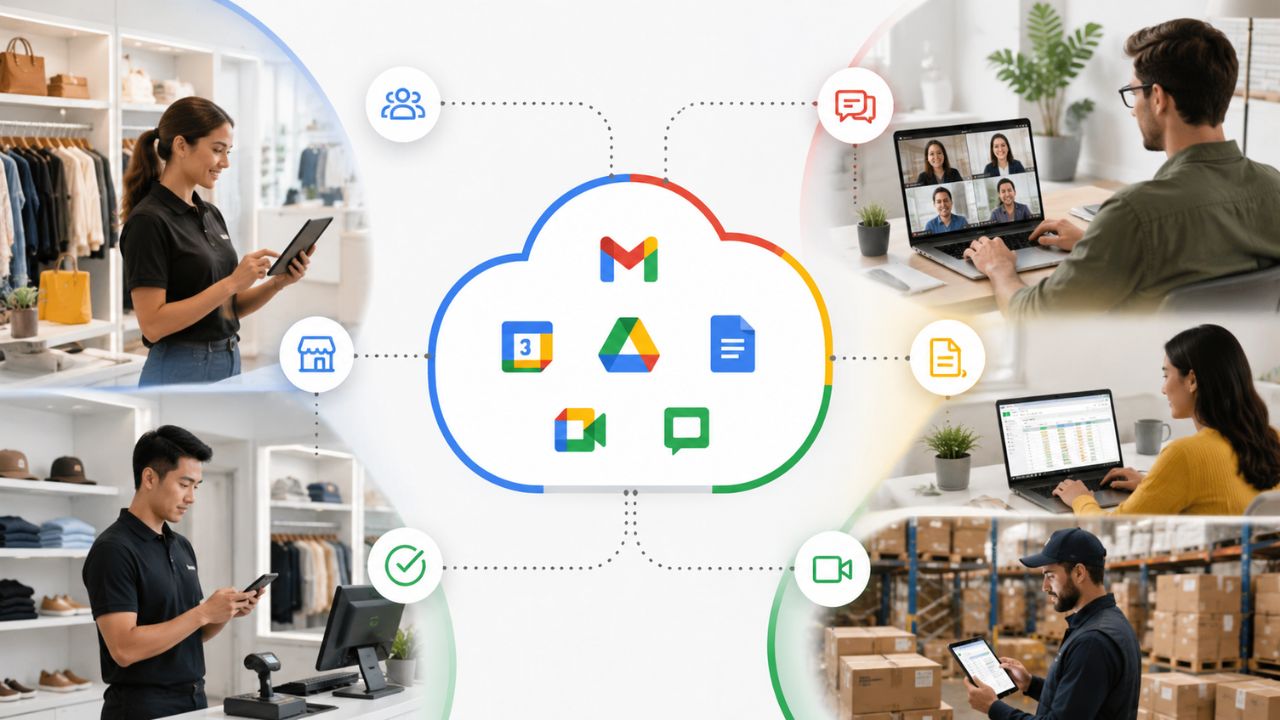
Retail businesses rely on fast, reliable communication to keep stores, staff, and daily operations running smoothly across shifts and locations. Google Workspace provides collaboration tools that help teams share updates, coordinate schedules, communicate in real time, and securely access business information from a variety of devices. With centralized administration and cloud-based applications, retailers can improve teamwork and operational efficiency without requiring extensive IT resources.
Transform Your Business with Google Workspace For Business →
Why Retail Teams Struggle With Traditional Business Communication Tools
Most business communication tools are built around one assumption: everyone sits at a desk, checks email in the morning, and stays logged into the same device all day. Retail breaks that assumption in every direction, and it’s why so many store communication setups collapse into a group text chain within a few months.
 The Desk-Job Assumption Doesn’t Hold on a Retail Floor
 The Desk-Job Assumption Doesn’t Hold on a Retail Floor
Store staff often clock in on a shared kiosk, check messages between customers, and log off the moment their shift ends. A communication tool built for one-person-one-inbox falls apart when four different cashiers use the same terminal over the course of a day, or when a stockroom associate has no email address at all because the business never set one up for hourly staff. The result is usually a fallback to personal phone numbers and group texts, which are unsearchable, impossible to manage after someone leaves, and invisible to the manager trying to confirm who actually saw a policy update.
Google Workspace addresses this by separating identity from device. Each staff member gets a Workspace account tied to them personally, not to a terminal. Hence, messages, schedule notes, and shared files follow the person across whichever register or device they log into that day. A manager can see message history in Google Chat regardless of which physical terminal it was read on, which a shared-inbox or personal-phone setup cannot offer.
Shift Handoffs Are Where Information Actually Gets Lost
The riskiest moment in retail communication isn’t the busy afternoon; it’s the ten-minute overlap between the closing and opening shifts, when a price change, a damaged-stock note, or a customer complaint needs to travel from one person’s memory to another’s. Verbal handoffs get forgotten, sticky notes get thrown away, and a message sent to “the group” at 9 pm is easy for the 6 am opener to miss entirely.
A shared, searchable channel changes this dynamic because the information doesn’t depend on someone remembering to repeat it. A closing associate can post a note in a dedicated Google Chat space, and the opening associate sees it as the first thing waiting for them, with a timestamp and read receipt that the manager can check later. This turns a fragile verbal handoff into a durable written one, which matters most on exactly the days when someone forgets to say it out loud.
Setting Up Shift-Based Communication Channels in Google Chat
Shift-based communication doesn’t need a complicated system; it needs a small number of well-labeled channels that match how the store actually runs, rather than a single chaotic group chat everyone mutes within a week.
Structure Channels Around Shifts, Not Just Departments
The instinct is usually to create one channel per department: sales, stockroom, management. Still, retail communication tends to work better when at least one channel is structured around time of day instead. A “Morning Open” and “Evening Close” space in Google Chat lets staff post handoff notes exactly where the next shift will look first, rather than burying them in a general channel alongside unrelated chatter. Department channels still have a place for ordering, scheduling questions, or supplier updates, but the shift-based layer is what actually solves the handoff problem described above.
Keeping the channel count small matters just as much as the structure itself. Three to five spaces, one per shift boundary, one general announcements channel, and one for management-only coordination, are usually enough for a single store. Adding more than that tends to fragment conversations across too many places, and staff stop checking half of them, which defeats the purpose of moving off group texting in the first place.
Pin Standing Information So It Doesn’t Get Buried
A shift channel that only ever shows the most recent 10 messages is not much better than a text thread, because anything posted more than a day ago effectively disappears. Google Chat’s pinning feature keeps standing information, the current promo pricing, the emergency contact list, and the store’s return policy exceptions visible at the top of the space regardless of how much daily chatter happens underneath it.
This distinction between pinned reference material and scrolling daily conversation is what makes a channel usable for a fifteen-second glance between customers rather than something staff has to scroll through. A practical habit worth setting from day one: anything that stays true for more than a week gets pinned, and anything that’s only relevant to today’s shift gets posted as a normal message. Reviewing and re-pinning that reference material monthly keeps it from going stale.
Retail Communication Task vs. Recommended Google Workspace Tool
| Communication Need | Recommended Tool | Why It Fits |
|---|---|---|
| Shift handoff notes | Dedicated Google Chat space per shift | Searchable, timestamped, visible to the next shift immediately |
| Store-wide announcements | Manager-restricted Chat space | One-way prevents important notices from getting buried in chatter |
| Cross-location distribution | Google Groups | Auto-updates membership as staff move between OUs |
| Shift scheduling | Shared, color-coded Google Calendar | Updates once, visible instantly to every staff device |
| Task and inventory tracking | Shared Sheet inside a Shared Drive | Survives staff turnover since the location owns the file, not the individual |
| Repeatable training content | Recorded Google Meet sessions | Reduces repeat one-on-one training time for managers |
Coordinating Multiple Store Locations From One Workspace Account
Once a retail business operates more than one location, the communication problem takes on a different form. It’s no longer just about shift handoffs within a store; it’s about keeping locations aligned without forcing every message through a single manager acting as a relay point.
Use Organizational Units to Mirror Your Store Structure
Google Workspace’s Admin Console lets an owner create organizational units (OUs) that mirror the actual business, one OU per store location, nested under a parent unit for the whole company. This isn’t just an administrative nicety; it directly shapes communication because Chat spaces, Groups, and calendar sharing can all be scoped to a specific OU. A regional promotion announcement can go to every location at once, while a store-specific staffing note stays contained to the one location it actually applies to.
Without this structure, multi-location businesses tend to either over-broadcast (every store gets every message, and staff learns to tune out most of it) or under-communicate (a manager has to forward things manually from location to location and inevitably misses one). Setting up OUs correctly at the start avoids both failure modes and scales cleanly as new locations open, since a new store’s accounts get added under a new or existing OU rather than requiring a whole new communication system to be rebuilt.
Give Regional Managers a Cross-Location View Without Overloading Store Staff
A regional or area manager needs visibility across every location’s Chat spaces and calendars, but individual store staff generally don’t need to see what’s happening three towns over. Google Groups solves this cleanly: a regional manager can be added to every store’s announcement group, while cashiers and stockroom staff stay scoped to their own location’s spaces only. This keeps each store’s channel focused and prevents the noise that comes from merging all locations into one giant chat.
This same structure supports comparing performance or communication patterns across stores without extra tooling. A regional manager reviewing which store’s shift-handoff channel gets used consistently and which one has gone quiet is often catching an operational problem well before it shows up in sales numbers. The visibility gap between a single flat group chat and a properly scoped Group-and-OU structure is often the biggest communication difference multi-location retailers notice after switching.
Giving Frontline and Part-Time Staff the Right Level of Access
Frontline retail workers are often part-time, seasonal, or high-turnover, which makes the question of account access genuinely different from a typical office hire. Getting this wrong in either direction, too little access or too much, creates real operational friction.
Match Account Type to How Long Someone Will Actually Stay
A seasonal hire working six weeks over the holidays doesn’t need the same account setup as a full-time assistant manager. Google Workspace supports this distinction directly: Business Starter’s entry tier, with 30 GB of pooled storage per user, is sufficient for a frontline account that only needs access to Gmail, Chat, and Calendar and doesn’t store large files. Business Starter includes 30 GB of pooled storage per user, which comfortably covers years of email and chat history for a role that doesn’t handle large documents or media.
The mistake many retail owners make is provisioning every account identically, regardless of role or tenure, which either overpays for storage that frontline staff will never use or, more commonly, creates a single shared login “because it’s easier,” thereby losing all individual accountability for who posted what. A cleaner approach is standardizing two account templates in the Admin Console, one for frontline/seasonal roles with lighter permissions, and one for management with fuller access, so provisioning a new hire takes minutes rather than a fresh decision each time.
Set Access Boundaries Before the First Shift, Not After a Problem
 Set Access Boundaries Before the First Shift, Not After a Problem
Retail businesses handle sensitive information constantly: payroll notes, upcoming promotions before they’re public, and other staff members’ personal details in scheduling threads. Frontline accounts should be scoped so they can’t accidentally see any of it. Google Workspace’s Admin Console allows granular sharing restrictions at the OU level, meaning a frontline OU can be blocked from accessing management-only Drive folders or Chat spaces by default, rather than relying on every manager remembering to restrict each new file individually.
This matters more in retail than in most office settings because of turnover speed, a seasonal employee’s access needs to be fully revocable the moment their contract ends, and any sensitive folder they were never supposed to see in the first place is one less thing to audit on the way out. Setting these boundaries as a default policy for the frontline OU once is considerably safer than trying to correct individual sharing settings after noticing a problem.
Google Workspace Plan Fit for Retail Team Size and Communication Needs
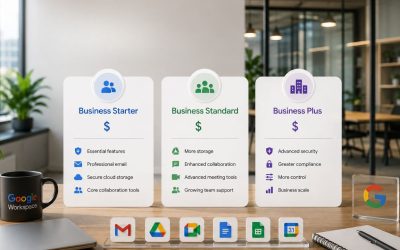
| Plan | Storage per User | Meet Participant Cap | Meeting Recording | Best Fit for Retail |
|---|---|---|---|---|
| Business Starter | 30 GB pooled | 100 | Not included | Single small store, frontline-only accounts, light file needs |
| Business Standard | 2 TB pooled | 150 | Included | Multi-shift single store or small 2–3 location chain needing recorded training |
| Business Plus | 5 TB pooled | 500 | Included, plus attendance tracking | Multi-location retailer needing regional visibility and stronger admin controls |
| Enterprise | 5 TB+ (custom) | 500–1,000 (custom) | Included, plus DLP and advanced retention | Larger regional or national retail chains with compliance requirements |
Using Google Groups and Spaces for Store-Level Announcements
Not every message needs a reply, and treating announcements the same way as day-to-day chat is one of the most common reasons store communication gets noisy. Separating the two channels by function fixes this.
Reserve One Space for One-Way Announcements Only
A dedicated “Store Announcements” Chat space, where posting is restricted to managers, gives staff exactly one place to check for anything official, new policies, schedule changes, and product recalls, without wading through the back-and-forth of a working chat channel. Restricting who can post (a setting available directly in Chat space management) is what keeps this space trustworthy; the moment anyone can post anything, it drifts back into general chatter and staff stops treating it as authoritative.
This separation also solves a documentation problem retail businesses often don’t think about until they need it: if a policy dispute or a wage-and-hour question comes up later, having a clean, manager-only announcement history is far easier to reference than digging through a mixed thread of shift banter and official notices to find the one message that actually matters.
Use Google Groups for Recurring Distribution Lists
Google Groups work well for anything that needs to reach the same recurring set of people by email rather than chat, supplier order confirmations, weekly sales summaries, or a distribution list for “everyone at the downtown location.” Setting up a group like [email protected] means a new hire is automatically added to the correct distribution the moment their account is placed in that location’s organizational unit, rather than a manager manually adding them to five different lists on day one.
This is a small setup step that pays off disproportionately at scale. A five-location retailer forwarding supplier emails and payroll reminders manually to each store is spending real weekly time on something a properly configured Group structure handles automatically, and it’s exactly the kind of setup that’s easy to skip at launch and painful to retrofit once the business has grown past a handful of stores.
Get Your Store Communication Structure Set Up Correctly the First Time
Getting organizational units, Groups, and shift-based Chat spaces structured correctly from day one, rather than retrofitting them after staff have already fallen back into group texting, is exactly the kind of setup work a self-serve signup doesn’t walk you through. As an Authorized Reseller and Implementation & Migration Partner for Google Workspace, Hiya Digital sets up this structure around your actual store layout and shift patterns, so your team starts with a system built to be used, not one they’ll quietly abandon within a month.

Managing Shared Calendars for Shift Schedules and Store Events
Retail scheduling has a lot of moving parts, shift patterns, time-off requests, store events, delivery windows, and a shared calendar approach keeps all of it visible without a separate scheduling tool.
Build a Location-Specific Calendar Staff Can Check From Any Device
 Build a Location-Specific Calendar Staff Can Check From Any Device
A shared Google Calendar per store location, added to every staff member’s account automatically through their OU, gives frontline workers one place to check upcoming shifts, planned promotions, or scheduled inventory counts, viewable in a phone browser without installing a separate scheduling app. Color-coding by shift type (opening, closing, weekend) makes the calendar scannable at a glance, which matters for staff who check it quickly between customers rather than sit down to study it.
This is a meaningfully different experience from a printed schedule taped in the break room, which goes out of date the moment a manager makes a last-minute change and someone forgets to update the physical copy. A shared calendar updates once and is instantly correct for everyone checking it. Google Calendar’s notification settings mean staff can get an alert an hour before their shift starts without a manager needing to text each person individually.
Coordinate Store Events and Deliveries Without Double-Booking Staff
Beyond shift scheduling, retail locations run promotional events, staff training sessions, and scheduled deliveries that all compete for the same floor space and the same limited staff hours. A separate “Store Events” calendar, layered alongside the shift calendar, lets a manager see at a glance whether a planned delivery window overlaps with an in-store event before it becomes a same-day scramble. Layering calendars this way, rather than cramming everything into one, keeps each type of information visible without cluttering the primary shift schedule staff check most often.
This layered approach also helps multi-location businesses spot patterns a single manager working in isolation would miss. A regional manager with visibility into every store’s events calendar can, for example, notice that two nearby locations have scheduled conflicting promotions on the same weekend and adjust before it becomes a competitive problem between the company’s own stores.
Handling Inventory and Task Updates Through Shared Drive Folders
Communication in retail isn’t only about messaging; a large share of it is about who’s tracking what stock, what task, and what’s been completed, and Shared Drives handle this better than a chat thread ever will.
Structure Shared Drives Around Store Location, Not Just Function
A Shared Drive scoped to each store location, rather than one company-wide Drive everyone dumps files into, keeps inventory counts, damaged-stock reports, and local vendor paperwork organized by the place they actually apply to. Because Shared Drives are owned by the organization rather than an individual, a document a stockroom associate created doesn’t disappear when that associate leaves; the file stays exactly where it was, accessible to whoever takes over the role next.
This ownership structure solves a real retail problem: high staff turnover in frontline roles means that files created by individual employees in personal Drive folders are often orphaned or lost entirely when those employees’ accounts are deactivated. A Shared Drive structurally removes that risk, since the location, not the individual, is the actual owner of the content.
Use Task-Tracking Sheets Instead of Verbal Task Handoffs
A simple shared Google Sheet, open tasks, who’s assigned, status, date, placed in the store’s Shared Drive gives managers a running record of what’s been done without relying on a verbal handoff at shift change. This matters most for tasks that span more than one shift, like restocking a section that takes longer than a single shift to complete, where the person picking it back up needs to know exactly where the last person left off rather than re-checking the whole section from scratch.
Retail businesses that skip this step tend to rely on management memory or a physical clipboard, both of which fail the same way: when the manager is out sick or the clipboard gets lost, the task history goes with it. A shared sheet has no single point of failure, and because it lives in the store’s Shared Drive rather than one person’s personal account, it survives staff changes the same way inventory documents do.
Training New Retail Hires With Shared Docs and Video Onboarding
Retail’s high turnover means onboarding happens constantly, not once a year, which makes the cost of a disorganized training process compound quickly as a team grows.
Build a Standard Onboarding Doc Every New Hire Gets on Day One
A single, well-maintained Google Doc covering register procedures, store policies, and who to contact for what gives every new hire the same starting information, rather than whatever a manager happens to remember to explain verbally during a rushed first shift. Because it’s a live Google Doc rather than a printed handbook, updates, such as a new return policy or a corrected phone extension, apply instantly to every future new hire without anyone needing to reprint or redistribute anything.
This consistency matters more in retail than in almost any other setting, because the person training a new hire is often another part-time employee, not a dedicated trainer, and what is explained verbally varies significantly from one trainer to the next. A shared reference doc closes that gap by giving every new hire a consistent baseline, regardless of who trained them.
Use Meet Recordings for Repeatable Training Content
For anything that gets explained repeatedly, how to run a return, how to close out a register, a short Google Meet recording, saved to the location’s Shared Drive, means a manager only has to explain it once, and every subsequent new hire can watch it on their own time. Meeting recording becomes available starting at Business Standard, which is a meaningful jump from Starter for a retail business planning to build out a recorded training library, since Starter does not include this capability.
This approach directly reduces the time a manager spends on repetitive one-on-one training during an already busy shift and gives seasonal or part-time hires, who may only get a fraction of a manager’s attention during onboarding, a resource they can revisit whenever a specific task comes up for the first time on their own, without needing to interrupt a colleague mid-shift to ask.
Keeping Customer-Facing Communication Consistent Across Locations
What customers see and hear should be consistent whether they’re at the flagship store or a smaller satellite location, and that consistency depends on the same internal communication infrastructure covered so far.
Centralize Approved Messaging So Locations Aren’t Improvising
Promotional copy, return-policy wording, and how staff should describe a current sale all need to be consistent across locations, and a centralized, manager-controlled Doc, linked from every store’s announcement Chat space, prevents individual locations from improvising their own versions of a policy that then contradict those of neighboring stores. This matters especially for businesses where customers might visit more than one location, since an inconsistency between stores is often what triggers a complaint in the first place.
Centralizing this in a single source-of-truth document, rather than repeating instructions to each store separately, also makes updates trivial; a single edit to the shared Doc is immediately visible everywhere it’s linked, rather than requiring the same change to be communicated location by location and hoping nothing gets missed along the way.
Route Customer Feedback Back Into the Same Communication System
Customer complaints and compliments captured at the point of sale, whether through a quick note in a Chat space or a task logged in the Shared Drive tracking sheet, provide useful signals to management about what’s actually happening on the floor, not just what shows up in sales figures. A retail business that uses the same Chat-and-Sheet structure already set up for shift handoffs and task tracking, rather than a separate feedback tool, keeps this information in the same place staff already check daily.
This closes a loop that many retail businesses leave open: feedback captured verbally by a cashier often never reaches a manager at all, simply because there was no low-friction place to record it in the moment. Routing it through the same lightweight system used for everything else makes it far more likely to be logged and reviewed.
Measuring Whether Your Retail Team Communication Setup Is Actually Working
A communication system is only worth the setup effort if it’s genuinely being used, and retail businesses benefit from checking this periodically rather than assuming it’s working just because it was set up correctly at launch.
Watch for Channels That Have Gone Quiet
 Watch for Channels That Have Gone Quiet
A shift-handoff channel that was active daily at launch but has gone quiet three months later is usually a signal that staff has reverted to verbal handoffs or personal texting, not that there’s simply nothing to report. Reviewing Chat space activity periodically, a five-minute check a manager can do monthly, catches this drift early, before an important handoff gets missed on a day when it actually matters.
This kind of quiet failure is easy to miss precisely because nothing dramatic happens when it occurs, no error message, no obvious breakdown, which is exactly why it needs an active check rather than being left to surface on its own. A short reminder or a re-training moment at a team meeting is usually enough to correct the drift once it’s spotted.
Ask Staff Directly What’s Actually Getting Used
The most reliable signal about whether a communication setup is working doesn’t come from usage statistics; it comes from directly asking staff which channels they actually check and which ones they’ve mentally tuned out. A quick informal check during a shift or a short team meeting question often surfaces exactly which parts of the system have become genuinely useful and which have quietly become clutter, information that’s much harder to infer just from looking at a Chat dashboard.
Retail businesses that treat their communication setup as a one-time project rather than something to revisit periodically tend to accumulate unused channels and stale pinned content over time, making the whole system feel more cluttered than it needs to be. A brief quarterly review: trim what’s unused, reinforce what’s working, and keep the system aligned with how the team actually operates as it grows or changes.
Frequently Asked Questions
Can part-time retail staff share one Google Workspace account to save on licensing?
No, Google Workspace licensing is per individual user, and sharing a single login across multiple part-time staff removes the accountability and message-history tracking that make the platform useful for shift handoffs in the first place. It also poses a security risk, since a shared login can’t be revoked individually when one of the users leaves. A more cost-effective approach for very light frontline roles is provisioning a lower-tier account template scoped to just Gmail, Chat, and Calendar, rather than sharing credentials across staff.
How does Google Workspace handle staff who work at more than one store location?
A staff member who regularly works across two locations can be added directly to both locations’ Chat spaces and Groups without needing a second account, since Workspace permissions are additive rather than tied to a single organizational unit. Their organizational unit placement typically reflects their primary, or “home,” location for calendar and Drive defaults, while manual additions to a second store’s Chat spaces handle cross-location coordination. This is a manual step a manager or admin sets up once per multi-location employee, rather than something that happens automatically.
What happens to a departing employee’s chat history and shared files?
Chat spaces and Shared Drive files created within a Shared Drive stay with the organization and remain accessible to remaining staff, since Shared Drives are owned collectively rather than by any individual account. Personal Drive files that employees create outside a Shared Drive can be lost or require manual transfer during offboarding, which is why structuring inventory, task-tracking, and training documents in Shared Drives from the start, rather than in individual employees’ personal Drive folders, is especially important for high-turnover retail teams.
Is Google Chat reliable enough to replace a walkie-talkie system on a busy sales floor?
Google Chat is a messaging and coordination tool, not a real-time voice system, so it’s not a direct replacement for walkie-talkies during active, moment-to-moment floor coordination, such as calling for a price check or an urgent spill cleanup. It works best alongside voice tools for those instant, verbal needs, while handling the asynchronous side, handoff notes, task tracking, and announcements that a walkie-talkie system was never designed to capture or preserve.
Can Google Workspace send an alert to staff phones without them installing a separate app?
Yes, Google Chat and Gmail both have mobile apps available for iOS and Android that push notifications directly to a staff member’s personal or store-issued phone, and Google Calendar can send shift-reminder notifications the same way. No separate scheduling or messaging app is required beyond what’s included in a standard Workspace subscription, which keeps the number of apps a frontline employee needs to manage during onboarding to a minimum.
How many Google Meet participants can join a multi-location manager training call?
Business Starter supports up to 100 participants, while Business Standard extends this to 150 per call, comfortably covering manager training across a mid-size regional chain. Business Plus raises the cap to 500 participants, which matters for larger retail groups running a single company-wide training session rather than splitting it into multiple smaller calls across regions.
Does upgrading from Business Starter to Business Standard actually matter for a single-location store?
For a single store with more than roughly five staff regularly collaborating, or any store that wants to record training sessions or client-facing calls, yes, the storage increase from 30 GB to 2 TB pooled per user and the addition of meeting recording are the two features that most directly affect day-to-day retail communication. For a very small store of two or three people with light needs, Starter is often sufficient, and upgrading becomes worthwhile only when recording or storage limits are hit in practice.
Can seasonal staff be added and removed from Google Workspace quickly during holiday hiring surges?
Yes, provisioning a new account through the Admin Console typically takes a few minutes per user, and using a pre-built frontline account template (with scoped permissions, the correct organizational unit, and Chat spaces and Groups already assigned) reduces this further. Deactivating an account at the end of a seasonal contract is similarly quick, and because Shared Drive content isn’t tied to an individual’s personal storage, offboarding a seasonal hire doesn’t risk losing any store data they contributed during their contract.
What’s the risk of frontline staff accidentally seeing management-only information in Google Workspace?
The risk is low when organizational units and sharing permissions are configured correctly from the start, since a frontline OU can be restricted from management-only Drive folders and Chat spaces by default rather than relying on case-by-case sharing decisions. The more common real-world risk isn’t a technical failure; it’s a manager manually sharing a sensitive file directly with a frontline account out of convenience. That is why setting default restrictions at the OU level, rather than trusting individual sharing habits, is the safer long-term approach.
Does Google Workspace work for a retail business that doesn’t currently give hourly staff a work email address?
Yes, and this is a common transition point for growing retailers. Creating a Workspace account for hourly staff for the first time unlocks shift-channel access, shared calendars, and training resources described throughout this post. The account doesn’t need to be used for personal communication at all; many retailers set these up purely as internal tool logins (Chat, Calendar, Drive access) without staff ever needing to actively check it as an inbox the way a manager would.
Glossary
Organizational Unit (OU): A grouping structure inside the Google Workspace Admin Console used to organize accounts, commonly by store location, so that permissions, Chat spaces, and calendar sharing can be applied automatically to everyone within that group.
Shared Drive: A Google Drive space owned collectively by the organization rather than an individual user, meaning files remain accessible to the team even after the person who created them leaves.
Google Chat Space: A dedicated channel within Google Chat where a defined group of people can post messages, distinct from a one-on-one direct message.
Pooled Storage: The total Google Drive, Gmail, and Photos storage allowance shared across all users on a Workspace plan, rather than a fixed individual limit per person.
Google Group: A distribution list and access-management tool that lets an admin send email or grant permissions to a defined set of users (e.g., everyone at one store location) as a single unit.
The Hiya Digital Team is a collective of IT infrastructure specialist engineers, certified systems administrators, and cloud architects driven by a singular mission: building corporate communication systems that just work. As an Authorized Google Partner, the team handles complex global hosting deployments, secure email migrations, and advanced data compliance architectures for businesses across 40+ countries.
With over two decades of technical experience spanning custom premium business email configurations, OX AppSuite deployments, and enterprise-level network security, the Hiya Digital Team writes to demystify domain infrastructure. Their content focuses on actionable technical strategies, anti-phishing security protocols, and seamless cloud collaboration setup, all backed by real-world deployment experience and 24/7 technical support accountability.