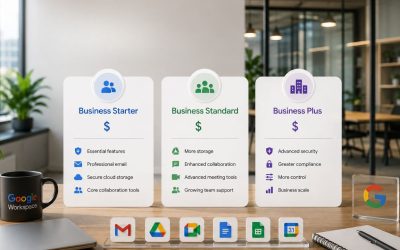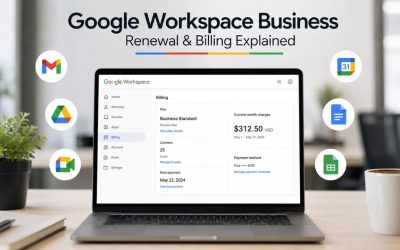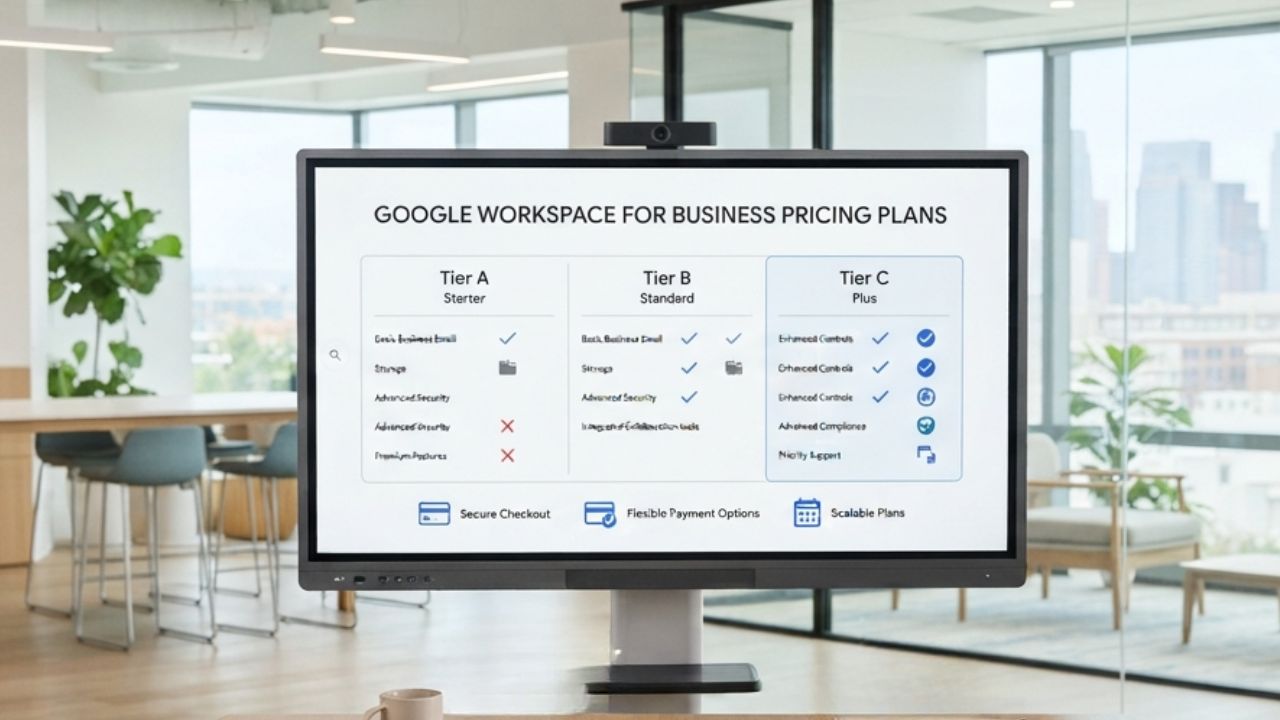
Google Workspace pricing is based on the number of user licenses your business needs, making overall costs closely tied to team size and future growth. Beyond the per-user subscription, factors such as plan selection, storage allocations, support options, billing commitments, and optional services can all influence your long-term investment. Understanding how these cost components work together makes it easier for small businesses to budget accurately and choose a plan that supports both current operations and future expansion.
Explore Google Workspace For Business Pricing →
How Seat Count Changes What You Actually Pay
Google Workspace bills per person, not per company, which means your total cost is really a headcount forecast in software-invoice clothes. Before touching a spreadsheet, it helps to separate the license math from everything else that rides along with it: support tiers, storage, and optional add-ons all scale differently as your team grows.
 Why Google Workspace Prices Per Person, Not Per Business
 Why Google Workspace Prices Per Person, Not Per Business
Every paid Google Workspace plan, Business Starter, Business Standard, Business Plus, or Enterprise, charges a per-user, per-month rate rather than a flat organizational fee. That structure means a five-person business and a fifty-person business on the same tier pay proportionally, not identically, and neither pays a fixed “company license” as some older on-premises software once did. For budgeting purposes, this is actually simpler than it sounds: your total license line is always headcount multiplied by the tier rate, with no hidden per-organization base fee layered underneath.
The practical budgeting implication is that your Google Workspace line item moves in lockstep with hiring and departures, not on a fixed annual schedule you set once and forget. A business that hires four people in Q3 sees its licensing cost rise the same month those accounts are provisioned, not at the next contract renewal. This is different from software with organization-wide flat pricing, where growth doesn’t touch the bill until a tier threshold is crossed. Small business owners coming from that mental model often underforecast Workspace costs during hiring pushes because they’re used to a bill that changes only once a year.
Mapping Headcount Growth to Monthly Spend Increases
A useful budgeting habit is building a simple per-seat multiplier into your hiring plan rather than treating software costs as a static annual figure. If your business expects to add three employees over the next two quarters, your Workspace budget line should increase by exactly three seats’ worth of your current tier rate, applied from each hire’s actual start date rather than rounded to the next quarter. Because pricing is linear per seat, this math scales cleanly whether you’re adding one person or ten, which makes it one of the easier SaaS costs to forecast precisely once you commit to tracking it that way.
Where small businesses go wrong is in forecasting headcount growth without also forecasting the tier jump that often accompanies it. A team that outgrows Business Starter’s storage or collaboration ceiling around the same time it’s adding staff faces two cost increases that stack in the same budget cycle: more seats and a higher per-seat rate simultaneously. Building both into the same twelve-month projection, rather than treating tier upgrades as a separate surprise later, keeps the annual budget realistic and avoids a mid-year correction that catches finance-conscious owners off guard.
The Add-On Costs Most Small Business Budgets Miss
The core license rate is only part of a realistic Google Workspace budget. Storage upgrades, optional productivity add-ons, and telephony features sit outside the base subscription. They are easy to omit from a first-pass forecast, only to appear as surprise line items once a team starts actually using the platform at full capacity.
Storage Upgrades You’ll Likely Need Sooner Than Planned
Storage is pooled across the organization rather than assigned as a fixed personal quota, and the pool size differs sharply by tier: Business Starter includes 30GB of pooled storage per user, Business Standard includes 2TB per user, and Business Plus includes 5TB per user, according to Google’s official pricing page. For a five-person team on Business Starter, that’s a 150GB combined pool shared across Gmail, Drive, and Photos, a figure that fills faster than owners expect once recorded meetings, design files, or large attachments enter regular use. Budgeting for a possible mid-year tier upgrade, rather than assuming the starting tier holds for the full contract term, avoids a scramble later.
The budgeting fix here isn’t necessarily buying more storage upfront; it’s building a checkpoint into the calendar. A quarterly ten-minute review of admin console storage usage tells you whether the current tier will comfortably last the year or whether an upgrade should be budgeted for the next renewal. Businesses that skip this check tend to discover the ceiling the hard way, when uploads start failing or email delivery is interrupted, which is a worse budgeting outcome than a planned tier change with advance notice.
Optional Tools That Quietly Add to the Bill
Several Google Workspace-adjacent tools are priced separately from the core subscription and are easy to omit from a first budget draft. AppSheet, Google’s no-code app-building tool, carries its own per-user monthly rate on top of a Workspace license, and Google Voice for business telephony is billed as a separate per-user add-on as well. Neither shows up automatically in the base Business Starter, Standard, or Plus pricing; they’re opt-in purchases a growing team often adds within the first year without updating the original budget to reflect it.
A realistic first-year budget should include a small contingency line, even a rough placeholder, for at least one of these add-ons, because most growing small businesses end up adopting at least one optional tool once the core suite is in daily use. Google Vault, which handles email and chat retention for compliance purposes, is included at no extra charge starting with the Business Standard plan. Still, businesses on Business Starter who later need retention capabilities should budget for the tier upgrade that unlocks them, rather than assuming Vault can be added à la carte to a Starter subscription.
Annual Commitment vs Monthly Billing: The Real Trade-Off
Google Workspace offers both an annual commitment plan and a flexible monthly plan, and the choice affects cash flow far more than it affects the underlying feature set. Neither option is universally correct; the right call depends on how predictable your headcount will be over the next 12 months, not on which plan is cheaper in isolation.
What You Give Up When You Lock In a Year
Committing to an annual plan typically lowers the effective per-seat rate compared to paying monthly, and Google’s own pricing pages note that an annual commitment yields a meaningful reduction over the flexible monthly rate for the same tier. In exchange for that discount, a business locks in its seat count for the contract term: licenses can be added at any time as the team grows, but reducing the seat count before the annual term ends generally isn’t possible without waiting for renewal. For a small business with a stable or growing team, that trade-off is usually worth it, since the discount is real money saved and the inability to shrink rarely becomes relevant.
The risk shows up for businesses with less certain headcount, a seasonal operation, a company mid-restructuring, or a founder unsure whether a recent hire will work out. Locking twelve months of seats for a team that might contract leaves the business paying for licenses nobody is using, with no straightforward way to recover that cost until renewal. Budgeting for annual billing should include an honest headcount-stability assessment, not just a comparison of the two rate cards, because the true cost of the annual plan includes the risk of paying for unused seats if the forecast turns out wrong.
When Monthly Billing Actually Protects Cash Flow
The flexible monthly plan costs more per seat but lets a business add or remove licenses as headcount actually changes, which matters more for cash flow than the sticker-price difference suggests. A business that expects meaningful headcount swings, contract-heavy agencies, businesses with strong seasonal peaks, or early-stage companies still finding their team size often comes out ahead on monthly billing even at the higher per-seat rate because it avoids paying for seats sitting idle during a slow quarter. The flexibility has a real dollar value that a simple annual-versus-monthly rate comparison alone doesn’t capture.
A practical middle path many small businesses use is to start with monthly billing during the first six to twelve months of using Workspace, while headcount patterns and actual usage stabilize, then switch to annual billing once the business has a full year of data showing headcount is genuinely predictable. This avoids over-committing before the team has a track record, while still capturing the annual discount once it’s clearly the lower-risk choice. Reviewing this decision at each renewal point, rather than treating the original choice as permanent, keeps the billing structure matched to how the business is actually operating.
Annual vs Monthly Billing, Small Business Decision Factors
| Factor | Annual Commitment | Monthly (Flexible) Billing |
|---|---|---|
| Cash flow predictability | High, one locked rate for 12 months | Lower total shifts as seats are added/removed |
| Mid-year headcount reduction | Not generally available until renewal | Fully flexible, seats removable anytime |
| Effective per-seat rate | Lower than monthly for the same tier | Higher than annual for the same tier |
| Best fit scenario | Stable or steadily growing headcount | Seasonal, uncertain, or early-stage headcount |
| Contract flexibility to add seats | Allowed anytime mid-term | Allowed anytime, no term restriction |
Building a First-Year Google Workspace Budget Line by Line
A first-year Google Workspace budget works best when built from the ground up rather than estimated as a single lump sum. Starting with core licensing, then layering storage, add-ons, and a reasonable contingency buffer on top, produces a number that survives contact with the business’s actual first year rather than requiring revision by month three.
Starting With Core Licensing Before Anything Else
The foundation of the budget is straightforward: current headcount multiplied by the chosen tier’s rate, multiplied by twelve months if budgeting annually or adjusted monthly if on the flexible plan. This base figure should use actual planned headcount for each month, not a flat average, since a business hiring steadily through the year pays less in January than in December, and a flat average tends to either overstate early-year cash needs or understate late-year ones. Building the license line month-by-month rather than as a single annual total provides a far more usable cash-flow picture for a small business that closely tracks monthly expenses.
Once the monthly license figures are set, it’s worth cross-checking them against the actual tier chosen rather than assuming the cheapest tier will hold for the full year. A business budgeting on Business Starter rates while privately expecting to need Business Standard’s storage or recording features by mid-year is building a budget it already knows is wrong. It’s more useful to budget honestly for the tier the business will likely need by year-end, even if that means starting the year slightly over-budgeted relative to month one’s actual usage, than to budget for month one’s needs and get surprised at month six.
Padding the Budget for Predictable Surprises
Beyond core licensing, a realistic budget sets aside a contingency percentage, commonly in the range of ten to fifteen percent of the core license total, to absorb the add-ons, storage upgrades, and mid-year seat additions covered earlier in this guide. This isn’t padding for padding’s sake; it reflects a genuine pattern among small businesses in their first year on Google Workspace, where at least one unplanned cost category, an add-on tool, an unexpected tier upgrade, or a hiring wave shows up before the twelve-month mark.
The contingency line also absorbs a cost category that’s easy to forget entirely: internal time. Even with a straightforward platform, a small business without dedicated IT staff spends real owner or office-manager hours on account provisioning, permission changes, and basic troubleshooting throughout the year. That time has a cost even when no invoice reflects it directly, and businesses that build in an implicit allowance for it, whether by budgeting fewer other discretionary hours or by pricing out what outsourcing that admin work would cost, end up with a first-year budget that better reflects the platform’s true total cost of ownership.
Migration and Setup Costs That Belong in the Budget, Not the Surprise Column
Moving an existing business onto Google Workspace, migrating email, files, and calendars from a previous provider, carries a cost whether it’s paid in cash to a setup partner or paid in owner time doing it manually. A realistic budget explicitly accounts for one or the other, rather than assuming the transition is free simply because the software subscription itself has no separate migration fee.
What Self-Migration Actually Costs in Owner Time
 What Self-Migration Actually Costs in Owner Time
A small business owner or office manager can absolutely migrate email and files without outside help. Google provides self-serve migration tools for common sources, but the honest budgeting question is how many hours that consumes and what else those hours would otherwise have been spent on. For a business with under ten employees and a relatively simple prior email setup, self-migration commonly takes a few focused days spread across a week or two, factoring in domain verification, DNS changes, individual mailbox migration, and the inevitable troubleshooting when a handful of accounts don’t transfer cleanly on the first attempt.
That time cost rises sharply with complexity: shared mailboxes, calendar-sharing rules, large-file libraries, and any custom email routing rules from the previous provider all add hours that are difficult to estimate precisely in advance. A business budgeting purely in dollars and ignoring this time cost often ends up with a migration that technically didn’t cost anything on the invoice but quietly consumed a week of the owner’s attention that could have gone toward revenue-generating work. Treating that opportunity cost as a real budget line, even an estimated one, produces a more honest comparison against paying for setup help.
Where Professional Setup Changes the Budget Math
Bringing in an Authorized Reseller or Implementation Partner to handle migration and initial setup shifts the time cost into a defined, budgetable expense instead of an open-ended draw on the owner’s attention. For a small business without in-house IT, this typically means the migration is done the first time correctly, with proper DNS configuration, clean mailbox transfers, and sensible default permission structures, rather than being assembled through trial and error, which reduces the chance of a costly do-over later. As an Authorized Reseller and Google Workspace Partner, Hiya Digital structures this as a defined setup engagement rather than a one-time self-serve checkout, with ongoing account management available afterward instead of leaving the business to handle every future change alone.
For budgeting purposes, this converts an unpredictable time cost into a single known figure that can be planned for alongside the license cost, rather than absorbed informally into a busy owner’s week. Small businesses evaluating this trade-off should weigh the professional setup cost against a realistic estimate of their migration hours, valued at whatever their time is actually worth to the business, rather than defaulting to “free” self-migration without accounting for the cost of those hours in lost focus elsewhere.
Get Your Google Workspace Setup Budgeted and Handled Right the First Time
Migration and setup are where a first-year budget most often goes off the rails for a small business without dedicated IT support. Working through this with Hiya Digital as an Authorized Reseller and Implementation & Migration Partner turns that open-ended time cost into a fixed, budgetable line, with proper account setup and ongoing support built in rather than left for the owner to figure out alone after checkout.

Storage Overages and the Cost of Outgrowing Your Tier
Storage is one of the few Google Workspace costs that grows on its own, independent of hiring decisions, simply because a team accumulates files, email attachments, and meeting recordings over time. Budgeting for this growth curve, rather than treating storage as a fixed cost set once at signup, prevents the tier-upgrade scramble that catches many small businesses off guard around their first renewal.
How Pooled Storage Works Across a Small Team
 How Pooled Storage Works Across a Small Team
Google Workspace storage is pooled across the entire organization rather than assigned as a hard personal cap per user, meaning a ten-person team on Business Standard shares a combined 20 TB pool rather than each person being limited to a strict 2 TB individually. This pooling is generally favorable for small teams with uneven usage patterns, a marketing employee who stores large video files, and a bookkeeper who uses minimal storage, all drawing from the same shared total, so the heavy user doesn’t hit a wall. In contrast, the light user’s unused allocation sits idle. For budgeting purposes, this means total team storage needs matter more than any single employee’s usage pattern.
The pooling model also means storage pressure tends to build gradually and then arrive all at once, once the combined pool starts running low across the whole organization rather than any one person’s account. A business that hasn’t checked its admin console storage usage in months can go from comfortable headroom to warnings within a single busy quarter, particularly after a wave of recorded client meetings or a large design or video project. Budgeting a periodic storage check, rather than assuming the initial tier will silently scale with the business, is the more reliable approach.
Budgeting for the Tier Upgrade Before You’re Forced Into It
The jump between tiers is substantial: moving from Business Starter’s 30GB pooled-per-user allowance to Business Standard’s 2TB pooled-per-user allowance is roughly a sixty-six-fold increase in available storage, alongside a higher per-seat rate, so the upgrade decision is really a bundled storage-and-feature decision rather than a storage-only one. A small business budgeting purely reactively, upgrading only once storage warnings start appearing, usually ends up making that decision under time pressure, with less room to compare whether the higher tier’s other features are worth the added cost or whether a storage-only fix would have sufficed.
Building a proactive storage checkpoint into the annual budget review, ideally timed a few months before contract renewal, gives a small business the option to plan a tier upgrade deliberately rather than reactively. This also allows the upgrade to be timed to the renewal date on an annual plan, avoiding a mid-term change that can complicate billing, rather than being forced into an urgent switch the month storage actually runs out.
Small Business Budget Line Items Beyond the Core License
| Budget Line Item | Typical Trigger | Billing Cadence | Budget Impact Level |
|---|---|---|---|
| Storage tier upgrade | Pooled storage approaching capacity org-wide | One-time tier change, then recurring at new rate | High |
| Google Vault (retention/eDiscovery) | Compliance or legal-hold requirement | Included from Business Standard up; no separate charge | Low (if already on Standard+) |
| AppSheet (no-code automation) | Team builds internal workflow tools | Separate monthly per-user add-on | Medium |
| Google Voice (business telephony) | The team needs cloud-based calling | Separate monthly per-user add-on | Medium |
| Migration/setup service | Onboarding from a previous email provider | One-time, paid upfront | Medium–High |
| Offboarding license cleanup | Employee departure not reflected in seat count | Ongoing, avoidable waste if unmanaged | Low individually, compounding if ignored |
| Currency/tax buffer | International billing or local tax treatment | Ongoing, a small percentage of core license | Low |
Per-Seat Thinking vs Flat Departmental Budgets
Small businesses with mixed roles, some employees needing full collaboration tools, others needing little more than email, sometimes struggle to translate a strictly per-seat license structure into a departmental or role-based budget that finance actually finds useful. Reframing the same per-seat cost data by function, rather than by raw headcount alone, often produces a more actionable budget.
Why Per-Seat Math Breaks Down for Mixed Roles
A straightforward headcount-times-rate calculation assumes every employee needs the same tier. Still, many small businesses have employees with genuinely different needs, a warehouse or field employee who mainly needs email versus an office-based project manager who needs full Drive collaboration, Meet recording, and shared drive access. Applying the same tier to everyone either overspends on employees with light needs or under-provisions employees who genuinely need the higher tier’s features, and neither outcome shows up clearly in a flat per-seat total.
Google Workspace allows mixed licensing across an organization, assigning different tiers to different users rather than requiring a single uniform plan for everyone, though doing this cleanly through standard self-serve checkout can be limited and often requires a multi-subscription arrangement set up through a reseller or Google Sales, rather than a simple account-level toggle. For budgeting purposes, this means the per-seat calculation should ideally be run separately for each role category rather than as one blended headcount figure, since a business with three roles needing Business Plus and seven needing Business Starter has a meaningfully different budget than ten seats priced uniformly at either tier.
Building a Blended Rate for Simpler Forecasting
For businesses that do want a single simplified number for quick forecasting, calculating a blended average rate, total monthly license cost divided by total headcount, is a reasonable shortcut once the underlying mixed-tier structure is set up correctly. This blended figure is useful for quick “what does adding one more employee cost us” conversations. However, it should be recalculated whenever the ratio of tiers across the team shifts meaningfully, such as after a hiring wave concentrated in one role category.
The risk of relying solely on a blended rate over the long term is that it obscures which specific roles are driving cost increases, which matters when a business is deciding where to trim expenses during a tighter budget period. Keeping the role-based breakdown available as backup detail behind the simplified blended number, rather than discarding it once the blended figure is calculated, gives a small business owner both the quick reference number and the detail needed to make an actual cost-cutting decision if one becomes necessary.
Budgeting Through Seasonal or Variable Headcount
Businesses with predictable seasonal swings, retail around peak shopping periods, agencies around project cycles, and hospitality around travel seasons face a specific budgeting challenge with Google Workspace, since the annual plan’s seat-reduction restriction interacts directly with headcount that’s expected to shrink and grow within the same twelve months.
The License Reduction Problem on Annual Plans
Under an annual commitment plan, seats can be added at any time as headcount grows, but reducing the seat count generally isn’t available until the contract term ends. It is renewed, which creates a specific budgeting trap for seasonal businesses. A business that staffs up to twenty people for a three-month peak season and then returns to twelve for the rest of the year, if locked into an annual plan sized for the peak, ends up paying for eight unused seats across the remaining nine months, a cost that’s easy to overlook when the annual plan is chosen purely for its lower headline per-seat rate without modeling the seasonal dip.
The budgeting fix isn’t necessarily avoiding the annual plan altogether; it’s sizing the annual commitment to the business’s baseline off-season headcount rather than its peak, and handling the seasonal increase through a different mechanism. This keeps the discounted annual rate applied to the seats that are genuinely needed year-round, while avoiding paying the annual rate on seats that are only needed for a few months.
A Hybrid Billing Approach for Fluctuating Teams
A practical approach many seasonal small businesses use is combining an annual commitment sized to baseline headcount with monthly-billed seats added on top during peak periods, then removed once the season ends. This hybrid structure means the core team’s licenses carry the annual discount, while the seasonal surge is billed flexibly and doesn’t lock the business into paying for capacity it only needs part of the year. It requires slightly more active management, tracking which seats are annual versus monthly and removing the seasonal ones on schedule. Still, the cash-flow benefit for a genuinely seasonal small business is usually worth that added administrative step.
Setting a calendar reminder tied to the actual end of each peak season, rather than relying on remembering to do it, is what makes this approach work reliably in practice. Businesses that add seasonal seats but forget to remove them on schedule lose much of the cost benefit of the hybrid approach in the first place, effectively paying for unused monthly seats for however long the removal is delayed.
Currency, Tax, and Regional Pricing Factors
For small businesses budgeting in a currency other than U.S. dollars, or operating in a jurisdiction with specific tax treatment for cloud software purchases, the effective cost of Google Workspace includes a couple of factors beyond the base per-seat rate that are worth explicitly accounting for in the budget.
How Local Tax Treatment Changes the Effective Cost
 How Local Tax Treatment Changes the Effective Cost
In India specifically, businesses purchasing Google Workspace through a reseller typically receive a GST-compliant invoice. For GST-registered businesses, this generally allows the tax paid on the subscription to be claimed as an Input Tax Credit against other business tax liabilities, effectively lowering the real cost of the subscription relative to the sticker price alone. This detail is easy to miss when budgeting based solely on the headline per-seat rate, since the credit doesn’t reduce the invoice amount directly but does reduce the business’s net tax outflow when accounted for correctly during return filing.
Businesses in other jurisdictions should check their own local treatment of cloud software subscriptions with their accountant, since VAT, GST, and sales tax rules for SaaS purchases vary meaningfully by country and sometimes by state or region within a country. Building a placeholder line for applicable local tax into the budget, even before confirming the exact rate, prevents the common mistake of budgeting only the pre-tax subscription figure and being surprised by the tax-inclusive total on the first invoice.
Currency Exposure for Businesses Billed Internationally
A small business billed in a currency different from its base operating currency carries some exchange-rate exposure on its Google Workspace costs, even though the underlying per-seat rate in the billing currency stays fixed for the contract term. This matters more for annual commitments, where a full year of licensing is effectively locked in at the exchange rate in effect at each billing cycle, than for monthly billing, where currency movement has less time to compound before the next renewal.
For businesses with meaningful currency exposure, building a small buffer into the software budget line, similar in principle to the general contingency covered earlier in this guide, helps absorb modest exchange-rate movement without requiring a mid-year budget revision. This is a minor factor for most small businesses compared to the seat count and add-on considerations covered elsewhere in this guide. Still, it’s worth a line in the budget for any business billed in a currency subject to meaningful volatility against the U.S. dollar.
Reviewing and Adjusting the Budget Every Renewal Cycle
A Google Workspace budget set once at signup and never revisited tends to drift out of sync with how the business actually uses the platform within a year. Treating the budget as a living document, reviewed on a fixed schedule rather than only when a problem forces the issue, keeps it accurate as headcount, storage needs, and tool usage evolve.
The Pre-Renewal Audit Small Businesses Skip
Ahead of each contract renewal, whether that’s an annual plan’s yearly renewal or simply a quarterly check-in for monthly billing, it’s worth running a short audit covering actual seat usage against licensed seats, storage consumption against the current tier’s pooled allocation, and any add-on tools adopted since the last review that haven’t yet been reflected in the budget. This audit typically takes under an hour for a small business but catches the kind of drift, unused licenses left active after an employee departure, storage creeping toward the next tier’s threshold, an add-on tool quietly becoming essential, that otherwise only surfaces as an unexplained cost increase months later.
Unused licenses are a particularly common and avoidable waste. When an employee leaves, the license often stays active because removing it isn’t top of mind during offboarding, and on a per-seat billing model, that unused license keeps costing money every month until someone notices and removes it. Building license removal into a standard offboarding checklist, checked as part of the same pre-renewal audit, reliably closes this gap rather than relying on it to be remembered informally.
Setting a Repeatable Annual Review Rhythm
Beyond the pre-renewal audit, a broader annual review comparing the original budget to actual spend across the full year gives a small business a clear read on whether its forecasting assumptions were accurate and where they need adjustment for the coming year. Was the contingency buffer adequate, or did unplanned add-ons consistently exceed it? Did the chosen tier hold for the full year, or was a mid-year upgrade needed? Answering these questions with a full year of real data yields a meaningfully better budget for year two than repeating the original estimate.
This review is also the natural point to reassess the annual-versus-monthly billing decision covered earlier in this guide, since a full year of actual headcount and usage data gives a much clearer picture of which billing structure genuinely fits the business than the original signup-time guess did. Small businesses that treat this as a standing annual calendar item, rather than an occasional afterthought, consistently report fewer budget surprises in year two than those revisiting the topic only when a cost spike forces the conversation.
Frequently Asked Questions
How much does Google Workspace for business cost?
Google Workspace for business is priced per user per month across four main tiers: Business Starter, Business Standard, Business Plus, and Enterprise, with each higher tier offering more pooled storage, larger Google Meet participant limits, and stronger security and admin controls. An annual commitment generally lowers the effective per-seat rate compared to the flexible monthly plan for the same tier. However, the exact discount varies by region, and promotional offers may be running at the time of purchase. Enterprise is priced on a custom, negotiated basis rather than a published rate. Because exact figures vary by region, currency, and ongoing promotions, the most reliable numbers for your specific business come from a current quote from Google or an Authorized Reseller rather than a fixed, published figure, which can go stale within months.
Is there a minimum number of users required to buy Google Workspace for a small business?
No, Business Starter, Business Standard, and Business Plus all support as few as a single user, making them viable for freelancers and very small teams, not just larger organizations. There’s no minimum seat requirement to sign up for any of these three tiers. On the upper end, these three tiers can be purchased for a maximum of 300 users combined per domain; businesses needing more than 300 licensed users move to Enterprise, which has no upper user limit and is priced through custom negotiation rather than published per-seat rates. For budgeting purposes, a small business scaling toward that 300-user ceiling should flag the eventual Enterprise transition as a future planning item well before reaching it.
Does Google Workspace charge for shared mailboxes like info@ or support@?
Generally, no. Shared or group mailboxes such as info@, support@, or sales@ can typically be configured as email aliases or Google Groups rather than as separate, individually licensed accounts, meaning they don’t require an additional per-seat license in most standard setups. This is a genuine budget-saving detail many new Workspace customers miss, since setting these up as aliases before finalizing the purchased seat count can reduce the total licensed user count needed at checkout. It’s worth confirming the specific configuration in your setup process or with your reseller, since how a shared address is technically configured (as an alias versus a fully licensed shared account) affects whether it counts toward your billed seats.
Can I switch between monthly and annual billing after signing up?
Generally, businesses can change their billing structure at renewal points. However, switching from an annual commitment to monthly billing typically isn’t available mid-term; the annual term must run its course before a different billing structure can be selected at the next renewal. Switching from monthly to annual billing is usually more flexible and can often be initiated proactively once a business decides the annual discount is worth the seat-count commitment. Because the specific mechanics can vary by account setup and by whether the subscription was purchased directly or through a reseller, confirming the exact process with your account’s billing administrator or reseller before assuming a mid-term switch helps avoid an unwelcome surprise at renewal.
What happens to my budget if I remove a license mid-year on an annual plan?
On most annual commitment plans, removing a license mid-term generally doesn’t reduce the amount owed for that contract year; the seat count is effectively locked for the term, and removing a user’s access doesn’t automatically reduce the annual billing total until the next renewal cycle. This is one of the more budget-relevant details of annual billing covered earlier in this guide: the discount comes with reduced flexibility to shrink, not just an inability to add mid-term changes easily. Businesses expecting a possible headcount reduction during the contract year should factor this locked-in cost into their budget from the outset, rather than assuming a departure automatically lowers the bill in the same month it occurs.
Are there setup or onboarding fees in addition to the license cost?
Google itself doesn’t charge a separate mandatory setup fee for self-serve signup; the per-seat license rate is the primary published cost. However, businesses that choose professional migration and setup help through an Authorized Reseller or Implementation Partner, rather than configuring everything themselves, do pay for that service as a distinct line item outside the core subscription. This is a deliberate budget trade-off rather than a hidden fee: it converts open-ended owner time spent on DNS configuration, mailbox migration, and permission setup into a fixed, plannable cost, which many small businesses without in-house IT staff find easier to budget for than an unpredictable time investment.
How does GST or local tax affect my Google Workspace budget in India?
For India-based businesses purchasing through an authorized reseller, the invoice typically includes GST, and GST-registered businesses can generally claim that tax as Input Tax Credit against other business tax liabilities, which reduces the real net cost of the subscription over a full financial year even though it doesn’t change the invoice total itself. This detail should be confirmed with your accountant or tax advisor for your specific business structure, as ITC eligibility and treatment can depend on factors such as registration status and how the purchase is categorized. Budgeting the pre-tax subscription figure separately from the tax component makes it easier to track this credit accurately at filing time rather than treating the tax-inclusive total as a single undifferentiated cost.
Does Google Workspace pricing change if I buy through a reseller instead of directly?
Per-seat rates through an Authorized Reseller are generally comparable to Google’s published rates for the same tier. However, resellers can sometimes offer promotional pricing, bundled setup services, or volume considerations that aren’t identically available through Google’s self-serve checkout. The larger budgeting difference usually isn’t the base license rate itself but what’s bundled around it: migration help, ongoing account management, and dedicated support, which changes the total cost of ownership even when the headline per-seat figure looks similar. Comparing total value rather than only the per-seat number is the more accurate way to evaluate a reseller quote against self-serve signup for budgeting purposes.
What’s a realistic monthly budget buffer to set aside above the license cost?
A commonly used starting point is a contingency of roughly ten to fifteen percent above the core license total, sized to absorb the storage upgrades, optional add-ons, and mid-cycle seat additions covered throughout this guide. However, the right figure depends on how stable your headcount and usage patterns actually are. A very stable team with predictable storage needs might comfortably run a smaller buffer, while a fast-growing or seasonal business should budget a larger one. Reviewing actual spend against the buffer at each renewal, as covered in this guide’s final section, is the most reliable way to calibrate this percentage specifically to your business rather than relying on a generic industry rule of thumb indefinitely.
Do nonprofit or educational discounts apply to a small business budget?
Registered nonprofit organizations approved through Google’s nonprofit program can generally access no-cost or discounted Google Workspace editions. Still, this program is specifically for verified nonprofit status and doesn’t extend to standard for-profit small businesses regardless of size or budget constraints. Educational institution discounts operate under a separate, similarly restricted eligibility program. For a typical for-profit small business, the standard Business Starter, Standard, Plus, and Enterprise pricing structure covered throughout this guide applies without nonprofit or education-specific reductions, so budgeting should proceed on standard commercial rates unless your organization specifically holds verified nonprofit status.
Glossary
Pooled Storage: A shared storage allocation calculated per user but combined into one organization-wide total, so heavy and light users draw from the same pool rather than each being capped individually.
Seat / License: One paid Google Workspace subscription assigned to a single user account; the core billing unit that scales your total cost with headcount.
Annual Commitment Plan: A billing structure requiring a twelve-month term at a lower effective per-seat rate, with license additions allowed mid-term but reductions generally unavailable until renewal.
Flexible (Monthly) Plan: A billing structure allowing seats to be added or removed monthly at a higher per-seat rate than the annual commitment plan.
Google Vault: Google’s email and chat retention and eDiscovery tool, included starting with Business Standard, used for compliance and legal-hold requirements.
AppSheet: Google’s no-code application-building tool, available as a separate paid add-on outside the core Workspace subscription.
Business Associate Agreement (BAA): A compliance agreement available on Google Workspace paid plans that supports healthcare businesses handling protected health information under HIPAA.
Reseller of Record: An Authorized Reseller through whom a business purchases and manages its Google Workspace subscription, distinct from purchasing directly through Google.
Total Cost of Ownership (TCO): The full cost of running a platform, including license fees, add-ons, storage upgrades, and internal time, rather than the license price alone.
GST Input Tax Credit (ITC): In India, a mechanism allowing GST-registered businesses to offset tax paid on eligible purchases, including software subscriptions, against their own tax liabilities.
The Hiya Digital Team is a collective of IT infrastructure specialist engineers, certified systems administrators, and cloud architects driven by a singular mission: building corporate communication systems that just work. As an Authorized Google Partner, the team handles complex global hosting deployments, secure email migrations, and advanced data compliance architectures for businesses across 40+ countries.
With over two decades of technical experience spanning custom premium business email configurations, OX AppSuite deployments, and enterprise-level network security, the Hiya Digital Team writes to demystify domain infrastructure. Their content focuses on actionable technical strategies, anti-phishing security protocols, and seamless cloud collaboration setup, all backed by real-world deployment experience and 24/7 technical support accountability.