Google Workspace provides a comprehensive set of productivity and collaboration tools, but growing businesses often require additional capabilities beyond the core subscription. Paid add-ons can extend functionality with advanced security, data protection, document management, workflow automation, and enhanced collaboration features that address specific business needs. Understanding which add-ons deliver meaningful operational value helps organizations invest in solutions that support growth without paying for features they are unlikely to use.
Why “Worth Paying For” Means Something Different at 15 Employees Than at 3
A three-person business survives on the free tier of almost every Marketplace app. A fifteen-person business runs into submission caps on forms, seat limits on e-signature tools, and storage caps on backup apps within the first quarter of real use. The question isn’t whether an add-on is good; it’s whether the free plan quietly stops being free once your team’s volume grows.
 The Real Cost Isn’t the Subscription
 The Real Cost Isn’t the Subscription
Most owners price an add-on by its monthly fee and stop there. The higher cost sits elsewhere: the hours a team spends re-entering data between two tools that don’t talk to each other, or the risk of a client contract sitting unsigned in someone’s downloads folder for a week. A paid add-on that removes a daily five-minute task for six people recoups its cost within the first month, even before accounting for fewer mistakes.
Growing teams also underestimate onboarding costs. Every new add-on needs someone to configure permissions, connect it to the appropriate Google Workspace accounts, and train the team on when to use it rather than the old manual process. Skipping that step is why so many small businesses end up paying for three overlapping tools nobody fully adopted. Budgeting the setup hours alongside the subscription price gives a much more honest “worth it” answer than the sticker price alone.
Free-Tier Ceilings to Check Before You Commit
Every Marketplace app lists its data access requirements and permissions on the listing page before installation, and Google reviews public listings before featuring them in categories such as Business essentials or Work from everywhere. The Google Workspace Marketplace offers many apps that help you automate tasks and use Google apps like Gmail, Google Docs and Sheets, and Google Calendar more efficiently, and Google reviews the public apps in the Marketplace and adds some to featured categories such as Business essentials and Work from everywhere. That review process is worth reading closely; it usually surfaces the exact ceiling (submissions per month, users per workspace, storage per account) that a free plan hides in its fine print.
The practical habit: before adopting any free tier, find the one number that will break first as your team grows, usually submissions, seats, or storage, and check its paid-tier price before you need it, not after you hit the wall mid-project.
E-Signature Add-Ons That Replace Printing and Scanning
Contracts, offer letters, and vendor agreements are the most common documents in a small business’s paper trail. A dedicated e-signature add-on removes the print-sign-scan cycle entirely and keeps a legally trackable audit trail inside Gmail and Drive.
What a Paid E-Signature Tier Actually Unlocks
Free e-signature plugins in the Marketplace typically cap the number of documents you can send for signature each month, and they strip out features like signer reminders, in-person signing, and template reuse. Marketplace listings for signing tools describe applying legally binding e-signatures, creating reusable templates, and editing PDFs directly inside the Google ecosystem, which is the baseline most small businesses actually need. Paying for the next tier up mainly buys volume, enough monthly sends to cover an entire sales team, plus audit trails detailed enough to hold up if a signed contract is ever disputed.
The other unlock is template libraries. A business that sends the same NDA or service agreement repeatedly saves real time when a template auto-fills client names and dates from a linked Sheet, rather than a team member manually retyping the same clauses every time a new client signs on.
Where It Stops Being Worth It
If your business signs fewer than a handful of documents a month, a paid e-signature tier is overkill; the free allowance on most Marketplace signing tools covers that volume comfortably. The moment it becomes worth paying for is when signature requests come from more than one person on the team, because that’s when template consistency and a shared audit trail start to matter more than any single feature.
A second signal worth watching: once you’re chasing signatures across multiple time zones or client types (leases, vendor terms, employee documents), a general-purpose signing add-on stops being enough and a category-specific one becomes the better spend.
CRM Add-Ons That Keep Sales Data Inside Gmail
A small business’s sales pipeline usually starts as a spreadsheet and a set of starred emails. That works until two people are chasing the same lead. A Gmail-native CRM add-on turns that inbox into a shared pipeline without forcing the team to switch to a separate platform.
Why “Lives in Gmail” Beats a Standalone CRM Early On
Marketplace CRM integrations are listed specifically under the Integrations category, which links a Google Account to third-party CRM, help desk, and code repository apps so actions can be taken directly from Gmail and Sheets. That native placement is the actual value: a rep can log a call, move a deal stage, or set a follow-up reminder without leaving the inbox they already live in all day. Standalone CRMs solve the same problem but add a second login, a second notification stream, and a second place where data can go stale.
The trade-off shows up at scale. A Gmail-native CRM is faster to adopt for a five-person sales team, but it typically has thinner reporting and forecasting tools than a dedicated CRM platform built for that purpose. For a business still closing under a dozen deals a month, that trade is worth making; the adoption speed matters more than the reporting depth.
The Point Where a Standalone CRM Takes Over
Once a sales team splits into roles, an SDR handing qualified leads to an account executive, for instance, a Gmail-native tool starts to strain, because pipeline stages and handoffs need structure that a shared inbox add-on wasn’t built to enforce. That’s the natural point at which to budget for a standalone CRM, using the Gmail add-on as the entry point rather than the permanent home for sales data. Waiting too long past that point is a common reason small-business pipelines quietly lose leads between reps.
Project and Task Management Add-Ons for Small Teams
Email threads make poor project trackers; updates get buried, and nobody has a single place to see what’s overdue. A paid project management add-on provides a small team with shared visibility without introducing an entirely separate tool that the whole company has to learn.
Choosing Between a Sheets-Native Tracker and a Full Platform
Some Marketplace project tools work as an overlay directly inside Google Sheets, turning existing spreadsheets into Kanban boards or Gantt charts without migrating any data. Others are full standalone platforms that sync with Google Calendar and Drive but require the team to check a separate dashboard daily. The Sheets-native option keeps the adoption curve near zero, since the underlying data structure the team already understands doesn’t change, only the view does.
Standalone platforms earn their subscription fees once a business runs more than two or three concurrent projects with external dependencies, has a client waiting on a deliverable, or has a contractor with their own deadline. At that level of complexity, a shared spreadsheet stops making dependencies visible, and the cost of a missed handoff outweighs the subscription cost of a dedicated tool.
Calendar and Time-Tracking Add-Ons as the Lighter Alternative
For businesses that bill by the hour or need to see team capacity at a glance, a lightweight add-on that layers time tracking and project budgets directly onto Google Calendar can solve the same visibility problem without adding a new platform. This works especially well for service businesses, consultancies, agencies, and contractors, where the calendar already reflects most of the real work.
The honest test for any project add-on, Sheets-native or standalone: if the team stops checking it within a month of installing it, the problem wasn’t the tool; it was that the workflow didn’t fit how the team actually works, and no add-on fixes that.
Backup and Data Recovery Add-Ons for Google Workspace
Google Workspace protects infrastructure uptime, but it does not automatically protect a business from its own mistakes, an employee permanently deleting a shared Drive folder, or a departing staff member’s account (and its files) being suspended before anyone copies out what mattered.
What Native Google Workspace Retention Actually Covers
Google Workspace’s built-in trash and version history protect against accidental deletion for a limited window. Still, they are not a substitute for a true backup that survives account suspension, admin error, or a ransomware event touching synced Drive files. This is the single most common gap Hiya Digital sees in growing businesses: teams assume “it’s in the cloud” means “it’s backed up,” when those are two different guarantees.
A dedicated backup add-on takes scheduled, independent snapshots of Gmail, Drive, Calendar, and Contacts data, stored separately from the live Workspace environment. That independence is the entire point: if something goes wrong inside the live account, the backup isn’t affected by the same event.
When Backup Add-Ons Justify Their Cost
A backup add-on is worth paying for the moment a business has any data that would be genuinely costly to lose permanently, signed contracts, financial records, client project files. For most small businesses, that threshold arrives well before they expect it, often as soon as the business has its first paying client with a signed agreement on file.
The add-on itself is only half the protection. It also needs a restore test scheduled at least once, because a backup nobody has ever restored from is a backup nobody actually knows works.
Security and Compliance Add-Ons Beyond Google’s Defaults
Google Workspace ships with strong baseline security, but a growing business handling client data, payment details, or regulated information usually needs a layer above the defaults, one built for how that specific business is targeted, not a generic setting.
Phishing and Suspicious-Email Reporting Tools
 Phishing and Suspicious-Email Reporting Tools
The Marketplace lists dedicated reporting add-ons that let any employee flag a suspected phishing email to a security or incident-response team with one click, rather than manually forwarding it and hoping someone notices. For a business without a dedicated IT function, that one-click reporting habit is often the highest-value security add-on available, because it turns every employee into a sensor rather than relying on a single person to catch every threat.
Marketplace app listings that have passed an independent third-party security assessment carry a visible badge on their listing page, which is worth checking before installing any tool that will touch email or Drive permissions. That badge doesn’t guarantee an app is risk-free, but it’s a meaningfully higher bar than an unverified listing with the same feature set.
Data Loss Prevention and Access Auditing
As a business takes on more contractors or part-time staff with narrower access needs, add-ons that audit who has access to which shared Drive folders and flag files shared outside the organization start to matter more than any single feature inside Gmail itself. These tools are less exciting than a CRM or an e-signature app, but they’re the ones that prevent a genuinely expensive mistake: a spreadsheet of client data left shared to “anyone with the link” for months without anyone noticing.
The right cadence here isn’t “install once.” Access patterns drift constantly as a team changes, so an audit add-on only pays for itself if someone actually reviews its reports on a recurring schedule.
Add-On Category vs. Free-Tier Ceiling vs. What Paying Unlocks
| Add-On Category | Typical Free-Tier Ceiling | What the Paid Tier Unlocks |
|---|---|---|
| E-signature | Capped monthly document sends; no templates | Higher/unlimited monthly sends, reusable templates, audit trail |
| Gmail-native CRM | Single-user pipeline; no shared reporting | Multi-user pipeline, shared reporting, deal-stage automation |
| Project/task overlay | Single board; limited integrations | Multiple boards, calendar/time-tracking sync, client-facing views |
| Backup | Little to no independent snapshot (relies on native trash/version history) | Scheduled independent snapshots, longer retention, restore testing |
| Phishing reporting | Manual forwarding only | One-click reporting routed to a security/incident team |
| Form/data collection | Capped monthly submissions; no conditional routing | Higher submission caps, conditional logic, instant notifications |
| Helpdesk overlay | Basic shared inbox only | Ticket assignment, canned responses, SLA timers, reporting |
| Automation | Manual data export/import between tools | Scheduled data sync, higher usage limits, advanced automation recipes |
Get Your Add-On Stack Set Up Right the First Time
The security and access layer covered above is exactly where a wrong Marketplace install can quietly grant more data access than a small business intended, and most owners without dedicated IT don’t have time to audit every permission screen. Hiya Digital, as a Google Workspace Authorized Reseller and Implementation & Migration Partner, configures the right add-ons with the right permission scopes from day one, and provides ongoing account management so your stack doesn’t silently drift out of date the way a one-time self-serve signup does.

Invoicing and Proposal Add-Ons for Client-Facing Businesses
Any business that bills clients directly eventually outgrows sending invoices as PDF attachments typed up by hand. A paid invoicing or proposal add-on connects billing directly to the Gmail and Sheets data a small business already keeps.
Turning a Spreadsheet Into a Billing System
 Turning a Spreadsheet Into a Billing System
Document-merge and template-generation add-ons in the Marketplace can generate templated documents, PDFs, Docs, Sheets, or Slides directly from form or spreadsheet data, then route them for approval and signature without leaving Google Workspace. For invoicing specifically, that means client names, line items, and totals can auto-populate from a Sheet the bookkeeper already maintains, rather than requiring a second manual entry into a separate invoicing tool.
The paid tiers of these tools typically unlock recurring invoice schedules, payment-status tracking, and multi-currency templates, details that matter the moment a business bills more than a few clients a month or works with clients outside its home country.
Proposals as the Upstream Half of the Same Problem
Invoicing add-ons solve the back half of a client relationship; proposal-generation add-ons solve the front half, turning a Sheet of pricing tiers and a Doc template into a client-ready proposal in minutes rather than an afternoon of copy-pasting. For businesses that lose deals to slow turnaround on quotes, that speed advantage alone often justifies the subscription.
Both categories share the same core test: does the add-on read from data your team already keeps up to date, or does it need its own separate database? Tools requiring a second source of truth tend to fall out of use within a few months, no matter how good their templates look on day one.
Form, Survey, and Data-Collection Add-Ons for Operations
Every small business collects structured information from somewhere: client intake, employee onboarding, event RSVPs, and Google Forms cover the basics well. Paid form add-ons close specific gaps that arise when data needs to trigger something else.
Conditional Logic and Notification Add-Ons
Add-ons built specifically for Google Forms can send confirmation emails after a submission, route different emails based on specific answers, or push a Slack, SMS, or Google Chat notification the moment a form is submitted. For an operations-heavy small business, that routing logic replaces the need to manually check a spreadsheet several times a day for new submissions.
The paid tiers of these tools generally raise the monthly submission cap and unlock more complex conditional branches, which are useful once intake forms grow beyond a simple single-page questionnaire into something with multiple decision paths based on the client’s answers.
Building Forms From Existing Documents
A separate category of Marketplace add-on builds a Google Form directly from an existing Word document, PDF, spreadsheet, or even Drive file, rather than requiring a team to rebuild every field from scratch. For a business converting a paper intake process into a digital one for the first time, that shortcut alone can save days of manual form-building.
The decision point for paying is volume, not sophistication: a business collecting a handful of form submissions a week rarely needs more than the free tier, but one running multiple intake forms simultaneously across departments usually hits submission caps or needs conditional routing within the first two months.
Helpdesk and Customer Support Add-Ons Built on Gmail
Once a small business has more than a couple of people responding to customer emails, a shared inbox stops being enough; nobody can tell who’s already replied, and nothing is tracked once it’s marked as read.
Turning a Shared Inbox Into a Ticket System
Helpdesk add-ons convert a shared Gmail inbox into a lightweight ticketing system, assigning an owner and status to each incoming email without forcing the team to switch to a separate support platform. Marketplace listings in this category also let a business import existing support tickets from a tool like Zendesk directly into Google Sheets for reporting, which matters when a business is switching support tools without wanting to lose its history.
The paid tier typically unlocks shared canned responses, SLA timers, and reporting on response times, features that matter once customer support becomes a measurable part of the business rather than an ad hoc task.
When a Dedicated Helpdesk Platform Is the Better Spend
A Gmail-based helpdesk add-on works well up to a handful of support staff. Past that point, a dedicated helpdesk platform, with its own knowledge base, macros, and multi-channel support, usually becomes the better investment because the volume of tickets starts to require reporting depth that a Gmail overlay wasn’t built to provide.
The migration path matters here: choosing a Gmail-native helpdesk add-on that can cleanly export its ticket history helps prevent the loss of support data if the business eventually outgrows it.
Workflow Automation Add-Ons That Cut Manual Data Entry
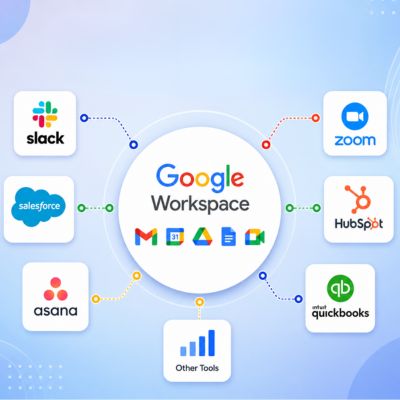
The most quietly expensive habit in a growing small business is retyping the same information into two or three different tools. Automation add-ons connect those tools so data entered once flows everywhere it needs to go.
Connecting Google Workspace to the Rest of the Business’s Tools
 Connecting Google Workspace to the Rest of the Business’s Tools
Marketplace automation add-ons can move data from advertising platforms, accounting software, or other business tools directly into Google Sheets on a schedule, removing the manual export-and-import cycle a team might otherwise run every week. For a business tracking marketing spend or sales figures across multiple platforms, that single connection often replaces hours of manual reconciliation each month.
AI-assisted add-ons now available in the Marketplace can also compose Gmail drafts or analyze data directly in Sheets, which is a newer category worth watching. The paid tiers generally unlock higher usage limits and more advanced automation recipes than the free versions.
Where Automation Add-Ons Overreach
Not every repetitive task needs an automation add-on. Simple, low-volume tasks, sending one weekly report to one person, are often faster to leave as a five-minute manual habit than to configure and maintain an automated pipeline. The right test is frequency times team size: a task performed daily across multiple people is worth automating; a task performed weekly by one person usually isn’t, at least not yet.
The other overreach risk is permission scope. Automation tools often request broad access to Gmail, Sheets, and Drive to function, so it’s worth reviewing exactly what each add-on can read and write before connecting it to anything containing client or financial data.
Business Growth Stage vs. Add-On Priority vs. Why It Ranks There
| Growth Stage | Highest-Priority Add-On | Why It Ranks First at This Stage |
|---|---|---|
| Solo owner / 1–2 people | Backup | First signed contract or financial record makes data loss genuinely costly |
| Small team, 3–7 people | E-signature + phishing reporting | Multiple people now handle contracts and inboxes; manual signing and single-person threat-spotting break down |
| Growing team, 8–15 people | Gmail-native CRM or helpdesk overlay | Shared inbox and spreadsheet pipelines stop giving visibility once more than one person touches the same leads or tickets |
| Scaling past 15 people | Standalone CRM/helpdesk platform + access auditing | Role splits (SDR/AE, tiered support) and contractor turnover need structure a lightweight add-on wasn’t built to enforce |
Frequently Asked Questions
What’s the difference between a free Google Workspace Marketplace app and a paid add-on?
Most Marketplace apps offer a free tier with a hard cap on monthly form submissions, e-signature sends, or backed-up storage, for example. Paid tiers generally raise that cap and unlock features aimed at teams rather than individuals, such as shared templates, audit trails, or multi-user permissions. The free tier is usually genuinely useful for a solo owner or a very small team; it’s the volume and collaboration features that trigger the need to pay. Before choosing a paid tier, check the specific ceiling on your current free plan (submissions, seats, or storage) since that’s the number that determines when you’ll actually need to upgrade, rather than any marketing claim about features.
Are Google Workspace Marketplace add-ons safe to install?
Google reviews public app listings before they can appear in the Marketplace, and apps that pass an independent third-party security assessment display a visible badge on their listing page. That said, safety also depends on the specific permissions an app requests. The OAuth consent screen shown during installation lists exactly what data the app can access, and for many apps, you can grant more granular, individual permissions rather than a blanket approval. Reviewing that consent screen carefully, rather than clicking through it, is the single most effective safety step available to any small business installing a new add-on.
How many paid add-ons should a small business realistically run at once?
There’s no fixed number, but a useful discipline is one add-on per genuine gap, not per available feature. A ten-person business typically ends up with around four to six paid add-ons covering e-signature, backup, a CRM or helpdesk layer, and one automation tool. Beyond that, overlapping tools usually start competing for the same tasks rather than covering distinct ones. Auditing the stack every six months and removing anything the team has stopped actively using keeps the subscription list aligned with what’s actually being used, rather than what was installed and forgotten.
Can Google Workspace administrators control which add-ons employees install?
Yes. A super administrator can install Marketplace apps for the entire organization, specific groups, or individual users through the Google Admin console, and can also restrict whether users are allowed to install apps themselves at all. This is a meaningful control for a growing business, since it prevents individual employees from connecting tools directly with broad Gmail or Drive permissions without first having a request reviewed. For businesses without an in-house administrator managing this setting, it’s one of the more commonly overlooked security gaps.
Do paid Marketplace add-ons come with support from Google?
No. Customer support, documentation, and warranty information for Marketplace apps are provided by the app’s developer, not by the Google Workspace support team, regardless of whether the app is free or paid. Every app listing includes a support link on its details page pointing to the developer’s own support channel. This matters when evaluating add-ons for a business-critical function like backup or invoicing; a business should confirm the developer actually offers responsive support before depending on the tool for something that would be costly to have fail silently.
Is a Gmail-native CRM add-on enough, or does a small business need a full CRM platform?
A Gmail-native CRM add-on is usually enough for a team of one to roughly ten people working a straightforward sales process without multiple handoff stages between roles. Once a sales process splits into distinct roles, say, a person qualifying leads and a separate person closing them, the reporting and pipeline-stage structure of a dedicated CRM platform typically becomes worth the extra cost and the second login. The safest path is to start with the Gmail-native option and treat the jump to a standalone CRM as a deliberate later decision, not a default first choice.
What happens to add-on data if a business cancels a paid Marketplace subscription?
This varies by developer, since Google itself doesn’t run Marketplace apps, so the exact data retention or export policy after cancellation is set by whoever built the app. Before subscribing to any paid tier, especially for backup, CRM, or invoicing add-ons that hold business-critical data, it’s worth checking the developer’s terms of service to see what happens to stored data after a subscription lapses and whether an export option exists. Choosing add-ons that support a clean data export protects a business from being effectively locked into a subscription when it needs to avoid losing historical records.
Do AI-powered Marketplace add-ons require extra data permissions compared to regular add-ons?
Often yes. AI-assisted add-ons that draft emails or analyze spreadsheet data typically need broader read access to Gmail or Sheets content than a narrower, single-purpose tool would. That’s not automatically a problem, but it raises the stakes of reviewing the permission scope during installation, particularly for a business handling client or financial data. Treating AI-powered add-ons with the same scrutiny as security tools, rather than the lighter scrutiny often applied to a simple utility add-on, is a reasonable default for a growing business.
Should a small business pay for a backup add-on if Google Workspace already stores files in the cloud?
Yes, in most cases. Cloud storage protects against hardware failure, but it doesn’t protect against a team member permanently deleting a shared folder, an account being suspended before files are copied out, or a ransomware event that touches synced Drive files. A backup add-on that takes independent, scheduled snapshots is the layer that specifically covers those scenarios. The point at which this becomes worth paying for is usually earlier than owners expect, as soon as there’s a single client contract or financial record that would be genuinely costly to lose.
How does Hiya Digital’s role differ from just installing an add-on myself?
Hiya Digital, as a Google Workspace Authorized Reseller and Implementation & Migration Partner, configures add-on permissions correctly the first time, coordinates the stack across multiple tools to prevent overlap or conflict, and provides ongoing account management as the business and its team evolve. A self-serve installation solves the immediate need but leaves permission review, renewal tracking, and stack coordination entirely to the business owner, work that’s easy to defer indefinitely without dedicated IT staff. That ongoing management, rather than the initial setup itself, is usually where the difference becomes most visible over time.
Glossary
Marketplace app/add-on: A third-party tool listed in the Google Workspace Marketplace that extends the functionality of apps like Gmail, Sheets, Docs, or Calendar.
OAuth consent screen: The permission screen shown during installation that lists exactly what data and actions an app is requesting access to.
Independent security assessment badge: A visible marker on a Marketplace listing indicating the app has passed a third-party security review.
Data Loss Prevention (DLP): Security tooling that monitors and restricts how sensitive data is shared or accessed within an organization.
SLA (Service Level Agreement): A defined commitment, often used in helpdesk tools, for how quickly a support request should be answered or resolved.
Document merge: The process of automatically generating a filled-in document (invoice, contract, proposal) from spreadsheet or form data and a template.
The Hiya Digital Team is a collective of IT infrastructure specialist engineers, certified systems administrators, and cloud architects driven by a singular mission: building corporate communication systems that just work. As an Authorized Google Partner, the team handles complex global hosting deployments, secure email migrations, and advanced data compliance architectures for businesses across 40+ countries.
With over two decades of technical experience spanning custom premium business email configurations, OX AppSuite deployments, and enterprise-level network security, the Hiya Digital Team writes to demystify domain infrastructure. Their content focuses on actionable technical strategies, anti-phishing security protocols, and seamless cloud collaboration setup, all backed by real-world deployment experience and 24/7 technical support accountability.