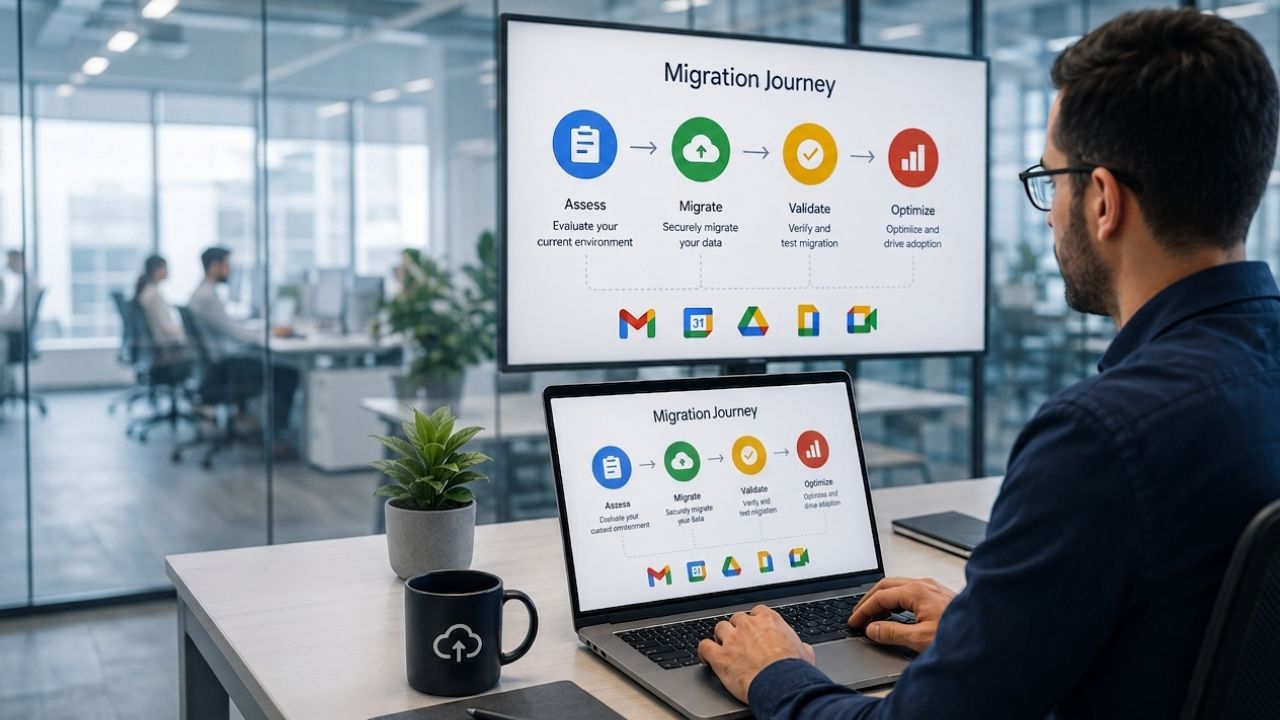
Enterprise migrations to Google Workspace require careful planning, structured execution, and coordination across users, departments, and business operations. Successfully moving large volumes of email, files, calendars, and user accounts involves phased deployments, pilot testing, identity management, data migration, security validation, and change management to minimize disruption. Following a well-defined migration approach helps IT teams reduce risk, maintain business continuity, and deliver a smoother transition to Google Workspace Enterprise.
Start with Google Workspace For Enterprise →
Why Enterprise-Scale Migrations Need a Different Playbook
A migration that works for 50 people breaks in predictable ways once the seat count crosses into the thousands; the difference isn’t technical complexity so much as coordination complexity across teams, time zones, and business calendars that a single-department rollout never has to reckon with.
 What Breaks When You Treat a 5,000-Seat Migration Like a Small Rollout
 What Breaks When You Treat a 5,000-Seat Migration Like a Small Rollout
A single “flip the switch” weekend works when everyone sits in one office and uses the same three applications. It falls apart once an organization spans multiple business units, each with its own calendar of quarter-end closes, product launches, and regulatory filing deadlines. A wave scheduled without checking those calendars can land squarely on a finance team’s month-end close or a sales team’s renewal week, and the resulting disruption gets blamed on the platform rather than the timing.
Scale also multiplies the number of dependent systems that assume the old platform is still there. Shared calendars synced into scheduling tools, distribution lists feeding marketing automation, and mailboxes wired into ticketing systems all need an inventory before cutover, not after. Small rollouts can improvise fixes in an afternoon; a 5,000-seat rollout that improvises fixes generates a support queue that takes weeks to clear, which is why enterprise migrations plan the dependency map before touching a single account.
The Roles a Migration Steering Committee Actually Needs
A steering committee for an enterprise migration needs more than an IT project manager and a Google admin. It needs a business-side sponsor who can arbitrate scheduling conflicts between departments, a security or compliance representative who signs off on data-handling decisions before they’re made rather than after, and a communications lead who owns the message calendar independent of the technical timeline.
Without that mix, technical decisions end up making business decisions by default, a wave gets scheduled around server capacity rather than the sales team’s fiscal quarter, or a legal-hold mailbox gets migrated on the standard timeline because nobody with compliance authority was in the room to flag it. The committee’s job is to keep those two tracks, technical and organizational, moving in sync rather than assuming one will accommodate the other automatically.
Pre-Migration Readiness Assessment
Every wave decision made later in the project depends on an accurate picture of what’s being migrated. Skipping or rushing this assessment is the single most common reason enterprise timelines slip mid-project rather than at the start, when slippage is still cheap to absorb.
Auditing Mailbox Data, Shared Drives, and Third-Party App Dependencies
The readiness assessment starts with a full inventory: mailbox sizes and growth trends, shared drive structures and ownership, and every third-party application that authenticates against the current directory or ingests data from the current email platform. This inventory should flag outliers early: the handful of mailboxes holding a decade of PST-attached archives or the shared drives with ownership tangled across departed employees tend to be the items that blow up a wave’s timeline if they surface during cutover rather than during planning.
Third-party dependency mapping deserves its own pass, separate from the mailbox and storage audit. CRM integrations, e-signature tools, help desk ticketing, and marketing automation platforms frequently authenticate via the existing identity provider or pull calendar and contact data on a scheduled basis. An enterprise with a few hundred such integrations across business units needs a person assigned to test each one against the new environment before that integration’s dependent users are migrated, not a generic assumption that “most things will just work.”
Setting Migration Success Criteria Before Day One
Success criteria defined after a wave has already run tend to be retrofitted to whatever happened, making it impossible to tell whether the project actually succeeded or just avoided an obvious disaster. Enterprise teams that get this right define numeric thresholds before wave one: acceptable help-desk ticket volume per 100 migrated users, maximum tolerable email delivery delay during cutover, and a required percentage of pilot users reporting no data loss.
These thresholds double as the trigger for pausing between waves. If wave one’s ticket volume exceeds the threshold by a wide margin, that’s the signal to fix the root cause before wave two rather than pushing forward on schedule and hoping the pattern doesn’t repeat at triple the user count. Tying pause decisions to numbers agreed upon in advance also removes the politics from mid-project delays, since the criteria were set before anyone had a stake in a particular wave’s outcome.
Choosing and Sequencing Pilot Groups
The pilot group’s job isn’t to prove the migration works under the easiest possible conditions; it’s to surface the problems a full rollout will encounter, while the blast radius is still small enough to absorb them.
Who Belongs in Wave One (and Who Never Should)
A strong pilot group is deliberately imperfect: it should include a cross-section of technical comfort levels, at least one team with heavy third-party integrations, and a handful of power users who generate edge cases through sheer volume of email and calendar activity. A pilot made up entirely of the IT department itself will pass cleanly and tell the project almost nothing about how a marketing team’s shared drive permissions or a sales team’s calendar-booking tool will behave.
What never belongs in wave one is anything with a hard external deadline attached, a team mid-way through an active legal matter, a department closing books during the pilot window, or any group whose leadership has already expressed skepticism about the migration. Putting a skeptical, high-visibility team into the highest-risk wave all but guarantees that any pilot hiccup becomes an organization-wide talking point rather than a contained lesson.
Reading Pilot Feedback Without Derailing the Timeline
Pilot feedback arrives in two forms that need to be sorted quickly: issues indicating a genuine configuration or process gap, and preference-based complaints reflecting unfamiliarity rather than a real defect. Conflating the two either causes the team to over-engineer fixes for things that will resolve with training or to dismiss a real gap as “just people not liking change.”
A practical filter maps frequency and severity against a short follow-up window; a data-loss report or a broken integration gets triaged immediately, regardless of how many people report it. At the same time, complaints about the single-user interface are logged for the training curriculum rather than treated as blocking issues. Feeding validated pilot fixes into the wave-two configuration, rather than fixing them ad hoc mid-wave, keeps the rollout schedule from absorbing rework that should have happened during the pilot review window.
Structuring Rollout Waves Across the Organization
Once the pilot validates the process, the real coordination challenge begins: sequencing the rest of the organization into waves that respect both technical capacity and the business calendar it has to operate around.
Building a Wave Schedule Around Business-Critical Blackout Periods
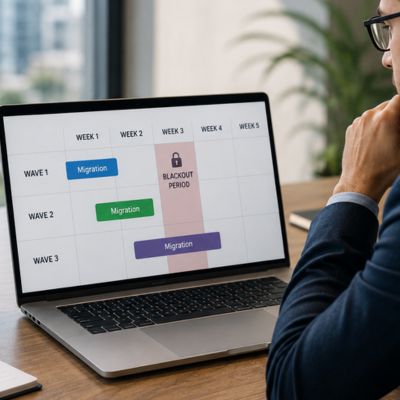 Building a Wave Schedule Around Business-Critical Blackout Periods
A wave schedule built purely around technical throughput, how many accounts the migration tooling can process per night, ignores the reality that different parts of a large organization have different windows when disruption is tolerable. Finance typically can’t absorb a migration during month-end or quarter-end close. Retail and e-commerce teams can’t absorb one heading into a peak sales period. Customer support can’t absorb one during a product launch week.
Building the wave calendar means collecting these blackout windows from every business unit before sequencing, then working backward to fit technical capacity into the gaps rather than forcing business units to work around a technically convenient schedule. This is typically where an enterprise migration’s real timeline reveals itself to be longer than the technical work alone would suggest, not because the migration is harder, but because the available windows are narrower than a purely technical plan assumes.
Regional and Departmental Sequencing for Multinational Rollouts
Multinational organizations add a layer that the blackout-period exercise alone doesn’t cover: time zone overlap for support coverage, regional data-residency considerations that affect how a wave is configured, and local holiday calendars that a headquarters-centric schedule can easily miss. A wave scheduled for a week that includes a regional public holiday in one office but not another creates uneven support coverage exactly when new users need the most help.
The practical approach is to sequence by region in a way that keeps each wave’s support team working close to its own waking hours, and to stagger start times across time zones rather than pushing a global cutover on a single calendar date. Departmental sequencing within a region should still follow the same interdependency logic as blackout-period planning. Teams that hand off work to each other daily migrate in the same wave wherever possible, so nobody spends weeks bridging between two different platforms mid-workflow.
Change Management Communications That Reduce Help-Desk Load
The technical migration and the communication plan run on parallel tracks, and the latter determines how many support tickets each wave generates. A well-executed technical cutover with poor communication still produces a flooded help desk.
A Communication Cadence That Matches Each Wave
A single announcement email sent once, weeks before a wave, is not a communication plan. By the time the cutover arrives, most recipients have forgotten the specifics or missed the message entirely. An effective cadence layers reminders at decreasing intervals as the wave approaches: an initial notice several weeks out explaining what’s changing and why, a detailed how-to reminder a week before, and a same-day notice on cutover morning with a direct link to support resources.
Each message in that cadence should answer a different question rather than repeating the last one. The early notice covers timing and rationale; the pre-cutover reminder covers what the user needs to do to prepare; and the day-of message covers where to get immediate help. Repeating the same generic “migration is coming” message at every interval trains recipients to skim past it, which defeats the purpose of the cadence entirely.
Equipping Local Champions Instead of Relying on IT Alone
IT teams that try to field every question from every migrating department directly get overwhelmed the moment a wave includes more than a couple hundred users, no matter how good the documentation is. Enterprise migrations that hold up well under volume typically designate a champion within each migrating department, someone trained slightly ahead of their team who can answer the first round of “where did my thing go” questions locally before they ever become a ticket.
Champions need more than a slide deck to be effective: a short hands-on session in the actual new environment, a direct escalation channel to the migration team for anything they can’t answer, and enough advance notice to build genuine familiarity rather than cramming the day before their team migrates. Departments with an engaged, well-prepared champion consistently generate fewer help-desk tickets during their wave than departments in which the champion role was assigned but never filled.
Wave Structure at a Glance
| Wave Type | Typical Group Size | Recommended Duration | Go/No-Go Trigger for Next Wave |
|---|---|---|---|
| Pilot | 50–200 users | 2–4 weeks | Ticket volume and data-integrity checks meet pre-set success criteria |
| Early adopter | 300–800 users | 1–2 weeks | Adoption dashboard shows active usage matching pilot benchmarks |
| Core waves | 1,000–3,000 users each | 1 week per wave | Hypercare ticket volume drops below threshold before next wave starts |
| Final / laggard wave | Remaining users, including holdouts | 1–2 weeks | Legacy system decommission checklist can begin |
| Hold-status pass | Mailboxes under legal/compliance hold | Runs parallel, own timeline | Legal or compliance sign-off on chain-of-custody documentation |
Plan Your Enterprise Rollout with Expert Guidance
Getting a multi-thousand-seat rollout through pilot, wave sequencing, and change management without losing the business calendar’s cooperation is exactly the kind of coordination work that benefits from a partner who has run the sequence before. As an Authorized Reseller and Implementation & Migration Partner, Hiya Digital builds and manages the wave schedule, staffs the hypercare window, and handles the compliance documentation trail alongside internal IT and the steering committee. Hence, the project timeline holds firm even when a business unit’s calendar pushes back.

Data Migration Mechanics at Enterprise Volume
The underlying technical mechanics of moving mail and DNS records apply to organizations of any size and aren’t re-explained here; what changes at enterprise volume is the coordination layer wrapped around those mechanics.
Coordinating Mailbox, Drive, and Calendar Migration Tooling at Scale
 Coordinating Mailbox, Drive, and Calendar Migration Tooling at Scale
At enterprise volume, migration tooling needs to run in scheduled, monitored batches rather than as a single manual process, with throughput tuned to avoid saturating network bandwidth during business hours. Mailbox, Drive, and calendar data typically migrate through separate tooling passes, and enterprise teams sequence them so that a user’s calendar and Drive access lands in the new environment close enough to their mailbox migration that there’s no awkward window where some tools work, and others don’t.
Batch monitoring matters more than batch size at this volume; a migration job that silently stalls partway through a batch of a thousand mailboxes can go unnoticed for hours without active monitoring, turning a two-hour delay into a two-day one. Enterprise migration teams build in checkpoint validation after each batch, comparing item counts and folder structures against the source system before marking that batch complete and moving to the next. Google documents batch-level status tracking and retry behavior for its own migration tooling, which is worth reviewing alongside whatever third-party tool a migration partner layers on top of it.
Handling Legacy Archives, PSTs, and Compliance Holds During Transfer
Legacy PST archives scattered across user desktops and file shares are among the most common sources of enterprise migration delays, because they’re rarely centrally tracked and often contain years of data that the original owner has long since left the organization. A proper archive inventory, done during the readiness assessment rather than discovered mid-wave, identifies which PSTs need to migrate, which can be archived separately, and which fall under a legal hold that requires special handling before they can move at all.
Mailboxes under an active legal hold need a documented chain-of-custody process during migration, not just a standard batch job. The migration needs to preserve metadata and demonstrate that nothing was altered in transit, which typically means running holds through a separate, more heavily logged migration pass with sign-off from legal or compliance before and after. Treating hold mailboxes the same as standard mailboxes is a common shortcut that creates real exposure, since Google’s own Vault hold documentation notes that held data can’t be transferred or deleted until the hold itself is formally removed.
Identity, Access, and Security Configuration Before Cutover
None of the wave scheduling matters if the identity and access layer isn’t correctly configured before the first user account moves; this is the piece of the migration that has to be finished, tested, and stable before wave one, not iterated on alongside it.
Single Sign-On and Directory Sync Sequencing
Directory synchronization needs to run cleanly for at least one full cycle before any user accounts are migrated, so that group memberships, organizational units, and attribute mappings are verified against the source directory rather than discovered to be wrong after users are already relying on them. Enterprise teams typically run directory sync in monitoring-only mode first, comparing the resulting structure against the source system before switching to actively provisioning accounts.
Single sign-on configuration should be tested specifically with the pilot group, using real multi-factor authentication flows and conditional access policies rather than a simplified test account, since SSO edge cases tend to surface for users with unusual device configurations or who work across multiple locations. Getting SSO wrong in wave one means every subsequent wave inherits the same broken authentication experience, so this is a place where enterprise teams intentionally slow down before speeding up.
Provisioning Admin Roles and Least-Privilege Access for the Rollout Team
A migration project that grants broad super-admin access to everyone on the rollout team because it’s convenient creates an access-control problem that outlives the migration itself; those accounts often don’t get properly deprovisioned once the project ends. Enterprise teams instead provision role-scoped admin access tied to each person’s actual migration responsibilities: a person running mailbox batches doesn’t need the same access as someone configuring security policies.
This least-privilege approach also makes the eventual project closeout cleaner, since revoking access at the end of the migration means reviewing a smaller, well-documented set of role-specific grants rather than untangling who still has standing super-admin rights and why. Documenting each temporary grant with an expiration date when it’s issued, rather than relying on someone to remember to revoke it later, closes one of the more common security gaps left by large migration projects.
Training Thousands of Users Without Stalling Adoption
Training at enterprise scale can’t be a single generic session recorded once and pushed to everyone. Different roles interact with the platform in ways that are sufficiently distinct that a one-size-fits-all training approach leaves gaps that surface as support tickets weeks after a wave technically completes.
Role-Based Training Tracks for Different Departments
An executive assistant managing five calendars, a finance analyst working primarily in spreadsheets, and a field sales rep who lives on mobile all need a genuinely different first-hour experience with the new platform, not a shared generic walkthrough that briefly touches everyone’s use case and deeply covers no one’s. Enterprise training programs typically build three to five role-based tracks, each focused on the handful of workflows that the role actually performs daily.
Building these tracks takes coordination with department leads during the readiness assessment phase, not as an afterthought once the technical migration is already underway. Department leads know which workflows their team actually relies on, and that knowledge is what keeps a training track relevant rather than generic. Tracks built this way also tend to run shorter than a one-size session, since they skip the features a given role will never touch, which matters when thousands of people need to sit through training without it consuming a full day of productivity.
Measuring Adoption Signals During and After Each Wave
Training completion isn’t the same as adoption, and enterprise teams that only track whether people attended a session miss the signal that actually predicts a smooth rollout. Adoption signals worth tracking include active use of core apps in the days following a wave, the ratio of new-platform to old-platform activity during any transition overlap period, and help-desk ticket categories indicating confusion rather than genuine defects.
A wave showing strong training attendance but weak actual usage the following week is a signal to intervene with targeted follow-up, not that the numbers will catch up on their own. Enterprise migration teams generally build a short dashboard tracking these signals per wave, which also gives the steering committee an evidence-based way to decide whether the next wave proceeds on schedule or needs an extra week of reinforcement first.
Managing Hypercare and Post-Wave Support
The days immediately following each wave’s cutover are where most of the real-world friction surfaces, which is why enterprise migrations build a dedicated, time-boxed support structure specifically for that window rather than routing everything through standard help-desk queues.
Structuring a Hypercare Window That Actually Catches Issues
A hypercare window is a defined period, typically one to two weeks after a wave’s cutover, during which support staffing and escalation paths are elevated above normal levels specifically for the users who just migrated. Enterprise teams staff this window with people who understand both the old and new environments well enough to diagnose whether an issue is a genuine defect or a workflow difference the user hasn’t adjusted to yet.
The window needs a defined exit criterion, not an open-ended commitment. Ticket volume dropping below an agreed-upon threshold for a set number of consecutive days is a common trigger for scaling back hypercare staffing to standard levels. Ending hypercare too early, before ticket volume has genuinely stabilized, pushes unresolved friction into the standard help desk, where it’s less likely to get the specialized attention it needs.
Escalation Paths for Wave-Specific Technical Blockers
Not every issue surfacing during hypercare belongs with the frontline support team; data-loss reports, broken third-party integrations, and access issues tied to compliance hold need a fast path to the technical migration team rather than sitting in a generic queue behind routine password resets. Enterprise teams define this escalation path before the first wave, not while triaging the first wave’s actual tickets.
A clear severity rubric, agreed on during the readiness phase, keeps escalation decisions consistent across waves and across the different people staffing hypercare. A rubric removes the guesswork of whether a given ticket qualifies as urgent, which matters when the team fielding day-one tickets may not be the same team that built the migration plan. Wave-specific blockers identified during hypercare should also feed directly back into the configuration used for the next wave, closing the loop the same way pilot feedback does earlier in the project.
Migration Team Roles and Escalation Authority
| Role | Primary Ownership During Rollout | Escalation Authority |
|---|---|---|
| IT project lead | Technical timeline, batch monitoring, tooling configuration | Can pause a wave for technical blockers |
| Business sponsor | Arbitrates blackout-period conflicts between departments | Can override wave scheduling for business reasons |
| Compliance/security representative | Hold-status mailbox handling, access-grant sign-off | Can halt migration of any flagged compliance-sensitive data |
| Communications lead | Message cadence, champion enablement materials | Sets go-live announcement timing independent of tech schedule |
| Local champion | First-line questions within their migrating department | Escalates unresolved issues directly to hypercare team |
| Hypercare support staff | Wave-specific ticket triage during the support window | Escalates severity-rubric-flagged issues to migration team |
Post-Migration Governance and Lessons-Learned Review
Once the final wave clears hypercare, the project isn’t finished; closing out legacy infrastructure and capturing what was learned determine whether the organization is left with a clean environment or a slow accumulation of residual risk.
Closing Out Legacy Systems Without Losing Audit Trail
 Closing Out Legacy Systems Without Losing Audit Trail
Decommissioning the legacy platform needs its own checklist, separate from the migration checklist, covering what gets archived, for how long, and under what access controls, particularly for any data connected to a compliance or legal hold that outlived the migration itself. Turning off legacy systems before confirming every hold obligation has a home in the new environment is one of the more damaging mistakes a large migration can make, since it’s difficult to reverse after the fact.
Enterprise teams typically keep a read-only, access-logged copy of the legacy environment available for a defined retention period after cutover, specifically to cover any gaps discovered after decommissioning was deemed complete. That retention window should be set based on legal and compliance input gathered during the readiness assessment, not decided informally by IT once the project is winding down and attention has already shifted elsewhere.
Running a Retrospective That Feeds the Next Wave
Even after the last wave, a structured retrospective captures what the wave-by-wave dashboards and hypercare escalation logs actually showed, rather than relying on individual team members’ memory of how the project felt. This matters most for organizations that will run a similar rollout again, for a new acquisition, a merged subsidiary, or a future platform change, since the documented lessons become the starting playbook rather than a repeat of the same early-wave mistakes.
The retrospective should explicitly revisit the success criteria set before wave one and score the project against them honestly, including the waves that missed the mark, rather than only highlighting the waves that went smoothly. Enterprise teams that skip this step tend to repeat the same sequencing errors on their next major platform project, because the readiness-assessment discipline that made later waves smoother never gets written down anywhere the next project team will find it.
Frequently Asked Questions
Can I migrate from Microsoft 365 to Google Workspace Enterprise?
Yes. Migrating from Microsoft 365 to Google Workspace Enterprise is one of the most common enterprise migration scenarios, and Google provides dedicated migration tooling for mail, calendar, and contacts sourced from Exchange Online. At enterprise scale, technical transfer is rarely the bottleneck; the harder work is mapping Microsoft 365 groups and permission structures onto Google’s organizational units and Shared Drive model, since the two systems don’t translate one-to-one. Teams coming from Microsoft 365 should also budget extra time for retraining around fundamentally different concepts, such as Shared Drives replacing SharePoint document libraries and Google Groups replacing distribution lists and Microsoft 365 Groups. A pilot wave drawn from a department that uses Teams, SharePoint, and Outlook rules heavily will surface most of the translation issues before they affect the wider rollout.
How long does an enterprise Google Workspace migration typically take for 5,000 or more users?
There’s no fixed timeline, since it depends heavily on the wave count, blackout-period density, and the number of third-party integrations that require individual testing. Still, enterprise rollouts at this scale commonly run six to twelve months from readiness assessment through the final wave’s hypercare close. Organizations with tightly packed quarterly close periods across multiple business units, or with significant regulatory hold requirements, tend to land toward the longer end because usable migration windows are narrower. A realistic schedule reserves roughly a third of the total timeline for the pre-migration readiness assessment and pilot, since rushing that phase is what most often causes later waves to slip.
How do we sequence migration waves across multiple international offices?
Sequence by grouping offices that share close working-hour overlap into the same or adjacent waves, so support coverage stays aligned with when users are actually online, and stagger the start times across distinct time zone clusters rather than attempting a single global cutover date. Departments that hand off work to each other daily, even across offices, generally migrate together regardless of location, since splitting a tightly coupled workflow across two platforms mid-transition creates more friction than the scheduling convenience is worth. Local public holidays and regional data residency requirements should be checked against the wave calendar during the readiness assessment, rather than discovered once a wave is already scheduled.
What should a pilot group look like for an enterprise Workspace migration?
An effective pilot group is a deliberately mixed sample of 50 to 200 users spanning varied technical comfort levels, at least one team with heavy third-party application dependencies, and a few high-volume power users likely to surface edge cases through sheer activity level. It should exclude any team facing a hard external deadline during the pilot window, such as an active legal matter or a month-end close, since a pilot problem colliding with a business deadline creates outsized organizational noise relative to its actual technical severity. The pilot typically runs two to four weeks, long enough to capture a full weekly and monthly workflow cycle before feedback is finalized.
Who should sit on a migration steering committee for a large-scale rollout?
A functioning steering committee includes an IT project lead who runs the technical timeline, a business-side sponsor with authority to arbitrate scheduling conflicts between departments, a security or compliance representative empowered to make data-handling decisions before decisions are finalized, and a dedicated communications lead who independently owns the messaging calendar, independent of the technical schedule. Organizations that staff the committee with technical roles only tend to end up making business and compliance decisions by default, since nobody in the room has the authority or context to flag them before they become embedded in the wave plan. Weekly steering committee reviews, tied to the numeric success criteria set at project start, keep pause-or-proceed decisions objective rather than political.
How do we handle PST files and legacy email archives during a large-scale migration?
Start with a centralized inventory during the readiness assessment, identifying every known PST archive, its owner, its size, and whether it is subject to any legal hold, since PSTs scattered across desktops and file shares are rarely tracked centrally and are among the most common sources of late-stage migration delays. Archives not under hold typically migrate through the same batch tooling as active mailboxes. In contrast, hold-status archives require a separate, more heavily logged migration pass with a documented chain of custody and compliance sign-off before and after transfer. Any PST belonging to a departed employee should be reviewed for retention-policy relevance before migration, since moving it forward by default can extend an organization’s retention obligations beyond what was intended.
What causes most enterprise Google Workspace migrations to fall behind schedule?
The most common causes are an incomplete pre-migration readiness assessment, third-party integrations discovered mid-wave rather than during planning, legal-hold mailboxes identified only after they’ve already been scheduled for standard migration, and blackout periods missed because business units weren’t consulted before the wave calendar was built. A close second is skipping the pause-and-fix step between waves when a pilot or early-wave ticket volume exceeds the agreed threshold, pushing ahead on schedule instead of resolving the root cause before it repeats on a larger scale. Both causes trace back to the same root issue: treating the readiness and pilot phases as a formality to move through quickly, rather than as the phases that determine whether the rest of the timeline holds.
How much hypercare support should we budget for after each rollout wave?
Most enterprise migrations budget one to two weeks of elevated, wave-specific support staffing after each cutover, with an explicit exit criterion, such as ticket volume dropping below an agreed daily threshold for several consecutive days, rather than a fixed calendar end date. Waves with heavier third-party integration dependencies or larger user counts generally need hypercare staffing closer to the two-week end of that range. In contrast, smaller, well-piloted waves with strong local champion coverage can often step back down to standard support closer to one week. Ending hypercare before ticket volume has genuinely stabilized tends to push unresolved friction into the standard help desk, where it typically takes longer to resolve.
What change-management communications actually reduce help-desk ticket volume during migration?
A layered cadence that delivers a different message at each interval performs better than repeated generic reminders: an early notice explaining timing and rationale several weeks out, a detailed how-to reminder about a week before cutover, and a same-day message pointing directly to support resources on the morning of the wave. Departments with a trained local champion who can field first-round questions before they escalate to a formal ticket consistently generate measurably lower help desk volume than departments that rely on IT to field every question directly. Generic “your migration is coming” messages, repeated without new information, tend to be skimmed past by the time the cutover arrives, undermining the cadence’s purpose.
How do we migrate departments with compliance holds or legal retention requirements?
Departments or individual mailboxes under an active legal hold or regulatory retention requirement should be identified during the readiness assessment, flagged separately from the standard wave schedule, and migrated through a dedicated pass with a documented chain of custody, metadata preservation checks, and sign-off from legal or compliance before and after the transfer completes. These mailboxes should never be folded into a standard departmental wave on the assumption that the migration tooling will handle the hold status automatically, since standard batch processes aren’t built to produce the audit trail a challenged hold would require. Coordinating the timing of a hold-status migration with the responsible legal or compliance owner, rather than defaulting to the department’s regular wave date, keeps the organization’s retention obligations intact throughout the transition.
Glossary
Blackout period: A window of time during which a business unit cannot tolerate migration-related disruption, such as a financial close or product launch, and around which the wave schedule is built.
Business Associate Agreement (BAA): A contractual agreement required under U.S. healthcare privacy law before an organization can process protected health information through a given cloud service.
Champion (local champion): A department-level, early-trained user who fields first-round platform questions from their team during and after that team’s migration wave, reducing direct load on the central help desk.
Cutover: The point at which a group of users’ accounts and data formally switch from the legacy platform to the new one and become the active, in-use system.
Data loss prevention (DLP): Policy-based controls that detect and restrict the movement of sensitive information, such as financial or personal data, out of an organization’s environment.
Directory sync: The automated process of matching user accounts, group memberships, and organizational structure between a source identity system and the new platform’s directory before accounts are provisioned.
Dual delivery: A temporary mail-routing configuration that sends copies of incoming email to both the legacy and new platforms during a transition period, referenced briefly here as a supporting mechanic covered in full detail elsewhere.
Hypercare: A defined, time-boxed period of elevated support staffing immediately following a migration wave’s cutover, aimed at rapidly resolving wave-specific issues before they reach the standard support queue.
Identity and access management (IAM): The systems and policies governing who can authenticate into an organization’s environment and what level of access each authenticated identity is granted.
PST file: A Microsoft Outlook data file format used to store archived email locally, commonly a source of untracked legacy data during migrations away from Microsoft platforms.
Single sign-on (SSO): An authentication method allowing a user to log in once through a central identity provider and gain access to multiple connected applications without re-entering credentials.
Wave: A scheduled group of users migrated together as a single coordinated batch, sequenced according to business calendar, technical dependencies, and support capacity.
The Hiya Digital Team is a collective of IT infrastructure specialist engineers, certified systems administrators, and cloud architects driven by a singular mission: building corporate communication systems that just work. As an Authorized Google Partner, the team handles complex global hosting deployments, secure email migrations, and advanced data compliance architectures for businesses across 40+ countries.
With over two decades of technical experience spanning custom premium business email configurations, OX AppSuite deployments, and enterprise-level network security, the Hiya Digital Team writes to demystify domain infrastructure. Their content focuses on actionable technical strategies, anti-phishing security protocols, and seamless cloud collaboration setup, all backed by real-world deployment experience and 24/7 technical support accountability.