A Google Workspace Enterprise deal rarely lives or dies on the license line alone. For an organization weighing hundreds or thousands of seats, the real question is what the license buys in admin time, consolidation savings, and risk reduction, and whether that return holds up against a multi-year commitment.
Switch to Google Workspace For Enterprise →
What “Enterprise” Means at Google Workspace’s Top Tier
At Google Workspace’s top tier, “Enterprise” is not a feature bundle so much as a licensing model built for organizations that have outgrown fixed seat caps and self-serve billing. It removes the constraints that shape the Starter, Standard, and Plus plans and replaces them with a negotiated, sales-led arrangement suited to procurement cycles rather than credit-card checkout.
 Enterprise Is a Different Purchasing Relationship, Not Just a Bigger Plan
 Enterprise Is a Different Purchasing Relationship, Not Just a Bigger Plan
Google’s Business-tier plans, Starter, Standard, and Plus, are capped at a maximum of 300 users combined, and buyers select and pay for them directly through a self-serve checkout flow. Enterprise plans, by contrast, carry no minimum or maximum user limit, and Google’s own pricing page routes every Enterprise inquiry to a sales conversation rather than a listed per-seat rate. That distinction matters more than any single feature: it changes who inside your organization owns the buying process.
For an IT director or procurement lead, this means Enterprise adoption is a vendor-management exercise, not a self-service subscription change. Contract terms, support tiers, data-residency commitments, and renewal pricing are all negotiable inputs rather than fixed catalog values. Budgeting for Enterprise, therefore, starts with a scoping conversation, seat count, growth trajectory, and compliance requirements before a number ever reaches a spreadsheet. Organizations that skip this step and try to model Enterprise costs off Business-tier list pricing consistently underestimate the real number, because the two purchasing motions don’t share a rate card.
Enterprise Sits Above a 300-Seat Ceiling by Design.
The 300-user cap on Business Starter, Standard, and Plus is a deliberate product boundary, not a technical limitation of the underlying platform. Once an organization requires more than 300 combined seats across those plans, Enterprise is the only path forward, regardless of whether it needs every Enterprise-specific feature. This is a common trigger point worth flagging briefly for growing mid-market companies approaching that ceiling.
Because the cap is combined across all three Business plans, a company mixing Starter and Standard licenses can hit it faster than expected, a detail that catches finance teams off guard during annual renewal planning. Tracking combined seat count against the 300-user threshold every quarter, rather than discovering it at renewal, gives procurement enough runway to start Enterprise conversations before a forced, rushed migration.
How Enterprise Pricing Works: The Custom-Quote Model
Enterprise pricing departs from Google’s published per-user rates in a specific, structural way: there isn’t one. Understanding how the quote is built and what’s negotiable within it is the first real lever available to a procurement team.
There Is No Public Enterprise Rate Card
Google publishes list prices for Business Starter and Standard on its pricing page, but the Enterprise tier is marked “Contact sales” with no per-seat price listed. That’s a deliberate model: Enterprise pricing reflects seat count, commitment length, support tier, and regional factors that a flat rate card can’t capture. Any published “Enterprise price” you find outside Google’s own sales process should be treated as an estimate, not a quote.
One naming note worth flagging directly: some Google partner and reseller materials still reference “Enterprise Standard” and “Enterprise Plus” as named SKUs, reflecting how Google has structured Enterprise offerings in past sales cycles. As of this writing, Google’s public self-serve pricing page lists a single “Enterprise” tier that is reached through a sales conversation, without publicly breaking out the sub-tier names. Confirm the exact SKU naming and inclusions with your sales or reseller contact at quote time rather than assuming a keyword list or older article reflects the current structure.
Approximate Cost Bands Replace Fixed Figures
Because Google doesn’t publish an Enterprise rate, the most useful thing a procurement team can do is think in terms of relative cost bands rather than chase an exact number from a blog post. Enterprise pricing generally sits meaningfully above the Business Plus list rate per seat, reflecting added storage headroom, security controls, and support entitlements, but the effective rate an organization pays after negotiation can vary widely based on seat count, commitment term, and competitive context.
Multiple industry benchmarking sources describe enterprise discounting at roughly 15–35% off the initial quoted position, with the deepest discounts tied to multi-year commitments and a credible competing bid on the table. Treat any specific percentage you encounter as directional rather than guaranteed; your organization’s leverage depends on factors a generic benchmark can’t capture, including timing relative to Google’s fiscal quarter close and the extent of AI adoption you’re willing to commit to.
What Drives Your Per-Seat Cost at Scale
Once you’re in an Enterprise conversation, several variables move the quoted number more than headcount alone. Isolating them helps procurement negotiate the right things instead of just pushing on volume.
Seat Count and Commitment Length Set the Baseline
Seat count matters, but not in a simple linear way; larger deployments generally unlock deeper percentage discounts, since Google’s account teams weigh total contract value heavily in their willingness to offer. A 500-seat deployment and a 5,000-seat deployment are negotiated as fundamentally different conversations, with the larger one typically drawing a more senior sales team and offering more flexibility on non-price terms such as data residency or custom support SLAs.
Commitment length is the second major lever. Annual commitments unlock a standard discount off flexible monthly billing, and multi-year commitments, where Google offers them, can extend that further in exchange for locking in price and reducing renewal risk for Google’s own revenue forecasting. The trade-off procurement should explicitly negotiate is price escalation protection: a multi-year commitment without a cap on renewal increases can erode the discount’s value by the final contract year.
Support Tier and Add-On Selections Change the Total
The upgrade path from Standard to Enhanced and from Enhanced to Premium, with support included in Enterprise plans, is a real cost lever that many procurement teams underweight during initial budgeting. Premium support typically offers faster response-time commitments and named technical contacts, which are valuable for organizations that run Workspace as mission-critical infrastructure. Still, it is a genuine added cost that should be justified by actual incident-response requirements rather than defaulted to “because it’s Enterprise.”
Add-ons sold outside the core Workspace bundle, expanded AI access beyond what’s included at the base tier, Meet hardware for conference rooms, Voice for business telephony, and archived-user licenses for departed employees whose data must be retained, sit outside the per-seat license price entirely and need their own line items in a total-cost model. Skipping this step is one of the most common reasons an initial Enterprise budget comes in under the eventual renewal invoice.
Enterprise Cost Components at a Glance
| Cost Component | What It Covers | How It Typically Scales |
|---|---|---|
| Core per-seat license | Base Enterprise entitlements: pooled storage, security controls, meeting capacity | Scales with headcount; discount depth increases with total seat volume and commitment length |
| Support tier upgrade | Standard to Enhanced, or Enhanced to Premium response-time commitments | Priced per organization or per seat band, not automatically included in the base quote |
| AI Expanded Access | Higher usage limits for advanced automation, image/video generation, translation | Priced as a separate add-on beyond the AI features bundled into the base tier |
| Meet hardware | Physical conference-room video equipment | One-time or amortized cost per room, separate from per-seat licensing |
| Voice | Business telephony integration | Priced per user, separate from the core Workspace bundle |
| Drive Enterprise | Drive-only access for contractors or reviewers who don’t need full Workspace | Priced lower per seat than full Enterprise; scales with contractor/reviewer headcount |
| Archived User | Retains former employees’ Gmail and Drive data for legal hold | Scales with attrition rate and the organization’s retention-policy duration |
Total Cost of Ownership Beyond the License Line
License cost is the first thing procurement sees, but it’s rarely the factor that determines whether Enterprise was the right call. A proper TCO view has to include what happens around the license, not just the invoice for it.
Migration, Implementation, and Change Management Carry Real Cost
Moving a multi-thousand-seat organization onto Google Workspace Enterprise, whether from Microsoft 365, a legacy on-premises environment, or an earlier Google Workspace tier, involves data migration, mailbox cutover planning, identity and access configuration, and user training, none of which appear on Google’s own price list. For a large organization, this phase realistically runs weeks to months, depending on data volume, the number of connected third-party integrations, and how much custom configuration the compliance function requires before go-live.
This is where working with an Authorized Reseller and Implementation & Migration Partner like Hiya Digital changes the cost profile: phased-rollout project management, compliance documentation support, and dedicated account management at scale reduce the internal IT hours that a large migration would otherwise consume and reduce the risk of a rushed, error-prone cutover. That’s a genuine TCO offset worth modeling against the alternative of running the migration entirely with internal staff pulled off other priorities.
Ongoing Administration Is a Recurring Cost, Not a One-Time One
Beyond the initial rollout, Enterprise administration is an ongoing operational cost: managing device policies, reviewing security alerts, handling access requests, and maintaining compliance documentation all consume IT staff time every month the platform is in production. A large organization running an enterprise with a thin admin team will feel this cost in delayed tickets and slower security response times, even if the license itself is fully paid for.
Sizing this correctly means asking what admin headcount, or partial headcount, is realistically needed to operate Workspace Enterprise at your organization’s scale and risk profile, and whether that function is better staffed internally or supplemented through a managed Licensing & Support Partner relationship. Organizations that treat admin capacity as an afterthought tend to under-invest here and then attribute the resulting friction to the platform rather than to staffing.
Storage, Meeting Capacity, and Security Entitlements That Justify the Price
The features Enterprise adds over Business Plus are the substance behind the higher price. Still, a compliance-literate buyer needs the precise terms, not marketing language, to evaluate whether those entitlements actually cover the organization’s requirements.
Storage Is Generous but Pooled, Not Unconditionally Unlimited
 Storage Is Generous but Pooled, Not Unconditionally Unlimited
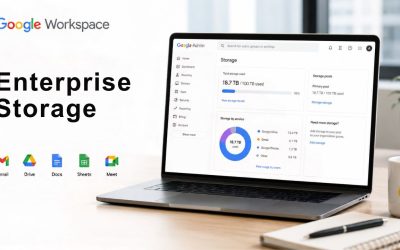
Google Workspace provides flexible, pooled storage per user, shared across the organization. Business Plus and Enterprise include 5 TB of pooled storage per user as the baseline, with the option to request additional capacity. That’s a meaningfully different claim than an unqualified “unlimited storage” pitch some third-party sources use; the entitlement is a large, pooled allocation with an upgrade path, not a limitless bucket with no terms attached, and procurement should confirm the current additional-capacity request process directly with Google or their reseller rather than assume it’s automatic.
For a compliance-focused buyer, pooled storage has a practical implication worth planning around: heavy individual users can draw down shared capacity, affecting the whole organization’s headroom, so storage governance, retention policies, archived-user cleanup, and Drive audit practices matter more at Enterprise scale than the raw allocation figure alone suggests. A large organization that doesn’t actively manage pooled storage may find itself requesting upgrades sooner than the per-user figure would suggest.
Meeting Capacity and Security Controls Scale With the Tier
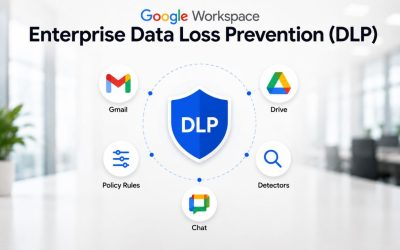
Enterprise video meetings support in-domain live streaming and up to 1,000 participants, a jump from the participant ceiling on Business Plus, which matters for large organizations running company-wide town halls or large training sessions natively rather than through a separate webinar tool. Enterprise also adds data loss prevention, context-aware access, enterprise data regions, Cloud Identity Premium, and enterprise-grade endpoint management</cite> as standard entitlements rather than paid add-ons, which is a meaningful part of the ROI case for security-conscious buyers comparing Enterprise against stitching equivalent controls from third-party point tools.
Secure custom business email with S/MIME encryption is another Enterprise-specific inclusion relevant to regulated communications, and one that a Business Plus deployment doesn’t carry natively. Taken together, these entitlements are the concrete answer to “what does the higher price actually buy”, not a vague security upsell, but a specific, checkable list of controls that map directly to compliance requirements most large organizations already have on a checklist somewhere in procurement or legal.
Simplify Google Workspace Enterprise Planning
Getting Enterprise entitlements mapped correctly to your organization’s actual compliance obligations, rather than assuming them from a feature list, is where many large deployments go sideways after go-live. As an Authorized Reseller and Licensing & Support Partner, Hiya Digital works through that mapping with your IT and compliance stakeholders before the contract is signed, not after, so the entitlements you’re paying for match the controls your organization actually needs.

The Hidden Costs of Under-Licensing (or Over-Licensing)
Getting the tier and seat allocation wrong in either direction has a real financial cost, one that often only becomes visible at the next renewal cycle, when the misallocation has compounded across a full budget year.
Under-Licensing Creates Compliance and Productivity Gaps
Placing users who genuinely need Enterprise-level DLP, eDiscovery, or endpoint management on a lower tier to save on the license line is a common false economy. When a compliance gap surfaces during an audit, a legal hold request, or a security incident, the cost of remediating it after the fact, including potential regulatory exposure, typically dwarfs the license savings that motivated the decision in the first place.
Productivity gaps follow a similar pattern on a smaller scale: users hitting meeting participant caps, storage ceilings, or missing Gemini-in-Docs-style AI entitlements because they’re licensed below what their role actually requires generate a steady trickle of IT tickets and workarounds that rarely get tallied against the “savings” from under-licensing, even though they represent a real, ongoing cost to the organization.
Over-Licensing Quietly Inflates the Renewal Number
 Over-Licensing Quietly Inflates the Renewal Number
The opposite failure mode is just as costly and less visible: deploying every seat onto the top Enterprise configuration when a meaningful share of the organization, contractors, frontline staff, and seasonal workers would be fully served by a lower tier or a lighter-weight license like Drive Enterprise. This inflates the blended per-seat cost across the whole organization without a corresponding increase in value delivered.
A periodic license audit, ideally tied to the annual renewal cycle, that segments users by actual usage patterns relative to their assigned tier is the standard corrective action here. Usage data Google’s admin console already surfaces (storage consumption, feature adoption, meeting participation) gives IT the evidence needed to right-size allocations without guessing, and without the political friction of an unsubstantiated “everyone should be on a cheaper plan” mandate.
Admin-Time Savings: The Overlooked ROI Line
Most Enterprise ROI conversations focus on avoided software spend. The admin-time savings line is just as real and consistently under-modeled, particularly for organizations comparing Workspace Enterprise against a fragmented multi-vendor IT stack.
Centralized Admin Console Reduces Per-Task Overhead
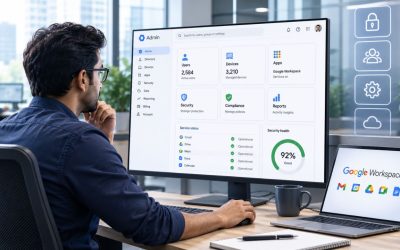
A single admin console covering identity, device management, security policy, and license assignment across the entire organization reduces the number of separate systems an IT team has to touch for routine tasks, provisioning a new hire, revoking access for a departure, or pushing a security policy update across thousands of devices. Each of those tasks takes measurably less time in a unified console than the equivalent workflow spread across several disconnected point-tool admin panels.
At enterprise scale, that per-task time saving compounds across a high volume of routine actions every month. An IT team managing a few thousand seats performs identity and device management tasks constantly; shaving minutes off each one through centralized tooling adds up to meaningful reclaimed staff time over a budget year, time that can be redirected toward higher-value security and compliance work instead of routine administrative churn.
Automated Governance Reduces Manual Compliance Work
Group-based policy controls, automated DLP rules, and context-aware access policies that apply automatically based on user attributes reduce the manual, case-by-case security review required in a less centralized environment. Instead of an admin manually configuring access rules for every new project or team, policy inheritance handles much of that work automatically once the underlying governance structure is set up correctly.
This matters disproportionately for compliance-heavy organizations: manual policy enforcement doesn’t just cost admin time; it introduces human-error risk that automated, consistently applied rules reduce. A pattern worth naming here is one we see repeatedly in large-organization deployments: compliance requirements that get flagged early in the procurement cycle are far cheaper to build into the initial configuration than requirements discovered after a security incident forces a retroactive policy overhaul across thousands of accounts.
Consolidation Savings vs. Point-Tool Sprawl
Large organizations frequently run Workspace alongside a separate video conferencing tool, file-sharing platform, e-signature product, and security add-on, each with its own contract, admin overhead, and integration risk. Consolidation is one of the clearer, more calculable ROI arguments in the Enterprise business case.
Point-Tool Sprawl Has Costs Beyond the License Fees
Every additional point tool in the stack carries its own procurement cycle, its own vendor security review, its own renewal negotiation, and its own integration maintenance burden, costs that exist independent of the tool’s own subscription price and rarely get attributed back to the “cost of the tool” in a simple budget line. A security or compliance review for a new vendor alone can consume weeks of legal and IT time before a single license is even purchased.
Integration risk compounds this: data spread across multiple platforms with separate access controls creates more surface area for a security gap, and more places where a departing employee’s access needs to be manually revoked rather than handled through a single identity system. This isn’t a hypothetical risk; it’s one of the more common findings in security assessments of organizations running fragmented productivity stacks.
Building the Consolidation Case Requires an Honest Point-Tool Inventory
The consolidation argument only holds up if it’s built on an accurate inventory of what the organization is actually paying for today, every point tool, its per-seat or flat-fee cost, its renewal date, and an honest assessment of whether its functionality is genuinely replaced by an Enterprise entitlement or only partially covered. Overstating the overlap to make the consolidation case look better than it is tends to surface as a gap in user capability after the point the tool is cut, undermining trust in the broader business case.
A disciplined version of this exercise produces a side-by-side comparison: current annual spend across the fragmented stack, including the admin and vendor-management overhead noted above, against the projected Enterprise cost plus any tools that genuinely can’t be consolidated. That comparison, done honestly, tool by tool, is usually the single most persuasive slide in an Enterprise business case, because it’s grounded in the organization’s own current spend rather than a hypothetical industry benchmark.
TCO Levers and Where They Move the Number
| Lever | Typical Impact on Cost | When It Matters Most |
|---|---|---|
| Commitment length (annual vs. multi-year) | Longer commitments generally deepen the discount off the initial quoted position | Organizations confident in a stable or growing headcount over the contract term |
| Seat-tier mix (Enterprise vs. Business vs. Drive Enterprise) | Blended per-seat cost drops when only roles needing Enterprise controls are licensed at that tier | Organizations with a large contractor, frontline, or non-knowledge-worker population |
| Support tier selection | Adds cost at each step up from Standard to Enhanced to Premium | Organizations running Workspace as mission-critical infrastructure with measurable outage impact |
| Consolidation scope | Retiring point tools offsets license cost with avoided vendor-management overhead | Organizations currently running separate video, e-signature, or DLP tools alongside Workspace |
| Migration and implementation approach | Partner-led phased rollouts typically reduce internal IT hours versus a fully self-managed migration | Large, multi-thousand-seat migrations with complex existing integrations |
AI Entitlements and What They Mean for Enterprise Budgets
Gemini’s integration into Workspace has materially changed the pricing conversation over the past year, and an enterprise procurement lens needs to focus on entitlement, governance, and cost-control questions, not on a feature tour of what Gemini can do in Docs or Gmail.
Gemini Access Is Now Entitled at the Plan Level, With Governance Controls Layered On Top
Google Workspace’s current plan structure includes Gemini in Workspace apps as a standard entitlement from the Standard tier upward, with expanded access to Google’s Gemini app included at Standard, Plus, and Enterprise. Enterprise adding administrative controls, data governance, enterprise-grade security and privacy settings, and AI classification for Drive, on top of that baseline access. For a procurement or compliance officer, the relevant question isn’t whether Gemini is included; it’s what admin-level controls exist to govern its use across a large, regulated user base.
Enterprise-specific AI governance features include AI Classification for Google Drive as a standard inclusion, with Assured Controls and additional AI Classification capability available as a paid add-on for organizations with stricter data-handling requirements around what AI models can access and process. This is the entitlement layer that matters for a compliance-literate buyer: the ability to restrict, audit, and classify what AI touches, not just whether AI features exist in the product.
Expanded AI Access Beyond the Included Baseline Is a Separate Cost Line
Google sells AI Expanded Access as a distinct add-on beyond the base plan tiers, offering higher usage limits for capabilities such as advanced Workspace Studio automations, image and video generation, and real-time speech translation. For an organization planning heavy AI-driven automation across a large user base, this add-on cost needs its own line in the TCO model rather than an assumption that “AI is included” covers every planned use case.
Accurate budgeting for this requires an honest projection of how intensively different user groups will use AI features. A legal team running frequent document review workflows has a very different usage profile from the general administrative staff population, and uniformly licensing everyone for expanded access is often unnecessary spending. A phased rollout, starting with expanded access for the highest-value use cases and expanding based on measured adoption, is a more defensible budgeting approach than an organization-wide day-one commitment.
Building the Business Case: Framing ROI for the Procurement Committee
Everything covered so far becomes useful only when it’s assembled into a business case that a procurement committee, most of whom aren’t IT specialists, can evaluate and approve with confidence.
Structure the Case Around Cost Avoidance, Not Just New Spend
 Structure the Case Around Cost Avoidance, Not Just New Spend
A Google Workspace Enterprise business case lands better when it’s framed as replacing distributed, harder-to-track spend across point tools, manual admin labor, and compliance risk exposure with a single consolidated, negotiated contract, rather than as a new discretionary cost competing with other budget requests. This reframing matters because procurement committees evaluate “new spend” and “cost avoidance” very differently, and the Enterprise case genuinely belongs more in the second category once the point-tool inventory and admin-time analysis from earlier sections are built out.
The strongest version of this business case includes three things side by side: current fragmented-stack spend (license, admin overhead, vendor management), projected consolidated Enterprise spend across a realistic multi-year term, and a conservative estimate of admin-time and compliance-risk savings, presented as a range rather than a single optimistic number, since procurement committees trust ranges with stated assumptions more than a single confident figure with no visible methodology behind it.
Realistic Timelines Matter More Than Optimistic Ones
Procurement committees are more likely to approve a business case with a realistic, phased ROI timeline than one promising immediate savings that don’t materialize on schedule. A multi-thousand-seat migration, the admin-time savings that follow from a fully configured governance model, and the consolidation savings from retiring point tools on their natural renewal schedules all take time to show up, typically spanning the better part of a year for a large deployment before the full ROI case is fully realized, with meaningful savings appearing earlier in smaller increments as individual point tools are retired.
Building that phased timeline explicitly into the business case, rather than implying day-one savings, protects the credibility of the entire proposal and the IT leader presenting it. When actual results roughly track the stated timeline, it also makes the next renewal and expansion conversation considerably easier, because the committee has evidence that the previous projection was honest rather than optimistic marketing dressed up as a forecast.
Frequently Asked Questions
What is Google Workspace Enterprise?
Google Workspace Enterprise is Google’s top licensing tier, purchased through a sales-led process rather than self-serve checkout, and designed for organizations that need more than the 300-user cap on Business Starter or Standard, or require Enterprise-specific governance controls such as data loss prevention, enterprise data regions, and enhanced endpoint management. Unlike the Business tiers, Enterprise has no published per-seat price; every quote is negotiated based on seat count, commitment length, support tier, and regional requirements. For a procurement or IT leadership audience, the defining characteristic isn’t a single feature; it’s the shift from a fixed-catalog purchase to a negotiated vendor relationship, in which contract terms, data governance commitments, and support SLAs become part of the buying conversation rather than fixed inputs.
How much does Google Workspace Enterprise cost?
Google does not publish a fixed per-seat price for Enterprise; the tier is quote-based and varies by seat count, commitment length (annual versus multi-year), chosen support level, and negotiated discount, which industry benchmarking generally places in a wide range depending on deal size and competitive context. Rather than anchoring to a specific number from a third-party source, organizations should treat their first quote as a starting position and build an internal cost range based on comparable-sized deployments, factoring in migration and implementation costs, add-ons like expanded AI access or archived-user licenses, and ongoing admin overhead, all of which sit outside the core per-seat license figure but materially affect the true total cost of the deployment.
Does Google Workspace Enterprise include Gemini AI?
Yes, at the entitlement level: Gemini access in Workspace apps is included from the Standard tier upward, with Enterprise adding governance-specific controls on top of that baseline, including AI Classification for Google Drive as a standard inclusion, and Assured Controls available as a paid add-on for organizations needing stricter data-handling boundaries around AI processing. For a procurement or compliance audience, the relevant consideration isn’t whether AI features exist, but what administrative controls govern their use across a large, regulated user base, and whether usage beyond the included baseline requires the separately sold AI Expanded Access add-on, which should be budgeted separately if heavy AI-driven automation is planned across the organization.
What’s included in an Enterprise quote versus billed as a separate add-on?
The core Enterprise quote typically covers the per-seat license, baseline pooled storage, standard security and endpoint management entitlements, and a base support tier. Billed separately are: support tier upgrades beyond the included baseline (Enhanced or Premium support), AI Expanded Access beyond the standard entitlement, Meet hardware for physical conference rooms, Google Voice for business telephony, Drive Enterprise licenses for contractors who don’t need full Workspace access, and archived-user licenses for retaining former employees’ data under legal hold. A common budgeting mistake is treating the core license quote as the full cost; a defensible TCO model itemizes each of these as a separate line rather than assuming they’re bundled into the headline number the sales team first presents.
How long does a Google Workspace Enterprise procurement cycle typically take?
For a large organization, a full Enterprise procurement cycle, from initial scoping through signed contract, commonly spans several months when it includes competitive evaluation, security and compliance review, legal contract negotiation, and internal budget approval across multiple stakeholders. Organizations that compress this timeline by skipping the compliance review step often find requirements surfacing after signature, forcing contract amendments or configuration rework that a properly sequenced procurement cycle would have caught earlier. Starting compliance and security stakeholder review in parallel with commercial negotiation, rather than sequentially after price is agreed, is the most reliable way for large organizations to shorten the effective timeline without skipping diligence.
Can multi-year commitments lower Enterprise pricing?
Yes, where Google offers them, multi-year commitments generally extend the available discount beyond a standard one-year commitment, since they reduce Google’s own renewal and forecasting uncertainty. The trade-off worth negotiating explicitly is price-escalation protection: a multi-year commitment that locks in the current discount percentage but leaves the underlying list price free to rise each year can erode much of the value by the final contract year. Organizations evaluating a multi-year commitment should request a capped annual escalation rate or a fixed-price lock as part of the negotiation, rather than accepting a multi-year discount without addressing what happens to the price in years two and three.
What’s a realistic ROI timeline for switching to Google Workspace Enterprise?
Most large-organization deployments see admin-time and consolidation savings begin appearing in measurable increments within the first several months post-migration, as individual point tools reach their natural renewal dates and get retired, with the fuller ROI picture, including compliance-risk reduction, which is harder to quantify in real time, typically taking the better part of a year to materialize fully. Organizations expecting immediate, day-one savings across every category are usually disappointed; the more realistic model is a phased curve in which migration and implementation costs are front-loaded, and savings accrue progressively as the fragmented stack winds down and admin processes fully shift to the centralized console.
Does Google Workspace Enterprise pricing vary by region or currency?
Yes, organizations buying across multiple countries should confirm during the sales process whether pricing is centrally negotiated in a single currency and contract, or fragmented across local billing entities in each region, since the latter complicates consolidated budget forecasting and can result in inconsistent discount levels between regions for the same deployment. Multinational organizations with a centralized IT procurement function generally get better consistency and negotiating leverage by consolidating the Enterprise contract at a global or regional level rather than allowing individual country offices to negotiate separately. However, local data residency requirements sometimes necessitate regional contract variations regardless of the chosen billing structure.
How does the Enterprise support tier affect overall cost?
Support tier is a genuine, separately priced variable inside an Enterprise quote: Google offers an upgrade path from Standard to Enhanced support, and from Enhanced to Premium support, with each level bringing faster response-time commitments and, at the higher tiers, named technical account contacts. Organizations running Workspace as mission-critical infrastructure, where an outage has immediate, quantifiable business impact, typically find Premium support’s added cost justified by the reduced incident-response time; organizations without that level of dependency often find Standard or Enhanced sufficient, making support tier a genuine cost-optimization lever worth evaluating against actual incident-response requirements rather than defaulting to the highest tier by assumption.
What internal stakeholders should be involved in evaluating Enterprise ROI?
A credible Enterprise ROI evaluation typically involves IT leadership for the technical and admin-time analysis, a compliance or security officer for the governance and certification review, finance or procurement for the TCO and contract-term negotiation, and, critically, line-of-business representatives who can validate that the point-tool inventory and consolidation assumptions reflect what teams are actually using day to day. A pattern worth naming here: business cases built without that last group’s input tend to overstate consolidation savings, because the tools IT assumes are redundant sometimes have functionality a specific team depends on that the migration plan hadn’t accounted for.
Glossary
DLP (Data Loss Prevention): Automated policy controls that detect and block sensitive information, such as financial data or personal identifiers, from being shared outside authorized boundaries via email, Drive, or chat.
TCO (Total Cost of Ownership): The full cost of a deployment over its lifecycle, including license fees, migration and implementation costs, ongoing administration, and add-ons, not just the headline per-seat license price.
SLA (Service Level Agreement): A contractual commitment defining measurable service terms, such as support response times or uptime guarantees, that a vendor agrees to meet.
Pooled Storage: A shared storage allocation calculated per user but drawn from a combined organizational pool, rather than a hard individual cap per account.
Cloud Identity Premium: Google’s identity and device management layer, included as a standard Enterprise entitlement, covering single sign-on, device policy enforcement, and access management across the organization.
Context-Aware Access: A security control that grants or restricts access to company resources based on a combination of factors, such as user identity, device security status, and location, rather than login credentials alone.
Google Vault: Google Workspace’s eDiscovery and information governance tool, covering retention policies, legal holds, and searchable archives across email and files.
S/MIME Encryption: A protocol for encrypting and digitally signing email messages, verifying sender identity, and protecting message content from interception.
ISO/IEC 27001: An internationally recognized standard for information security management systems, certifying that an organization follows a structured, audited approach to managing security risk.
SOC 2: An audit framework, based on AICPA standards, evaluating a service provider’s controls around security, availability, processing integrity, confidentiality, and privacy over a defined period.
The Hiya Digital Team is a collective of IT infrastructure specialist engineers, certified systems administrators, and cloud architects driven by a singular mission: building corporate communication systems that just work. As an Authorized Google Partner, the team handles complex global hosting deployments, secure email migrations, and advanced data compliance architectures for businesses across 40+ countries.
With over two decades of technical experience spanning custom premium business email configurations, OX AppSuite deployments, and enterprise-level network security, the Hiya Digital Team writes to demystify domain infrastructure. Their content focuses on actionable technical strategies, anti-phishing security protocols, and seamless cloud collaboration setup, all backed by real-world deployment experience and 24/7 technical support accountability.