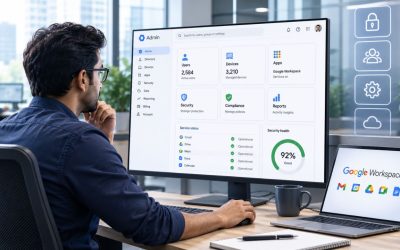
Selecting the right number of Google Workspace Enterprise licenses requires more than matching subscriptions to current headcount. Organizations must account for workforce growth, role-based licensing, departmental requirements, contractor access, and ongoing staffing changes to ensure licenses are allocated efficiently. Understanding how seat planning, license management, and user provisioning work together helps IT and procurement teams optimize costs, reduce unused licenses, and maintain the flexibility needed to support a growing enterprise.
Discover Google Workspace For Enterprise →
Why Seat Count Planning Breaks Down at Enterprise Scale
Self-serve licensing habits that work for a 200-person company stop working once an organization crosses into the thousands. Enterprise seat count is no longer a checkout decision; it’s a forecasting exercise involving finance, HR, and IT working from the same headcount data, on a renewal cycle measured in months, not minutes.
 The Self-Serve Assumptions That Stop Working Past a Few Hundred Users
 The Self-Serve Assumptions That Stop Working Past a Few Hundred Users
At a small scale, adding a license is a two-minute admin console task with no real budget impact. At enterprise scale, that same instinct, add seats as people show up, remove them when they leave, collides with annual contract commitments, multi-department budget approval chains, and finance teams that need a seat-count number locked months before the fiscal year starts. Business Starter, Standard, and Plus editions cap out at 300 users combined, which is one reason organizations move to Enterprise: it has no minimum or maximum user limit, so the seat ceiling that forced small-business plans to be reactive is gone.
That absence of a hard ceiling is exactly what makes the planning problem harder, not easier. Without a cap to enforce discipline, seat count can drift upward every time a new hiring wave lands, with no one reconciling the total against actual active users until renewal. A 4,000-seat organization that never audits its license pool commonly discovers 300–500 dormant licenses at renewal, seats tied to contractors who rolled off, employees who left through attrition nobody flagged to IT, or duplicate accounts from a systems migration. That gap is rarely visible until someone is forced to look for it.
What Under- and Over-Licensing Actually Costs a Large Organization
Over-licensing is the more visible failure mode because it shows up directly on an invoice, but under-licensing carries a subtler cost: new hires waiting days for provisioning because nobody budgeted the extra seats, IT teams scrambling for emergency approval mid-quarter, and shadow workarounds where employees share accounts or use personal email while licensing catches up. Neither failure is really a pricing problem; both trace back to the same root cause: treating seat count as an operational afterthought rather than a forecasted line item tied to the hiring plan.
The organizations that avoid both failure modes treat seat count the way they generally treat headcount budgeting: as a number reviewed quarterly against actuals, owned by a specific team, and reconciled against HR’s system of record rather than whatever the admin console shows. That reconciliation discipline is the actual subject of this post, not the licensing mechanics themselves, but the forecasting and governance process that keeps seat count honest as an organization scales.
Map Headcount Growth to a Licensing Forecast
A seat-count forecast is only as good as the hiring data feeding it. This section covers building a rolling projection from workforce planning inputs and accounting for the non-obvious categories, contractors, seasonal staff, and service accounts, that inflate actual license need beyond the headcount number finance is tracking.
Build a 12-to-24-Month Seat Projection From Hiring Plans
The starting point is to pull the hiring plan directly from HR or finance rather than estimate it from last year’s growth rate, because departmental hiring is rarely linear; a product org might double in six months while a support org stays flat. A workable forecast breaks headcount projections into quarterly buckets by department, then overlays expected attrition separately, since replacement hires often need licenses provisioned before the departing employee’s license is released. This produces a seat count range rather than a single number, which matters when the actual procurement conversation with Google or a reseller occurs.
The forecast should also flag inflection points tied to known business events, a planned acquisition, a new regional office opening, or a product launch requiring a support team scale-up, because these create step-changes in seat count that a smooth trendline will miss entirely. Organizations that only extrapolate from historical growth consistently under-forecast around these events, then end up negotiating emergency seat additions at a worse price point than they’d have gotten with three months of lead time built into a normal renewal cycle.
Account for Contractors, Seasonal Staff, and Non-Human Accounts
Headcount forecasts from HR typically track full-time employees, which understates the real license need for any organization running a meaningful contractor or seasonal workforce. Contractors who need email, Drive, or Meet access for a project engagement require licenses just like employees do, and seasonal spikes, retail organizations staffing up for a holiday quarter, and professional services firms scaling for a busy season create temporary seat-count jumps that a pure employee-based forecast won’t capture. Building a separate contractor/seasonal line item into the forecast, even as a rough percentage add-on to the core headcount number, closes this gap.
Service accounts and shared mailboxes are the other commonly missed category; they consume licenses under most Enterprise configurations, even though no individual employee is tied to them one-to-one. A large organization running dozens of automated workflows, shared department inboxes, or integration accounts can find these adding up to a meaningful chunk of the license pool. Because they don’t map to a person on an HR roster, they’re the easiest category to lose track of during an audit.
Mixed-Licensing: Running Business Plus and Enterprise Side by Side
Some organizations intentionally run part of their workforce on Business Plus and part on Enterprise rather than migrating everyone at once. This section covers when that split makes sense and how to keep security policy and feature access consistent across a workforce that isn’t uniformly licensed.
When a Mixed Fleet Makes Sense (and When It Creates Risk)
A mixed-licensing setup usually starts as a transition state, with an organization migrating from Business Plus to Enterprise in phases, beginning with departments that need Enterprise-only controls such as advanced data loss prevention or context-aware access. At the same time, the rest of the workforce stays on the lower tier until budget or migration bandwidth allows. This is a legitimate strategy for spreading cost and change-management risk over multiple budget cycles rather than a one-time cutover that disrupts the whole organization at once.
The risk arises when a mixed fleet becomes permanent rather than transitional, because it quietly creates two distinct security postures within a single organization. A compliance officer auditing a data-handling policy must account for the fact that a subset of users lacks access to the controls the rest of the organization relies on, which complicates any audit that assumes uniform policy enforcement. Organizations that keep a mixed fleet long-term generally do so deliberately, segmenting by role rather than by migration timeline, and document the reasoning so it doesn’t read as an oversight during a compliance review.
Keeping Feature Parity and Security Policy Consistent Across Tiers
The practical challenge of a mixed fleet is that admin console policies don’t automatically apply the same way across tiers; a data loss prevention rule built for Enterprise Plus users won’t reach a Business Plus user in the same organizational unit, which means policy has to be explicitly scoped per license type rather than assumed to be organization-wide. IT teams managing mixed fleets typically maintain a mapping document that shows which policies apply to which license tier, and update it whenever a new control is rolled out, so that nothing silently applies only to part of the workforce.
Communication tools like Meet and Chat generally interoperate fine across tiers within the same domain. Hence, day-to-day collaboration isn’t usually the friction point; the friction is almost always in security and compliance configuration, where tier-specific feature gaps mean a policy that satisfies an auditor for one group of users may not satisfy the same auditor for another. Segmenting the mixed fleet by role rather than by department reduces this risk, since it’s easier to justify “everyone with data-handling responsibilities is on Enterprise Plus” than “half of accounting happens to be on the older tier.”
Enterprise Standard vs Enterprise Plus: Matching Seats to Actual Need
Not every enterprise seat needs the top tier. This section breaks down the licensing-relevant differences between Enterprise Standard and Enterprise Plus and explains how to determine which roles genuinely require the higher-tier controls and which can run on Standard without a compliance gap.
The Feature Gaps That Actually Justify the Plus Upgrade
Enterprise Standard removes the 300-user ceiling that caps the Business tiers and adds enterprise-grade data loss prevention, context-aware access, and live streaming for larger internal audiences, covering most large organizations’ baseline security needs. Enterprise Plus adds a further layer on top: S/MIME encryption, client-side encryption, and Access Transparency among them, aimed at organizations with regulatory requirements that specifically demand those controls, such as certain financial services or government-adjacent workloads. The gap between the two tiers is real. Still, it’s narrower than the price difference between them suggests for an organization that doesn’t have a specific regulatory driver pulling every seat toward Plus.
The licensing-relevant question isn’t “which tier is better”; it’s which roles in the organization actually touch the data or workflows that Plus-specific controls protect. Treating the tier decision as an all-or-nothing organizational choice, rather than a role-by-role assessment, is the single most common source of seat-count overspend in this part of the licensing decision, because it defaults every seat to the higher tier out of caution rather than actual requirement.
Segmenting Which Roles Need Plus vs Standard
A practical segmentation starts with the compliance officer or legal team identifying which data categories require Plus-tier controls, client-side encryption requirements under a specific customer contract, or a regulatory mandate for enhanced email encryption, for example, and then mapping which roles actually handle that data day-to-day. Finance, legal, and executive roles frequently land on Plus; general operational or customer-support roles without direct access to the regulated data category often don’t need to.
This segmentation should be revisited at least annually, since role responsibilities shift and a team that didn’t handle regulated data last year may handle it now after a reorg or a new client contract. Organizations that treat the Standard/Plus split as a one-time decision made at initial rollout tend to accumulate Plus licenses for roles that no longer need them, which is one of the more common findings in a license right-sizing audit, addressed further in the audit section of this post.
| Consideration | Enterprise Standard | Enterprise Plus |
|---|---|---|
| User ceiling | No minimum or maximum | No minimum or maximum |
| Pooled storage per license | 5 TB per user, pooled | 5 TB per user, pooled |
| Data loss prevention | Included | Included, with expanded scope |
| Context-aware access | Included | Included |
| S/MIME and client-side encryption | Not included | Included |
| Access Transparency | Not included | Included |
| Typical fit | Baseline enterprise security and scale needs | Regulated data handling, contractual encryption mandates |
Build a Seat Reconciliation Process for New Hires and Departures
Forecasting gets the seat count right at the start of a budget cycle; reconciliation keeps it right throughout the year. Automating assignment without losing oversight, and setting a review cadence that finance and IT both trust.
Automating License Assignment Without Losing Governance Control
 Automating License Assignment Without Losing Governance Control
Most large organizations connect license provisioning to their HR system of record through automated rules: a new hire flagged in the HRIS triggers automatic license assignment on their start date, and a termination flag triggers license removal or reassignment on a set schedule. This closes the lag that manual provisioning creates, where new hires wait for someone to notice they need access, or departed employees keep an active license for weeks because no one flags their offboarding to IT.
Automation without a review layer creates its own risk: a misconfigured rule or an HRIS data error can silently over- or under-provision at scale before anyone notices. The organizations that get this right pair automated provisioning with a monthly exception report that flags accounts flagged for license changes that didn’t complete as expected, discrepancies between HRIS headcount and licensed seat count, and any manual overrides that bypassed the standard workflow. That report is what keeps automation from becoming a blind spot.
Setting a Reconciliation Cadence That Finance Will Trust
A quarterly reconciliation, comparing licensed seat count against actual active headcount, contractor rosters, and service accounts, is the minimum cadence required to keep a seat-count forecast credible heading into the next budget cycle. Monthly reconciliation is more common in organizations with high headcount volatility, such as those going through active hiring surges or restructuring, where a quarterly gap can compound into a meaningful cost or access problem before it’s caught.
Finance teams generally want to see this reconciliation formalized as a recurring report rather than an ad hoc check, because it’s the evidence that supports the next renewal’s seat-count request. A reconciliation process that produces a clean audit trail, who was added, who was removed, and why the numbers moved, turns the annual licensing conversation from a negotiation based on guesswork into one based on documented, defensible usage data.
Getting Enterprise Seat-Count Planning Right the First Time
Building an accurate seat-count forecast, running a mixed-licensing environment safely, and keeping reconciliation current all require the kind of ongoing licensing discipline that stretches most internal IT teams already managing day-to-day operations. As an Authorized Reseller and Licensing & Support Partner for Google Workspace, Hiya Digital works alongside procurement and IT leadership to build the seat-count model, manage the tier segmentation, and keep the license pool reconciled, so a large organization isn’t relearning this process from scratch at every renewal cycle.

Storage Pooling and Its Effect on Licensing Math
Storage isn’t licensed separately from seats under Google Workspace Enterprise; it’s pooled across the organization based on how many licenses are active, which means seat-count decisions and storage capacity are the same math problem. This section covers how that pooling model works and how to request more storage without over-buying seats to get it.
How Pooled Storage Changes the Seat-Count Calculation
 How Pooled Storage Changes the Seat-Count Calculation
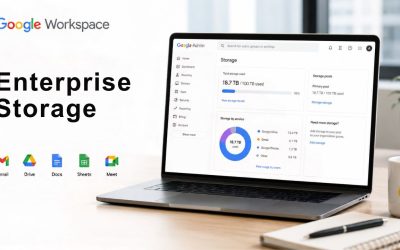
Under Enterprise Standard and Enterprise Plus, each licensed user contributes 5 TB to a shared, organization-wide storage pool. That pool, not any individual user’s usage, is what determines whether the organization has hit its storage ceiling. This applies to the number of End Users, including Archived Users, rather than to active users alone, which means archived accounts continue to draw on the same pooled total even after someone leaves the organization until the license itself is removed.
This pooling structure means a seat-count reduction, removing a license for a departed employee, directly shrinks total available storage, not just the headcount bill. An organization planning to right-size its license pool needs to model the storage impact alongside the cost impact, because removing licenses from a team that happens to be a heavy storage consumer (large shared drives, extensive email archives) can trigger a storage-ceiling problem for the rest of the organization even as it reduces per-seat spend.
Requesting Additional Storage Without Buying Unnecessary Seats
For organizations with five or more End Users, Google makes additional storage available at its discretion upon reasonable request, meaning an organization approaching its pooled ceiling doesn’t necessarily need to add licenses solely to unlock more capacity. A direct storage request through Google or a licensing partner is the more targeted path when the underlying issue is data volume rather than headcount growth. This distinction matters specifically for seat-count planning because conflating “we need more storage” with “we need more seats” is a common way organizations end up licensing more headcount than they have.
The request process typically requires documentation of current usage patterns and a reasonable justification tied to actual business need; a legal hold that expands retention requirements; a data migration that brings in a large historical archive; or a media-heavy team’s storage footprint growing faster than headcount. Building this justification proactively, before the organization hits a hard ceiling and goes into a forced read-only state, keeps the request process from becoming an emergency escalation during a budget-sensitive period.
| Licensed Seats | Pooled Storage (5 TB per seat) | Typical Planning Trigger |
|---|---|---|
| 500 | 2,500 TB (2.5 PB) | Baseline mid-size enterprise rollout |
| 1,500 | 7,500 TB (7.5 PB) | Multi-department consolidation |
| 5,000 | 25,000 TB (25 PB) | Global organization, multiple business units |
| 10,000+ | 50,000+ TB | Storage requests typically shift from seat-driven to discretionary-request-driven |
Budget Cycles: Forecasting Seat Count for Procurement and Finance
A seat-count forecast is only useful if it lands inside the organization’s actual budgeting calendar. This section covers translating the forecast into a procurement timeline finance can act on, and building contingency into the number so a mid-cycle hiring surge doesn’t force an emergency renegotiation.
Translating a Seat Forecast Into a Procurement Timeline
Most large organizations run annual licensing contracts, which means the seat-count forecast needs to be finalized 60–90 days before the renewal date to give procurement enough runway to negotiate, get budget sign-off, and process the purchase order without rushing. Working backward from the renewal date, IT should hand finance a seat-count range, not a single point estimate, along with the assumptions driving the high and low ends, so finance can build budget flexibility into the number rather than treating it as fixed.
Procurement teams generally want the forecast broken into current committed seats, expected organic growth seats, and contingency seats held in reserve, because that breakdown maps directly onto how a licensing partner or Google’s own sales team structures a volume conversation. A forecast presented as a single, undifferentiated number tends to receive less favorable terms than one that shows the organization has modeled its growth trajectory and can commit to a defensible range.
Building Contingency Into the Licensing Budget
Contingency seats, a buffer above the core forecast, typically 5–10% of total seat count for organizations with moderate hiring volatility, absorb unplanned hiring surges, an unexpected acquisition, or a reorg that shifts headcount faster than the annual forecast anticipated. Without this buffer, any deviation from plan forces either an emergency mid-cycle license purchase at a worse negotiated rate or a provisioning delay that leaves new hires without access while approval works its way through the budget chain.
The contingency percentage should scale with the organization’s actual volatility rather than defaulting to an industry rule of thumb. A stable, low-turnover organization can run a thinner buffer, while one in active growth mode, undergoing frequent reorgs, or operating in an acquisition-heavy sector should budget for a larger reserve. Reviewing the prior year’s actual variance between the forecast and the final seat count is the most reliable way to calibrate this number for the next cycle, rather than guessing at it each year.
Reallocating Licenses During Reorgs, M&A, and Divestitures
Headcount doesn’t move smoothly during a merger, acquisition, or divestiture; it moves in large, sudden blocks that a normal quarterly reconciliation process isn’t built to handle. This section covers combining license pools during M&A and splitting them cleanly during a divestiture.
Handling a Merger’s Combined License Pool Without Overpaying
When two organizations combine, their license pools rarely align cleanly; one company might be running Enterprise Plus organization-wide while the other is on a mix of Business Plus and Enterprise Standard, and the combined entity has to decide whether to standardize on a single tier or maintain a deliberate mixed fleet during the integration period. The seat-count math gets complicated fast if the acquiring organization adds the acquired company’s headcount to its existing forecast without first auditing for duplicate licenses, because employees moving between overlapping systems during an integration sometimes end up temporarily licensed twice.
The practical approach is to treat the merger as a trigger for an immediate license audit, reconciling both organizations’ active user rosters against their combined license pools before finalizing the next renewal’s seat count, rather than assuming the pre-merger numbers from each organization add up correctly. Organizations that skip this step commonly discover months later that they’ve been paying for licenses tied to systems or accounts that were decommissioned during the integration but never removed from the billing count.
Divestiture Planning: Splitting a License Pool Cleanly
A divestiture requires the opposite exercise: cleanly separating which licenses and the storage pool tied to them belong to the departing business unit versus the remaining organization. This needs to be planned well before the separation date because Google Workspace’s pooled storage model means the departing unit’s data footprint must be identified and either migrated to a new tenant or handled under a transition services agreement, rather than being carved out of the license count on the effective date.
Legal and compliance teams typically drive the data-separation timeline. Still, IT and licensing owners need to build the seat-count and storage-pool split into that plan early, since underestimating the lead time needed to stand up a separate tenant for the divested unit is a common cause of divestiture timeline slippage. A seat-count plan for a divestiture should specify not only how many licenses transfer but also the exact storage volume that accompanies them, since that number directly affects both entities’ post-separation licensing costs.
Governance: Who Owns Seat-Count Decisions Inside the Organization
Seat-count planning fails most often not from bad math but from unclear ownership; nobody is accountable for the number until a renewal deadline forces a scramble. This section covers assigning that ownership clearly and documenting the resulting policy for audit purposes.
Assigning Licensing Ownership Between IT, Finance, and HR
The organizations with the cleanest seat-count discipline typically assign a single accountable owner, usually someone in IT operations or a licensing-specific role, who is responsible for the forecast, the reconciliation cadence, and the renewal conversation, even though the underlying data comes from HR and the budget approval comes from finance. Splitting this accountability across three teams with no single owner is the most common governance failure, because each team assumes another team is tracking the number until a renewal deadline reveals nobody actually was.
This owner needs standing access to HR’s headcount system, visibility into finance’s budget calendar, and authority to flag discrepancies without needing to escalate every minor reconciliation issue through a formal change process. Smaller organizations sometimes combine this role with general Workspace administration; larger enterprises with several thousand seats typically justify a dedicated licensing operations function, particularly once mixed-tier environments or multi-entity structures from M&A activity are in play.
Documenting a Seat-Count Policy for Audit Readiness
 Documenting a Seat-Count Policy for Audit Readiness
A written seat-count policy, covering how new licenses get requested and approved, how removals are triggered, the reconciliation cadence, and who has authority to approve exceptions, gives both internal audit and external compliance reviewers something concrete to check the organization’s actual practice against. Without this documentation, a compliance review has to reconstruct the process from interviews and system logs, which takes longer and produces a less confident audit outcome than pointing to a policy document and showing evidence that the process was actually followed.
This policy doesn’t need to be lengthy. Still, it does need to specify concrete triggers and thresholds rather than vague principles, for example, a defined number of days after a termination flag by which a license must be removed, rather than “licenses will be removed promptly.” Specific, measurable commitments are what make a seat-count policy genuinely useful during an audit, rather than a document that exists but doesn’t actually constrain behavior.
Auditing and Right-Sizing an Existing Enterprise License Pool
Even organizations with a solid forecasting process accumulate licensing drift over time. This section covers finding dormant or duplicate licenses before a renewal locks in another year of unnecessary spend, and structuring an annual right-sizing review that catches drift before it compounds.
Finding Dormant and Duplicate Licenses Before Renewal
A dormant-license audit compares last-login activity, email send/receive activity, and Drive access logs against the full licensed-user roster, flagging any account with no meaningful activity over a defined window, typically 60 to 90 days, as a candidate for review. This catches licenses tied to employees who left without a proper offboarding trigger, contractors whose engagements ended without IT being notified, and duplicate accounts created during a systems migration or department restructuring that were never consolidated.
Running this audit 90 days before renewal, rather than during the renewal negotiation itself, gives enough lead time to actually resolve flagged accounts, confirming with department managers whether an inactive account represents someone on extended leave versus someone who genuinely left, before the seat count used in renewal negotiations gets finalized. Organizations that run this audit only at renewal time tend to either rush the review and miss real savings or delay the renewal itself. In contrast, the audit catches up, neither of which is a good negotiating position.
Running an Annual Right-Sizing Review
Beyond dormant-license cleanup, a right-sizing review should also examine tier allocation, checking whether roles currently on Enterprise Plus still need Plus-tier controls, and whether any Business-tier holdouts in a mixed fleet have accumulated compliance requirements that now justify moving them to Enterprise. This is the point in the annual cycle when the segmentation work described earlier in this post is revisited to assess how roles have actually changed over the prior year.
The output of this review should feed directly into the next cycle’s seat-count forecast, closing the loop between the reconciliation processes described throughout this post and the renewal negotiation itself. An organization that treats right-sizing as a genuine annual discipline, rather than a one-time cleanup project, is the one that keeps its license spend proportional to actual usage, rather than letting it creep upward by default every renewal cycle.
Frequently Asked Questions
How many users can Google Workspace Enterprise support?
Google Workspace Enterprise plans carry no minimum or maximum user limit, unlike Business Starter, Standard, and Plus, which cap at a combined 300 users per domain. This makes Enterprise the required tier for any organization that expects to exceed that threshold, regardless of its current size. Some organizations move to Enterprise well before hitting 300 users, specifically to access enterprise-grade security and compliance controls, not because of the seat ceiling itself. In practice, organizations running Enterprise range from a few hundred seats up to well over 100,000 across global deployments, since the licensing model scales without requiring a different contract structure at higher volumes. The absence of a hard ceiling means seat-count planning becomes an internal forecasting discipline rather than a constraint imposed by the platform, which is why the governance and reconciliation processes covered throughout this post matter more at this tier than at any Business tier below it.
Can we mix Business Plus and Enterprise licenses within the same domain?
Yes, Google Workspace supports running multiple license types within a single domain, and many organizations do this deliberately during a phased migration or as a permanent role-based segmentation strategy. The key requirement is that policies configured in the admin console, particularly security and data loss prevention rules, must be explicitly scoped to apply across both tiers where relevant, since a policy built assuming Enterprise-only features won’t automatically extend to Business Plus users. Organizations running a mixed fleet over the long term should document which roles sit on which tier and why, since an unplanned or undocumented mixed environment is a common finding in compliance audits. Segmenting by role, for example, all finance and legal staff on Enterprise Plus, general operations on Business Plus, tends to hold up better under review than a split that reflects an incomplete migration.
How far in advance should we forecast Enterprise seat count for a budget cycle?
A 60- to 90-day lead time before the contract renewal date is the practical minimum for finalizing a seat count that finance and procurement can act on without rushing. This window needs to include time for HR to confirm hiring plans, IT to reconcile current licensed seats against actual active users, and procurement to negotiate terms based on the finalized range. Organizations with higher headcount volatility, active M&A activity, rapid scaling, or seasonal staffing swings should extend this further, sometimes starting the forecast conversation four to six months ahead of renewal. Waiting until 30 days or less before renewal to finalize the seat count typically results in either overpaying for unnecessary contingency or under-provisioning, leading to a mid-cycle emergency purchase at worse-than-negotiated terms.
What happens to unused or dormant Enterprise licenses at renewal?
Unused licenses don’t automatically drop off at renewal. Google Workspace bills based on the licenses actively assigned in the admin console, so a dormant license tied to a departed employee or an unused service account continues to generate costs until it’s manually removed or reassigned. This is why a dormant-license audit run 60 to 90 days before renewal is a standard part of enterprise seat-count management: it identifies inactive accounts based on login and usage activity so they can be resolved before the renewal negotiation locks in another contract term at the inflated seat count. Organizations that skip this audit commonly carry 5–10% dormant licenses into a new contract term without realizing it, representing a direct, avoidable cost that compounds year over year if the audit habit is never established.
Does Google Workspace Enterprise charge per seat or by a volume commitment?
Enterprise pricing is customized rather than published as a flat per-seat rate, as Business tiers are, and it’s typically structured around a committed seat count range negotiated directly with Google or through an authorized reseller. This is different from the Business tiers’ flexible monthly or annual self-serve billing, and it’s precisely why an accurate seat count forecast matters more at the Enterprise scale. The committed range set at contract signing becomes the basis for the organization’s pricing for that contract term, making both under-forecasting and significant over-forecasting costly in different ways. Reseller partners can often help structure this commitment with built-in contingencies, rather than the organization negotiating a single fixed number directly with limited visibility into typical enterprise volume terms.
How often should we audit our Enterprise license allocation?
A quarterly reconciliation against HR’s active headcount is the baseline cadence most large organizations use to catch licensing drift before it compounds. A more thorough right-sizing review, covering tier allocation and dormant accounts, is conducted annually, typically 60 to 90 days before renewal. Organizations with high headcount volatility, such as those in active growth, restructuring, or post-merger integration, often move to a monthly cadence for the basic reconciliation step, since a quarterly gap can represent a meaningful cost or access problem by the time it’s caught. The right cadence ultimately depends on how much the organization’s headcount actually moves quarter to quarter; a stable organization can review less frequently than one where reorgs and hiring surges are routine.
What’s the licensing-relevant difference between Enterprise Standard and Enterprise Plus?
Both tiers share the same lack of a user ceiling and the same 5 TB of pooled storage per licensed user. Hence, the licensing decision between them comes down to specific compliance and security features rather than scale or storage capacity. Enterprise Plus adds S/MIME encryption, client-side encryption, and Access Transparency on top of what Enterprise Standard already includes, features generally required by organizations with specific regulatory or contractual encryption mandates rather than needed universally. The licensing-relevant takeaway is that the tier decision should be made per role based on actual data-handling requirements, not applied uniformly across the whole seat count, defaulting every seat to Plus out of caution, rather than assessing actual need, is one of the more common sources of enterprise licensing overspend.
How should licensing be handled during a merger or acquisition?
A merger should trigger an immediate audit of both organizations’ license pools before assuming that their pre-merger seat counts combine, since overlapping systems during integration often create duplicate licenses for employees who are temporarily provisioned on both organizations’ original tenants. The combined entity then needs to decide whether to standardize on a single license tier or maintain a deliberate mixed-fleet approach during the integration period, with that decision documented rather than left as an accidental byproduct of the merger timeline. Getting this audit done early, ideally before the next renewal cycle for either organization’s original contract, avoids paying for a seat count inflated by decommissioned accounts or duplicate provisioning that nobody caught during the integration rush.
Who should own seat-count governance, IT, procurement, or HR?
The most effective structure assigns a single accountable owner, typically within IT operations or a dedicated licensing function, who is responsible for the forecasting and reconciliation process, even though the underlying data originates with HR and budget approval sits with finance or procurement. Splitting ownership across three teams without a single accountable party is the most common governance gap organizations report, since each team assumes the others are tracking the number until a renewal deadline forces a reactive scramble. This owner needs standing visibility into HR’s headcount system and finance’s budget calendar, along with the authority to flag discrepancies directly rather than routing every minor reconciliation question through a formal cross-department approval chain.
Can seat count be reduced mid-contract if headcount drops significantly?
This depends on the specific contract terms negotiated at signing; some enterprise agreements allow seat-count reduction at defined intervals within the contract term, while others lock in the committed seat count until the next renewal, regardless of actual headcount changes. Organizations anticipating potential headcount volatility, such as those in cyclical industries or planning a divestiture, should negotiate flexibility into the contract terms upfront rather than assuming reduction will be straightforward after signing. A reseller or licensing partner can often help structure contract terms that include a defined reduction mechanism, which is generally more favorable than negotiating a mid-contract change reactively after headcount has already dropped.
Glossary
DLP (Data Loss Prevention): Security controls that detect and prevent sensitive data from leaving an organization’s environment through email, file sharing, or other channels.
Pooled Storage: Google Workspace’s storage model where total capacity is calculated across all licensed users in an organization, rather than allocated as a fixed amount per individual user.
Seat Count: The total number of active licenses an organization holds under its Google Workspace contract, directly tied to both cost and pooled storage capacity.
Mixed-Licensing (Mixed Fleet): An organizational setup running more than one Google Workspace license tier, such as Business Plus and Enterprise Standard, simultaneously within the same domain.
Right-Sizing: The process of auditing and adjusting a license pool so the number of active seats matches actual organizational need, removing dormant or duplicate licenses.
Context-Aware Access: An Enterprise-tier security control that grants or restricts access to Workspace services based on conditions like user identity, device status, and location.
S/MIME (Secure/Multipurpose Internet Mail Extensions): An email encryption and digital-signature standard available on Enterprise Plus, used to secure message content and verify sender identity.
Access Transparency: An Enterprise Plus feature providing near real-time logs of actions Google support and engineering staff take when accessing customer data for support purposes.
Reconciliation Cadence: The recurring schedule, typically monthly or quarterly, on which an organization compares its licensed seat count against actual active headcount and usage data.
Contingency Seats: A buffer of additional licenses budgeted above the core forecast to absorb unplanned hiring, acquisitions, or reorg-driven headcount shifts within a contract term.
The Hiya Digital Team is a collective of IT infrastructure specialist engineers, certified systems administrators, and cloud architects driven by a singular mission: building corporate communication systems that just work. As an Authorized Google Partner, the team handles complex global hosting deployments, secure email migrations, and advanced data compliance architectures for businesses across 40+ countries.
With over two decades of technical experience spanning custom premium business email configurations, OX AppSuite deployments, and enterprise-level network security, the Hiya Digital Team writes to demystify domain infrastructure. Their content focuses on actionable technical strategies, anti-phishing security protocols, and seamless cloud collaboration setup, all backed by real-world deployment experience and 24/7 technical support accountability.