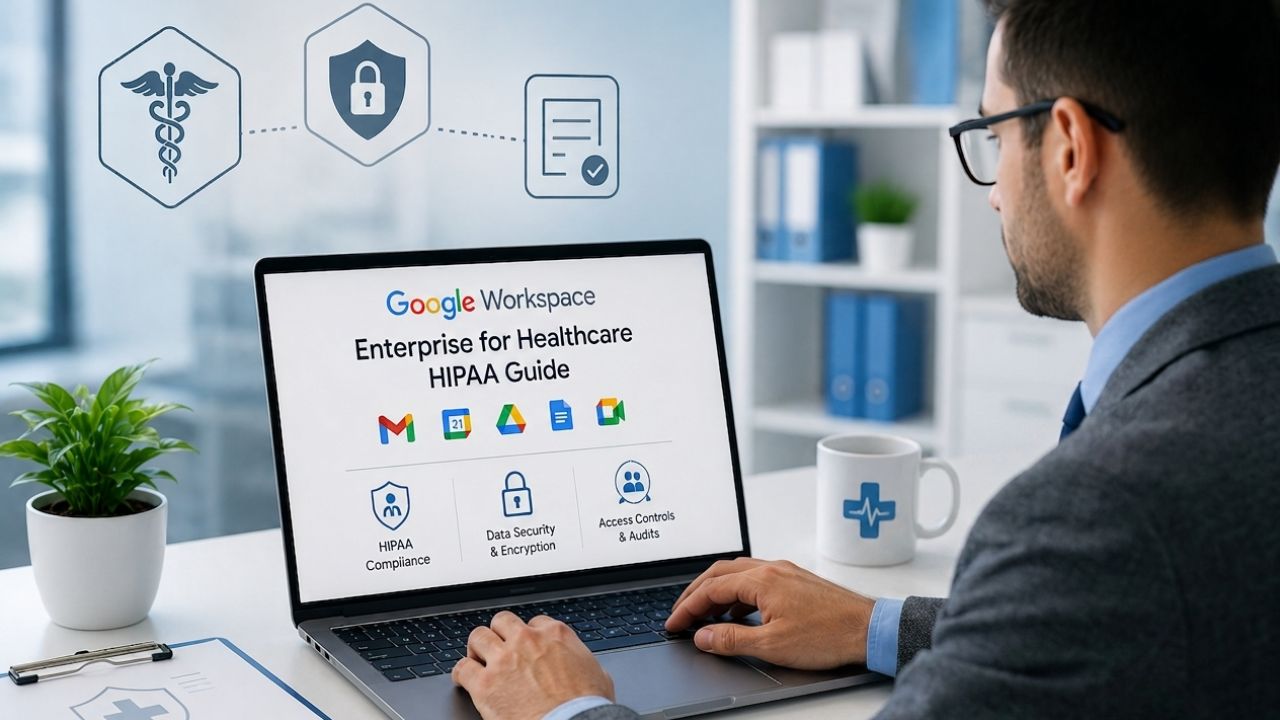
A signed agreement with Google is not the same thing as a HIPAA-compliant tenant. Healthcare IT directors evaluating Google Workspace Enterprise need to know exactly which services can touch Protected Health Information (PHI), what the Business Associate Agreement (BAA) does and doesn’t cover, and which Admin Console settings turn legal eligibility into working protection.
Google Workspace For Enterprise Pricing →
What HIPAA Compliance Actually Requires From a Cloud Platform
HIPAA, the Health Insurance Portability and Accountability Act, sets rules for how covered entities and their vendors handle PHI, or Protected Health Information. No cloud platform is “HIPAA compliant” out of the box, including Google Workspace Enterprise; compliance is a shared responsibility between the platform and the customer’s own configuration and policy discipline.
 Compliance Is a Shared Responsibility, Not a Feature Toggle
 Compliance Is a Shared Responsibility, Not a Feature Toggle
Google Workspace Enterprise provides the infrastructure, safeguards, and legal framework a healthcare organization needs to handle PHI. Still, the organization itself is responsible for configuring the tenant correctly and training staff on where PHI is allowed to live. Google’s own documentation states plainly that customers are responsible for evaluating their own HIPAA compliance and ensuring they use Google services in compliance with HIPAA, and that PHI is allowed only in a subset of Google services. That subset, the “covered services”, must be configured by IT administrators before any clinical data touches them.
This split matters because it changes what a procurement checklist should look like. A CISO cannot simply ask, “Does the vendor support HIPAA?” and move on; the real questions are which specific apps are in scope, which administrative controls are mandatory versus optional, and who on the internal team owns ongoing configuration review. Treating the BAA as the finish line rather than the starting point is the single most common compliance gap Hiya Digital sees in healthcare onboarding engagements.
The Three Safeguard Categories HIPAA Actually Audits
HIPAA’s Security Rule organizes requirements into three safeguard categories: administrative, physical, and technical. Administrative safeguards cover workforce training, access authorization policy, and incident response procedures, none of which a software vendor can supply on your behalf. Physical safeguards are largely satisfied by Google’s data center controls under the shared infrastructure model. Technical safeguards are where Google Workspace Enterprise’s feature set does the heavy lifting: encryption, access controls, and audit logging.
A healthcare compliance officer mapping Google Workspace Enterprise against this framework will find that most of the platform’s contribution sits in the technical safeguard column, with meaningful support for physical safeguards through Google’s certified data centers. The administrative safeguard column, which includes who is authorized to access PHI, how often access is reviewed, and how incidents are reported, remains the organization’s own policy work, and no Enterprise-tier feature substitutes for writing and enforcing it.
Google Workspace Enterprise HIPAA Safeguards at a Glance
| HIPAA Safeguard Category | Google Workspace Enterprise Control | Who Configures It |
|---|---|---|
| Technical, Access Control | Context-aware access, least-privilege custom admin roles | IT security team, per OU |
| Technical, Data Loss Prevention | Gmail and Drive DLP with custom PHI detectors | Compliance + IT jointly, quarterly review |
| Technical, Audit & Accountability | Admin Console audit logs, Security Investigation Tool, BigQuery/SIEM export | IT security, enabled before go-live |
| Technical, Retention & Legal Hold | Google Vault retention policies and litigation holds | Compliance officer, per record-type retention law |
| Technical, Device Security | Advanced mobile device management, Chrome Enterprise policies | IT endpoint team, enforced via context-aware access |
| Administrative, Workforce Policy | BYOD policy, PHI-use training, AI governance policy | Compliance + HR, outside Workspace itself |
| Legal, Vendor Agreement | Signed HIPAA Business Associate Amendment | Super administrator, Admin Console legal/compliance section |
The Business Associate Agreement: Scope, Signing Process, and Limits
The BAA is the legal document that lets a healthcare organization use Google Workspace with PHI at all. Without it, storing or transmitting PHI through any Google service, regardless of tier, is a HIPAA violation, even on Enterprise.
Who Signs, Where, and What It Actually Commits Google To
A super administrator reviews and accepts the HIPAA Business Associate Amendment in the Admin console’s legal and compliance section and should verify the organization’s HIPAA role, confirm the edition is eligible, accept the terms, and document the acceptance date and scope. The agreement applies to the extent the customer is acting as a covered entity or business associate creating, receiving, maintaining, or transmitting PHI via a covered service, and to the extent Google is therefore deemed a business associate or subcontractor under HIPAA.
Google will sign a Business Associate Amendment with organizations on any paid Google Workspace plan, and the differences between plans are feature depth, storage, meeting capacity, and Vault availability, rather than HIPAA eligibility itself. This surprises many procurement teams who assume HIPAA availability is an Enterprise-exclusive gate. It isn’t. What Enterprise adds is the depth of technical safeguard tooling, unlimited-tier storage pooling, advanced DLP, and expanded audit retention that a large, multi-department health system typically needs to operationalize those safeguards at scale, not the legal right to sign the BAA itself.
What the BAA Does Not Cover, and Why That Trips Up Rollouts
Google’s BAA does not cover the free consumer version of Gmail and other free-tier Google products. It cannot be used to store or transmit PHI under any circumstances, including when a clinician uses a personal account to forward a message “just this once.” This is the most common real-world BAA violation Hiya Digital encounters during healthcare audits: PHI leaking into an uncovered service through habit rather than policy failure.
The BAA also doesn’t retroactively secure a poorly configured tenant. Signing the BAA without configuring the tenant provides an organization with the legal framework. Still, it lacks the operational controls needed to work in practice, since PHI is allowed only in a subset of Google services that IT administrators must properly configure. A signed BAA sitting alongside default sharing settings, no DLP rules, and unrestricted external Meet access is not a compliant deployment; it’s a liability with a signature on it.
Covered Services Under the Google Workspace BAA
| Service | PHI Eligible Under BAA | Configuration Note for Healthcare Use |
|---|---|---|
| Gmail | Yes | DLP and S/MIME required for external PHI transmission |
| Google Drive & Shared Drives | Yes | Default-deny external sharing at the OU level |
| Docs, Sheets, Slides | Yes | Inherit Drive sharing restrictions; audit link-sharing settings |
| Google Meet | Yes | Restrict external participant entry for clinical sessions |
| Google Calendar | Yes | Avoid diagnosis-identifying event titles in shared calendars |
| Google Chat | Yes | Enable message retention via Vault for PHI-adjacent channels |
| Google Vault | Yes | Retention periods must map to state medical-record law, not defaults |
| Consumer Gmail / free-tier Google accounts | No | Must be technically blocked from PHI-scoped OUs |
| Consumer Gemini app (non-managed) | No | Block via Admin Console; enforce managed Gemini only |
Covered Services vs. Excluded Services Under the Google Workspace BAA
Not every application inside Google Workspace Enterprise is in scope for PHI. Knowing the covered list and treating everything outside it as off-limits for clinical data is the boundary that every healthcare rollout must enforce from day one.
The Core Covered-Services List Healthcare Teams Rely On
Google’s BAA covers Gmail, Google Drive, Docs, Sheets, Slides, Meet, Calendar, Chat, Forms, Sites, Keep, and Google Vault when those services are configured correctly. This gives a healthcare organization a genuinely broad working surface: clinical scheduling in Calendar, care-coordination messaging in Chat, and legal-hold retention in Vault can all sit inside the compliance boundary when configured to the required standard.
The practical work is narrower than the list suggests, because “configured correctly” is doing a lot of the work in that sentence. Google Forms, for example, is covered, but a public-facing patient intake form built with default sharing settings can still expose PHI to anyone with the link. Coverage under the BAA establishes that Google will treat the service’s infrastructure to HIPAA standards; it does not automatically apply the access restrictions a specific PHI workflow needs.
Building the Internal “PHI-Safe” Service Map
Every healthcare deployment needs an internal document, distinct from Google’s covered-services list, that maps each covered app to the specific PHI workflows it’s approved for inside that organization. A radiology department sharing DICOM-linked reports through Drive needs different Shared Drive permission structures than a billing team exchanging claims data through Sheets, even though the BAA equally covers both apps.
This is also where organizational unit (OU) design earns its keep. Segmenting PHI-handling staff into their own OU, distinct from general administrative staff, lets IT apply tighter sharing restrictions, stricter DLP rules, and separate audit log review cycles to exactly the population that needs them, without over-restricting departments that never touch clinical data. Hiya Digital typically builds this OU structure during the discovery phase of a healthcare implementation, before any single mailbox is migrated.
Protected Health Information: What Counts and Where It’s Allowed to Live
PHI has a specific legal definition, and healthcare IT teams sometimes under-scope it, assuming that only diagnosis codes and clinical notes count, even though HIPAA’s definition is considerably broader.
The Legal Definition and Why Scheduling Data Counts
 The Legal Definition and Why Scheduling Data Counts
PHI is defined under HIPAA and, for purposes of the Google BAA, is limited to PHI within customer data that Google has access to through covered services in connection with the customer’s permitted use of those services. In practice, this includes not just clinical notes and lab results but appointment times, patient names paired with a provider’s specialty, billing codes, and even a subject line that references a diagnosis.
A calendar invite titled “Follow-up: chemotherapy round 2” is PHI the moment it’s created, even if it never touches a clinical record system. This is the category of exposure that generic office-productivity thinking misses, and it’s exactly why Calendar and Chat, tools most organizations don’t think of as “clinical systems”, are explicitly on the covered-services list rather than being treated as out of scope by default.
Keeping PHI Inside the Boundary as Staff Adopt New Tools
The riskiest moments for PHI containment aren’t the initial rollout; they’re six months later, when a department head discovers a Workspace feature nobody scoped for HIPAA use and starts using it for patient communication before IT reviews it. Google periodically expands covered functionality, and an organization’s PHI policy needs a standing review cadence, not a one-time sign-off at go-live.
In practice, this means assigning a named owner, usually within IT security or compliance, who reviews Google’s covered services documentation quarterly and communicates any changes to department leads. It also means default-denying PHI use in any new Workspace feature until that review occurs, rather than assuming new functionality automatically inherits BAA coverage just because it lives within the same Workspace tenant.
Admin Console Controls Healthcare Organizations Must Configure
A HIPAA-eligible tier and a signed BAA only create the possibility of compliance. The Admin Console is where that possibility becomes an actual control environment, and healthcare deployments consistently under-invest in this step relative to the legal paperwork.
The Non-Negotiable Baseline Configuration
At minimum, a HIPAA-scoped Google Workspace tenant should enforce multi-factor authentication, apply least-privilege roles, use context-aware access, require TLS and deploy S/MIME where needed, enable Data Loss Prevention for Gmail and Drive, classify PHI with labels tied to DLP, restrict external sharing by default, manage devices with endpoint controls, monitor Audit Logs and alerts, and set Vault retention and legal holds aligned to policy. This is the working definition of “configured correctly” that the BAA’s covered-services language assumes but doesn’t spell out.
None of these are single-click toggles for an organization with more than a few hundred seats. Context-aware access alone requires defining device trust levels and network conditions per OU; DLP rule authoring requires legal and compliance sign-off on what triggers a block versus a warning. Budgeting real implementation time for this configuration layer, not just license procurement time, is the difference between a healthcare Workspace deployment that passes an OCR audit and one that merely has a BAA on file.
Sequencing Configuration So Nothing Goes Live Unprotected
The sequencing matters as much as the settings themselves. Sharing restrictions, DLP, and OU segmentation should be live before any mailbox or Drive data migrates in, not applied retroactively to data that’s already sitting in default-configured accounts. A phased rollout that first migrates a pilot department, validates every control against that department’s real usage patterns, and then expands is significantly lower-risk than a big-bang migration followed by a configuration cleanup pass.
Audit logging deserves particular attention to sequencing: logs capture activity only from the moment they’re enabled, so retroactive investigation of a suspected pre-launch exposure is impossible if logging wasn’t already running. Enabling comprehensive Admin Console audit logs and security alert center monitoring before go-live, rather than after the first incident, is a small configuration step with an outsized compliance-reporting payoff.
Why Hiya Digital for Your Google Workspace Enterprise HIPAA Rollout
Getting from a signed BAA to a fully configured, audit-ready tenant is where most healthcare IT teams lose months, sequencing OU design, DLP policy authorship, and phased migration around clinical operations that can’t tolerate downtime. As an Authorized Reseller and Implementation & Migration Partner for Google Workspace, Hiya Digital manages that configuration sequencing directly, so your compliance officer signs off on a working control environment rather than a checklist.

Data Loss Prevention and Access Governance for PHI
DLP is the technical control most directly responsible for preventing PHI from leaving the covered-services boundary by accident, through a misaddressed email, an overshared Drive folder, or a copy-pasted patient list.
How DLP Rules Actually Catch PHI in Transit
Google Workspace Enterprise’s DLP engine scans content in Gmail and Drive against predefined and custom detectors, Social Security numbers, medical record number formats, and insurance identifiers. It applies an action when a match occurs: block, quarantine, warn the sender, or notify an administrator. For healthcare tenants, the predefined health-information detectors provide a starting baseline, but most organizations need custom detectors tuned to their own record-number formats and department-specific identifiers.
The configuration trap is treating DLP as “set once.” Detection rules need periodic tuning against real false-positive and false-negative rates because an overly aggressive rule set trains clinical staff to circumvent it by using personal email precisely because the sanctioned channel keeps blocking legitimate messages. A quarterly DLP rule review, informed by the alert logs the rules themselves generate, keeps the control credible with the staff who have to live inside it.
Access Governance Beyond the DLP Layer
 Access Governance Beyond the DLP Layer
DLP detects content leaving via covered channels; access governance controls who can access PHI in the first place. Google Workspace Enterprise’s context-aware access lets administrators condition access to PHI-handling OUs on device compliance status, network location, and IP range, so a clinician’s tablet accessing patient scheduling data over an unmanaged home network can be automatically blocked or escalated to additional verification, without IT manually reviewing every login.
Least-privilege role assignment in the Admin Console complements this: rather than granting broad super-admin rights to every IT staffer who occasionally touches Workspace settings, custom admin roles scoped to specific functions, user management, security settings, and Vault access limit the blast radius if any single credential is compromised. For a multi-thousand-seat health system, this role segmentation is what turns “we have access controls” into a defensible answer during a breach investigation.
Audit Logging, Vault, and Investigation Tools for Compliance Reporting
When an OCR investigator or internal auditor asks “who accessed this patient’s record and when,” the answer has to come from logs that were running before the question was asked, not from a best-effort reconstruction after the fact.
What Admin Console Audit Logs Actually Capture
Google Workspace Enterprise’s audit logs record admin actions, login events, and, critically for PHI investigations, Drive and Gmail access events at the individual file and message level when audit logging is enabled for those services. This granularity is what separates a compliance-reporting-ready tenant from one that can only answer “did this person have access to the system,” rather than the HIPAA-relevant question of whether they actually opened a specific record.
The security investigation tool built into the Admin Console lets a compliance officer query these logs directly, filtering by user, date range, or event type, without needing a SIEM export for routine investigations. For organizations that do run a SIEM, Workspace Enterprise supports log export via API or BigQuery, which matters for health systems that need PHI access events correlated against clinical system logs from an EHR platform outside Google’s ecosystem.
Vault: Retention, Legal Hold, and eDiscovery for Healthcare Records
Google Vault provides retention policy enforcement, legal hold, and eDiscovery search across Gmail, Chat, and Drive content. This toolset enables a healthcare organization to satisfy record-retention mandates that often extend beyond typical corporate email policies and to place a hold on relevant communications the moment litigation or a regulatory inquiry becomes reasonably foreseeable. Organizations commonly choose editions that include Vault, advanced Audit Logs, DLP, and investigation tools specifically because they’re needed to meet HIPAA’s technical and administrative safeguard requirements at scale.
Retention policy design for healthcare tenants needs to reconcile two competing pulls: HIPAA doesn’t itself set a fixed retention period for most communications, but state medical record retention laws and payer contract terms often do, and those periods vary by record type and jurisdiction. Building Vault retention rules around actual applicable retention law, rather than a generic corporate default, is compliance work that has to happen alongside, not after, the technical rollout.
Gemini AI and PHI: What’s Covered, What’s Not
Generative AI within a clinical email or document workflow raises a question that healthcare IT teams are asking for the first time in this rollout: does an AI feature that touches PHI break the BAA’s coverage boundary?
What’s Now Included Under the BAA, and What Isn’t
Gemini is included as part of the “included functionality” covered under the BAA for Enterprise users, but only when used within a managed Workspace account, using the consumer version of Gemini, or any AI feature not covered by the organization’s BAA, with PHI is a major breach risk and a HIPAA violation. This distinction, managed, in-tenant Gemini versus the free consumer Gemini app, is the line healthcare IT policy needs to draw explicitly for staff, because the two products can look nearly identical in a browser tab.
Separately from Workspace-embedded Gemini, the standalone Gemini app has itself achieved HIPAA, ISO 27701, ISO 27017, ISO 27018, ISO 9001, and ISO 42001 certifications on web and mobile, but certification of the app’s infrastructure doesn’t substitute for a signed BAA covering that specific product within a customer’s own agreement. Compliance officers should confirm with Google or their reseller exactly which AI surfaces are named in their organization’s active BAA rather than assuming certification announcements automatically extend coverage.
Governing AI Access at the Feature Level
Google Workspace Enterprise’s Admin Console provides per-application Gemini toggles, letting administrators enable AI features in some apps and disable them in others, and scope a pilot to a single organizational unit before wider rollout. For a healthcare tenant, this means AI features can be enabled for administrative departments that handle scheduling correspondence, while remaining disabled for clinical OUs until legal and compliance teams have reviewed the specific use case against the BAA scope.
The governance conversation shouldn’t stop at the on/off switch. Even where Gemini is covered, healthcare compliance teams need a documented policy on what clinical content is appropriate to feed into AI-assisted drafting or summarization at all; a covered service doesn’t mean every use case is clinically or ethically appropriate, and that judgment call sits with the organization’s own governance committee, not with the platform’s toggle settings.
Device Management and Endpoint Security for Clinical Staff
Clinical environments carry a device-management problem most corporate Workspace deployments don’t: shared workstations at nursing stations, personal devices used for on-call access, and mobile devices that move between clinical and non-clinical use throughout a shift.
Endpoint Policy for Shared and Personal Devices
Google Workspace Enterprise’s advanced mobile device management lets administrators enforce screen-lock policy, remote wipe, and app-level data controls on any device accessing PHI-scoped services, a baseline requirement when a personal phone is the access point for on-call clinical messaging. For shared workstations, Chrome Enterprise device policies can restrict which accounts and extensions are permitted on hardware that multiple staff members log into across a shift, reducing the risk of a PHI-containing session being left open for the next user.
Bring-your-own-device (BYOD) policy is the area healthcare organizations most often leave under-specified. A blanket “PHI is not permitted on personal devices” policy is easy to write but hard to enforce without the technical controls, context-aware access conditioning, and mandatory device enrollment before PHI-scoped app access to back it up. Writing the policy and deploying the enforcing configuration need to happen as a single project, not sequential phases separated by months.
Endpoint Posture as an Access Condition, Not Just a Policy Document
The strongest configuration pattern pairs device management with context-aware access: a device that isn’t enrolled, isn’t running required encryption, or is missing the current OS patch level cannot authenticate into PHI-handling OUs, regardless of what the written BYOD policy says. This converts policy from an honor-system document into a technically enforced gate, which is the standard that an OCR audit is realistically going to expect from an organization with more than a few hundred covered-entity seats.
Rollout sequencing matters here too. Enforcing device posture requirements before staff have been enrolled and trained on the new requirements creates support-desk chaos during go-live week; enrolling and communicating first, then flipping enforcement on a defined date, gives clinical staff, who often have the least tolerance for access friction during patient-facing hours, a predictable transition rather than a surprise lockout.
Rollout Planning: Phased Deployment for Multi-Site Healthcare Organizations
A multi-thousand-seat health system with multiple facilities, a mix of clinical and administrative staff, and legacy systems that can’t go dark during migration needs a deployment sequence, not a single cutover date.
Structuring a Phased, Compliance-First Migration
 Structuring a Phased, Compliance-First Migration
The lowest-risk sequence configures the compliance layer, OU structure, DLP rules, sharing restrictions, audit logging, and Vault retention against a pilot environment before any PHI-bearing mailbox migrates, then validates that configuration against one facility or department’s real usage before expanding. This lets IT catch a mis-tuned DLP rule or an access-control gap against a contained blast radius, rather than discovering it after data from every facility has already landed in the tenant.
For organizations migrating from an existing on-premises system or another cloud provider, migration timing must also account for the BAA transition itself: PHI shouldn’t be in flight to Google Workspace Enterprise services before the BAA is signed. The receiving OU’s controls are validated, which means the legal and technical workstreams need a shared project timeline rather than running independently, with IT waiting on legal or vice versa.
The Realistic Timeline and Where Delays Actually Happen
For a large, multi-facility health system, the technical migration of mailboxes and files is rarely the long pole; DLP policy authorship requiring legal and clinical stakeholder sign-off, and device enrollment across a distributed clinical workforce, typically take longer than the data transfer itself. Organizations that budget migration timelines based solely on data volume consistently underestimate the calendar time this stakeholder alignment work requires.
This is also where a dedicated implementation partner earns its keep on a healthcare account specifically: phased rollout project management that keeps legal, clinical operations, and IT security moving on a coordinated timeline, rather than three departments independently gating the same go-live date, is the difference between a healthcare Workspace Enterprise deployment that lands on schedule and one that slips a quarter waiting on a DLP sign-off that could have started in parallel with device enrollment.
Frequently Asked Questions
Does every Google Workspace Enterprise plan qualify for a HIPAA BAA, or only specific SKUs?
Yes, Google will sign a BAA with organizations on any paid Google Workspace plan, including Business Starter, Business Standard, Business Plus, and Enterprise, so BAA eligibility itself isn’t an Enterprise-exclusive feature. What Enterprise adds is depth: unlimited-tier storage pooling, expanded DLP rule capacity, and higher Meet participant caps that large health systems typically need to operationalize HIPAA’s technical safeguards at scale. A note on naming: Google currently markets a single custom-priced Enterprise tier rather than separately branded Enterprise Essentials, Standard, and SKUs. Confirm current naming directly with Google or your reseller before budgeting, since tier names have changed before.
Can a hospital use Google Meet for telehealth visits under the BAA?
Google Meet is one of the services covered under Google’s HIPAA BAA when configured correctly. For telehealth specifically, that configuration means restricting external participant entry controls so only the intended patient can join, disabling recording unless a documented clinical or legal reason requires it. Retention is properly set in Vault, and the clinician is ensured to join from a managed, enrolled device rather than an unmanaged personal one. Meet’s BAA coverage establishes that the infrastructure is compliant-capable; the session-level settings a clinician or scheduler applies determine whether an individual telehealth visit actually stays within HIPAA’s technical safeguard requirements.
What happens if a staff member accidentally emails PHI to a personal Gmail account?
Google’s BAA does not cover consumer Gmail and cannot be used to store or transmit PHI, so this event is a reportable HIPAA incident regardless of intent. Properly configured DLP rules in Gmail should catch and block this transmission before it leaves the tenant, which is why DLP configuration, not just policy documentation, is treated as a mandatory technical safeguard rather than optional hardening. If a message does get through, the organization’s breach-notification procedure is activated: the incident requires documentation, a risk assessment, and, depending on the scope, notification to affected patients and HHS under the Breach Notification Rule.
Is Gemini AI inside Google Workspace Enterprise safe to use with patient data?
Gemini is included in the functionality covered under the BAA for Enterprise users, but only when used within the organization’s managed Workspace account. The separate consumer version of Gemini is not covered, and using it with PHI is a HIPAA violation. Beyond the coverage question, healthcare compliance teams should independently decide which clinical use cases are appropriate for AI-assisted drafting or summarization at all, since BAA coverage confirms infrastructure-level compliance but doesn’t make every possible AI use case clinically or ethically appropriate for a given workflow.
How long does a HIPAA-compliant Google Workspace Enterprise rollout take for a multi-site health system?
There’s no fixed number Google publishes because the technical migration of mailboxes and files is rarely the bottleneck; DLP policy authorship requires legal and clinical stakeholder sign-off; OU design across multiple facilities; and device enrollment across a distributed clinical workforce typically extend the timeline well beyond raw data-transfer speed. A phased rollout, pilot department first, validate every control, then expand facility by facility, generally runs longer in total calendar time than a single cutover but carries substantially lower compliance risk, which is why most large health systems choose it deliberately over a faster big-bang migration.
Does signing the Google Workspace BAA cover PHI stored in Google Cloud products outside of Workspace?
No, the Google Cloud BAA and the Google Workspace BAA are governed by separate agreements, and organizations using both Google Cloud products and Google Workspace with PHI need to review and accept the BAA applicable to each product set. A healthcare organization running an EHR integration or analytics pipeline on Google Cloud alongside its Workspace Enterprise tenant needs to confirm which specific Cloud services are covered under its Cloud BAA, since Workspace coverage doesn’t automatically extend to Cloud infrastructure the organization may also use.
What certifications support Google Workspace’s HIPAA claims for an OCR audit or vendor risk review?
Google Workspace maintains ISO/IEC 27001 for information security management, ISO/IEC 27017 for cloud security, ISO/IEC 27018 for cloud privacy, ISO/IEC 27701 for privacy, and SOC 2 and SOC 3 reports, as well as sector frameworks such as FedRAMP for government customers. These certifications document the security posture of Google’s underlying infrastructure. They are useful supporting evidence in a vendor risk assessment, but they certify Google’s environment, not a customer’s own tenant configuration, which remains the organization’s independent audit responsibility.
Can Google Vault satisfy state medical record retention requirements that exceed HIPAA’s own retention rules?
Yes, Vault’s retention policies can be configured to match retention periods longer than any HIPAA-specific minimum. This matters because HIPAA itself doesn’t set a single fixed retention period for most communications; state medical record laws and payer contract terms often do, and those vary by jurisdiction and record type. The configuration work maps each PHI-relevant content type, clinical Chat channels, appointment-related Calendar data, and billing correspondence in Gmail to the applicable retention period for that content, rather than applying a single blanket retention rule tenant-wide.
Do clinicians need a managed device to access Google Workspace Enterprise PHI remotely?
Best practice, and increasingly the practical requirement for a defensible HIPAA posture, is yes: pairing context-aware access with mobile device management means an unenrolled or non-compliant device, missing required encryption, outdated OS patches, no passcode, can be blocked from authenticating into PHI-scoped organizational units entirely. A BYOD policy written alone, without this technical enforcement layer, is difficult to defend in an OCR audit as an effective access control measure, since it relies on staff self-compliance rather than a system-enforced gate.
Who is responsible if a HIPAA breach occurs due to a misconfigured Google Workspace setting rather than a Google infrastructure failure?
Under the shared responsibility model, the customer organization is responsible for its own tenant configuration; Google’s documentation makes it clear that customers are responsible for evaluating their own HIPAA compliance and ensuring that their use of Google services complies with HIPAA. A misconfigured DLP rule, an over-shared Drive folder, or an unenforced device policy that leads to a PHI exposure is a customer-side compliance failure, not a Google infrastructure breach, which is exactly why the configuration and ongoing review work covered throughout this guide, not just the signed BAA, determines an organization’s actual breach liability exposure.
Glossary
PHI (Protected Health Information): Individually identifiable health information, including clinical data, appointment details, and billing records, protected under HIPAA.
BAA (Business Associate Agreement): The legal agreement between a covered entity and a vendor, like Google, that governs how the vendor may handle PHI on the covered entity’s behalf.
Covered Services: The specific subset of Google Workspace applications named in Google’s BAA as eligible for use with PHI.
DLP (Data Loss Prevention): Automated rules that detect and block sensitive content, such as PHI, from leaving approved channels.
OU (Organizational Unit): A grouping structure in the Google Admin Console used to apply different policies to different sets of users.
Google Vault: Google Workspace’s retention, legal hold, and eDiscovery tool for Gmail, Chat, and Drive content.
Context-Aware Access: An access control model that conditions system access on device compliance, network, and location signals rather than credentials alone.
SLA (Service Level Agreement): A vendor’s contractual commitment to a defined level of service, such as uptime.
Covered Entity: Under HIPAA, an organization, such as a hospital, clinic, or health plan, that directly handles PHI and is bound by HIPAA’s rules.
IAM (Identity and Access Management): The systems and policies governing who can authenticate and what they can access within a tenant.
The Hiya Digital Team is a collective of IT infrastructure specialist engineers, certified systems administrators, and cloud architects driven by a singular mission: building corporate communication systems that just work. As an Authorized Google Partner, the team handles complex global hosting deployments, secure email migrations, and advanced data compliance architectures for businesses across 40+ countries.
With over two decades of technical experience spanning custom premium business email configurations, OX AppSuite deployments, and enterprise-level network security, the Hiya Digital Team writes to demystify domain infrastructure. Their content focuses on actionable technical strategies, anti-phishing security protocols, and seamless cloud collaboration setup, all backed by real-world deployment experience and 24/7 technical support accountability.