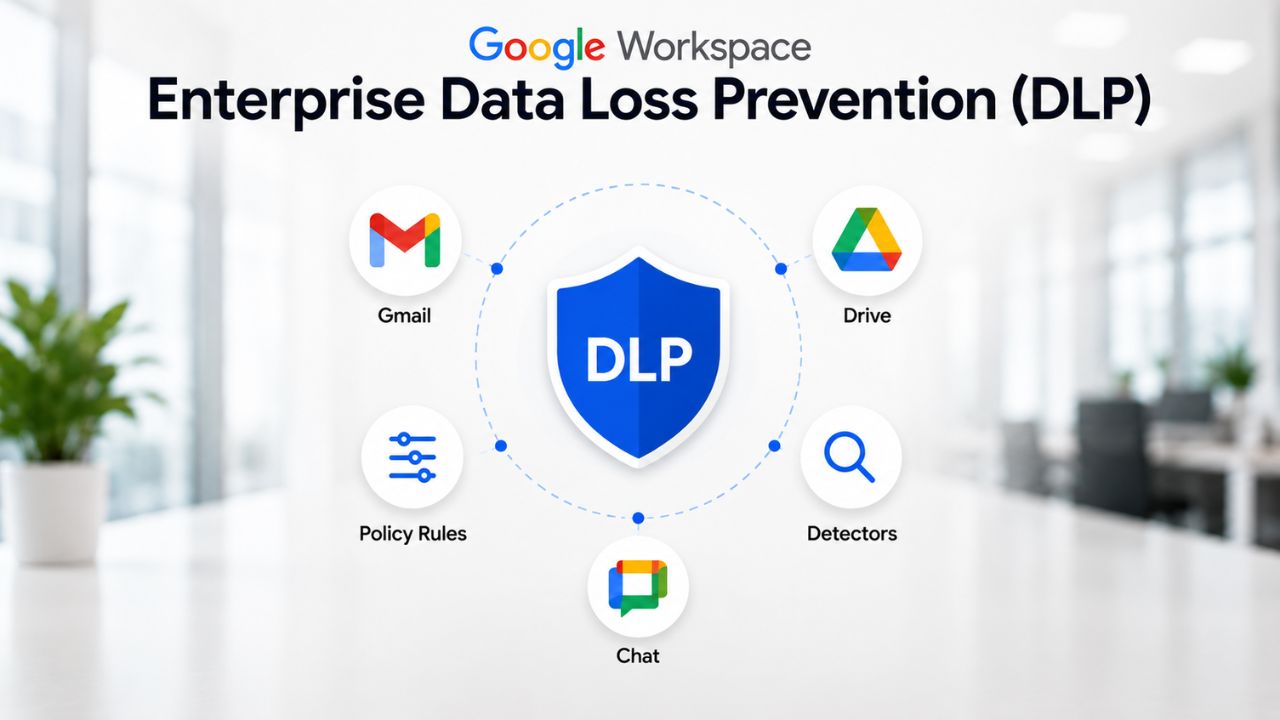
Sensitive data leaves organizations through ordinary actions, a misdirected email, an externally shared folder, or a pasted spreadsheet. Google Workspace Enterprise DLP provides IT and compliance teams with a rule engine to catch these moments across Gmail, Drive, and Chat before data actually leaves the perimeter.
Secure Your Enterprise with Google Workspace For Enterprise →
What Enterprise DLP Actually Protects Against
Data loss prevention exists to stop sensitive content from leaving an organization’s control, whether through carelessness or intent. Enterprise DLP in Google Workspace narrows that broad mission to three surfaces, Gmail, Drive, and Chat, where employees routinely handle regulated or proprietary information without a second thought.
 The Everyday Failure Modes DLP Is Built to Catch
 The Everyday Failure Modes DLP Is Built to Catch
Most data loss inside a large organization is not the work of a malicious insider. It is an employee auto-completing the wrong recipient in Gmail, an analyst setting a Drive folder to “anyone with the link” during a rushed handoff, or a support agent pasting a customer’s payment details into a Chat thread for a colleague to see. Enterprise DLP is designed around these ordinary failure patterns rather than sophisticated exfiltration attempts, because these patterns account for the overwhelming majority of real incidents an IT director will respond to.
This distinction matters for how a CISO should scope a DLP program. A policy tuned only for worst-case scenarios, a departing employee copying a client list, for instance, will miss the thousand smaller leaks that happen weekly across a workforce of several thousand people. Google Workspace includes built-in DLP controls for Gmail, Drive, and Chat that allow admins to detect and block the sharing of sensitive information, such as credit card numbers, Social Security numbers, or confidential documents, externally. The highest-value early wins usually come from rules aimed at these routine, high-frequency mistakes rather than exotic threat scenarios.
Why This Sits at the Enterprise Tier, Not Below It
Google Workspace DLP is not available across every plan; it is reserved for organizations whose scale and risk profile justify the administrative overhead of rule management. Business tiers below Enterprise offer narrower data-protection tools. At the same time, full DLP, spanning Gmail, Drive, and Chat, with predefined and custom detectors, is available in the Enterprise tier alongside capabilities such as S/MIME encryption and the broader compliance toolkit that large organizations expect.
The practical reason for this gating is operational, not just commercial. DLP rule sets require ongoing tuning by someone with security or compliance training, a role that rarely exists at a 50-person company but is close to mandatory once headcount, regulatory exposure, or data volume crosses a certain threshold. An organization evaluating Enterprise primarily for DLP should budget for the ongoing tuning role from day one, rather than treating rule configuration as a one-time setup task.
How DLP Policies Are Built in the Admin Console
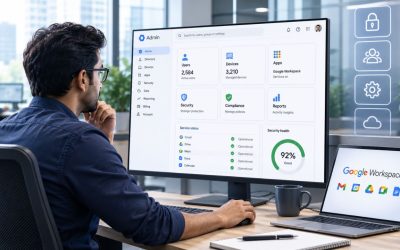
Every DLP rule follows the same underlying structure regardless of which app it protects: a scope, a condition, and an action. Understanding this three-part shape makes the admin console far less intimidating than its dozens of configuration screens initially suggest.
The Rule-Building Sequence, Step by Step
Configuring a rule starts in the Admin Console under Security, then Data Protection, where an admin creates a new rule. From there, the sequence is consistent: define which users, groups, or organizational units the rule applies to; choose the application, Gmail, Drive, or Chat; select a detector, either predefined or custom; and set the enforcement action the rule should trigger once a match is found. Specifying conditions typically means choosing predefined detectors such as credit card numbers, custom keyword lists, or regular expressions, and selecting actions such as warning users, blocking content sharing, quarantining emails, or applying labels.
Only administrators with the relevant privilege, typically super admins or a delegated security admin role, can create or modify these rules, which helps keep rule sprawl in check at enterprise scale. Rules take effect immediately upon activation, with no staged rollout or approval delay built into the console itself; any phased rollout must be managed manually by the admin team, department by department, which is a detail that surprises IT directors expecting a built-in staging environment.
Rule Scope: Domain, Org Unit, and Group-Level Precision
Data loss prevention rules can be configured at the domain, organizational unit, or group level, enabling large organizations to provide meaningfully different behavior for different populations without requiring separate Workspace instances. A finance team handling wire transfer details can sit under a stricter ruleset than a marketing team exchanging campaign assets, even though both report into the same domain.
This scoping mechanism is also what makes DLP genuinely usable at a multi-thousand-seat scale. Building one universal rule set for an entire enterprise almost always produces excessive false positives in some departments and dangerous gaps in others. The org-unit and group-level targeting lets a rule author write policy language that actually matches how a specific team works, rather than forcing every department into a lowest-common-denominator ruleset that satisfies no one particularly well.
Predefined and Custom Detectors for Sensitive Data
Detectors are the pattern-matching layer that determines whether a piece of content is considered sensitive under a given rule. Google Workspace ships a substantial predefined library, and organizations with unusual data types can extend it with custom logic.
What the Predefined Detector Library Actually Covers
Google Workspace plans provide templates covering common data types, financial information, health information, and personally identifiable information that enable faster policy deployment without an admin having to build detection logic from scratch. Common examples include credit card number formats, government ID patterns, and other structured identifiers that follow predictable formats across most countries where a customer base might operate.
The strength of predefined detectors is the speed of deployment; the limitation is precision on data that doesn’t follow a strict format. Google Workspace DLP relies on predefined detectors like Social Security numbers and credit card numbers but lacks contextual keyword understanding for identifiers that don’t follow strict regex patterns, an internally formatted insurance ID, or a proprietary case-file number, for example. Enterprises with heavily regulated or highly specific data types should expect predefined detectors to cover perhaps 60–70% of their real exposure, with the remainder requiring custom rule work.
Building Custom Detectors for Industry-Specific Data
Custom detectors close the gap left by predefined ones, using either keyword lists or regular expressions tailored to an organization’s actual data formats. A financial services company might create custom rules to detect and prevent the sharing of proprietary financial models or client data. At the same time, a healthcare organization can develop policies to monitor patient records using terminology and formats specific to the industry, rather than Google’s generic templates.
Custom detector accuracy depends heavily on how the underlying regular expressions or keyword sets are written, and this is where most enterprise DLP programs either succeed or generate so much noise that admins start ignoring alerts. A common early mistake is writing a keyword list that’s too broad, flagging the word “confidential” everywhere, for instance, which produces alert volumes no security team can realistically triage. Effective custom detectors are narrow, tested against a sample of real historical traffic, and revised at least once after the first month of live data.
Detector and Data-Type Reference
| Detector Category | Example Data Matched | Typical Enforcement Fit |
|---|---|---|
| Predefined financial identifiers | Credit card numbers, bank account formats | Block on Gmail and Drive external sharing |
| Predefined government/national ID | Social Security numbers and equivalent national IDs | Quarantine on Gmail, block on Drive |
| Predefined health-related patterns | Common health record identifiers | Warn plus label, escalate per department policy |
| Custom keyword lists | Internal project codenames, case file references | Label first, escalate to warn after tuning |
| Custom regular expressions | Proprietary ID formats not covered by predefined sets | Warn during pilot, block after validation |
DLP Coverage Across Gmail, Drive, and Chat
DLP behaves slightly differently depending on which application it’s protecting, because each app has a different sharing model and a different set of realistic leak scenarios. Understanding these differences prevents an admin from assuming Gmail-style blocking automatically extends to how Drive or Chat handle the same content.
Gmail: Scanning Outbound Mail Before It Leaves
 Gmail: Scanning Outbound Mail Before It Leaves
DLP rules can be enabled in Gmail’s Admin console under Security. Access and data control, then Data protection, offer a rich set of predefined detectors along with the ability to build flexible conditions. Data protection rules can be configured to scan messages either synchronously or asynchronously, a distinction that matters for how much delay users experience when sending flagged content. Synchronous scanning holds the message until the check completes. In contrast, asynchronous scanning lets it send and act after the fact.
Existing DLP rules built for Drive and Chat can also be modified to apply to Gmail, and DLP events can be reviewed in the Security Investigation Tool or in the Alert Center if alerts are configured within the rule. This shared-rule capability means an enterprise doesn’t have to author near-duplicate policies for every app; a single sensitive-data definition can be reused with app-specific enforcement actions layered on top.
Drive and Chat: Sharing Controls and Message-Level Enforcement
Drive DLP focuses on file-sharing behavior rather than message content in transit. Available actions for Drive and Chat include blocking external sharing entirely, which is the strictest enforcement method and is reserved for highly confidential information that must not be disclosed under any circumstances, and a warning on external sharing, which lets a user proceed after acknowledging that the file contains sensitive content. This graduated response, hard block versus soft warning, gives admins room to match enforcement severity to actual risk rather than applying one blanket rule everywhere.
Chat DLP extends the same detection logic to conversational content and file attachments shared within Chat spaces, including meeting-related exchanges. Admins can monitor and flag chats or meeting summaries that contain confidential information, ensuring sensitive material doesn’t slip through the cracks in channels that feel more informal than email. This matters because employees often treat Chat as lower-stakes than Gmail, pasting details there they’d think twice about emailing, which makes Chat coverage a meaningful gap to close, not an optional extra.
DLP Coverage by Application
| Application | Scan Trigger | Enforcement Actions Available |
|---|---|---|
| Gmail | Outbound message send, synchronous or asynchronous scan | Quarantine, block, warn, route internally via content compliance |
| Drive | File sharing or permission change event | Block external sharing, warn on external sharing, apply Drive labels |
| Chat | Message send or file attachment in a Chat space | Flag for review, block sharing of attached sensitive files |
Enforcement Actions: Block, Warn, Quarantine, and Label
Detecting sensitive content is only half of a DLP rule; the enforcement action determines what happens once a match is triggered. Google Workspace offers a graduated set of responses rather than a single all-or-nothing block.
The Enforcement Options and When Each One Fits
Enforcement options vary by service; Gmail actions can quarantine or block a message outright. In contrast, Drive and Chat actions include blocking external sharing as the strictest method or warning users so they can proceed after acknowledgment. Once a potential risk is detected, DLP can automatically trigger actions such as blocking the email or file from being shared, but a well-designed rule set rarely defaults to blocking everywhere, since aggressive blocking on low-confidence detectors quickly trains employees to route around official channels.
Labeling is the quieter enforcement option, applying a classification to a Drive file without interrupting the user’s workflow at all. This is often the right first step for a new rule during its tuning period: apply a label, observe how often it fires, and only escalate to warn or block once the false-positive rate is acceptable. Jumping straight to blocking on an untested detector is one of the most common ways an enterprise DLP rollout generates internal pushback in its first week.
Coaching and Warning as a Middle Ground
Warning actions strike a balance most enterprises land on for medium-confidence detections: the user sees the risk, understands why, and makes an informed choice to proceed or stop. Warning on external sharing lets users receive a notice that the file they’re trying to share contains sensitive content, rather than silently blocking their work, preserving productivity in legitimate edge cases while still creating a documented moment of user awareness.
Organizations can also pair enforcement with tailored warning language that reflects their own governance vocabulary rather than Google’s generic phrasing. Hence, a finance team sees a message referencing internal wire-transfer policy rather than a generic “sensitive content detected” notice. Matching the warning text to how a department actually discusses its compliance obligations measurably increases how seriously employees take these prompts, compared to a one-size-fits-all system message.
Get Enterprise DLP Configured Right the First Time
Rule scoping across Gmail, Drive, and Chat is where most self-serve DLP rollouts stall; too many organizations either over-block and frustrate users or under-configure and leave real gaps open. As an Authorized Reseller and Implementation & Migration Partner, Hiya Digital helps IT and compliance teams translate their actual regulatory obligations into a working rule set, tuned to real traffic rather than guesswork, before a single policy goes live domain-wide.

Scoping Policies by Org Unit, Group, and Department
A single DLP policy rarely fits every team in a large organization equally well. The console’s scoping tools exist precisely because HR, finance, legal, and engineering handle fundamentally different categories of sensitive data.
Why Department-Specific Rules Outperform a Single Global Policy
 Why Department-Specific Rules Outperform a Single Global Policy
Admins can configure DLP policies differently for HR, Finance, Legal, and Sales teams, reflecting the reality that a finance team’s exposure, wire details, account numbers, and vendor contracts look nothing like legal’s exposure to privileged case material or HR’s exposure to employee PII. Treating all four departments identically under one rule set means either finance is under-protected or legal is drowning in irrelevant alerts, and usually both happen at once.
Building department-specific rules does add administrative overhead- more rules to maintain, more edge cases to test- but at enterprise scale, this overhead is smaller than the alternative cost of alert fatigue from a poorly tuned universal policy. A security team that has to sort through hundreds of low-relevance alerts daily will eventually stop reviewing them carefully, which defeats the purpose of having DLP in the first place.
Layering Group-Level Rules on Top of Org-Unit Structure
Org units typically map to the reporting structure, but sensitive data exposure doesn’t always align cleanly with reporting lines. A cross-functional deal team assembled for an acquisition, for example, needs its own tightened ruleset regardless of which org unit each member normally sits in. Group-based scoping fills this gap, letting admins apply a temporary or project-specific policy to exactly the people who need it without restructuring the underlying org chart.
This layering approach- org unit for the default baseline, groups for exceptions and temporarily elevated sensitivity- is generally the most maintainable pattern for organizations above a few thousand seats. It avoids the trap of constantly reorganizing org units purely to accommodate short-lived project needs, keeping the org-unit structure aligned with how the company is actually organized rather than with DLP requirements alone.
Investigating DLP Incidents and Alerts
A rule that fires without a clear investigation path is only half useful. Google Workspace routes DLP events to tools built for reviewing what happened, why it happened, and whether it needs escalation.
Where DLP Events Surface for Review
DLP events can be reviewed in the Security Investigation Tool or in Security Alert Center if alerts have been configured for the relevant rule. Because DLP is part of the broader Workspace ecosystem, capabilities are shared across Drive, Gmail, and Chat, so admins can configure, implement, and investigate incidents using unified tools such as the Security Investigation Tool or build custom dashboards using unified audit logs or export to BigQuery for organizations that need longer retention or integration with an external SIEM.
This unified logging matters specifically for compliance officers because it means that an incident that started as a Drive sharing violation and one that started as a flagged Gmail attachment both land in the same review surface with comparable metadata. Investigators don’t have to reconstruct a timeline across three disconnected app-specific logs to understand what a single user did across Gmail, Drive, and Chat in the run-up to an incident.
Building an Internal Escalation Process Around DLP Alerts
The console provides admins with an alerting mechanism, but it doesn’t specify who reviews an alert, how quickly, or what happens afterward. Large organizations that get real value from DLP typically build a lightweight internal runbook: a designated first responder for each severity tier, a defined window for initial review, and a clear handoff point to HR or legal when an incident looks intentional rather than accidental.
Without this internal process, alerts pile up in the Alert Center with no owner, and the entire DLP investment quietly degrades into a compliance checkbox rather than an active control. The technical configuration in the admin console is genuinely the easier half of a mature DLP program; the harder half is the human process that turns an alert into a resolved incident within a defined timeframe.
DLP and Compliance Frameworks
DLP is one control among several that Google cites when discussing Workspace’s overall compliance posture, and understanding how it fits relative to certifications helps a compliance officer position it accurately in an audit narrative rather than overstating what it alone accomplishes.
The Certifications DLP Configuration Sits Alongside
Google Workspace holds ISO/IEC 27001 for information security management, ISO/IEC 27017 for cloud security, ISO/IEC 27018 for cloud privacy, and ISO/IEC 27701 for privacy, as well as SOC 2 and SOC 3 reports. Google also participates in sector- and country-specific frameworks, such as FedRAMP for US government customers and BSI C5 in Germany, which can be important for multinational enterprises operating under regional data residency requirements.
It’s worth being precise here for a compliance-literate audience. These certifications describe Google’s own infrastructure and control environment as the underlying cloud provider, not an automatic guarantee that a customer’s specific DLP configuration is itself compliant with a given regulation. An enterprise still has to correctly configure its own rules, scope, and retention to satisfy requirements such as the GDPR or an internal audit. Google’s certifications establish the foundation those configurations sit on, not a substitute for configuring them well.
Where DLP Fits Relative to Vault and Retention
DLP is the first line of defense against accidental sharing or deliberate exfiltration of sensitive data. At the same time, Google Vault handles the separate job of retaining and discovering information for legal, compliance, or HR purposes once it already exists inside Workspace. These are complementary, not overlapping, controls: DLP prevents data from leaving; Vault preserves data and makes it searchable for litigation holds and audits, regardless of whether it ever tried to leave.
Compliance officers building an audit narrative should describe DLP and Vault as two legs of the same stool rather than as interchangeable tools. An auditor asking “how do you prevent unauthorized disclosure” wants a DLP answer, while an auditor asking “how do you produce records for a legal hold” wants a Vault answer. Conflating the two in documentation is a common and easily avoidable error during enterprise compliance reviews.
Common Configuration Mistakes at Enterprise Scale
DLP programs that stall or get quietly disabled almost always trace back to a handful of repeatable mistakes, most of which show up in the first month after go-live rather than years down the road.
Over-Broad Rules That Train Users to Ignore Warnings
The single most common mistake is launching with rules tuned for maximum coverage rather than maximum precision. A keyword-based custom detector that flags any mention of common business terms generates so many false positives that employees start dismissing every warning without reading it, at which point the rule provides essentially no protection against the rare true positive it was meant to catch.
The fix is almost always narrower detectors validated against a sample of real historical traffic before going live domain-wide, followed by a deliberate, graduated rollout: label-only for the first two weeks, then warn, then block, with only detectors that prove themselves at each stage. Skipping straight to blocking on day one is a fast way to generate help-desk tickets and executive complaints before the rule has even demonstrated real value.
Treating DLP as a One-Time Setup Instead of an Ongoing Program
The second common mistake is configuring rules once at rollout and never revisiting them as the business changes, new departments form, new data types enter the organization, and new regulations take effect. A rule set built for the company’s data footprint two years ago can silently miss an entire new category of sensitive information introduced by a recent acquisition or a new product line.
Enterprises that derive sustained value from DLP typically assign clear ownership, usually to a security or compliance role, for quarterly rule reviews, cross-referenced against recent incidents and any changes to the regulatory landscape under which the organization operates. Without this ongoing ownership, DLP configuration tends to freeze at whatever state it was in during the initial rollout, slowly drifting out of alignment with what the organization actually needs to protect.
Rolling Out DLP Across a Multi-Thousand-Seat Organization
Deployment sequencing matters as much as rule quality once an organization crosses a few thousand seats. A rollout that tries to enforce strict rules everywhere on day one predictably generates enough disruption to threaten the program’s credibility with leadership.
A Realistic Phased Timeline
 A Realistic Phased Timeline
A workable pattern for a large deployment starts with a pilot group, often IT and security themselves, running rules in label-only mode for two to four weeks while detectors are tuned against real traffic. From there, expansion moves department by department, prioritizing the highest-risk groups first (typically finance, legal, and HR) before extending to lower-risk teams, with each department getting its own two-to-four-week observation window before enforcement escalates from warn to block.
For an organization in the multi-thousand-seat range, this phased approach typically spans three to six months from pilot to full enforcement across every department, considerably longer than the technical configuration itself takes, because the bottleneck is observation time and stakeholder buy-in at each stage, not console complexity. Compressing this timeline to meet an arbitrary compliance deadline usually produces a rule set that appears complete on paper but creates enough user friction to trigger exception requests that quietly undermine the whole program within weeks of full rollout.
Governance Structure That Outlasts the Initial Rollout
The rollout itself is a project with an end date; the governance structure around it needs to outlast that project indefinitely. This typically means a named rule owner, a documented change-approval process for new or modified detectors, and a recurring review cadence tied to the compliance calendar rather than to whenever someone happens to notice a problem.
Large organizations that skip this governance step tend to see DLP effectiveness decay steadily after the initial rollout team moves on to other priorities. The rules that were carefully tuned during rollout stop reflecting how the business actually operates a year later, and nobody notices until an audit or an actual incident exposes the gap. Building the governance structure at the same time as the technical rollout, rather than as an afterthought once go-live is declared complete, is what separates DLP programs that hold up under audit scrutiny from those that quietly stop working.
Frequently Asked Questions
What is Google Workspace Enterprise DLP?
Google Workspace Enterprise DLP is a rule-based data protection system built into the Admin console that detects sensitive content, such as financial identifiers, health information, or custom-defined confidential data, as it moves through Gmail, Drive, and Chat, and then applies an enforcement action such as blocking, warning, quarantining, or labeling. It is a native Workspace feature rather than a bolt-on product, meaning rules are managed from the same console used for the rest of Workspace administration. DLP is available at the Enterprise tier, distinguishing it from the narrower data-protection tools included in Business plans, and it’s typically paired with Vault for retention and eDiscovery as part of a broader compliance posture.
Which Google Workspace plans include full DLP?
Full DLP spanning predefined and custom detectors across Gmail, Drive, and Chat is an Enterprise-tier capability. Business Plus includes some data-protection and endpoint management features. Still, the complete DLP rule engine, including custom regular-expression detectors and cross-app rule sharing, is reserved for Enterprise Standard and Enterprise Plus. Organizations evaluating DLP as a primary driver for upgrading should confirm current tier inclusions directly with Google or an authorized partner before budgeting, since Google has adjusted which specific capabilities are included in each tier over time.
Can DLP scan file attachments and images, or only plain text?
DLP’s predefined and custom detectors are primarily designed for text-based content, message bodies, document text, and structured data patterns such as account numbers. Attachment scanning extends to text within common file formats. Still, detection accuracy on scanned images, photographs of documents, or heavily formatted PDFs is inherently lower than on native text, since it depends on whether text extraction can reliably read the content first. Organizations with significant volumes of scanned or image-based sensitive documents should treat DLP as one layer of protection rather than a complete answer for that specific data type.
Does DLP scan files that were already shared before a rule was created?
No. Google Workspace DLP evaluates content at the point of a triggering action, a message being sent, a file’s sharing permissions changing, or a Chat message being posted, rather than retroactively scanning an organization’s entire historical Drive footprint. Files shared broadly before a relevant rule existed remain exposed under their existing permissions until an admin manually reviews and corrects them. This is a meaningful gap for organizations adopting DLP after years of unmanaged Drive sharing, and it typically requires a separate one-time sharing audit alongside the DLP rollout to close it.
What actually happens when a DLP rule blocks a Gmail message?
When a Gmail DLP rule triggers a block action, the message does not leave the sender’s outbox in a way the recipient ever sees; the sender receives a notification explaining that the message was stopped due to a data protection policy, often with organization-specific guidance on what to do next. Depending on how the rule is configured, the message can either be rejected outright, requiring the sender to remove the flagged content and resend, or quarantined for admin review before a decision is made on whether to release or permanently block it.
Can DLP rules differ by department, or is it one policy for the whole organization?
DLP rules can be scoped at the domain, organizational unit, or group level, which means finance, legal, HR, and other departments can each operate under a distinct ruleset tailored to the sensitive data categories relevant to their work. This is standard practice at enterprise scale, since a single universal policy typically either over-restricts departments with low actual risk or under-protects departments handling the most sensitive material. Group-based scoping additionally allows temporary, project-specific rules for a merger deal team, for example, without altering the underlying organizational unit structure.
How does DLP relate to Google Vault?
DLP and Vault serve different, complementary functions within Workspace’s compliance toolkit. DLP is a preventive control that stops sensitive content from leaving through Gmail, Drive, or Chat in the first place, evaluated at the moment content moves. Vault is a retention and eDiscovery tool that preserves records, including ones that never triggered a DLP rule at all, for legal holds, audits, or internal investigations, searchable across Gmail, Drive, Chat, and Meet recordings. An enterprise compliance program typically needs both: DLP to reduce the volume of incidents in the first place, and Vault to produce a defensible record when something needs to be investigated, regardless of whether DLP caught it.
How long does a full DLP rollout typically take for a multi-thousand-seat enterprise?
A phased rollout, a pilot group, department-by-department expansion prioritizing the highest-risk teams first, and graduated enforcement from label to warn to block typically span three to six months from initial pilot to full domain-wide enforcement for organizations with roughly a thousand seats or more. The bottleneck is rarely the technical configuration itself, which a trained admin can complete for an initial rule set within days; it’s the observation period needed at each stage to tune detectors against real traffic and secure department-level buy-in before escalating enforcement severity.
Can DLP detect data leaving through copy-paste, screenshots, or personal accounts?
Native Google Workspace DLP is scoped to content moving through Gmail, Drive, and Chat as those apps process it, as well as outbound messages, file-sharing events, and Chat messages. It does not natively monitor clipboard activity, screenshots, or data typed into a personal, non-managed Google account, since those actions happen outside the apps DLP rules are attached to. Organizations with strong concerns about these specific exfiltration paths typically pair Workspace DLP with endpoint-level data loss prevention or browser management controls to fill the gap, as Workspace DLP alone does not provide device-level monitoring.
What is the difference between Google Workspace DLP and Google Cloud DLP?
Google Workspace DLP refers to the admin-side data loss prevention built for Gmail and Drive. At the same time, Google Cloud DLP, now part of Sensitive Data Protection, is a separate developer-facing API and service that discovers, classifies, and de-identifies data across cloud storage and data pipelines using masking or tokenization. In practice, an enterprise uses Workspace DLP to govern everyday collaboration and file-sharing behavior among employees. At the same time, Cloud DLP is designed for engineering teams building data pipelines or applications that require programmatic scanning and redaction. The two are not interchangeable, and an organization evaluating “DLP” for compliance purposes should confirm which Glossaryof the two products a given requirement is referring to before scoping a solution.
Glossary
DLP (Data Loss Prevention): A set of rules and tools that detect and control the sharing of sensitive information to prevent it from leaving an organization’s control, whether accidentally or intentionally.
PII (Personally Identifiable Information): Any data that can identify a specific individual, such as a name combined with a government ID number, financial account, or health record.
OU (Organizational Unit): A grouping structure within the Google Admin console used to apply different policies, including DLP rules, to different segments of an organization.
Predefined Detector: A built-in pattern-matching rule, such as one that identifies credit card number formats, that requires no custom configuration to start detecting a common data type.
Custom Detector: A DLP detection rule an admin builds using keyword lists or regular expressions to match data types not covered by Google’s predefined detector library.
Regular Expression (Regex): A pattern-matching syntax used to define custom detectors, allowing precise identification of structured data formats like internal ID numbers.
Security Investigation Tool: A Google Workspace Admin console feature used to review, filter, and act on security and DLP-related events across Gmail, Drive, and Chat.
Quarantine: A DLP enforcement action that holds a flagged Gmail message for admin review rather than delivering or permanently blocking it outright.
SOC 2 / SOC 3: Independent audit reports evaluating a service provider’s controls for security, availability, and confidentiality, issued under standards set by the American Institute of Certified Public Accountants.
ISO/IEC 27001: An internationally recognized certification for information security management systems, covering how an organization identifies and manages information security risk.
BAA (Business Associate Agreement): A contract required under HIPAA between a healthcare organization and a service provider handling protected health information on its behalf.
Google Vault: A separate Workspace retention and eDiscovery tool used to preserve and search records for legal holds, audits, and internal investigations.
The Hiya Digital Team is a collective of IT infrastructure specialist engineers, certified systems administrators, and cloud architects driven by a singular mission: building corporate communication systems that just work. As an Authorized Google Partner, the team handles complex global hosting deployments, secure email migrations, and advanced data compliance architectures for businesses across 40+ countries.
With over two decades of technical experience spanning custom premium business email configurations, OX AppSuite deployments, and enterprise-level network security, the Hiya Digital Team writes to demystify domain infrastructure. Their content focuses on actionable technical strategies, anti-phishing security protocols, and seamless cloud collaboration setup, all backed by real-world deployment experience and 24/7 technical support accountability.