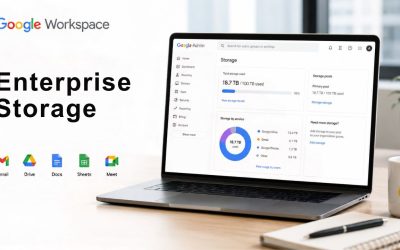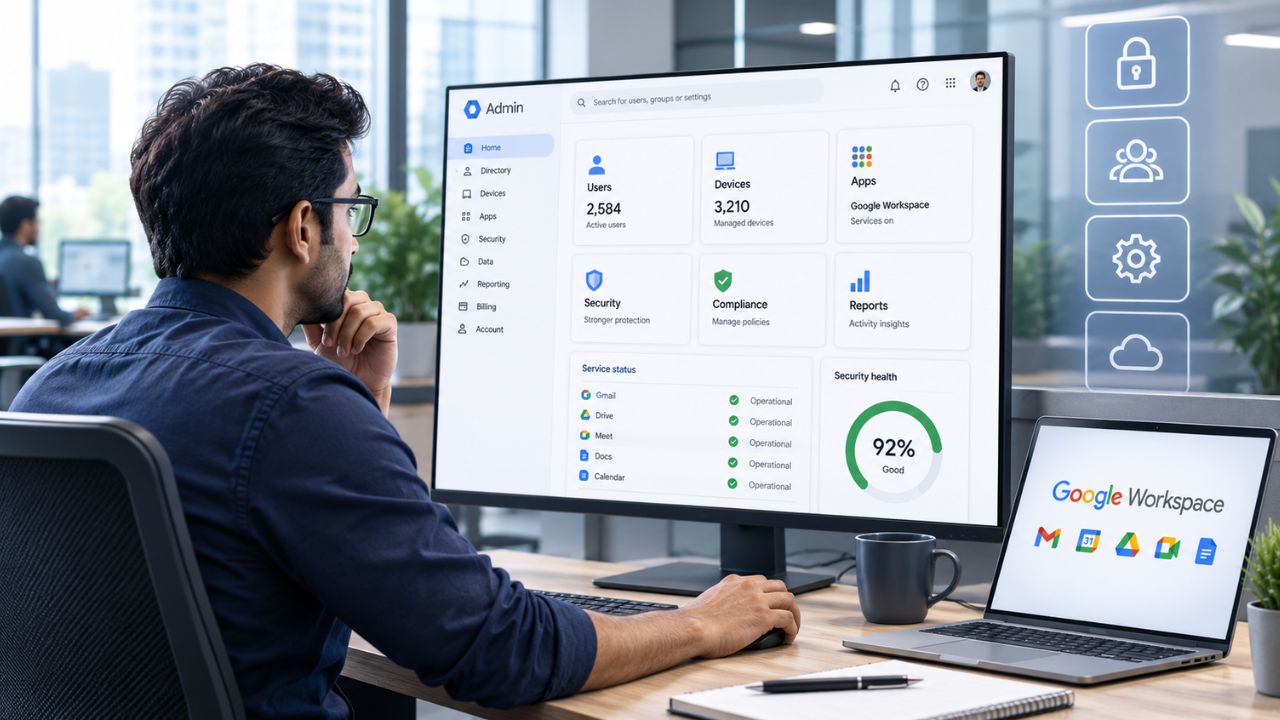
If your organization is already running Google Workspace and evaluating whether Enterprise is worth the jump, the console itself is where the decision gets made. Enterprise Standard and Enterprise Plus unlock a distinct layer of admin tooling, zero-trust access policies, an investigation-grade security dashboard, Assured Controls, client-side encryption, and data region enforcement, none of which exist on Business Plus.
Modernize Your Enterprise with Google Workspace For Enterprise →
What the Enterprise Console Tier Actually Unlocks
Moving from Business Plus to Enterprise Standard or Enterprise Plus doesn’t restyle the Admin console; it adds a new set of menu items and policy engines underneath Security that aren’t visible on lower tiers. The difference isn’t cosmetic: Context-Aware Access, the Security Investigation Tool’s automation layer, Assured Controls, and client-side encryption are edition-gated features, not settings an admin can enable manually. Understanding exactly where that gate sits is the first step in evaluating whether Enterprise solves a real problem or adds cost without a corresponding control.
 The Console Looks the Same, the Capability Set Doesn’t
 The Console Looks the Same, the Capability Set Doesn’t
An admin who has spent years in Business Plus’s Security menu will recognize the Enterprise console’s layout immediately; the navigation tree, the organizational unit structure, and the basic reporting pages are unchanged. What’s different sits one level deeper. Menu items like Context-Aware Access, Data regions, and Client-side encryption don’t render for accounts without an Enterprise Standard or Enterprise Plus license; they aren’t grayed out or partially functional, they’re absent entirely. This matters during a proof-of-concept because a test tenant provisioned on the wrong edition can make it appear that a feature doesn’t exist when it’s actually just gated by the license attached to that organizational unit.
The practical effect is that feature evaluation must occur on a correctly licensed test tenant, not on a general trial account. Google’s own edition-comparison documentation is the authoritative source for which SKU unlocks which control, and it’s worth checking directly rather than working from a keyword list or a reseller’s marketing page, since the feature-to-edition mapping has shifted before and will likely shift again. A security team building a business case for Enterprise should pull that mapping up to date at the start of the evaluation, rather than relying on a screenshot from a prior deployment cycle.
Where the Line Sits Against Business Plus
Business Plus already covers a meaningful security baseline: Vault for retention and eDiscovery, basic mobile device management, and standard 2-Step Verification enforcement. What it does not include is anything built on Google’s BeyondCorp zero-trust model, the automation layer of the Security Investigation Tool, or any of the compliance-grade encryption and data-residency controls. Those capabilities require Enterprise Standard, Enterprise Plus, Education Plus, or a standalone Cloud Identity Premium license layered on top of a lower Workspace tier.
For a large organization, that line typically becomes visible during a security review or a customer due-diligence questionnaire, the moment someone asks “can you enforce device posture before granting access to Gmail” or “can you restrict where our data is processed,” and the honest answer on Business Plus is no. That’s usually the trigger point that moves Enterprise from a nice-to-have to a requirement, and it’s worth mapping against your own compliance questionnaire before the conversation happens with a customer or regulator rather than during it.
Enterprise Console Features by Edition
| Console Feature | Minimum Edition Required | What It Controls |
|---|---|---|
| Context-Aware Access | Enterprise Standard, Enterprise Plus, Education Plus, or Cloud Identity Premium | Zero-trust access policies based on device posture, network, and identity, evaluated continuously |
| Security Investigation Tool automation rules | Enterprise Standard, Enterprise Plus | Automated remediation and alerting triggered by matched security or privacy conditions |
| Data Loss Prevention (Gmail, Drive, Chat) | Business Plus (Drive only); full Gmail and Chat coverage at Enterprise | Detecting and blocking sensitive data leaving the organization via email, files, or chat |
| Fundamental desktop management | Enterprise Standard, Enterprise Plus (also available with Cloud Identity Premium) | Agent-free visibility and remote sign-out for desktop devices accessing Workspace |
| Client-side encryption (CSE) | Enterprise Plus (also available as an add-on on some lower editions) | Customer-controlled encryption keys that Google’s own support staff cannot decrypt |
| Assured Controls | Enterprise Plus (add-on) | Restricting support-personnel location and data visibility for sovereignty-sensitive deployments |
| S/MIME encryption | Enterprise Plus | Message-level email signing and encryption for regulatory-grade communication security |
Context-Aware Access: Building Zero-Trust Policies With CEL
Context-Aware Access lets an Enterprise admin gate app access based on device posture, network origin, and identity signals, with evaluations performed continuously rather than once at sign-in. It requires Enterprise Standard, Enterprise Plus, Education Plus, or Cloud Identity Premium; Business Plus and below do not have it. Built on Google’s BeyondCorp zero-trust architecture, it replaces the old assumption that a corporate network location equals trust with policies that check device encryption, OS version, and screen-lock status on every access attempt.
From Predefined Access Levels to Custom CEL Rules
Most rollouts start with Basic mode: an admin selects conditions such as device encryption, minimum OS version, or a specific IP range via a guided builder, and Google assembles the policy. That covers common cases, requiring a company-owned device for finance apps or blocking access from outside approved countries, without writing any code. Basic mode access levels are also shared across Workspace, Cloud Identity, and Google Cloud, so a policy an admin builds for Workspace can be reused for Cloud Console access if the organization runs both.
Advanced use cases need Advanced mode, which uses Common Expression Language (CEL) to author rules. Basic mode can’t express certificate-based authentication conditions or vendor-specific attributes for third-party integrations, which are two examples Google’s own documentation calls out. This is where the Enterprise console meaningfully outpaces anything available on Business Plus: CEL rules let a security team encode conditions specific to their own risk model rather than settling for Google’s predefined templates. Writing and testing CEL expressions is genuinely a specialist skill, and most large deployments budget dedicated security-engineering time for it rather than treating it as a generalist admin task.
Rolling Out in Monitor Mode Without Locking Out Real Users
Every credible Context-Aware Access rollout guide converges on the same recommendation: assign new access levels in monitor mode before switching to active enforcement. Monitor mode logs which users and devices would have been blocked without actually blocking them, which turns a rollout from a guess into a data-driven decision. Google’s own guidance suggests running in monitor mode for at least a week before enforcing, long enough to catch edge cases such as contractors on unmanaged devices or executives who travel through countries not yet included in an access level.
A detail that catches large organizations off guard: desktop devices need Endpoint Verification deployed and refreshed before a device-based policy is enforced, or users can be denied access even on compliant hardware simply because device attributes haven’t synced yet. Sequencing matters: deploy Endpoint Verification and let it propagate first, then build access levels, then run monitor mode, and only then flip to enforcement. Skipping the sequence is the single most common cause of a Context-Aware Access rollout generating help-desk tickets rather than delivering security value.
Security Investigation Tool: Triage and Automated Remediation Rules
The Security Investigation Tool gives Enterprise admins a unified view across Gmail, Drive, Chat, and device logs to identify, triage, and act on security and privacy issues from a single dashboard, rather than switching between separate reporting pages. It’s paired with the Alert Center, which surfaces flagged events for review. On its own, this is investigation tooling; what makes it an Enterprise-tier differentiator is the automation layer built on top of it.
A Unified Dashboard for Cross-Product Incident Data
Before this tool existed, an admin chasing a suspicious sign-in or an unusual bulk-download event had to check Gmail logs, Drive audit logs, and device management records separately, then manually correlate timestamps and user identities across all three. The Security Investigation Tool consolidates those signals into a single searchable interface, allowing an admin to filter by user, event type, IP range, or device to reconstruct a timeline without manually stitching together exports from multiple console pages.
For a compliance officer preparing evidence after an incident, this consolidation is often the difference between a same-day answer and a multi-day forensic exercise. The dashboard supports saved searches and bulk actions, suspending a set of accounts, forcing password resets, or revoking OAuth tokens for a group of users identified during an investigation, directly from the results view, which keeps remediation inside the same workflow as detection rather than requiring a separate admin console session for each action.
Turning Repeated Investigations Into Automated Rules
The genuinely Enterprise-exclusive piece is rule automation: admins can define conditions that, once matched, trigger an automatic remediation action or an alert-center notification, without a human having to run the search manually each time. A rule watching for a spike in external Drive shares from a specific organizational unit, for instance, can suspend the account or notify the security team the moment the pattern appears, rather than waiting for a scheduled review to catch it days later.
This matters most for organizations running lean security teams relative to their user count, a common pattern at multi-thousand-seat organizations where the ratio of admins to monitored accounts makes manual review of every alert impractical. Automated rules let a small team encode the judgment calls they’d otherwise make manually, freeing analyst time for genuinely novel incidents rather than repetitive triage. Rules should be tuned conservatively at first and reviewed for false-positive rates before broad enforcement, the same discipline that applies to Context-Aware Access monitor mode.
Advanced Endpoint Management for Desktop, Mobile, and BYOD Fleets
Enterprise editions extend endpoint management well beyond the basic mobile device controls available in Business Plus, adding fundamental desktop management with no agent installation required, as well as advanced mobile management for both company-owned and BYOD devices. The result is a single dashboard showing every device, desktop or mobile, accessing corporate data, with the ability to remotely sign a user out of a lost or stolen desktop device.
Fundamental Desktop Management as the Enterprise Baseline
Fundamental desktop management activates automatically for desktop devices accessing Workspace on Mac, Windows, Chrome, and Linux, without requiring employees to install an agent or configuration profile. That’s a meaningful operational advantage over agent-based MDM approaches: rollout doesn’t depend on user compliance with an installation step, which is often where desktop management programs stall in practice. Admins get visibility into which devices are accessing corporate data and can remotely sign users out of compromised desktop sessions from the console.
This baseline layer feeds the device-attribute data that Context-Aware Access policies check: encryption status, screen-lock configuration, OS version. So desktop management and zero-trust access aren’t separate initiatives at the Enterprise tier; they’re the same underlying data plumbing used in two different ways. An organization planning a Context-Aware Access rollout should treat desktop management deployment as the prerequisite step, not a parallel project, since device-based access levels have nothing to evaluate without it.
Extending Trust Signals to Mobile and Shared Devices
On the mobile side, Enterprise adds advanced management capabilities beyond Business Plus’s basic controls, including support for shared-device scenarios where multiple user accounts sign in and out of the same physical device, a common pattern for frontline or shift-based staff who don’t each carry a personal company phone. Advanced mobile management syncs device attributes such as OS version and encryption status faster than basic management, which directly affects the timing of Context-Aware Access enforcement, since policies that check those attributes are only as current as the last sync.
A detail worth flagging in procurement conversations: not every device ownership model behaves the same under Context-Aware Access. Android devices running a work profile under Android 12 or later are always reported as user-owned regardless of whether they’re in a company-owned inventory, which changes how “company-owned device” access levels evaluate them. Security teams building device-based policies should test against the actual device population in their fleet rather than assuming ownership-flag behavior is uniform across Android versions.
Data Loss Prevention Rules Tuned for Enterprise Scale
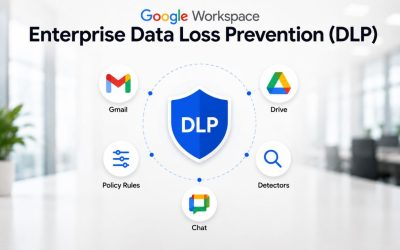
Data Loss Prevention is part of the Enterprise feature family. It scans Gmail, Drive files, and Chat messages for sensitive data, credit card numbers, national ID numbers, and other patterns before they leave the organization. It is not available on Business Starter or Business Standard. It is included starting at Business Plus for Drive only, with the fuller Gmail-and-Chat coverage reserved for Enterprise editions. Verify current per-app DLP coverage against Google’s edition comparison page before finalizing a business case, as coverage by app has shifted with prior tier restructurings.
Scanning Gmail, Drive, and Chat With Predefined Detectors
 Scanning Gmail, Drive, and Chat With Predefined Detectors
Google ships a library of predefined detectors for common sensitive-data patterns, allowing an admin to enable scanning for financial account numbers or government ID formats without building a detection rule from scratch. Rules can be scoped to specific organizational units or groups. Actions range from simply logging a match to blocking the share or send outright, which gives a security team a way to pilot a rule in observation mode before it starts interrupting legitimate work. The same monitor-first discipline applies across the rest of the Enterprise console’s policy engines.
For an organization handling regulated data, predefined detectors typically cover the first pass, payment card numbers, and tax ID formats, but rarely address every category of sensitive information specific to the business. A financial services firm’s DLP policy and a manufacturing firm’s policy will diverge quickly beyond the predefined library, where custom detection becomes necessary rather than optional.
Writing Custom Detectors for Industry-Specific Data
Custom detectors let an admin define regular-expression or dictionary-based patterns for data types Google’s predefined library doesn’t cover, internal project code names, proprietary part numbers, or client account identifiers specific to one organization. Building these well requires the same care as writing any pattern-matching rule: too loose and the rule generates constant false positives that train users to ignore DLP warnings entirely; too narrow and it misses real leakage.
A practical pattern many large deployments use is layering: predefined detectors handle the universally recognizable categories (payment data, national IDs), while a smaller set of carefully tested custom detectors covers the handful of genuinely proprietary data types that matter most to that specific business. Expanding the custom-rule library incrementally, with each addition validated against a sample of real traffic before enforcement, keeps the signal-to-noise ratio workable as the rule set grows across a multi-thousand-seat organization.
Getting the Advanced Console Right the First Time
Hiya Digital, as an Authorized Reseller and Implementation & Migration Partner for Google Workspace, works through this configuration with IT and security teams directly, sequencing the rollout, testing policies in monitor mode first, and documenting the resulting controls in the format compliance and procurement reviewers actually ask for, rather than leaving a large organization to work through Google’s documentation alone against a deployment deadline.

Assured Controls and Access Approvals for Regulated Workloads
Assured Controls is a premium compliance add-on available with Google Workspace Enterprise Plus, built for organizations facing the strictest data-sovereignty and support-access requirements, defense contractors and government agencies among the most common adopters. It works alongside Access Approvals, a related but separate control that governs when Google support staff can access customer data at all.
What Assured Controls Actually Restrict
Assured Controls layers additional restrictionsrestrictions on top of Enterprise Plus’s baseline security controls, most notably regarding where support and operations personnel for the account can be located and what data they can view during a support interaction. For US government and defense customers specifically, Enterprise Plus combined with Assured Controls Plus is the documented path to supporting Department of Defense Impact Level 4 (IL4) compliance, letting the customer issue its own Authority to Operate rather than relying solely on Google’s baseline authorization.
This is a genuinely narrow-audience feature; most enterprise buyers outside regulated government, defense, or similarly sovereignty-sensitive sectors won’t need it, and it adds cost and configuration overhead that isn’t justified without a specific regulatory driver. The decision to add Assured Controls should trace back to an actual named requirement, an IL4 authorization target, a specific government contract clause, or an industry mandate, rather than being adopted as a general “more security is always better” default.
Access Approvals as a Companion Control
Access Approvals gives the customer organization direct approval authority over specific instances of Google support access to their data, adding a human-in-the-loop checkpoint that Assured Controls can further restrict for higher-assurance environments. In practice, this means a support engineer at Google cannot view certain customer data without explicit approval from the customer’s admin, which is a meaningfully different trust model from a standard support relationship, where the vendor’s support staff has broader default access.
For a compliance team documenting vendor access controls as part of a third-party risk assessment, Access Approvals combined with Assured Controls gives concrete, auditable answers to questions about who can see customer data and under what conditions, answers that are considerably harder to produce on editions below Enterprise Plus, where those approval workflows aren’t available at all.
Client-Side Encryption and Data Region Controls for Sovereignty
Client-side encryption (CSE) and data regions are two distinct but frequently paired Enterprise-tier controls: CSE governs who can decrypt content. In contrast, data regions govern where content is stored and processed geographically. Both are commonly grouped under “digital sovereignty” requirements and require Enterprise-tier licensing, which is not available on Business Plus.
Encryption Keys Your Support Vendor Can’t Read
 Encryption Keys Your Support Vendor Can’t Read
Client-side encryption applies an additional encryption layer that the organization’s own key-management system controls, rather than relying solely on Google’s standard server-side encryption. The practical effect is that content encrypted with CSE isn’t readable by Google, including Google’s own support staff, without the customer’s key. This is a meaningfully different guarantee than standard encryption at rest, and it’s the control most often requested by organizations in regulated industries or by government customers with strict data-sovereignty mandates.
The trade-off is operational, not just technical: losing the encryption keys means permanently losing access to CSE-protected data, since there’s no vendor-side recovery path by design. Any organization enabling CSE needs a genuine key-backup and key-management strategy before rollout, not as an afterthought, and most large deployments apply CSE selectively to the specific data categories that actually require it rather than switching it on universally, since the added friction is real and shouldn’t be paid for by every document in the organization.
Choosing Where Data Is Stored and Processed
Data regions let an admin select the geographic region, commonly the US, EU, or both, where covered data is stored and processed, addressing regulatory or contractual requirements that data not leave a specific jurisdiction. This sits alongside the broader set of compliance certifications Google maintains for Workspace. Still, it’s a distinct, admin-configurable control rather than a certification that the organization inherits as a customer.
Data region selection interacts with other sovereignty controls rather than replacing them; an organization with strict regulatory obligations typically layers data regions, CSE, and Access Approvals together rather than treating any single control as sufficient on its own. Procurement teams evaluating these controls for a specific regulatory requirement should map each named obligation to the specific control that satisfies it, since “we have data regions enabled” and “we meet regulation X” are not automatically the same claim.
Enterprise Standard vs Enterprise Plus: Which Advanced Features Live Where
Google splits the Enterprise tier into two editions, Enterprise Standard and Enterprise Plus, both quote-based with no minimum or maximum user count, but with a meaningful capability gap between them. Getting this split right matters for procurement, since over-licensing an entire user population onto Enterprise Plus when Enterprise Standard would adequately serve a portion is a common source of unnecessary spend in large deployments.
Features Common to Both Enterprise Editions
Context-Aware Access is available on both Enterprise Standard and Enterprise Plus, as is Education Plus and standalone Cloud Identity Premium. This is one of the more commonly misunderstood points in vendor comparisons, since some content assumes that Context-Aware Access is exclusive to Enterprise Plus, which it isn’t. Both editions also include the Security Investigation Tool and its automation layer, and both sit above Business Plus in the pooled storage ladder, starting at the same 5 TB per-user pooled level as Business Plus before expansion.
Data Loss Prevention, as a policy category, is available across the Enterprise family. However, the app’s precise scope of coverage has been a moving target amid Google’s tier restructurings. It should be verified against current documentation before a comparison table is finalized for a specific deal. Both editions also support the core zero-trust device and network signals that Context-Aware Access evaluates, meaning that an organization choosing between the two editions on device-posture grounds alone may find them functionally equivalent for that specific use case.
Certifications and Where to Surface Them
| Certification / Authorization | What It Covers | Where to Pull Evidence |
|---|---|---|
| ISO/IEC 27001 | Information security management systems across Workspace, Google Cloud, and Apigee | Compliance Reports Manager (certificate request) |
| ISO/IEC 27017 | Cloud-specific information security controls | Compliance Reports Manager |
| ISO/IEC 27018 | Protection of personally identifiable information in public cloud services | Compliance Reports Manager |
| SOC 2 (Type II) | Security, availability, and confidentiality controls, independently audited | Compliance Reports Manager, under NDA |
| FedRAMP High | US federal government cloud security authorization | Google Workspace compliance documentation, government-focused sales channel |
| DoD IL4 | Controlled Unclassified Information handling for defense customers requires Enterprise Plus with Assured Controls Plus | Google Workspace IL4 configuration guide, defense-focused sales channel |
What’s Reserved for Enterprise Plus Alone
S/MIME encryption for enhanced email-level signing and encryption is documented as an Enterprise Plus-specific inclusion and is not available on Enterprise Standard. Assured Controls and the IL4-compliance path built on Assured Controls Plus likewise require Enterprise Plus specifically as the base edition. AppSheet’s more comprehensive no-code application tier is included in Enterprise Plus by default. In contrast, Enterprise Standard’s included AppSheet tier is comparatively limited and typically requires an add-on to achieve equivalent capabilities.
Meeting scale is another practical differentiator: Enterprise Plus supports substantially larger Google Meet participant counts and in-domain live streaming for large internal events. This detail matters more to communications and events teams than to security teams, but it factors into the same licensing decision. For a mixed workforce, the common pattern is deploying Enterprise Plus to roles with a genuine need for S/MIME, Assured Controls, or large-scale meetings, and Enterprise Standard to the rest of the population, the tier-mix approach that keeps blended per-seat cost down without sacrificing coverage where it’s actually needed.
Compliance Reporting: Pulling Certificates and Audit Evidence From the Console
Beyond configuring controls and the Enterprise console, Google’s associated compliance tooling is also where an admin retrieves the evidence that a customer’s own auditors, regulators, or enterprise customers will ask for. This is a distinct workflow from configuring Context-Aware Access or DLP, and large organizations frequently underestimate how often it gets used once Enterprise is live.
The Compliance Reports Manager Workflow
Google’s Compliance Reports Manager is the mechanism through which customers request certificates such as ISO/IEC 27001 for Google Cloud, Google Workspace, and Apigee, rather than having these documents emailed on request or published publicly. Workspace overall is certified against ISO 27001, ISO 27017, and ISO 27018, is audited against the AICPA SOC standards, and maintains a FedRAMP High authorization along with IL4 for defense customers, a broader certification set than what’s typically required to satisfy a standard commercial customer’s security questionnaire, but relevant in full for government and defense procurement.
For an admin supporting a customer due diligence process, understanding which certificate covers which product scope matters. A certificate scoped to Google Cloud Platform doesn’t automatically extend to every Workspace application, and the scope notes on Google’s compliance documentation specify exactly which services each certification covers. Pulling the wrong certificate, or one scoped more narrowly than a questionnaire assumes, is a common and avoidable friction point in enterprise sales cycles that touch Workspace security.
Mapping Console Settings to Audit Requests
Certificates alone rarely satisfy a thorough audit; auditors increasingly ask for evidence that specific controls are actually configured, not just that a certification exists in the abstract. This is where the console settings covered earlier in this post become audit artifacts: a screenshot or an exported configuration showing Context-Aware Access policies in active mode, DLP rules scoped to relevant organizational units, and CSE enabled for a defined data category provides an auditor with concrete configuration evidence rather than a policy document describing intent.
Large organizations preparing for a recurring audit cycle, annual SOC 2 renewal, for instance, benefit from maintaining a standing mapping between each audit control requirement and the specific Enterprise console setting that satisfies it, updated whenever Google changes a feature’s location or name in the console. Building that mapping once, early in an Enterprise deployment, saves considerably more time across subsequent audit cycles than reconstructing it from scratch each time a request comes in.
Rollout Governance: Sequencing Advanced Features Across a Multi-Thousand-Seat Deployment
Every capability covered in this post carries a real risk of user disruption if enabled broadly on day one. Governance overhead, the planning, staging, and monitoring work required before flipping a policy from observation to enforcement, is the realistic cost of these controls at scale, and it’s proportional to organization size in a way that smaller deployments rarely experience.
Why Sequence Matters More Than Speed
 Why Sequence Matters More Than Speed
The pattern across every control in this post is the same: deploy the data-collection prerequisite first, observe in monitor or log-only mode second, and enforce last. Endpoint Verification before Context-Aware Access. DLP in log-only mode before blocking mode. Security Investigation Tool rules are tuned against real traffic before being broadly automated. Skipping straight to enforcement of any of these at a multi-thousand-seat scale doesn’t just risk one blocked user; it risks a support-desk surge large enough to undermine leadership confidence in the entire Enterprise investment, making subsequent rollouts politically harder even when the technical risk is well understood.
For a compliance-driven audience specifically, there’s an additional tension worth naming honestly: the fastest path to a checked compliance box is often broad, immediate enforcement, while the fastest path to a stable rollout is gradual, monitored deployment. Organizations under genuine regulatory deadline pressure sometimes have to accept a compressed timeline, but should do so knowingly, with the operational risk explicitly flagged to leadership rather than assumed away.
A Realistic Phasing Timeline
A pattern that holds up reasonably well across large deployments: weeks one through two for desktop and mobile management deployment and Endpoint Verification propagation; weeks three through five for building and monitor-mode testing of Context-Aware Access levels and initial DLP rules in log-only mode; weeks six through eight for reviewing monitor-mode data, tuning false positives, and rolling enforcement out to a pilot organizational unit; and weeks nine through twelve for staged enforcement across the remaining population, organizational unit by organizational unit, with a rollback plan defined before each stage begins.
This isn’t a fixed formula; a genuinely large, geographically distributed organization with complex device fleets and multiple regulatory regimes will run longer, while a smaller enterprise-tier deployment with a simpler device population can compress it. What holds across all scales is the sequencing logic itself: observe before enforcing, pilot before broadening, and never enable Assured Controls, CSE, or broad DLP blocking without a documented, tested rollback path in advance. Hiya Digital’s implementation engagements for large-organization Enterprise deployments are built around exactly this phased structure, with dedicated project management and compliance-documentation support carried through each stage rather than handed off once the licenses are provisioned.
Frequently Asked Questions
What is Context-Aware Access, and which Google Workspace editions include it?
Context-Aware Access is a zero-trust policy engine built on Google’s BeyondCorp architecture that grants or denies app access based on device posture, network origin, and identity signals. It evaluates them continuously rather than only at sign-in. It requires Enterprise Standard, Enterprise Plus, or Education Plus; Business Starter, Business Standard, and Business Plus do not include it. Policies range from Basic mode, which uses a guided condition builder for common cases such as requiring device encryption, to Advanced mode, which uses Common Expression Language for custom logic that Basic mode can’t express. Google recommends deploying new access levels in monitor mode for at least a week before switching to active enforcement, so admins can review which users or devices would be blocked before the policy actually blocks anyone.
What’s the difference between the Security Investigation Tool and the Alert Center?
The Security Investigation Tool is the analysis workspace. This unified, searchable dashboard pulls Gmail, Drive, Chat, and device logs into a single interface, allowing an admin to filter, correlate, and act on suspicious activity across products at once, including bulk remediation actions such as account suspension or token revocation. The Alert Center is where flagged events surface for review, and it receives notifications generated by the Investigation Tool’s automated rules once a defined condition is matched. In practice, the Investigation Tool is where an admin builds and runs a search or defines a rule; the Alert Center is where the resulting notification lands for triage. Both require Enterprise-tier licensing specifically for the automation layer, since basic alerting is available on lower tiers but automated remediation rules are not.
Does Google Workspace Enterprise Standard include Assured Controls?
No. Assured Controls is documented as an Enterprise Plus-specific add-on and is not available on Enterprise Standard, even though both editions share Context-Aware Access and the Security Investigation Tool. Assured Controls restricts where support and operations personnel accessing the account can be located and what customer data they can view during a support interaction, and it’s the base requirement, alongside Assured Controls Plus specifically, for supporting Department of Defense Impact Level 4 (IL4) compliance. Organizations evaluating Assured Controls should confirm they’re licensed for Enterprise Plus specifically before including it in a compliance roadmap, since assuming Enterprise Standard covers it is a common and costly planning error during procurement.
Can admins write custom Context-Aware Access rules beyond the predefined access-level templates?
Yes, through Advanced mode, which uses Common Expression Language (CEL) to define access levels that Basic mode’s guided builder cannot express. Certificate-based authentication requirements and vendor-specific conditions for third-party integrations are two examples that Google’s documentation specifically calls out as requiring CEL. Writing correct CEL expressions requires more technical depth than Basic mode’s point-and-click condition builder, and most large organizations assign this work to a dedicated security engineer rather than a general Workspace administrator. Custom access levels created in Advanced mode still integrate with the same monitor-mode testing workflow as Basic mode policies. Hence, the rollout discipline of observing before enforcing applies equally to both.
What does client-side encryption protect that Google’s standard encryption doesn’t?
Standard Workspace encryption protects data at rest and in transit using keys Google manages. Client-side encryption (CSE) adds a layer where the customer’s own key-management system controls decryption, meaning content encrypted with CSE is not readable by Google, including Google’s own support staff, without the customer’s key. This is the control most frequently requested by regulated industries and government customers with strict sovereignty mandates. Still, it carries a real operational tradeoff: losing the encryption keys means permanently losing access to CSE-protected content, since there’s no vendor-side recovery path by design. Most large deployments apply CSE selectively to specific sensitive data categories rather than enabling it universally, given the added friction it introduces to normal collaboration.
How do data regions work in the Enterprise console, and what do they actually guarantee?
Data regions let an admin select a geographic region, commonly the US, the EU, or both, where covered Workspace data is stored and processed, addressing regulatory or contractual requirements that data remain within a specific jurisdiction. It’s a distinct, admin-configurable control rather than a certification the organization automatically inherits, and it’s commonly deployed alongside client-side encryption and Access Approvals as part of a broader digital-sovereignty posture rather than as a standalone measure. Organizations should map each specific regulatory obligation they’re trying to satisfy to the specific combination of controls that addresses it, since enabling data regions alone does not automatically satisfy every sovereignty-related requirement a given regulation might impose.
What’s required to enable Data Loss Prevention across Gmail, Drive, and Chat simultaneously?
DLP, as a policy category, sits within the Enterprise feature family, with Drive-only coverage available starting at Business Plus and full coverage across Gmail, Drive, and Chat in Enterprise editions. The precise per-app scope has shifted with past Google tier restructurings, so it’s worth confirming current coverage against Google’s edition-comparison documentation before finalizing a rollout plan. Rules can use Google’s predefined detectors for common sensitive data patterns, such as payment card numbers, or custom detectors built for organization-specific data types. A layered approach, predefined detectors first, tested custom detectors added incrementally, tends to produce a more workable false-positive rate than launching a comprehensive rule set directly into blocking mode.
How long does a Context-Aware Access rollout typically take for a large organization?
There’s no universal figure, since it depends heavily on the complexity of the device fleet and the organizational structure. Still, a common phasing pattern spans roughly twelve weeks for a multi-thousand-seat deployment: two weeks for desktop and mobile management deployment and endpoint verification propagation, three weeks for building and monitor-mode testing of access levels, two to three weeks reviewing monitor-mode data and piloting enforcement on one organizational unit, and the remaining weeks staging enforcement across the rest of the population. Organizations under compressed regulatory deadlines sometimes accelerate this, but doing so trades rollout stability for speed, and that tradeoff should be an explicit, leadership-level decision rather than an unstated assumption baked into a project timeline.
Can Enterprise admins export findings from the Security Investigation Tool to an external SIEM?
The Security Investigation Tool and Alert Center are designed to work within the Admin console’s own workflow for triage and remediation, and large organizations running a dedicated security operations function typically pair this internal tooling with export of Workspace audit logs to an external SIEM for centralized monitoring alongside other systems. That log export is a separate configuration step from the Investigation Tool itself, generally handled through the Admin console’s reporting and audit log export settings or the Workspace Admin SDK’s reports API. Organizations planning to centralize Workspace security data alongside other infrastructure logs should explicitly scope this integration during the Enterprise rollout, rather than treating the Investigation Tool as a full substitute for an existing SIEM.
What’s the practical difference in endpoint management between Business Plus and Enterprise?
Business Plus includes basic mobile device management, sufficient for standard BYOD and company-owned mobile policies. Enterprise adds fundamental desktop management that activates automatically, without an agent installation step, giving admins a single dashboard view of every desktop device accessing corporate data, along with the ability to remotely sign out a compromised or lost device. Enterprise also extends mobile management to more advanced scenarios, including shared-device configurations for frontline or shift-based staff who don’t carry a personal company device. Critically, this Enterprise-tier device data also feeds Context-Aware Access policy evaluation. An organization on Business Plus without this deeper endpoint visibility has no device-posture data for a zero-trust access policy to check in the first place.
Glossary
Context-Aware Access (CAA): A zero-trust access-control system that grants or denies app access based on device, network, and identity signals evaluated continuously, rather than only at sign-in.
Common Expression Language (CEL): A rule-authoring syntax used in Context-Aware Access’s Advanced mode to build custom access-level logic beyond what the guided condition builder supports.
Data Loss Prevention (DLP): Policy rules that scan outgoing email, files, and chat messages for sensitive data patterns and can log, warn, or block a share or send that matches them.
Client-Side Encryption (CSE): An encryption layer controlled by the customer’s own key-management system, making protected content unreadable to the vendor, including its own support staff, without the customer’s key.
Assured Controls: An Enterprise Plus add-on that restricts the location and data visibility of support and operations personnel for sovereignty-sensitive deployments, including a path to Department of Defense IL4 compliance.
Access Approvals: A control giving the customer explicit approval authority over specific instances of vendor support access to their data.
IL4 (Impact Level 4): A US Department of Defense security classification for handling Controlled Unclassified Information, requiring Enterprise Plus with Assured Controls Plus to support.
FedRAMP High: The highest security authorization level under the US Federal Risk and Authorization Management Program for cloud service providers handling sensitive federal data.
SOC 2: An independently audited report assessing an organization’s controls across security, availability, and confidentiality, commonly requested during vendor due diligence.
BeyondCorp: Google’s zero-trust security architecture, which underpins Context-Aware Access by removing the assumption that network location alone establishes trust.
The Hiya Digital Team is a collective of IT infrastructure specialist engineers, certified systems administrators, and cloud architects driven by a singular mission: building corporate communication systems that just work. As an Authorized Google Partner, the team handles complex global hosting deployments, secure email migrations, and advanced data compliance architectures for businesses across 40+ countries.
With over two decades of technical experience spanning custom premium business email configurations, OX AppSuite deployments, and enterprise-level network security, the Hiya Digital Team writes to demystify domain infrastructure. Their content focuses on actionable technical strategies, anti-phishing security protocols, and seamless cloud collaboration setup, all backed by real-world deployment experience and 24/7 technical support accountability.