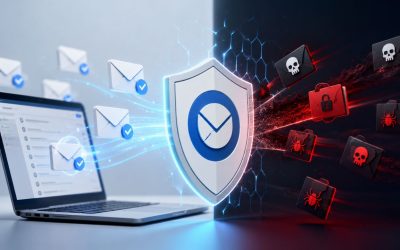
Phishing attacks remain one of the most common methods for compromising business email accounts and stealing sensitive information. SpamExperts helps defend against these threats by analyzing incoming messages using multiple detection techniques, including sender reputation, email authentication, header analysis, URL inspection, and advanced threat filtering. Understanding how these security layers work together provides valuable insight into how suspicious emails are identified and blocked before they reach users’ inboxes.
Prevent Phishing with SpamExperts →
Why Phishing Slips Past Basic Filters
Most legacy spam filters were built to catch bulk junk mail, not a single, carefully worded message pretending to be a colleague or a bank. Phishing emails are often low-volume, personalized, and free of the obvious red flags, misspellings, and ALL CAPS subject lines that older filters were trained to spot. That gap is exactly what SpamExperts’ layered detection model is designed to close.
 The Difference Between Spam and Phishing Detection
 The Difference Between Spam and Phishing Detection
Spam detection largely asks, “Is this unwanted bulk mail?” Phishing detection asks a different question: “Is this sender and this content trying to impersonate someone trustworthy?” A phishing email can be grammatically perfect, sent from a single IP address, and contain no attachment at all, three things that would let it sail past a filter tuned only for bulk-mail patterns. SpamExperts treats phishing as a distinct threat category and layers dedicated checks on top of standard spam scoring, rather than relying on a single shared scoring model for both.
That distinction matters operationally. A message can score low on “spamminess”, few links, no suspicious attachment, clean formatting, and still score high on phishing risk because the sending domain has no authentication history, the display name doesn’t match the reply-to address, or the destination URL was registered days earlier. SpamExperts performs in-depth header analysis on inbound messages, examining routing information and message metadata to identify tell-tale characteristics of threat emails, which is precisely the kind of signal that a content-only scanner would miss.
Where Phishing Detection Sits in the Filtering Pipeline
Phishing checks don’t happen after a message is already sitting in a mail server queue. SpamExperts operates at the DNS level via MX records, scanning email before it reaches the mail server. Filtering happens in two stages: an SMTP-level check of sender behavior and reputation, followed by content analysis for spam, phishing, malware, and malicious attachments. Phishing-specific evaluation is embedded in both stages: reputation and authentication checks occur before the body is even accepted, and header/URL analysis occurs once the content arrives.
This staged design has a practical benefit for businesses: a message that fails reputation and authentication checks early can be rejected or quarantined before it consumes bandwidth or lands in a user’s quarantine digest for review. It also means a phishing email doesn’t get one chance to be caught; it has to pass sender-level scrutiny and content-level scrutiny to reach an inbox at all.
Phishing Detection Layers at a Glance
| Detection Layer | What It Checks | Typical Red Flag |
|---|---|---|
| Sender/IP reputation | Historical sending behavior, complaint rates, blocklist status | New or previously flagged IP with no clean sending history |
| Domain reputation | Sending domain and any domain referenced in message body | Linked domain registered within days of the email being sent |
| SPF/DKIM/DMARC | Whether the message was actually sent from authorized infrastructure | Message fails all three checks simultaneously |
| Header analysis | Routing metadata, reply-to mismatches, server chain consistency | From address and Reply-To address point to different domains |
| URL/link inspection | Actual destination of links, not just display text | Shortened or redirected link resolving to an unrelated domain |
| Display-name spoofing check | Match between visible sender name and actual address | Executive’s name shown, but address is an unrelated free-mail domain |
Sender Reputation Checks: The First Filter
Before SpamExperts reads a single word of a message, it evaluates who is sending it. Sender reputation is a composite score built from IP history, domain history, and behavioral signals gathered across the SpamExperts network, and it’s often enough on its own to stop a phishing attempt cold.
How IP and Domain Reputation Scoring Works
SpamExperts checks the sending IP address and domain against reputation data built from real-time activity across its filtering network, rather than relying on a single static blocklist. The platform combines its own internal reputation data with multiple public, private, and commercial feeds to evaluate a domain’s reputation. That evaluation is applied not only to the sender’s domain but to any domain referenced inside the body of the email, meaning a phishing link pointing to a freshly registered look-alike domain is scored independently of the sending address itself.
This dual scoring, sender domain plus any linked domain, is what separates reputation-based phishing detection from a simple sender blocklist. A phishing email can spoof a trusted brand’s sending domain. Still, the moment it links out to a credential-harvesting page on an unrelated, low-reputation domain, that second reputation check has a real chance of catching what the first one missed. Reputation evaluation is especially useful when weighed against data points such as several failed SPF attempts, invalid recipients, and malware attacks associated with the sending source.
Behavioral Signals That Lower a Sender’s Score
Reputation isn’t static; it moves based on what a sending source does over time. A domain or IP that suddenly starts generating a spike in failed authentication attempts, bounced recipients, or complaint reports gets flagged faster than one with a long, clean sending history. This is particularly relevant for phishing campaigns launched from compromised legitimate accounts, where the sending infrastructure itself doesn’t look inherently malicious, but the behavior pattern does.
For a business owner, the practical takeaway is that reputation-based detection catches campaigns that content filtering alone would miss, including phishing sent from a hacked but otherwise legitimate mailbox. Because the scoring draws on network-wide activity rather than a single organization’s mail history, a phishing pattern first observed against one SpamExperts customer can improve detection for every other domain on the platform almost immediately, without waiting for a signature update.
SMTP-Level Checks Before the Message Body Is Accepted
A meaningful share of phishing detection occurs before SpamExperts ever accepts a message’s body. This early-stage rejection is one of the more overlooked parts of how the platform works, and it’s also one of the most efficient; a message refused at the SMTP handshake never consumes quarantine storage or shows up for a user to accidentally click.
What Happens During the SMTP Handshake
SMTP-level checks evaluate sender behavior, reputation, and authentication, including SPF, DKIM, and DMARC, before the message body is even received. In practice, this means the receiving server is asking a set of yes/no questions during the initial connection: Does this IP have sending history? Does the domain publish authentication records, and does this message pass them? Has this source triggered abuse signals recently? A message that fails enough of these checks can be rejected outright, which is the cleanest possible outcome; the sender gets a bounce, and no content-level scanning is even necessary.
This early rejection stage is particularly effective against high-volume phishing campaigns that reuse the same sending infrastructure across many targets. Once a sending IP or domain is flagged due to activity against a single recipient, the SMTP-level check can block subsequent attempts from the same source without needing to reanalyze the message content each time.
Why Early Rejection Matters More for Phishing Than for Spam
Ordinary spam is a nuisance; phishing is a form of credential theft or fraud in which a single successful click can cause real financial or data loss. That’s why stopping a message at the SMTP stage, before a user ever sees a “you have a quarantined message” notification, carries more weight for phishing than it does for garden-variety junk mail. A quarantined phishing email still carries some risk if a user releases it out of curiosity; a rejected one never reaches that decision point.
This is also where the trade-off between false positives and missed threats becomes most visible. Rejecting at the SMTP stage based on reputation and authentication signals is a stricter action than quarantining, so SpamExperts weighs it toward sources with a genuinely poor or absent reputation history rather than applying it to every unfamiliar sender, which would otherwise block legitimate first-time correspondence.
Domain Reputation and Impersonation Detection
Phishing frequently relies on impersonating a trusted brand or colleague rather than inventing a convincing new identity from scratch. SpamExperts’ impersonation detection is built specifically around catching that pattern.
How SpamExperts Flags Brand and Colleague Impersonation
Impersonation detection looks past the visible “From” name and evaluates whether the underlying sending infrastructure actually matches the identity being presented. Domain reputation checks apply not just to the sender’s domain but to any domain that appears in the body of the message, which is what allows the system to catch a message claiming to be from a bank while linking to an entirely unrelated, newly registered domain.
This layer is particularly important for business email compromise-style phishing, where an attacker impersonates an executive or vendor rather than a well-known brand. Because there’s no large public reputation history to draw on for a small vendor domain, SpamExperts leans more heavily on behavioral and authentication signals. A “CFO” email arriving from a domain with no prior communication history and failed authentication is treated with more suspicion than one continuing an existing, authenticated thread.
Cross-Referencing Sender Identity Against Historical Behavior
Impersonation detection also draws on pattern history specific to a domain relationship. If a business has an established, authenticated mail flow with a vendor, and a new message from that vendor’s domain suddenly fails authentication or originates from an unfamiliar sending IP, that deviation itself becomes a signal, separate from anything wrong with the message content.
In our experience configuring filtering for clients who have been targeted by vendor-impersonation attempts, the pattern is almost always the same: the fraudulent message tries to piggyback on a real, ongoing business relationship rather than appearing out of nowhere. That’s precisely why authentication and sending-behavior consistency checks catch more of these attempts than content scanning alone; the email text itself is often unremarkable.
Header Analysis: Reading Routing Metadata for Red Flags
Every email carries routing metadata that most users never see, and that metadata is often more honest than the message’s visible content.
What SpamExperts Looks for in Message Headers
 What SpamExperts Looks for in Message Headers
In-depth header analysis examines routing information and message metadata on every inbound message to identify telltale signs of phishing. This includes checking whether the “From” address matches the “Reply-To” address, whether the chain of mail servers a message passed through is consistent with where it claims to originate, and whether timestamps and server identifiers line up with a legitimate sending pattern rather than a spoofed one.
Header inconsistencies are difficult for an attacker to fully disguise because routing metadata is generated by mail servers along the delivery path, not typed by the sender. A phishing email can perfectly replicate a company’s logo and tone. However, the servers that actually relayed the message will still leave a trail that doesn’t match the impersonated brand’s real infrastructure. That mismatch is exactly what header analysis is built to surface.
Combining Header Signals With Reputation and Authentication
Header analysis rarely operates in isolation. A single unusual header field isn’t automatically treated as proof of phishing, since legitimate mail occasionally passes through forwarding services or third-party relays for valid reasons. SpamExperts weighs header anomalies alongside the sender reputation and authentication results already discussed, so a message with one odd routing hop but a strong sending reputation is scored differently from one with the same anomaly and no authentication history at all.
This combined scoring approach is what keeps false positives manageable. Treating any single signal as disqualifying would block a meaningful amount of legitimate mail that happens to route through unusual but harmless infrastructure, such as shared marketing platforms. Weighing multiple independent signals together is a deliberate trade-off between catching more phishing and not over-blocking normal business correspondence.
Get Phishing Detection Configured Correctly the First Time
Header analysis, reputation scoring, and authentication checks only work as well as they’re configured; mismatched SPF records or an incomplete DMARC rollout can quietly undermine all three. As a SpamExperts Authorized Reseller, Hiya Digital sets up. It tunes these layers correctly from day one, then keeps adjusting thresholds as your domain’s sending patterns change, so protection doesn’t depend on getting it right once and hoping it holds.

Link and URL Inspection Mechanics
Most phishing emails aim to get a recipient to click a link, making URL inspection one of SpamExperts’ most direct lines of defense against credential theft.
How SpamExperts Evaluates Links Inside a Message
Content analysis scans message content, headers, attachments, and URLs for spam, phishing, malware, and other threats as part of the second filtering stage, after SMTP-level checks. For links specifically, this means evaluating the actual destination a URL points to, not just the display text a user sees, and checking that destination domain’s reputation the same way the sending domain’s reputation is checked.
This distinction between display text and the actual destination is critical because it’s one of the oldest phishing tricks in the book: a link that reads “yourbank.com/login” but points to an unrelated domain. Because SpamExperts evaluates the underlying destination rather than the visible label, this kind of mismatch is caught at the filtering stage rather than left for a user to notice, which, in practice, most people don’t.
Handling Shortened, Redirected, and Newly Registered URLs
Attackers frequently use URL shorteners or multi-step redirects specifically to hide a malicious final destination from both users and automated filters. Effective link inspection must follow the URL chain to its actual endpoint rather than stopping at the first shortener domain, since evaluating only the visible shortened link would tell a filter nothing useful about where the recipient actually ends up.
Newly registered domains are treated with additional scrutiny regardless of what the URL chain resolves to, because a domain with no sending or hosting history hasn’t had time to build a reputation one way or the other. That absence of history is itself a signal; legitimate businesses rarely launch a customer-facing login page on a domain registered the same week a mass email campaign goes out referencing it.
SPF, DKIM, and DMARC: The Authentication Layer
Sender authentication protocols are the technical backbone that makes reputation and impersonation detection reliable in the first place, because they allow a receiving server to verify a sender’s claimed identity rather than simply trusting it.
What Each Protocol Actually Verifies
 What Each Protocol Actually Verifies
SPF (Sender Policy Framework) publishes which mail servers are authorized to send email for a domain, so a receiving server can check whether a message actually originated from an approved source. DKIM (DomainKeys Identified Mail) attaches a cryptographic signature to outgoing mail, allowing the recipient to verify that the message wasn’t altered in transit and that it genuinely came from the claimed domain. DMARC (Domain-based Message Authentication, Reporting and Conformance) builds on both, telling receiving servers what to do, quarantine, reject, or allow, when a message fails SPF or DKIM checks, and provides reporting back to the domain owner about authentication failures.
SMTP-level checks evaluate sender authentication, including SPF, DKIM, and DMARC, before the message body is received, which means a message that fails these checks can be flagged or rejected before content analysis even runs. According to the official DMARC standards body, DMARC gives domain owners visibility into who is sending email using their domain and the ability to instruct receivers on how to handle unauthenticated messages, a mechanism it defines and maintains at dmarc.org.
Why Authentication Failures Are a Strong Phishing Signal
A message that fails SPF, DKIM, and DMARC checks simultaneously is one of the clearest available signals of a spoofed sender, because it means the message was not sent from infrastructure the domain owner has actually authorized. Phishing emails that impersonate a specific brand or colleague frequently fail one or more of these checks, since the attacker doesn’t control the legitimate domain’s DNS records and can’t produce a valid DKIM signature for it.
Authentication checks aren’t foolproof on their own, though; a well-resourced attacker can register a genuinely new domain, configure valid SPF, DKIM, and DMARC records for it, and still send phishing content that passes all three. That’s exactly why SpamExperts layers authentication results together with reputation, header analysis, and URL inspection rather than treating authentication as a standalone pass/fail gate.
Authentication Protocol Comparison
| Protocol | What It Verifies | Where It’s Published | Action on Failure |
|---|---|---|---|
| SPF | Whether the sending server is authorized for the domain | TXT record on sending domain’s DNS | Server-dependent, can reject, flag, or ignore |
| DKIM | Whether the message content was altered in transit | Public key in domain’s DNS; signature in message header | Fails signature check; treated as untrusted |
| DMARC | Combines SPF/DKIM results and tells receivers how to act on failure | TXT record at the domain or subdomain level | Policy-defined: none, quarantine, or reject |
Spoofing Detection: Display-Name and Lookalike-Domain Tricks
Beyond technical authentication, a large share of phishing relies on tricking a human eye rather than a filtering algorithm, which requires a different kind of detection.
Display-Name Spoofing
Display-name spoofing exploits the fact that most email clients show a sender’s name prominently while burying the actual email address. An attacker can set the display name to match a company executive’s real name. At the same time, the underlying address is unrelated, counting on the recipient never checking the actual address before replying or acting on the message.
SpamExperts checks for mismatches between a message’s display name and its actual sending address, comparing the claimed identity against known legitimate addresses for that name where a prior communication history exists. Spoofing is explicitly categorized as fake emails that appear legitimate and are designed to trick users into sharing sensitive data, and detecting it depends on exactly this kind of identity-versus-address comparison rather than content scanning alone.
Lookalike Domains and Character Substitution
Lookalike domains, substituting a zero for the letter “O,” using a different top-level domain, or adding a hyphen to a familiar company name, are designed to pass a quick visual glance. Because these domains are technically distinct from the brand they imitate, they can pass authentication checks on their own while still deceiving a human reader who doesn’t examine the address closely.
Detecting these relies on the domain reputation layer discussed earlier: a lookalike domain registered recently, with no sending history and no legitimate association with the brand it resembles, scores poorly on reputation even though it may technically publish valid SPF and DKIM records of its own. This is a case where reputation-based detection catches what pure authentication checking would miss entirely.
Quarantine, Scoring, and False-Positive Management
Not every message that fails a check is an obvious phishing attempt, which is why SpamExperts uses graduated scoring and quarantine rather than a strict block-or-allow model for most borderline cases.
How Scoring Determines Quarantine vs. Rejection vs. Delivery
Each of the signals covered so far, reputation, authentication results, header anomalies, link destinations, and spoofing indicators, contributes to an overall risk score for a message rather than acting as an independent kill switch. Detected spam is automatically quarantined and never reaches the inbox. Quarantined messages can be reviewed, released, or permanently deleted through the control panel, which is the typical outcome for a message with meaningful but not overwhelming risk signals.
Messages with severe, multiple failed signals, a poor reputation, failed authentication, and a known-bad link destination, for instance, are more likely to be rejected outright rather than quarantined, consistent with the SMTP-level rejection behavior discussed earlier. This graduated approach is a deliberate trade-off: it reduces the chance that a single ambiguous signal silently deletes a legitimate business email, while still ensuring high-confidence phishing never reaches an inbox at all.
Managing False Positives Without Weakening Protection
False positives are the unavoidable cost of aggressive phishing detection, and managing them well matters as much as catching threats does. Administrators can adjust allow lists, domain-level settings, and quarantine preferences to reduce friction for known-legitimate senders that happen to trigger a borderline score, a marketing platform sending on behalf of a vendor, for example, which may route through infrastructure that looks unusual to reputation checks even though the underlying business relationship is legitimate.
The trade-off administrators face is real: loosen thresholds too far and genuine phishing starts slipping through under the same allowances; tighten them too far and legitimate mail from new contacts gets held in quarantine more often than it should. In practice, we’ve found that businesses that review their quarantine reports periodically, rather than reacting only when someone complains that a message didn’t arrive, tend to reach a workable balance faster than those that tunethat tune settings reactively after an incident.
What Happens After a Phishing Email Is Caught
Detection is only useful if the response that follows it actually protects the recipient and gives an administrator visibility into what happened.
Notification, Logging, and Reporting
 Notification, Logging, and Reporting
Once a message is quarantined or rejected, SpamExperts logs the event and makes it available for review. Detailed logs and delivery queues for both incoming and outgoing messages are available. They can be searched and filtered for troubleshooting, allowing an administrator to confirm why a specific message was flagged rather than treating quarantine as a black box. End users can also receive digest reports summarizing what’s been held for their review, providing visibility without exposing them directly to flagged content.
This logging matters beyond the individual incident. Reviewing patterns across quarantined and rejected phishing attempts over time, which domains are being impersonated, and which authentication checks are failing most often gives a business a clearer picture of what it’s actually being targeted with, rather than treating each phishing email as an isolated event.
What a Business Should Do With a Caught Phishing Attempt
Catching a phishing email is not the end of the process for an organization that wants to reduce future risk. Reviewing quarantined phishing attempts periodically helps identify whether a specific employee or department is being targeted more than others, a pattern that often indicates a business email compromise attempt is being tested rather than a random bulk campaign. It’s also worth confirming that legitimate business contacts referenced in a spoofed message are made aware, since attackers frequently reuse the same impersonated identity across multiple targets.
A caught phishing attempt is also a useful trigger for reviewing a domain’s own authentication posture, confirming SPF, DKIM, and DMARC records are complete and correctly scoped, since gaps in a business’s own outbound authentication can make it easier for others to impersonate that business in attacks against its customers or partners, separate from the inbound protection covered throughout this post.
Frequently Asked Questions
Does SpamExperts stop phishing emails?
Yes, phishing detection is built into multiple layers of SpamExperts’ filtering pipeline rather than handled by a single check. It combines sender and domain reputation scoring, SPF/DKIM/DMARC authentication verification, header metadata analysis, and link destination inspection to identify phishing attempts before they reach an inbox. Messages that fail enough of these checks are either rejected at the SMTP stage or quarantined for administrator or user review. No filtering system can catch every phishing attempt with 100% accuracy, since attackers continually adjust their tactics. Still, the layered approach is specifically designed so that a message has to evade several independent checks, not just one, to reach a mailbox undetected.
How does SpamExperts detect spoofed sender addresses?
SpamExperts compares a message’s visible display name against its actual sending address, flagging mismatches where a familiar name is paired with an unfamiliar or unrelated email address. It also checks whether the claimed sending domain matches the infrastructure that actually relayed the message, using header and routing metadata. For domains with an established communication history, a sudden deviation, a different sending IP, or a failed authentication check on a message claiming to come from a known contact is treated as a stronger spoofing signal than the same anomaly would be for a brand-new, unknown sender.
Can SpamExperts catch phishing links hidden behind URL shorteners?
Link inspection evaluates the actual destination a URL resolves to, rather than stopping at the first shortener or redirect domain in the chain. This matters because attackers frequently use shorteners specifically to disguise a malicious final destination from both users and automated scanners. Once the true destination is identified, that domain is evaluated using the same reputation checks applied to sending domains, including how recently it was registered and whether it has any legitimate sending or hosting history, before a decision is made about the message.
What happens when SpamExperts flags a phishing email?
Depending on the severity of the signals detected, a flagged message is either rejected at the SMTP stage, meaning it never reaches the mail server at all, or quarantined for review. Quarantined messages are logged and made accessible through the SpamExperts control panel, where an administrator or the intended recipient can review, release, or permanently delete them. Detailed logs and delivery queues are searchable, allowing an administrator to confirm exactly which checks a specific message failed, rather than treating the quarantine decision as unexplained.
Does SpamExperts scan email headers for phishing indicators?
Yes. Header analysis is a dedicated part of the phishing detection process, examining routing information and message metadata for inconsistencies that content alone wouldn’t reveal, such as a From address and Reply-To address pointing to different domains, or a chain of relaying servers that doesn’t match where the message claims to originate. Header signals are weighted alongside reputation and authentication results rather than used in isolation, since an unusual header on its own can occasionally reflect a legitimate but uncommon mail routing setup rather than an attack.
How does SpamExperts tell the difference between phishing and legitimate marketing email?
The distinction comes down to authentication and reputation consistency rather than content tone, since both phishing and marketing emails can use similar persuasive language. Legitimate marketing platforms typically have established sending domains with a long reputation history and correctly configured SPF, DKIM, and DMARC records, even when sending on behalf of another brand. Phishing emails impersonating a brand usually fail one or more authentication checks, or link to a domain with no legitimate association to the sender, signals that a purely content-based scan wouldn’t reliably catch.
Can phishing emails still get through SpamExperts filtering?
No filtering system can guarantee zero phishing emails reach an inbox, because attackers actively test detection systems and adjust tactics, registering fresh domains with valid authentication records, for example, specifically to avoid reputation-based flags. Layering multiple independent checks (reputation, authentication, header analysis, link inspection, spoofing detection) significantly raises the difficulty of a message evading detection entirely. However, administrators should still treat filtering as one layer of defense alongside user awareness training, rather than a complete substitute.
Does SpamExperts protect against business email compromise (BEC) attacks?
BEC attacks, which typically impersonate an executive or vendor rather than a well-known brand, are addressed through the same identity-verification mechanics used for broader spoofing detection, comparing display names against actual sending addresses, checking authentication status, and flagging deviations from an established communication history with a known contact. Because BEC messages often lack the obvious markers of bulk phishing (mass-sending patterns, known-bad links), detection relies more heavily on behavioral and authentication signals than on content- or volume-based scoring.
How quickly does SpamExperts update its phishing detection rules?
Reputation data is drawn from real-time activity across the SpamExperts filtering network rather than a periodically updated static list, meaning a phishing pattern first observed against one domain can inform detection for other domains on the platform without waiting for a scheduled signature release. Authentication checks (SPF, DKIM, DMARC) are evaluated against each domain’s current published DNS records when a message is received, so changes an organization makes to its authentication setup take effect on the next incoming message rather than through a delayed update cycle.
Does SpamExperts check SPF, DKIM, and DMARC records for every email?
Yes, authentication checks are part of the SMTP-level evaluation that happens before a message’s content is even scanned, meaning every inbound message is checked against the sending domain’s published SPF, DKIM, and DMARC records where they exist. A domain that hasn’t published these records at all can’t pass or fail them in the traditional sense, which is itself treated as a weaker trust signal compared to a domain with complete, correctly configured records and a consistent pass history.
Glossary
SPF (Sender Policy Framework): A DNS record listing which mail servers are authorized to send email on behalf of a domain.
DKIM (DomainKeys Identified Mail): A cryptographic signature attached to outgoing email that lets a receiving server verify the message wasn’t altered in transit and genuinely originated from the claimed domain.
DMARC (Domain-based Message Authentication, Reporting and Conformance): A policy layer built on SPF and DKIM that tells receiving servers what to do with messages that fail authentication, and provides reporting back to the domain owner.
Sender reputation: A score built from an IP address or domain’s sending history, complaint rates, and blocklist status, used to judge how trustworthy a message source is.
Domain reputation: A similar trust score applied to any domain referenced in a message, including the sender’s domain and any linked domains in the body.
Header analysis: Examination of a message’s routing metadata (server chain, timestamps, Reply-To address) to detect inconsistencies that suggest spoofing.
Spoofing: Disguising a message’s true origin to make it appear as though it came from a trusted sender.
Lookalike domain: A domain designed to closely resemble a legitimate brand’s domain, often through character substitution, used to deceive recipients at a glance.
Quarantine: A holding area for flagged messages that keeps them out of the inbox while allowing an administrator or user to review, release, or delete them.
False positive: A legitimate email incorrectly flagged as spam or phishing.
Business email compromise (BEC): A targeted phishing attack that impersonates an executive, vendor, or colleague rather than a well-known brand, typically to request a fraudulent payment or sensitive data.
The Hiya Digital Team is a collective of IT infrastructure specialist engineers, certified systems administrators, and cloud architects driven by a singular mission: building corporate communication systems that just work. As an Authorized Google Partner, the team handles complex global hosting deployments, secure email migrations, and advanced data compliance architectures for businesses across 40+ countries.
With over two decades of technical experience spanning custom premium business email configurations, OX AppSuite deployments, and enterprise-level network security, the Hiya Digital Team writes to demystify domain infrastructure. Their content focuses on actionable technical strategies, anti-phishing security protocols, and seamless cloud collaboration setup, all backed by real-world deployment experience and 24/7 technical support accountability.