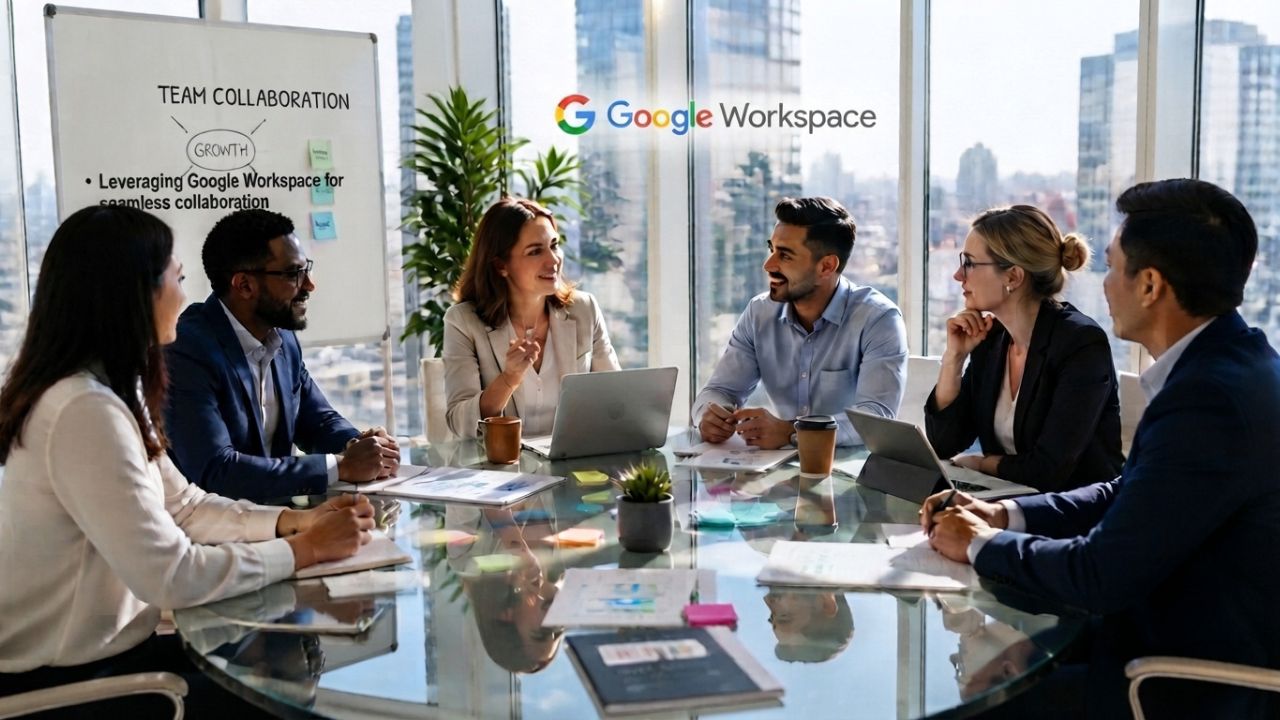
Remote teams don’t fail at collaboration because they lack tools; they fail because nobody redesigned how the team works once people stopped sharing a room. The organizational practices, async norms, time zone scheduling, hybrid meetings, and shared document habits that make Google Workspace work for distributed teams.
Upgrade to Google Workspace Today →
Remote Collaboration Needs Its Own Operating Model
Distributed teams that move office habits online end up with more meetings, not less friction. The apps inside Google Workspace only pay off once a team rebuilds its actual working rhythm, decides what to work on asynchronously, determines when a live conversation is worth the coordination cost, and replaces status updates with documents.
 What “Remote-Ready” Collaboration Actually Means
 What “Remote-Ready” Collaboration Actually Means
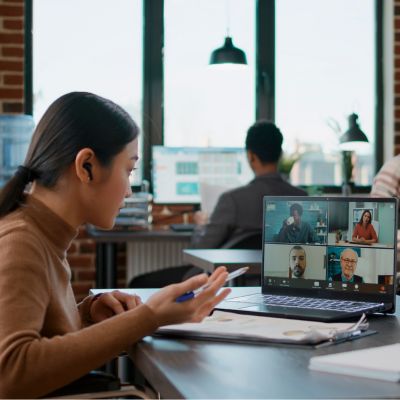
A remote-ready team defaults to written, searchable, timestamped work, shared docs, comment threads, recorded decisions, and reserves live meetings for judgment calls that genuinely need real-time back-and-forth. Everything else runs on its own schedule.
That distinction sounds obvious until you look at how most teams actually operate after going remote. Meetings tend to multiply rather than shrink, because managers default to “let’s hop on a call” whenever something feels unclear, and nobody has explicitly decided which decisions require synchronous input. Google Workspace gives distributed teams the infrastructure for a different default: Docs with comment threads, Chat spaces tied to specific projects, Meet for the conversations that genuinely need it, but the infrastructure only changes behavior if someone sets the rule that written-first is the starting assumption, not the fallback.
Where Most Teams Get the Transition Wrong
The most common mistake is treating remote collaboration as an IT rollout, provisioning accounts, training people on the apps, and assuming the work culture will adjust on its own. It doesn’t because nobody actually decided which office habits were worth keeping. Teams that skip the culture step usually end up with two failure patterns.
The first is meeting sprawl: Without an explicit async-first rule, every ambiguous question turns into a calendar invite, and the number of standing meetings creeps upward every quarter because canceling a meeting feels riskier than adding one.
The second is silent duplication: Two people solve the same problem independently because nothing was written down in a searchable place, so the knowledge lives only in someone’s head or in a Slack-style thread that scrolls away.
Both failure modes are organizational, not technical; the fix is a small set of explicit norms about where decisions get recorded and who needs to be looped in live versus asynchronously, then holding the team to those norms for long enough that they become habit rather than a policy nobody follows.
Async-First Communication Cuts Meeting Overload
Async-first doesn’t mean “never meet”; it means the default output of any piece of work is something another person can read and respond to on their own schedule, with meetings reserved for the subset of decisions that genuinely need real-time discussion.
Setting the Default to Written, Searchable Updates
Written-first collaboration works when every update lives somewhere a teammate can find it without asking, like a shared doc, a project space, a comment thread, rather than scattered across private messages that nobody else can search later. The practical shift is smaller than it sounds: instead of a manager asking for a verbal update on a call, the update becomes a short written entry in a shared doc or project tracker, posted on a predictable cadence, that anyone can read whenever their day allows.
Google Docs and Sheets support this well because comments and suggestions create a running record of who raised what and when, which means a disagreement about a decision six weeks later can be traced back to the actual thread instead of relying on someone’s memory of a call. The habit only sticks if leadership models it. A manager who still asks “can we hop on a call” for things a doc could answer undermines the whole system, no matter how good the tools are.
Deciding When a Meeting Still Beats a Doc
Some conversations genuinely need real-time back-and-forth, resolving a disagreement with several valid viewpoints, working through a plan with too many interdependencies to untangle in writing, or delivering feedback that needs tone and context a written comment can’t carry.
| Situation | Best Format | Why |
|---|---|---|
| Status update with no open questions | Shared doc, posted on a cadence | No real-time input needed; reader controls timing |
| Disagreement with several valid views | Live meeting (Meet) | Tone and rapid back-and-forth resolve it faster |
| Technical decision with a clear owner | Doc with comment thread | Creates a searchable record of the reasoning |
| Onboarding a new hire to context | Mix, recorded Meet walkthrough plus doc | Async video removes scheduling friction, and the doc adds reference detail |
| Cross-region planning with dependencies | Live meeting, rotated across time zones | Interdependencies are faster to untangle live |
Time-Zone Scheduling Without Burning Out Any Region
Poorly managed time-zone scheduling quietly pushes the coordination cost onto whichever region has the least negotiating power, usually the newest hires or the smallest office, and that imbalance compounds into attrition long before anyone names it as a scheduling problem.
Mapping Overlap Windows Before You Set Meeting Cadence
A time-zone overlap window is the block of hours when two or more regions are both within normal working hours, and it should be the first thing a distributed team maps out before setting any recurring meeting, rather than discovering it by trial and error after complaints start. Once the overlap windows are mapped out, most scheduling problems have a workable answer within them; the actual failure is skipping the mapping step and defaulting to the time zone of the calendar running.
Google Calendar’s shared-calendar and working-hours features make the overlap visible to everyone on a team rather than living in one scheduler’s head, which matters because the person setting the meeting is rarely the person absorbing the inconvenient time slot. Teams spanning three or more time zones typically find their overlap window shrinks to two or three hours a day, which means that window needs to be protected for genuinely synchronous work and kept clear of the routine updates that could just as easily run async.
Rotating the Inconvenience Instead of Fixing It in One Region
If a recurring meeting has to fall outside normal hours for at least one region, the fair fix is to rotate which region absorbs the early or late slot, rather than permanently assigning it to whichever team has the least seniority to push back.
| Team Spread | Recommended Live-Meeting Cadence | Coordination Approach |
|---|---|---|
| Same region, 1–2 hour spread | Daily or several times weekly is fine | Standard scheduling, minimal rotation needed |
| 3–6-hour spread | Weekly, inside a mapped overlap window | Anchor to overlap window, rotate edge-of-day slots |
| 6–10-hour spread | Biweekly or monthly, async carries the rest | Rotate inconvenient slots explicitly and log it |
| 10+ hour spread (near-antipodal) | Minimal live meetings; async-first by necessity | Recorded async video updates replace most live syncs |
Hybrid Meetings That Don’t Sideline Remote Staff
A hybrid meeting where five people sit in a conference room, and two join remotely almost always runs long, with remote attendees straining to follow a conversation designed around people who can see each other’s faces and use a shared whiteboard.
Running Meetings So Remote Attendees Aren’t an Afterthought
The simplest fix for hybrid-meeting imbalance is a hard rule. If even one attendee is remote, everyone joins from their own device rather than clustering several people around one camera in a conference room. That single rule solves most of the imbalance, because it puts every attendee on equal footing in the interface: same tile size, same ability to raise a hand or use chat, same audio quality, instead of remote staff watching a room from a fixed camera angle and struggling to hear side conversations.
Google Meet supports meetings with up to 100 participants on entry-level business plans and up to 150 on the mid-tier Business Standard plan, which covers the overwhelming majority of internal team meetings. The practical constraint for most distributed teams isn’t the participant cap but the discipline required to run the meeting itself. A facilitator who explicitly checks in with remote attendees before moving on, rather than assuming silence means agreement, does more to fix hybrid imbalance than any feature setting.
Recording and Notes as the Real Meeting Output
For a distributed team, the recording and the written notes are often more valuable than the live meeting itself, because they let anyone who couldn’t attend, across a time zone, a conflicting meeting, or simply working async that day, catch up without asking someone to repeat the conversation. Meeting recording and automatic transcription become available starting on Google Workspace’s Business Standard plan, which matters organizationally because it changes what “attending” a meeting means for a distributed team; someone who watches the recording later and adds a comment is participating, not missing out.
The habit that makes this actually useful is treating the recording as a byproduct, not the point: a short written summary posted alongside it, with decisions and owners explicitly called out, gets read far more often than a thirty-minute video gets watched in full. Teams that rely purely on “the recording is there if you need it” without a summary tend to find nobody actually watches it, which quietly recreates the same information gap the recording was meant to close.
Shared Documents Replace Status-Update Meetings
The single biggest lever for cutting meeting load on a distributed team is treating the shared document, not the meeting, as the primary place where work gets tracked, discussed, and decided.
Turning Weekly Check-Ins Into Living Documents
 Turning Weekly Check-Ins Into Living Documents
A living document is a single doc or sheet that stays open for the life of a project, updated continuously rather than recreated each week, so anyone can check the current status without waiting for the next scheduled sync. The shift from a weekly status meeting to a living document works best when the document has a predictable shape: what’s done, what’s in progress, what’s blocked, and who owns each open item, updated as things change rather than batched into a Friday summary.
Google Docs and Sheets support this pattern directly through comment threads and suggestion mode, which preserve the history of a decision, who raised a concern, and how it was resolved, in a way a verbal status meeting never does, since nobody transcribes those conversations. The document becomes the source of truth precisely because it’s always up to date, not because someone diligently wrote meeting minutes afterward.
Storage and Access Rules That Keep Shared Docs Usable
A shared-document workflow only scales if storage and access rules are set up before the team hits a wall, not after files start getting duplicated because nobody could find the original or didn’t have permission to edit it. Google Workspace pools storage per user rather than allocating it per file, which matters for planning purposes: Business Starter includes 30GB of pooled storage per user, Business Standard includes 2TB, and Business Plus includes 5TB, shared across the whole organization rather than siloed to individual accounts.
For a team running most of its collaboration through shared docs, sheets, and recorded meetings, 2TB pooled per user tends to be comfortable headroom for several years of normal document-heavy work; teams that store large video libraries or extensive design assets alongside their collaboration docs should plan for the higher tier earlier rather than migrating under pressure later. The organizational decision that matters more than the storage number itself is a clear shared-drive structure, one drive per project or team, with access set at the drive level rather than per file. Hence, a document’s home is predictable, and permissions don’t have to be re-granted every time someone new joins a project.
Get Your Remote Collaboration Model Set Up Right
The shared-document and storage structure above is easy to describe and easy to set up wrong, drives with inconsistent permissions, storage tiers chosen before anyone modeled real usage, or a migration that leaves half the team’s history behind. As an Authorized Reseller and Implementation Partner, Hiya Digital sets up the drive structure, permissions, and storage tier based on how your distributed team actually works, not on a generic default.
Channel Rules: Stop Messages From Getting Lost
Without an explicit rule for where different types of messages belong, a distributed team ends up with the same conversation happening in three places at once: a Chat thread, an email, and a comment on a doc, and nobody is sure which one has the final answer.
Assigning Each Message Type a Single Home
The organizing principle is simple to state and hard to enforce without deliberate effort: every category of communication- quick questions, formal decisions, project status, external correspondence- gets exactly one designated channel, and using the wrong channel for a message type is treated as a mistake to correct, not a minor inconvenience.
In a Google Workspace setup, this usually maps cleanly: Gmail for anything involving people outside the organization or anything that needs a formal, searchable record; Google Chat spaces for project-specific quick questions and day-to-day coordination; comments directly inside Docs or Sheets for feedback tied to a specific piece of work, rather than a separate message about the doc. The mapping itself isn’t complicated; the hard part is holding the team to it once the rule exists, because the path of least resistance during a busy week is always to fire off a message wherever feels fastest in the moment. That habit erodes the whole system if a manager doesn’t gently redirect it.
What to Do When Channels Multiply Anyway
Even with clear rules, channels tend to multiply on their own: a new chat space for every small initiative, side threads that never get closed out, project spaces that outlive the project itself, and left unmanaged, that sprawl recreates the same lost-message problem the rules were meant to prevent.
The fix is a light, recurring cleanup habit rather than a one-time policy: someone, usually a team lead, not necessarily the most senior person, reviews active chat spaces and shared drives on a set cadence, archiving anything tied to a finished project and merging near-duplicate spaces before they both accumulate separate, conflicting histories. This is a genuinely small-time investment, typically well under an hour per month for a team of 12 people. Still, it’s the kind of maintenance task that never happens unless someone explicitly owns it, because no individual has an obvious personal incentive to clean up a shared space that nobody “owns.”
Track Collaboration Health Without Watching Screens
Managing a distributed team well means reading signals about how collaboration is actually going without resorting to activity-monitoring software, which damages trust faster than it produces useful information.
Signals That Actually Predict a Struggling Remote Team
 Signals That Actually Predict a Struggling Remote Team
The earliest reliable signal that a remote team is losing collaboration health isn’t reduced output; it’s a shift toward more private, one-on-one messages and fewer comments in shared, visible spaces like docs and project chat spaces.
That shift matters because it usually means people have started routing around the shared workflow rather than trusting it, asking a teammate directly instead of posting a question where the whole team could see and benefit from the answer, or resolving disagreements in private DMs instead of in the comment thread where the reasoning would stay visible. A manager who only looks at output metrics, tickets closed, and docs shipped can miss this shift entirely because individual output often remains steady for a while, even as the team’s collaborative fabric quietly erodes beneath it. Noticing the pattern requires actually looking at where conversations are happening, not just whether work is getting done, which is a habit of attention rather than a dashboard metric.
Turning Signals Into Manager Conversations, Not Dashboards
The right response to a collaboration-health signal is a direct, human conversation with the person or team involved, not a monitoring tool that tracks message frequency or active hours, which erodes exactly the trust that healthy async collaboration depends on.
A manager who notices the private-messaging shift, for example, is better served asking a team member directly what’s making them hesitant to post questions in the open chat space than deploying software to measure it. That conversation often surfaces something structural and fixable, a past instance where a question posted publicly got an unhelpful or dismissive response, making people wary of doing it again, that no amount of activity tracking would ever reveal, because activity data shows the behavior without ever explaining the reason behind it.
Onboard Remote Hires Into the Culture, Not Just the Tools
A new remote hire who receives account credentials and a list of app tutorials on day one has been onboarded to the software, not to the team, and the gap between those two things usually determines whether the hire is contributing meaningfully by week four or is still quietly lost.
The First Two Weeks Set the Collaboration Pattern
The habits a remote hire builds in their first two weeks- where they ask questions, whether they default to written updates or private messages, how they use shared docs- tend to persist for the rest of their time on the team, which makes the onboarding period disproportionately important relative to how it’s usually treated. A structured first two weeks front-loads exactly the organizational patterns covered earlier in this post: which channel to use for what, when a meeting is appropriate versus when a doc will do, and where the team’s living project documents actually live.
Skipping this and expecting a new hire to absorb it by observation alone usually means they default to whatever habits they brought from a previous, differently structured team, often more meeting-heavy or more privately messaged than the team’s actual norms. That mismatch quietly persists for months because nobody explicitly named the expectation. A short written onboarding guide, living in a shared doc the hire can reference repeatedly, does more for this than any one-off live orientation session that is forgotten.
Pairing New Hires With a Working Buddy, Not Just a Manual
The single most effective onboarding structure for remote hires is pairing them with a working buddy, a peer, not their manager, who they can ask informal questions without the overhead of scheduling a meeting or worrying that the question seems too basic. A working buddy relationship works because it deliberately recreates the kind of low-stakes hallway question that happens naturally in an office and doesn’t happen naturally over distributed chat unless someone explicitly gives permission.
Practically, this means a standing, informal chat thread between the new hire and their buddy from day one; an explicit invitation to ask anything there without it needing to be urgent or important; and a buddy who checks in proactively during the first few weeks rather than waiting to be asked. This is a relatively low-cost structure to set up and tends to shorten the time it takes a new hire to become a confident, contributing participant in the team’s shared-document and async workflows.
Follow-the-Sun Handoffs Across Regions
A follow-the-sun workflow, where work passes from one region’s team to the next as each region’s working day ends, can genuinely extend a team’s effective working hours, but only if the handoff itself is structured carefully enough that nothing gets dropped in the transition.
Structuring a Handoff So Nothing Gets Dropped
A reliable follow-the-sun handoff has one fixed, non-negotiable artifact: a written handoff note, updated at the end of each region’s working day, that states exactly what was done, what’s still open, and what the next region needs to pick up first. Without that written artifact, follow-the-sun workflows tend to degrade into the outgoing region trying to reach someone live before signing off, which defeats the entire purpose of spreading work across time zones in the first place.
A shared doc, the same living-document pattern used for project status elsewhere in this post, works well for this specifically because it preserves a running history of handoffs, letting a region catch up on what happened while they were offline by reading the last entry rather than needing to reconstruct it from scattered messages. The habit that makes this reliable is treating the handoff note as a required part of ending the working day, not an optional nice-to-have that gets skipped when someone’s in a hurry to log off.
When Follow-the-Sun Isn’t Worth the Coordination Cost
 When Follow-the-Sun Isn’t Worth the Coordination Cost
Follow-the-sun coordination has a real cost; the handoff note itself takes time to write well, and misaligned handoffs create rework that can exceed whatever time was saved by extending the working day, so it’s worth applying deliberately rather than defaulting to it for every cross-region task.
The pattern tends to earn its coordination cost on genuinely continuous work with a clear single thread, a live incident being resolved, a piece of writing being iterated on, a build being fixed, where picking up exactly where the last region left off produces real value. It tends not to earn its cost on work that’s naturally parallelizable instead, where each region is better off owning a distinct piece of the work outright rather than passing a single thread back and forth, since parallel ownership avoids the handoff overhead entirely and lets each region work with full context rather than reconstructing someone else’s partial progress each morning.
Common Failure Patterns in Distributed Collaboration
Most distributed-team collaboration problems fall into a small number of recurring patterns, and recognizing the pattern early is usually more useful than any specific fix, because the same underlying pattern tends to resurface in a new form if the root cause isn’t addressed.
The Meeting Creep That Undoes Async Discipline
Meeting creep is the gradual, almost invisible process by which a team that started with strong async-first discipline slowly accumulates recurring meetings again, one at a time, each individually justified, until the calendar looks like it did before the discipline was established. It happens because every individual meeting request seems reasonable in isolation, a genuine need to sync on something specific, and nobody is tracking the cumulative effect across a quarter or a year.
The fix that actually works is a standing practice, not a one-time cleanup: reviewing the team’s full set of recurring meetings on a regular cadence and explicitly asking, for each one, whether it’s still earning its place or whether it’s drifted into a habit nobody has questioned recently. Teams that skip this review consistently find, when they finally do it, that a third or more of their standing meetings could be cut or converted to async updates without anyone missing them.
Silent Disengagement and How Structure Prevents It
Silent disengagement is what happens when a remote team member stops actively participating, cameras off, comments dwindling, questions unasked, without anyone noticing until output visibly drops, by which point the underlying cause has usually been building for weeks or months. The structural prevention for this pattern is exactly the collaboration-health signal tracking described earlier in this post.
Paying attention to where and how often someone is engaging in shared docs and chat spaces, not just whether their individual output is on schedule, and treating a drop in visible participation as worth a direct conversation rather than something to note and move past. Remote work makes disengagement genuinely easier to miss than in-office work does, because there’s no hallway conversation or visible body language to pick up on; the only signals available are the ones a manager has to actively look for in written communication and meeting participation patterns.
Frequently Asked Questions
How does Google Workspace support asynchronous work for remote teams?
Google Workspace supports async work primarily through Docs, Sheets, and Slides, with live comment threads and suggestion mode, which let people leave feedback, ask questions, and reach decisions without everyone needing to be online at the same time. Google Chat spaces organized around specific projects give teams a persistent, searchable place for updates without requiring a live conversation. The organizational piece that actually makes this work is a team norm, deciding that written updates are the default and meetings are the exception, since the apps only enable async collaboration; they don’t enforce it. Teams that pair the tools with an explicit async-first policy see far more benefit than teams that have access to the apps without changing their meeting habits.
What’s the best way to schedule meetings across multiple time zones in Google Workspace?
Start by mapping each region’s working hours in Google Calendar to find the actual overlap window, the block of hours where everyone is inside normal working hours, rather than guessing. Use that window for anything genuinely synchronous, and rotate which region absorbs an inconvenient time slot if a meeting has to happen outside the overlap. Calendar’s working-hours settings make each person’s availability visible to the whole team, which removes the guesswork. For teams spread across more than six or seven time zones, it’s usually more sustainable to shrink the number of live meetings altogether and lean on async updates for anything that doesn’t strictly require real-time discussion.
Can Google Meet handle large hybrid meetings with both in-office and remote staff?
Yes. Google Meet supports up to 100 participants on the entry-level Business Starter plan and up to 150 participants on Business Standard, which covers the vast majority of internal team and all-hands meetings for a distributed company. Larger organizations running company-wide meetings can use Business Plus, which raises the cap to 500 participants along with attendance tracking. For hybrid meetings specifically, the participant cap is rarely the limiting factor; the bigger determinant of whether remote staff feels included is meeting facilitation: having everyone join from individual devices rather than clustering around one conference-room camera, and actively inviting input from remote attendees during the discussion.
How should a distributed team decide between Google Chat, Gmail, and Meet for a given conversation?
A useful default is: Gmail for anything involving people outside the company or anything that needs a formal, permanent written record; Google Chat spaces for day-to-day project coordination and quick internal questions; and Meet reserved for conversations that genuinely need real-time back-and-forth, like resolving a disagreement or working through a plan with several interdependent moving parts. The specific mapping matters less than having a single agreed-upon mapping at all; teams that leave this ambiguous end up with the same conversation happening across two or three channels simultaneously, with nobody sure which thread holds the final answer.
Does Google Workspace help with follow-the-sun handoffs between regional teams?
Google Workspace doesn’t have a dedicated follow-the-sun feature. Still, its shared-document infrastructure, particularly Docs with active comments and edit history, works well as the backbone of a handoff process. The organizational piece that makes follow-the-sun work is a written handoff note updated at the end of each region’s working day, stating what was done, what’s open, and what the next region should pick up first, typically kept in a living shared doc rather than scattered across chat messages. Follow-the-sun coordination works best for genuinely continuous, single-threaded work; tasks that can be split and independently owned by each region are usually better handled with parallel ownership rather than a handoff chain.
How much storage does a remote team actually need for shared document workflows?
Google Workspace pools storage per user rather than assigning it per file: Business Starter includes 30GB pooled per user, Business Standard includes 2TB, and Business Plus includes 5TB, shared across the whole organization. For a team that collaborates mainly through docs, sheets, and shared presentations, 2 TB of pooled storage per user is generally sufficient for several years of normal use. Teams that store large video files, extensive design assets, or long meeting-recording archives alongside regular documents should proactively plan for a higher storage tier rather than migrating reactively once they hit a limit, since a mid-project storage upgrade is more disruptive than planning for it up front.
What’s the best way to onboard a new remote hire using Google Workspace?
Pre-provision the new hire’s account, group memberships, and shared drive access through the Admin Console before their first day, so access friction doesn’t slow them down in their first week. Pair the technical setup with a structured first two weeks that explicitly walks through the team’s collaboration norms, which channel to use for what, when meetings are appropriate, where living project documents live, rather than assuming they’ll absorb it by observation. Pairing the new hire with a peer working buddy, separate from their manager, for informal day-to-day questions tends to shorten ramp-up time significantly, since it recreates the kind of low-stakes questions that happen naturally in an office but don’t happen automatically over distributed channels.
How can managers track remote team collaboration without micromanaging?
Avoid activity-monitoring tools that track message frequency or active hours; they erode trust and often change behavior in ways that make the actual signal less reliable. Instead, watch qualitative patterns: whether questions and decisions are happening in shared, visible spaces like docs and Chat spaces versus shifting into private one-on-one messages, and whether meeting engagement is dropping for someone who used to participate actively. When a signal appears, the right response is a direct, human conversation with the person involved rather than a dashboard; the conversation usually surfaces a structural, fixable cause that no activity metric would reveal on its own.
Are Google Meet recordings and transcripts useful for remote-only teams?
Yes, particularly for teams spread across time zones where not everyone can attend a meeting live. Meeting recording and automatic transcription are available starting on Google Workspace’s Business Standard plan, letting someone who missed a meeting catch up on their own schedule instead of asking for a repeat summary. The habit that makes recordings genuinely useful is pairing them with a short written summary that explicitly calls out decisions and owners. Teams that rely on “the recording is there if you need it” without a summary often find almost nobody actually rewatches the full video, which quietly recreates the information gap the recording was meant to solve.
What’s the biggest mistake companies make when moving a team to full-remote collaboration?
The most common mistake is treating the move as a software rollout, provisioning accounts and training people on the apps, without deciding, explicitly, which working habits from the office are worth keeping and which need to change. Left undecided, teams tend to default to more meetings rather than fewer, because asking “should we hop on a call” feels safer than trusting a written update, and nothing written down anywhere prevents that habit from creeping back in. The organizations that transition well treat the culture and norms decision as the primary project, with the Workspace setup as the infrastructure that supports it, not the other way around.
Glossary
Async-first communication: A team norm where written, searchable updates (in docs, comments, or chat threads) are the default form of communication, with live meetings reserved for conversations that genuinely require real-time discussion.
Follow-the-sun handoff: A workflow where a single piece of work passes from one region’s team to the next as each region’s working day ends, intended to extend a team’s effective working hours without any one region working outside normal hours.
Time-zone overlap window: The block of hours during which two or more distributed regions are simultaneously within normal working hours, used as the basis for scheduling any genuinely synchronous meeting.
Pooled storage: Google Workspace’s model of allocating storage per user but sharing it across the whole organization’s Drive, rather than capping storage separately for each file or account.
Hybrid meeting: A meeting with at least one attendee joining remotely and at least one attendee physically present in a shared location, such as an office conference room.
Living document: A single doc or sheet that stays continuously updated for the life of a project, replacing the need for a recurring status meeting by always reflecting current status.
Google Chat spaces: Persistent, topic- or project-based group conversations within Google Workspace, distinct from one-off direct messages, used to organize ongoing team coordination.
Meeting recording and transcript: A saved video and automatically generated text record of a Google Meet call, available starting on the Business Standard plan, allowing anyone who missed the live meeting to review it later.
The Hiya Digital Team is a collective of IT infrastructure specialist engineers, certified systems administrators, and cloud architects driven by a singular mission: building corporate communication systems that just work. As an Authorized Google Partner, the team handles complex global hosting deployments, secure email migrations, and advanced data compliance architectures for businesses across 40+ countries.
With over two decades of technical experience spanning custom premium business email configurations, OX AppSuite deployments, and enterprise-level network security, the Hiya Digital Team writes to demystify domain infrastructure. Their content focuses on actionable technical strategies, anti-phishing security protocols, and seamless cloud collaboration setup, all backed by real-world deployment experience and 24/7 technical support accountability.